
The 12 Best AI Productivity Tools to Use in 2026
Discover the 12 best AI productivity tools for transcription, automation, and project management. Boost efficiency with our curated list of top solutions.
Praveen
March 7, 2026
In 2026, the promise of AI isn't about futuristic chatbots; it's about reclaiming hours, simplifying complex workflows, and unlocking new levels of efficiency. But the market for AI applications is crowded and confusing. Many tools promise amazing results but deliver little more than novelty. This guide cuts through that noise.
We have curated a definitive list of the 12 best AI productivity tools, selected not for their marketing buzz, but for their real-world impact on essential business functions. From transcribing meetings with near-perfect accuracy to automating entire project pipelines, these are the platforms that deliver tangible results. While many of the tools here focus on professional use, understanding the broader ecosystem of digital assistance is also important. To find tools that genuinely simplify your daily tasks, you might also explore the best personal productivity apps for a wider perspective on managing your life.
This article is designed to be your go-to resource. For each platform, including standouts like Transcript.LOL, Notion AI, and Zapier, we provide a detailed breakdown. You will find:
- Short, scannable descriptions to quickly grasp what each tool does.
- Practical use-case scenarios for professionals like podcasters, marketers, and business executives.
- Honest assessments of limitations and potential drawbacks.
- Clear pricing information to match your budget.
Our goal is to help you move beyond the hype and build an intelligent tech stack that actually works. We include direct links and screenshots so you can see each tool in action and make an informed decision without wading through generic feature lists. Let's dive into the platforms that can genuinely boost your productivity.
Why AI Productivity Tools Matter in Modern Workflows?
Artificial intelligence is significantly changing the way people do things. Instead of using a lot of resources to do things such as documentation, research, or scheduling, artificial intelligence is here to change the workflow. This means that people will be able to do more creative things compared to the current operations.
1. Transcript.LOL
Transcript.LOL solidifies its position as one of the best AI productivity tools by moving far beyond simple speech-to-text. It serves as a comprehensive content intelligence platform, converting raw audio and video into structured, actionable assets. Powered by an advanced AI engine based on OpenAI's Whisper, it delivers exceptionally high accuracy, which can be further refined with custom vocabulary for niche industries like legal, medical, or technical fields. This precision is fundamental, ensuring the reliability of every generated output.
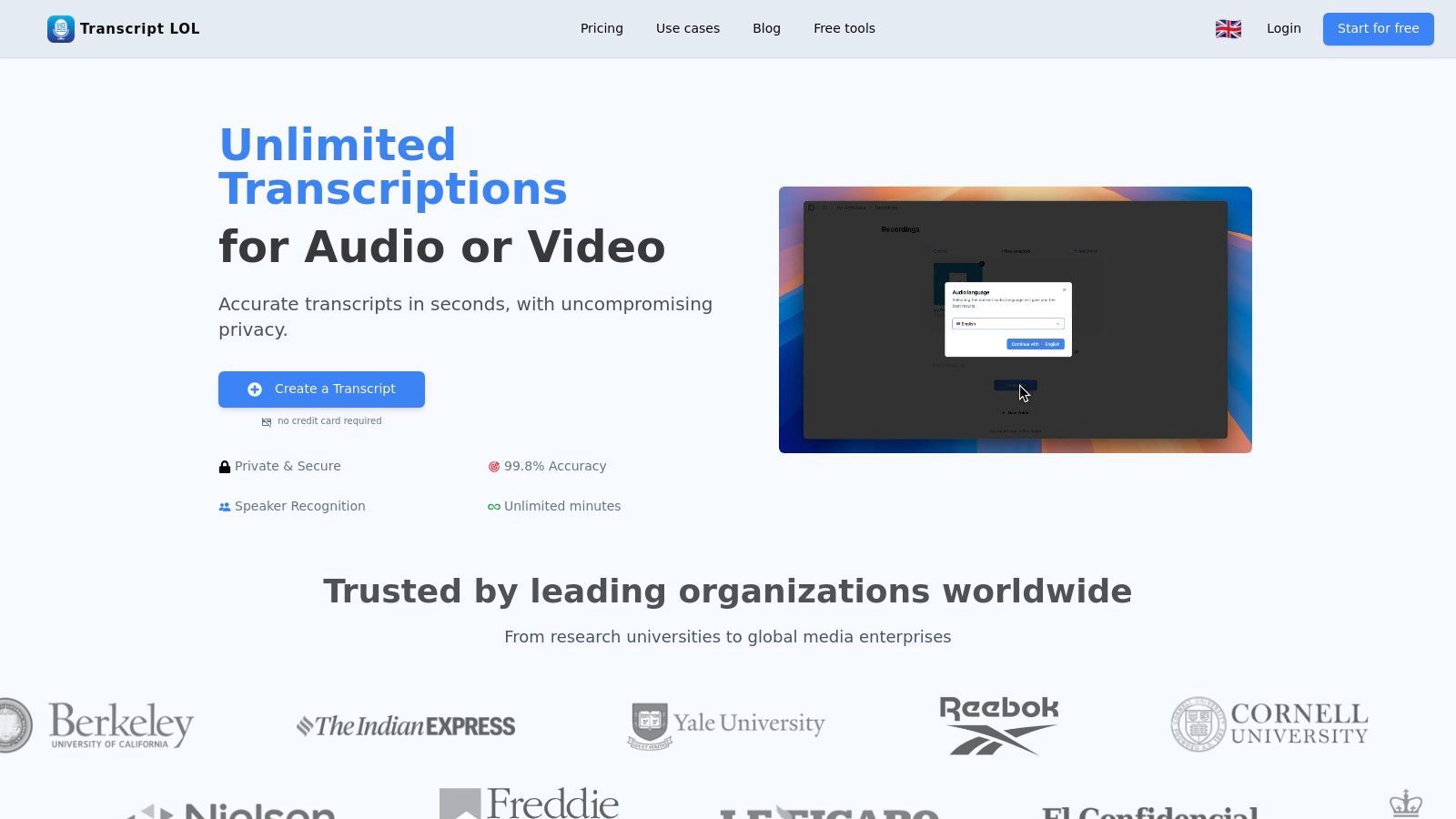
The platform’s real strength lies in what it does after transcription. It automatically generates summaries, chapters, action items, mind maps, and even social media posts, saving hours of manual work. For podcasters, marketers, and researchers, this means instantly repurposing a single recording into multiple content formats. A one-hour webinar can become a blog post, a series of tweets, a customer quiz, and a detailed meeting summary in minutes.
Core AI Features That Power Transcript.LOL
State-of-the-art AI
Powered by OpenAI's Whisper for industry-leading accuracy. Support for custom vocabularies, up to 10 hours long files, and ultra fast results.

Import from multiple sources
Import audio and video files from various sources including direct upload, Google Drive, Dropbox, URLs, Zoom, and more.

Export in multiple formats
Export your transcripts in multiple formats including TXT, DOCX, PDF, SRT, and VTT with customizable formatting options.
Key Features & Use Cases
- High-Volume Processing: Handles large files up to 10 hours or 5 GB, making it perfect for long-form content like podcasts, keynote speeches, and all-day training sessions.
- Content Repurposing: A marketer can upload a customer interview and receive a transcript, a summary for an internal report, a set of key quotes for social media, and a mind map for a new campaign strategy.
- Privacy-First Approach: A strict no-training policy ensures your sensitive discussions, legal depositions, or proprietary research are not used to train AI models, a critical factor for business and enterprise users.
- Team Collaboration: Shared workspaces and folder management allow teams to collaborate on transcripts, review meeting notes, and manage a central repository of transcribed content without overlap.
Pricing & Drawbacks
Transcript.LOL offers a straightforward pricing structure. The Free plan is suitable for light testing, allowing two 20-minute files per day. The Unlimited plan ($10/month billed annually) is a powerful option for individuals, offering unlimited non-automated usage and 10-hour file uploads. The Team plan ($20/month for 2 users, billed annually) adds collaborative features.
The main limitation is that the Free tier's file limits and lower processing priority might not be sufficient for professional use. Additionally, while the platform emphasizes security, organizations requiring specific compliance certifications like SOC 2 or HIPAA should conduct their own verification. For a deeper look at how it measures up against other services, you can find a helpful comparison of the best AI transcription software on their blog.
Website: Transcript.LOL
2. Notion (with Notion AI for Business/Enterprise)
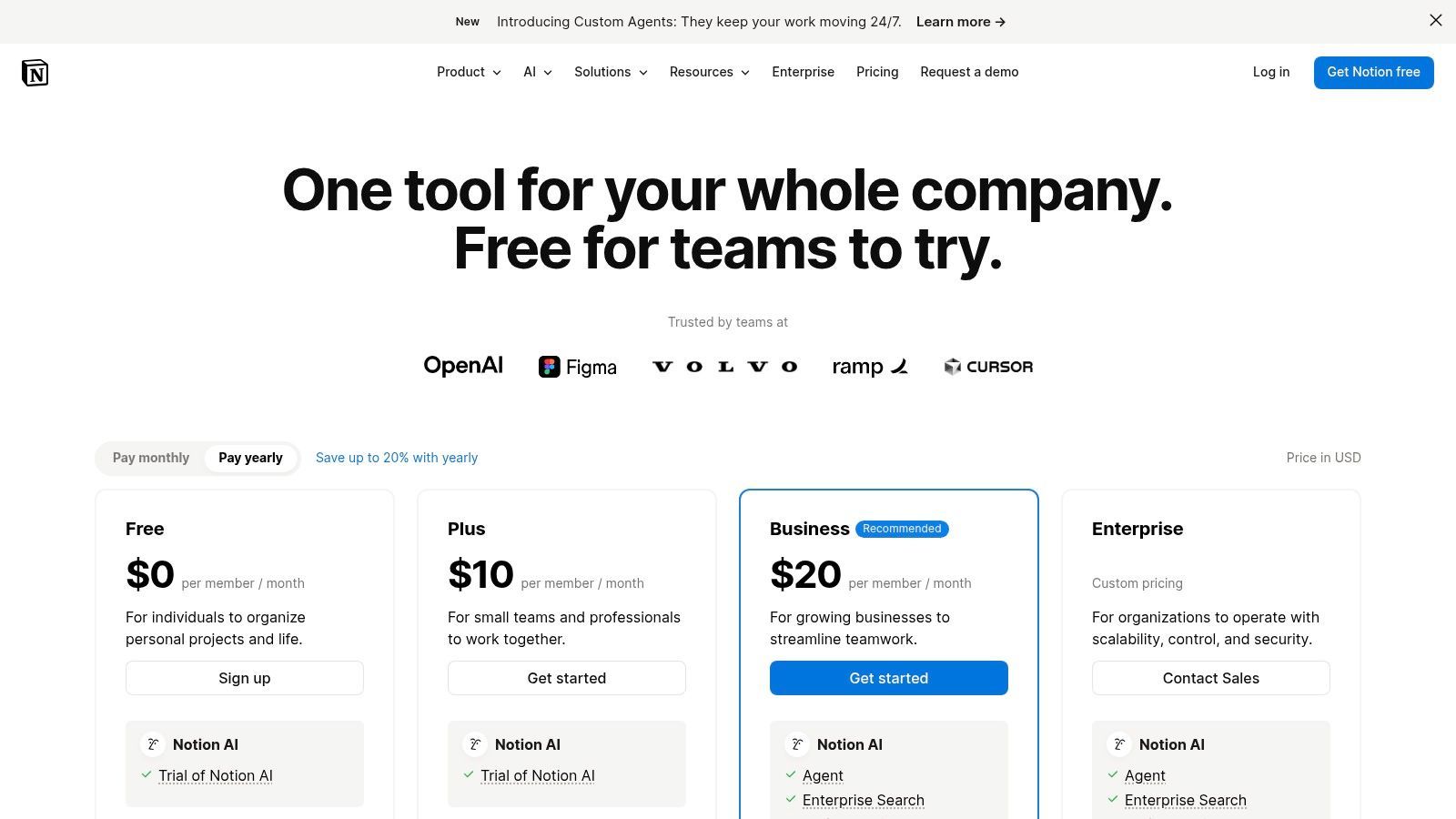
Notion is a uniquely flexible all-in-one workspace that molds to nearly any workflow. It combines notes, documents, project management, and databases into a single, connected environment. Where it truly stands out as one of the best AI productivity tools is with its integrated Notion AI, available to new users on its Business and Enterprise plans. This built-in AI allows teams to summarize meeting notes, draft content, extract action items from messy text, and even ask questions about the entire workspace without ever leaving the document or database they are working in.
Unlike standalone AI writers, Notion AI's power comes from its context. It operates directly within your team’s knowledge base, making it ideal for creating consistency and speeding up internal processes. For example, you can use it to automatically fill database properties based on document content, a practical application of AI in process automation. For more ideas on this topic, see these business process automation examples to understand how such features can be applied.
Key Features & Considerations
- Ideal User: Teams and businesses that need a central hub for knowledge, projects, and documents and want to embed AI directly into those workflows.
- Pros: Its "building block" nature is highly adaptable, and the native AI prevents constant app-switching. The Business and Enterprise tiers offer mature admin controls and SSO for secure scaling.
- Cons: The AI features are bundled into higher-priced tiers for new customers, with no cheap add-on for individuals or small teams. A lack of initial structure can lead to a disorganized and slow workspace over time.
- Pricing: AI is included in the Business Plan at $18 per user/month (billed annually) and the Enterprise Plan (custom pricing).
Website: https://www.notion.com/pricing
3. ClickUp (with ClickUp Brain/AI)
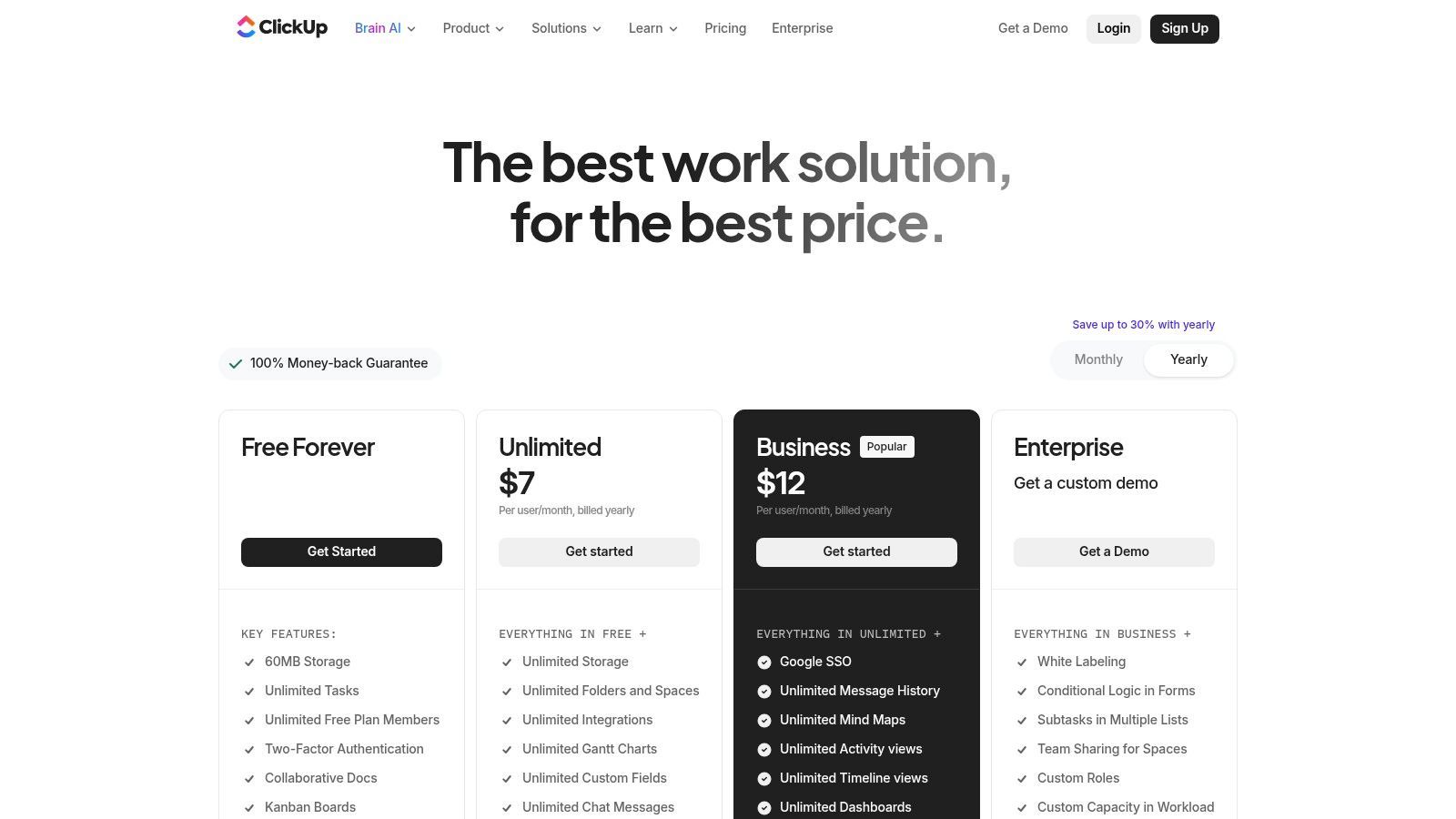
ClickUp aims to be the one app that replaces all others by consolidating tasks, documents, dashboards, time tracking, and goals into a single platform. Its native AI, ClickUp Brain, extends this all-in-one philosophy by embedding artificial intelligence directly into your workflow. This makes it one of the best AI productivity tools for teams looking to reduce app-switching. With ClickUp Brain, users can summarize comment threads, generate action items from text, write and rephrase content, and even build custom AI Agents to automate routine processes.
Unlike tools that only offer AI for content creation, ClickUp Brain focuses on work management and project context. You can use its AI Notetaker for meeting summaries or ask questions with its Enterprise Search to find information across your entire workspace. The transparent add-on pricing, with pay-as-you-go credits, provides flexibility for teams to scale their AI usage based on actual need. This approach prevents paying for unused AI seats while still providing powerful features for those who need them.
Key Features & Considerations
- Ideal User: Project-centric teams and organizations that want a single source of truth for work management and wish to layer AI capabilities onto existing tasks, documents, and workflows.
- Pros: Its extremely broad feature set can replace several standalone apps. The AI add-on pricing is transparent and flexible. Strong security options like SSO and SOC 2 compliance are available for enterprise needs.
- Cons: The platform's extensive capabilities can be overwhelming for new users and require deliberate setup and onboarding. AI costs can accumulate quickly if many users depend on the "Everything AI" tier or frequently use AI credits.
- Pricing: ClickUp Brain is an add-on for paid plans, starting at $5 per user/month. It includes different tiers and a pay-as-you-go credit system for expanded usage.
Website: https://clickup.com/pricing
4. Zapier
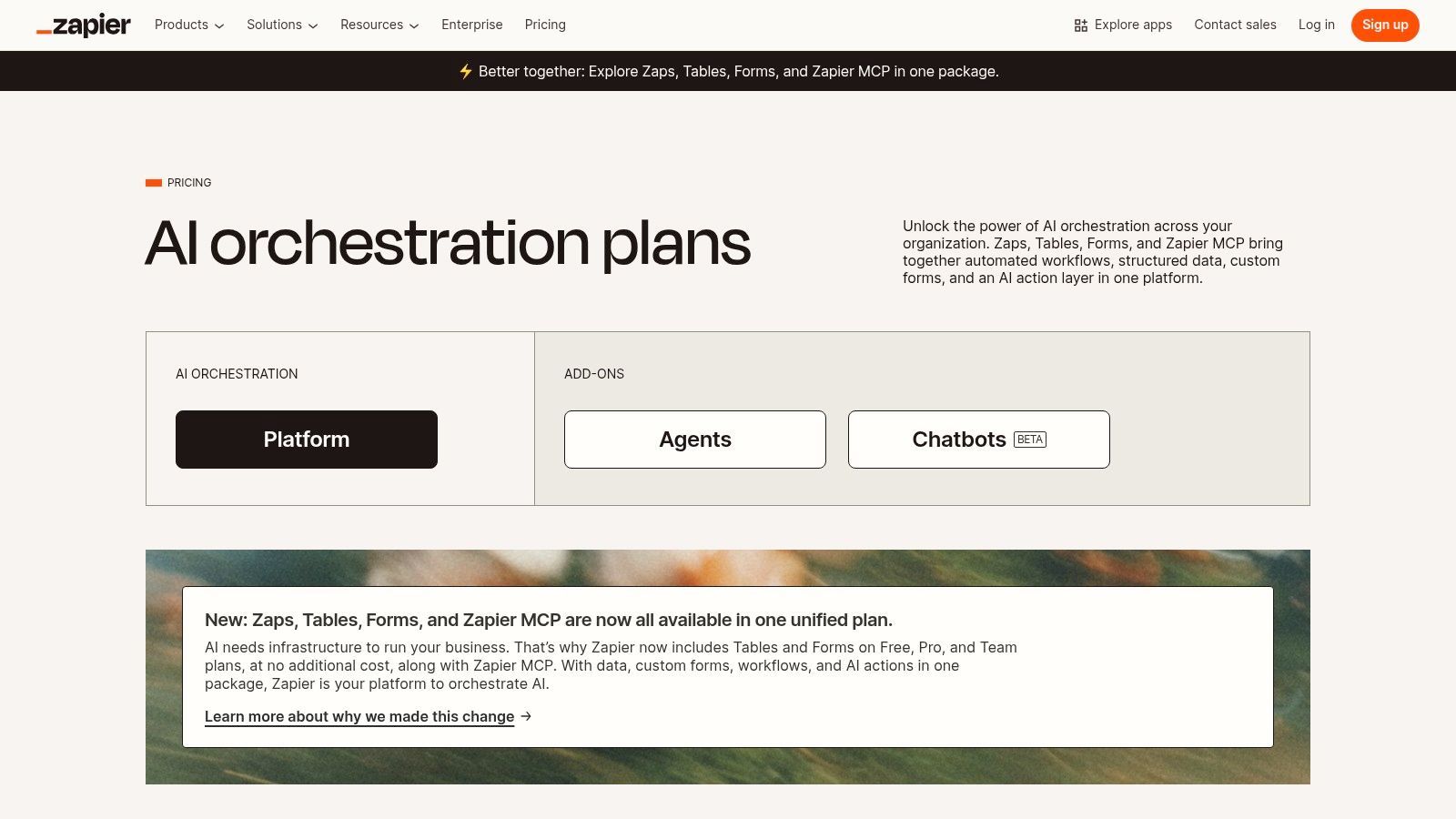
Zapier is the definitive no-code automation platform that acts as the connective tissue for thousands of web applications. While known for its core "Zaps" that trigger actions between apps, it has evolved into a powerful AI productivity tool with its own Tables, Forms, and an integrated AI layer. This allows users to build sophisticated automations that not only connect apps but also process information using AI. For example, you can create a Zap that automatically routes incoming leads from a form, uses AI to summarize the request, and then creates a task in your project management tool.
Unlike tools confined to a single ecosystem, Zapier’s strength is its unmatched breadth of over 6,000 app connectors. The recent addition of AI actions, including a Copilot for building workflows and options to create AI Chatbots and Agents, brings intelligent automation to nearly any digital process. This makes it possible to build AI-powered workflows without writing a single line of code, such as automating content creation, managing CRM entries, or routing support tickets with AI-driven analysis.
Key Features & Considerations
- Ideal User: Anyone from individuals to large enterprises looking to automate repetitive tasks across multiple applications and inject AI into those processes without needing developers.
- Pros: The app ecosystem is the best in its class, offering near-limitless integration possibilities. Team and Enterprise tiers provide robust governance and SSO, and it scales effectively from simple two-step Zaps to complex, conditional workflows.
- Cons: The pricing model is based on task usage, which can become expensive for high-volume automations. Designing complex, multi-step Zaps with conditional logic often requires careful planning and oversight to function reliably.
- Pricing: A free plan is available for basic Zaps. Paid plans start at $19.99/month (billed annually). AI features like Chatbots and Agents are available on specific plans or as add-ons.
Website: https://zapier.com/pricing
5. Motion
Motion acts as an AI-powered planner that goes beyond a simple to-do list by intelligently organizing your entire schedule. It automatically prioritizes tasks, books meetings, and builds a realistic daily plan across your calendar, helping individuals and teams manage shifting deadlines and complex workloads. What makes Motion one of the best AI productivity tools is its ability to dynamically reschedule your day as new priorities arise, ensuring you are always working on the most important item without manual reorganization.
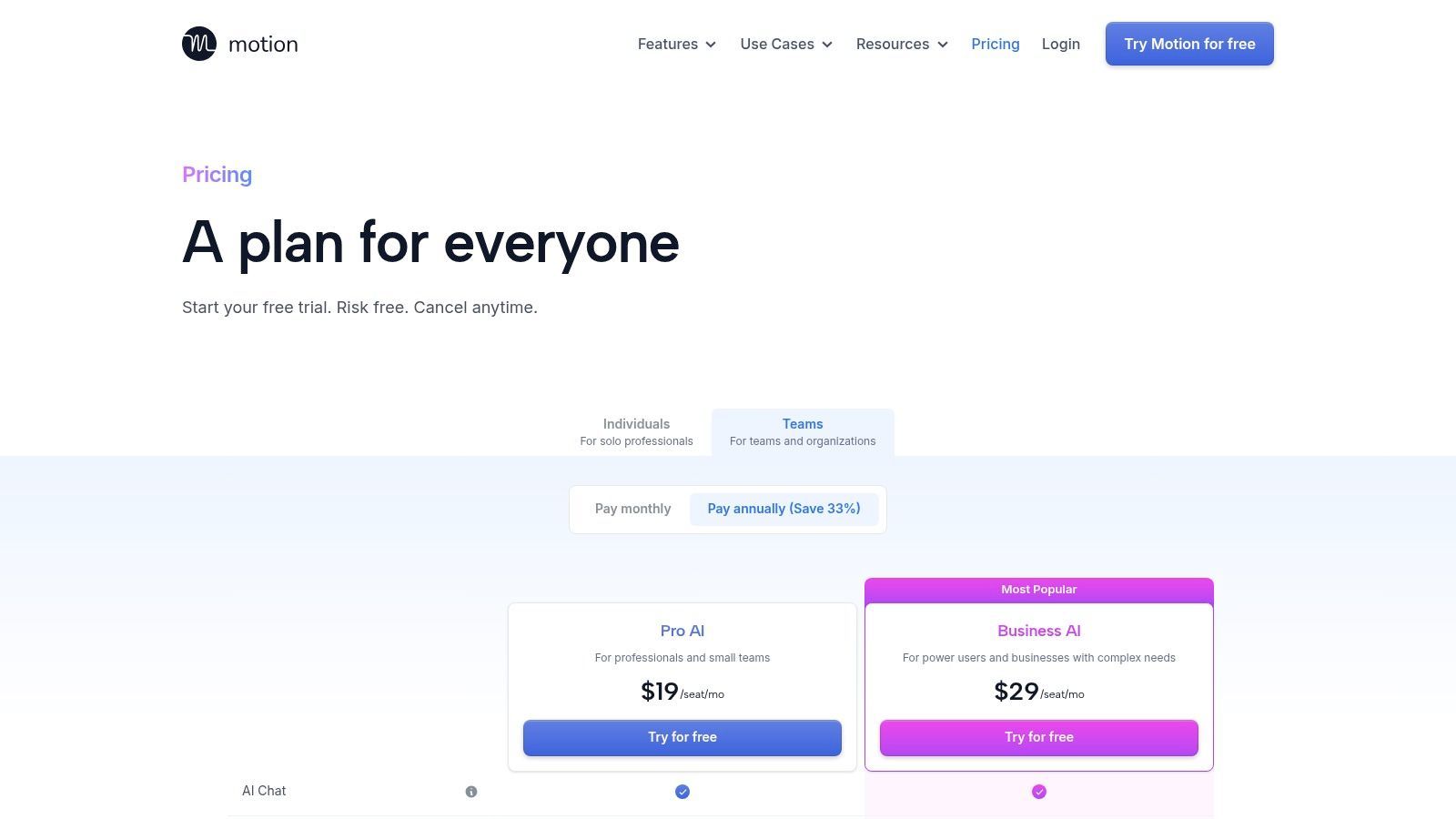
This tool combines project management, calendar scheduling, and meeting assistance into a single application. For teams, its AI can help with capacity planning by analyzing workloads and suggesting task distributions. The platform also includes an AI meeting notetaker and an AI chat assistant to help with planning and summarization. Its core value is providing a clear answer to "what should I do next?" by managing the cognitive load of constant reprioritization for you.
Key Features & Considerations
- Ideal User: Busy professionals, freelancers, and teams who struggle with time management and need an automated system to prioritize and schedule tasks across multiple projects.
- Pros: The "do next" scheduling provides clear direction for complex days. It effectively merges project, calendar, and meeting AI into one app. Mobile and desktop versions support continuous, on-the-go replanning.
- Cons: The credit-based system for AI features, with published overage pricing, can lead to unpredictable costs for heavy users. Certain features are restricted by plan and seat tiers, limiting access for smaller teams.
- Pricing: The Individual plan is $19 per month (billed annually). The Team plan is $12 per user/month (billed annually). AI features operate on a credit system.
Website: https://www.usemotion.com/pricing
6. Superhuman (Mail + Superhuman Suite)
Superhuman began as a premium, speed-focused email client designed to help professionals power through their inboxes. It has since grown into a broader productivity offering, the Superhuman Suite, which integrates its famous email experience with new AI tools. This expanded suite includes Superhuman Go, an AI assistant that works across different applications and browser tabs to help you write, research, and create faster. The suite also bundles access to partner tools like Grammarly and Coda, making it one of the best AI productivity tools for users who live in their inbox but also need strong writing and documentation support.
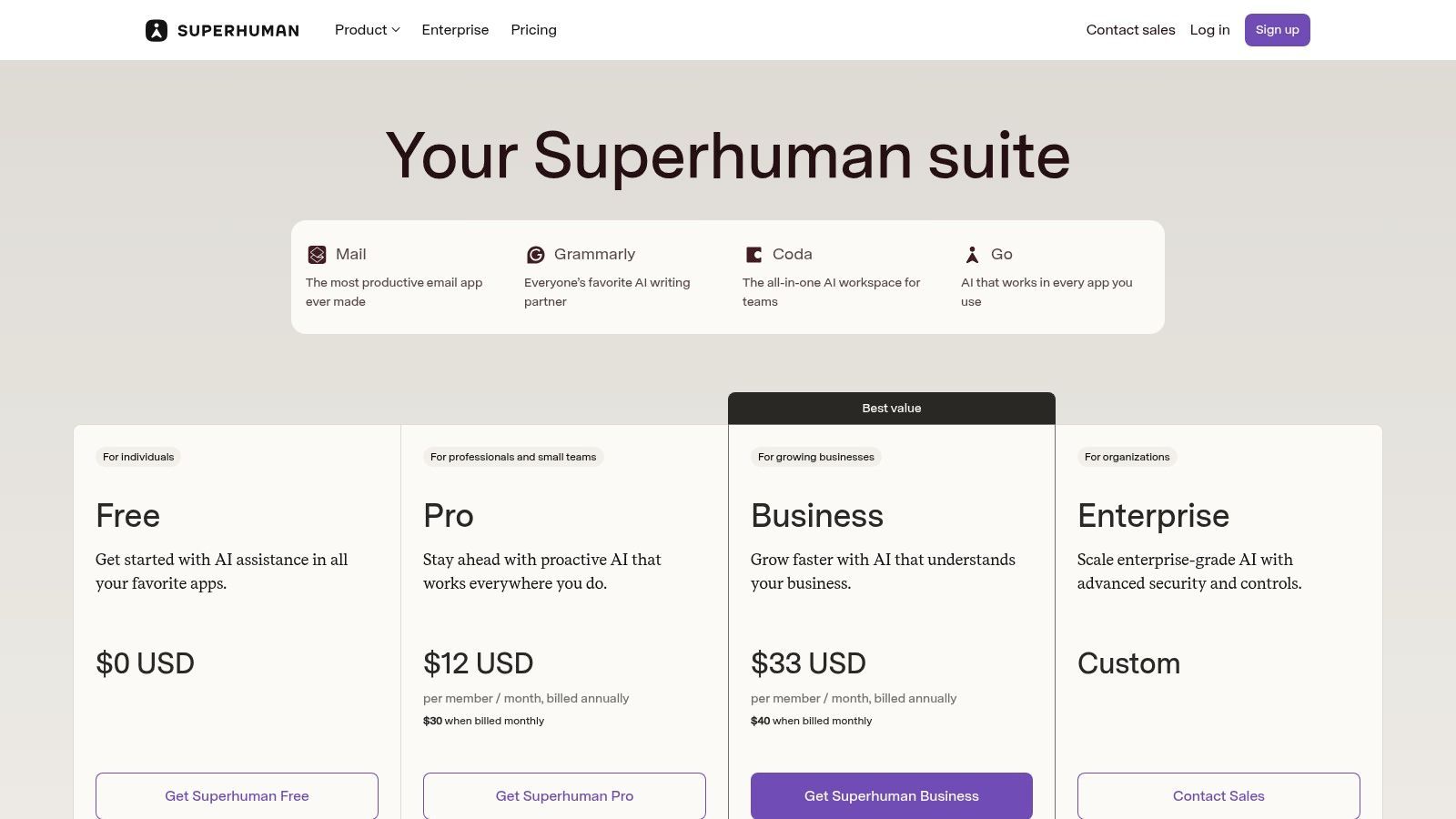
The platform’s core strength remains its incredibly fast and efficient email management, built around keyboard shortcuts and smart features like split inboxes for focused work. The addition of AI allows you to summarize long threads, draft replies in your own tone, and triage messages with unprecedented speed. This combination of a first-class email client and an integrated, multi-app AI assistant creates a powerful hub for communication and creation, reducing the need to switch between separate tools for writing, research, and email.
Key Features & Considerations
- Ideal User: Email-heavy professionals, executives, and sales teams who need to manage high communication volume and want integrated AI to accelerate writing and research tasks.
- Pros: Extremely fast email triage and follow-up capabilities. The Suite adds significant value with writing assistance and collaborative documents. Users can still choose a legacy Mail-only plan if the full suite isn't needed.
- Cons: The pricing structure can be confusing with different tiers for the Suite versus the legacy email-only product. Its high cost makes it most suitable for users who spend a large portion of their day managing email and creating documents.
- Pricing: The full Superhuman Suite is $39 per user/month, with custom pricing for Business and Enterprise tiers that include security features and SSO. Legacy Mail-only plans may still be available.
Website: https://superhuman.com/plans
7. Descript
Descript is an all-in-one AI audio and video editor that has completely changed the game for podcasters, YouTubers, and content teams. It works by transcribing your media and then letting you edit the video or audio by simply editing the text, much like a document. This makes complex edits, such as removing filler words ("um," "uh") or rearranging sentences, as easy as deleting or moving text. For content creators, this is one of the best AI productivity tools for drastically reducing editing time.
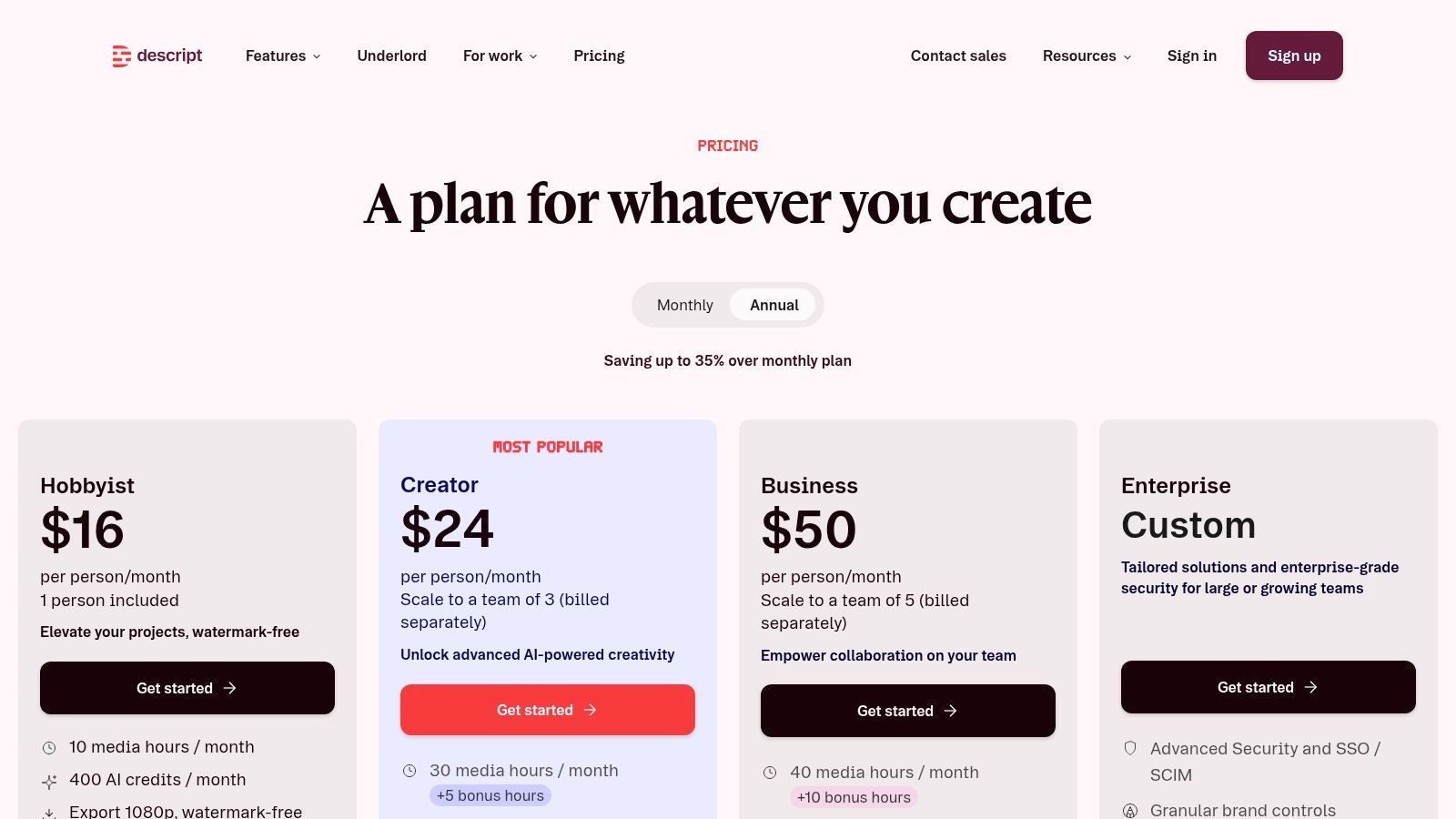
Its standout features go beyond text-based editing. Descript includes "Studio Sound," an AI-powered audio enhancement tool that removes background noise and improves voice quality with a single click. It can also create an AI clone of your voice to fix misspoken words or add new lines without re-recording. For teams, the platform allows for collaborative editing and commenting directly on the transcript, centralizing feedback and eliminating the need for separate review documents.
Key Features & Considerations
- Ideal User: Podcasters, video creators, and marketing teams who need to produce polished audio/video content quickly without advanced technical editing skills.
- Pros: The text-based editing workflow is intuitive and dramatically speeds up the post-production process. Powerful AI tools like Studio Sound and voice cloning are accessible to non-engineers. It scales well from solo creators to collaborative teams.
- Cons: The application can be resource-intensive, requiring a powerful computer and fast internet for larger, high-resolution projects. The usage-based pricing with transcription minute caps may lead to extra costs for high-volume producers.
- Pricing: A free plan with limited features is available. Paid plans start with the Creator plan at $12 per user/month and the Pro plan at $24 per user/month (billed annually), with custom pricing for Enterprise.
Website: https://www.descript.com/pricing
8. Otter.ai
Otter.ai is a specialized AI notetaker and meeting assistant that automatically transcribes audio from calls, interviews, and lectures in real time. It integrates with Zoom, Google Meet, and Microsoft Teams to join your meetings, identify different speakers, and generate a searchable, interactive transcript. This makes it one of the best AI productivity tools for teams who need to turn spoken conversations into actionable records without manual note-taking.
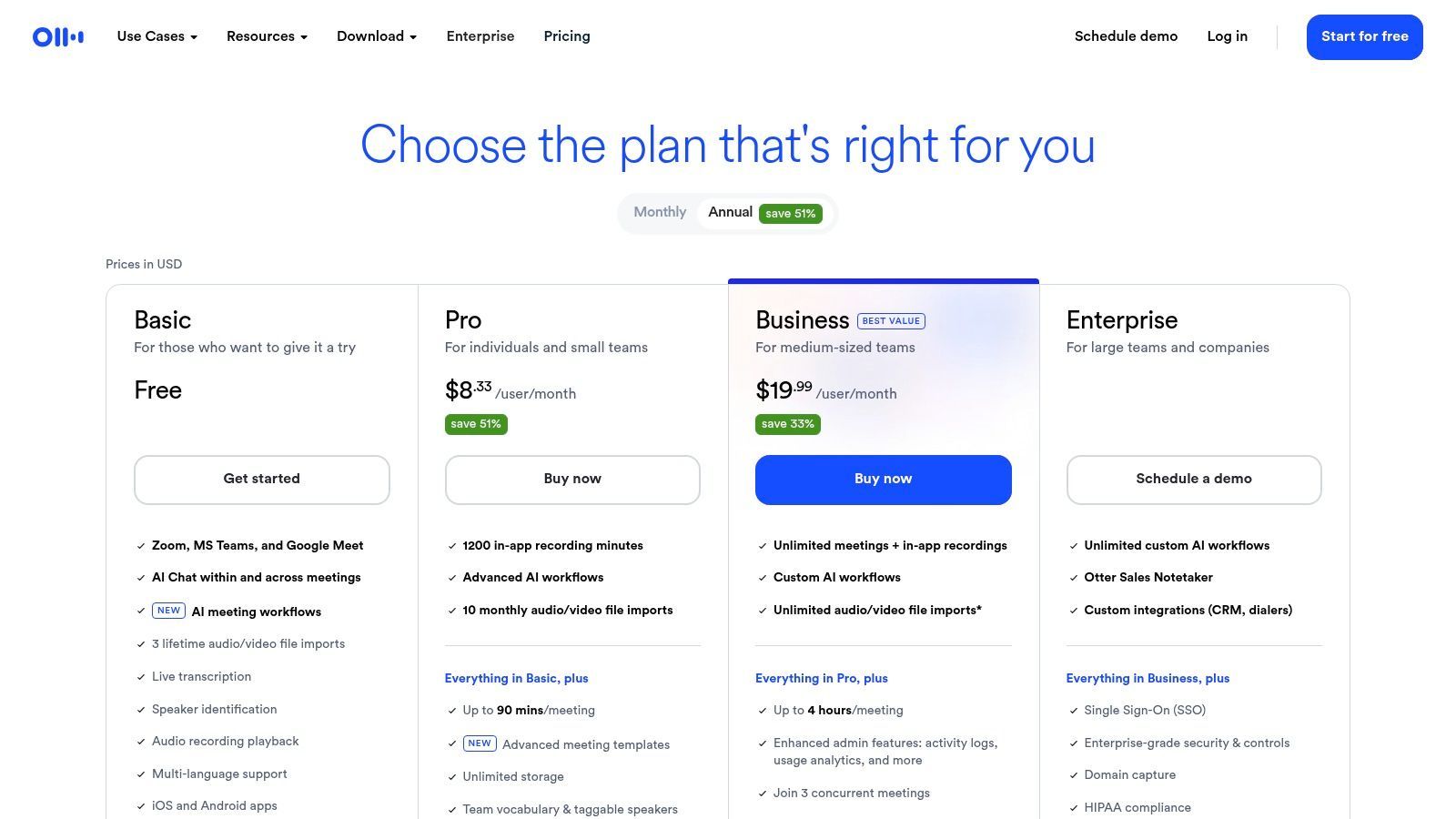
Its core function is to provide an accurate record, but its AI extends beyond simple transcription. Otter can automatically generate summaries, outline key points, and list action items from the meeting text. This helps teams quickly catch up on missed calls and align on next steps. The platform also allows for team-wide custom vocabulary, improving accuracy for industry-specific jargon, and includes advanced search functions to find specific information across all your past conversations.
Key Features & Considerations
- Ideal User: Teams, journalists, and students who frequently participate in virtual meetings or conduct interviews and need an automated way to capture and summarize discussions.
- Pros: Reliable live transcription and speaker identification across major meeting platforms. The AI-generated summaries and action items are genuinely useful for team alignment. Business plans offer generous import limits.
- Cons: Lower-priced tiers have per-conversation time limits that can be restrictive for longer meetings. The Pro plan has quotas on imported files, which might require an upgrade for users with large backlogs of audio to process.
- Pricing: A free plan is available with basic features. The Pro plan is $10 per user/month (billed annually), and the Business plan is $20 per user/month (billed annually) with more advanced features.
Website: https://otter.ai/pricing-new
9. Grammarly
Grammarly is an AI-powered writing assistant that improves the clarity, correctness, and tone of your writing in real time. It integrates directly into the apps and websites you use daily, from Gmail to Google Docs, providing instant feedback on grammar, spelling, punctuation, and style. By acting as a constant proofreader, it speeds up the drafting process for emails, reports, and social media posts, ensuring your communication is always professional and polished.
Unlike generative AI tools that create content from scratch, Grammarly’s strength lies in refinement and assistance. It operates where you write, making it one of the best AI productivity tools for improving the quality of everyday communications with minimal friction. Its AI can rewrite sentences for fluency, adjust the tone to be more confident or friendly, and ensure consistency across team documents. For business users, this means less time spent editing and more time spent on core tasks, with the assurance that all external-facing text meets a high standard.
Key Features & Considerations
- Ideal User: Individuals and teams who need to produce high-quality, error-free written content consistently across multiple platforms.
- Pros: Offers immediate quality improvement for everyday writing with almost no effort. The low-friction browser and desktop integrations mean it works where you do. Costs are predictable and affordable for small teams.
- Cons: Brand and voice customization is limited compared to full LLM platforms. It is better for polishing and refining existing content rather than complex ideation or generating long-form text.
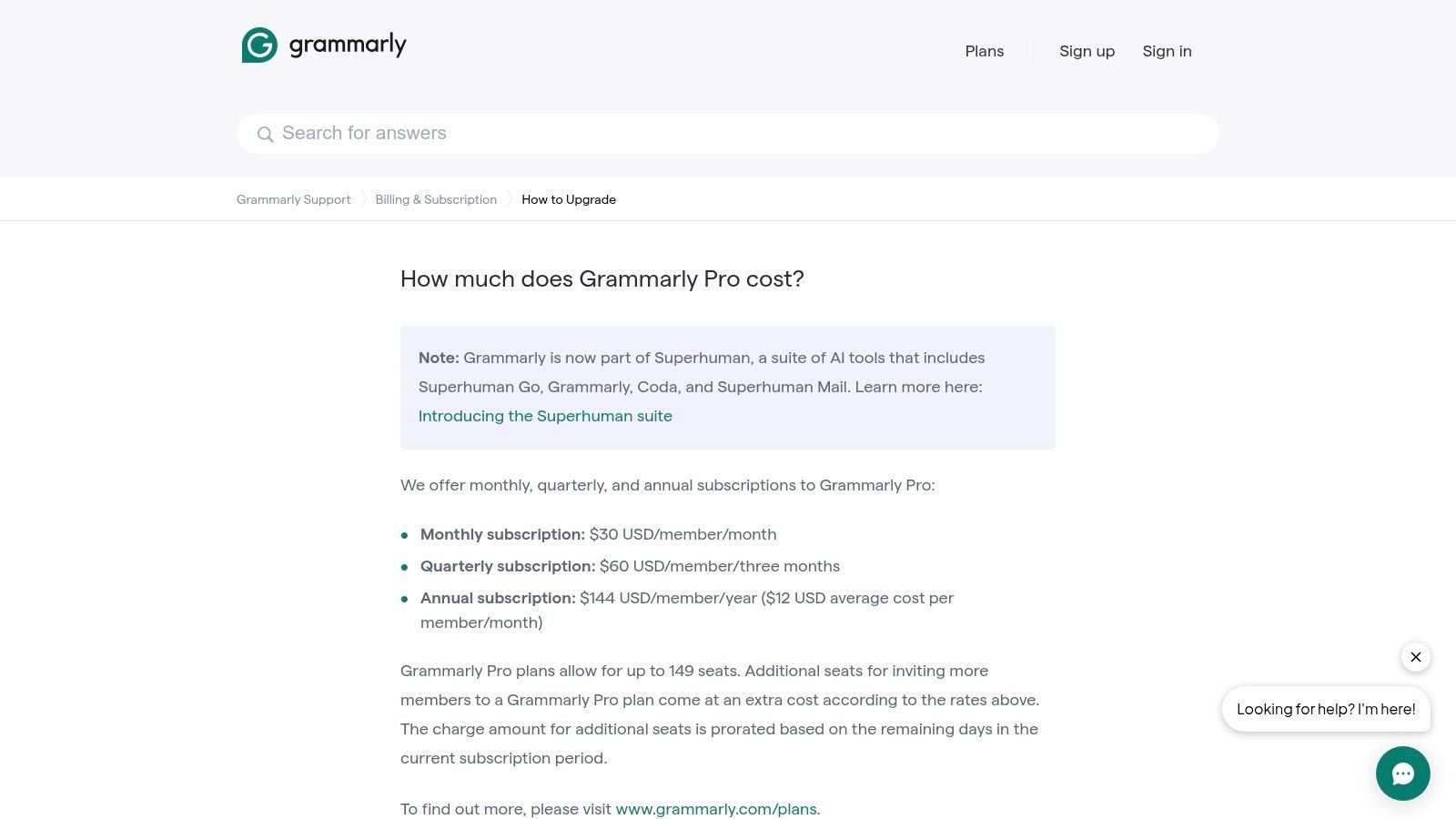
- Pricing: Premium plans start at $12 per month (billed annually). Business plans are available at $15 per member/month (billed annually) for teams of three or more.
Website: https://support.grammarly.com/hc/en-us/articles/115000090011-How-much-does-Grammarly-Pro-cost
10. Readwise Reader
Readwise Reader is a powerful read-it-later app designed for serious researchers, writers, and lifelong learners who want to do more than just save articles. It acts as a universal inbox for all your digital content, including web pages, PDFs, email newsletters, and even YouTube videos. Where it establishes itself as one of the best AI productivity tools is with "Ghostreader," its integrated AI that can summarize complex documents, ask questions about your saved content, and generate Q&As from your highlights, turning passive consumption into active knowledge work.

Unlike simple bookmarking tools, Reader focuses on the entire knowledge lifecycle from capture to review. You save content, highlight key passages, and then use its built-in spaced repetition system to retain that information. The real magic happens when you export these structured notes, complete with your highlights, into knowledge management tools like Notion or Obsidian. This creates a seamless pipeline for turning your research and reading into tangible outputs, like articles, reports, or study notes. The AI features act as a personal research assistant within this workflow.
Key Features & Considerations
- Ideal User: Researchers, students, writers, and anyone needing a central place to consolidate, read, and process information from various digital sources.
- Pros: Consolidates content from web, email, and PDF into a single, searchable inbox. The highlight-to-export workflow is exceptional for content creators, and it offers student discounts.
- Cons: Its full value is only realized if you commit to a habit of highlighting and reviewing. Managing a library with heavy media like large PDFs or long videos can require active housekeeping to stay organized.
- Pricing: The full Readwise plan (which includes Reader) is $8.33 per month (billed annually) or $9.99 billed monthly.
Website: https://readwise.io/pricing/reader
11. Perplexity
Perplexity is an AI research assistant that functions as a "conversational search engine," providing direct answers to queries with inline citations from live web sources. Unlike traditional chatbots, its core purpose is to synthesize information from the internet and present it with clear attribution, making it one of the best AI productivity tools for research, fact-checking, and drafting sourced content. It is particularly useful for tasks where provenance is critical, such as creating market research briefs, academic literature reviews, or verifying claims for an article.
The platform allows users to upload files (like PDFs and text documents) and images for analysis on its paid tiers, enabling queries that combine web data with your private documents. For users interested in monitoring the visibility or performance of information related to this AI, a free Perplexity rank tracker free tool is available. Its emphasis on sourced answers and enterprise-grade data policies makes it a strong contender for professional research workflows.
Key Features & Considerations
- Ideal User: Researchers, content creators, marketers, and business analysts who need reliable, cited answers from real-time web sources.
- Pros: Its strong emphasis on citing sources is excellent for fact-checking and building trust. The ability to handle file uploads and multimodal prompts on paid plans is powerful. The Enterprise plan offers a "no training on your data" policy.
- Cons: Individual Pro pricing can vary by region and is not always publicly listed. Usage limits for advanced models and features differ by tier, so heavy users may need to upgrade.
- Pricing: A free version is available with usage caps. The Pro plan is $20/month or $200/year, offering higher usage limits and advanced models. An Enterprise plan with custom pricing provides enhanced security and admin controls.
12. ChatGPT (OpenAI)
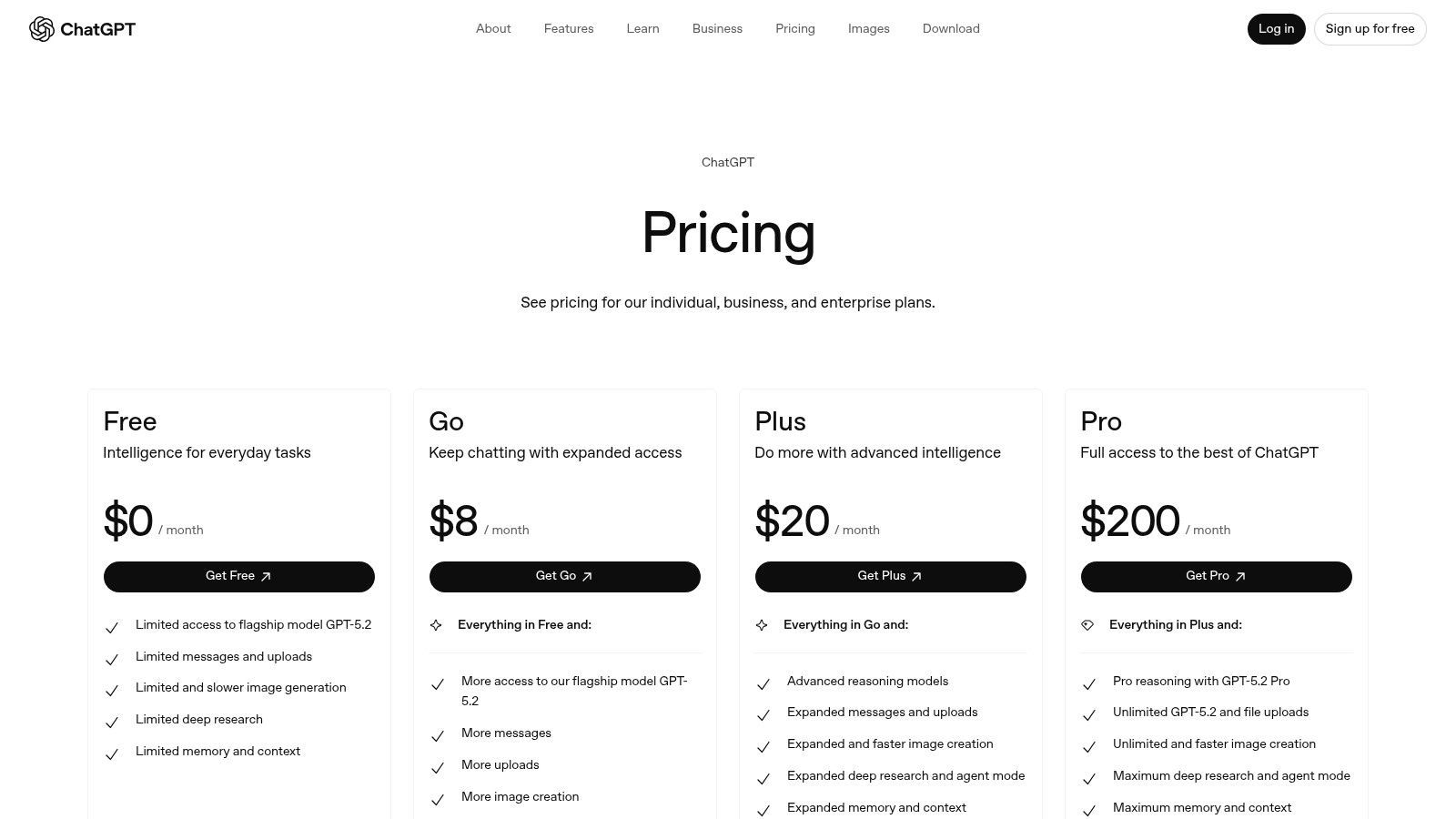
ChatGPT has become a foundational general-purpose AI workspace for a reason. It excels at reasoning, coding, research, and content drafting, making it one of the most versatile AI productivity tools available. Its power for businesses is unlocked in its Team and Enterprise plans, which add essential admin controls, SSO, and data privacy commitments, ensuring company information is not used for model training. The platform's ecosystem of custom GPTs allows organizations to build specialized assistants for niche tasks without needing to write any code.
Beyond text, its multimodal capabilities-including voice conversations, image generation, and file analysis-make it a dynamic tool for a wide range of creative and analytical work. While it can handle many tasks, its abilities for certain specialized functions like audio transcription have specific limits; for more details, you can explore whether ChatGPT can transcribe audio effectively for professional use. The rapid pace of feature updates means the platform is constantly gaining new skills.
Key Features & Considerations
- Ideal User: Individuals and teams needing a powerful, all-around AI assistant for tasks ranging from quick answers and content creation to complex data analysis and coding.
- Pros: Its broad task coverage acts as a Swiss-army knife for productivity. The Team and Business plans offer strong administrative controls and data privacy, and the fast feature cadence keeps it at the forefront of AI capabilities.
- Cons: Usage caps vary by tier, so heavy users may need a paid plan to avoid interruptions. Some new features are rolled out gradually by region and subscription level.
- Pricing: Team plan at $25 per user/month (billed annually). Enterprise plan offers custom pricing for larger-scale needs.
Website: https://openai.com/chatgpt/pricing
Top 12 AI Productivity Tools — Feature Comparison
| Product | Core features | UX / Quality (★) | Price / Value (💰) | Target (👥) | Unique selling points (✨) |
|---|---|---|---|---|---|
| 🏆 Transcript.LOL | Fast, high-accuracy transcription (Whisper + custom vocab), 10h uploads, speaker labels, rich exports, summaries & content-generation | ★★★★★ (claimed 99.8% accuracy; very fast) | 💰 Free tier; Unlimited $10/mo (billed $120/yr); Team $20/mo (billed $240/yr) | 👥 Podcasters, marketers, educators, legal teams, researchers, small→enterprise teams | ✨ Long-file support, no-training privacy, auto-summaries/chapters/quizzes, broad integrations |
| Notion (Notion AI) | Docs, databases, AI writing & summarization (Business/Enterprise), automations | ★★★★☆ (flexible; needs structure at scale) | 💰 Freemium; AI included on Business/Enterprise tiers | 👥 Teams needing centralized docs, KBs, and workflows | ✨ All-in-one workspace with native AI over workspace content |
| ClickUp (Brain) | Tasks, docs, time tracking, dashboards, automations + AI Brain & credits | ★★★★☆ (feature-rich; steeper learning) | 💰 Freemium; paid tiers + AI tiers/pay-as-you-go credits | 👥 PMs, ops teams, engineering & cross-functional teams | ✨ Comprehensive project+AI toolkit; enterprise security (SOC2/ISO) |
| Zapier | No-code automations, 6k+ connectors, Tables/Forms, AI Copilot & agents | ★★★★☆ (reliable automation; can get complex) | 💰 Free limited; pricing scales with task/usage volume | 👥 Automators, marketers, ops, IT integrators | ✨ Best-in-class app ecosystem for complex multi-step workflows |
| Motion | Auto-scheduling, AI task planner, meeting notetaker, capacity planning | ★★★★☆ (great calendar efficiency; credit model) | 💰 Paid plans + credit-based AI usage and overage pricing | 👥 Busy creators, product teams, calendar-heavy roles | ✨ Auto-schedule "do next" planner that adapts to shifting priorities |
| Superhuman | Speed-focused email client + AI suite (Go), keyboard shortcuts, writing aids | ★★★★☆ (extremely fast for inbox power users) | 💰 Premium subscription; Suite vs legacy Mail tiers | 👥 Email-heavy professionals, execs | ✨ Lightning-fast email triage and integrated writing/research tools |
| Descript | Text-based audio/video editing, transcription, Studio Sound, dubbing & AI voice | ★★★★☆ (creator-friendly; resource-heavy for big projects) | 💰 Freemium; minutes/credits cap on paid tiers | 👥 Podcasters, video creators, editors | ✨ Edit-by-text, AI dubbing & voice cloning, fast social-cut generation |
| Otter.ai | Live transcription, speaker ID, summaries, meeting templates & integrations | ★★★★☆ (reliable live capture for meetings) | 💰 Free limited; Pro/Business with higher limits & admin controls | 👥 Meeting-heavy teams, SMEs, educators | ✨ Live notes + action items and deep meeting-platform integrations |
| Grammarly | Grammar, style, tone, rewrites, browser/desktop integrations | ★★★★☆ (low friction; immediate polish) | 💰 Free tier; Premium & Business plans | 👥 Writers, professionals, teams | ✨ In-app clarity/tone suggestions and quick rewrites |
| Readwise Reader | Save web/PDFs/YouTube, highlights, spaced repetition, AI summaries & exports | ★★★★☆ (excellent for committed knowledge workflows) | 💰 Paid plans; student discounts available | 👥 Researchers, students, knowledge workers | ✨ Highlight + spaced-repetition pipeline with exports to Notion/Obsidian |
| Perplexity | AI research assistant with cited sources, file & image analysis, Pro/Max tiers | ★★★★☆ (strong citation provenance for fact-checking) | 💰 Free basic; Pro/Max paid tiers (regional pricing) | 👥 Researchers, writers, analysts | ✨ Inline citations, provenance-focused answers, multimodal on paid tiers |
| ChatGPT (OpenAI) | General-purpose LLM: reasoning, code, voice/images/files, custom GPTs, team controls | ★★★★☆ (very versatile; fast feature cadence) | 💰 Free limited; Plus/Business add higher limits & admin features | 👥 Everyone from individuals to enterprise teams | ✨ Broad capabilities + custom GPT ecosystem and multimodal inputs |
How to Choose the Right AI Tools for Your Workflow
Navigating the expansive world of AI tools can feel like a monumental task. As we've explored, from transcription powerhouses like Transcript.LOL to project management hubs like ClickUp and Notion, the potential to reshape our daily work is immense. The goal, however, isn't to adopt every shiny new application, but to strategically assemble a personalized tech stack that addresses your specific points of friction.
The most effective approach is to begin with a candid audit of your own workflow. Where do you lose the most time? What repetitive tasks drain your energy and focus? Identifying these bottlenecks is the critical first step in selecting the best AI productivity tools for your needs.
Small Productivity Habits That Maximize AI Tools
Start With One Workflow
Many users try several AI tools at once and quickly feel overwhelmed. Instead, begin by solving a single problem such as meeting notes or content editing. Once that workflow is optimized, gradually expand your AI toolkit.
Combine Tools Strategically
AI tools become far more powerful when they work together. For example, a transcription platform can convert audio into text, which can then be summarized, edited, and distributed through other productivity tools.
Focus on Time-Saving Tasks
The best use of AI is automating repetitive tasks like note-taking, scheduling, summarizing long documents, or organizing research material. Prioritizing these areas produces the biggest productivity gains.
Measure Real Impact
After using a tool for a few weeks, evaluate whether it truly saves time or simplifies work. If it reduces friction in your daily workflow, it deserves a permanent place in your productivity stack.
From Identification to Integration
Once you've pinpointed a problem, you can refer back to the solutions presented in this article.
-
For Content Creators and Marketers: If your primary challenge is turning raw audio and video into polished content, your focus should be on tools like Transcript.LOL and Descript. The former provides a foundation of hyper-accurate, private transcripts ideal for repurposing, while the latter allows for intuitive, text-based video editing. This combination alone can cut production time significantly.
-
For Teams and Project Managers: Is your team's main struggle with disorganization, missed deadlines, or unclear communication? An AI-powered project management system like Notion or ClickUp becomes the logical starting point. These platforms create a central source of truth, automate status updates, and help manage complex projects without constant check-ins.
-
For Individual Professionals and Researchers: If your days are filled with email overload, disorganized research notes, or scheduling chaos, a different set of tools will provide the highest return. Consider how Superhuman can help you clear your inbox, how Perplexity can accelerate your research process, and how Motion can intelligently organize your calendar to protect your deep work time.
A Practical Implementation Strategy
Adopting new software can be disruptive if not managed correctly. The key to success is a gradual, deliberate integration rather than a complete, overnight overhaul. Don't try to implement five new tools at once.
Too Many Tools Can Slow Your Workflow
Introducing too many productivity tools at the same time could create confusion rather than productivity. It has been observed that teams end up spending too much time learning the new interface rather than working. It is important to gradually introduce the tools to ensure proper integration of each tool before the next one is added.
Instead, follow this simple process:
- Select One Tool: Choose the single application from this list that solves your most pressing bottleneck.
- Master Its Core Function: Dedicate a week or two to learning and using only its primary feature. For Transcript.LOL, this would be uploading a file and reviewing the accuracy of the transcript. For Motion, it would be letting it manage your calendar for a few days.
- Explore Secondary Features: Once you are comfortable, begin exploring other capabilities. Can you use team workflows in Transcript.LOL? Can you set up automation rules in ClickUp Brain?
- Assess the Impact: After a month, evaluate the tool's effect on your productivity. Is it saving you time? Is it reducing stress? If the answer is yes, it has earned its place in your stack.
- Repeat the Process: Now, identify your next biggest bottleneck and repeat the cycle with another carefully selected tool.
By building your AI-powered workflow piece by piece, you create a robust, interconnected system that feels like an extension of your own capabilities, not just another collection of apps. The real power of the best AI productivity tools is unlocked when they work in concert to give you back your most valuable asset: your time and mental energy.
Ready to turn your hours of audio and video into valuable, searchable assets? Start by solving your transcription bottleneck with Transcript.LOL. Its focus on accuracy, privacy, and team-friendly workflows makes it the perfect foundational tool for any content-heavy professional looking to build a smarter, more efficient process. Try Transcript.LOL today and experience the power of a perfect transcript.