
Your Guide to Automatic Transcription Software
Discover how automatic transcription software works. Learn to evaluate key features and choose the best tool to convert your audio and video into accurate text.
Kate, Praveen
July 23, 2025
Ever wished you had a super-fast assistant who could listen to any recording and type out every single word? That’s pretty much what automatic transcription software does. It’s an AI-powered tool that turns spoken words from audio or video into a clean text document in just minutes.
From Sound Waves to Searchable Text
Gone are the days of manually transcribing audio, a painfully slow process of pausing, rewinding, and typing for hours on end. With automatic transcription software, you just upload a file and let an algorithm handle the heavy lifting.
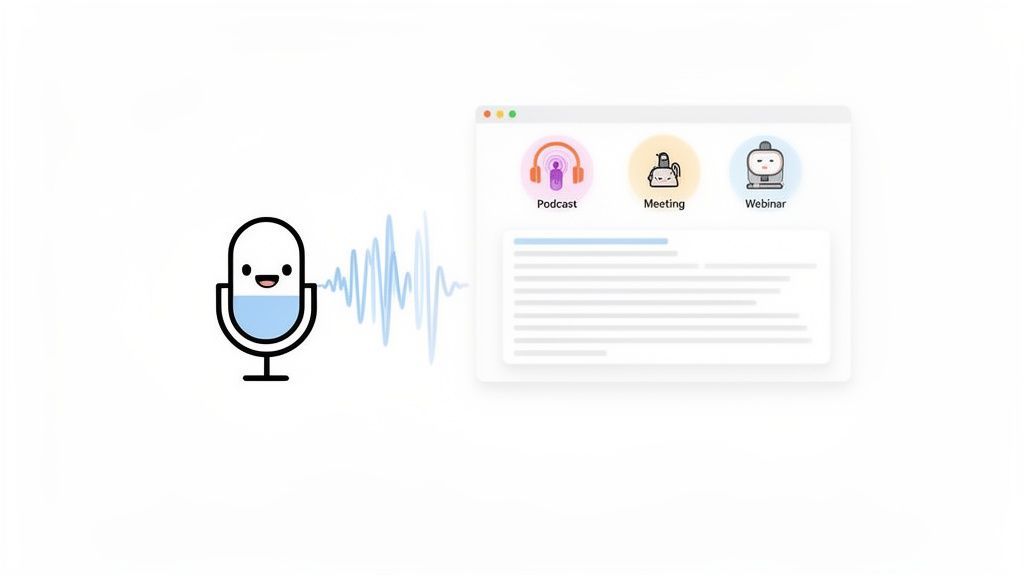
The magic behind this is a technology called Automated Speech Recognition (ASR). Think of an ASR model as a student who has spent millions of hours listening to people talk. It's learned to pick up on different patterns, accents, and the tiny details in human speech. When you give it your file, it analyzes the sound waves and compares them to its massive internal library to predict what words are being said.
This simple capability is a game-changer, completely transforming how we work with audio and video by unlocking all the valuable information previously trapped inside.
Core Features Behind Automatic Transcription Software
State-of-the-art AI
Powered by OpenAI's Whisper for industry-leading accuracy. Support for custom vocabularies, up to 10 hours long files, and ultra fast results.

Import from multiple sources
Import audio and video files from various sources including direct upload, Google Drive, Dropbox, URLs, Zoom, and more.

Speaker detection
Automatically identify different speakers in your recordings and label them with their names.
Why This Is a Big Deal
The shift toward this technology is massive and growing fast. The global AI transcription market is on track to jump from $4.5 billion in 2024 to a staggering $19.2 billion by 2034, growing at a 15.6% clip each year. That’s not just a trend; it’s a fundamental change in how we handle spoken content.
What was once a niche tool is now essential for almost everyone.
- Podcasters can instantly create show notes, blog posts, and accessible content for hearing-impaired listeners.
- Marketers can make their video content and webinars searchable, pulling out key quotes for social media in seconds.
- Teams can turn long meetings into searchable, actionable records, ensuring no brilliant idea gets lost.
At its core, automatic transcription makes spoken content as useful as written text. It closes the gap between listening and reading, letting you search, edit, and share ideas that you could once only hear.
This isn’t just about saving time—it’s about turning conversations into usable data.
Automatic Transcription
Automatic transcription turns audio into searchable text, making it easy to analyze conversations, extract insights, and reuse content across blogs, reports, and videos without re-listening.
You can pinpoint key information, analyze discussions, and spin up new content from your existing recordings. For a deeper dive into the basics, our guide on what a transcription is is a great place to start.
How AI Learns to Understand Speech
So, how does a machine actually turn your spoken words into text? At the core of any transcription software is a technology called Automated Speech Recognition (ASR).
Think of it like training a brand new assistant. You’d start by giving them thousands of hours of audio recordings along with the perfectly typed-out scripts. Over time, the assistant learns to connect the sounds, rhythms, and quirks of human speech to the words on the page. AI models do the same thing, just on a massive scale, until they can recognize different accents, speaking styles, and voices with incredible precision.
The Science of Listening
When you speak, an ASR system is essentially playing a high-stakes game of probabilities. It doesn't "hear" words the way we do. Instead, it chops up the audio into tiny, millisecond-long slices and analyzes the sound waves in each one.
For every slice, it predicts the most likely combination of sounds and words, stringing them together to form the most probable sentence. This is why high-quality audio is a game-changer—the clearer the sound, the easier it is for the AI to make the right call without getting confused. The models also get a lot of help from understanding Large Language Models (LLMs), which provide the grammatical and contextual glue to make sure the final text makes sense.
What Determines Transcription Accuracy
Even the most powerful AI isn't perfect, and accuracy is the one metric that truly matters. We measure this with something called Word Error Rate (WER)—it’s just a simple percentage of how many words the AI got wrong. The lower the WER, the better the transcript.
Poor Audio Leads to Incorrect Transcripts
Poor audio quality, overlapping speakers, or heavy background noise can significantly reduce transcription accuracy. Always review transcripts before sharing or publishing.
Several usual suspects can mess with accuracy and drive up the WER:
- Background Noise: A noisy coffee shop, passing sirens, or even just a humming air conditioner can throw the AI off.
- Overlapping Speakers: When people talk over each other, the AI struggles to untangle the different voices.
- Accents and Dialects: If a model was mostly trained on one type of accent, it might stumble over others it hasn't heard as often.
- Specialized Jargon: Technical, medical, or industry-specific terms that weren't in the training data are often misinterpreted.
The goal is always to get the WER as close to zero as possible. While a perfect score is rare, today's top-tier tools can rival human-level accuracy, hitting rates over 95% in good conditions.
To get around these issues, modern platforms have some tricks up their sleeves. For example, Transcript.LOL lets you create a custom vocabulary. This feature is a lifesaver—you can "teach" the AI specific product names, company acronyms, or technical terms it needs to know, which dramatically improves its accuracy on your files.
Getting a grip on these factors is the first step to a better transcript. To learn more, check out our guide on how to measure and improve speech-to-text accuracy. Once you know what to look for, you can clean up your audio and pick a tool that’s built to handle your specific needs.
Key Features That Define Great Transcription Software
The right automatic transcription software does way more than just convert audio to text. It should be the command center for your entire content workflow. While decent accuracy is the bare minimum, the features that really move the needle are the ones that save you hours, open up new possibilities, and just make your job easier.
Think of it less like a simple dictation app and more like a smart assistant that already knows what you need to do next.
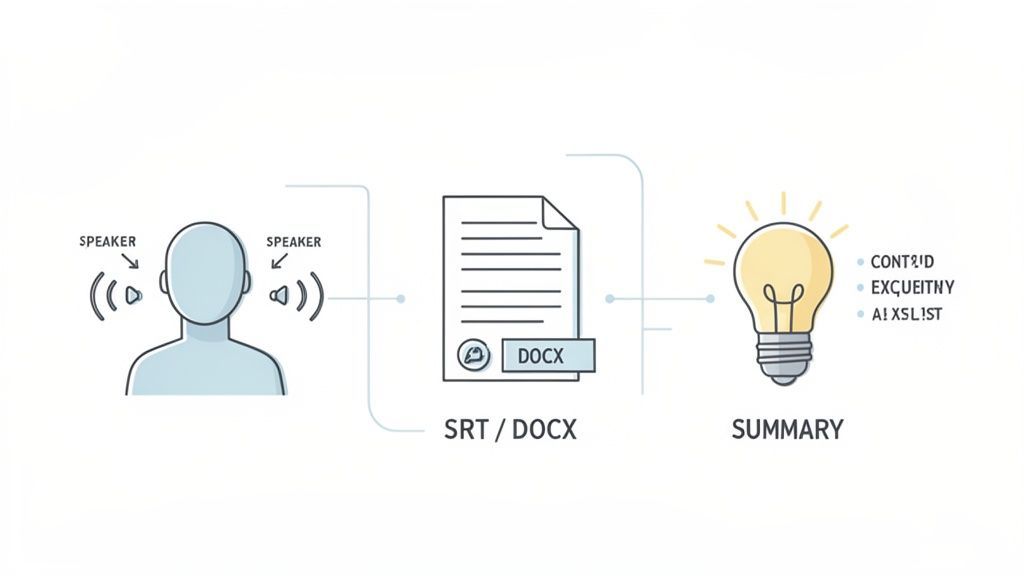
This distinction is what separates the basic tools from the professional-grade platforms. It's a big deal in a market that's growing like crazy—software now commands a whopping 74.6% share of the global AI transcription market in 2024. This is why platforms loaded with smart features are such a game-changer for podcasters, researchers, and marketers. You can dig into more AI transcription market stats on market.us.
So, what should you actually look for? Let's break down the must-haves.
Features That Make Transcripts More Useful

Editing tools
Edit transcripts with powerful tools including find & replace, speaker assignment, rich text formats, and highlighting.

Export in multiple formats
Export your transcripts in multiple formats including TXT, DOCX, PDF, SRT, and VTT with customizable formatting options.
Summaries and Chatbot
Generate summaries & other insights from your transcript, reusable custom prompts and chatbot for your content.
Integrations
Connect with your favorite tools and platforms to streamline your transcription workflow.
Feature Checklist for Automatic Transcription Software
When you're evaluating different tools, it's easy to get lost in the marketing noise. The table below cuts through it, highlighting the features that separate a simple transcriber from a true workflow powerhouse. These are the things that save you time and help you create better content.
| Feature | Why It Matters | Example in Transcript.LOL |
|---|---|---|
| Speaker Labeling | Turns a confusing wall of text from an interview or meeting into a clear, readable dialogue. It's essential for understanding who said what. | Automatically identifies speakers ("Speaker 1," "Speaker 2") and lets you easily rename them (e.g., "John," "Maria") for clarity. |
| Multiple Export Options | A transcript is often just the starting point. You need to get your text into formats for video captions (.SRT), blog posts (.DOCX), or archives (.PDF). | One-click exports to .SRT, .VTT, .DOCX, .TXT, and .PDF, so you can move from transcript to final product without any extra steps. |
| Seamless Integrations | Manually uploading and downloading files is a huge time-waster. Direct connections to your other tools (like YouTube or Google Drive) streamline everything. | Transcribe a YouTube video just by pasting the link, or pull audio directly from your Google Drive or Dropbox account. |
| Advanced AI Features | This is where the magic happens. AI can summarize long recordings, pull out action items, and even draft social media posts from your transcript. | Instantly generate summaries, key takeaways, action items, or social media content from any transcript with a single click. |
Ultimately, a tool with these features doesn't just give you a text file—it gives you a head start on whatever you're creating next.
Automatic Speaker Labeling
One of the most valuable features is speaker labeling, sometimes called diarization. Without it, a transcript from a two-person interview or a group meeting is just a jumbled mess. Good software should automatically figure out who is talking and when, slapping on labels like "Speaker 1" and "Speaker 2."
Top-tier tools like Transcript.LOL take it a step further, letting you rename those generic labels to actual names. This tiny detail saves a massive amount of time and makes your transcripts for podcasts, interviews, or meetings instantly professional and easy to follow.
Multiple Export Options
A perfect transcript is useless if it's stuck in a format you can't use. A platform that only spits out a plain text file is seriously holding you back. Your checklist for export options should be solid.
- .DOCX: For easy editing in Microsoft Word or Google Docs. This is perfect for turning a raw transcript into a polished blog post or report.
- .SRT / .VTT: These are the standard subtitle files you need for adding closed captions to videos on YouTube, Vimeo, or social media. They're critical for accessibility and engagement.
- .TXT: A simple, no-frills format that works anywhere.
- .PDF: A secure, read-only format that’s great for sharing official meeting records or final documents.
Having these options ready to go means you can jump straight from transcription to your final product without wrestling with clunky file converters.
The best platforms get it: a transcript isn't the final destination. It's the raw material for creating articles, video captions, meeting notes, and social media posts. Versatile export options are the bridge to all those other assets.
Seamless Integrations
Modern work is all about connected tools. The best transcription software doesn't make you manually download a file from one place just to re-upload it somewhere else. Instead, it hooks directly into the services you already use.
Look for integrations with cloud storage like Google Drive and Dropbox, which let you import your audio files without ever leaving the platform. Even better are direct integrations with video platforms like YouTube or Vimeo, allowing you to transcribe a video with nothing more than a link. These connections cut out the friction and seriously speed up your entire process. Our guide to AI-powered transcription software dives deeper into how these integrations build a more efficient workflow.
Advanced AI Content Generation
This is where the truly great software leaves everyone else in the dust. Beyond just giving you the transcript, modern tools use AI to help you understand and repurpose your content.
Instead of handing you a wall of text and wishing you luck, platforms like Transcript.LOL can take a long recording and instantly generate:
- Concise Summaries: Get the main points of a long interview or meeting in seconds.
- Action Items: Pull out every task, deadline, and decision from a team call.
- Social Media Posts: Create ready-to-share content for X, LinkedIn, or Facebook.
- Quizzes or Mind Maps: Turn educational lectures into interactive learning materials.
These AI features transform your transcript from a static document into a dynamic content engine. It saves you hours of manual work and helps you squeeze every last drop of value out of your recordings.
Real-World Applications and Use Cases
The real magic of automatic transcription software isn’t just about turning audio into text—it’s about what that text lets you do. Professionals everywhere are using these tools to do more than just save time. They're unlocking entirely new workflows, creating more value, and solving problems that used to be a massive headache.
What You Can Do With Automatic Transcripts?
Turn Meetings Into Action Plans
Convert long discussions into structured summaries and task lists, ensuring decisions and responsibilities are clearly documented.
Create Content Faster
Use transcripts to quickly produce blogs, newsletters, captions, and social posts without starting from scratch.
Build a Searchable Knowledge Base
Store transcripts as searchable records so important ideas, quotes, and decisions are never lost.
Improve Accessibility Instantly
Make audio and video content accessible to deaf or hard-of-hearing audiences using accurate captions and text versions.
Take a podcaster who just wrapped up a one-hour interview. That recording used to be the final product. Now, it's the raw material for a content explosion. Within minutes, a full transcript becomes a blog post, detailed show notes, and a lifeline for hearing-impaired audience members.
From there, they can pull the best quotes to create a week's worth of social media content. The transcript is the foundation for everything, turning a single recording into a dozen assets that give the episode far more reach and impact.
Transforming Marketing and Corporate Workflows
Marketing teams are seeing the same kind of ripple effect with their video content. A single webinar, once transcribed, can be spun into multiple pieces of lead-generating content. That transcript can be polished into an in-depth guide, sliced into an email newsletter series, or used to create short, punchy video clips with perfectly synced captions for social media.
It’s all about maximizing the return on every single video produced. And the market is catching on fast. The U.S. transcription market is on track to hit $41.93 billion by 2030, which tells you just how essential these tools are becoming. You can dig deeper into these AI transcription market trends at brasstranscripts.com.
A transcript turns a one-time event like a webinar or meeting into a permanent, searchable knowledge asset. It’s the key to unlocking the information trapped inside your audio and video files.
In a corporate setting, this technology creates a searchable library of company knowledge. Think about all the decisions, action items, and brilliant ideas that get lost after a meeting ends. With automatic transcription, every meeting becomes a searchable record. A project manager can instantly find who agreed to a deadline or pull up key takeaways from a brainstorm session weeks later. Nothing falls through the cracks, accountability gets a serious boost, and great ideas are never lost. For more inspiration, check out our guide on using transcription for content creation.
Essential Tools for Specialized Professions
Beyond content and corporate teams, specialized professionals lean on automatic transcription to hit tight deadlines and maintain razor-sharp accuracy.
- Journalists: When an interview ends, the clock is ticking. Automatic transcription delivers a near-instant first draft, letting reporters find quotes and build their stories in minutes, not hours of tedious typing.
- Educators and Students: Professors can offer transcripts of their lectures, making lessons accessible to everyone, including students with disabilities or those learning English. Students can record classes and use the transcripts to study smarter, searching for keywords instead of scrubbing through hours of audio.
- Legal Professionals: In the legal world, accuracy is everything. Transcription software helps legal teams quickly document depositions, client meetings, and court proceedings, creating a precise, searchable text record that can be reviewed and cited in a snap.
In every one of these cases, the software is a productivity multiplier. It takes on the grueling work of converting speech to text, freeing up professionals to focus on the creative, strategic, and analytical parts of their jobs. It’s a perfect example of how automation solves real, everyday challenges.
How to Choose the Right Transcription Software
Picking the right automatic transcription software can feel overwhelming. The market is flooded with tools all promising the moon when it comes to accuracy and features. So, how do you cut through the noise and find the one that actually works for you?
The secret is to stop getting distracted by flashy feature lists and start with a few simple questions about your own goals. What's the main reason you need to transcribe something? Is it for turning a podcast into a blog post, documenting team meetings, or making your videos accessible with captions? Your answer will instantly clarify what really matters.
This decision tree helps visualize how your role—whether you're a podcaster, marketer, or team leader—shapes your priorities.
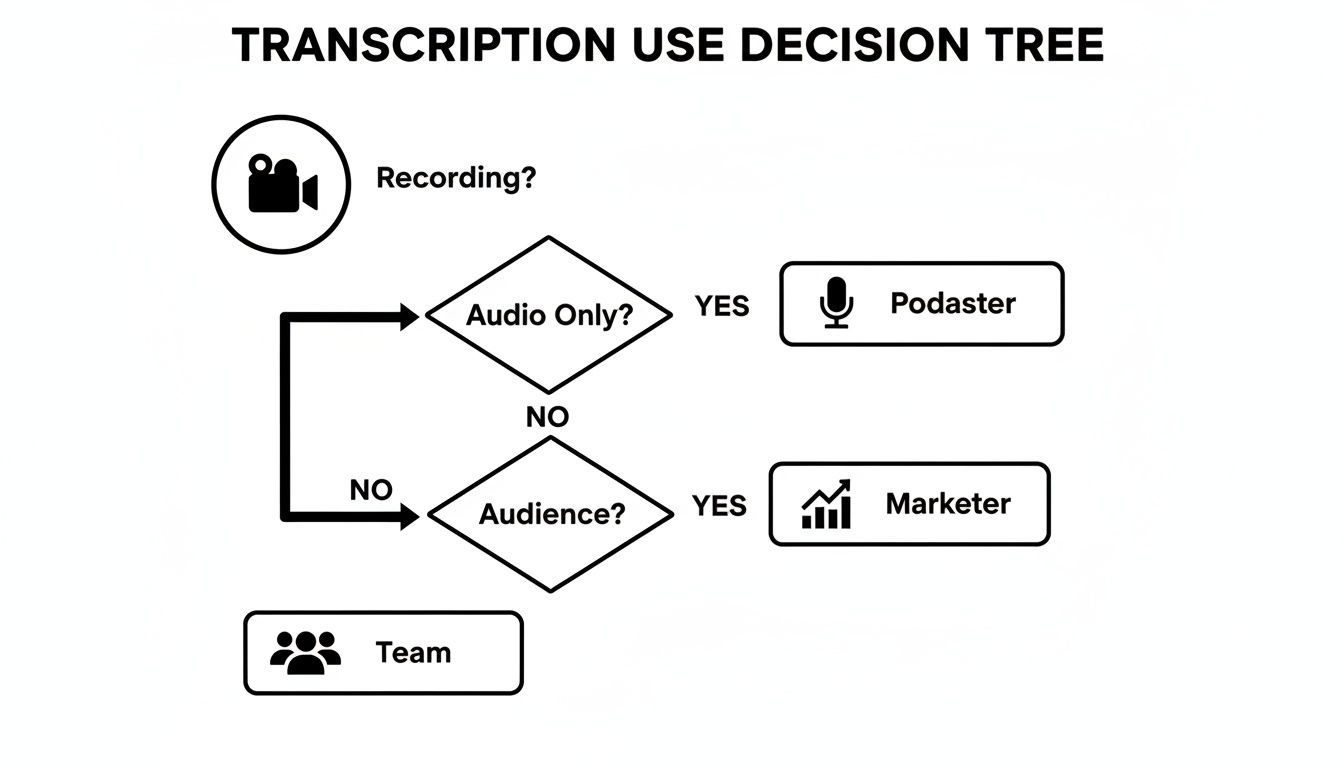
As you can see, your core job dictates which features you'll lean on most. A podcaster will get the most value from AI content repurposing, while a corporate team will need rock-solid collaboration tools and speaker labeling.
Build Your Scorecard
To make a confident decision, create a simple scorecard to grade different platforms. This forces you to compare them objectively instead of just going with a gut feeling. Your scorecard should zero in on the few key areas that will have the biggest impact on your day-to-day workflow.
Use these criteria as your starting point. For each one, ask yourself how important it is on a scale of one to five.
- Accuracy and Reliability: How close to perfect does the transcript need to be? Are you working with crystal-clear studio audio or noisy recordings from the field?
- Workflow Integrations: Does the software play nice with the tools you already live in, like Google Drive, Dropbox, or YouTube? Smooth connections save a ton of time.
- Collaboration Features: Will you have multiple people needing to view, edit, or comment on transcripts? If so, look for shared workspaces and user management.
- AI-Powered Features: Do you need more than just a wall of text? Game-changing features like automatic summaries, action item detection, or social media post generators can multiply your productivity.
- Data Privacy and Security: How sensitive is your audio? Make sure the provider has a clear, upfront policy about data usage and confirms they won’t use your files to train their models.
Choosing the right software isn't about finding the single "best" tool—it's about finding the right fit. A platform that's perfect for a solo journalist might be a terrible choice for a large enterprise with strict security needs.
Comparing Your Options
Once you know what you're looking for, you can start evaluating tools like Transcript.LOL against your scorecard. For example, if team collaboration is your top priority, a tool with team-based pricing and shared folders will score much higher than one built for a single user.
This table gives you a structured way to think through the process, connecting your needs directly to what a platform can deliver.
How to Choose Your Transcription Software
A criteria-based guide to help you evaluate and select the right software based on your specific needs.
| Evaluation Criterion | What to Ask Yourself | How Transcript.LOL Addresses This |
|---|---|---|
| Primary Use Case | Am I creating content, documenting meetings, or improving accessibility? | Offers AI content generation for creators and robust speaker labeling for meeting notes. |
| Budget and Pricing | Do I need a pay-as-you-go model or a subscription? How many users need access? | Provides flexible plans for individuals and teams, ensuring cost-effectiveness as your needs grow. |
| Export Requirements | What final formats do I need (e.g., .SRT for captions, .DOCX for articles)? | Delivers one-click exports to all major formats, including SRT, VTT, DOCX, and PDF. |
| Ease of Use | How intuitive is the platform? Will it require significant training for my team? | Features a clean, straightforward interface designed for quick adoption with a minimal learning curve. |
By using a structured approach like this, you can confidently choose a transcription service that not only solves your immediate problems but also grows with you down the road.
From Transcript to Actionable Content
A raw transcript is really just the starting point. Its true power isn’t in the words themselves, but in what you do with them next. Modern transcription software is built to be more than a dictation machine—it's a productivity engine that can fuel your entire workflow. It’s all about turning that wall of text into summaries, tasks, and follow-ups in seconds.
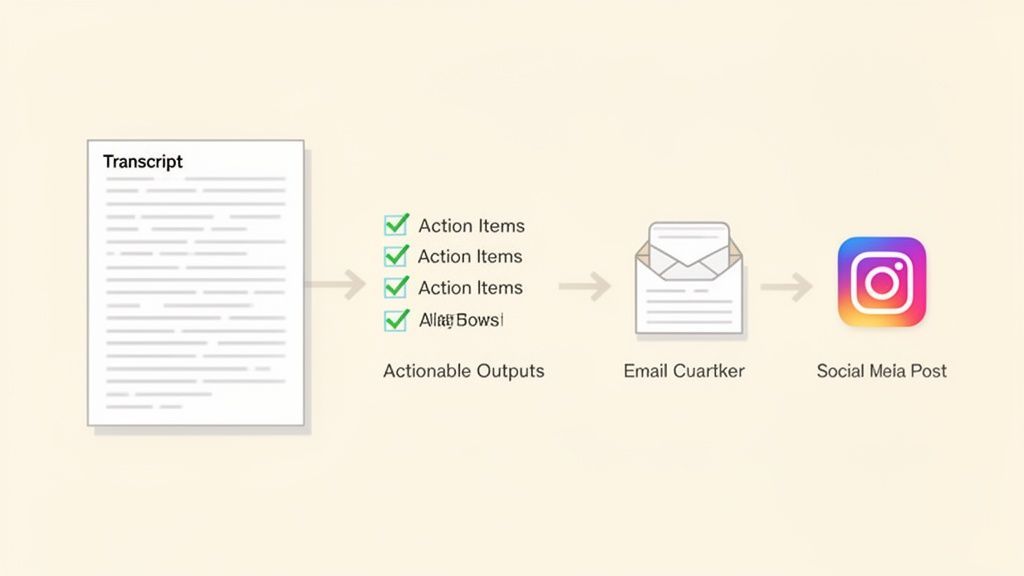
Let's say you just wrapped up a critical, hour-long project meeting. Instead of spending the next thirty minutes trying to make sense of your own messy notes, you upload the recording. Within minutes, you get back a clean transcript with every speaker perfectly labeled. This is where the real magic begins.
The Automated Workflow in Action
With your transcript ready, you can now use built-in AI tools to instantly process the entire conversation. Here’s a simple, powerful workflow that anyone can use:
-
Generate a Concise Summary: With a single click, the AI condenses the entire 60-minute discussion into a few clear paragraphs. It's perfect for sharing with stakeholders who missed the meeting or just need the key takeaways without reading every word.
-
Extract Action Items: Next, you tell the AI to pull out all the tasks and decisions. It scans the text and produces a neat, bulleted list of who’s responsible for what, along with any deadlines that were mentioned. This pretty much eliminates the risk of important follow-ups falling through the cracks.
-
Draft a Follow-Up Email: Finally, you can use another AI prompt to draft a professional follow-up email to the team. The AI uses the summary and action items to create a clear, concise message that’s ready to send, saving you a ton of time on admin work.
This seamless process—from recording to transcript to action—is a fundamental shift. The best software doesn't just give you words; it delivers outcomes. It closes the loop between discussion and execution, ensuring every conversation leads to real progress.
The ultimate goal of modern transcription is to shrink the time between a conversation and its resulting action. An integrated AI workflow makes this connection almost instantaneous, turning spoken ideas into documented tasks.
Squeeze More Value from Your Content
Once you have that clean transcript, you can explore all kinds of actionable content repurposing strategies to get even more mileage out of it. That meeting transcript can easily become the foundation for internal documentation, a new training guide, or even a public-facing blog post about your team’s latest project. This approach ensures you squeeze every drop of value from your recorded content.
Frequently Asked Questions
As we wrap up, a few questions are probably still bouncing around in your head. Picking the right transcription tool means thinking about everything from security to how it handles less-than-perfect audio. We'll tackle the most common ones here to help you make a confident choice.
We'll get straight to the point on big concerns like data privacy, different pricing models, and what to expect when your audio isn't studio-quality.
How Secure Is My Data with Transcription Software?
This is, without a doubt, one of the most important questions. You're often transcribing sensitive meetings, private interviews, or personal notes. Any reputable service takes this seriously. Always look for a provider that has a crystal-clear policy stating they will not use your data to train their AI models.
Beyond that, top-tier platforms use strong encryption to protect your files from the moment you upload them to when they’re stored on their servers. Tools like Transcript.LOL are built with this level of security, making sure your conversations stay completely confidential and are only used to generate your transcript.
What Happens If My Audio Quality Is Poor?
Let's be real: even the smartest AI transcription software has a tough time with bad audio. Things like background noise, people talking over each other, and thick accents can really drive up the Word Error Rate (WER). But the best tools have a few tricks up their sleeve to help.
- Noise Reduction: Some platforms can apply filters to automatically clean up annoying background hums or static before the transcription even starts.
- Speaker Labeling: Even if the dialogue gets messy, knowing who said what makes the final text infinitely more readable.
- Interactive Editors: A good editor is a must. It lets you click on a word, hear that exact piece of audio, and fix any mistakes in seconds.
While no AI is going to perform miracles, a quality service can still give you a solid first draft from a difficult recording. That alone will save you a ton of time compared to starting from scratch.
The quality of any automatic transcript is directly tied to the clarity of the audio you feed it. Simply aiming for a clean recording with minimal background noise can be the difference between 80% accuracy on a messy file and over 95% on a clean one.
How Do Pricing Models Differ?
Transcription pricing usually comes in two flavors, and knowing the difference can save you a lot of money.
-
Pay-As-You-Go: This model is exactly what it sounds like—you pay per minute or per hour of audio you transcribe. It's perfect for people who only need transcripts occasionally. If you just have a few one-off projects, this is easily the most cost-effective route.
-
Subscription Plans: These plans give you a certain number of transcription hours every month for a flat fee. Subscriptions are a no-brainer for podcasters, marketers, researchers, and teams who are constantly transcribing content. You usually get a much lower per-minute rate and often get extra perks like team collaboration tools.
The right choice really just comes down to your workflow and how much audio you see yourself processing each month.
Ready to turn your audio and video into accurate, usable text? Transcript.LOL offers a powerful, secure, and easy-to-use platform designed for all your transcription needs. Try it for free today!