
How to Translate Video to English Subtitles
Learn how to translate video to English subtitles with this guide. We cover AI tools, pro editing tips, and file formats to help you reach a global audience.
Kate, Praveen
February 17, 2026
Think of adding English subtitles as just an accessibility tweak? Think again. It’s one of the simplest yet most powerful growth strategies you can implement. When you translate video to English subtitles, you’re not just ticking a box—you’re unlocking new audiences, firing up your video’s SEO, and getting people to actually watch your content. It turns a local video into a global asset.
Why English Subtitles Are Your Secret Weapon for Growth
Your video content is like a locked treasure chest. Without English subtitles, only people who speak the original language can open it. Adding them is like handing out a universal key, making your content instantly available to billions more people worldwide.
Why Subtitles Multiply Reach Instantly?
Without subtitles, only one language group can understand your video. Adding English turns every upload into global content. The same video suddenly becomes searchable, shareable, and accessible worldwide.
Let’s be real, English is still the lingua franca of business, tech, and the internet. A podcaster in Spain can suddenly hook listeners in the United States. A marketer in Japan can launch a campaign that clicks with customers in the UK. This isn’t just about getting more views; it's about reaching the right people in lucrative markets.
Give Your Video SEO a Serious Boost
Search engines like Google and YouTube can't "watch" your video, but they are incredibly good at reading text. When you upload an SRT or VTT subtitle file, you’re basically feeding them a word-for-word transcript.
Suddenly, all your spoken words become indexable data. Every single keyword, phrase, and idea you discussed turns into a magnet for search algorithms, helping your video show up for a much wider range of searches. That simple text file transforms your video from a black box into a discoverable, SEO-friendly resource.
Features That Make Subtitle Creation Effortless
IA all'avanguardia
Alimentato da Whisper di OpenAI per una precisione leader nel settore. Supporto per vocabolari personalizzati, file fino a 10 ore e risultati ultra rapidi.

Importa da più fonti
Importa file audio e video da varie fonti tra cui caricamento diretto, Google Drive, Dropbox, URL, Zoom e altro.

Esporta in più formati
Esporta le tue trascrizioni in più formati tra cui TXT, DOCX, PDF, SRT e VTT con opzioni di formattazione personalizzabili.
Non si tratta solo di farsi trovare; si tratta di mantenere gli spettatori agganciati. La ricerca mostra che il 91% dei video con sottotitoli viene guardato fino alla fine, rispetto al solo 66% di quelli senza. Questo enorme aumento del tempo di visione segnala a piattaforme come YouTube che i tuoi contenuti sono preziosi, spingendoli ancora più in alto nei ranking.
Rendi i tuoi contenuti più coinvolgenti e accessibili
Le vittorie non si fermano ai ranking di ricerca. Un gran numero di persone guarda video senza audio: pensa ai mezzi pubblici, agli uffici silenziosi o allo scorrimento notturno. I sottotitoli permettono loro di sintonizzarsi senza mai toccare il volume. Per i non madrelingua inglesi, cambiano le carte in tavola, rinforzando ciò che sentono con il testo scritto e rendendo più facili da seguire argomenti complessi.
E, naturalmente, è una parte fondamentale dell'accessibilità. Stai aprendo i tuoi contenuti ai 430 milioni di persone in tutto il mondo con disabilità uditive. Creando un'esperienza completa per tutti, costruisci una comunità più inclusiva e un pubblico più fedele. Puoi vedere come diversi settori stanno già mettendo in pratica questo concetto esplorando vari casi d'uso per strumenti di trascrizione e traduzione automatizzati.
In definitiva, quando scegli di tradurre il tuo video in sottotitoli in inglese, stai facendo molto più che aggiungere testo a uno schermo. Stai implementando una strategia di crescita intelligente che offre risultati reali e misurabili in termini di portata del pubblico, scopribilità e fedeltà degli spettatori.
Preparare il tuo video per una traduzione AI accurata
Il segreto per una traduzione AI impeccabile non riguarda solo il software, ma la qualità del tuo file sorgente. Prima ancora di pensare al caricamento, devi preparare il tuo video al successo.
Pensala così: non ti aspetteresti che uno chef crei un pasto gourmet con ingredienti scadenti. La stessa logica si applica quando vuoi tradurre video in sottotitoli in inglese. Più pulito è l'input, migliore sarà l'output. Questo lavoro di preparazione è probabilmente il passaggio più importante, e dedicare qualche minuto in più qui può farti risparmiare ore di editing doloroso in seguito.
What Great Subtitles Actually Unlock?
Global Reach
English subtitles remove language barriers instantly. Your content becomes understandable across countries and cultures. One video can serve a worldwide audience.
Stronger Retention
Viewers follow along even with the sound off. They miss fewer details and stay engaged longer. Higher watch time improves platform rankings naturally.
Better Accessibility
Captions support deaf and hard-of-hearing viewers. Non-native speakers also benefit from reading along. Inclusivity builds a loyal and diverse community.
Repurposing Power
Transcripts become blogs, posts, quotes, and newsletters. You create multiple assets from a single recording. Content production becomes faster and easier.
Dare la priorità a un audio cristallino
La qualità dell'audio è l'elemento più critico per qualsiasi motore di trascrizione. Un'IA non può tradurre ciò che non riesce a sentire con precisione. Il rumore di fondo, un condizionatore d'aria che ronza, il traffico stradale o persino una stanza con eco, confondono le acque e portano a un pasticcio di errori di trascrizione.
Ecco alcuni modi pratici per garantire che il tuo audio sia di prim'ordine:
- Utilizza un microfono decente: Il microfono integrato del tuo laptop è comodo ma noto per catturare ogni minimo suono ambientale. Un microfono esterno dedicato, anche uno USB economico, fa una differenza enorme isolando la voce dell'oratore.
- Scegli uno spazio di registrazione silenzioso: Trova una stanza piccola e rivestita di moquette con arredi morbidi per assorbire il suono. Evita spazi ampi e vuoti con superfici dure che creano echi fastidiosi.
- Minimizza le interruzioni: Assicurati che non ci siano conversazioni sovrapposte o rumori improvvisi. Se più persone stanno parlando, incoraggiale a parlare una alla volta con leggere pause tra un intervento e l'altro.
Una traccia audio pulita è il fondamento di sottotitoli accurati. Anche l'IA più avanzata fatica con voci ovattate o suoni in competizione. Investire un po' di impegno nella configurazione della registrazione porta enormi benefici alla qualità della traduzione.
Anche una semplice pulizia dell'audio può fare miracoli. Puoi saperne di più sui diversi strumenti che aiutano a preparare i tuoi media per un flusso di lavoro più agevole. Anche un software di base può spesso ridurre il ronzio o il sibilo di fondo con un solo clic.
La chiarezza e il ritmo dell'oratore contano
Oltre alla qualità tecnica dell'audio, come parlano le persone è altrettanto importante. I modelli di trascrizione AI sono addestrati su enormi set di dati di discorsi umani, ma brillano davvero quando i modelli di discorso sono chiari e coerenti.
Incoraggia gli oratori a enunciare le loro parole e a mantenere un ritmo costante e naturale. Parlare troppo velocemente o borbottare è un modo sicuro per far sì che l'IA perda parole o interpreti male le frasi, lasciandoti con sottotitoli confusi. Un rapido promemoria prima di premere il tasto di registrazione può migliorare drasticamente il risultato finale.
Scegli il formato e le impostazioni video giusti
Sebbene l'audio sia fondamentale, il file video stesso deve essere in un formato che le piattaforme di traduzione possano gestire facilmente. File eccessivamente compressi o oscuri possono causare errori di caricamento o di elaborazione, bloccandoti.
Per un processo agevole con strumenti come Transcript.LOL, attieniti a queste linee guida:
- Formato file: MP4 è lo standard universale per una ragione. Offre un ottimo equilibrio tra qualità e dimensioni del file e funziona quasi ovunque. Anche altri formati comuni come MOV o WMV vanno solitamente bene.
- Risoluzione: Non hai bisogno di un enorme file 4K solo per la trascrizione. Una risoluzione standard di 1080p (1920x1080) è più che sufficiente e ti fornisce un file più piccolo che viene caricato molto più velocemente.
- Codec audio: Per la traccia audio, AAC (Advanced Audio Coding) è una scelta affidabile ampiamente supportata e fornisce un'eccellente qualità senza gonfiare le dimensioni del file.
Ottimizzando il tuo audio, assicurando che gli oratori siano chiari e utilizzando un formato video standard, stai fornendo all'IA il miglior materiale sorgente possibile. Questo approccio proattivo fa la differenza tra una bozza grezza che necessita di una pesante revisione e una traduzione quasi perfetta che necessita solo di una rapida rifinitura.
Utilizzare l'IA per tradurre il tuo video in pochi minuti
È qui che avviene la magia. Una volta che il tuo file video è pronto e preparato, puoi lasciare che una piattaforma AI traducca il tuo video in sottotitoli in inglese in una frazione infinitesimale del tempo che ci vorrebbe per farlo manualmente. Dimentica di destreggiarti con software complessi o di affrontare ostacoli tecnici: gli strumenti moderni hanno reso questo processo incredibilmente veloce e semplice.
L'intera idea è semplice: dai all'IA il tuo video e lei fa tutto il lavoro pesante. Trascrive l'audio originale e poi lo traduce in inglese. Questo singolo passaggio sostituisce completamente il vecchio e ingombrante flusso di lavoro di assumere un trascrittore, aspettare giorni per il testo e poi trovare qualcun altro per tradurlo.
Inserire il tuo video nel sistema
Prima di tutto, devi caricare il tuo video. Una piattaforma flessibile come Transcript.LOL è progettata per acquisire i tuoi contenuti praticamente ovunque tu li conservi. Non sei vincolato a un solo metodo.
- Caricamento diretto: L'opzione classica. Trascina e rilascia semplicemente il tuo file MP4 direttamente dal tuo computer.
- Archiviazione cloud: Hai il tuo video salvato su Google Drive o Dropbox? Puoi collegare il tuo account e importare il file senza scaricarlo prima.
- Link URL: Questo è un punto di svolta per i creatori di contenuti. Incolla un link pubblico da YouTube o Vimeo e lo strumento recupera il video per te.
Questa flessibilità significa che puoi iniziare in pochi secondi, sia che tu abbia un file appena modificato, una chiamata Zoom salvata nel cloud o un video già pubblicato su YouTube.
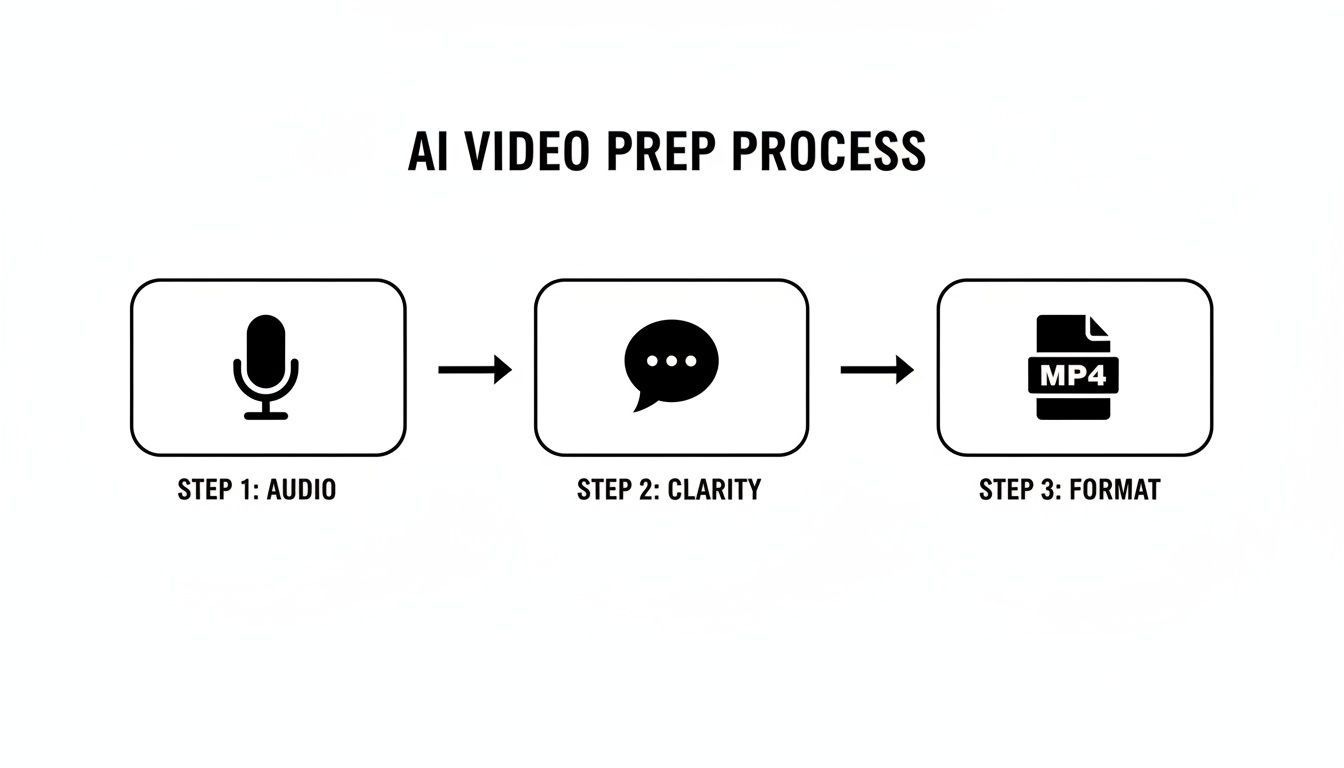
Come mostra il diagramma, un ottimo risultato inizia con buoni input: audio pulito, oratori chiari e il formato file giusto. Questo è ciò che prepara l'IA al successo.
Avviare la traduzione AI
Con il tuo video caricato, è ora di dire all'IA cosa ti serve. Questo è solitamente un rapido processo in due passaggi che richiede pochi clic.
Innanzitutto, specificherai la lingua originale parlata nel video. Sebbene i modelli avanzati possano spesso rilevare automaticamente la lingua, confermarla tu stesso è il modo migliore per garantirne l'accuratezza fin dall'inizio.
Successivamente, scegli semplicemente il tuo obiettivo: Traduci in inglese. Ecco fatto. Questo singolo comando dice al sistema di eseguire sia la trascrizione che la traduzione in un'unica operazione fluida. Non appena premi "vai", l'IA si mette al lavoro.
Il tuo transcript bilingue arriva in pochi minuti
In pochi minuti, riceverai una notifica che la tua bozza è pronta. Quello che ricevi non è solo un blocco di testo noioso. È un documento completo e interattivo con il transcript originale e la traduzione in inglese visualizzati fianco a fianco, perfettamente con data e ora.
Questa visualizzazione bilingue rende super facile controllare la traduzione rispetto al dialogo originale, assicurando che nulla vada perso nella traduzione.
Quello che ottieni è una solida prima bozza che è spesso al 95% completa. L'IA si è già occupata di:
- Trascrizione: Trasformare tutte le parole pronunciate in testo.
- Marcatura temporale: Allineare ogni parola o frase al suo momento esatto nel video.
- Traduzione: Convertire quel testo in inglese accurato.
- Etichettatura degli oratori: Identificare automaticamente chi sta parlando.
Questa bozza automatizzata consente di risparmiare un'enorme quantità di tempo. Invece di partire da zero, inizi con un file di sottotitoli quasi finito che necessita solo di una rapida rifinitura umana. Il lavoro tecnico è fatto, liberandoti per concentrarti sulle sfumature. La stessa idea centrale di conversione linguistica istantanea alimenta strumenti come un dispositivo di traduzione automatica, che stanno abbattendo le barriere di comunicazione ovunque.
Workflow Features for Faster Editing & Insights

Rilevamento dei parlanti
Identifica automaticamente diversi parlanti nelle tue registrazioni e etichettali con i loro nomi.

Strumenti di modifica
Modifica le trascrizioni con strumenti potenti tra cui trova e sostituisci, assegnazione dei parlanti, formati di testo arricchito ed evidenziazione.
Riassunti e Chatbot
Genera riassunti e altri approfondimenti dalla tua trascrizione, prompt personalizzati riutilizzabili e chatbot per i tuoi contenuti.
If you want to dig deeper into all the features and technical specs, you can always check out the official docs at https://transcript.lol/docs. By making the technology this accessible, these tools empower anyone to produce high-quality English subtitles and unlock a global audience with just a few clicks.
How to Refine and Perfect Your English Subtitles
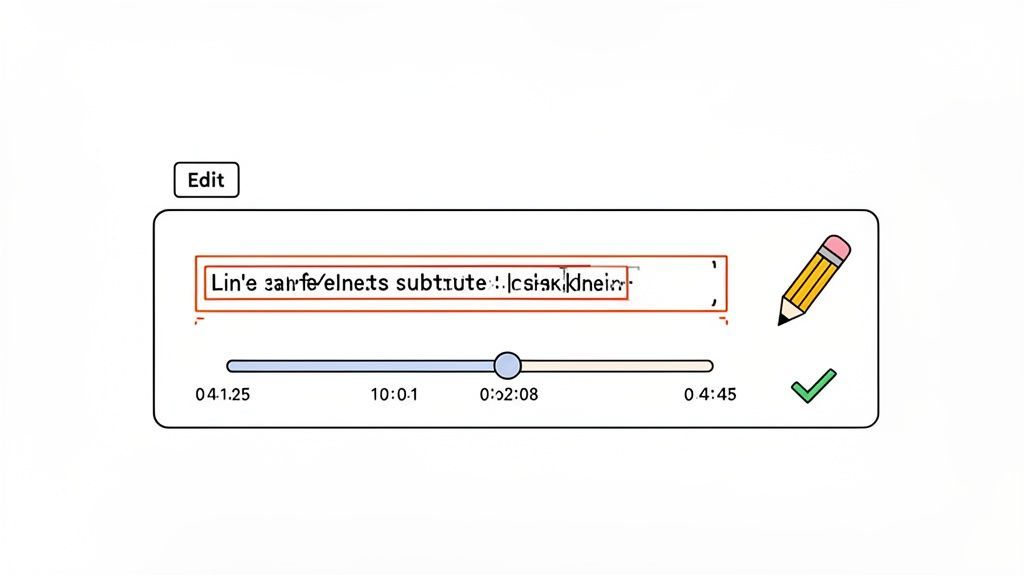
AI gives you an incredible head start, but that final human touch is what elevates good subtitles into truly great ones. The initial AI pass gets you about 95% of the way there, handling the grunt work of transcription and translation. This next stage is all about the polish—the crucial review that adds nuance and a professional feel.
Never Skip the Final Review
Even the most advanced AI tools can occasionally miss names, slang, tone, or subtle context. While the errors may seem small, they can impact professionalism and reduce audience trust. Taking a few extra minutes for a manual review helps refine wording, correct minor inaccuracies, and ensure your subtitles sound natural, clear, and contextually accurate. A quick human polish makes the final result more reliable and professional.
This is where you’ll use an interactive subtitle editor, like the one built into Transcript.LOL, to smooth out any rough edges. The goal isn’t to redo the AI’s work but to refine it, making sure the subtitles enhance the video instead of distracting from it.
Fine-Tuning the Text for Clarity and Context
First things first, you need to read through the translated text. Even the most powerful AI can sometimes miss the subtle quirks of human speech. Look for grammatical errors, awkward phrasing, or punctuation mistakes that might have slipped through.
The machine translation market is exploding, expanding from USD 1.88 billion in 2023 to USD 2.34 billion in 2024. This highlights just how much demand there is for services that translate video to English subtitles. While accuracy often exceeds 95% for major languages with clear audio, a human review is what closes that final gap. You can catch idiomatic expressions or cultural references the AI might not get. For a deeper dive, check out these insights on the rise of hybrid human-AI translation models.
As you edit, focus on these areas:
- Grammar and Punctuation: Correct any typos, misplaced commas, or funky sentence structures.
- Idioms and Slang: Make sure colloquial phrases are translated for meaning, not just word-for-word. An AI might translate a phrase like "it's raining cats and dogs" into something that makes zero sense in English.
- Speaker Labels: If the AI has mislabeled who's speaking in an interview, you can quickly reassign the text to the correct person.
A common mistake I see is leaving long, complex sentences untouched. Good subtitles are easy to read at a glance. Break up lengthy sentences into two or three shorter, more digestible lines that appear one after another.
This simple change makes a huge difference in readability, especially for viewers who are quickly scanning the text while trying to watch the action on screen.
Mastering Subtitle Timing and Synchronization
Perfectly synced subtitles are invisible; badly synced ones are infuriating. When text appears too early or hangs around too long, it completely breaks the viewer's immersion. Nailing the timestamps is one of the most important parts of this process.
Most interactive editors give you a visual timeline of the audio waveform right under the video. You can just drag the edges of each subtitle block to tweak its start and end times with pinpoint precision.
Here’s a real-world example: Imagine a speaker pauses for dramatic effect. The AI might lump their pre- and post-pause sentences into a single subtitle block. A good human editor would split this into two separate subtitles, timing the second one to appear after the pause. This preserves the speaker's intended pacing and impact.
Your goal is to make the subtitles feel like a natural part of the video, appearing and disappearing in perfect rhythm with the dialogue.
The Subtitle Polishing Checklist
Once the text is accurate and the timing is locked in, the final step is to apply some best practices for readability. This quick checklist will help you turn a good subtitle file into a great one.
| Check Area | What to Look For | Why It Matters |
|---|---|---|
| Line Breaks | Are any single lines of text excessively long? | Long lines force the eye to travel, which is tiring. Aim for under 42 characters per line. |
| Subtitle Duration | Do subtitles appear for at least 1 second and no more than 7 seconds? | Text that flashes too quickly is unreadable. Text that stays too long becomes a distraction. |
| Speaker Identification | In interviews or multi-speaker videos, is it clear who is talking? | Use labels like "Interviewer:" or the person's name to avoid confusion. |
| Sound Cues | Are non-speech sounds like [Laughter] or [Applause] noted? | This is crucial for accessibility, providing context for viewers who can't hear the audio. |
By meticulously running through these checks, you elevate that AI-generated draft into a professional-grade subtitle file. This final human touch ensures your effort to translate video to English subtitles results in a high-quality experience that feels seamless, accurate, and accessible to everyone.
Exporting and Using Your Subtitle Files
Alright, you've done the hard part—your subtitles are polished, perfectly timed, and ready to go. Now it’s time to get them out into the world. After all that refining, exporting is the final, crucial step that makes your video accessible to a much wider audience.
Thankfully, modern tools like Transcript.LOL make this part a breeze, letting you download the most common subtitle formats with a single click. The two big players you'll run into are SRT and VTT. Knowing the difference between them will help you pick the right one for the job.
Choosing Between SRT and VTT Files
Think of SRT (.srt) as the universal soldier of subtitles. It’s a super simple text file that contains just three things: a number for each line, the start and end timestamps, and the subtitle text itself. Its simplicity is its greatest strength, ensuring it works with just about every video player and platform you can imagine.
VTT (.vtt), on the other hand, is the modern successor. It does everything SRT can do but adds extra features like support for bolding, italics, and even styling text with different colors and positions. Platforms like YouTube and Vimeo love VTT because it allows for a richer, more polished look.
So, which one should you choose?
- Go with SRT for maximum compatibility. If you’re pushing your video out to tons of different places or dealing with older software, SRT is your safest bet. It just works.
- Use VTT for modern web platforms. Uploading to YouTube, Vimeo, or embedding video on your own website? VTT gives you far more creative control over how your subtitles look.
The good news is you don't really have to sweat the decision. Transcript.LOL lets you download both, so you’ll always have the right file on hand for any scenario.
Applying Subtitles to Your Video Platform
Once you have your file, adding it to your video is usually pretty simple. On a platform like YouTube, for instance, you just head over to YouTube Studio, find your video, click into the "Subtitles" section, and upload your SRT or VTT file. The platform handles all the syncing automatically.
This is the best way to do it. Using a separate subtitle file means viewers can turn them on or off, you can add multiple languages, and search engines can actually read the text—giving your video a nice little SEO boost.
Getting this final step right is more important than ever. The market for multimedia localization is exploding, growing at a 12.79% CAGR. Properly subtitled videos can boost viewer retention by 30% on social media and even lift e-commerce conversions by 25%. You can dig into more stats about the booming translation services market here.
When to Burn In Your Subtitles
Sometimes, you need to "burn in" (or hardcode) your subtitles, making them a permanent part of the video itself. This is a must for platforms that don’t support separate subtitle files, like Instagram (for feed videos and Reels) or TikTok.
The downside is that viewers can't turn them off, and the text isn't searchable. But for social media, where tons of people watch with the sound off, hardcoded subtitles make sure your message always gets across. Most video editors let you do this by simply importing your SRT file and rendering it directly onto the video.
Mastering both methods ensures your effort to translate video to English subtitles really pays off, helping you connect with the biggest possible audience, no matter where they're watching.
Common Questions About Video Translation
Even with powerful AI tools in your corner, a few questions always pop up. Diving into video translation for the first time often brings up queries about accuracy, file formats, and best practices. Getting those sorted out will help you nail the final steps with confidence.
Think of this part as your quick-reference guide. We’ll tackle the most common uncertainties head-on, so you can spend less time guessing and more time connecting with your new global audience.
How Accurate Is AI Video Translation to English?
Modern AI translation has gotten scarily good. It often hits 95-99% accuracy for common language pairs like Spanish to English, especially when you start with clean, high-quality audio. Tools like Transcript.LOL use advanced models like OpenAI's Whisper, which are trained specifically for this kind of high-stakes performance.
But let's be real—AI isn't perfect. Accuracy can dip if your video has a lot of background noise, people talking over each other, or thick regional dialects. This is exactly why a final human review is so important.
The AI does the heavy lifting, saving you about 90% of the grunt work. Your job is to come in for that final 10% polish. You'll catch the nuanced errors, idiomatic phrases, or culturally specific terms that a machine might just miss. A quick proofread turns a great translation into a perfect one.
What Is the Difference Between SRT and VTT Subtitle Files?
SRT (SubRip Text) is the old reliable, the most universal and widely supported subtitle format out there. It’s a simple text file with just the essentials: sequential numbers, start and end timestamps, and the subtitle text itself. It’s a safe, dependable choice that works almost everywhere.
VTT (WebVTT) is the modern evolution of SRT. It does everything SRT can do but adds more advanced styling features, such as:
- Text Formatting: You can add bold and italic text right in the file.
- Positioning: You can control where the subtitles appear on the screen.
- Color: Change the color of your subtitle text for emphasis or branding.
YouTube, Vimeo, and most modern HTML5 video players prefer VTT because of these richer capabilities. But for maximum compatibility, especially with older software, SRT is a solid fallback. Most tools, including Transcript.LOL, let you export in both formats, so you have options.
Can I Translate a Video Directly from a YouTube Link?
Yes, absolutely. Many modern AI services, including Transcript.LOL, are built for this exact workflow. The old-school method of downloading a video just to re-upload it is a thing of the past. Now, you can just paste the public URL from YouTube, Vimeo, or another host.
The platform grabs the video directly from the source, generating the transcript and translation for you. This saves a massive amount of time and bandwidth, making the whole process to translate video to English subtitles incredibly efficient. You can find more details about workflows and other common questions in our complete FAQ section.
Is It Better to Hardcode Subtitles or Use a Separate File?
This really depends on where you're posting the video. Using a separate file (like an SRT or VTT) is almost always the better method, for a few key reasons:
- Accessibility and User Choice: Viewers can turn subtitles on or off. It gives them control.
- SEO Benefits: The text inside the file is indexable by search engines, helping your video get discovered.
- Flexibility: You can easily offer multiple language options for the same video without creating different video files.
This is the standard approach for platforms like YouTube and Vimeo.
Hardcoding, or "burning in," subtitles makes them a permanent part of the video image. This is a must for social media platforms that don't support separate subtitle files, like Instagram (for in-feed videos) or TikTok. The main drawback is that viewers can't turn them off, and the text isn't searchable.
The rule of thumb is simple: use separate files whenever you can, and only hardcode when the platform forces your hand.
Ready to unlock your global audience? With Transcript.LOL, you can translate your video to English subtitles in minutes, not days. Get started today and see how easy it is to make your content accessible to the world. Start your free trial at Transcript.LOL.