
7 migliori opzioni software di sintesi vocale in testo per il 2025 (in-depth...
Scopri le 7 migliori soluzioni software di sintesi vocale in testo del 2025. Confrontiamo funzionalità, prezzi e accuratezza per aiutarti a trovare lo strumento perfetto per le tue esigenze.
Kate, Praveen
November 21, 2025
Nel 2025, la domanda di trascrizioni veloci, accurate e intelligenti non è mai stata così alta. Dai podcaster ai team aziendali, dai giornalisti ai professionisti legali, lo strumento giusto può trasformare ore di audio o video in testo attuabile, dati ricercabili e contenuti riutilizzati. La sfida principale non è più se è possibile trascrivere l'audio, ma con quanta efficienza e efficacia si può fare.
Con così tante opzioni sul mercato, dalle potenti API focalizzate sugli sviluppatori alle app user-friendly, scegliere il miglior software speech-to-text per il tuo flusso di lavoro specifico può essere opprimente. Questa guida elimina il rumore. Approfondiremo le migliori piattaforme, valutandole in base a fattori critici come accuratezza, velocità, funzionalità uniche, identificazione dell'oratore, modelli di prezzo e casi d'uso reali. Il nostro obiettivo è fornire una panoramica chiara e completa che ti aiuti a selezionare una soluzione che non solo trascrive, ma accelera anche l'intera pipeline dei tuoi contenuti.
Questo articolo va oltre le descrizioni superficiali. Per ogni strumento, troverai:
- Una recensione dettagliata della sua funzionalità principale e delle caratteristiche distintive.
- Chiari pro e contro per aiutarti a prendere una decisione informata.
- Suggerimenti pratici su per chi è più adatto il software.
- Screenshot e link diretti per aiutarti a esplorare ulteriormente.
Abbiamo fatto la ricerca per aiutarti a trovare uno strumento che ti faccia risparmiare tempo, migliori l'accessibilità e sblocchi nuovo valore dai tuoi contenuti vocali. Esploriamo le soluzioni che stanno definendo il futuro della trascrizione.
1. Transcript.LOL
Transcript.LOL si posiziona come un punto di forza nel panorama competitivo del miglior software speech-to-text, offrendo una suite completa di strumenti che va ben oltre la trascrizione di base. Costruito sul motore Whisper avanzato di OpenAI, offre un'accuratezza e una velocità eccezionali, rendendolo una scelta ideale per professionisti e team che richiedono più di un semplice file di testo. La piattaforma è progettata per gestire carichi di lavoro impegnativi, elaborando senza sforzo file audio e video fino a 10 ore di durata o 5 GB di dimensione, stabilendola come una soluzione di riferimento per creatori di contenuti di lunga durata e ricercatori.
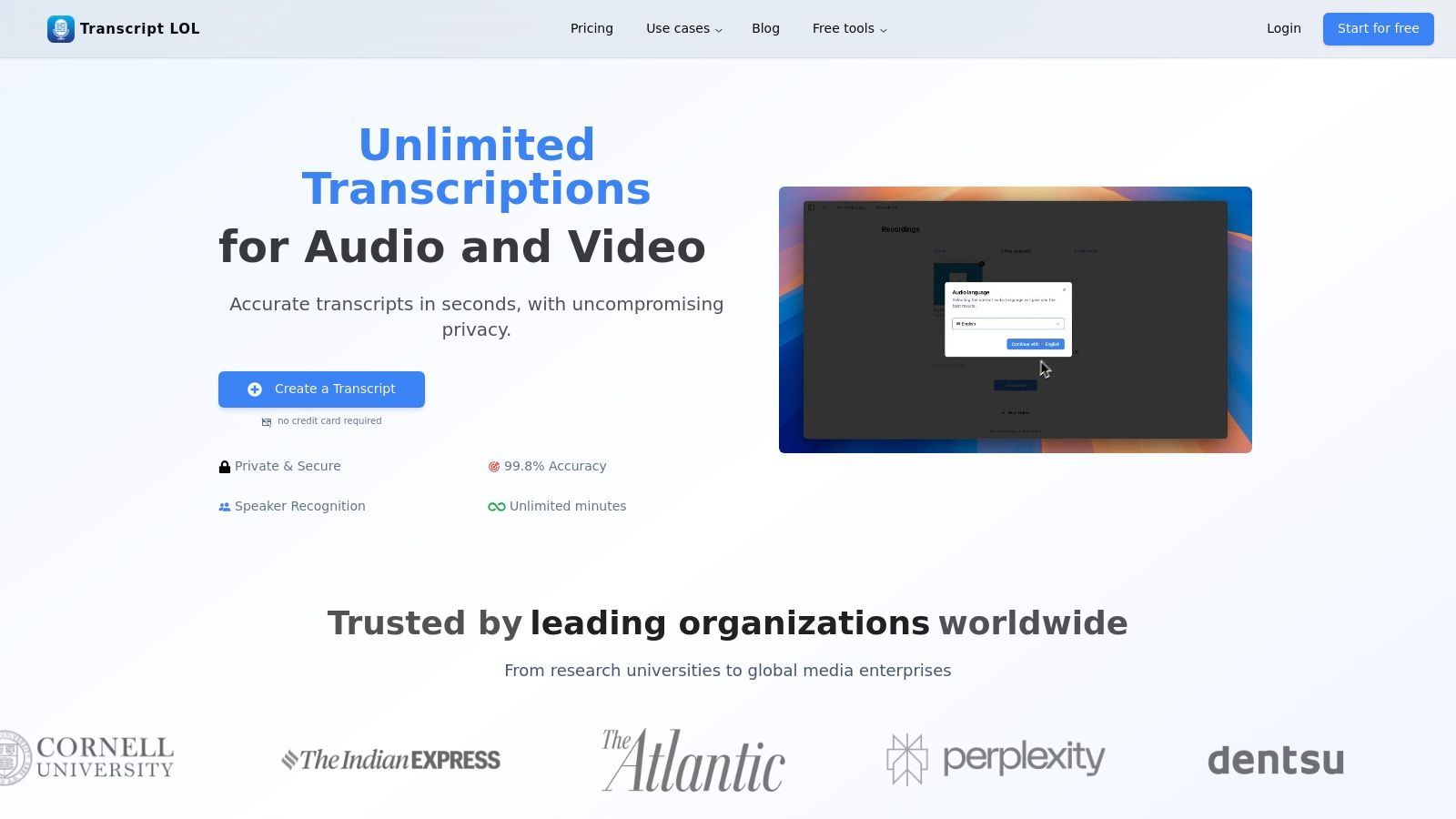
Ciò che distingue veramente Transcript.LOL è la sua attenzione alla trasformazione delle trascrizioni grezze in contenuti attuabili. Non si tratta solo di convertire l'audio in testo; si tratta di ciò che puoi fare con quel testo in seguito. La piattaforma integra potenti funzionalità AI che generano automaticamente riassunti, suddivisioni in capitoli, elementi d'azione e persino quiz dalla tua trascrizione. Questo trasforma un'attività post-produzione tipicamente dispendiosa in termini di tempo in un flusso di lavoro automatizzato ed efficiente, un grande vantaggio per i content marketer, i podcaster e i team aziendali.
Capacità AI di base che vanno oltre la trascrizione
IA all'avanguardia
Alimentato da Whisper di OpenAI per una precisione leader nel settore. Supporto per vocabolari personalizzati, file fino a 10 ore e risultati ultra rapidi.

Importa da più fonti
Importa file audio e video da varie fonti tra cui caricamento diretto, Google Drive, Dropbox, URL, Zoom e altro.

Strumenti di modifica
Modifica le trascrizioni con strumenti potenti tra cui trova e sostituisci, assegnazione dei parlanti, formati di testo arricchito ed evidenziazione.
Caratteristiche e Funzionalità Principali
Transcript.LOL è ricco di funzionalità progettate sia per utenti individuali esperti che per team collaborativi:
- Precisione e Flessibilità Eccezionali: Sfruttando Whisper di OpenAI, la piattaforma vanta un'accuratezza fino al 99,8%. Gli utenti possono migliorarla ulteriormente con il supporto di vocabolario personalizzato per termini specializzati, nomi o gergo. Accetta una vasta gamma di sorgenti di input, inclusi caricamenti diretti, unità cloud (Google Drive, Dropbox) e collegamenti diretti da piattaforme come YouTube, Zoom e Vimeo.
- Generazione di Contenuti basata sull'IA: Questa è la capacità distintiva della piattaforma. Oltre alla trascrizione, può produrre una varietà di asset generati dall'IA:
- Riassunti e Capitoli: Ottieni una panoramica concisa o una ripartizione dettagliata del tuo contenuto.
- Post per Social Media: Crea automaticamente post pronti per la pubblicazione su piattaforme come LinkedIn e X (precedentemente Twitter).
- Quiz e Mappe Mentali: Eccellente per contenuti educativi, trasforma lezioni o interviste in strumenti di apprendimento.
- Prompt per Chatbot: Genera prompt riutilizzabili per un'ulteriore esplorazione dei contenuti con l'IA.
- Modifica ed Esportazione Avanzate: La piattaforma dispone di un editor di testo ricco con rilevamento ed etichettatura degli speaker, funzionalità di ricerca e sostituzione e facile assegnazione degli speaker. Quando sei pronto, puoi esportare il tuo lavoro in più formati, inclusi TXT, DOCX, PDF e formati di sottotitoli come SRT e VTT.
- Flusso di Lavoro Orientato al Team: Per le organizzazioni, Transcript.LOL fornisce spazi di lavoro condivisi, controlli di accesso granulari e robuste capacità di ricerca su tutti i contenuti del team. Le integrazioni con Zapier e un'API dedicata consentono di integrarlo perfettamente nelle pipeline aziendali esistenti.
Funzionalità di trascrizione incentrate sulle riunioni

Rilevamento dei parlanti
Identifica automaticamente diversi parlanti nelle tue registrazioni e etichettali con i loro nomi.

Esporta in più formati
Esporta le tue trascrizioni in più formati tra cui TXT, DOCX, PDF, SRT e VTT con opzioni di formattazione personalizzabili.
Riassunti e Chatbot
Genera riassunti e altri approfondimenti dalla tua trascrizione, prompt personalizzati riutilizzabili e chatbot per i tuoi contenuti.
Integrazioni
Collegati con i tuoi strumenti e piattaforme preferiti per ottimizzare il tuo flusso di lavoro di trascrizione.
Privacy e prezzi
Un elemento di differenziazione significativo per Transcript.LOL è il suo impegno per la privacy degli utenti. La piattaforma opera secondo una rigida politica di non addestramento, garantendo che i tuoi file caricati non vengano mai utilizzati per addestrare modelli AI. Questa è un'assicurazione fondamentale per gli utenti che gestiscono contenuti sensibili in ambienti legali, medici o aziendali.
Per aiutarti a scegliere l'approccio giusto per il tuo progetto, ecco una rapida panoramica dei metodi di timestamping più comuni e dove eccellono.
Metodi di Timestamping Chiave e i Loro Casi d'Uso Principali
| Metodo di Timestamping | Piattaforma Principale | Beneficio Chiave | Ideale Per |
|---|---|---|---|
| Capitoli di YouTube | YouTube | Migliora la navigazione direttamente nel player video e ottimizza la SEO. | Contenuti lunghi, tutorial, interviste e podcast. |
| File SRT/VTT | Varie Piattaforme | Fornisce sottotitoli accurati e sincronizzati nel tempo per l'accessibilità e la SEO. | Qualsiasi video che richieda sottotitoli, specialmente per i social media o per un pubblico globale. |
| Codici Temporali Integrati (Burnt-In) | Montaggio Video | Visualizza una sovrapposizione di codice temporale in esecuzione direttamente sul fotogramma video. | Dailies di produzione, deposizioni legali e copie di revisione per i montatori. |
Ognuno di questi metodi serve a uno scopo diverso, dal rendere un video di YouTube più facile da usare all'assicurare che una deposizione legale sia documentata accuratamente. La scelta di quello giusto dipende interamente dal tuo obiettivo finale.
Trascrizione incentrata sulla privacy di cui ti puoi fidare
Transcript.LOL segue una rigorosa politica di non addestramento, il che significa che il tuo audio, video e le tue trascrizioni non vengono mai utilizzati per addestrare modelli AI. Ciò lo rende una scelta affidabile per contenuti aziendali, legali e di ricerca sensibili. I tuoi dati rimangono privati, sicuri e completamente sotto il tuo controllo in ogni momento.
La struttura dei prezzi è semplice e offre un percorso chiaro per gli utenti per scalare:
| Piano | Prezzo (Fatturato Annualmente) | Funzionalità Chiave | Ideale per |
|---|---|---|---|
| Livello Gratuito | $0 | 2 trascrizioni/giorno, caricamento massimo di 20 minuti, elaborazione a bassa priorità | Testare la piattaforma o trascrivere brevi clip. |
| Illimitato | $120/anno | Trascrizioni illimitate, caricamenti di 10 ore, elaborazione prioritaria, tutte le funzionalità AI | Creatori individuali, ricercatori e professionisti. |
| Team | $240/anno (per 2 utenti) | Tutte le funzionalità Illimitate più spazi di lavoro condivisi e controlli di accesso | Aziende, agenzie e team collaborativi. |
Verdetto Finale
Transcript.LOL si guadagna il suo posto come scelta principale per il miglior software di sintesi vocale, colmando con successo il divario tra trascrizione ad alta precisione e creazione di contenuti intelligenti. La sua capacità di gestire file lunghi, unita a una politica incentrata sulla privacy e a una potente suite di strumenti di riutilizzo dei contenuti basati sull'intelligenza artificiale, offre un valore immenso. Sebbene il piano gratuito sia limitato, i livelli a pagamento offrono un flusso di lavoro illimitato e ad alta priorità che può far risparmiare innumerevoli ore ai professionisti. Se desideri uno strumento che consideri la trascrizione come l'inizio del tuo ciclo di vita dei contenuti, non la fine, Transcript.LOL è una soluzione eccezionale e completa.
Pro:
- Elevata precisione e velocità grazie a OpenAI Whisper, con supporto per file molto lunghi.
- Trasforma le trascrizioni in contenuti utilizzabili come riassunti, post sui social e quiz.
- Robuste funzionalità per team, integrazioni e ampie opzioni di importazione da piattaforme.
- Approccio incentrato sulla privacy con una rigorosa politica di non addestramento sui dati degli utenti.
Contro:
- Il piano gratuito è limitato e più adatto a scopi di test.
- Richiede audio di alta qualità per una precisione ottimale, come per qualsiasi servizio di trascrizione.
Sito Web: https://transcript.lol
2. Nuance Dragon
Nuance Dragon si erge come un titano nel mondo della dettatura professionale, offrendo una suite di soluzioni di sintesi vocale altamente precise e guidate da comandi. Per decenni, è stato lo strumento di riferimento per professionisti in campi esigenti come il diritto, la sanità e le imprese che richiedono più di una semplice trascrizione. Dragon eccelle nel trasformare le parole pronunciate in testo in tempo reale e consente agli utenti di controllare l'intero computer con comandi vocali, rendendolo una delle migliori opzioni di software di sintesi vocale per utenti avanzati e accessibilità.
A differenza di molti moderni servizi basati esclusivamente sul cloud, Dragon offre una potente applicazione desktop oltre alle versioni cloud e mobile, offrendo agli utenti flessibilità nel modo in cui lavorano. Questo approccio ecosistemico garantisce che, sia che tu sia alla tua scrivania o in movimento, i tuoi vocabolari personalizzati e i profili utente siano sincronizzati.
Funzionalità e Offerte Chiave
La linea di prodotti di Dragon è su misura per esigenze professionali specifiche, garantendo che gli utenti ottengano uno strumento ottimizzato per il loro flusso di lavoro.
- Vocabolari personalizzati e macro: puoi addestrare Dragon a riconoscere gergo specifico del settore, acronimi e nomi, aumentando significativamente la precisione. Gli utenti possono anche creare macro attivate dalla voce per automatizzare attività multi-passo, come l'inserimento di un blocco di testo standard o la compilazione di un modulo con un singolo comando.
- Comandi e controllo approfonditi: vai oltre la dettatura per operare completamente il tuo computer. Avvia applicazioni, naviga nei menu, fai clic sui pulsanti e naviga sul web interamente a mani libere. Questa è una funzionalità critica per l'accessibilità e la produttività.
- Molteplici livelli di prodotto: Dragon non è una soluzione "taglia unica". Offre Dragon Professional v16 come licenza desktop perpetua, Dragon Professional Anywhere come abbonamento basato su cloud per le aziende e Dragon Anywhere Mobile per iOS e Android.
A Chi è Meglio Adatto?
Nuance Dragon è la scelta ideale per i professionisti che trascorrono una parte significativa della loro giornata creando documenti dettagliati e necessitano di mantenere alti livelli di produttività. Professionisti legali, medici, autori e dirigenti aziendali troveranno inestimabili la sua profonda personalizzazione e il controllo a mani libere. È anche una soluzione leader per gli utenti con disabilità fisiche che richiedono robusti strumenti di accessibilità per interagire con i propri computer.
Suggerimento Pratico: Per massimizzare la precisione di Dragon, dedica del tempo alla procedura guidata di addestramento iniziale e utilizza la funzione "Aggiungi parole al vocabolario" presto e spesso. Ad esempio, se sei un avvocato, aggiungi nomi di casi specifici, precedenti legali e nomi di clienti al tuo dizionario personalizzato prima di iniziare a dettare documenti.
| Confronto Funzionalità | Dragon Professional (Desktop) | Dragon Professional Anywhere (Cloud) |
|---|---|---|
| Piattaforma | Solo Windows | Windows, Cloud, App Mobile |
| Licenza | Perpetua (costo una tantum) | Abbonamento (annuale) |
| Gestione Profilo | Locale | Centralizzata (sincronizzata nel cloud) |
| Ideale per | Individui, piccole imprese | Grandi team, aziende |
Pro:
- Eccezionale precisione con vocabolari specializzati.
- Prodotto maturo e ricco di funzionalità, perfezionato nel corso dei decenni.
- Potente controllo del computer a mani libere e funzionalità di accessibilità.
Contro:
- Principalmente focalizzato su Windows; nessuna versione desktop moderna per Mac.
- Il costo iniziale per una licenza perpetua può essere considerevole.
Sito Web: https://dragon.nuance.com
3. Otter.ai
Otter.ai si è ritagliato una nicchia unica nel panorama della sintesi vocale concentrandosi su un problema specifico e di alto valore: trascrivere e riassumere riunioni e conversazioni. Trasforma audio live o registrato in note intelligenti e collaborative complete di identificazione dell'oratore, timestamp e riassunti attuabili. Questo approccio incentrato sulle riunioni lo rende una delle migliori soluzioni di software di sintesi vocale per team, studenti e professionisti che necessitano di catturare e richiamare l'intelligenza conversazionale.
A differenza degli strumenti di dettatura generici, Otter.ai è progettato per la collaborazione. Il suo "OtterPilot" può unirsi automaticamente alle riunioni su Zoom, Google Meet e Microsoft Teams, agendo come un prendi-appunti AI che consente ai partecipanti di concentrarsi sulla discussione piuttosto che sulla digitazione. Le trascrizioni risultanti sono ricercabili, condivisibili e integrate in uno spazio di lavoro di squadra.
Funzionalità e Offerte Chiave
La piattaforma di Otter.ai è costruita per rendere i contenuti delle riunioni accessibili e utili molto tempo dopo la fine della chiamata.
- Trascrizione live e identificazione dell'oratore: Otter trascrive le conversazioni in tempo reale, distinguendo automaticamente tra gli oratori. Questo è fondamentale per comprendere il contesto di chi ha detto cosa nelle discussioni multi-persona.
- Riassunti automatici delle riunioni: Utilizzando l'IA, Otter genera un riassunto conciso dei principali argomenti e delle azioni discusse in una riunione. Ciò consente agli utenti di cogliere rapidamente i punti chiave senza leggere l'intera trascrizione.
- Integrazioni approfondite: La piattaforma si collega perfettamente con i popolari strumenti di calendario e videoconferenza. OtterPilot può unirsi e registrare automaticamente le riunioni programmate, e gli utenti possono persino usarlo per catturare audio da conversazioni di persona tramite l'app mobile.
- Spazio di lavoro collaborativo: Le trascrizioni possono essere evidenziate, commentate e condivise con i membri del team. Questo trasforma un semplice file di testo in un documento interattivo per follow-up e gestione dei progetti.
A Chi è Meglio Adatto?
Otter.ai è ideale per team aziendali, project manager, studenti, giornalisti e chiunque partecipi regolarmente a riunioni. Eccelle in ambienti in cui la cattura di registrazioni accurate delle conversazioni è essenziale per la produttività e la responsabilità. I professionisti aziendali possono usarlo per garantire che nessun elemento d'azione venga perso, mentre gli studenti possono registrare le lezioni per una revisione più semplice. Se la tua esigenza principale è trasformare le conversazioni parlate in note organizzate e ricercabili, Otter.ai è una scelta di prim'ordine. Per uno sguardo più approfondito alle sue capacità, puoi saperne di più su come Otter.ai funziona come prendi-appunti AI per Zoom.
Suggerimento Pratico: Prima di una riunione importante, utilizza la funzione "Vocabolario personalizzato" per aggiungere nomi dei partecipanti, nomi in codice dei progetti e gergo specifico dell'azienda. Ciò migliora significativamente la precisione di Otter e riduce la quantità di pulizia post-riunione richiesta sulla trascrizione.
| Confronto Funzionalità | Otter.ai Business | Otter.ai Enterprise |
|---|---|---|
| Minuti di Trascrizione | 6000 per utente/mese | Personalizzato |
| Limite per Conversazione | 4 ore | 4 ore |
| Amministrazione e Sicurezza | Standard | Avanzato (SAML, SSO) |
| Ideale per | Team piccoli e medi | Grandi organizzazioni, settori regolamentati |
Pro:
- Eccellente identificazione dell'oratore in tempo reale.
- Integrazione perfetta con le principali piattaforme di videoconferenza.
- Potenti riassunti basati sull'IA e funzionalità collaborative.
Contro:
- Principalmente focalizzato sulle riunioni; non ideale per la dettatura generica.
- La precisione può essere inferiore in ambienti rumorosi o con accenti forti.
Sito Web: https://otter.ai
4. Microsoft Azure AI Speech
Microsoft Azure AI Speech funge da motore di sintesi vocale fondamentale per sviluppatori e aziende che creano sofisticate applicazioni vocali.
Costruito per sviluppatori, non per utenti finali
Azure AI Speech non è un'app di trascrizione plug-and-play. È progettato per team di ingegneri che desiderano integrare il riconoscimento vocale nelle proprie piattaforme, applicazioni o flussi di lavoro. Aspettati una potente personalizzazione, ma anche un processo di configurazione tecnico.
Piuttosto che un'app autonoma, è un potente servizio basato su cloud all'interno dell'ecosistema Azure, progettato per l'integrazione personalizzata. Questo lo rende una delle migliori scelte di software speech-to-text per le aziende che necessitano di integrare le funzionalità di trascrizione direttamente nei loro prodotti, flussi di lavoro o infrastrutture con sicurezza e scalabilità di livello enterprise.
Azure AI Speech eccelle nel fornire blocchi costitutivi per la trascrizione, offrendo sia lo streaming in tempo reale che l'elaborazione batch per file audio preregistrati. La sua forza risiede nelle sue profonde opzioni di personalizzazione e nell'integrazione trasparente con altri servizi Azure, consentendo alle organizzazioni di creare soluzioni vocali altamente personalizzate e sicure che soddisfano specifiche esigenze di conformità e operative.
Funzionalità e Offerte Chiave
Azure AI Speech fornisce un toolkit completo per gli sviluppatori per incorporare il riconoscimento vocale avanzato nelle loro applicazioni.
- Addestramento di Modelli Personalizzati: Una caratteristica distintiva è la capacità di creare modelli vocali personalizzati. Puoi caricare i tuoi dati audio e le tue trascrizioni per addestrare un modello che riconosca gergo specifico del settore, nomi di prodotti o accenti, migliorando significativamente l'accuratezza per casi d'uso specializzati.
- Diariizzazione e Identificazione della Lingua: Il servizio può distinguere automaticamente tra diversi parlanti in un file audio (diarizzazione) e identificare la lingua parlata da un'ampia gamma di lingue e dialetti supportati. Questo è essenziale per trascrivere riunioni, interviste e chiamate di assistenza clienti.
- Opzioni di Distribuzione Flessibili: Sebbene principalmente un servizio cloud, Azure AI Speech può essere distribuito in container. Ciò consente alle organizzazioni in settori sensibili come la sanità o la finanza di eseguire i modelli di trascrizione on-premise o all'edge, mantenendo i dati all'interno della propria rete per la massima sicurezza e privacy.
A Chi È Più Adatto?
Microsoft Azure AI Speech è progettato per sviluppatori, grandi imprese e aziende tecnologiche che richiedono un'API speech-to-text robusta, scalabile e personalizzabile da integrare nel proprio software o sistemi interni. È ideale per creare applicazioni controllate vocalmente, costruire strumenti di analisi per call center o incorporare funzionalità di trascrizione nelle piattaforme multimediali. Non è uno strumento pronto all'uso per singoli utenti finali, ma piuttosto una piattaforma per costruire tali strumenti.
Suggerimento Pratico: Quando si utilizza Azure AI Speech, iniziare con il modello di base per valutarne le prestazioni. Se si riscontrano problemi di accuratezza con termini specifici del dominio, utilizzare il portale Custom Speech per caricare un set di dati di testo (come manuali di prodotti o rapporti di settore) e audio corrispondente per perfezionare un modello. Ciò può migliorare drasticamente il riconoscimento per le tue esigenze specifiche. Ulteriori informazioni su come questi fattori influenzano l'accuratezza speech-to-text.
| Confronto Funzionalità | Modello Standard (Pay-as-you-go) | Modello Custom Speech |
|---|---|---|
| Configurazione | Uso immediato tramite API | Richiede caricamento dati e addestramento |
| Accuratezza | Alta per conversazioni generali | Molto alta per domini specifici |
| Costo | Tariffa standard all'ora | Si applicano costi di addestramento e hosting |
| Ideale per | Applicazioni generali, avvio rapido | Settori di nicchia, esigenze di alta accuratezza |
Pro:
- Sicurezza, conformità e integrazione globale Azure di livello enterprise.
- Ampie opzioni di personalizzazione per l'accuratezza specifica del dominio.
- Distribuzione flessibile con supporto container per uso on-premise.
Contro:
- I prezzi possono essere complessi, con costi per archiviazione, addestramento e utilizzo.
- Richiede competenze tecniche (competenze di sviluppo) per l'implementazione.
Sito Web: https://azure.microsoft.com/en-us/products/ai-services/ai-speech
5. Google Cloud Speech-to-Text (V2)
Google Cloud Speech-to-Text è all'avanguardia nella trascrizione focalizzata sugli sviluppatori, offrendo un'API potente e scalabile che sfrutta la ricerca avanzata sull'IA di Google. A differenza delle applicazioni per utenti finali, questo servizio fornisce i blocchi costitutivi grezzi per gli sviluppatori per integrare la trascrizione all'avanguardia direttamente nel proprio software e nei propri flussi di lavoro. Sfruttando modelli come l'altamente accurato 'Chirp', offre alcune delle migliori prestazioni software speech-to-text disponibili sia per attività in tempo reale che batch.
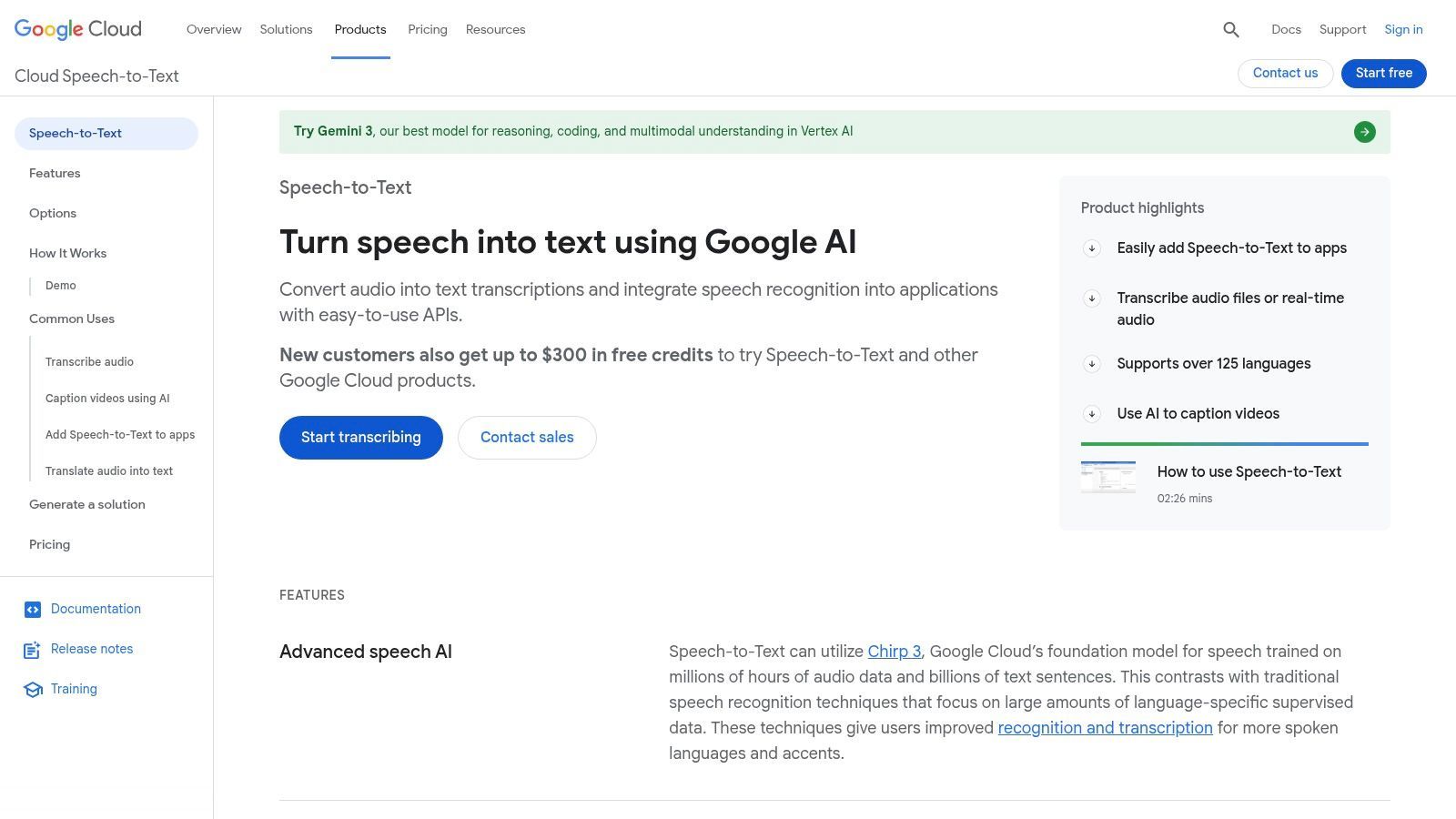
La piattaforma è progettata per la flessibilità, consentendo alle aziende di scegliere il giusto equilibrio tra velocità, accuratezza e costo per le loro esigenze specifiche. La sua profonda integrazione con l'ecosistema Google Cloud Platform (GCP) significa che funziona in modo trasparente con altri servizi cloud come archiviazione e calcolo, rendendolo una scelta privilegiata per le aziende già investite nell'infrastruttura di Google.
Funzionalità e Offerte Chiave
L'API di Google Cloud è costruita per la versatilità, rivolgendosi a una vasta gamma di scenari di trascrizione, dalla sottotitolazione dal vivo all'analisi audio su larga scala.
- Modelli ad Alta Accuratezza: Accesso ai modelli di trascrizione all'avanguardia di Google, incluso il modello universale 'Chirp', addestrato su milioni di ore di audio e che supporta oltre 100 lingue con notevole accuratezza.
- Opzioni di Elaborazione Flessibili: Supporta sia la trascrizione in tempo reale per flussi audio live che la trascrizione batch per file audio preregistrati. Questa doppia capacità lo rende adatto per applicazioni come la sottotitolazione di eventi dal vivo e l'elaborazione di media offline.
- Dynamic Batch Tier: Un'opzione di prezzo unica che offre sconti significativi (fino al 50% o più) per i lavori di trascrizione che non sono sensibili al tempo. Consentendo a Google di elaborare l'audio durante i periodi di minor traffico, gli utenti possono ridurre drasticamente i costi per progetti di grandi volumi.
- Ampia Copertura Linguistica e Dialettale: Ampio supporto per numerose lingue e i loro dialetti specifici, garantendo trascrizioni di alta qualità per una base di utenti globale.
A Chi È Più Adatto?
Google Cloud Speech-to-Text è la soluzione ideale per sviluppatori, startup e imprese che cercano di creare applicazioni con funzionalità di trascrizione integrate. È perfetto per le aziende che creano servizi di trascrizione di podcast, strumenti di sottotitolazione video, applicazioni controllate vocalmente o software di analisi per call center. Qualsiasi organizzazione con un elevato volume di dati audio da elaborare troverà altamente preziosi l'infrastruttura scalabile e le opzioni batch convenienti.
Suggerimento Pratico: Per grandi archivi di file audio (ad esempio, riunioni o interviste registrate) che non richiedono un'elaborazione immediata, utilizzare la funzionalità Dynamic Batch. Questo può ridurre i costi di trascrizione di oltre la metà, rendendo i progetti su larga scala molto più convenienti. Controlla la console GCP per i prezzi attuali, poiché possono fluttuare.
| Confronto Funzionalità | Modello Standard | Modello Universale Chirp |
|---|---|---|
| Caso d'uso | Uso generale, conveniente | Massima accuratezza, ampia copertura linguistica |
| Supporto Linguistico | Varia a seconda del modello | Oltre 100 lingue |
| Prezzi | Livello Standard | Livello Premium |
| Ideale per | Applicazioni standard | App critiche per la qualità, multilingue |
Pro:
- Accuratezza eccezionale, sfruttando i modelli IA di prim'ordine di Google.
- Livelli di prezzo flessibili, inclusa l'opzione Dynamic Batch fortemente scontata.
- Altamente scalabile e si integra perfettamente con il più ampio ecosistema GCP.
Contro:
- Richiede competenze tecniche per l'implementazione; è un'API, non un'applicazione pronta all'uso.
- I prezzi possono essere complessi e richiedono un attento monitoraggio nella console GCP.
Sito Web: https://cloud.google.com/speech-to-text
6. Amazon Transcribe
Amazon Transcribe è un servizio di riconoscimento vocale automatico (ASR) completamente gestito e basato sull'IA di Amazon Web Services (AWS). Piuttosto che un'applicazione autonoma, è un potente blocco costitutivo per sviluppatori e aziende che cercano di integrare funzionalità speech-to-text altamente accurate nelle proprie applicazioni e flussi di lavoro. Eccelle nell'elaborazione di grandi volumi di audio, rendendolo una delle migliori soluzioni software speech-to-text per esigenze di trascrizione automatizzate e scalabili.
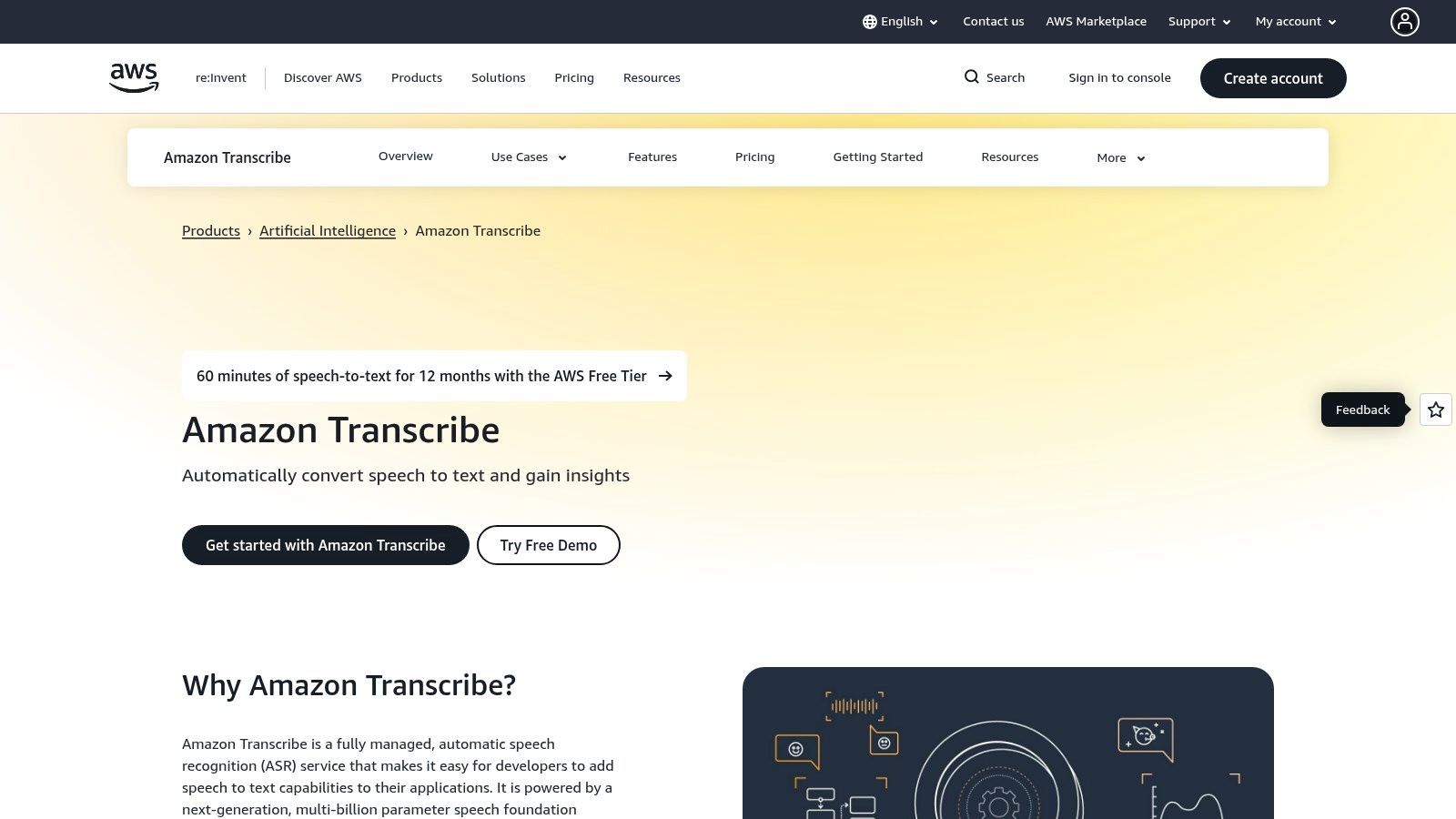
Come parte del vasto ecosistema AWS, Transcribe è progettato per affidabilità e scalabilità. Supporta sia la trascrizione in tempo reale (streaming) per eventi live che l'elaborazione batch per file audio preregistrati archiviati in servizi come Amazon S3. Questa flessibilità gli consente di alimentare tutto, dalla sottotitolazione live di un webinar all'analisi di migliaia di ore di chiamate di assistenza clienti.
Funzionalità e Offerte Chiave
Amazon Transcribe è ricco di funzionalità progettate per applicazioni di livello enterprise, focalizzate su accuratezza, sicurezza e analisi dei dati.
- Trascrizione Batch e Streaming: Elabora grandi archivi di file audio contemporaneamente o trascrivi flussi audio live in tempo reale. Il servizio gestisce automaticamente punteggiatura e formattazione per una migliore leggibilità.
- Modelli Linguistici Personalizzati (CLM): Addestra Transcribe sui tuoi set di dati specifici del dominio. Ciò ti consente di creare modelli personalizzati che riconoscono accuratamente nomi di prodotti unici, gergo di settore o accenti specifici dei parlanti, migliorando significativamente la qualità della trascrizione per casi d'uso specializzati.
- Redazione PII e Rilevamento Tossicità: Identifica e redige automaticamente informazioni personalmente identificabili (PII) come numeri di previdenza sociale o indirizzi dalle trascrizioni. Può anche segnalare linguaggio tossico o inappropriato, il che è cruciale per la moderazione dei contenuti e la conformità.
- Analisi delle Chiamate: Una funzionalità specializzata per i contact center, Transcribe Call Analytics fornisce trascrizioni turno per turno arricchite con insight come il sentiment del cliente, il tempo di inattività e la categorizzazione delle chiamate, il tutto alimentato dal machine learning.
A Chi È Più Adatto?
Amazon Transcribe è la scelta ideale per sviluppatori, imprese e contact center che necessitano di integrare un servizio di trascrizione scalabile e robusto nei propri prodotti o sistemi interni. Le aziende multimediali lo utilizzano per la sottotitolazione, le startup lo utilizzano per alimentare le funzionalità vocali nelle loro app e le aziende lo utilizzano per ottenere insight dai propri dati audio. È meno adatto per individui che cercano un'app di dettatura semplice e pronta all'uso.
Suggerimento Pratico: Per ottenere i risultati più accurati per l'audio specifico del settore, sfrutta la funzionalità Custom Language Models. Ad esempio, un'azienda medica può caricare un file di testo con migliaia di nomi di prodotti farmaceutici e termini medici. Questo addestra Transcribe a riconoscere quelle parole specifiche, riducendo drasticamente gli errori rispetto a un modello generico.
| Confronto Funzionalità | Trascrizione Standard | Transcribe Call Analytics |
|---|---|---|
| Uso Primario | Trascrizione audio per uso generale | Analisi delle chiamate del contact center |
| Output | Trascrizione in testo semplice | Trascrizione arricchita con sentiment, categorizzazione |
| Modello di Prezzo | Al secondo di audio elaborato | Al secondo (tariffa più alta rispetto allo standard) |
| Ideale per | Sottotitolazione multimediale, note di riunioni | Garanzia di qualità del servizio clienti, formazione degli agenti |
Pro:
- Prezzi prevedibili pay-as-you-go e profonda integrazione con l'ecosistema AWS.
- Potenti funzionalità integrate come la redazione PII e l'analisi delle chiamate per settori regolamentati.
- Altamente scalabile per gestire quasi qualsiasi volume di audio.
Contro:
- La struttura dei prezzi, con vari livelli e supplementi per le funzionalità, può essere complessa.
- Richiede una certa conoscenza tecnica per l'implementazione; non è un'applicazione semplice per l'utente finale.
- L'integrazione con altri servizi AWS (come S3 per l'archiviazione) può comportare costi separati.
Sito Web: https://aws.amazon.com/transcribe/
7. Rev
Rev offre un approccio ibrido unico alla trascrizione, combinando la velocità dell'intelligenza artificiale con la precisione dell'esperienza umana. Si distingue offrendo agli utenti un servizio speech-to-text rapido e automatizzato per risultati immediati, offrendo anche un percorso semplice per aggiornare qualsiasi file a una trascrizione umana con accuratezza del 99%. Questo lo rende una soluzione incredibilmente versatile per chiunque abbia bisogno di trascrizioni affidabili ma possa avere requisiti variabili per accuratezza e tempi di consegna, posizionandolo come una delle migliori scelte di software speech-to-text per una vasta gamma di utenti.
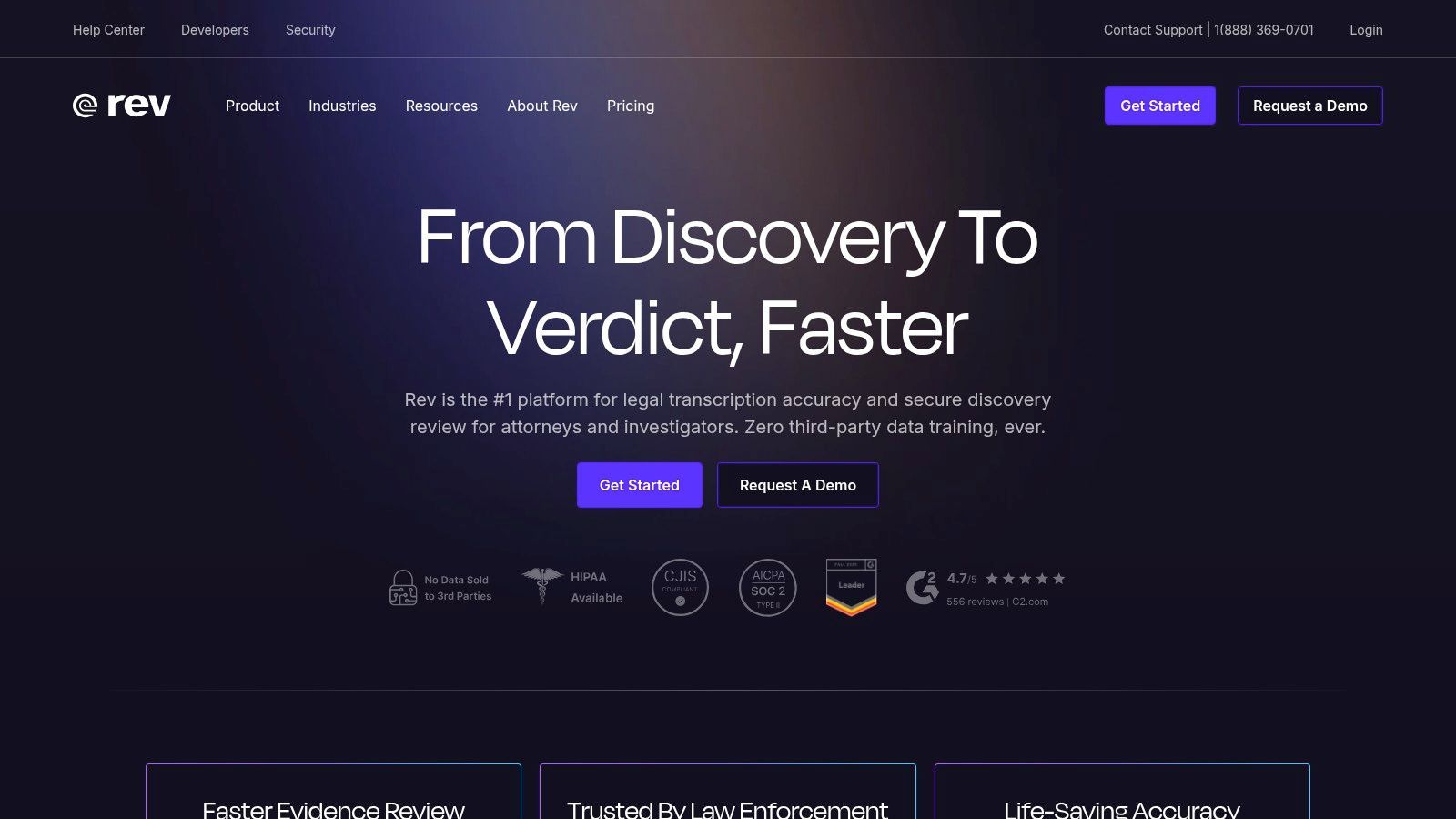
La piattaforma è costruita attorno a un flusso di lavoro semplice basato sul web: carica il tuo file audio o video, scegli il tuo servizio e ricevi la tua trascrizione. Questa facilità d'uso, combinata con le sue potenti funzionalità come un editor interattivo e integrazioni con piattaforme di riunione popolari, rende Rev una scelta privilegiata per professionisti nei settori dei media, del marketing e aziendali.
Funzionalità e Offerte Chiave
I servizi di Rev sono progettati per soddisfare sia le esigenze di trascrizione automatizzata che quelle incentrate sull'uomo, offrendo agli utenti flessibilità e controllo sul prodotto finale.
- Modello di Trascrizione Ibrido: Inizia con una bozza generata dall'IA istantanea che è tipicamente accurata al 90%. Per contenuti mission-critical in cui ogni parola conta, puoi passare senza problemi a una trascrizione verificata da un essere umano con un'accuratezza garantita del 99%.
- Integrazioni AI Notetaker: Rev offre un AI Notetaker che si integra direttamente con Zoom, Microsoft Teams e Google Meet. Questo strumento si unisce automaticamente alle tue riunioni, le registra e fornisce una trascrizione e un riepilogo, facilitando il monitoraggio delle decisioni chiave e delle azioni intraprese.
- Editor di Trascrizioni Interattivo: Tutte le trascrizioni, sia generate dall'IA che da esseri umani, sono accompagnate dall'accesso a un editor interattivo. Questo strumento ti consente di ascoltare l'audio mentre rivedi il testo, apportare correzioni, evidenziare sezioni chiave ed esportare facilmente la versione finale in vari formati.
- Soluzioni per Team e Aziende: Per le organizzazioni, Rev fornisce fatturazione centralizzata, gestione degli utenti e tariffe scontate sui suoi servizi umani. Ciò semplifica la gestione delle esigenze di trascrizione tra più reparti o progetti.
A Chi È Più Adatto?
Rev è la scelta ideale per podcaster, creatori di video, giornalisti e marketer che necessitano sia di bozze rapide per la creazione di contenuti che di trascrizioni finali altamente accurate per sottotitoli o pubblicazioni. Anche i team aziendali beneficiano notevolmente dell'AI Notetaker per la documentazione delle riunioni. I prezzi trasparenti della piattaforma e i chiari livelli di servizio rendono facile per gli utenti comprendere il costo dei servizi di trascrizione e scegliere l'opzione giusta per il loro budget e le loro esigenze di accuratezza.
Suggerimento Pratico: Per interviste o webinar di lunga durata, utilizzare prima il servizio di trascrizione AI per ottenere una bozza rapida ed economica. Utilizzare l'editor interattivo per apportare correzioni iniziali e identificare i segmenti più importanti. Quindi, se necessario, puoi aggiornare solo le clip critiche al servizio di trascrizione umana per risparmiare sui costi pur ottenendo un'accuratezza del 99% sulle parti che contano di più.
| Confronto Funzionalità | Trascrizione AI Rev | Trascrizione Umana Rev |
|---|---|---|
| Accuratezza | ~90% (Automatizzato) | 99% (Garantito da umani) |
| Tempo di Consegna | Minuti | Tipicamente entro 24 ore |
| Modello di Prezzo | Al minuto (basso costo) / Abbonamento | Al minuto (costo premium) |
| Ideale per | Bozze rapide, note interne, revisione iniziale dei contenuti | Pubblicazioni finali, uso legale/medico, sottotitoli video |
Pro:
- Modello flessibile che combina velocità AI e accuratezza umana.
- Prezzi trasparenti e semplici al minuto.
- Eccellenti integrazioni con strumenti di videoconferenza.
Contro:
- I costi della trascrizione umana sono significativamente più alti rispetto all'IA.
- Il tempo di consegna per i servizi umani può variare in base alla qualità e alla lunghezza dell'audio.
Sito Web: https://www.rev.com
Confronto dei 7 Migliori Strumenti Speech-to-Text
| Soluzione | 🔄 Complessità di implementazione | ⚡ Requisiti di risorse | ⭐ Risultati attesi | 📊 Casi d'uso ideali | 💡 Vantaggi chiave |
|---|---|---|---|---|---|
| Transcript.LOL | Bassa — app web, chiavi in mano con spazio di lavoro di squadra | Moderata — piani a pagamento per supporto illimitato di file lunghi | ⭐⭐⭐⭐⭐ Altissima accuratezza (Whisper + vocabolario personalizzato) + riepiloghi AI | Podcaster, creatori, ricercatori, team che necessitano di riutilizzo rapido | Supporto rapido per file lunghi, esportazioni avanzate, privacy senza addestramento, integrazioni |
| Nuance Dragon | Media — installazione desktop e ottimizzazione del profilo; configurazione macro | Media — incentrato su Windows; licenza anticipata o abbonamento cloud | ⭐⭐⭐⭐ Alta accuratezza per profili addestrati e dettatura | Legale, medico, accessibilità, utenti avanzati che necessitano di controllo a mani libere | Privacy on-device, vocabolario/macro approfonditi, stabilità matura |
| Otter.ai | Bassa — registrazione istantanea e integrazioni per riunioni | Bassa — abbonamento per funzionalità avanzate/team; elaborazione cloud | ⭐⭐⭐ Buone trascrizioni di riunioni con ID parlante e riepiloghi | Riunioni live, note condivise, team che desiderano trascrizioni ricercabili | Sottotitolazione live, interfaccia utente semplice, forti integrazioni con piattaforme di riunione |
| Microsoft Azure AI Speech | Alta — integrazione sviluppatore/API; modelli personalizzati e container | Alta — abbonamento Azure, sforzo ingegneristico, container opzionali | ⭐⭐⭐⭐→⭐⭐⭐⭐⭐ Alta se personalizzata; funzionalità di livello enterprise | Imprese, dati regolamentati, distribuzioni on-premise/edge | Sicurezza/conformità enterprise, modelli acustici/linguistici personalizzati, supporto container |
| Google Cloud Speech-to-Text (V2) | Alta — integrazione API e selezione del modello | Alta — account GCP, fatturazione al secondo; può utilizzare Dynamic Batch | ⭐⭐⭐⭐ Alta accuratezza, ampia copertura linguistica, modelli flessibili | App per sviluppatori, trascrizione ad alto volume o multilingue | Livelli di prezzo competitivi, sconti Dynamic Batch, modelli potenti (Chirp) |
| Amazon Transcribe | Alta — integrazione AWS e configurazione funzionalità | Alta — account AWS, pay-per-use; potrebbe richiedere altri servizi AWS | ⭐⭐⭐⭐ Affidabile con analisi e opzioni di redazione PII | Call center, ambienti regolamentati, flussi di lavoro ad alta intensità di analisi | Redazione PII, analisi delle chiamate, profonda integrazione nell'ecosistema AWS |
| Rev | Bassa — flusso di lavoro di caricamento web; opzione di aggiornamento umano | Bassa-Media — pay-as-you-go; costo/tempo aggiuntivo per la trascrizione umana | ⭐ (AI) / ⭐⭐⭐⭐⭐ (Umano) IA veloce; aggiornamento umano per accuratezza quasi del 99% | Creatori che necessitano di velocità/accuratezza miste, trascrizioni formali che richiedono QA | Flusso di lavoro semplice, prezzi trasparenti, opzione per combinare revisione AI + umana |
Fare la Scelta Finale: Dalla Trascrizione alla Trasformazione
Navigare nel panorama della tecnologia speech-to-text può sembrare opprimente, ma come abbiamo esplorato, la diversità degli strumenti disponibili significa che esiste una soluzione perfetta per quasi ogni esigenza.
Come scegliere lo strumento giusto di sintesi vocale in testo
L'accuratezza conta
Un'elevata accuratezza di trascrizione consente di risparmiare tempo sulle correzioni manuali. Testa gli strumenti con audio del mondo reale che include accenti, rumori di fondo e più altoparlanti prima di impegnarti.
Compatibilità del flusso di lavoro
Scegli una piattaforma che si adatti al tuo flusso di lavoro esistente. Le integrazioni con l'archiviazione cloud, gli strumenti di riunione o le piattaforme di pubblicazione riducono l'attrito e migliorano l'adozione.
Costo vs Scala
Alcuni strumenti addebitano per minuto, altri offrono prezzi fissi. Assicurati che il modello di prezzo supporti il tuo utilizzo attuale e la crescita futura senza sorprese.
Cosa succede dopo la trascrizione
Gli strumenti moderni fanno più che convertire la voce in testo. Cerca funzionalità come riassunti, riutilizzo dei contenuti e collaborazione per massimizzare il valore.
Dalla potenza incentrata sullo sviluppatore delle API basate su cloud alla finitura collaborativa delle piattaforme orientate al team, il miglior software di dettatura vocale è in definitiva quello che si integra perfettamente nel tuo flusso di lavoro specifico e amplifica la tua produttività. Il viaggio dalla parola parlata al testo utilizzabile non riguarda più solo l'accuratezza; riguarda ciò che puoi fare con quel testo una volta catturato.
Abbiamo coperto uno spettro di opzioni potenti. Per gli sviluppatori che creano applicazioni personalizzate abilitate alla voce, la scalabilità e la precisione delle API di Google Cloud, Microsoft Azure e Amazon Transcribe sono impareggiabili. Questi servizi forniscono i blocchi fondamentali per la creazione di soluzioni sofisticate basate sull'intelligenza artificiale, su misura per requisiti aziendali unici. Dall'altro lato dello spettro, i professionisti che richiedono dettatura ad alta fedeltà e controllo del computer a mani libere troveranno che Nuance Dragon rimane lo standard di riferimento, offrendo vocabolari specializzati per settori come quello legale e sanitario.
Per gli ambienti collaborativi, piattaforme come Otter.ai e Rev si sono ritagliate nicchie essenziali. Otter.ai eccelle nel trasformare le riunioni in registri attuabili con trascrizione in tempo reale e identificazione degli oratori, rendendolo un favorito per team aziendali e studenti. Rev combina la velocità dell'IA con la precisione dei trascrittori umani, offrendo un modello ibrido che garantisce un'elevata accuratezza per giornalisti, podcaster e creatori di video che non possono permettersi errori.
Un Breve Riepilogo: Abbina la Tua Esigenza allo Strumento Giusto
Per semplificare la tua decisione, considera il tuo obiettivo principale. Questa guida di riferimento rapido distilla i punti di forza di ogni piattaforma che abbiamo esaminato:
- Per Sviluppo Personalizzato e Scalabilità: Google Cloud Speech-to-Text, Microsoft Azure AI Speech e Amazon Transcribe offrono API robuste e flessibili per integrare funzionalità vocali nelle tue applicazioni.
- Per Dettatura Professionale e Controllo: Nuance Dragon è la scelta ideale per gli individui in campi specializzati che richiedono un supporto vocabolario approfondito e un'integrazione del flusso di lavoro a mani libere.
- Per Note di Riunioni Collaborative: Otter.ai fornisce una soluzione in tempo reale e facile da usare, progettata per rendere le riunioni di team più produttive e accessibili.
- Per un'Elevata Accuratezza Garantita: Il modello ibrido di Rev di IA e revisione umana è ideale per contenuti in bozza finale in cui la precisione è non negoziabile, come media professionali e documentazione legale.
- Per il Riutilizzo di Contenuti All-in-One: Transcript.LOL si distingue per gli utenti che considerano la trascrizione l'inizio del processo di creazione dei contenuti, non la fine. È costruito per creatori e marketer che hanno bisogno di trasformare l'audio in riassunti, post sui social media e altro ancora.
Fattori Chiave per Guidare la Tua Decisione
Prima di impegnarti, prenditi un momento per valutare la tua potenziale scelta rispetto a questi fattori critici di implementazione:
- Integrazione e Flusso di Lavoro: Quanto bene il software si adatta al tuo stack di strumenti esistente? Cerca integrazioni con piattaforme che già utilizzi, come l'archiviazione cloud (Google Drive, Dropbox), strumenti di videoconferenza (Zoom, Google Meet) o software di editing. Uno strumento che crea attrito è uno strumento che non utilizzerai.
- Accuratezza nel Tuo Ambiente: Prova ogni contendente con audio che rifletta il tuo caso d'uso tipico. Considera rumori di fondo, più oratori, accenti e gergo specifico del settore. La maggior parte dei servizi offre una prova gratuita, che è l'opportunità perfetta per eseguire un test di accuratezza nel mondo reale.
Non saltare i test nel mondo reale
Anche il miglior software di sintesi vocale in testo può avere difficoltà con una scarsa qualità audio, accenti marcati o altoparlanti sovrapposti. Testa sempre con registrazioni reali dal tuo flusso di lavoro effettivo prima di finalizzare uno strumento.
- Scalabilità e Prezzi: Le tue esigenze di oggi potrebbero non essere le tue esigenze di domani. Valuta attentamente i modelli di prezzo. Si tratta di una tariffa al minuto, un abbonamento mensile fisso o un sistema a livelli? Assicurati che la struttura dei costi sia in linea con il tuo utilizzo previsto, sia che tu stia trascrivendo un podcast a settimana o migliaia di chiamate di assistenza clienti al giorno.
In definitiva, scegliere il miglior software speech to text è una decisione strategica che può farti risparmiare innumerevoli ore e sbloccare nuovo potenziale nei tuoi contenuti audio e video. Lo strumento giusto non si limita a convertire il parlato in testo; trasforma le informazioni grezze in un asset prezioso e attuabile.
Pronto a scoprire come la trascrizione può essere il primo passo in un potente flusso di lavoro di creazione di contenuti? Transcript.LOL va oltre la semplice accuratezza fornendo strumenti basati sull'intelligenza artificiale per trasformare istantaneamente le tue trascrizioni in riassunti, contenuti per i social media e altro ancora. Smetti di limitarti a trascrivere e inizia a creare visitando Transcript.LOL per provarlo gratuitamente.