
Scatena l'assistente AI per riunioni per elevare le tue riunioni
Scopri come l'assistente AI per riunioni aumenta la produttività automatizzando note, riassunti e elementi d'azione. Scopri come funziona e scegli il migliore.
Praveen
July 9, 2025
Siamo onesti, quante volte sei uscito da una riunione solo per renderti conto che eri così impegnato a prendere appunti da perderti una parte fondamentale della conversazione? O peggio, sei uscito con una vaga idea di cosa fare dopo, ma senza chiari elementi d'azione. È un problema universale. È qui che entra in gioco un assistente di riunione AI.
Allora, cos'è veramente un assistente di riunione AI?
Pensalo come un assistente digitale dedicato che si unisce alle tue chiamate su Zoom o Google Meet con un solo compito: gestire tutto il lavoro amministrativo noioso in modo che tu possa effettivamente partecipare alla riunione. Non è solo un registratore; è uno strumento intelligente progettato per catturare, organizzare e dare un senso a tutto ciò che viene detto.
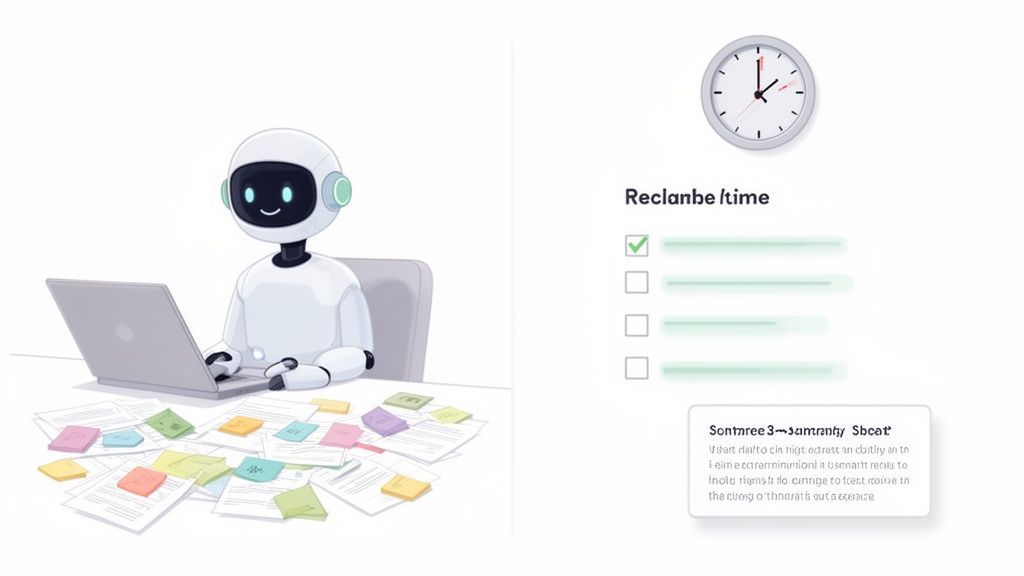
Sappiamo tutti che le riunioni sono fondamentali per la collaborazione, ma il follow-up manuale—decifrare appunti scarabocchiati, cercare di ricordare chi ha concordato cosa e poi digitarlo tutto—è un enorme killer di produttività. Un assistente AI ti solleva da tutto questo fardello.
Ascolta l'intera conversazione e, cosa più importante, la comprende.
Capacità principali che potenziano gli assistenti AI per riunioni
IA all'avanguardia
Alimentato da Whisper di OpenAI per una precisione leader nel settore. Supporto per vocabolari personalizzati, file fino a 10 ore e risultati ultra rapidi.

Rilevamento dei parlanti
Identifica automaticamente diversi parlanti nelle tue registrazioni e etichettali con i loro nomi.
Riassunti e Chatbot
Genera riassunti e altri approfondimenti dalla tua trascrizione, prompt personalizzati riutilizzabili e chatbot per i tuoi contenuti.
È Più Che Prendere Appunti
Qui le cose si fanno interessanti. La vera magia non sta solo nella registrazione; sta nella capacità dell'IA di trasformare una conversazione libera e disordinata in informazioni strutturate e attuabili. Fa quello che nessun essere umano potrebbe mai fare in tempo reale.
Ecco cosa ottieni:
- Trascrizioni Verbatim: Un resoconto testuale completo, parola per parola, della riunione. Basta con il "Mi sembra che lei abbia detto..."
- Identificazione degli Oratori: La trascrizione etichetta chiaramente chi ha detto cosa, aggiungendo un contesto cruciale.
- Riassunti Automatici: Una panoramica rapida e digeribile dei punti chiave, delle decisioni e degli esiti.
- Rilevamento delle Azioni da Intraprendere: Un elenco pulito di compiti, identificati automaticamente e assegnati alla persona giusta.
Questo non è un piccolo aggiustamento al tuo flusso di lavoro; è una revisione totale. Il mercato per questi strumenti è esploso, raggiungendo un valore di 2,76 miliardi di dollari USA a livello globale, secondo Intel Market Research. È un chiaro segnale che i team remoti e ibridi sono stanchi del lavoro di routine delle riunioni.
Per vedere quanta differenza fa, confrontiamo il vecchio modo con il nuovo modo.
Appunti Manuali vs Assistente Riunioni IA
Questa tabella analizza la perdita di tempo della documentazione tradizionale delle riunioni rispetto all'efficienza di lasciare che un'IA se ne occupi. I numeri parlano da soli.
| Compito | Processo Manuale (Tempo Medio) | Con un Assistente IA (Tempo Medio) | Beneficio Chiave |
|---|---|---|---|
| Durante la Riunione | Appunti costanti e attenzione divisa | 0 minuti (pieno focus sulla conversazione) | Maggiore coinvolgimento e migliore partecipazione |
| Trascrizione Post-Riunione | 30-60 minuti per ora di riunione | 2-5 minuti (automatizzato e istantaneo) | Enorme risparmio di tempo e resoconto immediato |
| Riassunto e Azioni da Intraprendere | 15-30 minuti (revisione degli appunti) | 1 minuto (generato dall'IA) | Follow-up più rapidi e chiara responsabilità |
| Condivisione e Follow-Up | 10-15 minuti (digitazione e invio email) | 1 minuto (condivisione link o invio automatico) | Rapida distribuzione delle informazioni |
Il contrasto è netto. Non stai solo risparmiando un'ora o due; stai cambiando fondamentalmente il modo in cui operi dopo una chiamata, eliminando attriti e ritardi.
Recupera il Tuo Tempo e la Tua Concentrazione
Alla fine della giornata, un assistente riunioni IA riguarda una cosa: liberarti dal lavoro amministrativo. Assicura che nessun dettaglio cruciale vada perso e che ogni decisione sia chiaramente documentata e ricercabile.
Gestendo il lavoro pesante di catturare e organizzare le informazioni, questi strumenti consentono ai team di concentrare la loro energia mentale sulla risoluzione creativa dei problemi e sulle discussioni strategiche piuttosto che sulla frenetica digitazione di appunti.
Questo non ti fa solo risparmiare ore; porta a riunioni più efficaci e migliora la produttività del team a tutto tondo. Adottando questa tecnologia, stai trasformando ogni singola riunione da un momento fugace a un bene permanente e prezioso per la tua intera organizzazione.
Come Funzionano Effettivamente gli Assistenti Riunioni IA
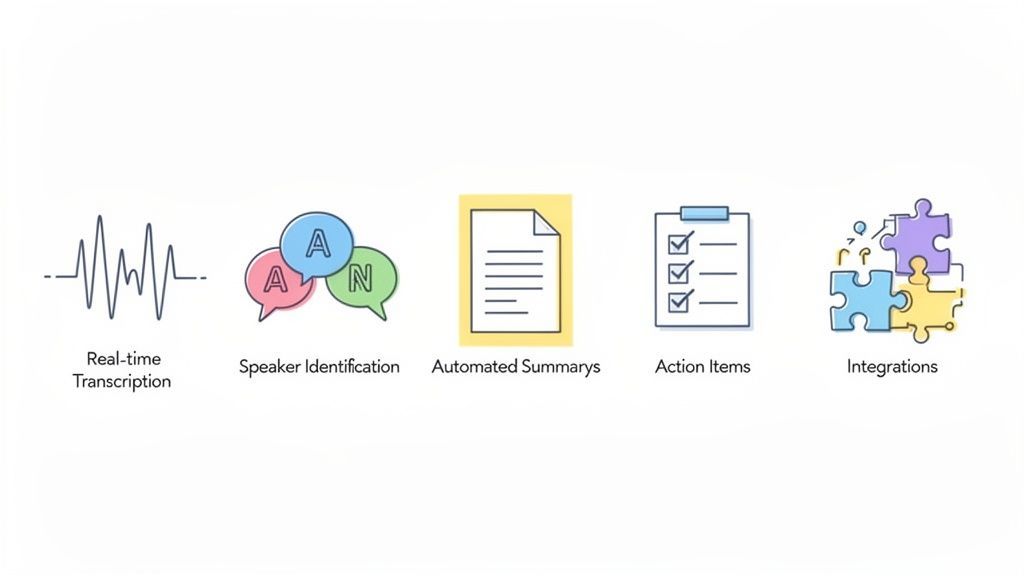
Un assistente riunioni IA potrebbe sembrare magia, ma è in realtà una combinazione intelligente di tecnologie che lavorano insieme dietro le quinte. Pensalo come un'orchestra altamente qualificata, dove ogni componente svolge un ruolo critico nel trasformare una conversazione disordinata in un resoconto perfettamente organizzato.
Al suo interno, il sistema si basa su algoritmi avanzati addestrati su enormi quantità di dati linguistici. Questo addestramento gli consente di fare più che semplicemente "sentire" le parole: comprende il contesto, individua schemi e può persino dire chi sta parlando.
Tiriamo indietro il sipario e vediamo come funziona ogni pezzo del puzzle.
Trascrizione in Tempo Reale
La base assoluta di qualsiasi assistente riunioni IA è la sua capacità di trasformare le parole pronunciate in testo scritto mentre la conversazione avviene. Questa conversione da voce a testo è come avere uno stenografo nella tua riunione, che cattura ogni parola in tempo reale.
Ma questo non è solo un semplice file audio. È una trascrizione verbatim completamente ricercabile dell'intera discussione. L'accuratezza qui è tutto, poiché tutte le altre funzionalità dipendono da essa. Fortunatamente, gli strumenti moderni sono incredibilmente precisi. Se sei curioso di sapere cosa distingue il buono dall'eccellente, puoi approfondire i dettagli di ciò che rende eccezionale l'accuratezza da voce a testo.
Questo testo grezzo diventa la base per tutte le potenti intuizioni che l'IA genera in seguito.
Identificazione degli Oratori
Una trascrizione senza sapere chi ha detto cosa è solo un muro di testo. È qui che entra in gioco l'identificazione degli oratori, ed è un punto di svolta. L'IA ascolta le caratteristiche vocali uniche – tono, timbro e ritmo – per creare un "impronta vocale" distinta per ogni persona nella chiamata.
Una volta capito chi è chi, può etichettare ordinatamente l'intera conversazione.
- Product Manager: "Qual è stato il feedback dei clienti sulla nuova funzionalità?"
- Lead Engineer: "Gli utenti segnalano un 15% di aumento della velocità, ma alcuni sono confusi dall'interfaccia utente."
- UX Designer: "Posso creare una nuova bozza per risolvere il problema dell'interfaccia utente entro venerdì."
Improvvisamente, non c'è più da indovinare chi si è impegnato a fare cosa. Il resoconto è cristallino.
Riassunti Automatici e Punti Chiave
Nessuno vuole leggere una trascrizione di un'ora solo per trovare i punti principali. È qui che brilla la vera intelligenza dell'IA. Utilizzando l'Elaborazione del Linguaggio Naturale (NLP), l'assistente scansiona la trascrizione completa per individuare i temi, le decisioni e gli esiti più importanti.
Quindi, riduce tutte quelle informazioni in un riassunto breve e facile da digerire.
L'IA non si limita a prendere frasi casuali. È addestrata a riconoscere segnali conversazionali che indicano importanza – cose come argomenti ripetuti, frasi conclusive ("Quindi, abbiamo concordato di...") o domande che portano direttamente a decisioni.
Ciò significa che un manager impegnato può cogliere l'essenza di un'intera riunione in due minuti netti, senza mai toccare la trascrizione completa. È il massimo risparmio di tempo.
Rilevamento delle Azioni da Intraprendere e delle Decisioni
Oltre a un semplice riassunto, un ottimo assistente riunioni IA è un maestro nel fiutare impegni specifici. L'IA è addestrata a individuare schemi linguistici che urlano "compito" o "decisione".
Ascolta attivamente frasi come:
- "Mi occuperò di quello..."
- "Il prossimo passo è..."
- "Puoi inviare il rapporto entro..."
- "Abbiamo deciso di procedere con..."
Lo strumento quindi estrae queste frasi, le assegna alla persona che le ha pronunciate e organizza tutto in un elenco di cose da fare pulito. Questo semplice passaggio automatizzato risolve completamente il problema secolare degli elementi d'azione che si perdono negli appunti disordinati.
Costruito per flussi di lavoro di team reali

Importa da più fonti
Importa file audio e video da varie fonti tra cui caricamento diretto, Google Drive, Dropbox, URL, Zoom e altro.

Strumenti di modifica
Modifica le trascrizioni con strumenti potenti tra cui trova e sostituisci, assegnazione dei parlanti, formati di testo arricchito ed evidenziazione.

Esporta in più formati
Esporta le tue trascrizioni in più formati tra cui TXT, DOCX, PDF, SRT e VTT con opzioni di formattazione personalizzabili.
Integrazioni
Collegati con i tuoi strumenti e piattaforme preferiti per ottimizzare il tuo flusso di lavoro di trascrizione.
Integrazioni Piattaforma Senza Soluzione di Continuità
Infine, un assistente AI per le riunioni non dovrebbe essere un silo. Il suo vero valore si sblocca quando si collega agli altri strumenti su cui il tuo team fa affidamento ogni giorno. Le integrazioni con piattaforme come Slack, Zapier o il CRM della tua azienda sono essenziali.
Questa connettività trasforma le intuizioni dalle tue riunioni in azioni immediate. Ad esempio, un elemento d'azione da una chiamata Zoom può apparire istantaneamente come un nuovo compito nel tuo software di gestione dei progetti. Un ottimo esempio di ciò nel mondo reale può essere visto in questa guida a Microsoft AI Copilot, che mostra come un assistente AI possa integrarsi nei tuoi strumenti quotidiani.
Queste connessioni assicurano che l'output prezioso dalle tue riunioni non rimanga inutilizzato, ma fluisca direttamente nel flusso di lavoro del tuo team.
Casi d'Uso Reali per Diversi Professionisti
Un assistente AI per le riunioni non è uno strumento universale. Il suo vero potere prende vita quando vedi come si adatta alle esigenze specifiche di ruoli diversi. È un po' come un camaleonte, che cambia la sua funzione per risolvere i mal di testa unici che vari professionisti affrontano ogni giorno.
Come diversi team utilizzano gli assistenti AI per riunioni
Leadership ed Esecutivi
Ottieni riassunti istantanei delle decisioni chiave senza partecipare a ogni riunione. Rimani informato proteggendo il tempo per il pensiero strategico.
Team di Prodotto e Ingegneria
Tieni traccia delle discussioni sulle funzionalità, delle decisioni tecniche e della proprietà in modo chiaro attraverso riunioni e revisioni di sprint.
Team di Vendite e Customer Success
Cattura i punti dolenti dei clienti, le obiezioni e i prossimi passi automaticamente: nessuna nota CRM dimenticata dopo le chiamate.
Team HR e Recruiting
Mantieni registrazioni accurate delle interviste, feedback del panel e decisioni di assunzione con chiara attribuzione dell'oratore.
Per alcuni, è un motore di creazione di contenuti. Per altri, si tratta di precisione e responsabilità. Vediamo come questa tecnologia trasforma effettivamente il tran tran quotidiano delle persone in campi completamente diversi.
Per creatori di contenuti e podcaster
Se crei contenuti da conversazioni, sai che il vero lavoro inizia dopo aver interrotto la registrazione. Un podcaster o uno YouTuber può facilmente impiegare ore solo a scorrere l'audio per trovare quella citazione perfetta o a digitare manualmente un intero episodio per le note dello show e le didascalie. È una fatica.
Un assistente AI per le riunioni ribalta completamente questo copione. Invece di una fatica manuale, i creatori ottengono un kit di strumenti istantaneo e potente fin da subito.
- Note dello show istantanee: Il riassunto generato dall'AI ti offre un punto di partenza perfetto per le descrizioni degli episodi o i post del blog, delineando ordinatamente gli argomenti principali che hai trattato.
- Momenti citabili per i social media: L'AI può segnalare affermazioni di impatto o domande avvincenti, rendendo incredibilmente facile estrarre clip brevi e condivisibili o citazioni testuali per piattaforme come X (ex Twitter) o LinkedIn.
- Didascalie video senza sforzo: Con una trascrizione completa e con marcatura temporale pronta in pochi secondi, la creazione di file SRT o VTT accurati per i tuoi video diventa una semplice esportazione. Questa singola funzionalità aumenta notevolmente l'accessibilità e il coinvolgimento dei tuoi contenuti.
Tutto ciò significa che i creatori possono dedicare molto meno tempo all'amministrazione e più tempo a ideare la loro prossima grande idea o a parlare effettivamente con il loro pubblico.
Per team aziendali e professionisti delle vendite
In un contesto aziendale, la chiarezza è fondamentale. Una richiesta del cliente ricordata male o un elemento d'azione dimenticato da una sessione strategica possono trasformarsi in enormi problemi in seguito. L'assistente AI per le riunioni agisce come un testimone imparziale e sempre presente di ogni conversazione importante.
Pensa a una chiamata di scoperta con un cliente. Un professionista delle vendite può dedicare la sua piena attenzione alla costruzione di un rapporto e alla comprensione reale delle esigenze del cliente, sapendo che ogni singolo dettaglio viene catturato perfettamente in background.
Dopo la chiamata, l'AI fornisce un riassunto chiaro dei punti dolenti del cliente, una registrazione parola per parola delle loro richieste di funzionalità e un elenco di attività di follow-up. Questo mette l'intero team, dalle vendite al prodotto, sulla stessa pagina esatta riguardo a ciò che deve essere consegnato.
Inoltre, promuove la responsabilità nelle riunioni interne. Quando l'AI identifica e assegna automaticamente gli elementi d'azione in base a ciò che è stato detto, non ci sono più confusioni su chi possiede cosa. Elimina completamente il problema "pensavo che lo stessi facendo tu" e mantiene i progetti in carreggiata.
Per ricercatori e accademici
I ricercatori che conducono interviste o focus group si trovano di fronte a una montagna di dati qualitativi. Il solo processo di trascrizione manuale può rappresentare un enorme dispendio di budget e tempo, spesso ritardando l'analisi effettiva per settimane.
Un assistente AI per le riunioni elimina immediatamente questo collo di bottiglia.
- Raccolta dati rapida: Le interviste condotte su piattaforme come Zoom vengono trascritte quasi in tempo reale. I dati sono pronti per la revisione quasi immediatamente.
- Analisi tematica: Il riassunto dell'AI può aiutare a individuare temi ricorrenti e argomenti chiave in più interviste, fornendo ai ricercatori una visione di alto livello prima che approfondiscano.
- Citazioni accurate: Con l'identificazione dell'oratore, i ricercatori possono estrarre con sicurezza citazioni dirette dai partecipanti, sapendo che sono attribuite alla persona giusta. La trascrizione ricercabile consente loro di trovare parole chiave specifiche in tutto il loro set di dati in pochi secondi.
Ciò libera i ricercatori per concentrarsi sul vero lavoro intellettuale di interpretazione dei dati, non sul compito meccanico di digitarli tutti.
Per consulenti e project manager
Consulenti e project manager vivono e muoiono per i dettagli. Il loro successo dipende dalla cattura di ogni requisito del cliente, preoccupazione degli stakeholder e impegno del team. Ma cercare di prendere appunti completi mentre si facilita un workshop frenetico è quasi impossibile.
L'assistente AI per le riunioni diventa la loro memoria perfetta. Cattura ogni sfumatura, assicurando che nessun requisito venga perso e che ogni decisione venga documentata. Ciò crea un'unica fonte di verità per l'intero progetto, che è inestimabile per prevenire lo scope creep e mantenere i clienti soddisfatti.
Come integrare un assistente AI nel tuo flusso di lavoro quotidiano
Adottare nuove tecnologie può sembrare un'altra cosa in una lista di cose da fare infinita. Ma iniziare con un assistente AI per le riunioni è sorprendentemente facile. Si tratta meno di imparare un nuovo sistema complicato e più di lasciarlo lavorare silenziosamente per te in background. L'intero processo segue semplicemente il flusso naturale di una riunione.
Questo semplice flusso di lavoro mostra come tutti, dai creatori individuali ai team aziendali interi, possano trarre vantaggio da un assistente AI.
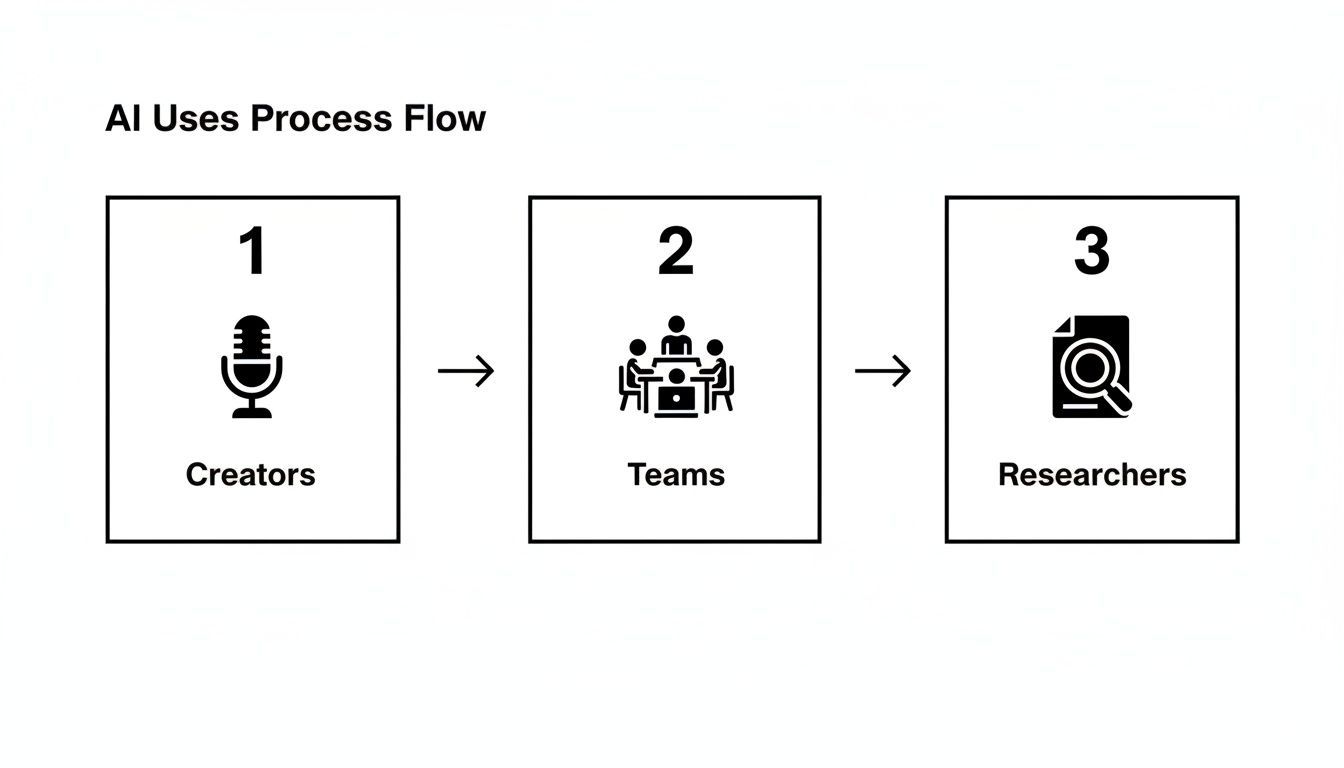
Come puoi vedere, non importa quale sia il tuo ruolo. La vera vittoria deriva dal trasformare una conversazione fluida in qualcosa di organizzato e genuinamente utile. Tutti i guadagni di produttività avvengono in tre semplici fasi: prima, durante e dopo la riunione.
Prima che la riunione inizi
La configurazione iniziale è un'attività da fare una sola volta che ripaga ogni singola chiamata che fai. La maggior parte degli assistenti AI per le riunioni si collega direttamente al tuo calendario digitale, sia che tu utilizzi Google Calendar o Microsoft Outlook.
Una volta connesso, l'assistente vede automaticamente le tue riunioni imminenti. Devi solo dirgli a quali chiamate partecipare. Per le riunioni ricorrenti, come un aggiornamento settimanale del team, puoi impostarlo per partecipare automaticamente ogni volta senza che tu debba fare nulla. Questo rapido passaggio pre-riunione garantisce che il tuo assistente sia sempre pronto quando lo sei tu.
Durante la riunione stessa
Quando la riunione inizia, l'assistente AI si unisce come qualsiasi altra persona. Apparirà nell'elenco dei partecipanti su piattaforme come Zoom o Google Meet, di solito con un'etichetta chiara come "Transcript.LOL Note Taker". La sua presenza è totalmente trasparente per tutti i partecipanti alla chiamata e funziona silenziosamente in background.
Questa è la parte più passiva e potente di tutto.
Il tuo unico compito è concentrarti completamente sulla conversazione. Non devi dividere la tua attenzione tra ascoltare veramente e prendere appunti freneticamente. L'AI si occupa della cattura completa della discussione, parola per parola.
Puoi impegnarti appieno, fare domande migliori e contribuire attivamente, sapendo che nulla viene perso. Per un'analisi più approfondita di come funziona su piattaforme specifiche, la nostra guida all'uso di un prendi-appunti AI per Zoom illustra i passaggi.
Dopo la conclusione della riunione
È qui che avviene la vera magia. Pochi minuti dopo la fine della chiamata, l'assistente AI ti invia un pacchetto completo di informazioni organizzate direttamente nella tua casella di posta o dashboard. Niente più inseguimento di appunti o ore passate a ripulire un documento disordinato.
Invece, ottieni istantaneamente:
- Una trascrizione completa verbatim: L'intera conversazione, trascritta accuratamente con ogni oratore chiaramente etichettato.
- Un riassunto generato dall'AI: Una panoramica rapida e concisa degli argomenti chiave, delle decisioni e dei takeaway. Perfetto per una rapida revisione.
- Un elenco di elementi d'azione: Tutti i compiti e i follow-up che sono stati discussi, ordinatamente estratti e pronti per essere assegnati.
Da lì, la condivisione è un gioco da ragazzi. Puoi inviare un link al riassunto agli stakeholder che non hanno potuto partecipare, esportare la trascrizione in formati come DOCX o PDF, o inviare gli elementi d'azione direttamente nei tuoi strumenti di gestione dei progetti. Questo tipo di efficienza è il motivo per cui si prevede che il mercato degli assistenti AI raggiungerà 34,28 miliardi di dollari USA entro il 2035. I dati del settore mostrano persino che questi strumenti possono ridurre il lavoro amministrativo post-riunione del 30-40%.
Questo follow-up immediato e organizzato chiude il cerchio di ogni riunione, garantendo che le grandi conversazioni si traducano direttamente in azioni significative con quasi nessuno sforzo aggiuntivo.
Gli assistenti AI per riunioni si stanno evolvendo rapidamente
I modelli AI più recenti offrono ora migliori riassunti, rilevamento più intelligente delle azioni e maggiore precisione attraverso accenti e settori. Gli strumenti che vengono aggiornati frequentemente continuano a superare le soluzioni più vecchie.
Scegliere l'Assistente Riunioni AI Giusto
Con così tanti assistenti per riunioni AI disponibili, scegliere quello giusto può sembrare opprimente. Ma non deve esserlo.
Invece di perderti in un mare di funzionalità, puoi concentrarti sullo strumento perfetto concentrandoti su alcuni criteri chiave. Pensala meno come una ricerca complicata e più come una semplice lista di controllo. L'obiettivo è trovare uno strumento che non solo padroneggi le basi, ma che si integri perfettamente nel tuo flusso di lavoro esistente senza creare attriti. Un ottimo assistente dovrebbe sembrare parte del team, non un altro software con cui devi lottare.
Analizziamo cosa conta davvero quando fai la tua scelta.
Valutare l'Accuratezza delle Funzionalità Principali
Prima di tutto: un assistente per riunioni AI è valido solo quanto la sua capacità di capire ciò che viene detto. Se le funzionalità principali sono instabili, tutto il resto costruito su di esse lo sarà. L'accuratezza non è un "optional", è tutto il gioco.
Non ignorare la privacy dei dati
Le registrazioni delle riunioni contengono spesso informazioni aziendali e sui clienti sensibili. Scegli sempre strumenti con una rigorosa politica di non addestramento sui dati dell'utente e una chiara conformità alla sicurezza per proteggere la riservatezza.
- Accuratezza della trascrizione: Questa è la tua base. Cerca strumenti che promettano un'elevata accuratezza, idealmente superiore al 95% per riunioni con audio chiaro. Non limitarti a fidarti della loro parola; provalo tu stesso con le tue registrazioni. Vedi come gestisce il gergo del tuo settore, diversi accenti o quei momenti in cui tutti iniziano a parlare contemporaneamente.
- Identificazione degli oratori: Un muro di testo è difficile da seguire. Una trascrizione che ti dice chi ha detto cosa è infinitamente più utile. Verifica se lo strumento è in grado di distinguere costantemente gli oratori e di etichettarli correttamente dall'inizio alla fine.
- Supporto linguistico: Se lavori con team o clienti internazionali, il supporto multilingue è un must. Assicurati che l'assistente sia in grado di trascrivere accuratamente ogni lingua parlata nelle tue riunioni.
Questi fondamenti determinano la qualità di tutto ciò che segue. Per un approfondimento, consulta la nostra guida sul miglior software di trascrizione per riunioni per vedere cosa distingue il buono dall'ottimo.
Dare Priorità alla Sicurezza e alla Privacy dei Dati
Stai essenzialmente consegnando registrazioni di conversazioni sensibili, quindi devi poterti fidare completamente del servizio. La sicurezza dei dati non è qualcosa su cui scendere a compromessi. È facile leggere velocemente le clausole scritte in piccolo, ma è fondamentale sapere esattamente come un'azienda gestisce le tue informazioni.
Cerca un impegno chiaro e trasparente per la privacy.
Lo standard d'oro è una politica di "nessun addestramento sui dati degli utenti". Questa è la tua garanzia che le tue sessioni strategiche private, le chiamate con i clienti e le discussioni interne non verranno mai inserite in un modello AI. Garantisce che i tuoi dati rimangano tuoi, punto.
Oltre a ciò, verifica la conformità a standard come il GDPR e misure di sicurezza come la crittografia end-to-end. Una politica sulla privacy trasparente non è solo un documento legale, è un segno che l'azienda rispetta i suoi utenti.
Verifica Integrazioni Senza Soluzione di Continuità
Il vero potere di un assistente AI si sblocca quando comunica con le altre app che usi ogni giorno. Se non riesce a connettersi ai tuoi strumenti, tutti quegli utili elementi d'azione e riassunti rimangono isolati. Ciò crea semplicemente il lavoro manuale che stavi cercando di eliminare in primo luogo.
Prima di impegnarti, mappa il flusso di lavoro del tuo team e elenca i tuoi strumenti essenziali.
- Hub di comunicazione: Si connette con Slack o Microsoft Teams? La condivisione di riassunti e momenti chiave dovrebbe essere senza sforzo.
- Strumenti di gestione dei progetti: Puoi inviare elementi d'azione direttamente ad Asana, Trello o Jira? Questo trasforma automaticamente le conversazioni in attività.
- Sistemi CRM: Per i team di vendita, registrare le note delle riunioni direttamente in un CRM come HubSpot o Salesforce è una grande vittoria.
- Piattaforme di automazione: Un'integrazione con Zapier è un punto di svolta, aprendo migliaia di flussi di lavoro personalizzati per soddisfare le tue esigenze esatte.
Per i team che valutano come l'AI specializzata possa inserirsi nel loro stack, strumenti come SupportGPT mostrano come l'AI possa affrontare funzioni specifiche come il servizio clienti. Le giuste integrazioni assicurano che le informazioni dalle tue riunioni fluiscano senza intoppi in tutta la tua organizzazione, trasformando le conversazioni in azioni senza perdere un colpo.
Per aiutarti nella tua valutazione, ecco una semplice checklist per confrontare diversi strumenti.
Checklist delle Funzionalità per la Selezione di un Assistente AI per Riunioni
Utilizza questa tabella per valutare e confrontare rapidamente i potenziali assistenti AI per riunioni. Copre i requisiti non negoziabili, dall'accuratezza di base alla sicurezza dei dati, aiutandoti a prendere una decisione informata.
| Funzionalità/Criterio | Cosa Cercare | Perché è Importante |
|---|---|---|
| Accuratezza della Trascrizione | Elevato tasso di accuratezza (95%+), gestisce gergo e accenti | La qualità di tutte le altre funzionalità (riassunti, elementi d'azione) dipende da una trascrizione accurata. |
| Identificazione degli Oratori | Distingue e etichetta in modo affidabile i diversi oratori | Fornisce un contesto chiaro su chi ha detto cosa, rendendo la trascrizione facile da seguire e comprendere. |
| Politica sulla Privacy dei Dati | Una chiara politica di "nessun addestramento sui dati degli utenti" | Garantisce che le tue conversazioni riservate non vengano utilizzate per addestrare modelli AI di terze parti. |
| Conformità alla Sicurezza | GDPR, SOC 2 o altre certificazioni pertinenti | Dimostra l'impegno del fornitore a proteggere i tuoi dati secondo gli standard di settore. |
| Integrazioni Chiave | Connessioni al tuo CRM, gestione dei progetti e chat di team | Automatizza il tuo flusso di lavoro inviando gli output delle riunioni direttamente agli strumenti che già utilizzi. |
| Facilità d'Uso | Interfaccia intuitiva, configurazione minima richiesta | Uno strumento dovrebbe farti risparmiare tempo, non aggiungere un altro sistema complesso che il tuo team deve imparare. |
| Supporto Linguistico | Trascrizione accurata per tutte le lingue utilizzate dal tuo team | Fondamentale per team globali o per coloro che lavorano con clienti internazionali per garantire che tutti vengano compresi. |
Andando sistematicamente attraverso questi punti, sarai in grado di vedere quale piattaforma si allinea veramente alle esigenze del tuo team, garantendo che lo strumento scelto sia un valido aiuto, non solo un altro abbonamento.
Domande Comuni sugli Assistenti AI per Riunioni
Entrare nel mondo degli assistenti AI per riunioni può sollevare alcune domande, specialmente quando si tratta delle tue riunioni private. È una buona cosa. Ottenere risposte chiare e dirette è il modo migliore per sentirti sicuro di aggiungere uno strumento che aiuti davvero, senza creare nuovi problemi.
Esaminiamo alcune delle domande più comuni che le persone hanno. Comprendere questi punti pratici e di sicurezza ti aiuterà a vedere come questa tecnologia può integrarsi in modo sicuro ed efficace nel tuo lavoro.
Quanto Sono Sicuri i Miei Dati di Riunione con un Assistente AI?
Questa è spesso la preoccupazione numero uno, e a buona ragione. La sicurezza delle tue conversazioni dipende dal fornitore che scegli. Le piattaforme di alto livello ne fanno la loro massima priorità.
La cosa più importante da cercare è una rigorosa politica di "nessun addestramento sui dati degli utenti". Questa è una promessa non negoziabile che le tue chiamate riservate con i clienti, le sessioni strategiche interne e le discussioni di team non verranno mai utilizzate per addestrare i loro modelli AI. I tuoi dati rimangono tuoi, punto.
Scegli sempre un servizio che sia trasparente sulle sue pratiche di sicurezza. Questa non è solo una funzionalità, è il fondamento della fiducia.
Oltre a ciò, cerca questi indicatori di sicurezza chiave:
- Crittografia end-to-end: Questo protegge i tuoi dati sia in transito che a riposo.
- Conformità agli standard: Cerca la conformità a normative come il GDPR, che dimostra un impegno verso gli standard globali di protezione dei dati.
- Termini chiari sulla proprietà dei dati: La politica sulla privacy dovrebbe dichiarare in linguaggio semplice che sei tu il proprietario dei tuoi dati, non loro.
Dedica sempre qualche minuto a rivedere la politica sulla privacy prima di iscriverti. È il modo migliore per assicurarti che le tue informazioni vengano gestite correttamente.
Quanto Sono Accurate le Trascrizioni e i Riassunti?
La qualità delle trascrizioni generate dall'AI è migliorata notevolmente. Per le riunioni con audio chiaro, i migliori servizi possono raggiungere un'accuratezza di trascrizione superiore al 95%, paragonabile ai servizi di trascrizione umana ma consegnata in una frazione del tempo.
Naturalmente, alcune cose possono influire sui risultati. Rumori di fondo intensi, persone che parlano contemporaneamente e accenti molto forti possono talvolta ridurre l'accuratezza. Tuttavia, molti strumenti avanzati ora ti consentono di caricare un vocabolario personalizzato, in modo che l'AI possa apprendere il gergo specifico del tuo settore, gli acronimi e i nomi unici.
Anche i riassunti sono notevolmente buoni. L'AI non estrae semplicemente frasi casuali. Utilizza modelli sofisticati per identificare temi chiave, decisioni e elementi d'azione, riconoscendo i modelli conversazionali che segnalano importanza.
Un Assistente AI Può Gestire Più Lingue e Accenti?
Assolutamente. Gli assistenti AI moderni per riunioni sono costruiti per un mondo globale e "remote-first". La maggior parte delle piattaforme leader è progettata per supportare decine di lingue diverse, rendendole incredibilmente utili per i team internazionali.
Stanno anche diventando molto più bravi a comprendere una vasta gamma di accenti all'interno di una singola lingua, come l'inglese. I modelli AI sono addestrati su set di dati vasti e diversificati di linguaggio parlato, il che li aiuta a riconoscere diverse pronunce e schemi di parlato.
Prima di impegnarti con uno strumento, è sempre una buona idea controllare il suo elenco di lingue supportate per assicurarti che soddisfi le esigenze del tuo team.
L'Assistente AI Deve Partecipare alla Mia Riunione?
Nella maggior parte dei casi, sì. Affinché l'AI possa fare il suo lavoro, deve "sentire" la conversazione. L'assistente di solito si unisce alla tua riunione virtuale su piattaforme come Zoom, Google Meet o Microsoft Teams come bot o partecipante silenzioso.
Lo vedrai nell'elenco dei partecipanti, di solito con un nome chiaro come "AI Note Taker", quindi la sua presenza è completamente trasparente per tutti nella chiamata. Questa è una pratica standard e consente allo strumento di catturare direttamente il feed audio per la trascrizione più accurata possibile.
È sempre una buona idea avvisare i partecipanti all'inizio. Un semplice "Solo per informare tutti, abbiamo un assistente AI in chiamata per prendere appunti per noi" è un ottimo modo per mantenere la trasparenza e costruire fiducia.
Pronto a trasformare le tue riunioni da conversazioni temporanee in risorse ricercabili e attuabili? Scopri come Transcript.LOL può fornirti trascrizioni e riassunti istantanei, accurati e sicuri. Provalo gratuitamente oggi stesso!