
Choisir la meilleure application de transcription de réunions pour votre équipe
Découvrez comment la bonne application de transcription de réunions peut améliorer la productivité. Apprenez les fonctionnalités clés, les utilisations réelles et ce qu'il faut rechercher pour faire le meilleur choix.
Kate, Praveen
February 5, 2026
Avez-vous déjà essayé de vous souvenir d'une décision clé prise lors d'une réunion d'une heure la semaine dernière ? C'est difficile. Une application de transcription de réunions est un outil qui transforme automatiquement tout ce qui est dit lors de vos réunions en un document texte propre et consultable. Pensez-y moins comme un enregistreur et plus comme un assistant dédié qui capture chaque idée, décision et élément d'action afin que votre équipe ne perde jamais un seul détail.
Pourquoi une application de transcription de réunions est votre nouvel outil indispensable
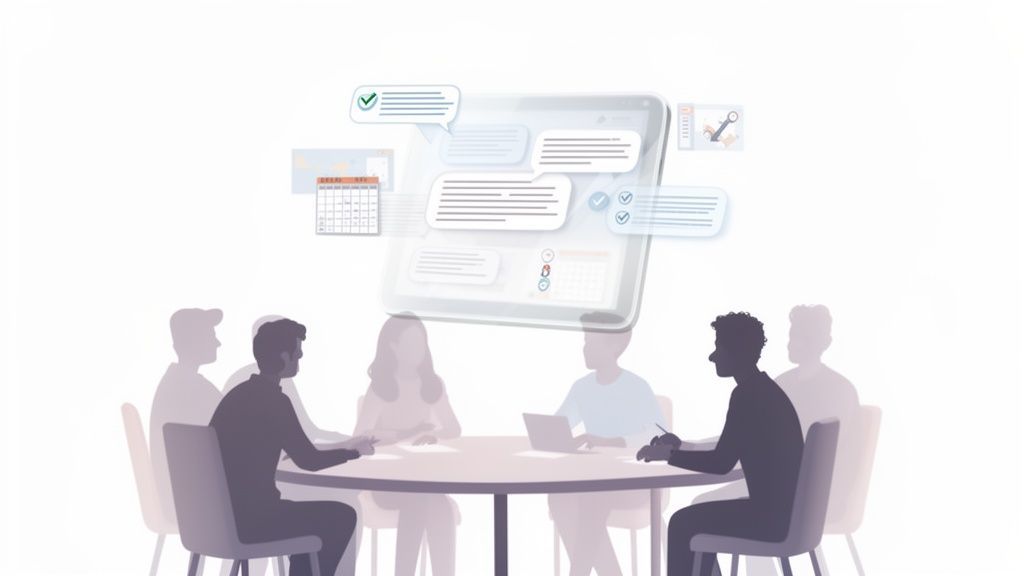
Se fier uniquement à la mémoire ne suffit pas. Et la prise de notes manuelle ? Elle entraîne souvent des détails manqués, distrait les gens de la conversation réelle et enferme les connaissances importantes dans le carnet d'une seule personne.
Le coût caché des notes manuelles
Lorsqu'une personne s'occupe des notes, elle manque des parties de la conversation et ne peut pas participer pleinement. Des détails importants passent à travers, et les connaissances sont piégées dans des carnets personnels. Au fil du temps, cela ralentit les équipes et crée des erreurs évitables.
Une application de transcription de réunions moderne résout tout cela. Elle agit comme une mémoire parfaite et impartiale pour toute votre équipe, garantissant qu'aucune information critique ne passe à travers les mailles du filet. Dans la culture de travail actuelle, rapide et souvent à distance, ce type d'outil n'est plus un luxe, c'est essentiel.
Pourquoi les équipes se tournent-elles vers la transcription ?
Les équipes modernes ne peuvent pas se permettre de manquer des décisions ou d'oublier des tâches. La transcription automatique crée une mémoire partagée pour tout le monde, garantissant que chaque idée, accord et élément d'action est capturé avec précision. Elle élimine la confusion et permet au travail d'avancer sans effort supplémentaire.
Le problème de la prise de notes traditionnelle
Soyons honnêtes, la prise de notes manuelle est fondamentalement défectueuse. Elle oblige au moins une personne à jongler entre l'écoute, la réflexion et la frappe. Le résultat est généralement un désordre :
- Enregistrements incomplets : Personne ne peut taper aussi vite que les gens parlent. Cela signifie que des nuances cruciales, voire des idées entières, sont omises.
- Distraction des participants : La personne chargée de prendre des notes ne peut pas participer pleinement à la discussion, ce qui limite ses propres contributions précieuses.
- Interprétation subjective : Les notes sont filtrées par les biais personnels et la compréhension du preneur de notes, et non par ce qui a été réellement dit.
Pour voir la différence côte à côte, voici une comparaison rapide :
| Aspect | Prise de notes manuelle | Application de transcription de réunions par IA |
|---|---|---|
| Précision | Sujette aux erreurs humaines, aux omissions et aux biais | Littérale, objective et très précise |
| Concentration | Divise l'attention ; le preneur de notes est désengagé | Permet une concentration à 100 % et une participation active |
| Complétude | Ne capture que les points forts et les points clés | Enregistre chaque mot, nuance et détail |
| Accessibilité | Les notes sont souvent isolées et difficiles à trouver | Facilement consultables et partageables avec l'équipe |
| Vitesse | Lente, fastidieuse et nécessite un nettoyage après la réunion | Instantanée, automatisée et prête immédiatement |
Comme vous pouvez le constater, l'écart est énorme. Une méthode est un vestige du passé, tandis que l'autre est conçue pour la façon dont les équipes modernes travaillent réellement.
La solution alimentée par l'IA
Une solution alimentée par l'IA comme Transcript.LOL, qui utilise Whisper d'OpenAI, automatise tout ce processus. Au lieu qu'une personne lutte pour suivre, chaque participant peut rester pleinement présent et engagé, sachant qu'un enregistrement parfait est créé en arrière-plan.
⚡ Fonctionnalités clés qui gèrent le travail lourd
IA de pointe
Alimenté par Whisper d'OpenAI pour une précision de premier plan. Prise en charge des vocabulaires personnalisés, des fichiers jusqu'à 10 heures et des résultats ultra rapides.

Importer depuis plusieurs sources
Importez des fichiers audio et vidéo depuis diverses sources, y compris le téléchargement direct, Google Drive, Dropbox, les URL, Zoom et plus encore.

Exporter en plusieurs formats
Exportez vos transcriptions en plusieurs formats dont TXT, DOCX, PDF, SRT et VTT avec des options de formatage personnalisables.
La preuve est dans les chiffres. Le marché de la transcription de réunions par IA devrait passer de 3,86 milliards de dollars en 2025 à un montant colossal de 29,45 milliards de dollars d'ici 2034, tout cela parce que les organisations constatent d'énormes gains de productivité d'équipe.
En transformant les conversations parlées en texte consultable et exploitable, une application de transcription de réunions transforme les discussions éphémères en une base de connaissances permanente pour l'ensemble de votre organisation.
Il ne s'agit pas seulement de commodité ; c'est une décision stratégique. Elle crée une source unique de vérité pour tout ce qui se passe lors d'une réunion, ce qui favorise la responsabilité et la clarté à tous les niveaux.
Si vous souhaitez approfondir le monde de la productivité pilotée par l'IA, des ressources comme le blog de Parakeet AI sont un excellent point de départ. Et pour un aperçu plus détaillé de la manière dont vous pouvez appliquer cela à votre propre travail, consultez notre guide sur les différents cas d'utilisation de la transcription.
Les fonctionnalités clés qui alimentent les excellentes applications de transcription
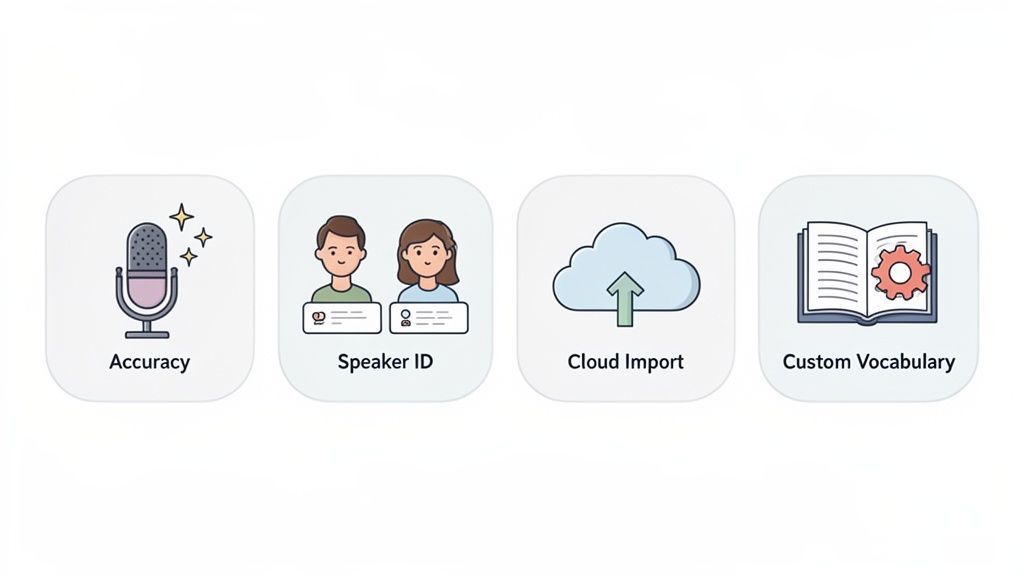
D'accord, nous savons ce que font ces applications en théorie. Mais qu'est-ce qui sépare vraiment un gadget frustrant d'un outil indispensable ? Tout se résume aux fonctionnalités qui tournent sous le capot.
Ce ne sont pas juste des extras flashy ; c'est le moteur qui transforme un enregistrement désordonné en une mine d'or d'informations consultables et exploitables. Décomposons les fonctionnalités qui comptent réellement.
Précision chirurgicale et identification des intervenants
Avant toute chose : la précision. Une transcription truffée d'erreurs est pire que inutile – c'est une responsabilité. Elle crée de la confusion, attribue mal les idées et, franchement, vous fait paraître mal. Heureusement, l'IA moderne est devenue incroyablement performante dans ce domaine.
Les meilleures plateformes atteignent désormais 99 % de précision, c'est pourquoi les professionnels qui dépendent de la justesse des mots se tournent vers ces outils. En fait, l'adoption de la reconnaissance vocale en temps réel a augmenté de plus de 200 % depuis 2020. Vous pouvez consulter plus de statistiques sur le marché florissant de la transcription aux États-Unis sur grandviewresearch.com.
Mais un mur de texte parfaitement précis reste pénible à lire. C'est là qu'intervient l'identification des intervenants (également appelée diarisation). Cette fonctionnalité sauve des vies. Elle détermine intelligemment qui parle et quand, puis étiquette proprement chaque partie de la conversation.
C'est la différence entre ce désordre :
- Avant l'identification des intervenants : "Nous devons finaliser le budget marketing. Je pense que nous devrions allouer davantage aux publicités numériques. Qu'en penses-tu ? Je suis d'accord, mais nous devons aussi considérer notre événement du quatrième trimestre."
Et ce dialogue limpide :
- Après l'identification des intervenants : "[Intervenant 1] : Nous devons finaliser le budget marketing. Je pense que nous devrions allouer davantage aux publicités numériques. Qu'en penses-tu ? [Intervenant 2] : Je suis d'accord, mais nous devons aussi considérer notre événement du quatrième trimestre."
Voyez-vous ? Instantanément utilisable. Vous savez exactement qui a dit quoi, ce qui facilite le suivi du déroulement et l'attribution correcte des actions.
Vocabulaire personnalisé et importations polyvalentes
Chaque équipe, chaque secteur et chaque entreprise a son propre jargon. Pensez à vos acronymes internes, aux noms de code de projets et au jargon technique. Une IA générique butera à chaque fois sur des termes comme "intégration API synergique" ou le nom de famille de votre PDG.
C'est pourquoi une fonctionnalité de vocabulaire personnalisé change totalement la donne.
Vous pouvez essentiellement "enseigner" à l'IA vos termes spécifiques. Une fois que vous le faites, elle les utilise parfaitement à chaque fois, gardant vos transcriptions propres et professionnelles.
Pour toute personne travaillant dans les domaines technique, juridique ou médical, ce n'est pas juste un plus – c'est essentiel. Chez Transcript.LOL, nous vous permettons de créer votre propre dictionnaire personnalisé pour améliorer considérablement la précision de votre contenu unique.
Enfin, un excellent outil doit s'intégrer à votre flux de travail existant. Vous ne devriez pas avoir à faire des pieds et des mains juste pour faire transcrire un fichier. Les meilleures applications vous offrent plusieurs moyens, incroyablement simples, d'importer vos enregistrements.
Recherchez un service qui offre des options flexibles comme celles-ci :
- Intégration Cloud directe : Extrayez des fichiers directement de votre Google Drive, Dropbox ou OneDrive.
- Collage d'URL : Collez simplement un lien depuis YouTube, Vimeo ou presque n'importe quelle page web publique.
- Connexions spécifiques à la plateforme : Synchronisez automatiquement les enregistrements de plateformes comme Zoom sans lever le petit doigt.
Ce type de flexibilité signifie que peu importe où se trouve votre enregistrement, vous pouvez le faire transcrire en quelques clics. Si vous voulez voir comment nous gérons cela, vous pouvez consulter les capacités d'intégration de Transcript.LOL dans notre documentation.
Comment les professionnels transforment leurs flux de travail
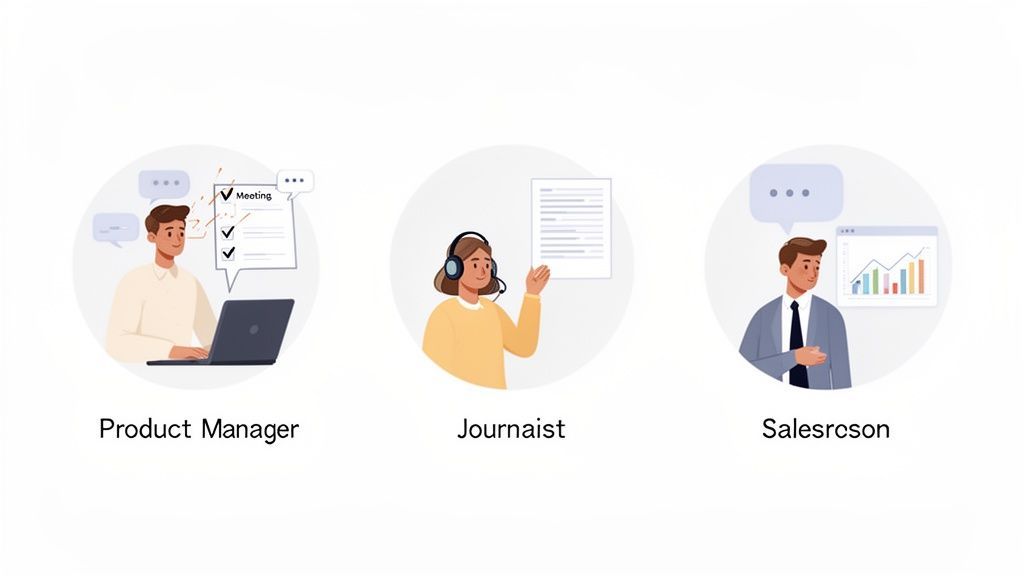
La véritable magie d'une application de transcription de réunions ne réside pas dans la technologie elle-même, mais dans la façon dont elle change complètement la façon dont les gens accomplissent leurs tâches au quotidien. Dans toutes sortes d'industries, les professionnels utilisent ces outils pour travailler plus vite, plus intelligemment et tirer le meilleur parti de chaque conversation.
Comment les réunions sont-elles différentes avec la transcription ?
Plus de participation
Personne n'a plus à jouer le rôle de « preneur de notes ». Tout le monde peut se concentrer pleinement, partager librement des idées et contribuer à la discussion sans multitâche.
Moins de suivis
Les décisions sont documentées dès la première fois, de sorte que les équipes ne perdent pas de temps lors de réunions supplémentaires juste pour clarifier ce qui a été dit ou convenu.
Moins de malentendus
Avec un enregistrement exact, il n'y a pas de « je pensais que tu voulais dire ça ». Tout le monde se réfère à la même source de vérité, réduisant la confusion et le travail supplémentaire.
Confiance accrue dans l'équipe
Lorsque les conversations sont transparentes et documentées, la responsabilité s'améliore naturellement. Les équipes collaborent avec plus de confiance et moins de conflits.
Imaginez un chef de produit qui anime une séance de brainstorming. Au lieu d'être le preneur de notes désigné, essayant frénétiquement de saisir chaque détail, il peut réellement diriger. Il est libre de guider la discussion, de capitaliser sur les étincelles créatives et de maintenir l'énergie à un niveau élevé.
Une fois la réunion terminée, l'application fournit une transcription parfaite. Avec un outil comme Transcript.LOL, ils peuvent instantanément extraire les éléments d'action, voir les décisions clés dans le résumé, et même transformer toute la conversation en un briefing de projet détaillé. Ce sprint créatif d'une heure devient un plan documenté et exploitable en quelques minutes, pas en quelques heures.
Pour les spécialistes du marketing et les créateurs de contenu
Les équipes de contenu ont compris qu'une application de transcription de réunions est essentiellement une machine à créer du contenu. Un seul webinaire, une interview client, ou même un appel de stratégie interne peut être transformé en une douzaine de contenus différents.
La transcription brute devient la base de toutes sortes d'actifs :
- Articles de blog : Les thèmes principaux et les meilleures citations d'une discussion peuvent être rapidement transformés en un article percutant.
- Extraits pour les réseaux sociaux : Extrayez ces phrases percutantes ou ces statistiques surprenantes de la transcription pour des publications sociales instantanées et engageantes.
- Études de cas : Un appel de succès client peut être transcrit et ses points saillants utilisés pour construire une étude de cas puissante et authentique.
En transcrivant chaque fichier audio et vidéo, les équipes marketing construisent une mine d'or de matières premières consultables. Plus aucune idée précieuse ne se perd.
Il ne s'agit pas seulement de notes. Les applications de transcription libèrent le potentiel de votre audio, rendant le recyclage du contenu audio dans différents formats incroyablement simple. Un seul enregistrement peut facilement alimenter tout votre calendrier de contenu.
Pour les équipes de vente et de ressources humaines
Dans la vente, connaître votre client est le jeu entier. Les responsables des ventes utilisent les transcriptions pour examiner les appels clients, identifier les objections courantes, déterminer quelles argumentations fonctionnent, et comprendre les points sensibles des clients. Ce coaching basé sur les données permet d'affiner l'approche de toute l'équipe. Les nouveaux employés peuvent même étudier les transcriptions des meilleurs performeurs pour apprendre à quoi ressemble un appel réussi.
Dans les RH, la transcription est une bouée de sauvetage pour la précision et la conformité. Lors des entretiens, avoir un enregistrement exact garantit que les décisions d'embauche sont basées sur ce qui a été réellement dit, créant ainsi un point de référence clair et impartial. C'est également précieux pour documenter les évaluations de performance et les enquêtes internes, créant un enregistrement fiable qui protège toutes les personnes impliquées.
Ces exemples concrets montrent qu'un outil comme Transcript.LOL est plus qu'une simple utilité. C'est une plateforme flexible qui s'adapte aux différents besoins professionnels, transformant les mots parlés en un véritable atout stratégique. Si vous voulez voir ce que les autres disent, consultez ce que nos clients ont partagé dans leurs avis sur les outils de transcription.
Transformer le texte brut en informations réelles avec l'IA
Une transcription de base est un excellent point de départ, mais le véritable pouvoir d'une application de transcription de réunions réside dans sa capacité à vous dire ce que tous ces mots signifient réellement. Les outils modernes vont bien au-delà de la simple dictée. Ce sont des moteurs de connaissance, conçus pour analyser la conversation, trouver les signaux importants dans tout le bruit, et transformer ce mur de texte en un atout stratégique.
C'est là que la magie opère. Au lieu que vous ayez à parcourir manuellement des pages de texte pour trouver les moments clés, l'IA fait le gros du travail. C'est comme avoir un assistant de recherche qui examine toute la discussion et en extrait automatiquement les éléments les plus importants pour vous.
Des mots à l'intelligence
Pensez-y : une réunion d'une heure peut facilement générer des milliers de mots. Parcourir tout cela n'est le passe-temps de personne. Une application intelligente de transcription de réunions utilise l'IA pour condenser cette heure entière en une minute de lecture essentielle.
Alors, comment ça marche ? Tout est une question de couches d'analyse :
- Résumés automatisés : L'IA analyse la conversation, identifie les sujets principaux et génère un résumé concis. Cela vous donne les points clés sans que vous ayez à lire une seule ligne de la transcription complète.
- Extraction des éléments d'action : Le système est entraîné à repérer les tâches, les délais et les responsables. Il les extrait et crée une liste de tâches claire et exploitable afin que rien ne passe à travers les mailles du filet.
- Identification des thèmes et sujets : L'IA peut identifier les thèmes récurrents, les mots-clés et les sujets de discussion, vous donnant une vue d'ensemble des principaux domaines d'intérêt de la réunion.
Voyez-le ainsi : la transcription sont les données brutes. L'analyse par IA est le résumé exécutif, le plan de projet et le rapport de tendances, le tout réuni. Elle vous dit ce qui a été dit et, plus important encore, ce que vous devez faire ensuite.
Par exemple, Transcript.LOL ne se contente pas de vous remettre un fichier texte et de considérer que c'est fini. Il crée des résumés interactifs, extrait chaque élément d'action, et peut même vous aider à rédiger des e-mails de suivi basés sur ce qui a été discuté. Cela transforme un simple enregistrement en un outil de productivité qui fait avancer le travail.
Transformer la conversation en action
Soyons honnêtes : le but d'une réunion est de susciter l'action et de prendre des décisions. L'analyse par IA rend cela tellement plus facile en rendant les résultats limpides. Un responsable des ventes peut instantanément voir les objections clés d'un client, tandis qu'un chef de projet peut obtenir une liste de toutes les livraisons convenues sans avoir à revoir une seule seconde de l'enregistrement.
Cette couche analytique est ce qui sépare une simple utilité d'un outil dont vous ne pouvez plus vous passer. Elle automatise tout ce travail fastidieux post-réunion – résumer, organiser et partager des informations – faisant gagner des dizaines d'heures aux équipes chaque mois. En utilisant un outil doté de ces capacités, vous vous assurez que la valeur cachée dans chaque conversation est capturée, comprise et mise au travail immédiatement.
Fonctionnalités pour des flux de travail plus intelligents

Détection des intervenants
Identifiez automatiquement les différents intervenants dans vos enregistrements et étiquetez-les avec leurs noms.

Outils d'édition
Modifiez les transcriptions avec des outils puissants incluant rechercher et remplacer, attribution des intervenants, formats de texte enrichi et surlignage.
Résumés et Chatbot
Générez des résumés et d'autres analyses de votre transcription, des prompts personnalisés réutilisables et un chatbot pour votre contenu.
Votre checklist pour choisir la bonne application de transcription
Choisir la bonne application de transcription de réunions peut sembler une corvée, mais il suffit en réalité de poser quelques questions simples. Il est utile de considérer cela moins comme un achat et plus comme l'embauche d'un nouveau membre de l'équipe : vous avez besoin de quelque chose de compétent, fiable et facile à utiliser.
Cette checklist vous aidera à écarter le marketing excessif et à vous concentrer sur ce qui compte vraiment. En évaluant chaque application potentielle par rapport à ces critères fondamentaux, vous pourrez choisir en toute confiance un outil qui correspond réellement au flux de travail de votre équipe.
Quelle est sa précision et sa fiabilité ?
Soyons clairs : la précision est le point de départ absolu et non négociable. Une transcription truffée d'erreurs ne fait que créer plus de travail, annulant l'objectif principal.
Ne vous contentez pas de croire sur parole une entreprise. Testez toute application potentielle avec vos propres enregistrements audio réels : des enregistrements avec du bruit de fond, des interlocuteurs qui se chevauchent, ou le jargon spécifique de votre secteur. Recherchez des outils dotés d'une fonction de vocabulaire personnalisé, qui vous permet d'enseigner à l'IA les acronymes et les termes uniques de votre équipe. Cela peut faire une énorme différence.
Une application comme Transcript.LOL, alimentée par le moteur Whisper d'OpenAI, vous offre une base de précision puissante que vous pouvez ensuite ajuster à vos besoins spécifiques.
Ne vous focalisez pas sur un pourcentage de précision annoncé. Le seul véritable test est de savoir comment elle gère votre audio. Un essai gratuit est votre meilleur allié ici : utilisez-le pour effectuer des tests réels avant de vous engager.
Ce diagramme de flux présente un cheminement décisionnel simple pour évaluer toute application sur la base de trois piliers : précision, sécurité et facilité d'utilisation.
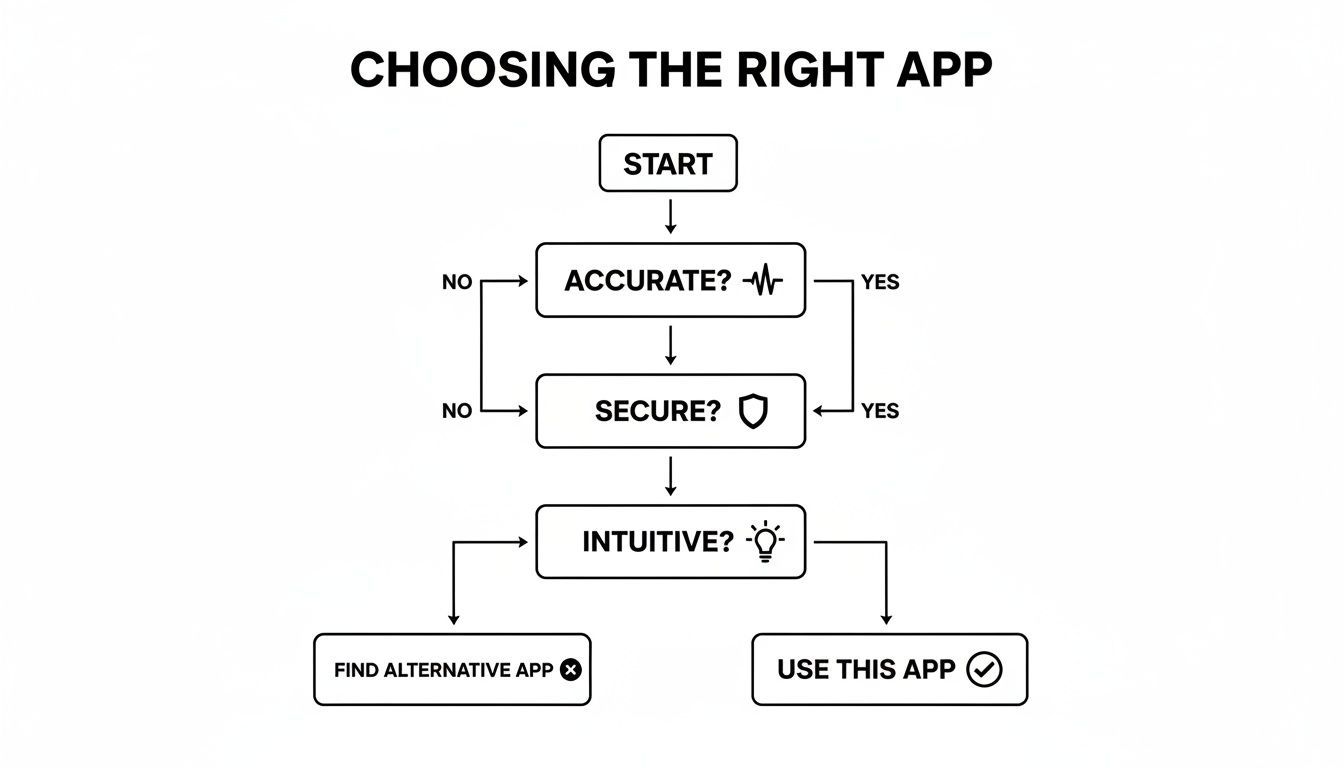
Comme le montre le guide, si une application échoue sur l'un de ces fondamentaux, elle ne sera probablement pas un bon choix à long terme pour votre équipe.
Est-elle sécurisée et facile à utiliser ?
Vos réunions contiennent des informations sensibles, donc la sécurité des données n'est pas juste une fonctionnalité "agréable à avoir" ; c'est un facteur décisif. Avant de télécharger le moindre fichier, vous devez avoir une compréhension claire de la politique de confidentialité de l'application.
Posez ces questions directes :
- Où mes données sont-elles stockées ? Recherchez des réponses claires sur les protocoles de gestion et de stockage des données.
- Utilisez-vous mes données pour entraîner votre IA ? Optez pour un fournisseur qui a une politique stricte de non-entraînement. Transcript.LOL, par exemple, garantit que vos données ne sont jamais utilisées pour l'entraînement de l'IA, point final.
- Quelles mesures de sécurité sont en place ? Le chiffrement de bout en bout devrait être le strict minimum.
Au-delà de la sécurité, l'application doit simplement être intuitive. Si votre équipe a besoin d'un manuel de 50 pages pour la comprendre, elle ne l'utilisera pas. L'interface doit être propre, simple et vous permettre de passer d'un fichier audio à une transcription terminée en quelques clics seulement.
Pour vous aider à comparer vos options, voici une rapide checklist à parcourir lorsque vous évaluez différentes applications.
Checklist des fonctionnalités pour sélectionner votre application
| Fonctionnalité/Critère | Niveau d'importance | Ce qu'il faut rechercher |
|---|---|---|
| Précision de la transcription | Critique | Testez avec vos propres fichiers audio (bruit de fond, accents, jargon). Recherchez un essai gratuit pour vérifier les performances. |
| Sécurité des données | Critique | Politique de confidentialité claire, chiffrement de bout en bout et une garantie ferme de "non-entraînement sur les données client". |
| Vocabulaire personnalisé | Élevé | La capacité d'ajouter des noms spécifiques, des acronymes et des termes industriels pour améliorer considérablement la précision. |
| Facilité d'utilisation | Élevé | Une interface intuitive et propre qui nécessite une formation minimale. Pouvez-vous obtenir une transcription en quelques clics ? |
| Identification des intervenants | Élevé | Distingue automatiquement les différents intervenants et les étiquette clairement dans la transcription. |
| Options d'intégration | Moyen | Se connecte à d'autres outils que vous utilisez quotidiennement, comme Slack, Notion ou votre CRM, pour automatiser les flux de travail. |
| Formats d'exportation | Moyen | Offre plusieurs options d'exportation (par exemple, .txt, .srt, .docx) pour s'adapter à différents cas d'utilisation. |
| Transparence des prix | Élevé | Tarification claire et directe sans frais cachés. Les plans doivent être faciles à comprendre et à adapter à vos besoins. |
| Support client | Moyen | Canaux de support accessibles et réactifs (e-mail, chat) en cas de problèmes. |
Cette checklist n'est pas exhaustive, mais elle couvre l'essentiel. Une application qui coche ces cases est probablement un choix solide et fiable qui vous fera gagner du temps au lieu de vous causer des maux de tête.
Enfin, pensez au prix. La valeur d'une application est directement liée à son utilité, recherchez donc des plans transparents et flexibles. Vous pouvez avoir une meilleure idée du marché en explorant différents modèles de tarification des services de transcription pour voir ce qui correspond à votre budget. Un bon outil offre une valeur claire sans surprises désagréables sur votre facture.
Réponses à vos questions les plus fréquentes sur les applications de transcription
Se plonger dans une nouvelle technologie suscite toujours quelques questions. Avant de vous lancer, clarifions les plus courantes que nous entendons concernant les applications de transcription de réunions. Obtenir ces réponses à l'avance vous donnera la confiance nécessaire pour choisir le bon outil et commencer à faciliter la vie de votre équipe immédiatement.
Nous vous donnerons des réponses directes et claires aux questions que nous recevons constamment, de la sécurité des données à la manière dont ces applications gèrent le beau chaos d'une réunion réelle.
Quelle est la précision réelle de ces applications ?
C'est la question cruciale, n'est-ce pas ? Les meilleures applications de transcription, en particulier celles basées sur l'IA moderne, peuvent atteindre des taux de précision allant jusqu'à 99 %. Mais soyons réalistes : les conditions réelles ne sont pas parfaites. Des éléments tels qu'une mauvaise qualité audio, le bruit de fond, des accents forts ou des personnes qui se parlent en même temps peuvent faire baisser ce chiffre.
C'est précisément pourquoi avoir plus de contrôle change la donne. Par exemple, Transcript.LOL vous permet de créer un vocabulaire personnalisé où vous pouvez "enseigner" à l'IA le jargon spécifique de votre secteur, les acronymes de votre entreprise et les noms uniques. C'est une étape simple qui fait une énorme différence en matière de précision, garantissant que vos transcriptions sont réellement utiles et professionnelles.
Mes données de réunion sont-elles gardées privées ?
La sécurité des données est non négociable. Lorsque vous examinez différentes applications, la politique de confidentialité est une lecture obligatoire. Les fournisseurs les plus fiables offriront un chiffrement de bout en bout et auront une politique stricte et claire stipulant qu'ils n'utiliseront pas vos données pour entraîner leurs modèles d'IA.
Vos conversations confidentielles doivent le rester : confidentielles. L'engagement d'une application envers la confidentialité des données est un reflet direct de sa fiabilité.
Chez Transcript.LOL, nous opérons avec une politique stricte de non-entraînement. C'est simple : vos données de réunion privées ne sont jamais consultées, partagées ou utilisées à d'autres fins que la génération de votre transcription. Vos informations vous appartiennent exclusivement, point final. Cela devrait être le standard minimum que vous attendez de tout service que vous envisagez.
Comment gèrent-elles plusieurs intervenants ?
Une fonctionnalité clé de toute application de transcription moderne est la détection et l'étiquetage des intervenants (parfois appelée diarisation). Cette technologie est suffisamment intelligente pour déterminer qui parle et quand, puis elle étiquette proprement chaque partie de la conversation.
Ainsi, au lieu d'un mur de texte désordonné, vous obtenez un dialogue propre et organisé :
- Intervenant 1 : "Examinons le budget marketing du T3."
- Intervenant 2 : "D'accord. J'ai les chiffres prêts à partager."
- Intervenant 1 : "Super, s'il vous plaît, présentez-nous les points clés."
Cela rend incroyablement facile de suivre le fil de la conversation, de savoir qui a dit quoi et d'attribuer des actions à la bonne personne sans aucune confusion. Cela transforme une transcription brute en un enregistrement véritablement utile de votre discussion.
Quelles intégrations sont les plus importantes ?
Les meilleures intégrations sont celles qui s'intègrent parfaitement au flux de travail que vous avez déjà. Des connexions transparentes avec le stockage cloud comme Google Drive et Dropbox sont indispensables pour des téléchargements de fichiers faciles. Et une intégration puissante avec Zapier est énorme, car elle peut connecter votre application de transcription à des milliers d'autres outils, automatisant les tâches fastidieuses et vous faisant gagner beaucoup de temps.
Recherchez des outils qui rendent sans effort le transfert de votre audio ou vidéo de son emplacement vers le moteur de transcription. Transcript.LOL propose des connexions pour Zoom, YouTube, WhatsApp et Telegram, ce qui élimine toute friction de votre travail quotidien.
Prêt à transformer vos conversations en informations exploitables ? Avec Transcript.LOL, vous bénéficiez d'une précision de pointe, d'une confidentialité à toute épreuve et de fonctionnalités IA puissantes qui vous font gagner du temps. Commencez à transcrire gratuitement dès aujourd'hui et constatez la différence par vous-même !