
Transcribir Audio a Texto Gratis: Una Guía Práctica
Descubre cómo transcribir audio a texto gratis con las mejores herramientas y métodos. Esta guía ofrece consejos prácticos para transcripciones de IA rápidas y precisas.
Praveen
March 6, 2024
Intentar transcribir audio a texto gratis ya no es el dolor de cabeza que solía ser. Gracias a algunas herramientas de IA realmente inteligentes, puedes convertir tus palabras habladas en un documento de texto en solo unos minutos.
Es un proceso bastante sencillo: subes tu archivo de audio a un servicio en línea gratuito, la IA hace su magia y genera una transcripción, y luego le das un rápido repaso para verificar la precisión antes de exportar.
Navegando el Mundo de la Transcripción de Audio Gratuita
Si eres estudiante, periodista o creador de contenido, conoces la necesidad constante de transcripciones rápidas y precisas. Los días de pausar-rebobinar-reproducir laboriosamente mientras escribes cada palabra de una grabación han quedado, afortunadamente, muy atrás.
La IA de hoy en día ha hecho que la transcripción manual parezca casi antigua para la mayoría de las necesidades cotidianas. Esto significa que puedes obtener un primer borrador sólido de tu audio en formato de texto en menos tiempo del que se tarda en preparar una taza de café.
La precisión de las herramientas gratuitas también es bastante impresionante. Ahora estamos viendo planes gratuitos que ofrecen una precisión del 90-95%, especialmente si tienes una grabación clara. Eso es una mejora masiva con respecto a cómo estaban las cosas hace solo unos años.
Comprendiendo la Tecnología Detrás de Esto
Para entender realmente por qué estas herramientas gratuitas funcionan tan bien, ayuda saber un poco sobre lo que sucede internamente. Todo se reduce a comprender la tecnología subyacente del Procesamiento del Lenguaje Natural. Esta es la "salsa secreta" que permite a una máquina comprender el habla humana, determinar quién está hablando e incluso agregar la puntuación correcta.
La verdadera victoria aquí es simple: cambia por completo la forma en que trabajas con el audio. La transcripción deja de ser una tarea pesada y se convierte en un paso rápido y fácil en tu flujo de trabajo, ahorrándote una tonelada de tiempo.
Comparando Métodos de Transcripción Gratuitos
Para darte una imagen más clara, analicemos las principales formas en que puedes obtener una transcripción de forma gratuita. Cada una tiene sus propias fortalezas y debilidades según tus necesidades.
| Método | Mejor para | Pros | Contras |
|---|---|---|---|
| Software de Dictado | Notas personales rápidas, lluvia de ideas, grabaciones cortas | Ves el texto instantáneamente mientras hablas, a menudo integrado en tu sistema operativo. | Lucha con múltiples hablantes, ruido de fondo y audio más largo. |
| Servicios de Transcripción con IA | Entrevistas, reuniones, conferencias, creación de contenido | Alta precisión, identificación de hablantes, marcas de tiempo. | Los planes gratuitos tienen límites en el tamaño del archivo o minutos mensuales. |
| Transcripción Manual | Necesidades de precisión crítica, calidad de audio deficiente | Es posible una precisión del 100% con suficiente esfuerzo. | Extremadamente lento y tedioso. |
Como puedes ver, los servicios de transcripción con IA alcanzan el punto óptimo para la mayoría de las personas, ofreciendo alta precisión sin el esfuerzo manual.
Qué Buscar en una Herramienta Gratuita
Sin embargo, no todas las herramientas gratuitas están hechas igual. Al elegir una, presta atención a algunas cosas clave:
- Precisión: ¿Qué tan bien maneja diferentes acentos o un poco de ruido de fondo? Algunas son mejores que otras.
- Funciones: ¿Ofrece elementos esenciales como etiquetas de hablante y marcas de tiempo? Estos ahorran mucho tiempo.
- Límites de Uso: Siempre revisa la letra pequeña. Los planes gratuitos a menudo limitan tus minutos mensuales o el tamaño de los archivos que puedes subir.
Esta guía está diseñada para ayudarte a saltarte las pruebas y errores. Nos centraremos en herramientas modernas que realmente funcionan, para que puedas elegir la correcta desde el principio y evitar la frustración de un software torpe y obsoleto.
Cómo Elegir la Herramienta de Transcripción Gratuita Adecuada
Imagina esto: acabas de terminar una sesión de lluvia de ideas de una hora y el archivo de audio es un revoltijo de voces superpuestas. Elegir la herramienta equivocada significa luchar con las transcripciones más tarde. Elige sabiamente desde el principio y te ahorrarás montones de tiempo de edición.
Por otro lado, una entrevista de podcast pulida grabada en una cabina insonorizada puede pasar sin problemas por la mayoría de las plataformas gratuitas. Pero no dejes que eso te adormezca pensando que todas las herramientas están a la altura cuando los niveles de ruido o los acentos cambian.
Comienza por mapear tus escenarios de grabación habituales. ¿Estás capturando conversaciones de calidad de estudio o entrevistas de campo con parloteo de fondo? Ese contexto te dirigirá hacia las funciones de las que no puedes prescindir.
Una vez que conozcas tus puntos débiles, concéntrate en las funcionalidades que más importan: cosas como la identificación de hablantes, marcas de tiempo precisas y cargas por lotes. Estas comodidades, que antes eran dominio de los servicios premium, ahora aparecen en muchos planes gratuitos.
Evalúa Diferenciadores Clave
Al comparar herramientas para transcribir audio a texto gratis, mira más allá de la salida básica de la transcripción. Presta atención a:
-
Compatibilidad de Formatos de Archivo ¿Maneja MP3, WAV, M4A y más? Si no, perderás tiempo convirtiendo audio antes de empezar.
-
Límites de Uso Los niveles gratuitos a menudo limitan los minutos mensuales o el tamaño de los archivos. Anota esos límites pronto para que tu proyecto no se detenga.
-
Opciones de Integración ¿Puede la plataforma integrarse en tu flujo de trabajo existente? Algunos servicios combinan grabación, transcripción y toma de notas en un solo panel. Encontrarás una variedad de opciones en los 12 Mejores Herramientas de IA para Creadores de Contenido.
La solución gratuita ideal se integra perfectamente en tu rutina. Un estudiante que transcribe una conferencia necesita capacidades diferentes a las de un comercial que analiza llamadas de comentarios de clientes: prioriza lo que resuelve tus principales dolores de cabeza.
Muchas plataformas modernas agrupan múltiples funciones para aumentar la eficiencia. Toma MeetGeek: admite diversas cargas de audio y video, ofrece transcripciones rápidas y añade marcas de tiempo interactivas más etiquetas de hablantes. Puedes explorar todas sus funciones en su guía sobre software de transcripción gratuito.
Un poco de prueba inicial vale la pena. Ya sea que estés investigando entrevistas académicas o afinando la transcripción de creación de contenido para tu próxima campaña, la herramienta gratuita adecuada está ahí fuera, solo elige una que se sienta como una segunda naturaleza.
Un Recorrido Práctico con Transcript.LOL
Muy bien, dejemos la teoría y pongámonos manos a la obra. Ver una herramienta en acción es cien veces mejor que solo leer sobre ella, así que te guiaré sobre cómo transcribir audio a texto gratis usando Transcript.LOL.
En primer lugar, su plan gratuito es sorprendentemente generoso. Es más que suficiente para manejar algunos proyectos y realmente tener una idea de la plataforma sin tener que sacar tu tarjeta de crédito. Registrarse es rápido y aterrizas directamente en un panel limpio y sin complicaciones.
Iniciando Tu Primera Transcripción
Lo que me gusta de la interfaz es que no está abarrotada de un millón de opciones que nunca usarás. Ves un botón de carga grande y obvio de inmediato, y tienes algunas formas de ingresar tu audio:
- Desde tu computadora: Simplemente arrastra y suelta tus archivos MP3, WAV o M4A.
- Desde la nube: Puedes vincular tu Google Drive o Dropbox y extraer archivos directamente.
- Desde un enlace: ¿Tienes un video de YouTube o un podcast alojado en línea? Simplemente pega la URL.
Para este recorrido, estoy usando un clip de cinco minutos de una entrevista reciente que grabé. Subiré el archivo, seleccionaré inglés como idioma y haré clic en "Transcribir". La IA se encarga de todo a partir de aquí.
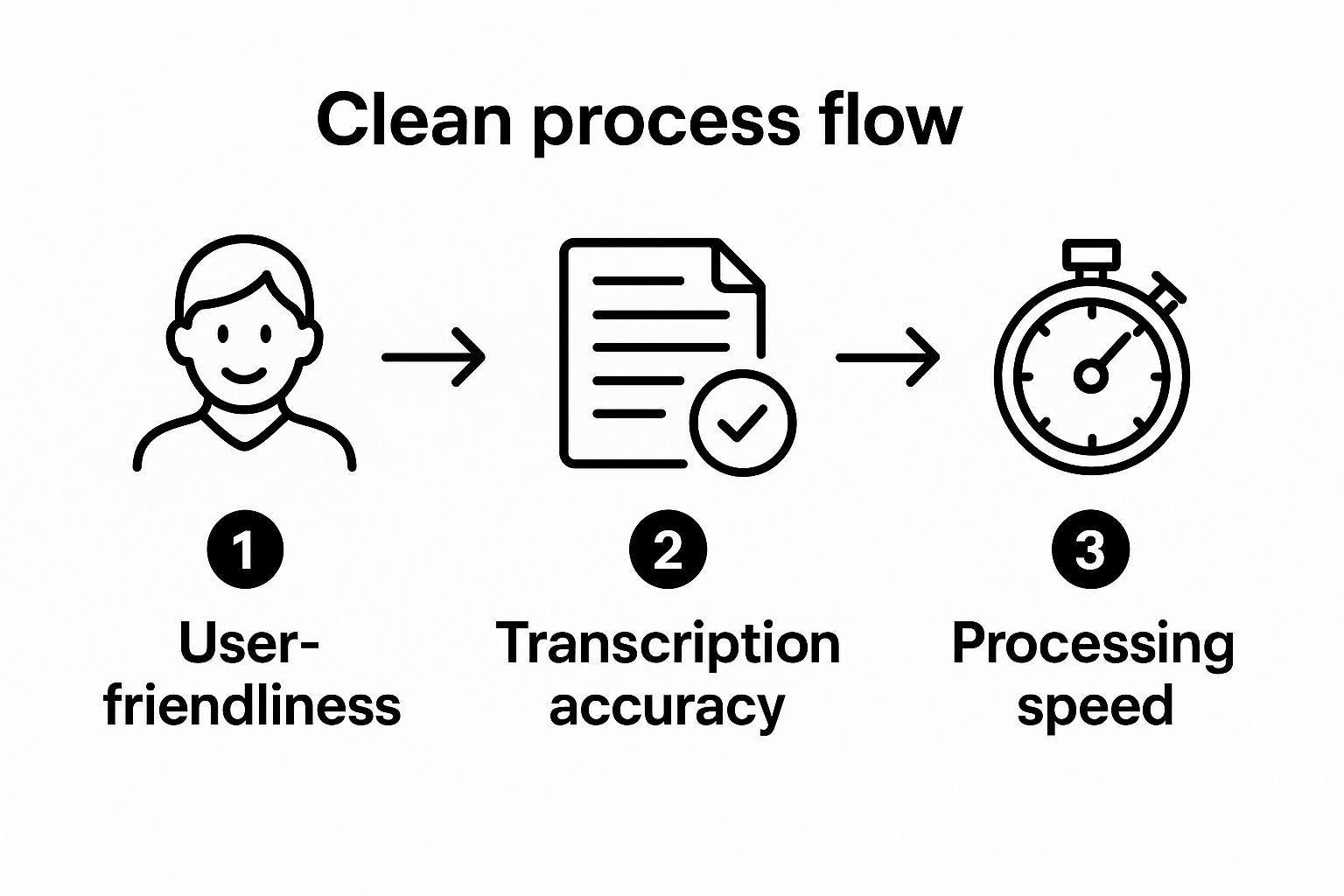
Ordenando el Trabajo de la IA
En solo unos momentos, la transcripción completa aparece en el editor. Una de las mejores características es que Transcript.LOL agrega automáticamente marcas de tiempo y separa a los hablantes, etiquetándolos como "Hablante 1", "Hablante 2", y así sucesivamente. Esto ahorra mucho tiempo, especialmente si estás transcribiendo una discusión con varias personas. Es prácticamente imprescindible para obtener una transcripción precisa de reuniones en línea.
El editor en sí es súper intuitivo. Funciona como cualquier procesador de texto que hayas usado antes, pero con una característica clave: puedes hacer clic en cualquier palabra del texto y el audio se reproducirá instantáneamente desde ese punto exacto. Esto hace que revisar y corregir cualquier error sea increíblemente rápido.
Consejo Pro: Siempre uso la herramienta "Buscar y Reemplazar" para corregir cualquier rareza recurrente. Si la IA sigue escribiendo mal un nombre específico o una jerga de la industria, puedes corregir cada instancia de una vez. Un gran ahorro de tiempo.
Una vez que estés satisfecho con el texto, exportar es pan comido. Puedes obtener tu transcripción como un archivo .txt simple o incluso como un archivo .srt si necesitas subtítulos para un video. Te quedas con un documento limpio y listo para usar en solo unos minutos.
Consejos Internos para Maximizar la Precisión de la Transcripción
https://www.youtube.com/embed/bex611cC_Ns
Incluso la IA más avanzada necesita una señal limpia para hacer su magia. Si quieres transcribir audio a texto gratis y aún así obtener resultados de nivel profesional, todo se reduce a la calidad de tu archivo original. Piénsalo como darle a la IA una ventaja.
¿El mayor culpable de las malas transcripciones? Audio amortiguado o ruidoso. Antes de siquiera pensar en presionar grabar, tómate un minuto para eliminar el ruido de fondo. Cierra las ventanas, apaga el aire acondicionado y aléjate de ese refrigerador zumbante. Ese zumbido de bajo nivel que apenas notas puede fácilmente confundir a una IA y arruinar tu precisión.
Tampoco necesitas un micrófono de estudio elegante. El que viene integrado en tu smartphone es sorprendentemente capaz si sabes cómo usarlo.
- Acércate: Sostén tu teléfono a unos quince centímetros de quien esté hablando. Más lejos y empezarás a captar más eco de la habitación que voz.
- Cuidado con el micrófono: Es un error fácil, pero asegúrate de que tu mano no esté cubriendo el puerto del micrófono mientras grabas.
- Habla claro: Articula tus palabras e intenta mantener un ritmo y volumen constantes.
Dominar estos sencillos hábitos antes de grabar te ahorrará mucho tiempo de limpieza manual después.
Trucos de Edición Post-Transcripción
Una vez que la IA haya hecho su pasada, un poco de edición inteligente puede convertir una buena transcripción en una impecable. Aquí es donde tomas ese texto en bruto y le das un toque final.
Mi truco para ahorrar tiempo es la clásica función "buscar y reemplazar". Si la IA se tropieza constantemente con un nombre específico, jerga de la industria o una marca, puedes corregir cada instancia con un solo comando. Por ejemplo, si "Transcript.LOL" se transcribe repetidamente como "Transcript LOL", una búsqueda y reemplazo rápida resuelve el problema al instante.
Las marcas de tiempo son tu mejor aliado para verificar las partes difíciles. Si encuentras una frase en el texto que suena confusa o simplemente incorrecta, haz clic en la marca de tiempo. Saltarás directamente a ese punto exacto en el audio, lo que facilita la localización y corrección de errores.
A medida que te acostumbres, verás cómo estos mismos principios se aplican a otros formatos, como generar subtítulos automáticos para TikTok con IA. El objetivo no es solo corregir errores, sino hacer que cualquier herramienta de transcripción gratuita funcione como una de pago.
Sabiendo Cuándo es Hora de Actualizar a un Servicio de Pago
La capacidad de transcribir audio a texto gratis es fantástica, sin duda. Pero los planes gratuitos siempre tienen una trampa. Piénsalos como un gran punto de partida, pero necesitas saber cuándo las demandas de tu proyecto están a punto de superar esos límites incorporados. Chocar contra un muro a mitad de proyecto porque agotaste tus minutos mensuales es un dolor de cabeza que puedes evitar fácilmente.
La mayoría de los servicios gratuitos te limitarán con algunas restricciones comunes. Normalmente te encontrarás con:
- Límites de Minutos Mensuales: Un límite estricto en cuántos minutos puedes transcribir cada mes.
- Límites de Tamaño de Archivo: Un límite en el tamaño de cada archivo de audio o video.
- Funciones Bloqueadas: Las herramientas realmente potentes, como la colaboración en equipo, vocabularios personalizados o acceso a API, casi siempre están detrás del muro de pago.
Familiarizarte con estos límites de antemano te ayuda a ver una actualización venir antes de que se convierta en una emergencia.
Cuándo una Actualización es Obvia
Para algunas personas, actualizar no es realmente una opción, es una necesidad profesional. Un profesional legal no puede simplemente ir a los tribunales con una transcripción estándar de IA; a menudo necesitan documentos certificados y verificados por humanos. Lo mismo ocurre con una empresa que maneja un gran volumen de llamadas confidenciales de clientes, donde la seguridad y privacidad mejoradas de un plan de pago son innegociables.
Si eres un investigador que trabaja con audio desordenado, como voces superpuestas, acentos marcados o mucho ruido de fondo, los algoritmos avanzados y las herramientas de edición de un plan de pago pueden ser la diferencia entre una transcripción utilizable y un archivo de texto confuso e inútil.
El auge de la IA ha cambiado por completo el juego, reduciendo los tiempos de entrega y los costos en general. La mayoría de los servicios ahora cobran por minuto u hora, haciendo que la transcripción potente sea accesible incluso para equipos pequeños. Puedes leer más sobre cómo la IA está cambiando las cosas en Digital Ocean.
Al final del día, si la transcripción es una parte central de tu flujo de trabajo, pagar por un servicio es un movimiento inteligente y estratégico. Te brinda confiabilidad, desbloquea mejores funciones y proporciona la potencia que necesitas para hacer el trabajo correctamente. Para tener una idea de cómo están estructurados, consulta los planes de precios de Transcript.LOL y ve qué tiene sentido para tus necesidades a medida que crecen.
Preguntas Comunes Sobre Transcripción Gratuita
Adentrarse en el mundo de las herramientas gratuitas de audio a texto suele generar un puñado de preguntas. Tiene sentido. Antes de entregar tu audio, quieres saber en qué te estás metiendo, especialmente en lo que respecta a la precisión, las limitaciones y la seguridad.
Aclararemos algunas de las incertidumbres más comunes.
¿Qué Tan Precisas Son las Herramientas Gratuitas?
Esta es la gran pregunta. He visto que la IA moderna alcanza una impresionante precisión del 90-95%, pero ese número viene con un gran asterisco: la calidad del audio es fundamental. Una grabación nítida con un hablante claro y sin parloteo de fondo te dará resultados fantásticos. Si agregas algo de ruido de fondo o una voz amortiguada, esa precisión disminuirá.
¿Cuáles Son los Límites en los Planes Gratuitos?
Siempre hay una trampa con lo "gratuito", ¿verdad? Para mantener las luces encendidas y animar a la gente a actualizar, la mayoría de los servicios tienen que establecer algunas barreras.
- Minutos de Transcripción: Casi siempre tendrás un límite mensual en la cantidad de audio que puedes convertir.
- Límites de Tamaño de Archivo: ¿Intentas subir un episodio de podcast de dos horas? Es posible que te encuentres con un obstáculo. Las grabaciones más largas a menudo deben dividirse.
- Funciones Bloqueadas: Las cosas realmente geniales, como decirte automáticamente quién está hablando o agregar palabras personalizadas al diccionario, generalmente están reservadas para clientes de pago.
¿Es Seguro Subir Audio Sensible?
Esta es una preocupación totalmente válida, especialmente si estás tratando con entrevistas confidenciales o reuniones privadas. Las plataformas de buena reputación utilizan un cifrado sólido, pero un servicio gratuito podría no tener las mismas garantías de privacidad inquebrantables que una herramienta de nivel empresarial.
¿Mi regla general? Si se trata de una deposición legal o una grabación médica sensible, debes leer primero la política de privacidad.
El verdadero secreto es igualar la herramienta a la tarea. ¿Transcribir notas de voz personales o una entrevista informal? Una herramienta gratuita es perfecta. Pero para trabajos profesionales de alto riesgo, la seguridad y las funciones adicionales de un plan de pago suelen valer la pena.
Si quieres profundizar un poco más, tenemos más respuestas en nuestra página de preguntas frecuentes.