
Un mejor formato de actas de reunión con elementos de acción
Transforma las reuniones de charlas a acciones. Aprende un mejor formato de actas de reunión con elementos de acción, obtén consejos prácticos y descarga nuestra plantilla gratuita.
Kate, Praveen
December 13, 2023
Un buen formato de acta de reunión no se trata solo de tomar notas; se trata de crear un plano para lo que vendrá después. Los mejores que he visto siempre tienen secciones claras: quién estuvo allí, qué había en la agenda, el meollo de la discusión, qué se decidió y, lo más importante, una tabla dedicada para elementos de acción que detalla quién hace qué y para cuándo.
Por qué la mayoría de las actas de reunión no impulsan la acción

Seamos realistas. ¿Cuántas veces has salido de una reunión, has sentido un breve impulso de energía y luego... nada? Vuelves a tu escritorio, los correos electrónicos se acumulan y la gran conversación que acabas de tener se desvanece en el fondo.
Esto no es un defecto personal; es una falla en el sistema. Las actas tradicionales a menudo parecen una transcripción, un registro pasivo de quién dijo qué. Están atrapadas documentando el pasado en lugar de impulsar la acción futura. Así es exactamente como los proyectos se estancan, se incumplen los plazos y los equipos empiezan a sentir que su tiempo se está desperdiciando por completo.
El verdadero costo de la inacción
Esto no es solo una pequeña frustración. Tiene un enorme efecto dominó financiero. Se estima que las reuniones ineficaces cuestan a la economía de EE. UU. alrededor de 37 mil millones de dólares cada año. Peor aún, las encuestas muestran que aproximadamente el 65% de las personas sienten que su tiempo en las reuniones se desperdicia constantemente.
¿La raíz del problema? Una completa falta de responsabilidad. Cuando los próximos pasos no están claramente definidos, asignados a alguien y rastreados, simplemente se pierden. Aquí es donde un cambio simple y estratégico en la forma de documentar sus reuniones puede cambiarlo todo.
El propósito de las actas de reunión no es solo recordar lo que se dijo, sino asegurar que algo se haga. Pasar de la grabación pasiva a la gestión activa de tareas es la forma más efectiva de convertir las conversaciones en progreso tangible.
Aprender cómo dirigir reuniones efectivas es la base, y tus actas son la herramienta que garantiza el seguimiento. Un formato centrado en la acción cierra esa brecha crítica entre hablar y hacer. No se trata de crear más burocracia; se trata de asegurarse de que el trabajo que ya estás haciendo realmente conduzca a algo. Cuando te enfocas en los próximos pasos claros y responsables, tus actas dejan de ser un simple registro y se convierten en el centro de mando de tu proyecto.
Anatomía de una plantilla de actas orientada a la acción
Analicemos cómo es una plantilla de actas de reunión verdaderamente útil. Olvídate de las listas de verificación genéricas. Piensa en esto como un plano de claridad, donde cada sección tiene un trabajo específico.
No se trata de reglas rígidas. Se trata de crear un documento que guíe al lector desde la imagen general hasta quién hace qué y para cuándo.
Primero, tienes que dominar lo básico. Estas cosas parecen obvias, pero proporcionan contexto instantáneo para cualquiera que se haya perdido la reunión o necesite un recordatorio semanas después.
- Información del encabezado: Incluye siempre el título de la reunión, la fecha y la hora. Además, enumera quién estuvo allí y, lo que es igual de importante, quién no.
- Enlace a la agenda: No pierdas tiempo resumiendo la agenda en las actas. Simplemente inserta un enlace al documento original para que sea fácil de encontrar para todos.
Con eso fuera del camino, puedes llegar a la sustancia real de la reunión. El objetivo aquí es capturar los resultados importantes, no una reproducción palabra por palabra de toda la conversación.
Captura de discusiones y decisiones clave
Tus notas de discusión deben ser un resumen conciso. ¿Cuáles fueron los argumentos principales? ¿Qué datos clave se compartieron? ¿Cuál fue el consenso general sobre cada punto de la agenda? Omite las opiniones personales y cíñete a los hechos.
Justo después de ese resumen viene la parte más crítica para la responsabilidad: la sección de Decisiones Tomadas. Esta debe ser una lista cristalina, imposible de malinterpretar.
No entierres las decisiones dentro de un largo párrafo de notas. Siempre sácalas a su propia lista distinta y con viñetas. Las hace escaneables y sirve como una referencia rápida para el futuro.
Por ejemplo, una decisión debería leerse algo así: "Decisión: El presupuesto de marketing del cuarto trimestre se reasignará, trasladando 5.000 dólares adicionales de la búsqueda pagada a la creación de contenido". Ese nivel de claridad evita muchas discusiones posteriores.
Dado que los empleados pasan un promedio de 11,3 horas por semana en reuniones, hacer que estos documentos sean rápidos y fáciles de digerir es una gran victoria para todos.
La tabla de elementos de acción
Finalmente, llegamos al motor de tus actas de reunión: la tabla de elementos de acción. Aquí es donde conviertes toda esa charla en tracción. Una buena tabla de elementos de acción no deja lugar a la confusión.
Para ayudarte a hacerlo bien cada vez, aquí tienes una tabla de referencia rápida que desglosa los componentes esenciales.
Elementos centrales de un formato de acta de reunión eficaz
| Componente | Propósito | Qué incluir |
|---|---|---|
| Elemento de acción | Define claramente la tarea a completar. | Comienza con un verbo fuerte como "Crear", "Redactar" o "Investigar". Sé específico. |
| Propietario(s) | Asigna responsabilidad clara a un individuo o grupo. | Enumera el nombre real de la persona responsable. Sin ambigüedades. |
| Fecha de vencimiento | Establece una fecha límite firme para la finalización. | Proporciona una fecha específica (por ejemplo, Fin del día del viernes, 25 de octubre). Evita términos vagos. |
| Estado | Rastrea el progreso de cada tarea a lo largo del tiempo. | Mantenlo simple: No iniciado, En progreso o Completado. |
Este formato estructurado transforma tus actas de un registro estático a una herramienta de gestión de proyectos viva.
Para equipos más técnicos, donde el seguimiento de tareas y decisiones es primordial, puedes encontrar consejos más específicos en nuestra guía para crear notas de reuniones de ingeniería efectivas.
Cómo escribir elementos de acción que realmente se hagan
Seamos honestos: la sección de elementos de acción es donde realmente ocurre la magia en tus actas de reunión. Es la parte que convierte una buena charla en progreso real y tangible. Si esta sección es débil, toda esa gran discusión se desvanece y nada cambia.
Probablemente hayas visto un elemento de acción débil antes. Se parece a: "Investigar nuevo software de marketing". Es vago, no tiene un propietario claro ni una fecha límite. Está prácticamente diseñado para ser olvidado.
Un elemento de acción fuerte es todo lo contrario. Es tan claro que no puedes malinterpretarlo. Piensa en ello como un mini plan de proyecto empaquetado en una oración poderosa.
El marco SMART en la práctica
La mejor manera de llegar allí es utilizando el marco SMART: Específico, Medible, Alcanzable, Relevante y con Plazo definido. Esto no es solo un juego de palabras corporativas; es una lista de verificación súper práctica para asegurarse de que las cosas se hagan.
- Específico: Comienza cada elemento de acción con un verbo. No escribas solo "Informe de marketing". En su lugar, intenta: "Redactar el informe de rendimiento de marketing del tercer trimestre".
- Propietario: Cada tarea necesita un propietario único. Incluso si todo un equipo está trabajando en ello, una persona tiene que ser la persona de contacto. Esto elimina la excusa de "Pensé que alguien más lo estaba haciendo".
- Fecha límite: Dale una fecha de vencimiento real y concreta. "Algún día la próxima semana" no es una fecha límite. "Para el final del día del viernes, 25 de octubre", sí lo es.
Cuando domines estas tres cosas, crearás un camino claro a seguir.
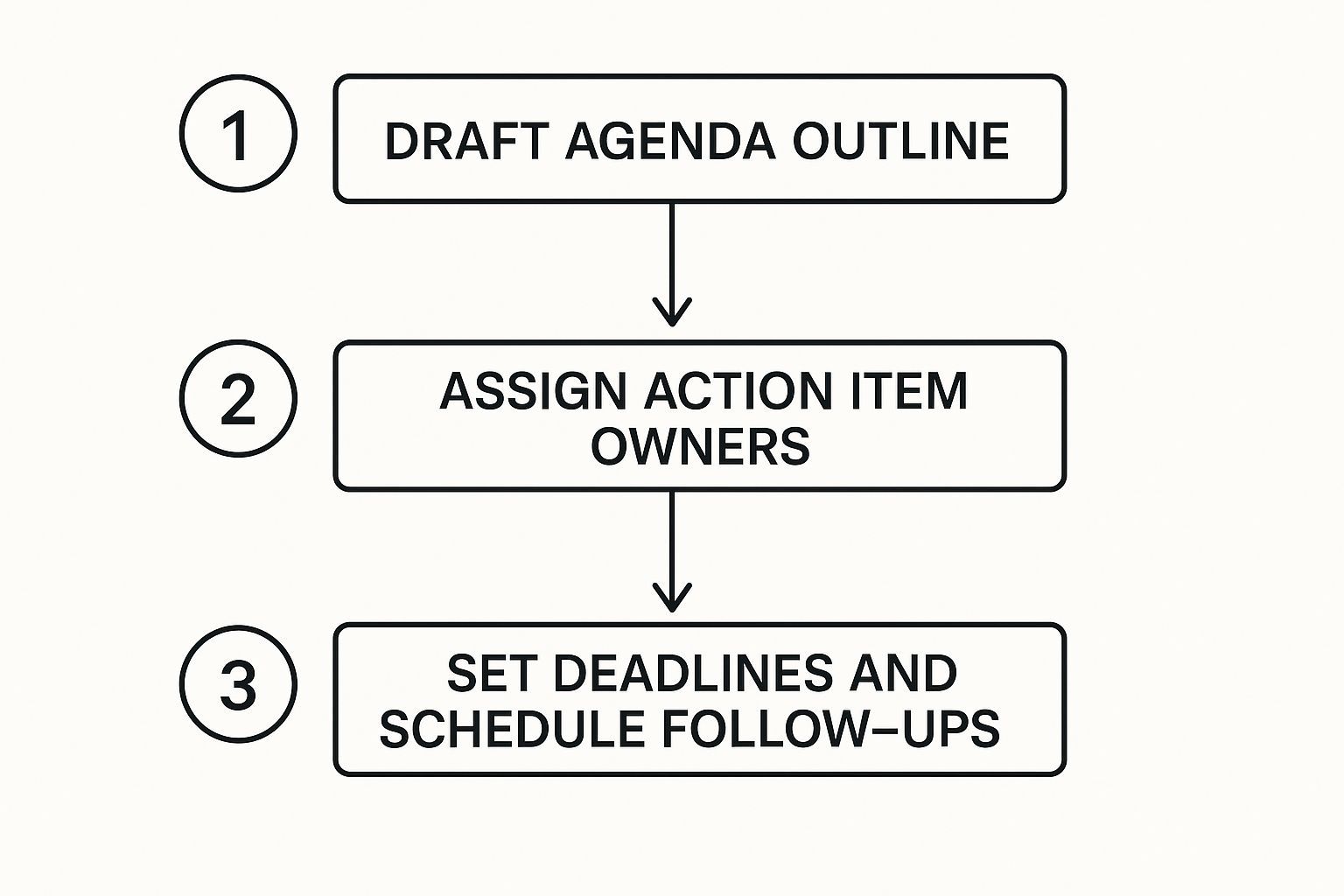
Como puedes ver, asignar un propietario y una fecha límite es lo que realmente da vida a tus actas de reunión.
Ejemplos de antes y después
Veamos una transformación rápida.
Antes: Alguien necesita encargarse de los comentarios del cliente de la encuesta. Después: Chris para analizar los comentarios de la encuesta de clientes del tercer trimestre y presentar un resumen de las tres principales preocupaciones para la sincronización del proyecto el lunes.
¿Ves la diferencia? La versión "después" no deja lugar a la confusión. Sabemos quién lo está haciendo, qué está haciendo y cuándo vence. Una vez que tengas una lista de elementos de acción sólidos, puedes integrarlos en sistemas efectivos de gestión de prioridades para mantener todo en marcha.
Si estás haciendo malabares con reuniones consecutivas, intentar captar cada detalle puede parecer imposible. Aquí es donde una herramienta de transcripción de reuniones en línea puede cambiar las reglas del juego. Asegura que nunca te pierdas un compromiso, convirtiendo los acuerdos verbales directamente en un plan documentado. Sigue esta estructura y verás que el seguimiento de tu equipo mejora casi de la noche a la mañana.
Mejores prácticas para grabar y compartir actas
Tener una gran plantilla para tus actas de reunión es un comienzo fantástico, pero es solo la mitad de la historia. La verdadera magia ocurre cuando conviertes esa estructura en un hábito constante, transformando conversaciones desordenadas en resultados claros.
Este proceso comienza en el momento en que comienza la reunión. Recuerda, tu trabajo no es ser un taquígrafo judicial, capturando cada palabra. Eres un filtro estratégico. Concéntrate en extraer los puntos cruciales: las decisiones finales, el "quién hace qué y para cuándo", y las conclusiones clave. Usar una plantilla desde el principio te ayuda a insertar esta información en el lugar correcto sin perder el hilo de la conversación.
Sácalas rápido y pide feedback
Una vez que termine la reunión, estás contra el reloj. ¿Mi regla general? Envía esas actas a todos los asistentes dentro de las 24 horas. Cualquier cosa más larga, y los detalles comienzan a volverse borrosos en la mente de todos.
Enviarlas rápidamente hace más que solo garantizar la precisión. Señala que los elementos de acción son importantes y que esperas que las personas cumplan. Es una forma sutil pero poderosa de construir una cultura de responsabilidad.
Un resumen rápido y claro previene la pérdida de memoria. Cuando las actas se envían una semana después, se convierten en un documento histórico. Cuando se envían el mismo día, se convierten en un plan de acción inmediato.
También recomiendo incluir un ciclo de retroalimentación rápido. Simplemente pide a todos que les den una revisión para cualquier corrección o aclaración. Este simple paso colaborativo asegura que la versión final sea un registro fiel de lo que se decidió y que todos estén en la misma página.
Encuentra un hogar permanente y buscable para tus actas
No dejes que tu arduo trabajo se entierre en un hilo de correo electrónico, para no volver a ser visto. Dónde viven tus actas después de que se finalizan es tan importante como cómo se escriben. Necesitas un lugar central y buscable para ellas.
Aquí hay algunas opciones sólidas que he visto que funcionan bien:
- Unidades compartidas: Simple, pero funciona. Una carpeta dedicada en Google Drive o OneDrive, organizada por proyecto o fecha, es un clásico por una razón.
- Herramientas de gestión de proyectos: Este es mi método preferido. Herramientas como Asana, Trello o Jira son perfectas porque puedes vincular las actas directamente a las tareas que acabas de crear. Cierra el círculo.
- Wikis internas: Si usas algo como Confluence o Notion, crear una base de conocimiento para decisiones pasadas cambia las reglas del juego. Hace que sea increíblemente fácil encontrar contexto más tarde.
Piensa en el gran volumen de reuniones virtuales que ocurren. Solo Zoom organizó 3,3 billones de minutos de reunión en un solo año. Sin un sistema organizado, las decisiones más importantes de tu equipo son solo polvo digital en el viento.
Para una inmersión más profunda, consulta estos 8 pasos para una documentación eficaz de actas de reunión. Y si estás lidiando con sesiones más complejas, conocer los entresijos de la transcripción de talleres de capacitación puede mejorar seriamente tu juego de documentación.
Tu plantilla descargable y un ejemplo del mundo real
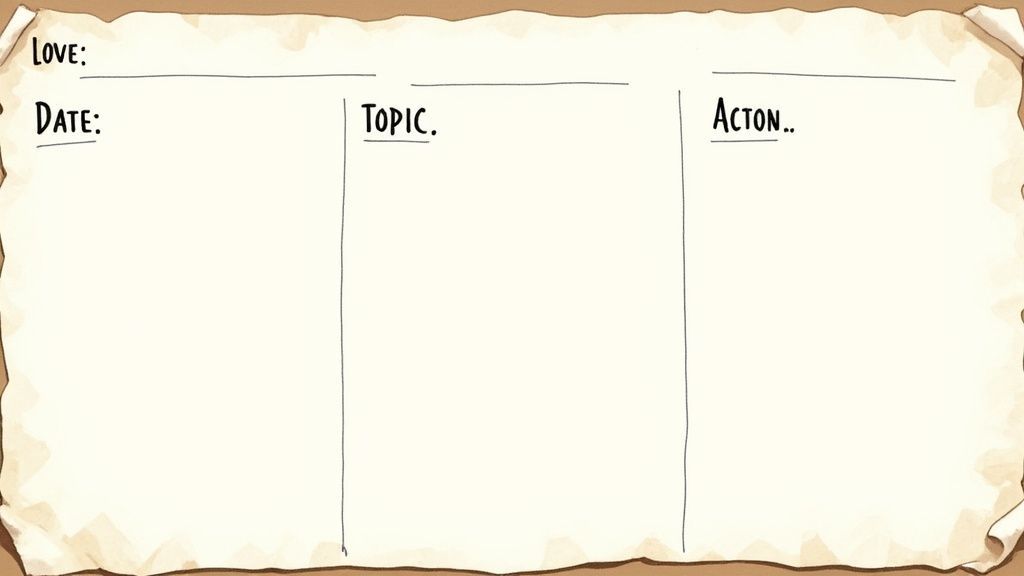
Está bien, la teoría es una cosa, pero tener una plantilla sólida que realmente puedas usar es lo que realmente cuenta. He puesto todo lo que hemos hablado en un formato limpio y profesional que puedes tomar y empezar a usar de inmediato.
Es un formato completo de actas de reunión con elementos de acción integrados.
- Descargar como Google Doc
- Descargar como archivo de Word
Para mostrarte cómo funciona en el mundo real, también he llenado uno. El ejemplo cubre una sincronización de marketing trimestral típica, para que puedas ver exactamente cómo anotar las discusiones importantes, las decisiones clave y esos pasos cruciales siguientes.
Ver la plantilla en blanco junto al ejemplo completado es donde todo encaja. Verás cómo funciona la estructura en la práctica, eliminando todas las conjeturas del proceso. Es un marco probado que puedes adaptar para tu propio equipo a partir de hoy.
Preguntas comunes sobre actas de reunión y elementos de acción
Cada vez que introduces una nueva forma de hacer las cosas, es inevitable que surjan preguntas. Eso es algo bueno. Lograr que todos estén en la misma página con un nuevo formato de actas de reunión se trata de generar confianza y asegurarse de que el proceso realmente funcione para tu equipo.
Repasemos un par de las preguntas más comunes que escucho, desde cuántos detalles incluir hasta quién debería tomar notas en primer lugar.
¿Qué tan detalladas deben ser las notas de la reunión?
Esta es la gran pregunta, y la respuesta suele sorprender a la gente: probablemente menos detallada de lo que piensas. Tu objetivo es la claridad, no una transcripción completa. El objetivo es capturar los resultados de la conversación, no cada palabra que se dijo.
Piensa en lo que realmente importa:
- Decisiones Tomadas: ¿En qué acordó realmente el equipo?
- Ideas Clave: ¿Algún punto de datos específico o momentos de "ajá" que influyeron en la decisión?
- Elementos de Acción: ¿Quién hace qué y cuál es la fecha límite?
Todo lo demás es probablemente solo ruido. Tus actas deben ser un documento escaneable que cualquiera pueda leer para comprender rápidamente qué sucedió y qué sigue.
Un error clásico de novato es tratar las actas como un guion de película. No lo hagas. Piensa en ellas como el resumen ejecutivo de tu reunión. Cuanto menos desorden tengas, más resaltarán tus elementos de acción.
¿Quién debe estar a cargo de tomar las actas?
Idealmente, deberías rotar esta responsabilidad. Si la misma persona siempre se queda encargada de tomar notas, a menudo no puede participar plenamente en la discusión. Compartir la carga mantiene a todos comprometidos y ayuda a todo el equipo a sentirse cómodo con el proceso.
Dicho esto, para reuniones realmente importantes y de alto riesgo, puede ser una buena idea asignar el rol a alguien que no sea un tomador de decisiones clave en esa discusión específica. Esto les permite concentrarse al 100% en obtener los detalles correctos sin sentir la presión de aportar sus propias opiniones.
En campos donde capturar cada matiz es vital, como sesiones de terapia o consejería, los profesionales a menudo necesitan una solución más robusta. Herramientas especializadas pueden ayudar a documentar estas discusiones con precisión mientras les permiten permanecer presentes. Puedes ver cuán importante es la transcripción segura de terapia y consejería en estas situaciones sensibles.
En Transcript.LOL, nuestra plataforma de IA extrae automáticamente resúmenes, decisiones clave y una lista ordenada de elementos de acción directamente de tus grabaciones de reuniones. Te libera de la toma de notas manual para que puedas concentrarte en la conversación, con la confianza de que nada importante se perderá. Obtén más información en https://transcript.lol.