
Effektive Protokollführung für Meetings: Ein praktischer Leitfaden
Müde von unproduktiven Meetings? Erlernen Sie die Kunst der Protokollführung für Meetings mit unserem Leitfaden zu Vorbereitung, Echtzeit-Notizen und KI-Tools für makellose Ergebnisse.
Kate, Praveen
November 19, 2025
Das Führen großartiger Besprechungsprotokolle ist mehr als nur Notizen zu machen. Es geht darum, eine klare, sachliche Aufzeichnung dessen zu erstellen, was besprochen wurde, was entschieden wurde und wer für die nächsten Schritte verantwortlich ist. Diese Fähigkeit verwandelt ein einfaches Gespräch in einen echten Plan und sorgt dafür, dass alle auch lange nach dem Ende des Meetings zur Rechenschaft gezogen werden.
Warum das Führen großartiger Besprechungsprotokolle eine Superkraft ist
Mal ehrlich – wir ertrinken alle in Meetings. Die schiere Menge ist explodiert, und der Versuch, sich daran zu erinnern, wer was gesagt hat, welche Entscheidungen getroffen wurden und wer für die Folgeaufgaben zuständig ist, fühlt sich wie ein Vollzeitjob an. Ihre alten, verstreuten Notizen reichen einfach nicht mehr aus, wenn Sie Projekte voranbringen müssen.
Hier hört außergewöhnliches Protokollieren auf, eine lästige Pflicht zu sein, und wird zu einem enormen strategischen Vorteil. Ich habe es immer wieder gesehen: schlampige oder unvollständige Protokolle sind die Hauptursache für ins Stocken geratene Projekte, vergessene Aktionspunkte und diese frustrierenden Meetings, bei denen man immer wieder über dasselbe spricht. Wenn Entscheidungen unklar sind, kommt das gesamte Team zum Stillstand.
Warum Meeting-Protokolle die meisten Teams scheitern lassen
Die meisten Protokolle scheitern an fehlenden Entscheidungen, unklarer Zuständigkeit und verzögerter Verteilung. Ohne Struktur verlieren Notizen an Autorität und Aktionspunkte verschwinden. Gute Protokolle verhindern Wiederholungen und schützen die Dynamik.
Die wahren Kosten schlechter Meetings
Das Ausmaß dieses Problems ist ziemlich erstaunlich. Daten von Microsoft aus dem Jahr 2023 zeigten, dass die Anzahl der Meetings, an denen Menschen teilnehmen, seit vor der Pandemie dreimal so hoch ist. Viele von uns verbringen bis zu 21,5 Stunden pro Woche in Meetings. Allein in den USA sind das 56 Millionen Meetings jeden Tag, was Unternehmen schätzungsweise 37 Milliarden Dollar pro Jahr an verlorener Produktivität kostet.
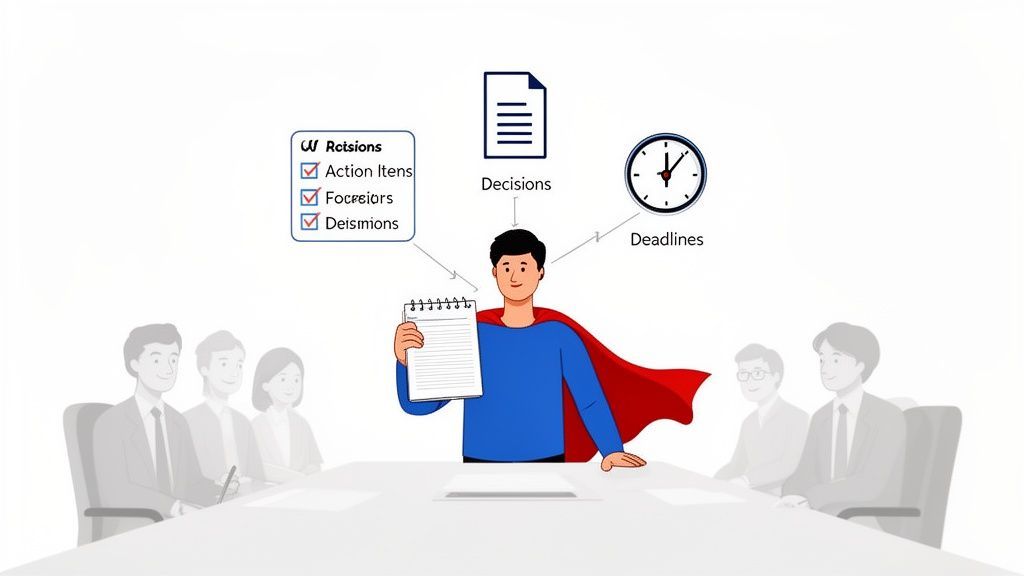
Genau deshalb sind moderne Tools so entscheidend. Sie helfen, den Lärm zu durchdringen, indem sie unübersichtliche Gespräche in klare Zusammenfassungen und eindeutige Aktionspunkte organisieren und rohen Dialog in etwas wirklich Nützliches verwandeln.
Die Kernfähigkeiten für präzise Meeting-Protokolle
Modernste KI
Angetrieben von OpenAIs Whisper für branchenführende Genauigkeit. Unterstützung für benutzerdefinierte Vokabulare, bis zu 10 Stunden lange Dateien und ultraschnelle Ergebnisse.

Aus mehreren Quellen importieren
Importiere Audio- und Videodateien aus verschiedenen Quellen, einschließlich direktem Upload, Google Drive, Dropbox, URLs, Zoom und mehr.

Sprechererkennung
Identifiziere automatisch verschiedene Sprecher in deinen Aufnahmen und beschrifte sie mit ihren Namen.
Von lästiger Aufgabe zur kritischen Fähigkeit
Wenn Sie beginnen, die Protokollführung als Kernkompetenz zu betrachten, werden Sie sofort zur Person, die den Fokus und die Rechenschaftspflicht für Ihr Team vorantreibt.
Großartige Protokolle sind unschätzbar wertvoll, weil sie Folgendes bieten:
- Eine einzige Wahrheitsquelle: Keine "Ich dachte, wir hätten uns geeinigt..."-Streitereien mehr. Die Protokolle klären jede Verwirrung darüber, was tatsächlich beschlossen wurde.
- Kristallklare Rechenschaftspflicht: Aktionspunkte werden explizit mit Verantwortlichen und Fälligkeitsdaten zugewiesen. Es gibt keinen Raum für jemanden, der sagt: "Ich wusste nicht, dass das für mich ist."
- Eine lebendige Wissensbasis: Gut dokumentierte Protokolle schaffen ein durchsuchbares Archiv der Entscheidungen und der Geschichte Ihres Teams. Es ist ein enormer Schub für Wissensaustausch in Organisationen.
Was liefern großartige Meeting-Protokolle wirklich?
Klarheit bei Entscheidungen
Klare Aufzeichnungen beseitigen Missverständnisse. Teams finden schneller zueinander, wenn Entscheidungen schriftlich festgehalten und nicht nur erinnert werden.
Verantwortlichkeit & Rechenschaftspflicht
Aktionspunkte haben Namen und Fristen. Nachfassaktionen rutschen nicht mehr durch.
Schnellere Ausführung
Weniger Zeit wird mit der Wiederholung alter Diskussionen verbracht. Mehr Zeit wird für die Weiterentwicklung der Arbeit verwendet.
Institutionelles Gedächtnis
Protokolle werden zu einem durchsuchbaren Entscheidungsarchiv. Neue Mitarbeiter finden sich schneller ein und der Kontext geht nie verloren.
Das Geheimnis liegt darin, zeitlose Notizfähigkeiten mit modernen KI-Tools zu verbinden. Wenn Sie das tun, werden Sie nicht nur in Ihrem Job besser – Sie werden zu einer der wertvollsten Personen im Raum.
Letztendlich ist die Beherrschung dieser Fähigkeit einer der schnellsten Wege, um die Teamproduktivität zu steigern und sicherzustellen, dass Ihre Besprechungen tatsächlich zu Ergebnissen führen.
So bereiten Sie sich auf den Erfolg vor, noch bevor die Besprechung beginnt
Großartige Besprechungsprotokolle entstehen nicht magisch, wenn der Anruf beginnt – sie sind das Ergebnis intelligenter Vorarbeit, die lange geleistet wurde, bevor jemand teilnimmt. Die besten Notiznehmer, die ich kenne, behandeln dies als eine proaktive Strategie, nicht als eine reaktive Pflicht.
Ohne Vorbereitung aufzutauchen ist, als würde man versuchen, ein Haus ohne Bauplan zu bauen. Sie werden die ganze Zeit damit verbringen, hinterherzuhinken, und Sie werden garantiert die wichtigen Dinge verpassen.
Die eigentliche Arbeit beginnt mit dem Verständnis des wahren Zwecks der Besprechung. Gehen Sie über einen kurzen Blick auf die Tagesordnung hinaus. Eine kurze Nachricht an den Organisator kann die Ziele aufdecken, die nicht explizit genannt werden. Handelt es sich um ein Brainstorming? Eine Sitzung mit wichtigen Entscheidungen? Oder nur ein schnelles Status-Update? Die Antwort zu kennen, verändert völlig, worauf Sie achten.
Erstellen Sie im Voraus eine intelligente Vorlage
Dieser einfache Schritt ist ein absoluter Game-Changer. Erstellen Sie vor jeder Besprechung ein strukturiertes Dokument, das dem erwarteten Gesprächsverlauf folgt. Anstatt auf einen blinkenden Cursor auf einer leeren Seite zu starren, haben Sie ein fertiges Gerüst, das sicherstellt, dass Sie die richtigen Informationen am richtigen Ort erfassen.
Ihre vorgefertigte Vorlage sollte immer diese Grundlagen enthalten:
- Besprechungs-Essentials: Erfassen Sie Titel, Datum, Uhrzeit und eine vorab ausgefüllte Teilnehmerliste.
- Tagesordnungspunkte: Kopieren Sie die offiziellen Tagesordnungspunkte als Hauptüberschriften. Lassen Sie darunter ausreichend Platz für Notizen.
- Getroffene Entscheidungen: Erstellen Sie einen eigenen Abschnitt, um jede endgültige Entscheidung klar zu dokumentieren. Keine Mehrdeutigkeit erlaubt.
- Aktionspunkte: Richten Sie eine einfache Tabelle mit Spalten für die Aufgabe, den Verantwortlichen und das Fälligkeitsdatum ein.
Eine fertige Vorlage gibt Ihnen die Freiheit, aktiv zuzuhören und das Gesagte zu synthetisieren, anstatt im Eifer des Gefechts verzweifelt zu versuchen, Ihre Gedanken zu ordnen. Sie wechseln von einem einfachen Schreiber zu einem strategischen Teil der Besprechung.
Bereiten Sie sich auf aktives Zuhören vor
Ein weiterer wichtiger Teil meiner Vorbereitung ist das, was ich „aktives Zuhören vorbereiten“ nenne. Es geht um den Kontext. Nehmen Sie sich ein paar Minuten Zeit, um alle vorab versendeten Materialien zu überprüfen – Präsentationen, Berichte oder die Protokolle der letzten Besprechung.
Wenn Sie den Hintergrund verstehen, ist Ihr Gehirn bereits darauf vorbereitet, die kritischsten Informationen herauszufiltern. Das macht Ihre Notizen unglaublich fokussiert und effizient.
Schließlich richten Sie Ihre Technik ein. Wenn Sie planen, die Sitzung für eine spätere Transkription aufzuzeichnen, machen Sie einen kurzen Testlauf. Stellen Sie sicher, dass Ihr Mikrofon funktioniert und Sie die richtigen Berechtigungen zum Aufzeichnen haben. Für virtuelle Besprechungen ist dies nicht verhandelbar. Eine detaillierte Anleitung finden Sie in unserem Leitfaden zur Aufnahme einer Besprechung in Teams.
Eine saubere Audiodatei ist die Grundlage für ein genaues Transkript von einem Dienst wie Transcript.LOL, der die ganze schwere Arbeit erledigt – wie Sprecherkennzeichnungen und Zusammenfassungen – und Ihnen danach Stunden Arbeit erspart.
Bewährte Techniken für die Echtzeit-Notizaufnahme
Sobald die Besprechung beginnt, verlagert sich Ihr Fokus von der Vorbereitung auf die Erfassung der Essenz des Gesprächs. Vergessen Sie den Versuch, ein Wort-für-Wort-Transkript zu erstellen. Ihre eigentliche Mission ist es, die Diskussion auf ihre wertvollsten Teile zu reduzieren: Entscheidungen, Aktionen und wichtige Erkenntnisse. Die besten Protokolle entstehen, indem man sich auf Ergebnisse konzentriert, nicht nur auf den Dialog.
Es gibt ein paar Möglichkeiten, dies anzugehen, aber zwei Methoden haben sich in verschiedenen Umgebungen für mich immer wieder bewährt. Es geht weniger darum, ein perfektes System zu finden, als vielmehr darum, das richtige Werkzeug für die jeweilige Aufgabe auszuwählen.
Die Quadrantenmethode für komplexe Diskussionen
Für intensive Strategieplanungs- oder Brainstorming-Besprechungen, bei denen die Ideen schnell fliegen, ist die Quadrantenmethode meine Geheimwaffe. Sie ist einfach: Ich teile meine Seite oder mein Dokument in vier verschiedene Abschnitte auf:
- Allgemeine Notizen: Hier notiere ich den Gesprächsverlauf, interessante Punkte und wichtigen Kontext. Es ist die Geschichte der Besprechung.
- Getroffene Entscheidungen: Diese Box ist für endgültige, bestätigte Entscheidungen reserviert. Nichts kommt hier hinein, bis Sie eine klare Zustimmung der Gruppe hören.
- Aktionspunkte: Dies ist mein Protokoll für spezifische, zugewiesene Aufgaben. Jeder Eintrag benötigt einen klaren Verantwortlichen und idealerweise ein Fälligkeitsdatum.
- Fragen/Parkplatz: Hier landen alle ungelösten Fragen oder wichtige, aber themenfremde Ideen. Das hält die Besprechung auf Kurs, ohne wertvolle Gedanken zu verlieren.
Diese Methode zwingt Sie, Informationen zu kategorisieren, während Sie sie hören, was unglaublich effizient ist. Am Ende haben Sie eine strukturierte Zusammenfassung dessen, was wichtig war, nicht nur eine Seite mit ausschweifenden Notizen.
Indem Sie Entscheidungen und Aktionen in Echtzeit von der allgemeinen Diskussion trennen, erstellen Sie automatisch eine High-Level-Zusammenfassung. Das macht das Verfassen des endgültigen Protokolls erheblich schneller, da die wichtigsten Informationen bereits organisiert sind.
Die Zusammenfassungsmethode für einfachere Besprechungen
Für geradlinigere Besprechungen wie routinemäßige Check-ins oder Status-Updates ist ein einfacherer Zusammenfassungsansatz Wunder. Bei dieser Technik strukturieren Sie Ihre Notizen direkt unter jedem Tagesordnungspunkt.
Zum Beispiel erstelle ich unter dem Tagesordnungspunkt „Q3 Marketingkampagnen-Überprüfung“ Stichpunkte, die die wichtigsten Updates zusammenfassen, alle genannten Hindernisse notieren und dann die Entscheidungen und Aktionspunkte auflisten, die speziell aus diesem Thema hervorgegangen sind. Es ist linear, sauber und später sehr leicht zu verfolgen. Sie können auch andere effektive Notizmethoden erkunden, die besser zu Ihrem persönlichen Stil passen könnten.
Diese Infografik zeigt einen einfachen Entscheidungsbaum, der sicherstellt, dass Sie bereit sind, noch bevor die Besprechung beginnt.
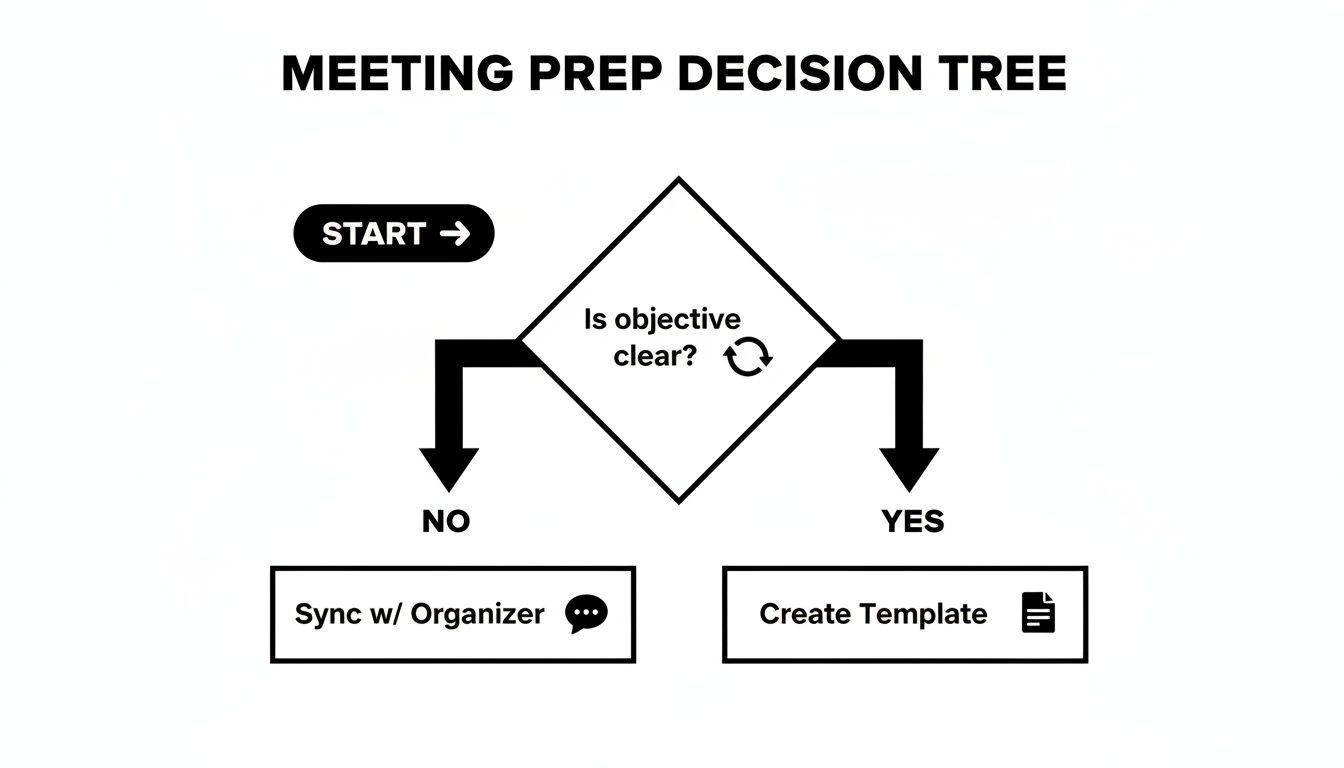
Im Grunde läuft es darauf hinaus: Das Klären des Besprechungsziels ist der erste entscheidende Schritt. Wenn Sie das beherrschen, werden Ihre Notizen weitaus fokussierter und effektiver sein.
Manuelle Notizmethoden im Vergleich
Die Wahl der richtigen Notizmethode hängt oft von der Komplexität der Besprechung und Ihrem persönlichen Stil ab. Hier ist ein schneller Vergleich einiger beliebter manueller Techniken, der Ihnen helfen soll, die beste Methode für verschiedene Situationen zu finden.
| Methode | Am besten geeignet für | Hauptvorteil | Möglicher Nachteil |
|---|---|---|---|
| Die Quadrantenmethode | Strategische, komplexe oder Brainstorming-Besprechungen | Erzwingt die Echtzeit-Organisation von Schlüsselergebnissen (Aktionen, Entscheidungen) | Kann in sehr schnelllebigen Diskussionen schwierig zu verfolgen sein |
| Die Zusammenfassungsmethode | Routine-Updates, Status-Checks, strukturierte Besprechungen | Einfach, linear und leicht zu verfolgen mit der Tagesordnung | Könnte Nuancen oder Verbindungen zwischen verschiedenen Tagesordnungspunkten übersehen |
| Cornell-Methode | Vorlesungen, Präsentationen, informationsintensive Besprechungen | Hervorragend für die Überprüfung und das Studium; fördert aktives Zuhören | Erfordert Aufwand nach der Besprechung, um Zusammenfassungen und Fragen zu schreiben |
| Mind Mapping | Kreative Sitzungen, Brainstorming, nicht-lineare Diskussionen | Verbindet Ideen visuell und zeigt effektiv Beziehungen auf | Kann unübersichtlich werden und ist schwer in formelle Protokolle zu übersetzen |
Letztendlich ist die beste Methode diejenige, die Ihnen hilft, das Wichtige zu erfassen, ohne sich in Details zu verlieren. Haben Sie keine Angst, verschiedene Ansätze auszuprobieren, um herauszufinden, was für Sie und Ihr Team am besten funktioniert.
Profi-Tipps für die Echtzeit-Notizaufnahme
Unabhängig davon, welche Methode Sie wählen, das Entwickeln Ihrer eigenen Kurzschrift ist eine enorme Zeitersparnis. Verwenden Sie Symbole und Abkürzungen, die für Sie Sinn ergeben. Zum Beispiel:
- (AI) für Action Item (Aktionspunkt)
- (D) für Decision (Entscheidung)
- (?) für eine Frage, die beantwortet werden muss
- [Initialen] um schnell zu notieren, wer was gesagt hat oder wer eine Aufgabe besitzt
Der Schlüssel ist, Ihre Rolle als Teilnehmer mit Ihren Pflichten als offizieller Notiznehmer in Einklang zu bringen. Und scheuen Sie sich nicht, höflich zu unterbrechen, um etwas zu bestätigen. Ein einfaches „Nur zur Bestätigung, die Aktion ist, dass Sarah den Bericht bis Freitag fertigstellt?“ stellt die Genauigkeit vor Ort sicher und zeigt allen, dass Sie die Dinge im Griff haben.
Rohe Notizen in polierte, umsetzbare Protokolle verwandeln
Die Besprechung ist vorbei, aber hier beginnt die eigentliche Arbeit. Ihr Prozess nach der Besprechung verwandelt verstreute Echtzeit-Notizen in eine klare, wertvolle Aufzeichnung, die tatsächlich zu Handlungen führt. Das Ziel ist nicht nur, ein Dokument aufzuräumen; es ist, die einzige Quelle der Wahrheit zu schaffen, auf die sich jeder im Team verlassen kann.
Verzögerte Protokolle töten die Dynamik
Warten über Tage reduziert Genauigkeit und Vertrauen. Aktionspunkte verlieren schnell an Dringlichkeit. Senden Sie Protokolle immer innerhalb von 24 Stunden.
Mein Rat? Beginnen Sie diesen Prozess so bald wie möglich – idealerweise innerhalb weniger Stunden nach Ende des Meetings. Wenn Sie zu lange warten, verblassen wichtige Zusammenhänge aus dem Gedächtnis und Sie werden Schwierigkeiten haben, die Lücken genau zu füllen. Ich habe festgestellt, dass das Blockieren von 30 Minuten in meinem Kalender direkt nach einem wichtigen Meeting der einzige Weg ist, um sicherzustellen, dass dieser kritische Schritt nicht in den Hintergrund gedrängt wird.
Lassen Sie KI Ihren ersten Entwurf schreiben
Seien wir ehrlich: Das manuelle Transkribieren einer Meeting-Aufnahme ist eine zermürbende Aufgabe, die Stunden Ihres Tages in Anspruch nehmen kann. Hier kommen KI-gestützte Tools wie Transcript.LOL ins Spiel, die eine stundenlange Plackerei in etwas verwandeln, das nur wenige Minuten dauert.
Der Prozess ist erfrischend einfach. Laden Sie einfach Ihre Audio- oder Videodatei hoch, und die KI übernimmt. Innerhalb von Augenblicken erhalten Sie eine überraschend genaue Transkription zurück, komplett mit Zeitstempeln und Sprecherkennzeichnungen. Das ist nicht nur eine Textwand; es ist ein strukturiertes Dokument, das Sie sofort nutzen können, um Ihre eigenen Notizen zu bereichern.
Funktionen, die Protokolle in Erkenntnisse verwandeln

Bearbeitungswerkzeuge
Bearbeite Transkripte mit leistungsstarken Werkzeugen wie Suchen und Ersetzen, Sprecherzuordnung, Rich-Text-Formate und Hervorhebungen.

In mehreren Formaten exportieren
Exportiere deine Transkripte in mehreren Formaten, einschließlich TXT, DOCX, PDF, SRT und VTT mit anpassbaren Formatierungsoptionen.
Zusammenfassungen und Chatbot
Erstelle Zusammenfassungen und andere Erkenntnisse aus deinem Transkript, wiederverwendbare benutzerdefinierte Prompts und Chatbot für deine Inhalte.
Wenn Ihre Notizen beispielsweise einen kurzen Eintrag enthalten: "Marketingbudget genehmigt". Sie können das Transkript sofort nach dieser Diskussion durchsuchen, die genaue Formulierung der Entscheidung kopieren und bestätigen, wer die endgültige Genehmigung erteilt hat. Dieses Maß an Präzision ist mit dem reinen Gedächtnis kaum zu erreichen und verleiht Ihren Protokollen echte Autorität.
Da Meetings kürzer werden – viele dauern jetzt nur noch 30 Minuten – ist diese schnelle Bearbeitungszeit unerlässlich, um Projekte voranzutreiben. Weitere Einblicke in diesen Trend finden Sie im Kollaborationsbericht 2025 von Flowtrace.
KI gestaltet die Art und Weise, wie Teams Entscheidungen festhalten, neu
Kürzere Meetings erfordern schnellere Dokumentation. KI ermöglicht Zusammenfassungen und Aktions-Extraktionen am selben Tag. Manuelle Protokolle können nicht mehr mithalten.
Ihre anfänglichen Notizen erfassen das Was. Eine KI-Transkription liefert das Wer und das Wie. Die Kombination beider ergibt die vollständige, überprüfbare Geschichte des Meetings und verwandelt gute Notizen in einen kugelsicheren Nachweis von Entscheidungen und Verpflichtungen.
Vom Transkript zu umsetzbaren Protokollen
Mit Ihren Rohnotizen auf dem einen Bildschirm und dem KI-generierten Transkript auf dem anderen sind Sie bereit, das endgültige Dokument zu erstellen. Das Transkript ist Ihr Sicherheitsnetz, das es Ihnen ermöglicht, Zitate zu überprüfen, Punkte zu klären, die unklar waren, und sicherzustellen, dass jeder einzelne Aktionspunkt korrekt erfasst wird.
Hier ist der praktische Arbeitsablauf, dem ich folge:
- Überprüfen und Korrigieren: Ich lese das KI-Transkript kurz durch und korrigiere Fachbegriffe oder Namen, die die KI möglicherweise übersehen hat. Das sind normalerweise nur Kleinigkeiten.
- Strukturieren und Formatieren: Als Nächstes organisiere ich den Inhalt anhand der Tagesordnung. Klare Überschriften, Aufzählungspunkte und Fettdruck sind Ihre besten Freunde, um das Dokument leicht lesbar zu machen.
- Wichtige Ergebnisse isolieren: Ich extrahiere die wichtigsten Punkte – Entscheidungen, Aktionspunkte und Kernbotschaften – und platziere sie in eigenen, dedizierten Abschnitten ganz oben, um maximale Sichtbarkeit zu gewährleisten.
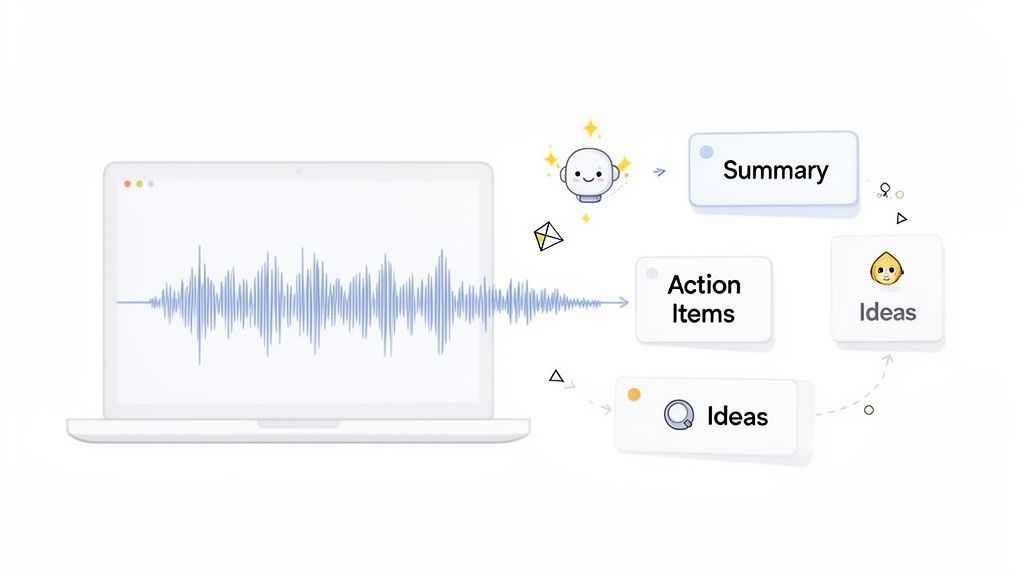
Dieser Screenshot zeigt, wie ein Tool wie Transcript.LOL automatisch Zusammenfassungen und Kernpunkte extrahieren kann, was eine enorme Zeitersparnis bedeutet.
Diese automatisierte Analyse erspart Ihnen das erneute Lesen der gesamten Diskussion, nur um die wichtigsten Ergebnisse zu finden.
Der letzte Schliff und die Checkliste zur Überprüfung
Bevor Sie auf "Senden" klicken, ist eine letzte Überprüfung unerlässlich. Dies ist das, was schlampige Notizen von einem professionellen und wirklich nützlichen Dokument unterscheidet.
Gehen Sie diese kurze Checkliste durch:
- Klarheit: Ist die Sprache einfach und eindeutig?
- Objektivität: Haben Sie alle persönlichen Meinungen oder subjektiven Kommentare entfernt?
- Vollständigkeit: Ist jede Entscheidung dokumentiert? Ist jeder Aktionspunkt einer bestimmten Person mit einem Fälligkeitsdatum zugewiesen?
- Genauigkeit: Stellt das Dokument treu dar, was tatsächlich passiert ist?
Sobald Sie mit dem Entwurf zufrieden sind, ist er zur Verteilung bereit. Dieses polierte Protokoll stellt sicher, dass alle auf dem gleichen Stand sind, Rechenschaft ablegen und für das Nächste bereit sind.
KI nutzen, um Einblicke auf nächstem Level aus Meetings zu gewinnen
KI-Transkription ist mehr als nur eine schnellere Art zu tippen – es geht darum, Rohgespräche in strategische Vermögenswerte zu verwandeln. Sobald Sie dieses saubere Transkript haben, beginnt die eigentliche Magie. Hier nutzen Sie KI, um Einblicke zu gewinnen, die sonst im Durcheinander verloren gehen würden, und wechseln vom reinen Besprechungsprotokoll zum aktiven Aufbau einer Wissensbasis.
Denken Sie darüber nach. Sie können sofort eine schnelle, prägnante Zusammenfassung für Stakeholder generieren, die den Anruf verpasst haben, und ihnen die wichtigsten Erkenntnisse in Sekundenschnelle liefern. Noch besser: Die automatische Erkennung von Aktionspunkten kann das gesamte Gespräch scannen und jede einzelne Aufgabe, deren Verantwortlichen und deren Fälligkeitsdatum extrahieren. Nichts geht verloren. So verwandeln Sie eine einfache Diskussion in einen konkreten Aktionsplan.
Über Standard-Meeting-Protokolle hinausgehen
Hier können Sie wirklich kreativ werden. Die wahre Stärke eines Meeting-Archivs liegt nicht nur in der Aufbewahrung von Aufzeichnungen, sondern in der Wiederverwendung dieses Inhalts für andere Ziele.
- Content-Erstellung: Diese lebhafte Brainstorming-Sitzung? Ihr Transkript kann zu einem Blogpost-Entwurf, einem Dutzend Social-Media-Posts oder einem Update für den internen Newsletter werden.
- Produktfeedback: Transkripte von Kundenanrufen oder Benutzerinterviews werden plötzlich zu einer durchsuchbaren Goldgrube. Produktteams können Schmerzpunkte und Funktionswünsche direkt aus dem Mund des Kunden identifizieren.
- Sales Intelligence: Ein Transkript eines Verkaufsgesprächs kann auf Kundeneinwände, Kaufsignale und häufig gestellte Fragen analysiert werden. Dies ist ein unschätzbares Schulungsmaterial für das gesamte Team.
Wenn Sie sich für die wirklich zukunftsorientierten Anwendungen interessieren, bietet der Gartner Innovation Guide für Generative AI im Vertrieb einen faszinierenden Einblick, wohin die Reise geht.
Meeting-Überlastung in einen Vorteil verwandeln
Seien wir ehrlich, Meeting-Überlastung ist ein echter Produktivitätskiller. Ineffektive Meetings kosten US-Unternehmen jedes Jahr erstaunliche 37 Milliarden US-Dollar. Da Remote-Teams 50 % mehr Meetings als zuvor besuchen, kann die schiere Menge überwältigend sein.
KI-Tools drehen dieses Problem um und verwandeln dieses hohe Volumen von einer Belastung in einen strategischen Vorteil. Durch die automatische Generierung von Zusammenfassungen, die Extraktion von Aktionspunkten und die Organisation von allem in durchsuchbaren Ordnern erstellen Sie ein leistungsstarkes, lebendiges Archiv des kollektiven Gehirns Ihrer Organisation.
Hier zahlt sich ein KI-Meeting-Assistent wirklich aus. Er dokumentiert nicht nur, was passiert ist. Er hilft Ihnen, Themen zu verstehen, die Stimmung zu verfolgen und Trends in all Ihren Gesprächen zu erkennen. Jedes Meeting wird zu einem Datenpunkt, der in intelligentere, fundiertere Geschäftsentscheidungen einfließt und sicherstellt, dass keine großartige Idee jemals vergessen wird.
Häufig gestellte Fragen zum Protokollieren von Meetings
Selbst nachdem Sie alle Vorarbeiten geleistet haben, tauchen immer wieder einige Fragen auf, wenn es an die eigentliche Erstellung des Protokolls geht. Das Beherrschen dieser Details verwandelt eine einfache Meeting-Aufzeichnung in ein wirklich nützliches Dokument. Hier sind einige klare Antworten auf die häufigsten Stolpersteine.
Wie viel Detail ist zu viel für Meeting-Protokolle?
Das ist das klassische Dilemma des Protokollanten. Der Trick ist, sich auf Ergebnisse zu konzentrieren, nicht auf das gesamte Gespräch. Ihre Aufgabe ist es, eine klare Aufzeichnung dessen zu erstellen, was beschlossen wurde und was als Nächstes passiert – nicht jedes einzelne gesprochene Wort festzuhalten.
Für die meisten internen Meetings reichen die wesentlichen Punkte:
- Wichtige getroffene Entscheidungen: Worauf hat sich das Team geeinigt?
- Zugewiesene Aktionspunkte: Wer ist wofür verantwortlich und was ist die Frist?
- Besprochene Hauptblocker: Welche kritischen Hürden hat das Team identifiziert?
Die große Ausnahme sind formelle Vorstandssitzungen, die oft gesetzliche Anforderungen für die Dokumentation von Anträgen, Bestätigungen und Abstimmungsergebnissen haben. Für so ziemlich alles andere sind Klarheit und Kürze Ihre besten Freunde. Hier glänzt die KI-Transkription wirklich – sie liefert Ihnen eine saubere, umsetzbare Zusammenfassung zum Versenden, aber Sie haben immer noch das vollständige, durchsuchbare Transkript in der Hinterhand, falls jemand die Details später nachschlagen muss.
Was ist das beste Format für Meeting-Protokolle?
Ehrlich gesagt, Konsistenz schlägt jedes einzelne "perfekte" Format. Eine einfache, vorhersehbare Struktur macht Ihre Protokolle leicht lesbar und verdaulich, was genau das ist, was Sie wollen. Beginnen Sie immer mit den Grundlagen: Meeting-Titel, Datum und eine Liste der Teilnehmer.
Von dort aus organisieren Sie die Notizen nach Tagesordnungspunkten. Das ist eine intuitive Art für die Leute, zu finden, was für sie relevant ist. Unter jedem Punkt verwende ich gerne klare Unterüberschriften wie "Kernbotschaften", "Entscheidungen" und "Aktionspunkte". Diese Struktur bedeutet, dass ein vielbeschäftigter Kollege in nur wenigen Sekunden das Nötigste erfassen kann.
Wann sollte ich die Meeting-Protokolle versenden?
Senden Sie sie innerhalb von 24 Stunden. Keine Ausnahmen. Das Versenden von Protokollen, solange das Gespräch noch frisch ist, ist entscheidend, um den Schwung aufrechtzuerhalten. Es gibt jedem die Möglichkeit, die Details zu überprüfen und sofortige Missverständnisse zu melden.
Wenn Sie zu lange warten, werden Aktionspunkte vergessen und wichtige Details verschwimmen. Mit KI einen ersten Entwurf zu erstellen, lässt das Erreichen des 24-Stunden-Fensters mühelos erscheinen, selbst an Ihren geschäftigsten Tagen. Es verwandelt einen potenziellen Engpass in einen reibungslosen Teil Ihres Arbeitsablaufs.
Wenn Sie länger als ein oder zwei Tage mit dem Versenden von Protokollen warten, erhöht sich die Wahrscheinlichkeit, dass wichtige Aktionspunkte verzögert oder vollständig vergessen werden, drastisch. Eine schnelle Bearbeitung stärkt die Rechenschaftspflicht und hält die Dinge in Bewegung.
Brauche ich eine Erlaubnis, um ein Meeting aufzuzeichnen?
Ja, das brauchen Sie absolut. Das ist ein wichtiger Punkt. Die Gesetze zur Aufzeichnungsgenehmigung variieren stark je nachdem, wo Sie und Ihre Teilnehmer sich befinden. Einige Orte haben eine "Zwei-Parteien-Zustimmung", was bedeutet, dass jede einzelne Person im Anruf der Aufzeichnung zustimmen muss.
Um auf der sicheren Seite des Gesetzes zu bleiben und Vertrauen zu wahren, machen Sie es sich zur Gewohnheit, dies zu Beginn des Meetings anzukündigen.
Ein einfaches "Hallo zusammen, nur zur Info, ich werde diese Sitzung für meine Notizen aufzeichnen. Gibt es Einwände?" ist alles, was nötig ist. Es ist ein transparenter Ansatz, der die Privatsphäre aller respektiert und Ihnen hilft, unangenehme rechtliche oder persönliche Probleme in der Zukunft zu vermeiden.
Bereit, Ihren Meeting-Workflow zu transformieren? Transcript.LOL nutzt KI, um in Sekundenschnelle automatisch genaue Transkripte, Zusammenfassungen und Aktionspunkte zu generieren und Ihnen Stunden Ihrer Woche zurückzugeben. Hören Sie auf zu tippen und fangen Sie an, Ergebnisse zu erzielen. Probieren Sie es noch heute kostenlos unter https://transcript.lol aus.