
12 beste Audio-Transkriptionssoftware-Auswahlen für 2025
Entdecken Sie die 12 besten Audio-Transkriptionssoftware-Tools. Detaillierte Vergleiche von Genauigkeit, Preisen und Funktionen, um Ihre perfekte Übereinstimmung zu finden.
Kate, Praveen
January 29, 2025
Ob Sie Podcaster, Journalist, Forscher oder Vermarkter sind, Sie haben es wahrscheinlich mit einem wachsenden Berg von Audio- und Videoinhalten zu tun. Der Prozess der manuellen Transkription von Interviews, Besprechungen und Vorlesungen ist notorisch langsam, kostspielig und anfällig für menschliche Fehler. KI-gestützte Tools haben diese Engpässe gelöst, aber jetzt ist eine neue Herausforderung entstanden: ein gesättigter Markt, der mit Dutzenden von Optionen gefüllt ist, von denen jede behauptet, die beste zu sein.
Warum moderne Transkriptionswerkzeuge hervorstechen?
Modernste KI
Angetrieben von OpenAIs Whisper für branchenführende Genauigkeit. Unterstützung für benutzerdefinierte Vokabulare, bis zu 10 Stunden lange Dateien und ultraschnelle Ergebnisse.

Aus mehreren Quellen importieren
Importiere Audio- und Videodateien aus verschiedenen Quellen, einschließlich direktem Upload, Google Drive, Dropbox, URLs, Zoom und mehr.

In mehreren Formaten exportieren
Exportiere deine Transkripte in mehreren Formaten, einschließlich TXT, DOCX, PDF, SRT und VTT mit anpassbaren Formatierungsoptionen.
Die Wahl der richtigen Plattform ist entscheidend, da die beste Audio-Transkriptionssoftware für einen Solo-Ersteller stark von dem abweicht, was ein juristisches Team eines Unternehmens benötigt. Ihre ideale Lösung hängt vollständig von Ihren spezifischen Anforderungen ab. Priorisieren Sie nahezu perfekte Genauigkeit für sensible juristische Dateien, oder benötigen Sie eine blitzschnelle Bearbeitungszeit für Social-Media-Inhalte? Ist Datenschutz Ihr Hauptanliegen, oder sind nahtlose Integrationen mit Tools wie Slack und Zoom wichtiger? Budget, Sprecheridentifikation und Exportformate spielen alle eine bedeutende Rolle.
Dieser Leitfaden durchschneidet den Marketing-Hype, um einen klaren, praktischen Vergleich der Top-Anwärter zu bieten. Wir gehen über generische Funktionslisten hinaus, um Ihnen eine detaillierte Analyse dessen zu geben, was funktioniert, was nicht funktioniert und für wen jedes Tool wirklich gedacht ist. Wir werden Schlüsselfaktoren wie Genauigkeit, Preisgestaltung, Sicherheitsprotokolle und einzigartige Funktionen untersuchen, um Ihnen bei einer fundierten Entscheidung zu helfen.
Die Wahl des richtigen Werkzeugs ist wichtig
Nicht alle Transkriptionswerkzeuge sind gleich aufgebaut. Einige priorisieren Genauigkeit, andere konzentrieren sich auf Integrationen oder Datenschutz. Das Verständnis der Kernfunktionen, die Sie benötigen, bevor Sie Plattformen vergleichen, stellt sicher, dass Sie eine Software auswählen, die zu Ihrem Workflow, Ihrem Budget und Ihren langfristigen Zielen passt.
Für diejenigen, die mit mehrsprachigen Inhalten arbeiten, ist das Verständnis der Nuancen der Umwandlung einer Sprache in eine andere ebenfalls von entscheidender Bedeutung; wir haben einen praktischen Leitfaden zur Übersetzung von Audio ins Englische erstellt, der die hier besprochenen Tools ergänzt.
Unser Ziel ist einfach: Ihnen zu helfen, die perfekte Transkriptionssoftware für Ihren spezifischen Workflow zu finden. Jede geprüfte Option enthält Screenshots und direkte Links, damit Sie sie selbst bewerten können. Tauchen wir ein und finden Sie das Tool, das Ihnen Zeit spart und Ihr Audio in umsetzbaren Text umwandelt.
Was zeichnet ein Transkriptionswerkzeug aus?
Genauigkeit & Zuverlässigkeit
Hochwertige Engines sorgen für weniger Korrekturen und reibungslosere Workflows. Zuverlässige Plattformen liefern konsistente Ergebnisse, auch bei komplexem Audio.
Datenschutz & Sicherheit
Tools mit strengen Datenschutzrichtlinien sind unerlässlich für juristische, medizinische oder geschäftliche Aufzeichnungen. Benutzerdaten dürfen niemals zum Trainieren externer Modelle verwendet werden.
Integrationen & Workflow-Passform
Die beste Software lässt sich nahtlos in Ihre bestehenden Tools integrieren – Zoom, Drive, Slack oder Automatisierungs-Workflows – und spart Zeit und steigert die Produktivität.
Funktionen nach der Transkription
Über die grundlegende Textausgabe hinaus bieten fortgeschrittene Tools Zusammenfassungen, Kapitel, Aktionspunkte und Wiederverwendungsoptionen, um den Wert aus jeder Aufnahme zu maximieren.
1. Transcript.LOL
Am besten geeignet für: Content-Ersteller und Teams, die Geschwindigkeit, Genauigkeit und umsetzbare KI-Ergebnisse benötigen
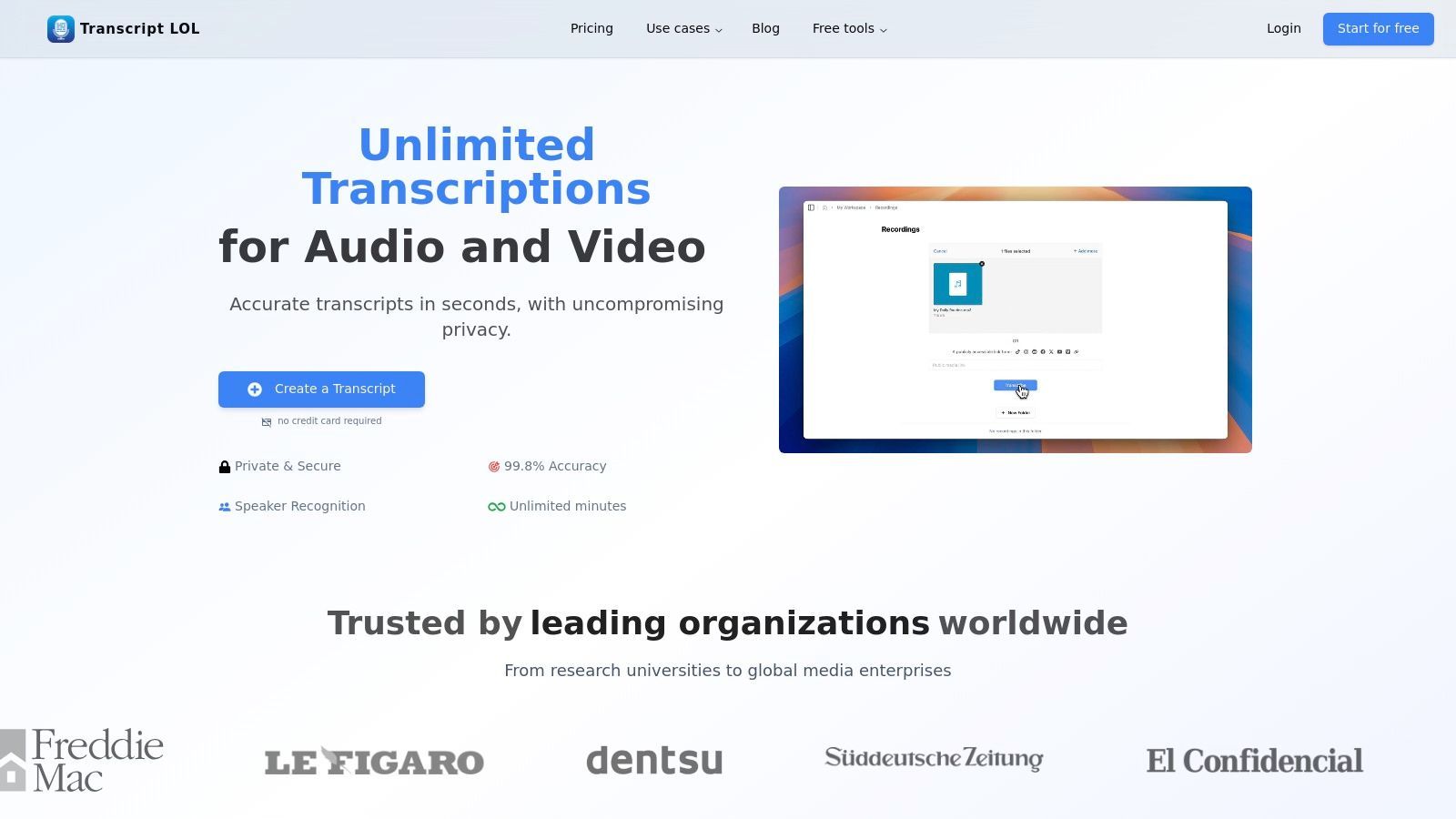
Transcript.LOL positioniert sich als Kraftpaket im Bereich der KI-Transkription und sichert sich seinen Spitzenplatz durch die Kombination von außergewöhnlicher Genauigkeit mit einer Reihe intelligenter Tools nach der Transkription. Es ist eine hervorragende Wahl für Profis, die mehr als nur eine Textwand benötigen. Die Plattform nutzt eine fein abgestimmte Version von OpenAI's Whisper, die es ihr ermöglicht, Transkripte mit einer zitierten Genauigkeitsrate von ~99,8 % zu liefern, selbst bei komplexen Audioaufnahmen mit mehreren Akzenten oder Nischenterminologie.
Für diejenigen, die nach der besten Audio-Transkriptionssoftware suchen, liegt die Kernstärke dieser Plattform in ihrer Fähigkeit, eine Rohaufnahme in ein Mehrzweck-Asset zu verwandeln. Es geht nicht nur darum, Sprache in Text umzuwandeln; es geht darum, diesen Text sofort nutzbar zu machen. Dieser Fokus auf Workflow-Effizienz hebt es von einfacheren Diensten ab.
Hauptmerkmale & Analyse
- KI-gestützte Inhaltserstellung: Über die Transkription hinaus generiert Transcript.LOL Zusammenfassungen, Kapitel, Mindmaps, Quizfragen und sogar fertige Social-Media-Inhalte. Dies ist ein Game-Changer für Podcaster und Vermarkter, die die Wiederverwendung von Inhalten aus einer einzigen Audiodatei maximieren möchten.
- Datenschutzorientierte Architektur: In einer Zeit, in der Datenbedenken bestehen, verpflichtet sich Transcript.LOL zu einer strikten No-Training-Richtlinie. Benutzer-Audio- und Transkriptionsdaten werden niemals zum Trainieren von KI-Modellen verwendet, eine entscheidende Zusicherung für Benutzer in den Bereichen Recht, Gesundheitswesen oder Unternehmensforschung.
- Breite Integrations- und Importoptionen: Die Plattform unterstützt eine riesige Auswahl an Eingaben, darunter lokale Dateien, Google Drive, Zoom, YouTube-Links und direkte Integrationen mit WhatsApp und Telegram. Eine verfügbare API und eine Zapier-Verbindung ermöglichen die nahtlose Integration in etablierte automatisierte Workflows.
- Teamkollaboration: Gemeinsame Arbeitsbereiche, Ordnerorganisation und globale Suchfunktionen machen es zu einem starken Kandidaten für Teams. Es optimiert den Prozess der Verwaltung, Überprüfung und Zusammenarbeit an transkribierten Inhalten in einem Unternehmen.

Sprechererkennung
Identifiziere automatisch verschiedene Sprecher in deinen Aufnahmen und beschrifte sie mit ihren Namen.

Bearbeitungswerkzeuge
Bearbeite Transkripte mit leistungsstarken Werkzeugen wie Suchen und Ersetzen, Sprecherzuordnung, Rich-Text-Formate und Hervorhebungen.
Zusammenfassungen und Chatbot
Erstelle Zusammenfassungen und andere Erkenntnisse aus deinem Transkript, wiederverwendbare benutzerdefinierte Prompts und Chatbot für deine Inhalte.
Praktische Überlegungen
Die kostenlose Stufe ist für Tests funktional (2 Transkripte/Tag, 20-Minuten-Limit), aber ernsthafte Nutzer benötigen einen kostenpflichtigen Plan. Der Unlimited-Plan (jährlich für 120 US-Dollar abgerechnet) bietet einen außergewöhnlichen Wert für Einzelpersonen, während der Team-Plan (jährlich für 240 US-Dollar für 2 Benutzer abgerechnet) die notwendigen Kollaborationstools bietet. Während die automatische Sprechererkennung sehr effektiv ist, erfordert Audio mit erheblichem Kreuzgespräch möglicherweise geringfügige manuelle Anpassungen für eine perfekte Kennzeichnung.
| Merkmal | Details |
|---|---|
| Genauigkeit | ~99,8% (Angetrieben von OpenAI Whisper mit Unterstützung für benutzerdefinierte Vokabulare) |
| Max. Upload | Bis zu 10 Stunden pro Datei |
| Exportformate | TXT, DOCX, PDF, SRT, VTT |
| Wichtige Integrationen | Google Drive, Dropbox, Zoom, Zapier, API, Chrome, WhatsApp, Telegram |
| Spezielle Ausgaben | Zusammenfassungen, Kapitel, Mindmaps, Quizze, Aktionspunkte, Social-Media-Posts |
| Datenschutzrichtlinie | Strikte No-Training-Richtlinie für Benutzerdaten |
Website: https://transcript.lol
2. Otter.ai
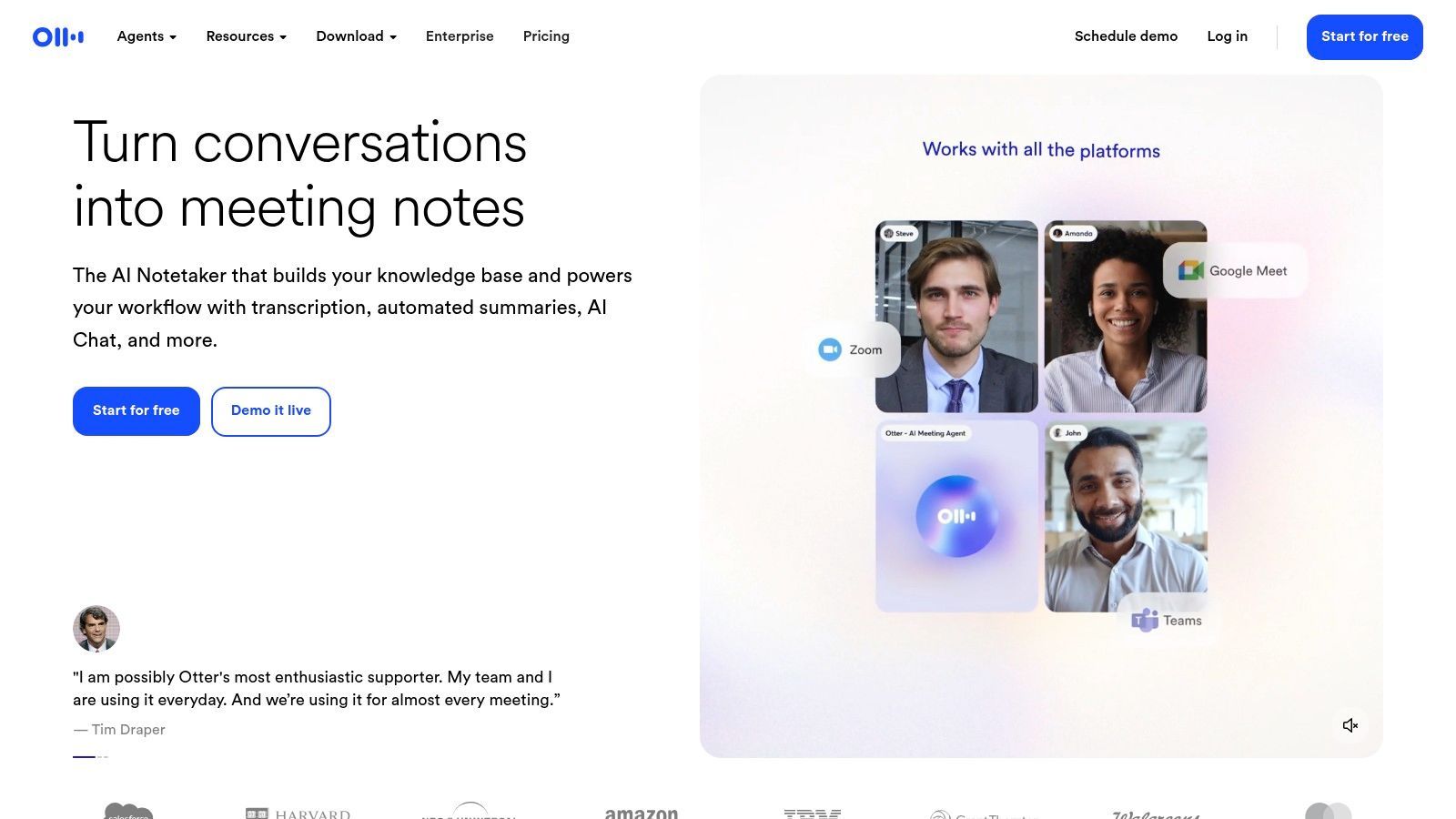
Otter.ai hat sich fest als eine der besten Optionen für Audio-Transkriptionssoftware etabliert, insbesondere für diejenigen, die viel in Besprechungen verbringen. Seine Kernstärke liegt in der Echtzeit-Transkription und kollaborativen Funktionen, was es zu einem unverzichtbaren Werkzeug für Teams macht, die Plattformen wie Zoom, Google Meet und Microsoft Teams nutzen. Die OtterPilot™-Funktion nimmt automatisch an Ihren Kalenderbesprechungen teil, zeichnet Audio auf, macht Notizen und erfasst sogar Folien, um Ihnen eine umfassende Zusammenfassung direkt in Ihren Posteingang zu liefern.
Über Live-Besprechungen hinaus können Sie vorab aufgenommene Audio- oder Videodateien zur Transkription hochladen. Die Plattform zeichnet sich durch die Sprechererkennung aus und kennzeichnet automatisch verschiedene Stimmen, um ein sauberes, lesbares Transkript zu erstellen. Benutzer können dann Schlüsselpunkte hervorheben, Kommentare hinzufügen und Aktionspunkte direkt im Transkript zuweisen, wodurch eine einfache Textdatei in einen kollaborativen Arbeitsbereich verwandelt wird. Für diejenigen, die verschiedene Werkzeuge erkunden, können die Nuancen zwischen Otter.ai und anderen kostenlosen Online-Spracherkennungstools seine vorteilhaften Aspekte für Besprechungen hervorheben.
Preise und Hauptfunktionen
Otter.ai bietet ein gestaffeltes Preismodell, das einen kostenlosen Plan beinhaltet. Der Basic-Plan ist kostenlos, aber eingeschränkt und bietet 300 monatliche Transkriptionsminuten mit einer Begrenzung von 30 Minuten pro Konversation. Bezahlte Pläne wie Pro und Business erhöhen diese Limits erheblich und schalten erweiterte Funktionen wie Verarbeitung mit höherer Priorität und verbesserte Team-Kollaborationstools frei.
- Am besten geeignet für: Teams, Studenten und Berufstätige, die Echtzeit-Besprechungstranskription und automatische Notizen benötigen.
- Einzigartige Funktion: Der OtterPilot™ für automatische Teilnahme an Besprechungen und Zusammenfassungen ist ein herausragendes Merkmal, das Arbeitsabläufe optimiert.
- Vorteile: Hervorragende Echtzeit-Transkription, starke Integration mit Videokonferenz-Tools und robuste Kollaborationsfunktionen.
- Nachteile: Die kostenlose Stufe ist ziemlich restriktiv, und das Hochladen großer Dateien kann bei Plänen niedrigerer Stufen manchmal Einschränkungen unterliegen.
Website: https://otter.ai
3. Descript
Descript hat den Bereich der Inhaltserstellung revolutioniert, indem es Audio-Transkription mit einem leistungsstarken, textbasierten Audio- und Videoeditor kombiniert. Anstatt Wellenformen zu manipulieren, können Benutzer ihre Medien bearbeiten, indem sie einfach den transkribierten Text bearbeiten. Das Löschen eines Wortes oder Satzes im Transkript schneidet automatisch das entsprechende Audio oder Video, was den Bearbeitungsprozess unglaublich intuitiv und schnell macht. Dieser einzigartige Ansatz positioniert Descript als mehr als nur Transkriptionssoftware; es ist eine komplette Produktionssuite für Kreative.
Die Plattform ist vollgepackt mit KI-gestützten Funktionen zur Optimierung von Inhalten, wie z. B. "Studio Sound" zur Rauschunterdrückung und einem automatischen Entferner für Füllwörter ("äh", "ähm"). Obwohl Descript hauptsächlich für seine Transkription bekannt ist, ist es auch eine robuste KI-Videobearbeitungssoftware, die Ihren kreativen Workflow erheblich verbessern kann. Für diejenigen, die auf präzises Timing angewiesen sind, ist das Verständnis, wie Descript Transkription mit Zeitstempeln handhabt, entscheidend für die Synchronisierung von Bearbeitungen mit den Originalmedien. Es beinhaltet auch Bildschirmaufnahmen und Remote-Aufnahmen über die integrierte SquadCast-Funktion, was es zu einem umfassenden Werkzeug für Podcaster und Videoproduzenten macht.
Preise und Hauptfunktionen
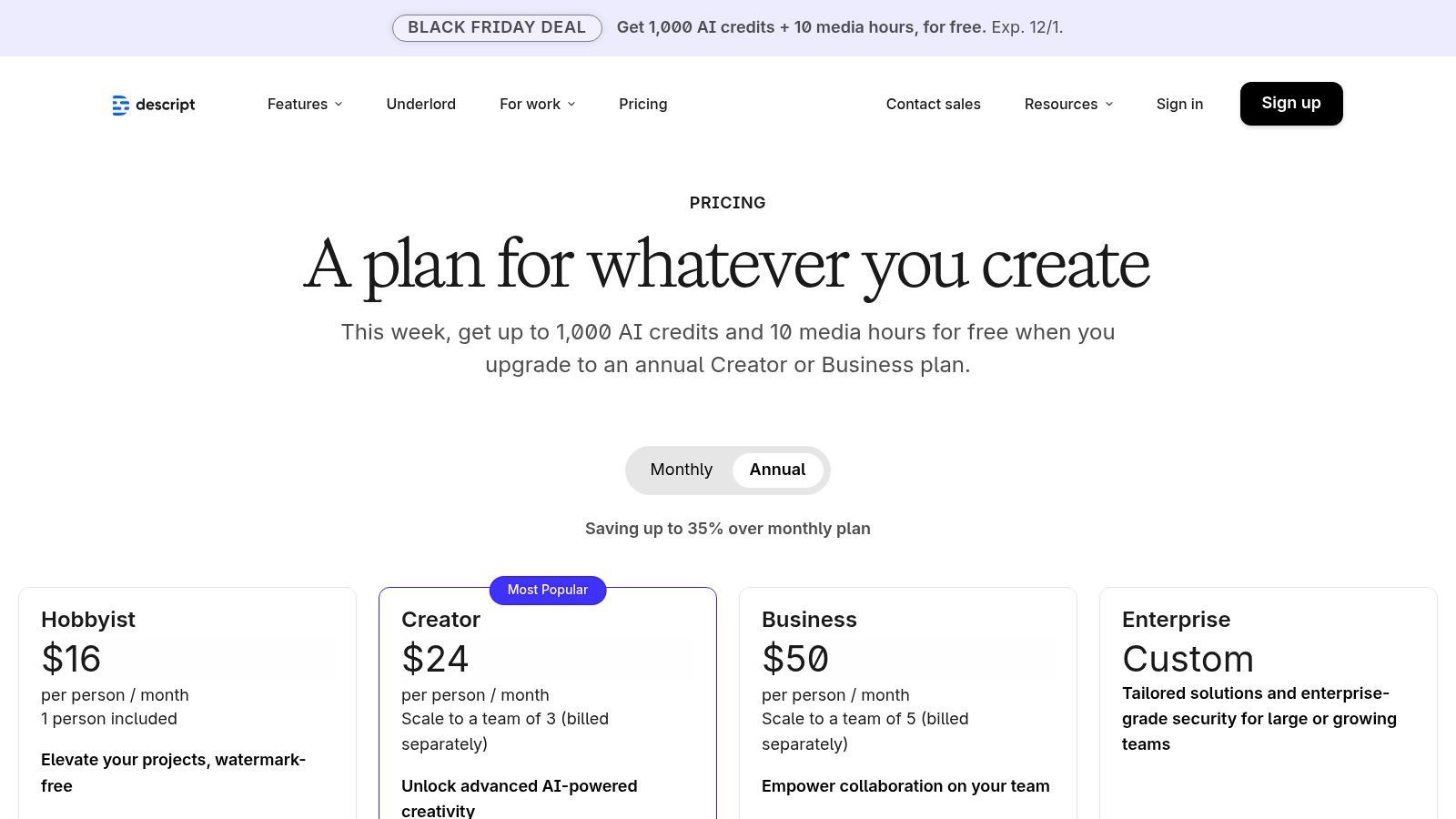
Die Preisgestaltung von Descript beinhaltet eine kostenlose Stufe mit 1 Stunde Transkription pro Monat. Der Creator-Plan bietet mehr Stunden und entfernt Wasserzeichen, während der Pro-Plan unbegrenzte Transkription und erweiterte KI-Funktionen freischaltet. Der Business-Plan ist auf Teams zugeschnitten und bietet zusätzliche Funktionen wie SSO und dedizierten Support.
- Am besten geeignet für: Podcaster, Videoproduzenten und alle, die Audio- oder Videoinhalte bearbeiten müssen, während sie diese transkribieren.
- Einzigartige Funktion: Die textbasierte Bearbeitung im "Dokumentenstil" ist sein Markenzeichen und ermöglicht es Benutzern, Medien durch Bearbeitung des Transkriptionstextes zu bearbeiten.
- Vorteile: Hervorragend geeignet für Kreative, die integrierte Bearbeitungs- und Veröffentlichungsfunktionen benötigen, gut skalierbar von Einzelpersonen bis zu Unternehmensteams und bietet robuste Lernressourcen.
- Nachteile: Jüngste Preis- und Planänderungen können verwirrend sein, und die Desktop-Anwendung ist ressourcenintensiver als einfache webbasierte Transkriptionsdienste.
Website: https://www.descript.com/pricing
4. Rev
Rev besetzt eine einzigartige Nische auf dem Markt für Audio-Transkriptionssoftware, indem es ein Hybridmodell anbietet, das leistungsstarke KI mit professionellen menschlichen Transkriptionsdiensten kombiniert. Dieser duale Ansatz macht es zu einer bevorzugten Plattform für Benutzer, die Flexibilität benötigen, da sie zwischen der Geschwindigkeit und Erschwinglichkeit der automatisierten Transkription für alltägliche Aufgaben und der nahezu perfekten Genauigkeit der menschlichen Transkription für kritische Projekte wählen können. Rev eignet sich besonders gut für professionelle Content-Ersteller, Forscher und Rechtsexperten, die keine Kompromisse bei der Präzision eingehen können.
Über die Standardtranskription hinaus bietet Rev eine Reihe von Diensten an, darunter Videountertitelung, Untertitelung und einen automatisierten Besprechungsnotiz-Assistenten, der sich mit Zoom, Google Meet und Microsoft Teams integriert. Die Plattform richtet sich auch an Entwickler mit einer robusten API für den programmatischen Zugriff auf ihre KI-Transkriptions-Engine, die es Unternehmen ermöglicht, Speech-to-Text-Funktionalität direkt in ihre eigenen Anwendungen zu integrieren. Dieses umfassende Angebot ermöglicht es Benutzern, sowohl KI-gestützte als auch menschliche Workflows unter einem einzigen Anbieter zu verwalten.
Preise und Hauptmerkmale
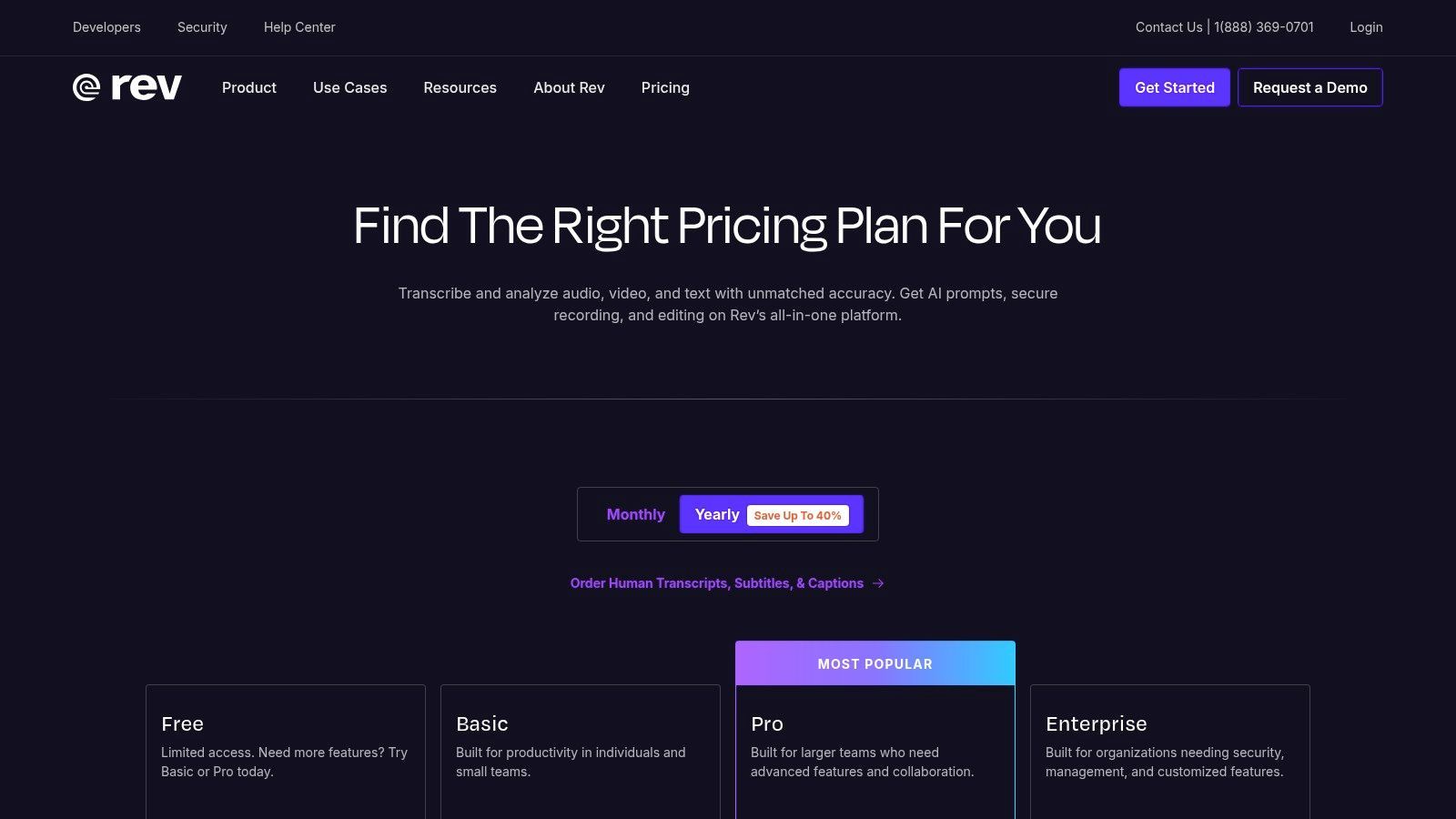
Rev bietet transparente Preise mit einem klaren Minutensatz für menschliche Transkriptionen (ab 1,50 $/Minute) und gestaffelten Abonnementplänen für seine KI-Dienste. Das Abonnement Rev Max beinhaltet einen KI-Meeting-Assistenten und 20 Stunden automatisierte Transkription pro Benutzer und Jahr. Während der menschliche Dienst ein Premium-Angebot ist, ist seine Qualität ein Branchenmaßstab.
- Am besten geeignet für: Fachleute, Medienunternehmen und Rechtsexperten, die höchste Genauigkeit benötigen, sowie Unternehmen, die sowohl KI- als auch menschliche Optionen benötigen.
- Einzigartiges Merkmal: Die einheitliche Plattform für KI-Transkription und professionelle menschliche Transkriptionsdienste ist sein wichtigster Unterscheidungsmerkmal.
- Vorteile: Branchenführende Genauigkeit bei menschlicher Transkription, ein Anbieter für KI- und menschliche Bedürfnisse, und eine starke API für Entwickler.
- Nachteile: Menschliche Transkription ist deutlich teurer als reine KI-Konkurrenten, und Zusatzfunktionen können die Gesamtkosten erheblich erhöhen.
Website: https://www.rev.com/pricing
5. Trint
Trint ist eine leistungsstarke, cloudbasierte Plattform, die für Medien-, Rechts- und Unternehmenskunden entwickelt wurde, die mehr als nur ein einfaches Transkript benötigen. Es positioniert sich als End-to-End-Tool zur Inhaltserstellung, das hochgenaue Transkription mit einem kollaborativen Editor im Browser kombiniert. Sein herausragendes Merkmal ist die Fähigkeit, sowohl vorab aufgenommene Dateien als auch Live-Audio-Streams (Trint Live) zu verarbeiten, was es zu einer vielseitigen Wahl für Journalisten, die über Veranstaltungen berichten, oder für Rechtsexperten bei Vernehmungen macht.
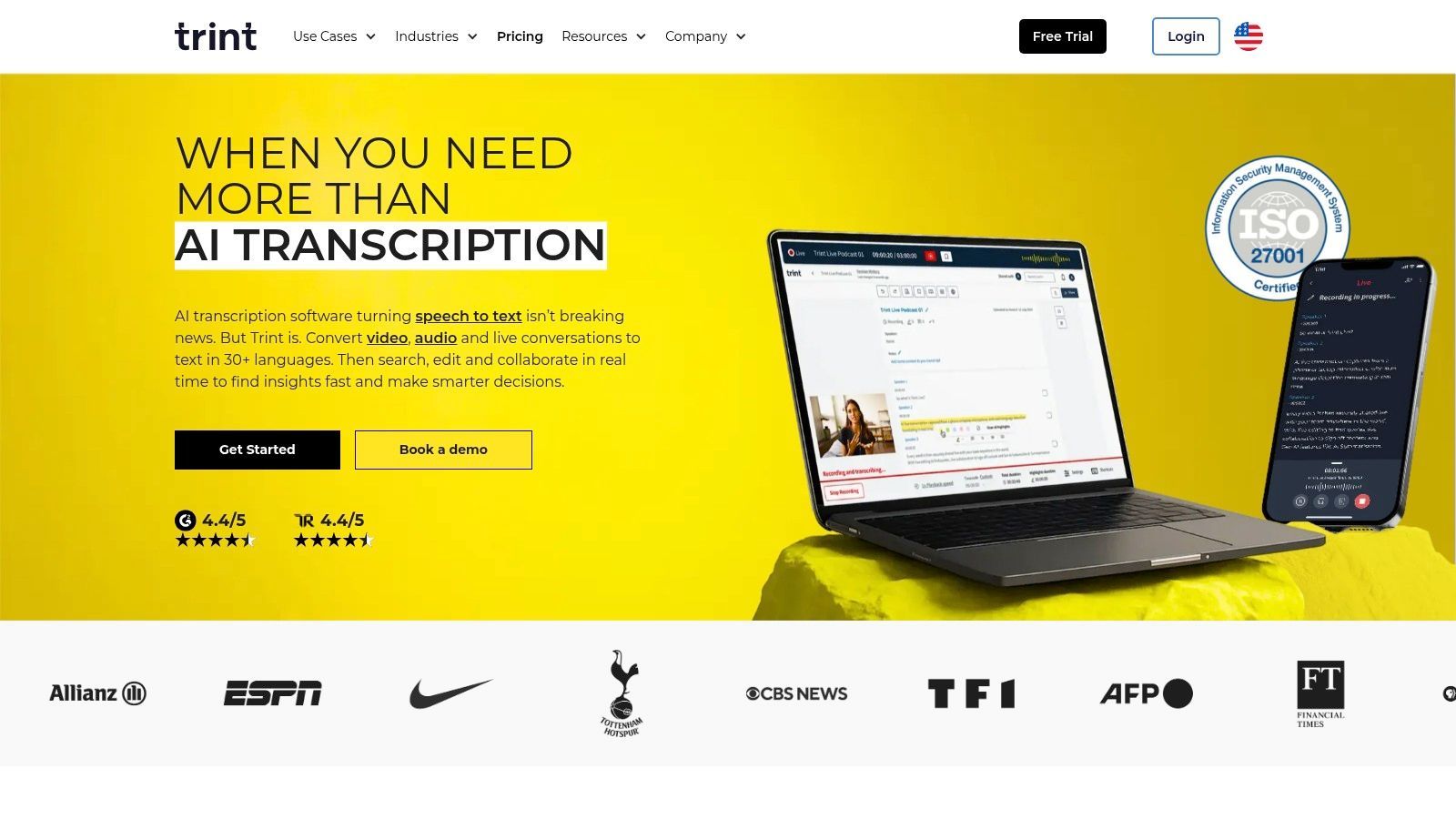
Die Stärke der Plattform liegt in ihrer Workflow-Integration. Benutzer können Transkripte mit Kollegen in Echtzeit transkribieren, überprüfen, bearbeiten und kommentieren. Trint bietet auch Übersetzungen in über 70 Sprachen und verfügt über KI-gestützte Zusammenfassungen, um schnell wichtige Erkenntnisse zu extrahieren. Dies macht es zu einer der besten Audio-Transkriptionssoftware-Optionen für Organisationen, die gesprochene Wörter in skalierbare, durchsuchbare, bearbeitbare und teilbare Inhalte umwandeln müssen. Der gesamte Prozess ist darauf ausgelegt, nahtlos in professionelle Medien- und Unternehmensproduktionspipelines zu passen.
Preise und Hauptmerkmale
Die Preisgestaltung von Trint richtet sich an professionelle und unternehmensweite Nutzung, wobei die Pläne nach Benutzerplätzen und Funktionsumfang strukturiert sind. Während spezifische Preise oft eine Verkaufsberatung erfordern, bieten Pläne wie Starter und Advanced eine bestimmte Anzahl von Transkriptionen pro Benutzer und Monat. Benutzerdefinierte Enterprise-Pläne bieten API-Zugriff und erweiterte Sicherheitsfunktionen für größere Organisationen.
- Am besten geeignet für: Journalisten, Nachrichtenredaktionen, Rechtsteams und große Unternehmen, die einen kollaborativen und sicheren Transkriptions-Workflow benötigen.
- Einzigartiges Merkmal: Die Kombination aus Live-Transkription, einem robusten kollaborativen Editor und integrierter Übersetzung macht es zu einem umfassenden Werkzeug zur Inhaltserstellung.
- Vorteile: Hervorragend für teambasierte Workflows, umfangreicher Funktionsumfang für Medien- und Rechtsexperten und hohe Genauigkeit in mehreren Sprachen.
- Nachteile: Die Preise können höher sein als bei vielen Mitbewerbern und sind weniger transparent, oft ist eine Kontaktaufnahme mit dem Vertriebsteam für ein Angebot erforderlich.
Website: https://trint.com
6. Sonix
Sonix bietet eine starke Balance zwischen hochgenauer automatisierter Transkription, einem intuitiven Funktionsumfang und transparenten Preisen, was es zu einem starken Anwärter für eine der besten Audio-Transkriptionssoftware-Optionen macht. Es wird besonders für seinen In-Browser-Editor geschätzt, der es Benutzern ermöglicht, Transkripte einfach neben der ursprünglichen Audiowiedergabe zu überprüfen, zu bearbeiten und zu verfeinern. Der Dienst zeichnet sich durch seine Sprechererkennung und wortgenaue Zeitstempel aus, die für Journalisten, Podcaster und Videoeditoren, die eine präzise Referenzierung benötigen, von unschätzbarem Wert sind.
Über die Standardtranskription hinaus bietet Sonix automatische Übersetzungen in über 40 Sprachen an, eine Funktion, die seine Attraktivität für globale Content-Ersteller erhöht. Diese Kombination aus Transkription und Übersetzung in einem einzigen Workflow vereinfacht den Prozess, Inhalte einem breiteren Publikum zugänglich zu machen. Die Plattform ist sowohl für einzelne Ersteller als auch für große Teams konzipiert, mit API-Zugriff und unternehmensweiten Sicherheitsfunktionen wie SSO, die in höheren Tarifen verfügbar sind.
Preise und Hauptmerkmale
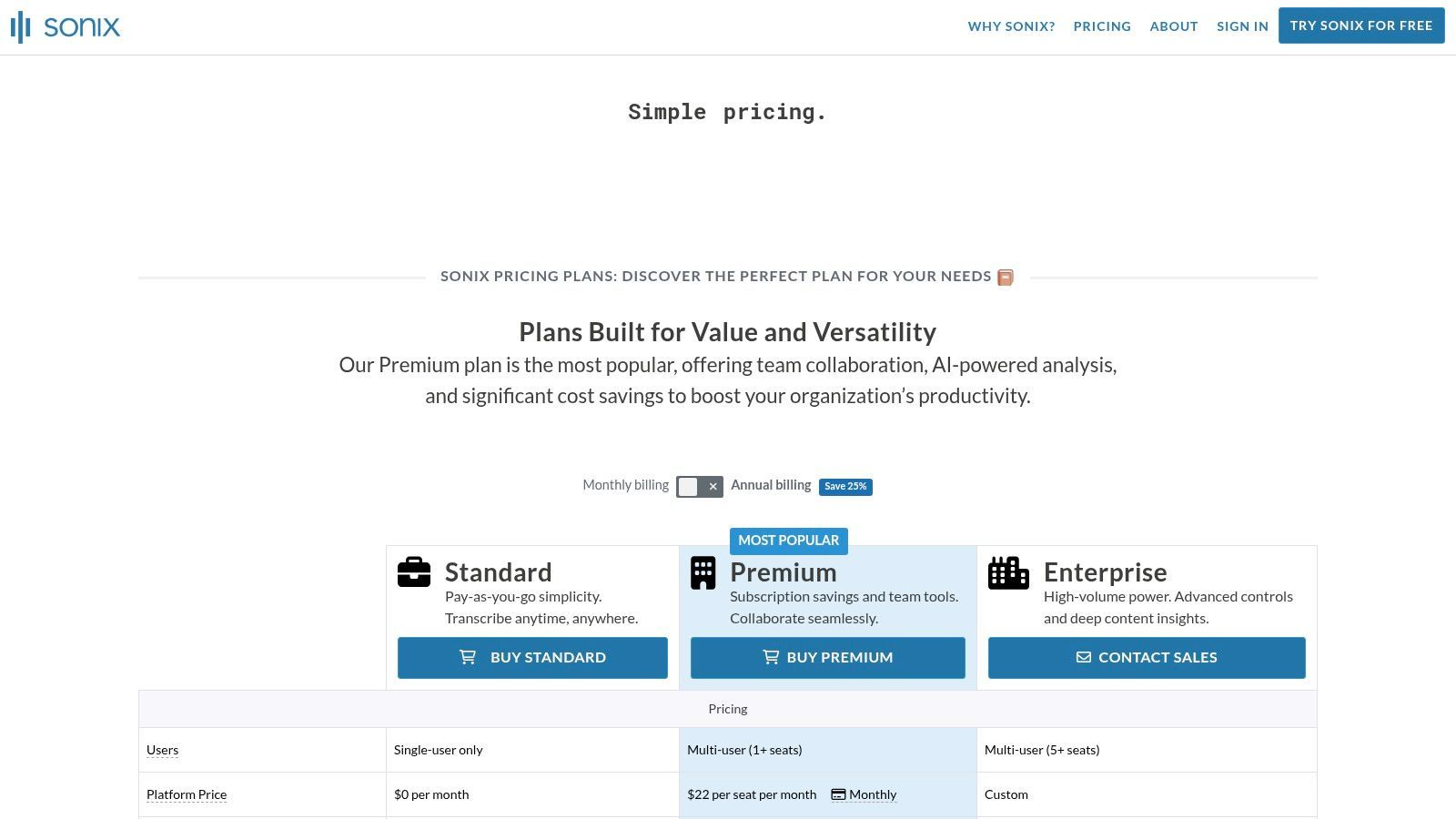
Sonix bietet flexible Preise mit einer Standard-Pay-as-you-go-Option und einem Premium-Abonnement. Das Pay-as-you-go-Modell wird pro Sekunde abgerechnet und bietet hervorragende Transparenz, während Abonnements niedrigere Stundensätze und zusätzliche Funktionen für Vielnutzer bieten. Eine 30-minütige kostenlose Testversion ermöglicht es potenziellen Kunden, die Genauigkeit und den Workflow des Dienstes zu testen, bevor sie sich festlegen.
- Am besten geeignet für: Podcaster, Journalisten und Unternehmen, die eine zuverlässige Balance zwischen Genauigkeit, Bearbeitungswerkzeugen und Übersetzungsfähigkeiten benötigen.
- Einzigartiges Merkmal: Der In-Browser-Editor synchronisiert Text und Audio, wodurch die Korrektur und Überprüfung von Transkripten zu einem nahtlosen Prozess wird.
- Vorteile: Transparente und flexible Preise, eine gute Balance zwischen Genauigkeit und Funktionen, und 30 kostenlose Testminuten zur Bewertung des Dienstes.
- Nachteile: Übersetzungen werden zum gleichen Satz wie Transkriptionen berechnet, und erweiterte Sicherheitsfunktionen sind hinter der Enterprise-Ebene gesperrt.
Website: https://sonix.ai/pricing
7. Happy Scribe
Happy Scribe besetzt eine einzigartige Nische im Markt für Audio-Transkriptionssoftware, indem es ein leistungsstarkes Hybridmodell anbietet. Es kombiniert die Geschwindigkeit der KI-gestützten Transkription mit der Präzision menschlicher Dienstleistungen, wodurch Benutzer die Flexibilität haben, die richtige Balance zwischen Geschwindigkeit, Genauigkeit und Kosten für ihr Projekt zu wählen. Dies macht es zu einer ausgezeichneten Wahl für Ersteller, die für einige Projekte schnelle, kostengünstige Transkripte und für andere nahezu perfekte Genauigkeit benötigen, alles innerhalb einer einzigen Plattform.
Die Plattform unterstützt beeindruckende 70+ Sprachen für Transkription und Untertitelung, was sie zu einer Anlaufstelle für internationale Inhalte macht. Benutzer können Dateien hochladen, Links einfügen oder Integrationen mit Tools wie Zoom und Google Meet nutzen, um Audio aufzunehmen. Nach der Transkription durch KI ermöglicht der interaktive Editor eine einfache Zusammenarbeit, Sprecheridentifizierung und Verfeinerung. Für diejenigen, die maximale Präzision benötigen, ist das Upgrade auf ein menschlich Korrektur-gelesenes Transkript ein nahtloser Prozess.
Preise und Hauptmerkmale
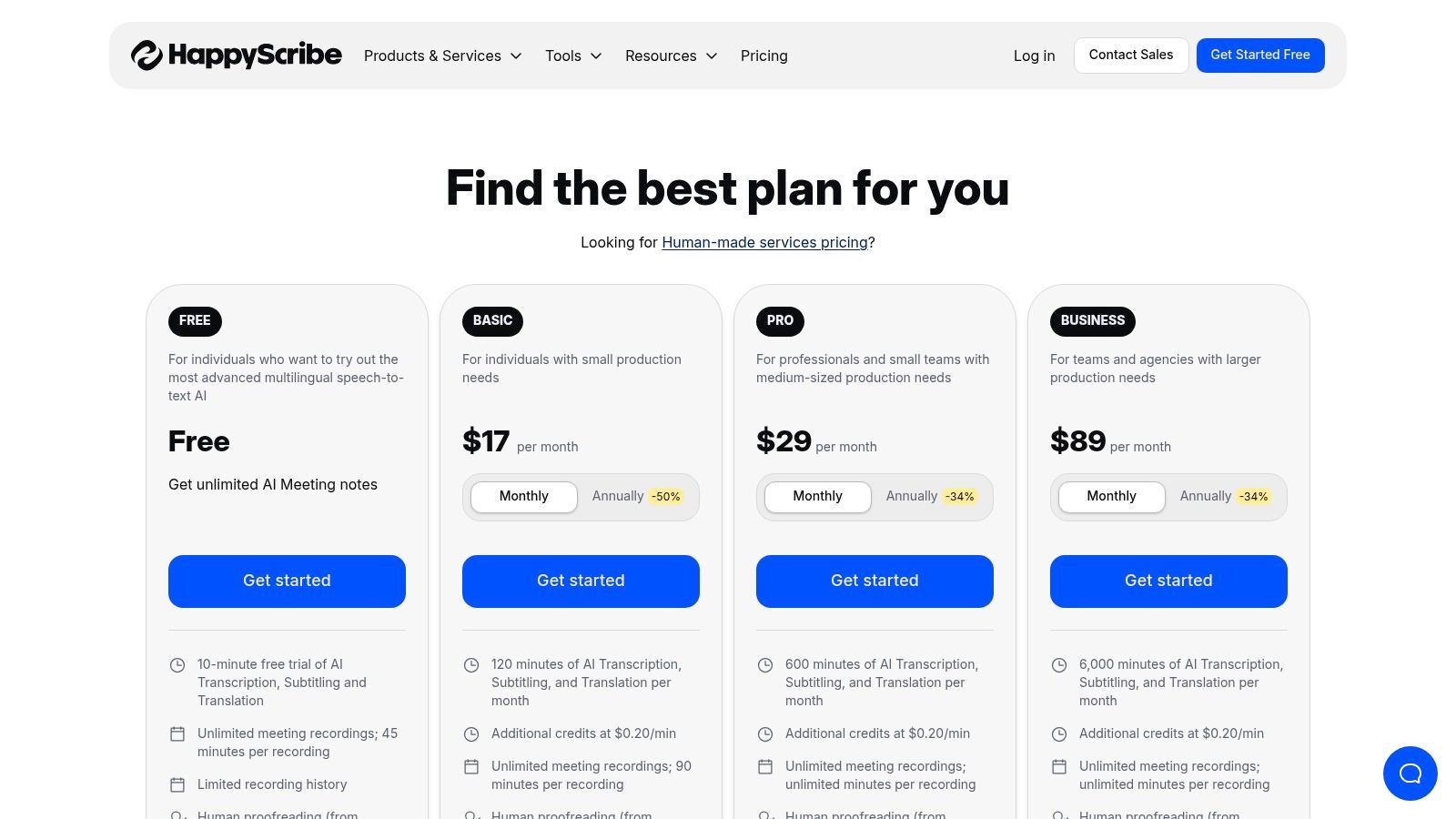
Happy Scribe bietet eine unkomplizierte Preisgestaltung für seine KI- und menschlichen Dienstleistungen. Der Basic-Plan ist eine kostenlose Stufe zum Testen der Plattform mit begrenzten Credits. Der Pro-Plan bietet mehr monatliche Transkriptionsstunden, während der Business-Plan Kollaborationstools und benutzerdefinierte Glossare hinzufügt. Menschlich erstellte Dienste werden pro Minute berechnet, wobei die Kosten je nach Sprache und Bearbeitungszeit variieren.
- Am besten geeignet für: Content-Ersteller, Vermarkter und Unternehmen, die eine Mischung aus schneller KI- und hochgenauer menschlicher Transkription in mehreren Sprachen benötigen.
- Einzigartiges Merkmal: Das Hybridmodell, das KI- und menschliche Transkriptions-/Untertitelungsdienste nahtlos in einem einzigen Workflow integriert.
- Vorteile: Flexible Wahl zwischen KI-Geschwindigkeit und menschlicher Genauigkeit, umfangreiche Sprach- und Untertitelunterstützung und starke Kollaborationstools für Teams.
- Nachteile: Menschliche Korrekturdienste können kostspielig werden, insbesondere für Langform-Inhalte oder weniger verbreitete Sprachen.
Website: https://www.happyscribe.com/pricing
8. Temi
Temi hebt sich im Markt für Audio-Transkriptionssoftware durch sein unkompliziertes Pay-as-you-go-Preismodell hervor. Dieser Ansatz ist ideal für Einzelpersonen oder kleine Unternehmen mit sporadischen Transkriptionsanforderungen, die monatliche Abonnements vermeiden möchten. Der Dienst ist auf Geschwindigkeit und Einfachheit ausgelegt und bietet eine zuverlässige automatisierte Transkriptions-Engine, die bei klaren, hochwertigen Audioaufnahmen ohne starke Akzente oder Hintergrundgeräusche am besten funktioniert. Es ist eine Anlaufstelle für diejenigen, die ein schnelles, kostengünstiges Transkript ohne erweiterte Kollaborationsfunktionen benötigen.

Die Plattform verfügt über einen einfachen Web-Uploader und einen interaktiven Transkript-Editor, der es Benutzern ermöglicht, den Text mit Zeitlupenwiedergabe und Zeitstempeln zu bereinigen. Nach der Fertigstellung können Transkripte in verschiedenen Formaten exportiert werden, darunter Word, PDF, TXT und Untertiteldateien wie SRT und VTT. Das Modell von Temi ist besonders nützlich für einmalige Projekte und bietet ein Gleichgewicht zwischen Kosteneffizienz und Funktionalität für Benutzer, die nicht die Extras komplexerer Plattformen benötigen.
Preise und Hauptmerkmale
Die Preise von Temi sind sein größtes Verkaufsargument: ein Pauschalpreis pro Audiominute ohne Abonnements oder versteckte Gebühren. Neue Benutzer erhalten ihre ersten 45 Minuten Transkription kostenlos. Für die fortlaufende Nutzung können Sie entweder pro Datei bezahlen oder Guthabenpakete im Voraus kaufen. Diese Transparenz erleichtert die Kostenvorhersage für jedes Projekt.
- Am besten geeignet für: Freiberufler, Podcaster und Gelegenheitsnutzer, die schnelle, günstige Transkripte für klare Audios ohne wiederkehrendes Abonnement benötigen.
- Einzigartiges Merkmal: Das einfache, Pauschalpreis-Pay-as-you-go-Preismodell ist für Benutzer mit unvorhersehbarem Transkriptionsvolumen sehr attraktiv.
- Vorteile: Sehr einfache und kostengünstige Preisgestaltung, schnelle Bearbeitungszeiten für klare Audios, und keine Abonnementbindung.
- Nachteile: Die Genauigkeit kann bei schlechter Audioqualität abnehmen, und es fehlen die erweiterten Kollaborationstools und Integrationen anderer Dienste.
Website: https://www.temi.com
9. Microsoft 365 — Transkribieren in Word für das Web
Für Benutzer, die bereits im Microsoft-Ökosystem integriert sind, ist die Transkribieren-Funktion in Word für das Web eine der am bequemsten integrierten Audio-Transkriptionssoftware-Optionen. Anstatt eine separate Anwendung zu benötigen, ist sie direkt in Word integriert, sodass Sie Gespräche live aufzeichnen oder vorab aufgenommene Audiodateien hochladen können. Das Tool verarbeitet das Audio und generiert ein vollständiges, zeitgestempeltes Transkript mit Sprecherbeschriftungen direkt in einem Seitenbereich, das dann mit einem einzigen Klick in Ihr Dokument eingefügt werden kann.
Der Hauptvorteil ist der nahtlose Workflow für Studenten, Forscher und Wissensarbeiter, die Word für die Dokumentenerstellung nutzen. Alle hochgeladenen Audios werden in Ihrem OneDrive-Konto gespeichert, sodass sie sicher und geräteübergreifend zugänglich sind. Diese native Integration eliminiert den Aufwand des Exports von Text aus einer App und des Imports in eine andere, was sie zu einer hocheffizienten Wahl für die Erstellung von Berichten, Besprechungsprotokollen oder akademischen Arbeiten auf der Grundlage von Audioaufnahmen macht.
Preise und Hauptmerkmale
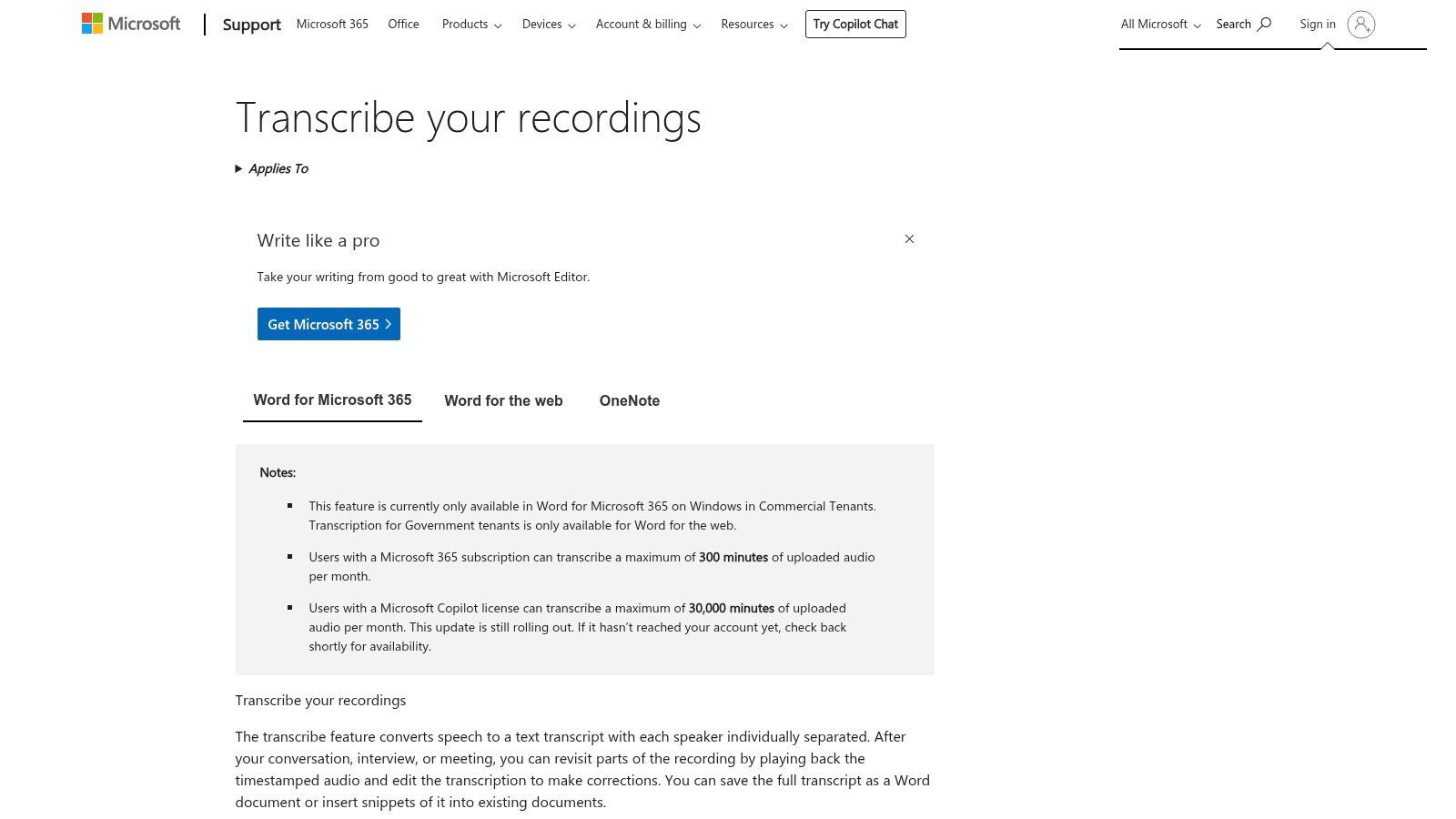
Transkribieren in Word ist in Microsoft 365-Abonnements enthalten, die Nutzung ist jedoch begrenzt. Abonnenten erhalten in der Regel eine bestimmte Anzahl von Upload-Minuten pro Monat (z. B. 300 Minuten für die meisten Verbraucherpläne), die für Live-Aufnahmen nicht erneuert werden. Unbegrenzte Transkription ist mit einem Microsoft 365 Copilot-Abonnement verfügbar, das die Funktionen erheblich erweitert.
- Am besten geeignet für: Microsoft 365-Abonnenten, Studenten und Fachleute, die Transkriptionen direkt in ihrem Dokumenten-Workflow benötigen.
- Einzigartiges Merkmal: Die native Integration in Word für das Web ermöglicht es Benutzern, Transkripte und Dokumente in einer einzigen Benutzeroberfläche zu transkribieren und zu bearbeiten.
- Vorteile: Keine zusätzliche Software für M365-Benutzer erforderlich, hervorragender Workflow zur Umwandlung von Transkripten in Dokumente und sichere Speicherung auf OneDrive.
- Nachteile: Monatliche Upload-Limits bei Standardabonnements können einschränkend sein, und die Erfahrung ist hauptsächlich für die Webversion von Word konzipiert.
10. Google Cloud Speech‑to‑Text (API)
Google Cloud Speech-to-Text ist keine Endverbraucheranwendung, sondern eine leistungsstarke API auf Entwicklerebene, die für die Integration von Transkriptionsfunktionen in benutzerdefinierte Anwendungen, Batch-Verarbeitungs-Workflows oder groß angelegte Datenanalyseprojekte entwickelt wurde. Sie bietet Zugriff auf Googles fortschrittliche maschinelle Lernmodelle und bietet sowohl Standard- als auch erweiterte Erkennungsoptionen für Batch- und Echtzeit-Streaming-Transkriptionen. Dies macht sie zu einer grundlegenden Technologie für Unternehmen, die skalierbare, programmatische Audio-Transkription direkt in ihre bestehenden Systeme integrieren müssen.
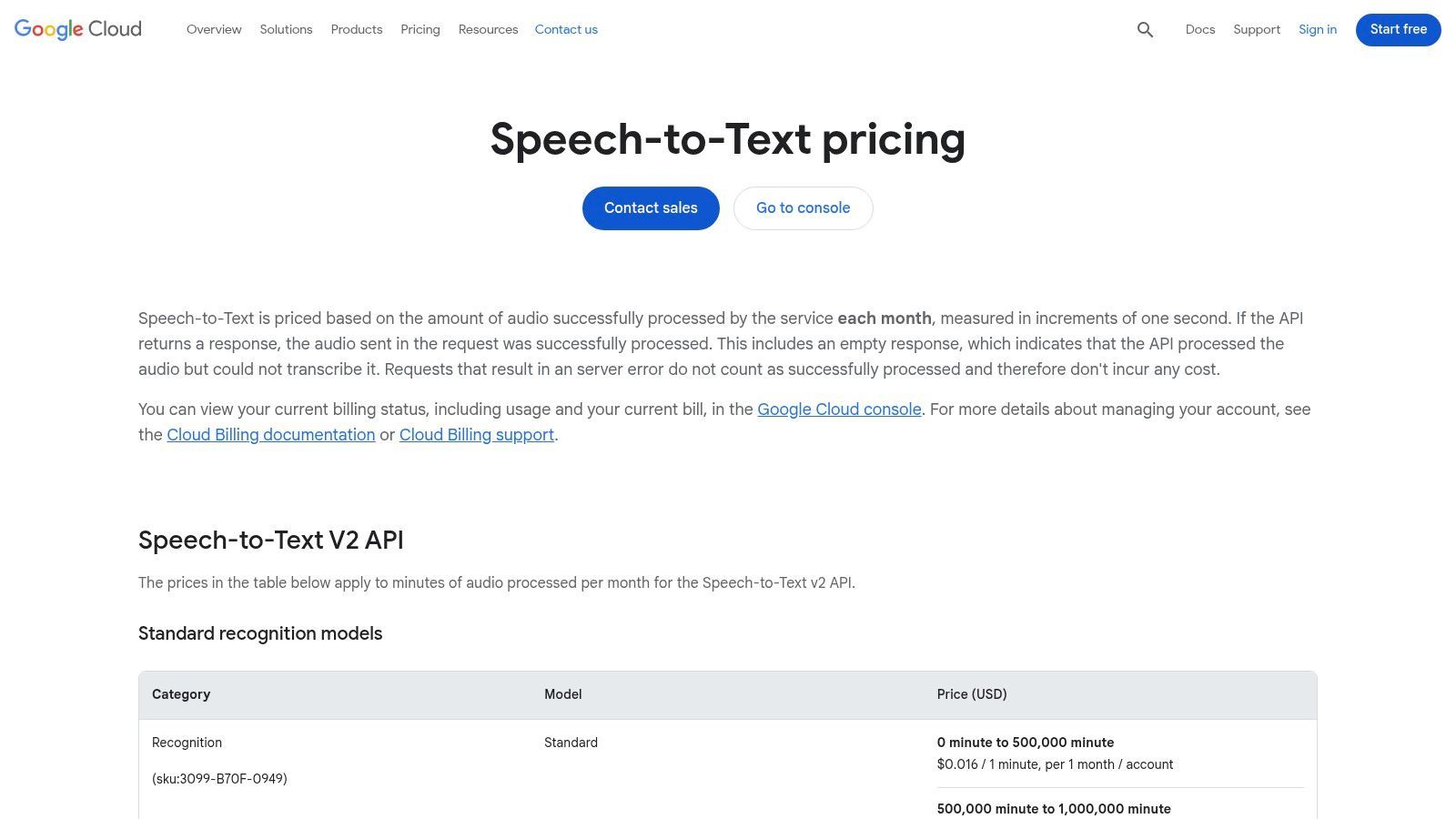
Dieser API-first-Ansatz bedeutet, dass er hochgradig anpassbar ist, mit Funktionen wie Sprechererkennung, automatischer Interpunktion und Unterstützung für eine Vielzahl von Sprachen und Dialekten. Die tiefe Integration mit dem Rest des Google Cloud-Ökosystems, wie Google Cloud Storage und BigQuery, ermöglicht nahtlose und leistungsstarke Datenpipelines. Für diejenigen, die sich auf die technische Implementierung konzentrieren, ist es wichtig, die Faktoren zu verstehen, die die Genauigkeit von Sprache-zu-Text beeinflussen, um das beste Modell für einen bestimmten Anwendungsfall auszuwählen. Obwohl technisches Know-how erforderlich ist, machen seine Leistung und Skalierbarkeit es zu einem der besten verfügbaren Backbones für Audio-Transkriptionssoftware.
Preise und Hauptmerkmale
Der Speech-to-Text-Dienst von Google Cloud arbeitet nach einem Pay-as-you-go-Modell und berechnet pro Sekunde verarbeiteter Audiodaten, wobei Preisstufen Rabatte bei Volumen gewähren. Es gibt eine kostenlose Stufe, die 60 Minuten Transkription pro Monat bietet. Die Kosten variieren je nach verwendetem Modell (z. B. Standard- vs. medizinische Modelle) und aktivierten Funktionen.
- Am besten geeignet für: Entwickler und Unternehmen, die benutzerdefinierte Anwendungen erstellen oder hochvolumige, automatisierte Transkriptionen in ihre Workflows integrieren müssen.
- Einzigartiges Merkmal: Der Zugriff auf spezialisierte Transkriptionsmodelle, die für bestimmte Anwendungsfälle wie Telefonate, Videos und medizinische Terminologie maßgeschneidert sind.
- Vorteile: Hoch skalierbar und kostengünstig für große Volumina, hervorragende Genauigkeit und tiefe Integration in das Google Cloud-Ökosystem.
- Nachteile: Erfordert erhebliches technisches Fachwissen für Einrichtung und Nutzung; kein fertiges Werkzeug für den durchschnittlichen Verbraucher.
Website: https://cloud.google.com/speech-to-text/pricing
11. Amazon Transcribe (AWS)
Amazon Transcribe ist ein leistungsstarker, entwicklerorientierter Dienst, der im Amazon Web Services (AWS)-Ökosystem operiert. Im Gegensatz zu vielen eigenständigen Anwendungen ist Transcribe ein Baustein für die Erstellung benutzerdefinierter Transkriptions-Workflows, was ihn zu einer der besten Audio-Transkriptionssoftware für technische Benutzer macht, die Sprache-zu-Text in Anwendungen, Medienpipelines oder groß angelegte Analysen integrieren. Er bietet sowohl Stapelverarbeitung für vorab aufgenommene Dateien als auch Echtzeit-Transkription für Live-Audio-Streams, ausgestattet mit Funktionen auf Enterprise-Niveau.
Der Dienst zeichnet sich in spezialisierten Umgebungen aus und bietet Optionen wie benutzerdefinierte Sprachmodelle zur Erkennung domänenspezifischer Terminologie, automatische PII (Personally Identifiable Information)-Schwärzung und Sprechererkennung. Seine HIPAA-Konformität macht ihn zu einer praktikablen Wahl für Gesundheitsanwendungen, während seine Skalierbarkeit ideal für die Verarbeitung riesiger Mengen an Audiodaten ist, wie z. B. Contact-Center-Anrufaufzeichnungen oder Medienarchive. Die tiefe Integration mit anderen AWS-Diensten wie S3 für die Speicherung und Lambda für die Verarbeitung ermöglicht die Erstellung vollständig automatisierter Transkriptionspipelines.
Preise und Hauptmerkmale
Amazon Transcribe verwendet ein Pay-as-you-go-Preismodell, das pro Sekunde transkribierter Audiodaten abgerechnet wird. Ein AWS Free Tier ist verfügbar, der 60 Minuten pro Monat für die ersten 12 Monate beinhaltet. Danach gelten Standardtarife, die je nach Region und ob Sie die Standard- oder medizinischen Modelle verwenden, variieren. Zusätzliche Funktionen wie PII-Schwärzung und benutzerdefinierte Sprachmodelle verursachen zusätzliche Kosten, daher wird eine sorgfältige Kostenplanung mit AWS-Tools empfohlen.
- Am besten geeignet für: Entwickler, Unternehmen und Organisationen, die eine skalierbare, sichere Transkriptions-Engine in ihre eigenen Anwendungen oder Workflows integrieren müssen.
- Einzigartiges Merkmal: Die Möglichkeit, benutzerdefinierte Sprachmodelle zu erstellen, um die Genauigkeit für spezifischen Jargon, Produktnamen oder branchenspezifisches Vokabular zu verbessern, ist ein wichtiges Unterscheidungsmerkmal.
- Vorteile: Hoch skalierbares Pay-as-you-go-Modell, tiefe Integration in das AWS-Ökosystem und robuste Sicherheits- und Compliance-Funktionen wie HIPAA-Konformität.
- Nachteile: Erfordert technisches Wissen über AWS und IAM für die Einrichtung und ist keine Out-of-the-Box-Lösung für Gelegenheitsnutzer. Die Preisgestaltung kann komplex werden.
Website: https://aws.amazon.com/transcribe/
12. OpenAI Whisper (Open Source)
OpenAI Whisper zeichnet sich als eine der besten Audio-Transkriptionssoftware-Optionen für diejenigen aus, die Kontrolle, Datenschutz und Kosteneffizienz priorisieren. Als Open-Source-Modell ist Whisper kein Cloud-Dienst, sondern ein leistungsstarkes System zur automatischen Spracherkennung (ASR), das Sie lokal auf Ihrem eigenen Computer ausführen oder auf einem privaten Server bereitstellen können. Dieser Ansatz gibt Entwicklern und Unternehmen die vollständige Kontrolle über ihre Daten und eliminiert Datenschutzbedenken im Zusammenhang mit dem Hochladen sensibler Dateien auf Plattformen von Drittanbietern.
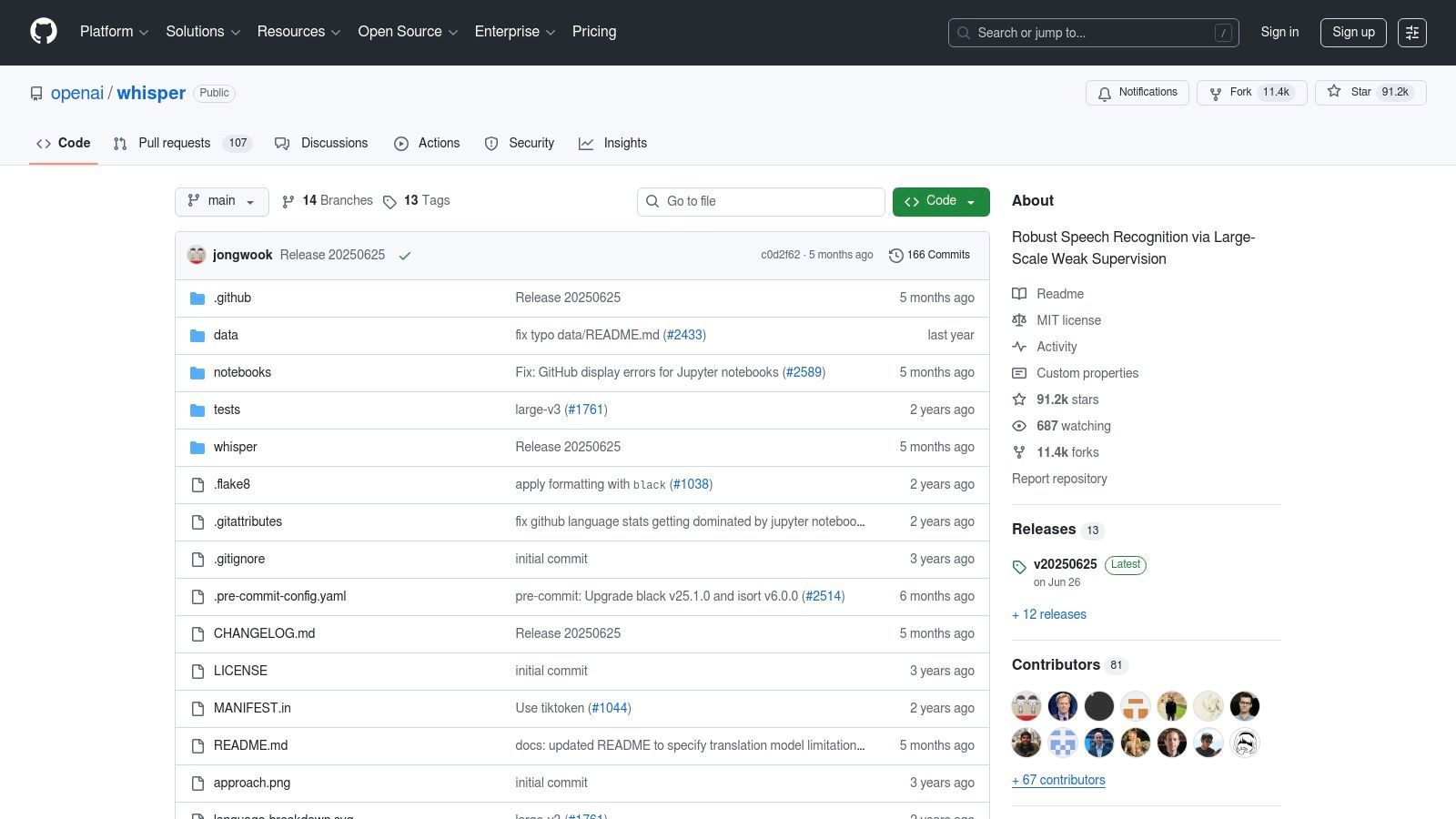
Das Modell wird auf einem riesigen und vielfältigen Datensatz trainiert, was ihm ermöglicht, eine bemerkenswert hohe Genauigkeit über eine breite Palette von Sprachen und Akzenten hinweg zu liefern. Benutzer können aus mehreren Modellgrößen wählen, von "tiny" für Geschwindigkeit bis "large" für maximale Genauigkeit, was einen flexiblen Kompromiss basierend auf Hardwarefähigkeiten und Projektanforderungen ermöglicht. Obwohl es eine technische Einrichtung erfordert, machen seine MIT-Lizenz und seine aktive Community es zu einem unglaublich vielseitigen Werkzeug. Das Verständnis der Kerntechnologie hinter KI-gestützter Transkriptionssoftware kann Kontext für die bahnbrechende Leistung von Whisper liefern.
Preise und Hauptmerkmale
Whisper ist unter seiner Open-Source-Lizenz kostenlos nutzbar. Die einzigen Kosten entstehen im Zusammenhang mit der Hardware (wie einer GPU für schnellere Verarbeitung) oder den Cloud-Computing-Ressourcen, die zur Ausführung des Modells benötigt werden. Es fallen keine Gebühren pro Minute, Abonnements oder Vendor-Lock-ins an, was es für Transkriptionsaufgaben mit hohem Volumen äußerst wirtschaftlich macht.
- Am besten geeignet für: Entwickler, Forscher und Organisationen mit technischem Fachwissen, die eine private, hochgenaue und kostengünstige Transkriptionslösung benötigen.
- Einzigartiges Merkmal: Seine Fähigkeit, vollständig offline oder lokal ausgeführt zu werden, bietet unübertroffenen Datenschutz und Kontrolle.
- Vorteile: Keine Anbietergebühren, vollständige Datenkontrolle, außergewöhnliche mehrsprachige Genauigkeit und mehrere Modellgrößen zur Leistungsoptimierung.
- Nachteile: Erfordert technisches Wissen für Einrichtung und Wartung und benötigt kompatible Hardware (vorzugsweise eine GPU) für optimale Leistung.
Website: https://github.com/openai/whisper
Vergleich der Top 12 Audio-Transkriptionssoftware
| Produkt | Kernfunktionen | Qualität (★) | Preis / Wert (💰) | Zielgruppe (👥) | Einzigartige Verkaufsargumente (✨) |
|---|---|---|---|---|---|
| Transcript.LOL 🏆 | Whisper + benutzerdefinierte Vokabeln; bis zu 10h Uploads; Sprechererkennung; Multi-Format-Exporte; Zusammenfassungen & Inhaltserstellung | ★★★★☆ (~99,8% beansprucht) | Kostenlose Stufe; Unbegrenzt 120 $/Jahr; Team 240 $/Jahr 💰 | Podcaster, Ersteller, Forscher, Teams 👥 | ✨ Ultraschnell, datenschutzfreundlich (kein Training); integrierte Zusammenfassungen, Quizze, Mindmaps; breite Integrationen |
| Otter.ai | Echtzeit-Meeting-Erfassung; Live-Untertitel; Sprecher-ID; Mobile & Web-Arbeitsbereich | ★★★★☆ | Kostenlose Stufe; kostenpflichtige Teampläne 💰 | Teams & Meeting-Nutzer 👥 | ✨ Live-Untertitel + starke Meeting-Integrationen |
| Descript | Textbasierte Bearbeitung; Multitrack-Timeline; Studio Sound; Veröffentlichungstools | ★★★★☆ | Kostenlos → Creator/Pro-Abonnements 💰 | Ersteller, Podcaster, Videoproduzenten 👥 | ✨ Text-first-Bearbeitung + Veröffentlichungswerkzeuge |
| Rev | Menschliche + KI-Transkripte; Untertitel; APIs; interaktiver Editor | ★★★★☆ (Option für menschliche Qualität) | Pay-as-you-go (menschliche & KI-Tarife) 💰 | Benutzer, die menschliche Genauigkeit benötigen, Entwickler 👥 | ✨ Option für menschliche Transkription + transparente Minutentarife |
| Trint | Live-Transkription; Mehrsprachig; Kollaborativer Editor; Übersetzung | ★★★★☆ | Abonnement / Enterprise-Preise (Vertrieb) 💰 | Journalisten, Rechts- & Unternehmenskunden 👥 | ✨ Echtzeit-Nachrichten-Workflows & Unterstützung für über 70 Sprachen |
| Sonix | Pay-as-you-go + Abonnements; Sprechererkennung; Zeitstempel; API/SSO | ★★★★☆ | Transparente Stunden-/Sekundenpreise; Testminuten 💰 | Einzelpersonen & Teams 👥 | ✨ Klare Abrechnung, Sekundengenauigkeit, unbegrenzte Exporte |
| Happy Scribe | KI + menschliche Korrektur; über 70 Sprachen; Untertitelung & Übersetzung | ★★★★☆ | Pro Minute KI + menschliche Zusatzleistungen 💰 | Medienteams, Untertitel-Nutzer 👥 | ✨ Mischung aus KI-Geschwindigkeit und optionaler menschlicher Korrektur |
| Temi | Einfacher Web-Uploader; bearbeitbare Transkript-UI; schnelle Bearbeitung | ★★★☆☆ | Sehr günstige Pay-as-you-go-Preise; erste 45 Min. kostenlos 💰 | Gelegenheitsnutzer, preisbewusste Suchende 👥 | ✨ Extrem günstig und einfach zu bedienen |
| Microsoft 365 — Transkribieren in Word | In-Browser-Aufnahme/Upload; zeitgestempelt, sprechergetrennt; OneDrive-Integration | ★★★☆☆ | In Microsoft 365-Abonnement enthalten 💰 | M365-Wissensarbeiter, Studenten 👥 | ✨ Native Word/OneDrive-Workflow und einfaches Einfügen in Dokumente |
| Google Cloud Speech-to-Text (API) | Entwickler-API: Streaming & Batch, Modelle, Sprechererkennung | ★★★★☆ | Abrechnung pro Sekunde; Volumenrabatte 💰 | Entwickler, skalierbare Bereitstellungen 👥 | ✨ Skalierbare, Cloud-native API mit tiefer GCP-Integration |
| Amazon Transcribe (AWS) | Batch & Echtzeit; Sprechererkennung; PII-Schwärzung; HIPAA-Konformität | ★★★★☆ | Pay-as-you-go auf AWS (regionsabhängig) 💰 | Unternehmen, Contact Center, Analyse-Teams 👥 | ✨ Enterprise-Funktionen, Compliance & AWS-Ökosystem |
| OpenAI Whisper (Open Source) | Lokale/selbstgehostete ASR; mehrere Modellgrößen; Übersetzung & ID | ★★★★☆ | Keine Anbietergebühren (nur Infrastrukturkosten) 💰 | Entwickler, datenschutzorientierte Teams 👥 | ✨ Vollständige Kontrolle über Daten & Bereitstellung; keine Gebühren pro Minute |
Ihre endgültige Wahl treffen: So wählen Sie das richtige Werkzeug für Sie aus
Die Navigation durch die Landschaft der Audio-Transkriptionssoftware kann überwältigend sein, aber wie wir gesehen haben, ist die "beste" Wahl zutiefst persönlich. Sie hängt vollständig von Ihren spezifischen Bedürfnissen, Ihrem Workflow, Ihrem Budget und Ihren Prioritäten ab. Die ideale Lösung für einen Podcaster, der eine Show mit mehreren Sprechern bearbeitet, wird sich stark von dem unterscheiden, was ein Forscher benötigt, der wortgetreue juristische Transkripte sucht, oder ein Team, das kollaborative Besprechungsnotizen benötigt.
Die wichtigste Erkenntnis ist, über einen einfachen Genauigkeitsprozentsatz hinauszugehen und das gesamte Ökosystem eines Tools zu berücksichtigen. Wie integriert es sich in Ihren bestehenden Software-Stack? Welches Sicherheitsniveau bietet es für Ihre sensiblen Daten? Bietet es Funktionen über die einfache Transkription hinaus, wie z. B. Zusammenfassungen oder Inhaltserstellung, die Ihnen wertvolle Zeit sparen können? Die Beantwortung dieser Fragen ist entscheidend, um eine nachhaltige und effiziente Lösung zu finden.
Zusammenfassung der Top-Anwärter nach Anwendungsfall
Um Ihre Entscheidung zu vereinfachen, haben wir unsere Ergebnisse in einer Schnellreferenzanleitung zusammengefasst. Nutzen Sie dies als Ausgangspunkt, um Ihre Optionen basierend auf Ihrem primären Ziel einzugrenzen.
- Am besten für Podcaster & Video-Editoren: Descript sticht mit seinem integrierten Audio-/Video-Editor hervor. Für Ersteller, die sich auf die Wiederverwendung von Inhalten mit KI konzentrieren, bietet Transcript.LOL eine leistungsstarke Suite von Tools für Zusammenfassungen, Social-Posts und mehr, direkt aus dem Transkript.
- Am besten für Live-Meetings & Kollaboration: Otter.ai ist hier der klare Marktführer mit seiner Echtzeit-Transkription, Sprecheridentifizierung und Integrationen mit Plattformen wie Zoom und Microsoft Teams.
- Am besten für kompromisslose Genauigkeit: Wenn jedes Wort perfekt sein muss, bieten menschlich betriebene Dienste wie Rev und Trint (mit seiner Option zur menschlichen Überprüfung) das höchste Maß an garantierter Genauigkeit, wenn auch zu höheren Kosten.
- Am besten für Datenschutz & Sicherheit: Für Benutzer, die sensible Informationen verarbeiten, bietet eine selbstgehostete Lösung wie OpenAI Whisper maximale Kontrolle. Alternativ bietet Transcript.LOL eine überzeugende Kombination aus erstklassiger Genauigkeit und einer strengen Datenschutzrichtlinie, die verspricht, dass Ihre Daten niemals für das Modelltraining verwendet werden.
- Am besten für preisbewusste Benutzer: Temi bietet einen unkomplizierten, kostengünstigen Pay-as-you-go-Automatisierungsdienst. Für diejenigen, die bereits im Microsoft-Ökosystem tätig sind, ist die Funktion Transkribieren in Word eine bequeme, kostenlose Option für grundlegende Bedürfnisse.
- Am besten für Entwickler & benutzerdefinierte Lösungen: Google Cloud Speech-to-Text und Amazon Transcribe bieten robuste, skalierbare APIs zur direkten Integration von Transkriptionsfunktionen in Ihre eigenen Anwendungen.
Die entscheidenden Faktoren: Genauigkeit, Datenschutz und Workflow
Ihre endgültige Entscheidung wird wahrscheinlich drei Kernpfeiler ausbalancieren. Erstens ist die Genauigkeit. Während die meisten modernen KI-Tools, insbesondere diejenigen, die auf Whispers Engine basieren wie Transcript.LOL, Sonix und Happy Scribe, beeindruckende Ergebnisse liefern, müssen Sie sie mit Ihrer spezifischen Audioqualität testen. Zweitens ist der Datenschutz. In einer Zeit von Datenlecks ist es unerlässlich zu verstehen, wie ein Dienst mit Ihren Dateien umgeht. Tools wie Transcript.LOL, die ausdrücklich angeben, Ihre Daten nicht für das Training zu verwenden, bieten erhebliche Sicherheit.
Schließlich sollten Sie Ihren Workflow berücksichtigen. Die beste Audio-Transkriptionssoftware ist diejenige, die sich nahtlos in Ihren Prozess einfügt und Reibungsverluste aktiv reduziert. Schauen Sie nicht nur auf das Transkript; schauen Sie, was Sie damit tun können. Müssen Sie es in mehreren Formaten exportieren? Mit einem Team zusammenarbeiten? Sofort einen Blogbeitrag oder eine Reihe von Tweets generieren? Hier glänzen Tools, die KI-Funktionen nach der Transkription anbieten und eine einfache Textdatei in einen Startpunkt für Ihre Content-Strategie verwandeln. Das ultimative Ziel ist es, eine Plattform zu finden, die nicht nur Ihr Audio transkribiert, sondern auch das, was Sie als Nächstes tun, beschleunigt.
Der effektivste Weg, Ihre endgültige Wahl zu treffen, ist die direkte Erfahrung. Fast jeder Dienst auf dieser Liste bietet eine kostenlose Testversion oder ein kostenloses Guthaben, um seine Fähigkeiten zu testen. Nehmen Sie Ihre anspruchsvollste Audio-Datei, laden Sie sie auf Ihre Top zwei oder drei Favoriten hoch und vergleichen Sie die Ergebnisse Seite an Seite. Achten Sie nicht nur auf die wortwörtliche Genauigkeit, sondern auch auf die Benutzeroberfläche, das Bearbeitungserlebnis und die Gesamtgeschwindigkeit des Prozesses.
Probieren Sie Transcript.LOL für schnellere, intelligentere Transkriptionen
Erleben Sie Whisper-ähnliche Genauigkeit, sofortige Zusammenfassungen und vollständigen Datenschutz. Transcript.LOL vereinfacht die Transkription für Ersteller, Teams und Fachleute. Klicken Sie auf den Link unten, um es kostenlos auszuprobieren.
Dieser praktische Vergleich bietet Ihnen die Klarheit, die Sie benötigen, um zuversichtlich in das richtige Tool für Ihren langfristigen Erfolg zu investieren.
Bereit, die nächste Generation der Transkription zu erleben? Transcript.LOL kombiniert die erstklassige Genauigkeit von Whisper AI mit einer Reihe leistungsstarker Tools zur Wiederverwendung von Inhalten und einer datenschutzorientierten Richtlinie, was es zur idealen Wahl für Fachleute und Ersteller macht. Sehen Sie, wie schnell Sie Ihr Audio in genaue Texte, Zusammenfassungen, Social-Media-Posts und mehr umwandeln können, indem Sie es noch heute kostenlos unter Transcript.LOL ausprobieren.