
Your Guide to Transcribe Audio to Text Online
Learn how to transcribe audio to text online with proven strategies. Discover how to choose the right tools, prepare audio, and repurpose your content.
Kate, Praveen
February 21, 2026
Turning your audio and video files into text isn't just a technical task—it's how you unlock the hidden potential in your spoken content. Suddenly, those recordings become searchable, shareable, and endlessly repurposable assets. AI-powered tools make this happen, converting speech into a written document that can transform a single recording into dozens of new content pieces.
Why Transcribing Audio is a Content Superpower
Imagine your latest podcast episode turning into a search-engine-optimized blog post, or a full-length webinar effortlessly becoming a dozen shareable clips for social media. That's the power of modern transcription. It’s not just about getting words on a page; it’s a strategic move to multiply the value of every single audio and video file you create.
This shift to automated tools is fundamentally changing how professionals work. It's not a small trend—it's a massive change in content strategy. The global AI transcription market was valued at $4.5 billion in 2024 and is on track to hit an incredible $19.2 billion by 2034. That explosive 15.6% compound annual growth rate shows just how fast everyone is moving away from slow manual methods to AI-driven workflows.
Unlocking Content for Different Roles
The real magic of transcription is how it helps people in different roles get more out of their content.
- For Podcasters: Transcripts make every word you say indexable by Google, which can dramatically boost your SEO and help new listeners find your show.
- For Marketers: That recorded webinar can be chopped up and repurposed into blog posts, email newsletters, case studies, and social media content, squeezing every drop of value from your efforts.
- For Researchers: Forget scrubbing through hours of interview recordings. With a transcript, you can just search for keywords and analyze qualitative data in a fraction of the time.
This process turns a passive audio file into an active, working asset. It makes your content accessible to the hearing-impaired, easier to digest for people who'd rather read, and so much more versatile for your team.
Transcripts Multiply Your Content Value
One recording shouldn’t be used just once; a transcript makes every idea searchable, reusable, and easy to repurpose into blogs, clips, and summaries. It’s the simplest way to get more output without creating more content.
Transcription is the bridge between your spoken ideas and your written content strategy. It ensures that valuable insights locked away in audio are never lost and can be used to their full potential across multiple platforms.
By using an efficient tool like Transcript.LOL, a once tedious and time-sucking task becomes a quick, strategic advantage. Take a look at the different use cases for transcription—you might discover new ways to make your existing content work a lot harder for you.
How to Choose the Right Online Transcription Tool
With so many tools promising to turn your audio into text, picking the right one can feel like a shot in the dark. It’s easy to get lost in flashy marketing, but a smart choice comes down to a few practical things that actually impact your results.
The real goal is to find a tool that genuinely saves you time, not one that just creates more editing work down the road.
⚡Features That Make Transcription Effortless
State-of-the-art AI
Powered by OpenAI's Whisper for industry-leading accuracy. Support for custom vocabularies, up to 10 hours long files, and ultra fast results.

Import from multiple sources
Import audio and video files from various sources including direct upload, Google Drive, Dropbox, URLs, Zoom, and more.

Export in multiple formats
Export your transcripts in multiple formats including TXT, DOCX, PDF, SRT, and VTT with customizable formatting options.
First, let's talk about accuracy. Don't fall for the 99% accuracy claims you see everywhere. That number usually only applies to a pristine, studio-quality recording. Your reality is probably filled with background noise, multiple speakers talking over each other, and maybe some industry-specific jargon. A truly great tool can handle that mess without breaking a sweat.
This quick decision tree can help you map out what matters most for your specific role.
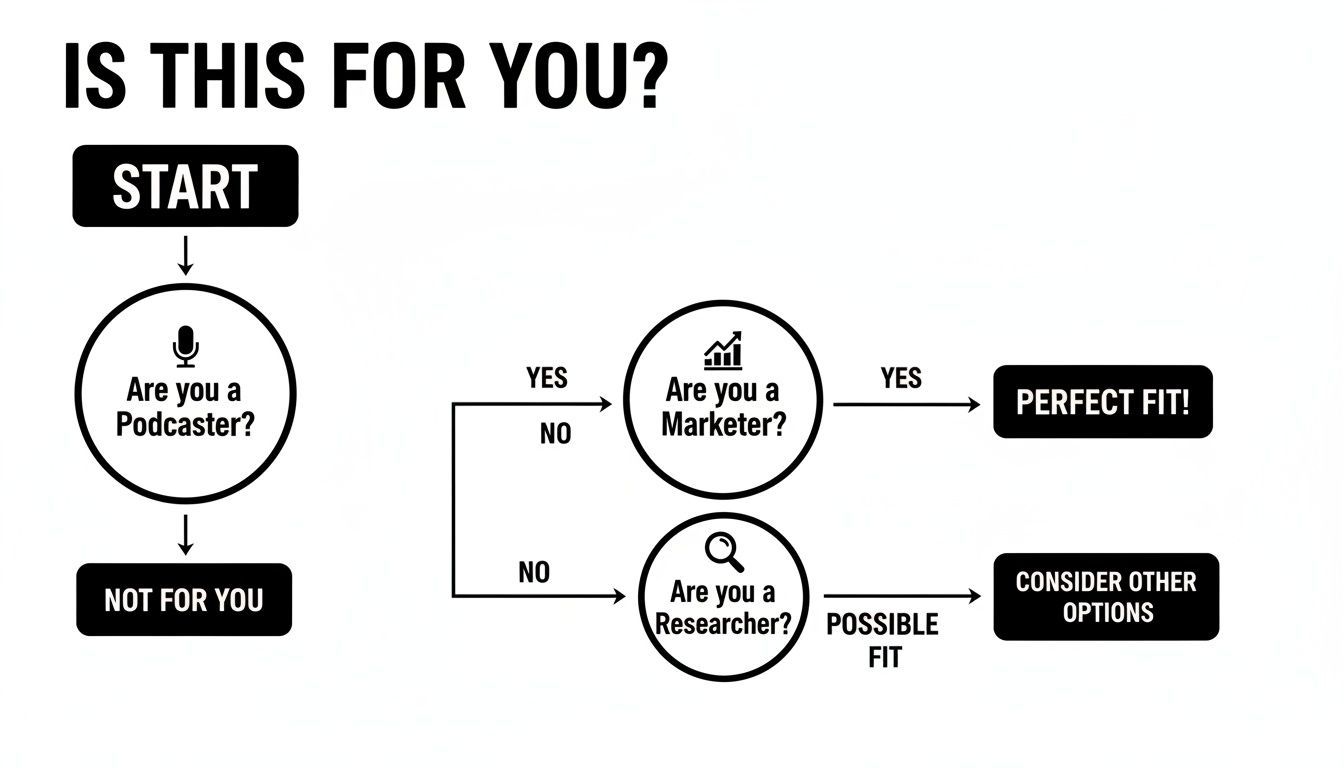
As you can see, whether you're a podcaster needing show notes, a marketer analyzing customer calls, or a researcher documenting interviews, the need for a solid transcript is the same. The difference is just what you do with it afterward.
Key Feature Comparison for Online Transcription Tools
When you're comparing services, certain features make a world of difference in your daily workflow. Here's a breakdown of what to look for and why it's so important for getting your work done efficiently.
| Feature | What to Look For | Why It Matters for You |
|---|---|---|
| Transcription Accuracy | High performance on real-world audio with background noise, various accents, and multiple speakers. | Saves you from hours of tedious manual corrections and ensures the final text is reliable and usable. |
| Language Support | Broad coverage of languages and dialects without needing manual selection. Automatic language detection is a huge plus. | Crucial for anyone working with international content, diverse teams, or multilingual speakers. |
| Speaker Identification | Automatic labeling of who is speaking and when. Bonus points for tools that let you name and save speakers. | A non-negotiable for interviews, podcasts, meetings, and panel discussions. It makes the transcript readable and easy to follow. |
| Direct Integrations | Connections to platforms like Google Drive, Dropbox, Zoom, and the ability to transcribe directly from URLs (e.g., YouTube). | Removes the friction of downloading and re-uploading files, streamlining your entire process from start to finish. |
| Export Formats | A wide range of options, including plain text (TXT), formatted documents (DOCX), and caption files (SRT, VTT). | Gives you the flexibility to use your transcript for different purposes, from blog posts and reports to video subtitles. |
| Data Privacy Policy | A clear and strict "no-training" policy, meaning your data is never used to train their AI models. | Protects your confidential information, client data, and sensitive conversations from being exposed or repurposed. |
| Interactive Editor | A clean, user-friendly interface for reviewing and correcting the transcript, with synced audio playback. | Makes the final polishing stage fast and painless. Even the best AI makes mistakes, so a good editor is essential. |
Ultimately, a tool with a robust feature set like this becomes a seamless part of your workflow rather than another technical hurdle to overcome.
Core Features That Truly Matter
Beyond raw accuracy, look for flexibility. Does the platform play nicely with the tools you already live in every day? A service that can pull files directly from Google Drive, Dropbox, or a Zoom cloud recording link makes life so much easier. Transcript.LOL, for instance, lets you paste a YouTube URL and starts transcribing immediately—a huge win for content creators and marketers.
Language support is another big one. If you work with global content or diverse teams, you need a tool that can handle multiple languages and dialects without you having to fuss with settings.
The most overlooked feature is often data privacy. When you upload sensitive meetings or confidential interviews, you must be certain your data isn't being used to train AI models. A strict 'no-training' data policy is non-negotiable for professional use.
Finally, think about what happens after the initial transcript is generated. A good tool doesn't just hand you a wall of text. It should offer essentials like:
🚀 Features for Faster Editing & Insights

Speaker detection
Automatically identify different speakers in your recordings and label them with their names.

Editing tools
Edit transcripts with powerful tools including find & replace, speaker assignment, rich text formats, and highlighting.
Summaries and Chatbot
Generate summaries & other insights from your transcript, reusable custom prompts and chatbot for your content.
- Speaker Detection: Automatically figuring out who said what saves hours of manual work, especially in recordings with more than two people.
- Flexible Export Options: You might need a simple TXT file today, a formatted DOCX for a report tomorrow, and an SRT file for video captions next week. Options matter.
- An Intuitive Editor: AI isn't perfect. A clean, easy-to-use editor for making quick corrections is essential for polishing the final document.
Weighing these factors will point you to a tool that actually helps you get more done. If you're curious how others made their choice, check out some reviews of transcription services to see what features they found most valuable. Choosing the right partner means you'll spend less time fighting with technology and more time creating something great.
Preparing and Uploading Your Audio for Flawless Results
The quality of your final transcript is decided long before you ever click the “transcribe” button. It’s a classic “garbage in, garbage out” situation. The best AI in the world can’t make a masterpiece out of messy, muddled audio.
To get the highest accuracy when you transcribe audio to text online, you need to start with the audio itself. While you can't always control the recording environment, a few simple checks can make a world of difference. Trust me, these small preparations will save you hours of tedious editing later.
Small Tweaks for Major Accuracy Gains
Before you upload anything, just take a minute to listen to your audio file. The goal here is simple: give the AI the clearest possible signal to work with.
One of the biggest culprits is background noise—an air conditioner humming, distant traffic, or even someone typing loudly. If you can, use a simple audio editor to apply a basic noise reduction filter. This single step can boost transcription accuracy by 10-15% on its own.
Speaker clarity is another huge factor. If people are talking over each other or are too far from the microphone, the AI has to guess, and it will often guess wrong. Just make sure the main speakers are the loudest and clearest part of the recording.
Finally, check the file format. Most tools, including Transcript.LOL, are pretty flexible and accept common formats like MP3, WAV, or M4A. But for best results, a higher bitrate MP3 or a lossless format like FLAC will always preserve more detail for the AI to analyze.
Pro Tip: Don't obsess over perfection, especially if the audio is already recorded. Just focus on making it "good enough." Even a slight reduction in background hiss can dramatically improve how well the AI distinguishes one word from the next.
This little bit of prep work is your first line of defense against a messy, inaccurate transcript. It's a five-minute investment that can easily save you an hour of corrections.
What a Great Transcript Actually Gives You?
Faster Execution
Tasks, notes, and decisions are instantly visible in text, so no one needs to rewatch long recordings. Work moves forward immediately without delays.
Team Alignment
Everyone reads the same conversation and context, reducing misunderstandings and missed details. Collaboration becomes smoother and more efficient.
Searchable Knowledge
You can find keywords or decisions in seconds, turning past meetings into documented assets. Nothing important gets lost over time.
Content Repurposing
One recording can be transformed into blogs, captions, emails, and posts. You create more without recording more, maximizing the ROI of every piece of content.
Your Guide to Uploading from Any Source
Once your audio is prepped and ready, modern platforms give you incredible flexibility for getting files into the system. You’re no longer stuck just uploading from your computer’s hard drive.
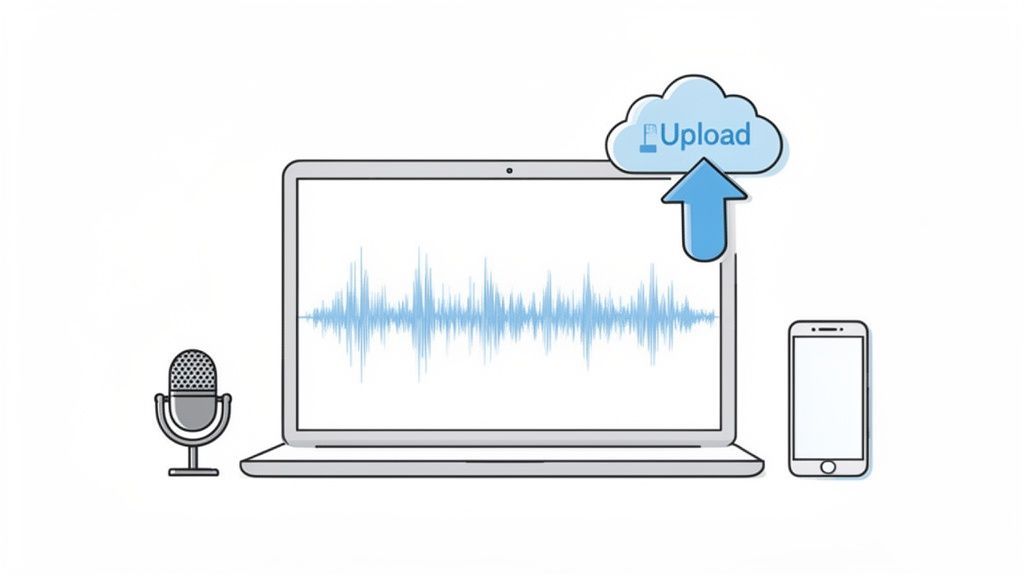
As you can see, Transcript.LOL makes it easy to pull in your audio from pretty much anywhere. This is all about fitting into your existing workflow.
Here’s a quick look at the most common methods and when I find them most useful:
- From Your Device: The classic drag-and-drop. This is your go-to for audio you’ve just recorded or finished editing locally on your machine. Simple and direct.
- Cloud Storage (Google Drive, Dropbox): This is a lifesaver for teams. Instead of forcing a colleague to download a massive video file just so you can re-upload it, you can just connect your cloud account and pull the file directly. It saves a ton of time and bandwidth.
- Direct URL (YouTube, Vimeo): This feature is a game-changer for content repurposing. Found an insightful YouTube video or need to grab a script from your own webinar? Just paste the link. The service handles fetching the audio in the background, which is incredibly efficient.
Finalizing Your Transcription Settings
After uploading, you'll be prompted to configure a few settings. Don't just fly past this step—these choices directly impact the quality of your final transcript.
First, select the audio's language. Even if a tool has auto-detection, I always recommend specifying the language upfront. It prevents errors, especially if there are regional dialects or accents involved.
Next, and this is crucial, enable speaker detection (sometimes called diarization). For any recording with more than one person—interviews, meetings, podcasts—this feature is non-negotiable. It’s what turns a confusing wall of text into a readable, organized script by automatically labeling who is speaking.
For a deeper dive into all the options, you can explore the comprehensive documentation on transcription settings. Taking a moment here ensures you get the best possible transcript on the very first try.
Editing and Exporting Your Transcript Like a Pro
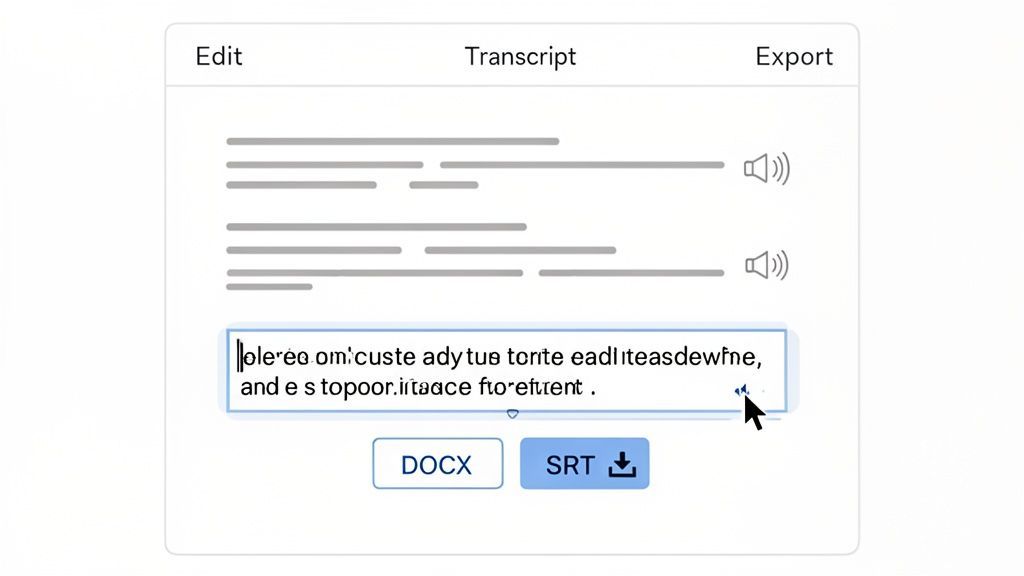
The initial AI transcript you get back is the raw clay. It’s a brilliant first draft that gets you about 95% of the way there, but the real artistry happens in the final polish. This is where you elevate a good transcript into a truly professional document.
Think of the interactive editor in a tool like Transcript.LOL as your cockpit. It’s built to make the cleanup process as painless as possible. As the audio plays, the corresponding text lights up, making it dead simple to spot and fix any little mistakes on the fly.
Most errors are minor—a person's name gets misspelled, an industry-specific term is misinterpreted, or the punctuation is slightly off. These are quick fixes. For instance, if the AI hears "Sarah's" but types "Sara's," you can find and correct it in seconds.
Fine-Tuning for Readability and Clarity
Beyond catching typos, the editing stage is your opportunity to add a human touch to the transcript's structure. While AI is fantastic at capturing words, it doesn't always grasp the nuances of a natural conversation.
One of the first things I always do is replace the generic speaker labels. The AI might identify "Speaker 1" and "Speaker 2," but changing those to the actual names—like "Jane" and "David"—instantly makes the entire conversation easier to follow.
Another pro-level edit is managing paragraph breaks. People often pause mid-sentence, which can trick the AI into starting a new paragraph. By merging these short fragments, you create a cohesive block of text that accurately reflects the speaker's complete thought.
The goal isn't a word-for-word log of every "um" and "ah." It's to produce a clean, accurate, and easy-to-read document that's ready for its final purpose, whether that's becoming a blog post, meeting notes, or video captions.
This refinement process is what truly separates an amateur result from a professional one. It’s less about transcription and more about smart content editing.
Choosing the Right Export Format for Your Needs
Once your transcript is polished and perfect, the final move is to export it. This isn't just a trivial choice; the format you select determines exactly how you can use the transcript downstream.
When you transcribe audio to text online, the export options are make-or-break. Here’s a quick guide to the most common formats and when to use them:
- TXT (Plain Text): This is your bare-bones, no-frills option. You get just the text, stripped of all formatting. It’s perfect when you plan to copy and paste the content into another tool, like a CMS or social media scheduler, where you'll handle the styling later.
- DOCX (Microsoft Word): Go with this format when you need a ready-to-share document. DOCX files keep all your speaker labels, timestamps, and paragraph breaks intact. This makes them ideal for meeting minutes, interview reports, or any document you need to send straight to a colleague or client.
- SRT / VTT (Subtitle Files): These are the gold standard for video content. They contain not only the dialogue but also the precise timing data for when each line should appear on screen. Just upload an SRT or VTT file to YouTube, Vimeo, or your video editor, and you’ll have perfectly synchronized captions, boosting both accessibility and engagement.
Choosing the right format from the get-go saves you from a world of manual reformatting later. It means your polished transcript is ready for action the second it’s downloaded.
Turning Your Transcripts into High-Value Content
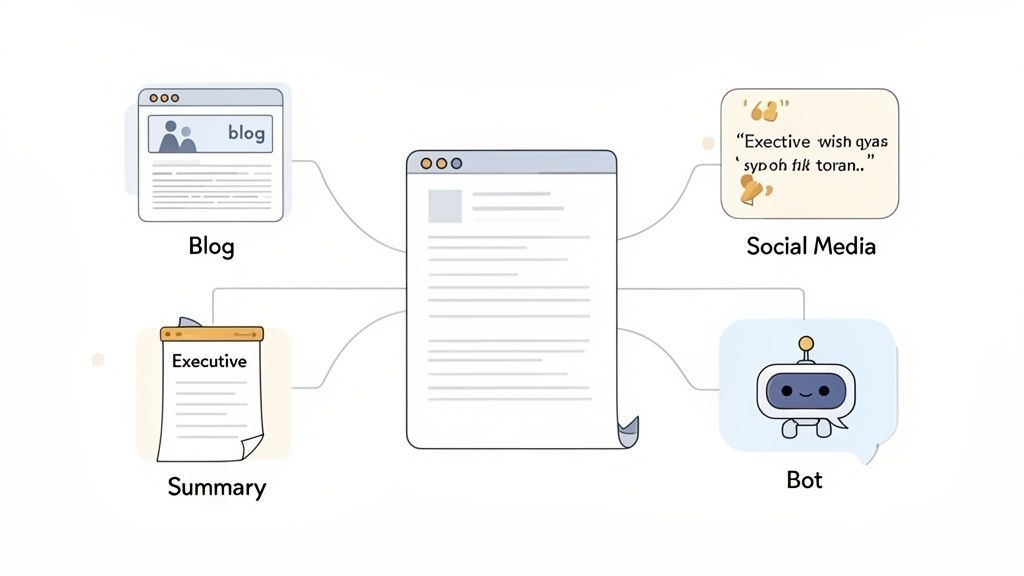
Letting a polished transcript just sit in a folder is a huge missed opportunity. The real magic happens with what you do next. Modern tools that transcribe audio to text online have evolved beyond simple conversion; they're now full-blown content creation platforms.
Think of your transcript as the raw material for a dozen new assets. A single one-hour recording can be instantly repurposed, giving you a massive return on the effort you put into creating the original content. It’s all about working smarter to squeeze every drop of value from your audio files.
Instantly Generate Content from Your Transcript
Once your text is ready, platforms like Transcript.LOL open up a whole new level of content creation. You’re no longer just looking at a script—you're looking at a goldmine of potential marketing assets, internal docs, and training materials.
With built-in AI, you can jump from a full transcript to finished content in seconds. Here are a few real-world examples of what you can do:
- Executive Summaries: Turn a two-hour project kickoff meeting into a tight summary for stakeholders who don’t have time for the full playback.
- Key Action Items: Automatically pull out all the "next steps" from a team sync and generate a clean list of tasks, complete with owners.
- Social Media Posts: Extract punchy, shareable quotes from a podcast interview and create a week's worth of content for Twitter, LinkedIn, or Instagram.
- Full Blog Drafts: Use a webinar transcript as the skeleton for a detailed blog post, with headings and key takeaways already structured for you.
This shift from transcription to content generation is a big deal. The demand for audio-to-text conversion is now a core part of modern content strategy, with automated transcription already commanding 54.3% of the marketing transcription market. It's all fueled by the explosive growth in video, podcasts, and webinars.
Creative Workflows for Maximum ROI
Beyond the usual summaries and social posts, you can get even more creative. A good transcript opens doors to workflows that used to be incredibly time-consuming.
Imagine taking the transcript from a customer interview and using it to generate prompts for an internal training chatbot. Or, you could take a podcast episode and create a detailed mind map to help your audience visualize the core concepts. These are the kinds of advanced moves that truly multiply your content ROI.
The most effective content teams don't see a transcript as the end product. They see it as the starting point for a cascade of new content that can be distributed across multiple channels.
Once you have your transcripts, turning them into valuable assets is the next step. For example, learning how to leverage a Spotify podcast transcript can help you grow your show and reach a much wider audience. This is how you build a content engine that actually runs on efficiency.
Common Questions About Online Transcription
When you start looking to transcribe audio to text online, a few questions almost always pop up. Getting straight answers helps you move forward with confidence, knowing you’ve picked the right tool for the job.
Most people's first question is about quality. How good can an automated transcript really be? The answer almost always comes down to the AI model doing the work.
How Accurate Are AI Transcription Services?
Modern AI services, especially those running on advanced models like OpenAI's Whisper, can hit accuracy rates well over 95% under ideal conditions. What are "ideal conditions"? Think clear audio, minimal background noise, and speakers who aren't talking over each other.
But the tech itself can give you a boost. A tool like Transcript.LOL, for example, lets you add custom vocabulary. This is a huge deal for teaching the AI to recognize specific names, company acronyms, or industry jargon it would otherwise get wrong, pushing that accuracy score even higher.
Is It Safe to Upload Sensitive Audio Files?
Security is another big one, and for good reason. The safety of your files hinges entirely on the provider's data privacy policy. This is not the part you want to skim.
The most important thing to look for is a strict no-training policy. This is a guarantee that the service will not use your uploaded audio or text to train its AI models.
Platforms that take privacy seriously, including Transcript.LOL, make this a core promise. Always check the terms before you upload confidential meetings, client interviews, or sensitive personal recordings. That one simple check ensures your information stays your own.
What Is the Best File Format for Uploading?
It's easy to get hung up on file formats, but honestly, the quality of the recording is way more important. A high-bitrate MP3 with crystal-clear audio will always give you a better transcript than a poorly recorded WAV file drowning in background noise.
That said, if you’re a stickler for quality or need files for archival purposes, lossless formats like FLAC or WAV are technically the best. But for everyday use, most online tools are perfectly optimized for common formats like MP3, M4A, and MP4.
Can I Transcribe Audio Directly from a URL?
Yes, and this feature is an absolute game-changer for content creators. Many modern platforms let you transcribe directly from a public URL, saving you a ton of time.
For instance, you can just paste a link from YouTube or Vimeo into a service like Transcript.LOL. The platform just grabs the audio in the background and gets to work—no need to download the video file yourself. It’s the perfect workflow for repurposing video content, analyzing competitor videos, or quickly whipping up a set of captions.
For more detailed answers, you can find a comprehensive list by checking out these frequently asked questions about transcription.
Ready to get started? Transcript.LOL makes it incredibly easy to get fast, accurate, and secure transcripts in seconds. Upload a file or paste a link and see how simple it can be to turn your audio into valuable text. Visit https://transcript.lol to try it now.