
Modelo de Sinopse de Reunião: Decisões Claras e Itens de Ação
Aumente os resultados das reuniões com um modelo de sinopse de reunião conciso que captura decisões, atribui ações e impulsiona o progresso.
Kate
March 26, 2025
Sejamos honestos: as anotações tradicionais de reuniões são muitas vezes onde boas ideias morrem, enterradas em um mar de texto que ninguém mais lê. Um modelo de sinopse de reunião, por outro lado, é uma ferramenta ativa. Ele transforma conversas confusas em um roteiro claro para ação.
É a diferença entre documentar o que foi dito e documentar o que precisa ser feito.
Por que uma Sinopse de Reunião Muda Tudo?
Uma sinopse de reunião não se trata de registrar conversas — trata-se de convertê-las em resultados. Ao focar em decisões, responsabilidades e próximos passos, as equipes eliminam a confusão e avançam com confiança.
Por Que Suas Reuniões Precisam de um Resumo, Não Apenas de Anotações
Pense na última reunião de início de projeto em que você participou. A energia estava alta, as ideias estavam fluindo e todos pareciam estar na mesma página. Mas uma semana depois, o ímpeto diminuiu. Por quê?
Porque as anotações eram apenas um amontoado de tópicos sem propriedade clara. Conclusões vagas como "Pesquisar opções de marketing" deixaram a equipe confusa. Quem é o responsável por essa tarefa? Quais são as opções específicas? Qual é o prazo?
É aqui que um resumo faz toda a diferença. Ele é construído para evitar exatamente esse tipo de ambiguidade.
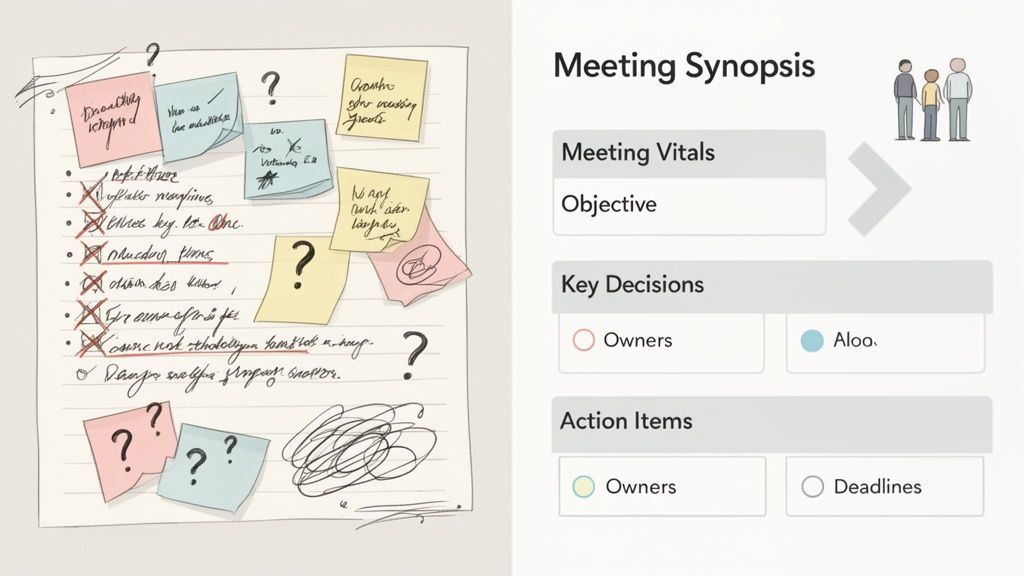
De Registro Passivo a Roteiro Ativo
As atas de reunião tradicionais geralmente funcionam como um registro passivo e histórico. Elas capturam tudo, o que, ironicamente, as torna menos úteis. Um resumo é diferente; é um resumo executivo construído para o ímpeto.
Um bom modelo de resumo de reunião força você a destilar a conversa em suas partes mais críticas:
- Decisões Chave: Com o que realmente concordamos? Isso cria um registro oficial que impede debates futuros sobre o que foi decidido.
- Itens de Ação: Quem está fazendo o quê e até quando? Isso cria responsabilidade clara e inegável.
- Responsáveis e Prazos: Cada tarefa recebe um nome e uma data de vencimento ao lado. Nada fica para trás.
Essa abordagem estruturada muda toda a dinâmica pós-reunião. Em vez de um e-mail longo e divagante que é ignorado, você distribui um documento conciso e escaneável que todos podem usar como guia. O próprio processo de preenchimento do modelo força você a sair da reunião com clareza total.
Se você quiser se aprofundar nisso, nosso guia sobre como fazer atas de reunião fornece uma base sólida.
O objetivo de uma reunião não é ter a reunião, mas sim impulsionar um resultado. Um resumo é a ferramenta que conecta a conversa a esse resultado.
O Custo Real de Anotações Vagas
Sem um resumo claro, sua equipe paga um preço em ineficiências ocultas. Pense nos e-mails de acompanhamento, nas reuniões "rápidas de sincronização" para esclarecer o que foi decidido na última reunião e nas tarefas atrasadas. Tudo isso se soma.
Um modelo simples de resumo de reunião elimina esse desperdício.
Ele se torna a única fonte de verdade que mantém todos alinhados e avançando. Muitas melhores práticas de comunicação empresarial enfatizam a importância de informações claras, concisas e acionáveis — que é exatamente o que um bom resumo oferece.
Isso não é apenas sobre anotações melhores; é sobre construir uma cultura de clareza e responsabilidade que realmente leva os projetos à linha de chegada.
Os Blocos de Construção de um Modelo de Resumo Poderoso
O que uma Sinopse de Reunião Forte Entrega?
Decisões Claras
Remove a ambiguidade documentando exatamente o que foi acordado, evitando discussões repetidas e desalinhamento posterior.
Visibilidade de Responsabilidade
Garante que cada tarefa tenha um responsável, tornando o acompanhamento mensurável e confiável.
Execução Mais Rápida
As equipes avançam imediatamente após as reuniões, em vez de esperar por e-mails de esclarecimento.
Fonte Única de Verdade
Cria uma referência confiável em que as equipes confiam, em vez de anotações e chats dispersos.
Uma boa sinopse de reunião é mais do que apenas uma lista de tópicos. É um plano para responsabilidade e ação. Se suas anotações pós-reunião parecem passivas ou vagas, é hora de mudar para uma estrutura organizada que garante que nada se perca entre a conversa e a execução.
Pense nisso como ter alguns componentes inegociáveis que mantêm todos na mesma página.
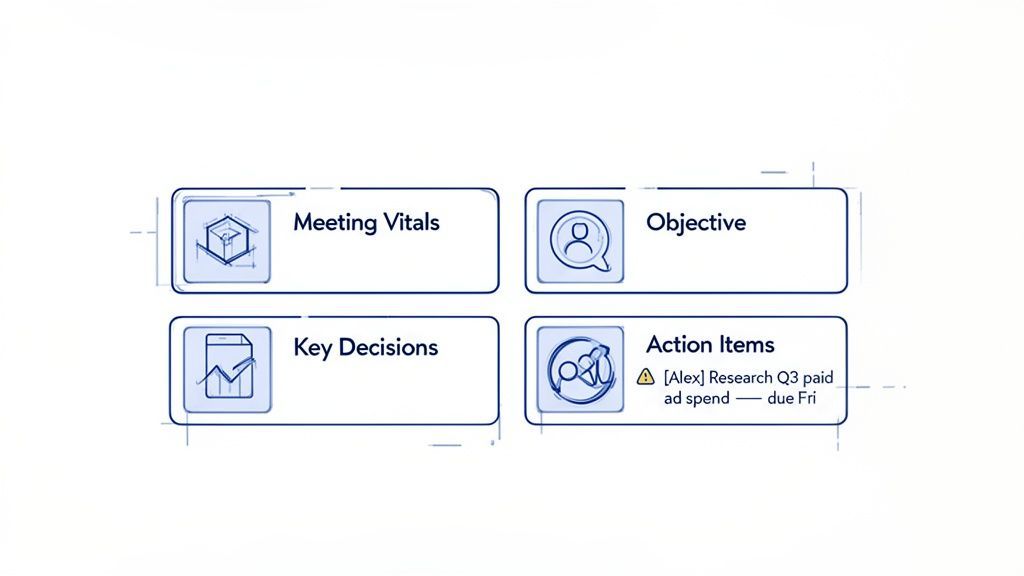
Vamos detalhar a anatomia de um modelo que realmente funciona, começando pelas coisas simples e passando para o núcleo orientado para a ação.
Começando com os Vitals da Reunião
Todo modelo sólido começa com o básico. Estes são os detalhes logísticos que dão a qualquer pessoa — participante ou não — contexto imediato. Pular isso parece menor, mas causa grandes dores de cabeça mais tarde, quando alguém está vasculhando anotações antigas tentando lembrar quem decidiu o quê e quando.
Seus vitals devem sempre cobrir:
- Título ou Tópico da Reunião: Algo claro e pesquisável, como "Início da Estratégia de Marketing do Q3".
- Data e Hora: Essencial para rastreamento histórico.
- Participantes: Uma lista rápida de quem estava presente. Isso esclarece quem fez parte do processo de tomada de decisão.
- Ausentes (Opcional): Este é um ótimo toque para incluir qualquer pessoa que não pôde comparecer.
Esta seção é o seu cabeçalho profissional. Torna o documento fácil de encontrar e entender mais tarde — um pequeno detalhe com um enorme impacto organizacional.
Definindo um Objetivo Claro
Logo após os vitals, defina o propósito. O que esta reunião deveria alcançar? Esta não é a agenda completa; é um resumo de uma ou duas frases do objetivo principal.
Por exemplo, um objetivo pode ser: "Finalizar o calendário de conteúdo do Q3 e atribuir a propriedade das duas primeiras semanas de julho."
Esta declaração simples se torna seu parâmetro de sucesso. Quando você olhar para trás na sinopse, poderá dizer instantaneamente se a reunião fez o que deveria fazer. Isso ancora todo o documento.
Os Três Pilares Críticos da Ação
Além do básico, o verdadeiro poder de uma sinopse de reunião vem de três seções: Decisões Chave, Itens de Ação e Próximos Passos. É aqui que a conversa se transforma em compromisso. Dominar esses elementos é como você impulsiona o momentum depois que todos desligam.
1. Documentando Decisões Chave
Este é o registro oficial do que foi acordado. Não é um relato passo a passo do debate, mas um registro limpo dos resultados finais. Anotações vagas são o motivo pelo qual você acaba tendo a mesma conversa três vezes.
- Antes (Anotação Vaga): Discutimos o novo design do site.
- Depois (Decisão Clara): Aprovados os wireframes do "Projeto Phoenix" para a página inicial. A equipe de design tem luz verde para prosseguir com mockups de alta fidelidade.
Documentar decisões dessa forma cria uma fonte de verdade que evita desalinhamentos posteriores. Aprimorar seu processo com métodos eficazes de anotação pode fazer uma grande diferença na captura desses pontos com precisão.
2. Atribuindo Itens de Ação Claros como Cristal
Esta é, sem dúvida, a parte mais importante de todo o documento. Um item de ação sem um responsável e um prazo é apenas um desejo. Cada tarefa precisa ser específica, atribuída e com prazo determinado.
Itens de Ação Vagados Matam o Impulso
Quando as tarefas carecem de responsabilidade ou prazos, a prestação de contas desaparece. Mesmo ótimas reuniões falham se as responsabilidades de acompanhamento forem pouco claras ou não documentadas.
Um item de ação forte sempre inclui estas três coisas:
| Componente | Descrição | Exemplo |
|---|---|---|
| A Tarefa | Uma descrição clara do que precisa ser feito. | Pesquisar gastos com anúncios pagos do Q3 e apresentar opções de orçamento. |
| O Responsável | A única pessoa responsável por realizar a tarefa. | [Alex] |
| O Prazo | A data específica até a qual a tarefa deve ser concluída. | Fim do dia de sexta-feira, 28 de junho |
Essa estrutura elimina a ambiguidade. Todos sabem quem está fazendo o quê e até quando.
Antes: "Alguém precisa dar seguimento ao marketing."
Depois: "[Alex] Pesquisar gastos com anúncios pagos do Q3 e apresentar opções de orçamento até o fim do dia de sexta-feira."
3. Definindo Próximos Passos Claros
Esta peça final descreve o que acontece a seguir. Pode ser agendar a reunião de acompanhamento, sinalizar dependências ou apenas anotar quando a equipe se reunirá novamente. Isso mantém o projeto em andamento.
O impacto aqui é enorme. Empresas que usam modelos padronizados com decisões claras e itens de ação relatam economizar para os gerentes de projeto uma média de 5 horas por semana. E não se trata apenas de tempo — organizações que aplicam essa estrutura veem uma melhora de 20% na adesão aos prazos. Essa estrutura não serve apenas para manter a organização; é um impulsionador direto da produtividade.
Modelos Prontos para Uso para Qualquer Tipo de Reunião
Ter uma estrutura sólida é uma coisa, mas colocá-la em prática é onde você vê os resultados. Nem toda reunião é igual, então sua documentação também não deveria ser. Um rápido check-in diário simplesmente não precisa do mesmo nível de detalhe que uma apresentação de cliente de alto risco ou uma sessão formal de planejamento estratégico.
Para preencher essa lacuna, desenvolvemos três modelos distintos, para copiar e colar. Cada um é projetado para um cenário de negócios comum, dando a você a ferramenta certa para a conversa certa. Pense nesses modelos como seu ponto de partida para construir uma cultura de reunião mais responsável e orientada para a ação.
Modelo de Resumo da Reunião Diária (Stand-Up)
Resumos de reuniões diárias, especialmente em equipes ágeis e de ritmo acelerado, vivem e morrem pela sua brevidade. O objetivo é o alinhamento rápido, não uma discussão aprofundada. Um resumo longo e detalhado derrota completamente o propósito.
Este modelo de resumo de reunião é construído para velocidade e clareza puras. Ele se concentra apenas no que importa: o que foi feito, o que vem a seguir e o que está impedindo. Ele é projetado para ser escaneado em 30 segundos e mantém toda a equipe focada nas prioridades imediatas.
Melhor para:
- Check-ins diários ou frequentes da equipe.
- Reuniões diárias (stand-ups) ágeis ou Scrum.
- Rapidas reuniões de projeto para sincronizar tarefas imediatas.
O Modelo:
Resumo da Reunião Diária (Stand-Up)
- Data: [Data]
- Equipe/Projeto: [Nome da Equipe ou Projeto]
Atualizações dos Membros da Equipe:
- [Nome]:
- Progresso de Ontem: [Breve resumo das tarefas concluídas]
- Foco de Hoje: [1-2 prioridades principais para hoje]
- Bloqueios: [Quaisquer obstáculos que impeçam o progresso - se nenhum, escreva "Nenhum"]
- [Nome]:
- Progresso de Ontem: [Breve resumo das tarefas concluídas]
- Foco de Hoje: [1-2 prioridades principais para hoje]
- Bloqueios: [Quaisquer obstáculos que impeçam o progresso - se nenhum, escreva "Nenhum"]
- [Adicione mais membros da equipe conforme necessário]
Novos Itens de Ação:
- [Ação]: [Responsável], até [Prazo]
Exemplo Preenchido:
Resumo da Reunião Diária (Stand-Up)
- Data: 28 de junho de 2024
- Equipe/Projeto: Relançamento do Site Phoenix
Atualizações dos Membros da Equipe:
- Sarah (Design):
- Progresso de Ontem: Finalizou os mockups da página inicial móvel.
- Foco de Hoje: Começar o trabalho nos wireframes da página "Sobre Nós".
- Bloqueios: Aguardando a cópia final para o banner principal da equipe de marketing.
- Tom (Dev):
- Progresso de Ontem: Implantou o novo componente de navegação no ambiente de staging.
- Foco de Hoje: Iniciar a integração da API de login do usuário.
- Bloqueios: Nenhum
Novos Itens de Ação:
- [Fornecer cópia final do banner principal para Sarah]: [Mark], até o fim do dia de hoje
Modelo de Check-In de Projeto com o Cliente
Quando você está se reunindo com um cliente, clareza e documentação são seus melhores amigos. Mal-entendidos simples sobre feedback, escopo ou próximos passos podem rapidamente se transformar em atrasos no projeto e relacionamentos danificados. Este modelo foi projetado para evitar esse tipo de ambiguidade.
Ele estrutura a conversa em torno do feedback do cliente, confirma decisões importantes e documenta claramente os entregáveis para a próxima fase. Isso cria um registro compartilhado do que foi acordado, protegendo você e seu cliente de dores de cabeça futuras.
Melhor para:
- Sincronizações semanais ou quinzenais com clientes.
- Revisões de marcos do projeto.
- Reuniões focadas em feedback e aprovações.
O Modelo:
Resumo do Check-In de Projeto com o Cliente
- Projeto: [Nome do Projeto]
- Data: [Data]
- Participantes: [Sua Equipe], [Equipe do Cliente]
Objetivo da Reunião: [Declare brevemente o objetivo, por exemplo, "Revisar os mockups de design V2 e confirmar os próximos passos para o desenvolvimento."]
Pontos Chave de Discussão e Feedback do Cliente:
- [Tópico 1]: [Resuma a discussão e o feedback específico recebido.]
- [Tópico 2]: [Resuma a discussão e o feedback específico recebido.]
Decisões e Aprovações:
- [Decisão 1]: [Declare claramente o que foi aprovado ou decidido, por exemplo, "Cliente aprovou o design da página inicial V2 com pequenas alterações de texto."]
- [Decisão 2]: [Por exemplo, "Acordado em adiar o lançamento da seção de blog para a Fase 2."]
Itens de Ação:
- Nossa Equipe:
- [Ação]: [Responsável], até [Prazo]
- Equipe do Cliente:
- [Ação]: [Responsável], até [Prazo]
Exemplo Preenchido:
Resumo do Check-In de Projeto com o Cliente
- Projeto: Automação de Marketing Acme Corp
- Data: 28 de junho de 2024
- Participantes: Nossa Equipe (Jane, Mike), Equipe do Cliente (Bob, Susan)
Objetivo da Reunião: Revisar o mapa da jornada do usuário para a nova sequência de e-mails e confirmar o plano de conteúdo.
Pontos Chave de Discussão e Feedback do Cliente:
- Mapa da Jornada do Usuário: Cliente observou que a sequência de onboarding parecia um passo muito longa. Sugeriu combinar os e-mails de "Boas-vindas" e "Introdução de Recursos".
- Plano de Conteúdo: O feedback foi positivo sobre os tópicos de blog propostos. Eles solicitaram que adicionássemos mais um artigo focado em estudos de caso.
Decisões e Aprovações:
- Decisão 1: Aprovou o mapa da jornada do usuário revisado com os dois e-mails iniciais combinados.
- Decisão 2: Aprovou o plano de conteúdo, com a adição de um tópico de estudo de caso para agosto.
Itens de Ação:
- Nossa Equipe:
- [Revisar a sequência de e-mails e enviar para aprovação final]: [Jane], até 1º de julho
- [Adicionar tópico de estudo de caso ao calendário de conteúdo]: [Mike], até o fim do dia de hoje
- Equipe do Cliente:
- [Fornecer materiais para o estudo de caso]: [Susan], até 5 de julho
O Resumo Formal da Reunião Estratégica
Reuniões estratégicas de alto nível — pense em reuniões de conselho, planejamento trimestral ou grandes revisões de orçamento — carregam um tipo diferente de peso. As decisões tomadas nessas salas podem definir a direção por meses ou até anos. A documentação tem que ser formal, precisa e completamente inequívoca.
Este modelo é estruturado para capturar moções oficiais, diretivas de alto nível e responsabilidades de longo prazo. É menos sobre tarefas granulares do dia a dia e mais sobre documentar os pilares estratégicos e os principais líderes responsáveis por eles. Para um mergulho mais profundo, nosso artigo sobre como criar um exemplo de ata de reunião com itens de ação oferece ótimas percepções paralelas.
Um resumo formal serve como o registro histórico oficial. É o documento que você consultará daqui a um ano para confirmar exatamente por que uma mudança estratégica chave foi feita.
Melhor para:
- Reuniões do Conselho de Administração.
- Sessões de planejamento estratégico trimestrais ou anuais.
- Retiros de liderança ou reuniões de aprovação de orçamento.
O Modelo:
Resumo da Reunião Estratégica
- Título da Reunião: [Por exemplo, Reunião do Conselho Q3 2024]
- Data: [Data]
- Participantes: [Lista de participantes e seus cargos]
- Ausentes: [Lista de ausentes]
Objetivo da Reunião: [Propósito de alto nível da reunião.]
Tópicos Chave Discutidos:
- [Tópico 1]: [Resumo breve e neutro da discussão.]
- [Tópico 2]: [Resumo breve e neutro da discussão.]
Resoluções e Decisões Chave (Registro Oficial):
- [Resolução/Decisão 1]: [Declaração formal da decisão. Se uma votação foi realizada, registre o resultado. Exemplo: "O conselho aprovou o orçamento do Q3 de $500.000 conforme apresentado. Moção aprovada por unanimidade."]
- [Resolução/Decisão 2]: [Exemplo: "Aprovou a iniciativa de expansão para o mercado europeu, com um plano formal a ser apresentado no Q4."]
Itens de Ação Estratégicos:
- [Iniciativa/Ação]:
- Patrocinador Executivo: [Nome do líder responsável]
- Próximo Marco e Prazo: [Qual é o próximo grande entregável e quando ele vence?]
Exemplo Preenchido:
Resumo da Reunião Estratégica
- Título da Reunião: Reunião do Conselho Q3 2024
- Data: 28 de junho de 2024
- Participantes: John Doe (CEO), Jane Smith (CFO), Emily White (COO), Mark Brown (Presidente do Conselho)
- Ausentes: Nenhum
Objetivo da Reunião: Revisar o desempenho do Q2, aprovar o orçamento operacional do Q3 e votar no plano de expansão internacional proposto.
Tópicos Chave Discutidos:
- Revisão de Desempenho do Q2: Discutiu um crescimento de receita de 15% trimestre a trimestre, superando as metas. Notou desafios no custo de aquisição de clientes.
- Proposta de Expansão Internacional: Revisou a pesquisa de mercado para um potencial lançamento na Alemanha e no Reino Unido.
Resoluções e Decisões Chave (Registro Oficial):
- Resolução 1: O conselho aprovou oficialmente o orçamento operacional do Q3 de $750.000 conforme apresentado pelo CFO. Moção aprovada por unanimidade.
- Resolução 2: Uma moção para aprovar um programa piloto para entrada no mercado do Reino Unido foi aprovada por 3-1 votos.
Itens de Ação Estratégicos:
- [Desenvolver Plano Piloto de Entrada no Mercado do Reino Unido]:
- Patrocinador Executivo: Emily White (COO)
- Próximo Marco e Prazo: Apresentar um plano de projeto detalhado e orçamento na reunião do conselho de setembro.
Escolhendo o Modelo de Resumo Certo para Sua Reunião
Ainda não tem certeza de qual se encaixa melhor? Use esta rápida comparação para ver quais componentes do modelo são adequados para sua reunião específica, ajudando você a escolher a ferramenta certa para o trabalho.
| Componente Chave | Modelo de Reunião Diária | Modelo de Check-In com Cliente | Modelo de Reunião Estratégica |
|---|---|---|---|
| Ritmo e Detalhe | Rápido e enxuto, apenas o essencial | Feedback detalhado e aprovações | Decisões formais de alto nível |
| Foco | Bloqueios e tarefas imediatas | Alinhamento com o cliente e entregáveis | Moções e resoluções oficiais |
| Itens de Ação | Curto prazo (diário/semanal) | Específicos do projeto, ambos os lados | Iniciativas estratégicas de longo prazo |
| Público | Equipe interna | Equipe interna e cliente | Liderança e membros do conselho |
Em última análise, o objetivo é criar um registro que cumpra seu propósito. Um resumo de reunião diária precisa apenas manter a equipe em movimento, enquanto um resumo de reunião de conselho se torna parte da história oficial da empresa. Escolha aquele que corresponde às apostas.
Como Automatizar a Criação do Seu Resumo de Reunião
Recursos que Apoiam Resultados Claros de Reunião
IA de última geração
Alimentado pelo Whisper da OpenAI para precisão líder na indústria. Suporte para vocabulários personalizados, arquivos de até 10 horas e resultados ultra rápidos.

Importar de múltiplas fontes
Importe arquivos de áudio e vídeo de várias fontes, incluindo upload direto, Google Drive, Dropbox, URLs, Zoom e mais.

Detecção de falantes
Identifique automaticamente diferentes falantes nas suas gravações e rotule-os com seus nomes.
Vamos ser sinceros: ninguém gosta de digitar manualmente as anotações da reunião. É um fardo. Você está freneticamente tentando capturar cada palavra, o que significa que você não está realmente na reunião, ou está ouvindo pela metade, o que significa que você está perdendo detalhes importantes. É uma situação clássica sem vencedores.
Mas e se você pudesse abandonar o trabalho manual completamente? Você pode, e é mais simples do que você imagina. Com as ferramentas certas, você pode ir de uma gravação bruta de reunião para uma sinopse polida e pronta para compartilhar em apenas alguns minutos.
Recursos que Aceleram a Criação de Sinopses

Ferramentas de edição
Edite transcrições com ferramentas poderosas incluindo buscar e substituir, atribuição de falantes, formatos de texto rico e destaque.

Exportar em múltiplos formatos
Exporte suas transcrições em múltiplos formatos incluindo TXT, DOCX, PDF, SRT e VTT com opções de formatação personalizáveis.
Resumos e Chatbot
Gere resumos e outros insights da sua transcrição, prompts personalizados reutilizáveis e chatbot para o seu conteúdo.
Isto não serve apenas para um tipo de reunião. Este processo funciona quer esteja a realizar uma rápida reunião diária (stand-up), uma verificação detalhada com um cliente ou uma sessão estratégica de alto risco.
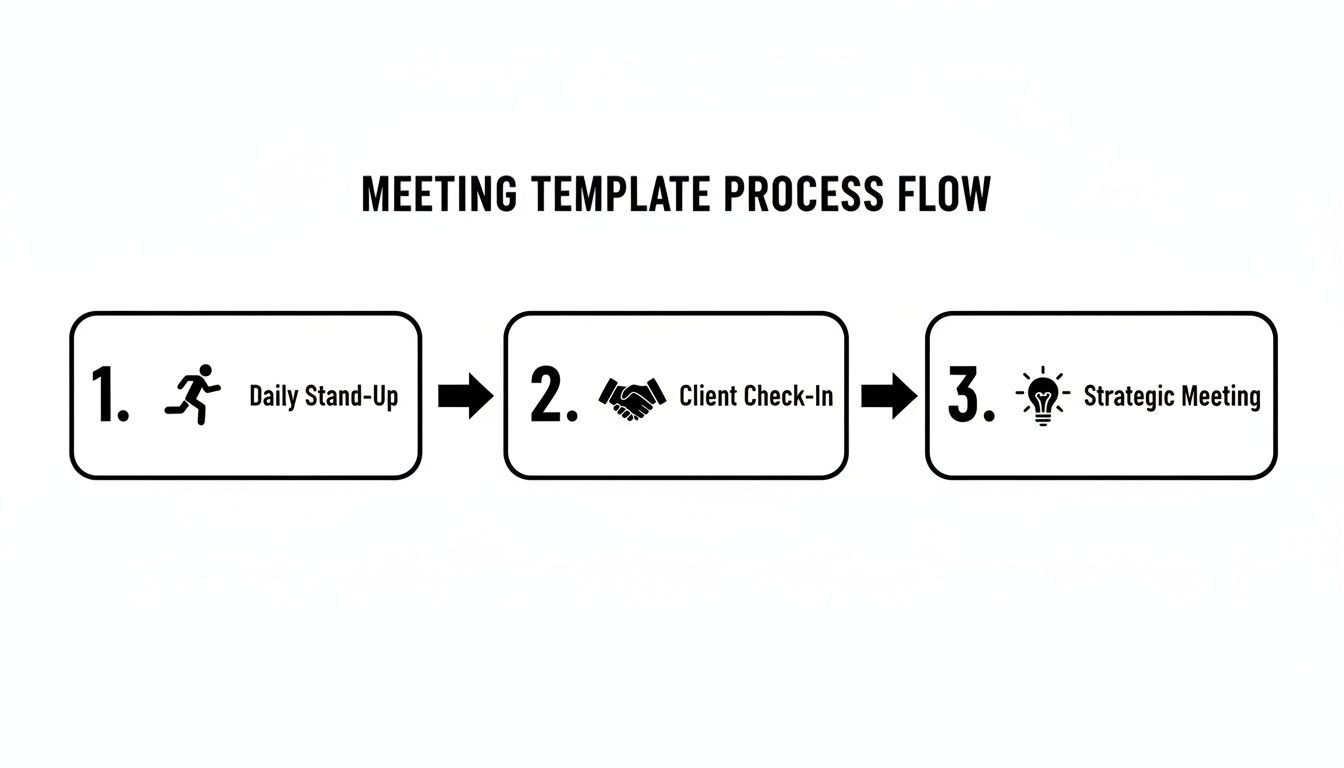
Este fluxo de trabalho mostra como um processo de documentação padronizado traz consistência e clareza a todos os tipos de reuniões que tem.
O Fluxo de Trabalho de Automação Simples
Na sua essência, o processo de automação consiste em deixar um motor de IA fazer o trabalho pesado. Só precisa de lhe fornecer o áudio ou vídeo da sua reunião, e ele trata do resto. Isto liberta-o para estar totalmente presente e envolvido na conversa, sabendo que todos os detalhes estão a ser capturados com precisão.
Veja como funciona:
- Grave a Reunião: Basta premir gravar na ferramenta que estiver a usar (Zoom, Google Meet, Teams, etc.).
- Obtenha uma Transcrição: Carregue essa gravação para um serviço de transcrição de IA. Uma ferramenta como o Transcript.LOL dar-lhe-á uma transcrição notavelmente precisa e com etiquetas de orador em segundos.
- Extraia o Essencial: Agora, utilize prompts de IA para extrair instantaneamente resumos, decisões chave e todos os itens de ação que foram mencionados.
- Preencha o Seu Modelo: Simplesmente copie e cole a saída gerada pela IA no modelo de sinopse de reunião correto da secção anterior.
É isso. O conteúdo gerado pela IA é o material bruto perfeito. As decisões estão claramente listadas e os itens de ação estão todos lá, prontos para serem atribuídos. Chega de voltar a ouvir uma gravação de uma hora apenas para encontrar um detalhe. Aprofundamos como isto funciona no nosso guia para usar um anotador de IA para Zoom.
Da Transcrição Bruta à Sinopse Polida
A verdadeira magia acontece quando transforma essa transcrição bruta numa sinopse finalizada. Assim que tiver o texto completo, pode usar comandos simples de IA para o destilar em algo verdadeiramente útil.
Experimente estes prompts de IA:
- "Resuma as decisões chave tomadas nesta reunião."
- "Extraia todos os itens de ação desta transcrição, incluindo quem está atribuído a cada tarefa e quaisquer prazos mencionados."
- "Liste os principais tópicos discutidos e as conclusões finais para cada um."
Isto muda completamente o trabalho árduo pós-reunião. Em vez de passar uma hora a decifrar as suas notas confusas, passa cinco minutos a rever e a ajustar um rascunho gerado por IA.
As mais recentes ferramentas de transcrição e resumo de IA têm sido um divisor de águas. As equipas que utilizam ferramentas integradas podem reduzir o tempo necessário para distribuir resumos de reuniões de 24–48 horas para menos de uma hora. Isto não é apenas uma pequena melhoria; é uma mudança fundamental na forma como lidamos com a documentação de reuniões.
Resumos Mais Rápidos Significam Decisões Mais Rápidas
Reduzir o tempo de resposta na documentação de reuniões melhora diretamente a velocidade de execução. Quando as equipes recebem clareza rapidamente, os projetos mantêm o ímpeto.
Conectando ao Seu Fluxo de Trabalho Mais Amplo
Esta automação não precisa viver isolada. Você pode facilmente integrar este processo em suas outras ferramentas de gerenciamento de projetos e comunicação, criando um fluxo de informações contínuo, de conversa a ação.
Por exemplo, assim que seu resumo estiver pronto, você pode configurar uma automação que crie tarefas no Asana ou Jira, ou poste o resumo diretamente em um canal específico do Slack. Para ir além, confira algumas das melhores ferramentas de automação de fluxo de trabalho com IA que podem ajudar você a conectar todas essas partes móveis.
Ao remover o atrito manual, você aumenta muito a probabilidade de que os resumos sejam feitos sempre. E essa consistência é o que constrói uma cultura de clareza e responsabilidade em toda a sua equipe.
Fazendo Sua Equipe Usar os Modelos
Olha, criar o modelo perfeito de resumo de reunião é um ótimo começo, mas é inútil se ele apenas acumular poeira digital em um drive compartilhado. O verdadeiro desafio não é o design — é mudar os hábitos da sua equipe.
Vamos ser honestos, sem um plano de lançamento inteligente, até as ferramentas mais brilhantes estão fadadas ao fracasso.
O truque é apresentar isso não como mais trabalho administrativo, mas como uma solução para um ponto de dor compartilhado: aquela frustrante sensação de "qual é o próximo passo?" após a maioria das reuniões. Você precisa de uma estratégia para que todos se envolvam, transformando o modelo de uma tarefa em um procedimento operacional padrão.
Comece Pequeno com um Projeto Piloto
Não tente forçar uma mudança em toda a empresa da noite para o dia. Nunca funciona. Em vez disso, comece pequeno com um grupo influente — talvez uma única equipe de projeto que esteja claramente sentindo a dor da má comunicação.
Execute um programa piloto com eles por apenas duas semanas usando seu novo modelo. Essa abordagem é poderosa por alguns motivos:
- Cria campeões: A equipe piloto verá os benefícios em primeira mão — menos confusão, tarefas mais claras e menos reuniões de acompanhamento. Eles se tornam seus melhores defensores internos.
- Dá a você provas: Você pode coletar dados concretos. Mostrar quanto tempo foi economizado ou quantos prazos foram cumpridos torna um argumento muito mais forte do que apenas dizer que é "mais eficiente".
- Permite refinar: Seu grupo piloto lhe dará feedback inestimável para ajustar o modelo antes de lançá-lo para um público mais amplo.
Assim que o piloto for um sucesso, compartilhe os resultados e alguns depoimentos elogiosos. Isso cria momentum e mostra a todos os outros o que eles têm a ganhar.
Torne Fácil e Centralizado
O atrito é o inimigo mortal da adoção. Se encontrar e usar o modelo for um incômodo, as pessoas simplesmente voltarão aos seus velhos e desorganizados hábitos. Seu objetivo é fazer do uso do modelo o caminho de menor resistência.
Primeiro, crie um local único e fácil de encontrar para todos os resumos de reuniões. Pode ser uma pasta dedicada no Google Drive, um canal específico no Microsoft Teams, ou um banco de dados no Notion. A ferramenta específica não importa tanto quanto a consistência.
Em seguida, designe um "responsável pelo resumo" claro para cada reunião recorrente. Essa é a pessoa responsável por garantir que o modelo seja preenchido e compartilhado prontamente. Rotacionar essa função é uma ótima maneira de fazer com que toda a equipe se sinta confortável com o processo.
Aborde a Resistência de Frente
A resistência à mudança é natureza humana. A reclamação mais comum que você ouvirá é: "Estamos muito ocupados para isso".
É aqui que você reformula o modelo não como uma tarefa extra, mas como uma máquina de economizar tempo. Apoie isso com dados. Métricas globais de reuniões mostram que, embora 94% das reuniões sejam agendadas para uma hora ou menos, os executivos avaliam um impressionante 67% delas como fracassos. As pessoas perdem o foco, e resultados pouco claros são incrivelmente caros.
Um modelo de resumo de reunião eficaz ataca diretamente esse problema. Ele força a clareza em decisões e itens de ação, tornando as reuniões mais eficazes e reduzindo drasticamente a necessidade de acompanhamento. Você pode descobrir mais sobre essas estatísticas de eficácia de reuniões e ver como um resumo claro ajuda a resolver o problema.
Ao tornar o resumo uma parte inegociável da conclusão da reunião, você muda a mentalidade da equipe. A reunião não termina de verdade até que o resumo seja concluído e compartilhado.
Perguntas Comuns Sobre Resumos de Reuniões
Mesmo com os melhores modelos, o lançamento de um novo processo sempre gera algumas perguntas. Entendemos. Pense nisso como seu guia de referência rápida para os obstáculos comuns que vemos as equipes enfrentarem quando começam a usar um modelo de resumo de reunião.
Acertar esses detalhes desde o início garante um lançamento muito mais tranquilo e confiante. Vamos abordar essas perguntas de frente.
Qual é a Diferença Entre um Resumo e Atas Tradicionais?
Esta é facilmente a pergunta mais comum, e a distinção é crítica. As atas tradicionais destinam-se a ser um registro abrangente e detalhado de uma reunião. Elas capturam tudo — quem disse o quê, todos os tópicos abordados e todas as idas e vindas, muitas vezes em uma estrutura formal. Elas são um arquivo histórico.
Um resumo de reunião, por outro lado, é focado em ação. Ele é projetado para ser uma ferramenta rápida e escaneável que impulsiona o trabalho. Sua única função é destacar os resultados mais essenciais e voltados para o futuro:
- Decisões Tomadas: Com o que realmente concordamos?
- Itens de Ação: Quem está fazendo o quê e até quando?
- Próximos Passos: Qual é o plano imediato?
Enquanto as atas olham para trás, um resumo olha para frente. É intencionalmente breve e foca inteiramente na construção de momentum.
Aqui está uma maneira simples de pensar sobre isso: as atas documentam a conversa; um resumo documenta os compromissos que surgiram dela.
Quem Deve Ser Responsável por Escrever o Resumo?
A melhor atitude aqui é designar um "responsável pelo resumo" claro antes ou no início de cada reunião. Isso evita completamente aquele silêncio constrangedor quando a chamada termina e alguém pergunta: "Então... quem vai enviar o resumo?"
Vimos algumas abordagens funcionarem muito bem:
- O Organizador da Reunião: A pessoa que convocou a reunião geralmente tem a ideia mais clara dos resultados desejados, tornando-a uma escolha natural para capturar o resumo.
- Um Anotador Designado: Para reuniões maiores ou mais formais, ter uma pessoa dedicada a essa tarefa permite que o líder da reunião permaneça totalmente engajado na discussão.
- Uma Função Rotativa: Para reuniões de equipe recorrentes, como reuniões diárias, rotacionar a responsabilidade é uma ótima maneira de fazer com que todos se envolvam no processo e se sintam confortáveis com o modelo.
A verdadeira chave é a consistência. Apenas certifique-se de que a função seja claramente definida para que nunca seja esquecida.
Como Podemos Integrar os Resumos com Nossas Ferramentas de Gerenciamento de Projetos?
Um resumo que fica apenas na caixa de entrada de e-mail não está cumprindo seu papel. Para torná-lo verdadeiramente eficaz, você precisa conectá-lo às plataformas onde o trabalho realmente acontece. É assim que você fecha o ciclo entre discussão e execução.
Muitas equipes configuram automações simples para preencher essa lacuna. Você pode usar ferramentas como Zapier ou as integrações nativas em plataformas como Asana, Trello ou Jira para vincular seu processo de resumo diretamente aos seus quadros de projeto.
Imagine um fluxo de trabalho onde, assim que um resumo é salvo, novas tarefas são criadas automaticamente em sua ferramenta de gerenciamento de projetos para cada item de ação — completo com responsáveis e prazos. Isso transforma seu resumo de um documento estático em um impulsionador dinâmico para seu projeto, garantindo que nada se perca.
Pronto para parar de perder tempo com anotações manuais e começar a criar resumos perfeitos e acionáveis em segundos? Com o Transcript.LOL, você pode fazer upload de qualquer gravação de reunião e gerar instantaneamente não apenas uma transcrição precisa, mas também as principais decisões e itens de ação que você precisa para preencher seus modelos. Comece a automatizar seus resumos de reuniões gratuitamente hoje mesmo em https://transcript.lol.