
How to Download Audio from YouTube The Ultimate 2026 Guide
Learn how to download audio from YouTube safely and effectively. This guide covers the best legal tools and methods for creators, marketers, and professionals.
Kate, Praveen
March 3, 2026
The safest way to download audio from YouTube isn't always the one you actually need. While a YouTube Premium subscription is the most legitimate route for offline listening inside the app, it won't give you an MP3 file you can edit or share. For that, you’ll need a different tool.
Choosing the Right Method to Download YouTube Audio
Before you start hunting for a download tool, let's figure out what you're actually trying to do. The best method really comes down to your end goal. Are you just saving a podcast for your morning commute, or are you pulling an interview clip to use in your next marketing video?
Your reason for needing the audio changes everything. We see people trying to:
- Podcasters → Edit an interview they recorded and uploaded to YouTube.
- Marketers → Turn a webinar's audio into an audiogram for social media.
- Students → Transcribe a long lecture to create study notes.
- Researchers → Analyze hours of spoken content for a qualitative study.
Each one of these jobs requires a different approach. Simply listening offline is a world away from needing a high-quality audio file for post-production. This decision tree breaks down the two main paths you can take.
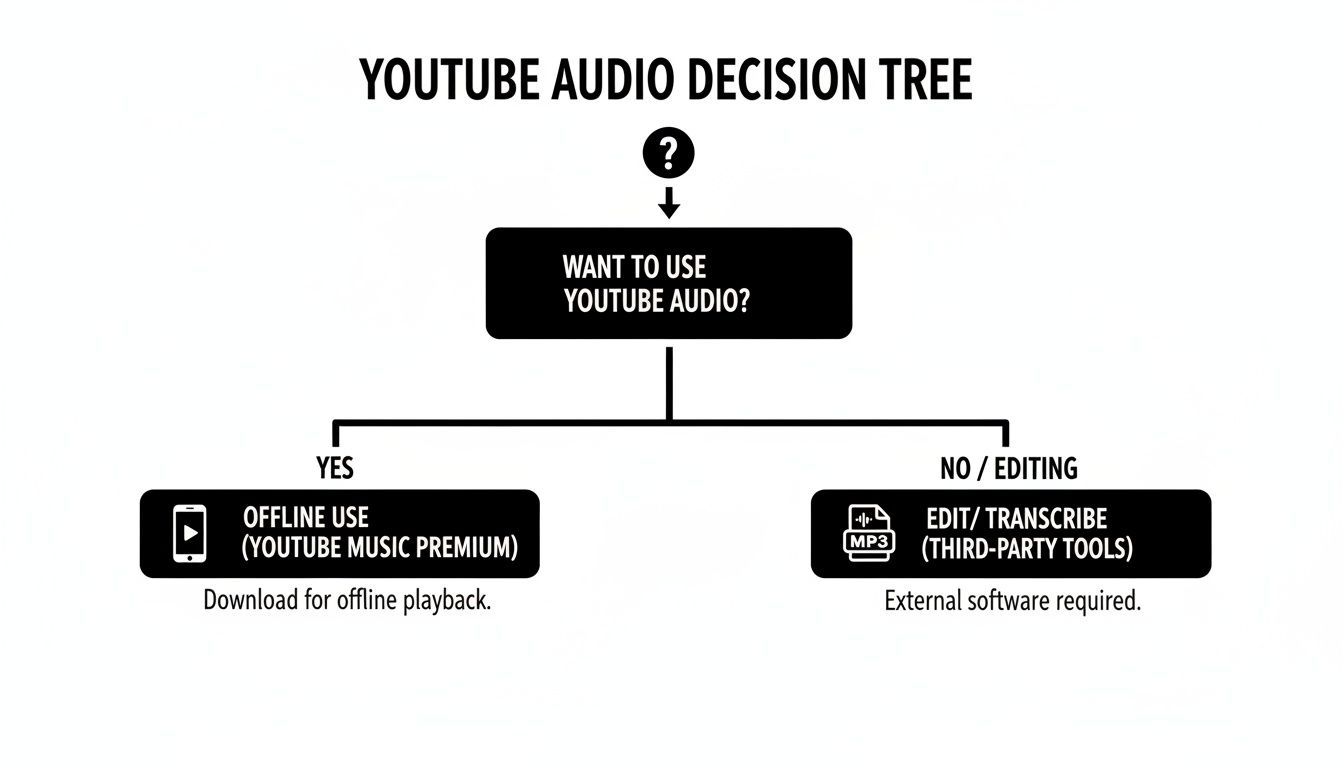
The main takeaway? Your intended use dictates the tool. For simple, in-app listening, YouTube's own ecosystem works perfectly. For anything else—editing, transcribing, or sharing—you're going to need a separate audio file.
When Do You Actually Need an Audio File?
If you only want to listen offline, the official app is enough. But the moment you need editing, transcription, or repurposing, you’ll require a real audio file like MP3 or WAV. Knowing this upfront saves time and prevents choosing the wrong method.
Comparing YouTube Audio Download Methods
To help you choose the right path, we've compared the most common methods for getting audio from YouTube. The table below breaks down the pros and cons of each, focusing on what matters most: safety, quality, speed, and cost.
| Method | Safety and Legality | Typical Audio Quality | Speed | Cost |
|---|---|---|---|---|
| YouTube Premium | High (Official method) | High (Up to 256kbps AAC) | Fast | Subscription fee |
| Desktop Software (yt-dlp) | Medium-High (Generally safe, but against ToS) | High (Can match source quality) | Fast | Free |
| Online Converters | Low (Risk of malware, intrusive ads) | Low to Medium (Often re-encoded) | Varies | Free |
| Screen Recording | Medium (Safe, but against ToS) | Low to Medium (System sounds can interfere) | Slow (Real-time) | Free |
As you can see, what you gain in convenience with some methods, you often lose in safety and quality. While online converters seem easy, they're by far the riskiest option. Reputable desktop software is a much better bet if you need a high-quality file.
Choose the Right YouTube Audio Workflow
🛡 Stay Safe First
Avoid random online converters filled with ads, fake buttons, or malware risks. Always prioritize official tools or trusted desktop software to protect your device and files.
⚡ Save Time with Automation
If your goal is transcription or text output, skip downloading entirely. Paste the YouTube link directly into an AI tool and get instant results without extra steps.
🎧 Pick the Right Format
Use MP3 for everyday listening and small file sizes. Choose WAV or other lossless formats only when doing professional editing or archiving where quality matters most.
🔄 Think Beyond One File
Don’t treat audio as a one-time asset. A single recording can become transcripts, captions, summaries, blog posts, and social clips - multiplying its value across your workflow.
Our Recommendation
Online converters might be the first result on Google, but they're often a minefield of pop-up ads, sketchy download buttons, and potential malware. They’re fine in a pinch, but we really don't recommend them for anything important.
Our Pro Tip: For anyone serious about audio, desktop software is the way to go. Tech-savvy users almost universally rely on open-source tools like yt-dlp because they’re ad-free, offer complete control over audio formats, and deliver the highest possible quality.
Of course, if your end goal is just getting a written transcript, you can often skip the download step entirely. Many modern tools can work directly with a YouTube link, saving you time and hassle. You can see how that works in our guide on how to convert a video to text for free.
1. The Official Route: Using YouTube Premium for Offline Audio
Let's start with the most obvious and legitimate method: using YouTube's own Premium subscription. This is the platform's built-in, completely legal way to download content for offline use, and it fully respects YouTube’s Terms of Service.
Getting it done is dead simple. On your phone, just find the video or song you want to save, and you’ll see a Download button right under the player. Tap it, pick your audio quality (higher quality will take up more space, of course), and you're set. For desktop users, this feature is mainly part of the YouTube Music web player, where a similar download icon lets you save entire albums and playlists.
So, Why Go Premium?
The perks of a Premium subscription go way beyond just downloading. It fundamentally improves the entire YouTube experience, which is why it's a no-brainer for heavy users.
- No More Ads: Every single piece of content you download or stream is 100% ad-free. No interruptions, ever.
- Background Play: This is a huge one. You can listen to audio with your phone’s screen off or while you’re using other apps—a feature the free version famously blocks.
- High-Quality Sound: Your downloads are saved in a high-quality AAC format, running at up to 256kbps. For most people, this is more than enough for excellent sound quality.
This approach is perfect for personal listening. Think of a student downloading a whole semester of lectures to study on their commute without burning through data. Or a podcast junkie saving their weekly playlists for a subway ride where the signal always drops. For these scenarios, it’s ideal.
The Big Catch: It's a "Walled Garden"
While it’s incredibly convenient, YouTube Premium comes with one major string attached: all downloaded files are encrypted and trapped inside the YouTube app. This is the most critical thing to understand.
You can't just grab these downloads as MP3 or WAV files. They only exist within the YouTube or YouTube Music apps and are impossible to move, edit, or import into other tools like transcription software or a video editor.
This "walled garden" is entirely by design. It's how YouTube protects copyrighted material while still giving you offline access. It's a fantastic solution for personal listening but a dead end for anyone doing creative or professional work.
The official method is massively popular—by 2026, YouTube Premium hit 100 million subscribers. But that number doesn't tell the whole story. Most podcasters, researchers, and creators need to find other ways because they require actual audio files to transcribe or edit. You can read more about YouTube's growing dominance in podcasting to see why this is such a common need.
Bottom line: if your only goal is to listen to a song or podcast without an internet connection, YouTube Premium is your safest bet. If you need to do something with that audio, you’ll have to keep reading.
Sometimes, you need to pull audio from a YouTube video to use somewhere else—for editing, transcribing, or just offline listening. While YouTube Premium lets you download content, those files are stuck inside the app. To get a real audio file like an MP3 or WAV, you’ll need to turn to other tools.
Most people first land on web-based online converters. They seem easy enough: paste a link, click a button, and get your audio. But this convenience is often a trap. Many of these sites are a minefield of aggressive pop-up ads, shady download buttons, and even malware.
Best to Avoid Risky Online Converters
Free converter websites frequently include harmful downloads, fake buttons and trackers. Clicking the incorrect link by mistake can endanger your system or install harmful software. Always choose reliable desktop programs or direct transcribing services.
If you absolutely have to use an online converter, be extremely careful. Never click on ads or agree to install any browser extensions they push on you. The actual download link is usually the least obvious one on the page.
Picking the Right Audio Format and Quality
Once you find a tool, you'll need to decide on the format and quality. This choice really depends on what you plan to do with the audio file.
-
MP3 (MPEG-1 Audio Layer III): This is your go-to format for general use. It's compressed to keep file sizes small and is compatible with almost every device. For decent quality, aim for at least 192kbps. For the best sound, choose 320kbps.
-
WAV (Waveform Audio File Format): This is a lossless, uncompressed format. It keeps the audio data exactly as it was, giving you the highest possible quality but creating massive files. Pick WAV only when you’re doing professional-grade editing or archiving where every detail counts.
The Power User's Go-To: Desktop Software
For anyone who needs reliable, safe, and high-quality audio, desktop software is the way to go. It requires a quick installation, but it’s far more secure and powerful than any online converter.
The undisputed champion here is yt-dlp, an open-source command-line program. It might not have a fancy interface, but it gives you total control. You can specify the exact format and quality, and even download entire playlists with a single command. It's the tool of choice for podcasters, journalists, and researchers who regularly pull audio from YouTube.
A Quick Note on Safety: Reputable desktop software connects directly to YouTube’s servers, completely bypassing the sketchy third-party servers that online converters use. This dramatically lowers your risk of running into malware.
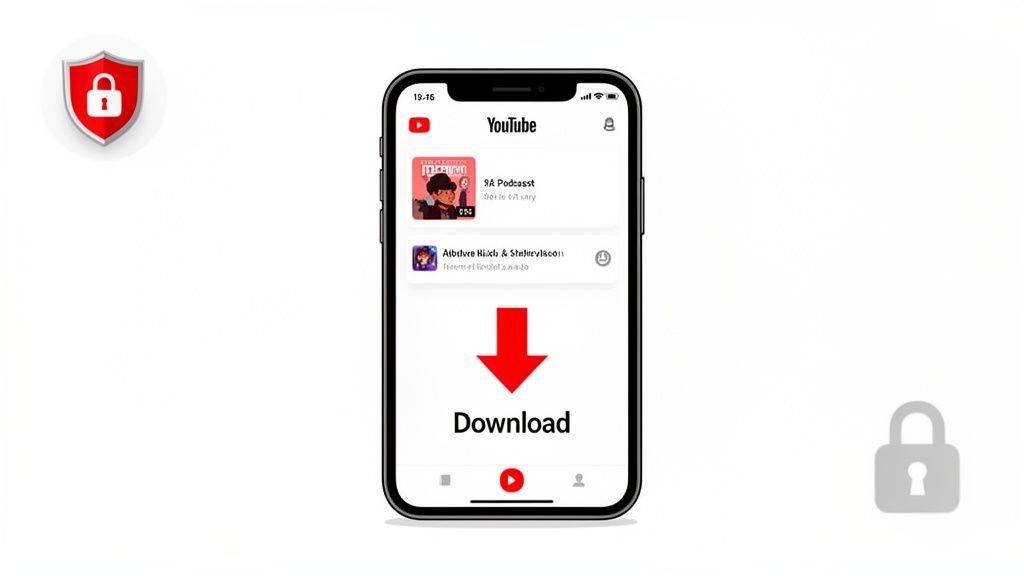
If a command line sounds a bit intimidating, don't worry. For a friendlier experience, our free YouTube Downloader tool provides a simple, safe interface to get the job done.
Whether you're just grabbing a quick clip or archiving hours of interviews, choosing the right method from the start will save you a world of headaches.
A Better Workflow: Skip the Download and Transcribe Directly
Let's be honest. When you're searching for "how to download audio from YouTube," you probably don't actually want the MP3 file. You want what’s in the file—the spoken words. The audio is just a stepping stone to a written transcript you can use for research, articles, meeting notes, or video captions.
The whole dance of finding a safe downloader, converting the file, and then managing the final audio file is just a time-consuming detour.
Smart Processing Without the Extra Steps
Modern AI tools automatically process YouTube links without manual downloads. Paste a URL, detect speakers automatically, and import files directly from cloud or web sources, saving hours of technical steps.
State-of-the-art AI
Powered by OpenAI's Whisper for industry-leading accuracy. Support for custom vocabularies, up to 10 hours long files, and ultra fast results.

Import from multiple sources
Import audio and video files from various sources including direct upload, Google Drive, Dropbox, URLs, Zoom, and more.

Speaker detection
Automatically identify different speakers in your recordings and label them with their names.
What if you could skip that whole mess? There's a much smarter workflow that lets you generate a transcript directly from a YouTube URL. This approach is faster, simpler, and completely avoids the shady download sites and legal gray areas that come with ripping audio.
From URL to Transcript in Seconds
This is where tools built for pure efficiency, like Transcript.LOL, completely change the game. Instead of wrestling with multiple apps and clunky audio files, you just hand over the YouTube link. The platform does the heavy lifting, using AI to process the audio and deliver a highly accurate transcript.
The entire process is dead simple:
- Copy the YouTube URL for the video you need to transcribe.
- Paste it into the tool’s input field.
- Get your transcript. In moments, you have an editable, searchable text ready to go.
This is exactly what it looks like—a clean interface designed to get you from video to text without any downloads or extra software.
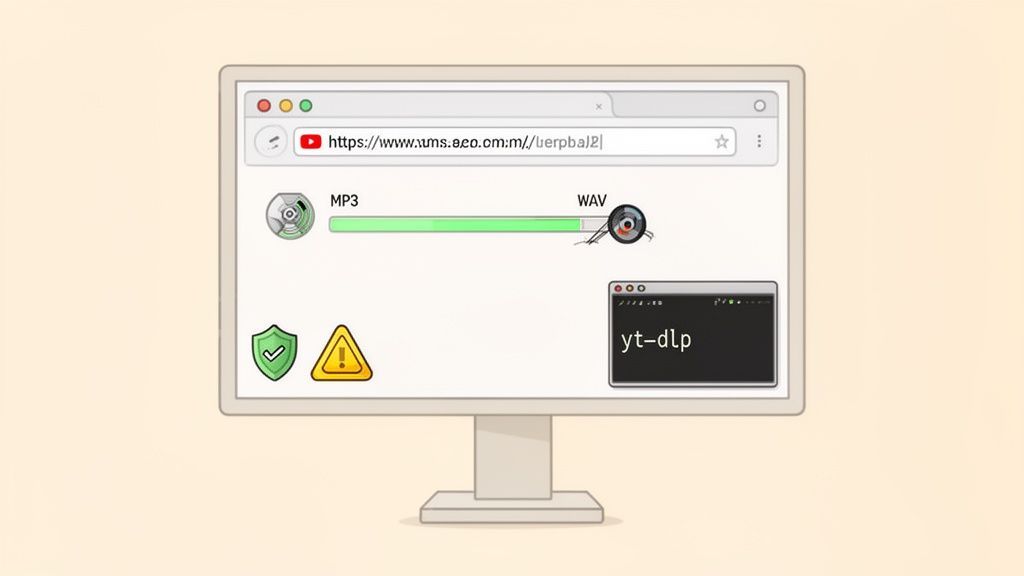
This direct method is a massive productivity boost. Think about a marketer who needs to pull key quotes from a two-hour webinar. Instead of downloading a huge audio file and uploading it to another transcription service, they can get the entire transcript in the time it would have taken just to finish the download.
Advanced Features That Save Even More Time

Editing tools
Edit transcripts with powerful tools including find & replace, speaker assignment, rich text formats, and highlighting.

Export in multiple formats
Export your transcripts in multiple formats including TXT, DOCX, PDF, SRT, and VTT with customizable formatting options.
Summaries and Chatbot
Generate summaries & other insights from your transcript, reusable custom prompts and chatbot for your content.
The benefits go far beyond just skipping a download. Modern transcription platforms pack in features that make working with spoken content a breeze.
- Speaker Detection: The AI automatically identifies who is speaking and labels them. This is a lifesaver for transcribing interviews, podcasts, or panel discussions.
- Custom Vocabulary: You can teach the AI specific jargon, brand names, or acronyms to make sure they’re transcribed perfectly every time.
- Multiple Export Formats: When you're done, export your transcript as a DOCX, PDF, SRT (for captions), or other formats to drop it right into your existing workflow.
This direct approach isn't just about convenience; it’s about security and efficiency. You avoid interacting with sketchy download sites and eliminate the need to store large, temporary audio files on your hard drive.
With 500 hours of new video uploaded to YouTube every single minute, this kind of efficiency isn't just a nice-to-have; it's essential. For professionals who need to process content at scale, transcribing directly from a URL is the only way to keep up.
Work Smarter, Not Harder
Modern transcription platforms now process hours of content in minutes with near-human accuracy. Instead of downloading, converting, and uploading files manually, you can automate the entire workflow with a single link.
By adopting this workflow, you can focus on the content itself—not the technical hoops. Quickly generate summaries, create social media posts, or analyze key information without getting bogged down. For a more detailed guide, you can learn more about how to transcribe a YouTube video to text on our blog. It's the smartest way to work with YouTube audio today.
Understanding the Legal and Ethical Rules
So, is it actually legal to download audio from YouTube? This is where it gets sticky, and it’s smart to know the rules before you start. The short answer is that downloading videos almost always goes against YouTube's Terms of Service.
YouTube's position is crystal clear: you aren't allowed to download any content unless YouTube itself provides a "download" button or a similar link right there on the page. Using a third-party tool to rip the audio is a direct violation of their terms.
Copyright Infringement vs. Terms of Service
It’s important to separate two different things here: violating YouTube's terms and breaking copyright law. While they can overlap, they aren't identical. Snagging a copyrighted pop song to add to your personal playlist? That's a breach of both.
But context really matters. Think about these different scenarios:
- Downloading Your Own Content: If you're a creator saving a backup of your own podcast interview, you already own the copyright. You're just grabbing your own work.
- Public Domain Material: Saving a recording of a historic speech or a classical music piece that's in the public domain is perfectly fine, both legally and ethically.
- Educational or Research Use: Ripping a university lecture so you can transcribe it for study notes? That falls more into a gray area.
The core issue here is about respecting creators. When you download their work without permission, you're cutting them off from potential revenue and control over what they made. It's not just about rules—it’s about supporting the people who create the stuff you find valuable.
When you're thinking about the rules of using YouTube content, you also have to consider platform-specific policies. For example, the official YouTube Shorts monetization requirements outline exactly how creators can earn money from their short-form videos.
The "Fair Use" Doctrine
You’ve probably heard the term "fair use" thrown around. It’s a legal concept that allows for the limited use of copyrighted material without permission for things like commentary, criticism, news reporting, and education.
But be careful. Fair use is a complicated legal defense, not a free pass. It's decided on a case-by-case basis, and what feels "fair" to you might not hold up in court. Relying on it is always a risk, and it’s much safer to just assume you need permission.
Ultimately, the goal is to make informed and ethical choices. While this guide isn't legal advice, understanding these concepts helps you stay on the right side of things. If you're dealing with recordings of conversations, you might also want to check out our guide on whether it's legal to record a conversation without consent.
Your Questions About YouTube Audio, Answered
Even with a solid guide, you're bound to have a few lingering questions. It's totally normal. Let's tackle some of the most common ones that come up when you're trying to grab audio from YouTube, so you can move forward safely and get exactly what you need.
What Is the Safest Way to Download YouTube Audio?
When it comes to safety, one method is head and shoulders above the rest: a YouTube Premium subscription. This lets you save content for offline listening right inside the official app. There are no third-party risks, no sketchy websites—it just works.
If you absolutely need a separate audio file, like an MP3, your next best bet is a well-regarded desktop application. These are generally much more secure than online converter sites, which are often a minefield of misleading ads and potential malware. Look for software with a clean track record that doesn't try to sneak unwanted programs into the installation.
Can I Get in Trouble for Downloading Audio from YouTube?
The short answer is yes, it's possible. Grabbing copyrighted audio without permission is a direct violation of YouTube’s Terms of Service and can also be considered copyright infringement.
While it's pretty rare for an individual to face legal trouble for personal, private use, the risk isn't zero.
For any professional, commercial, or public-facing project, the stakes are much higher. It's critical to only download audio that you own, have explicit permission for, or that is clearly in the public domain or covered by a Creative Commons license.
What Is the Best Audio Format for Quality?
The "best" format really comes down to what you plan to do with the audio. Are you editing a professional podcast or just saving a song for your commute? The right choice depends on the job.
For the absolute highest fidelity, you’ll want a lossless format like WAV or FLAC.
- WAV (Waveform Audio File Format): This is the gold standard for uncompressed audio. It’s a perfect, bit-for-bit copy of the original source, making it ideal for professional editing where quality is non-negotiable. The trade-off is massive file sizes.
- FLAC (Free Lossless Audio Codec): FLAC gives you the same pristine quality as WAV but uses lossless compression to shrink file sizes by up to 50-60%. It's a fantastic middle ground for archiving or serious editing when you need to save a bit of disk space.
For everyday listening, a high-bitrate MP3 is usually the perfect compromise. An MP3 file at 320kbps (kilobits per second) delivers excellent sound that's virtually indistinguishable from the original to most ears, all while keeping file sizes small and manageable. Plus, it’s compatible with just about every device out there.
The recent explosion of podcasts on YouTube—with over 4.58 million now on the platform—has definitely fueled the need for good audio extraction tools. Instead of wrestling with risky downloaders, creators can use modern services that work directly with a YouTube link. This is especially useful when top podcasts can pull in over 4,824 downloads in the first week alone. You can find more insights on the rise of podcasting on platforms like YouTube and what it means for creators.
But what if your main goal is just to get the words down on paper? You can skip the download process entirely. Transcript.LOL lets you paste a YouTube link to get a fast, accurate transcript in seconds, complete with speaker labels and easy export options. It’s the smartest way to turn spoken content into text you can actually use. Try it for free today at https://transcript.lol.