
Una guida alla conversione da video a testo
Sblocca il potenziale dei tuoi contenuti video. La nostra guida alla conversione da video a testo copre strumenti AI, best practice di trascrizione e strategie SEO.
Praveen
January 17, 2024
Al suo livello più elementare, la conversione da video a testo è il semplice atto di prendere le parole pronunciate da un video e trasformarle in una trascrizione scritta. Pensala come ottenere la sceneggiatura completa di un film dopo che è già stato girato. Improvvisamente, tutto ciò che è stato detto è ora ricercabile, accessibile e pronto per essere utilizzato in un milione di modi diversi.
Sblocca il Valore Nascosto nei Tuoi Video
Ecco un modo di pensarla: la tua libreria video è piena di idee e informazioni fantastiche, ma per i motori di ricerca e per una grossa fetta del tuo pubblico, la porta è chiusa. Convertire quel video in testo è la chiave che la apre. Trasforma un singolo pezzo di media in un esercito di risorse, tutte al tuo servizio.
Questo non è solo un passaggio tecnico; è una strategia fondamentale per rendere il tuo contenuto scopribile, inclusivo e incredibilmente facile da riutilizzare. Trasformando le parole pronunciate in testo semplice, stai ponendo le basi per un piano di contenuti molto più intelligente che ottiene molto più rendimento dai tuoi sforzi di produzione. L'impatto è quasi immediato.
Perché Questo Processo È Così Importante
Nel suo cuore, trasformare un video in un documento di testo risolve alcuni enormi problemi per i creatori e le aziende moderne. Abbattte le barriere comunicative e dà al tuo messaggio una portata molto più ampia attraverso diverse piattaforme e formati. I benefici si accumulano, uno sull'altro, per costruire una presenza digitale molto più forte.
Entriamo nello specifico. Ecco le vittorie immediate:
- Prestazioni SEO Potenziate: I motori di ricerca come Google non possono "guardare" il tuo video, ma possono sicuramente leggere. Una trascrizione rende ogni parola del tuo video visibile ai crawler di ricerca, aiutandoti a posizionarti per tutte le parole chiave giuste.
- Accessibilità Migliorata: Con trascrizioni e sottotitoli, rendi il tuo contenuto disponibile alle persone sorde o con problemi di udito. Non si tratta solo di conformità; si tratta di raggiungere tutti.
- Riutilizzo del Contenuto Senza Sforzo: Una trascrizione è la materia prima definitiva. Quel webinar di un'ora? Ora può diventare cinque post di blog, venti snippet per i social media, una newsletter via email approfondita o una pagina di FAQ dettagliata.
Un singolo file video contiene una quantità enorme di potenziale inespresso. La trascrizione è il tuo progetto. Ti permette di estrarre citazioni killer, individuare temi chiave e trasformare rapidamente intuizioni parlate in oro scritto senza dover rivedere ore di filmati.
Da File Video a Miniere d'Oro di Contenuti
La buona notizia è che passare da un file video a una preziosa risorsa testuale non è mai stato così veloce. Questa guida ti accompagnerà attraverso esattamente come funziona il processo da video a testo, dalla tecnologia sottostante ai flussi di lavoro pratici che puoi iniziare a utilizzare oggi. Approfondiremo i diversi metodi, segnaleremo le migliori pratiche e ti mostreremo come ottenere il massimo da questa potente tecnica.
Per un ottimo esempio reale, guarda la tendenza di trasformare podcast video in brevi clip condivisibili. Questa strategia dipende quasi interamente dall'avere trascrizioni accurate per rendere il processo di editing e sottotitolazione fluido. Imparerai come trovare il valore nascosto in ogni video che realizzi, trasformando momenti fugaci in risorse durature.
Quindi, Cos'è Esattamente la Conversione da Video a Testo?
Nel suo cuore, la conversione da video a testo è esattamente ciò che sembra: trasformare tutte le parole pronunciate in un video in un documento scritto. Pensala come assumere uno stenografo personale che digiti meticolosamente ogni singola parola, creando una versione testuale del tuo video.
Ma non si tratta solo di creare un semplice file di testo. Questo processo sblocca due potenti risorse che svolgono ruoli molto diversi, ma ugualmente importanti: trascrizioni e sottotitoli. Le persone spesso usano questi termini in modo intercambiabile, ma non sono affatto la stessa cosa.
Trascrizioni: Le Fondamenta Ricercabili
Una trascrizione è il fondamento della nuova vita del tuo video come risorsa testuale. È un documento completo in testo semplice di tutto il dialogo, dall'inizio alla fine. Puoi pensarla come la sceneggiatura completa del tuo video, pronta per essere letta, cercata e riutilizzata.
Questo cambia completamente il gioco per la scoperta dei contenuti. I motori di ricerca come Google non possono guardare il tuo video per capire di cosa si tratta, ma possono scansionare e indicizzare ogni singola parola in una trascrizione. Improvvisamente, il tuo contenuto video diventa visibile a loro, permettendoti di posizionarti per parole chiave e frasi specifiche che le persone stanno effettivamente cercando.
Ad esempio, se menzioni "strategie SEO avanzate" nel tuo webinar di marketing digitale, una trascrizione rende il tuo video un potenziale risultato di ricerca per quel termine esatto.
Sottotitoli: La Chiave per l'Accessibilità e il Coinvolgimento
I sottotitoli prendono lo stesso testo e lo sincronizzano con la timeline del video, mostrando le parole sullo schermo mentre vengono pronunciate. Questa non è solo una funzionalità "nice-to-have"; è assolutamente fondamentale per l'accessibilità e per mantenere il tuo pubblico coinvolto.
Ammettiamolo, un sacco di persone guardano video senza audio, sia che si trovino sui mezzi pubblici, in un ufficio silenzioso, o semplicemente scorrendo di notte. I sottotitoli sono l'unico modo per seguirli.
Ancora più importante, i sottotitoli aprono il tuo contenuto a persone sorde o con problemi di udito, ampliando istantaneamente la tua potenziale portata. Inoltre, vedere il testo sullo schermo aiuta tutti gli spettatori a comprendere e ricordare i tuoi punti chiave.
Trasformando le parole pronunciate in testo, stai costruendo un ponte tra il tuo contenuto video e il mondo incentrato sul testo dei motori di ricerca e dei pubblici diversi. È la base per una migliore accessibilità, un potente riutilizzo dei contenuti e un enorme aumento della scopribilità.
Con la crescita inarrestabile dei video, rendere il tuo contenuto ricercabile e accessibile non è più un'opzione. I video sono destinati a rappresentare uno sbalorditivo 82% di tutto il traffico internet entro il 2025, il che dimostra quanto sia diventato dominante. Puoi approfondire il report completo sul mercato dell'IA da testo a video di ResearchAndMarkets.com per vedere i dati tu stesso. Questa tendenza rende la necessità di strumenti efficaci da video a testo più urgente che mai.
I casi d'uso vanno ben oltre i video pubblici. In un contesto aziendale, trascrizioni accurate valgono il loro peso in oro. Per i team costantemente in riunioni virtuali, l'utilizzo di uno strumento di trascrizione di riunioni online crea un registro ricercabile di ogni decisione e elemento d'azione. Nulla viene perso o dimenticato.
Alla fine, trascrizioni e sottotitoli lavorano insieme per sbloccare tutto il valore attualmente intrappolato nei tuoi file video.
Automazione AI vs. Trascrizione Umana
Quando si tratta di trasformare l'audio del tuo video in testo, ti trovi a un bivio. Un percorso offre incredibile velocità, l'altro garantisce una precisione quasi perfetta. Non è una semplice scelta tra "buono" e "cattivo", si tratta di scegliere lo strumento giusto per il lavoro.
Le due opzioni principali sono l'automazione AI e la trascrizione professionale umana. La tua decisione modellerà direttamente il costo del tuo progetto, il tempo di consegna e l'accuratezza finale. Quindi, analizziamo come funziona ciascuno e scopriamo dove brillano veramente.
La Potenza e la Velocità della Trascrizione AI
La trascrizione basata sull'IA utilizza algoritmi complessi per ascoltare il tuo video e produrre una versione testuale. Pensala come uno stenografo instancabile e velocissimo che può elaborare ore di filmati in pochi minuti. Questa tecnologia, spesso chiamata Riconoscimento Vocale Automatico (ASR), è diventata sorprendentemente buona negli ultimi anni.
I grandi vantaggi qui sono velocità e scalabilità. Puoi caricare un lungo video e ottenere una trascrizione completa quasi istantaneamente. Questo la rende una scelta obbligata per chiunque abbia scadenze strette o abbia a che fare con una quantità enorme di contenuti. Se sei un'azienda che cerca di trascrivere l'intero archivio video o un creatore che produce video giornalieri, l'efficienza dell'IA è un punto di svolta.
La vera magia della trascrizione AI è la sua capacità di darti un accesso immediato ed economico a ciò che è all'interno del tuo video. È il motore che ti permette di riutilizzare rapidamente i contenuti, trovare momenti chiave e analizzare le informazioni su larga scala.
L'IA raggiunge davvero il suo apice con audio chiari, dove gli oratori parlano chiaramente con un rumore di fondo minimo. In queste condizioni ideali, i moderni sistemi ASR possono raggiungere tassi di accuratezza del 90% o superiori. Ma introduci accenti pesanti, persone che parlano contemporaneamente o gergo di nicchia, e vedrai che l'accuratezza inizierà a diminuire.
L'immagine qui sotto ti offre un modo semplice per pensare a quale percorso intraprendere.
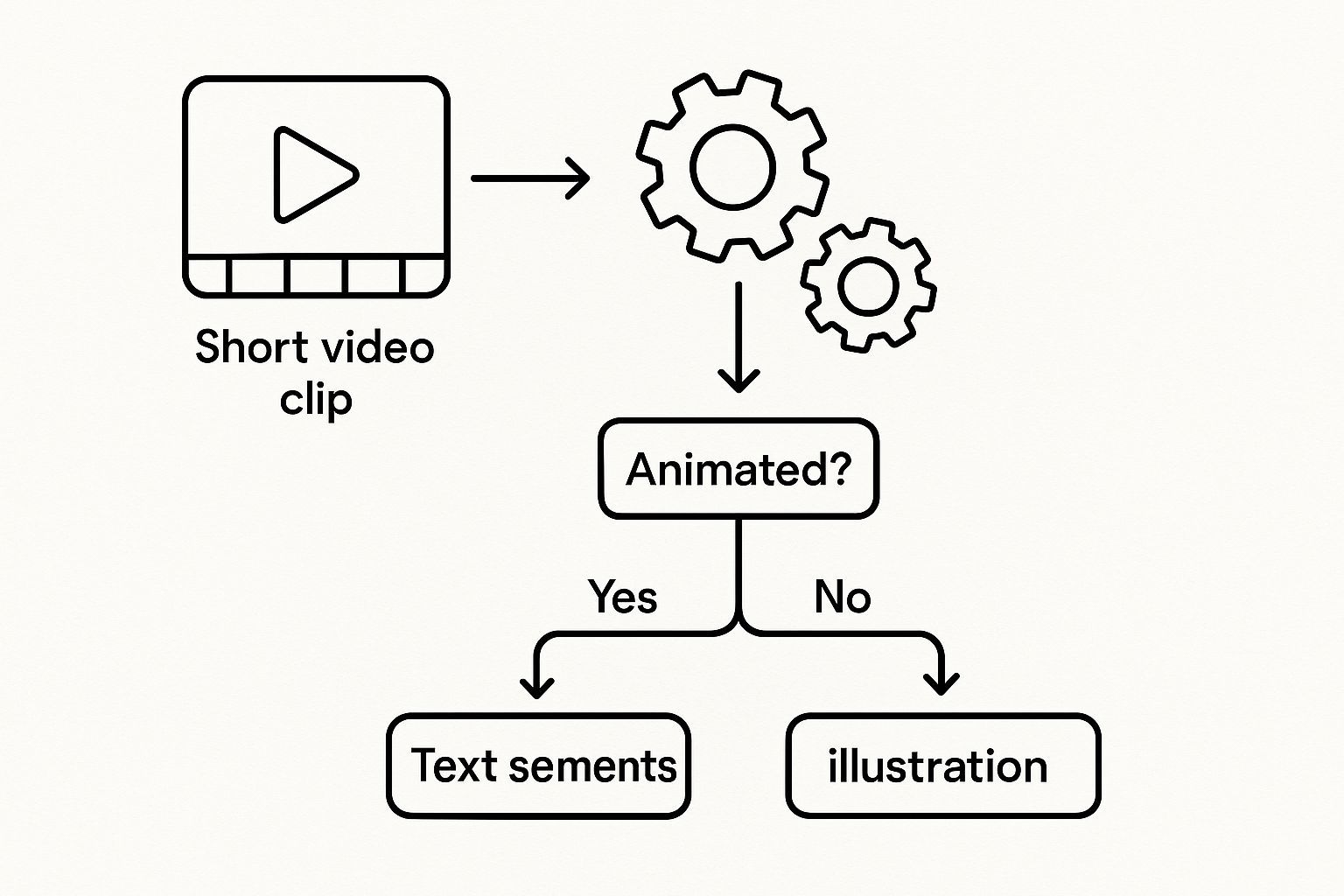
Questo albero decisionale ti aiuta a vedere come fattori come il budget, quanto deve essere accurato e la tua scadenza ti indirizzano verso il metodo migliore per il tuo progetto specifico.
La Sfumatura e la Precisione della Trascrizione Umana
Mentre l'IA è veloce, un trascrittore umano porta un livello di comprensione e sfumatura che le macchine non possono ancora eguagliare. Una persona reale non sente solo le parole; coglie il contesto, percepisce il tono e può districare audio confusi che metterebbero completamente in difficoltà un algoritmo.
Questo tocco umano è assolutamente fondamentale quando non puoi permetterti errori. Pensa a situazioni come queste:
- Procedimenti Legali: Ogni singola parola in una deposizione deve essere catturata perfettamente.
- Dettati Medici: Termini medici tecnici e la riservatezza del paziente richiedono un'accuratezza assoluta.
- Ricerche di Mercato: Comprendere le sottili interazioni in un focus group è fondamentale.
In questi casi, una persona può identificare correttamente chi sta parlando, cercare l'ortografia di nomi propri o termini tecnici e lavorare con una qualità audio scadente con molta più abilità. Possono anche aggiungere note utili come [risata] o [sovrapposizione], aggiungendo un livello di dettaglio che l'IA di solito perde. Il risultato finale? Un documento rifinito e professionale che può raggiungere un'accuratezza del 99% o superiore.
Trascrizione AI vs. Umana: Un Confronto Diretto
Per rendere la scelta più chiara, mettiamo a confronto AI e trascrizione umana. Vedere i loro punti di forza e di debolezza in un confronto diretto può aiutarti a concentrarti su ciò che conta veramente per il tuo progetto.
| Caratteristica | Trascrizione AI | Trascrizione Umana |
|---|---|---|
| Accuratezza | Tipicamente 80-95%; fatica con accenti, gergo e audio scadente. | Può raggiungere un'accuratezza del 99%+; eccelle con audio complessi e contesto. |
| Velocità | Estremamente veloce. Ottieni trascrizioni di ore di video in pochi minuti. | Molto più lenta. Può richiedere diverse ore o giorni a seconda della lunghezza. |
| Costo | Molto conveniente, spesso solo pochi centesimi al minuto. | Significativamente più costoso, solitamente prezzato al minuto audio. |
| Ideale per | Contenuti ad alto volume, bozze rapide, note interne e riutilizzo di contenuti. | Legale, medico, accademico e qualsiasi progetto in cui l'accuratezza assoluta è fondamentale. |
| Gestione delle Sfumature | Non può interpretare tono, emozione o segnali non verbali. | Può catturare il contesto, identificare gli oratori e notare suoni non verbali. |
| Scalabilità | Massicciamente scalabile. Elabora migliaia di ore di video senza un collo di bottiglia. | Limitata dal numero di trascrittori umani disponibili. |
In definitiva, non esiste un'opzione "migliore" in assoluto, solo l'opzione migliore per te.
Fare la Scelta Giusta per le Tue Esigenze
Quindi, quale strada dovresti prendere? Quasi sempre si riduce a un compromesso tra tre cose: accuratezza, velocità e costo.
Un servizio umano costerà di più e richiederà più tempo. Questo è un dato di fatto. Ma quell'investimento vale ogni centesimo quando hai assolutamente bisogno che sia perfetto. Per molte persone, tuttavia, un approccio ibrido offre il meglio di entrambi i mondi.
Ecco un flusso di lavoro pratico che molte aziende e creatori stanno utilizzando:
- Inizia con l'IA: Esegui il tuo video tramite uno strumento automatico da video a testo come Transcript LOL per ottenere una prima bozza rapida ed economica. Spesso è "abbastanza buona" per uso interno o per trovare una citazione specifica.
- Correggila con un Umano: Fai in modo che qualcuno del tuo team (o un editor professionista) esamini il testo generato dall'IA. Possono correggere rapidamente eventuali errori, correggere nomi e gergo e formattarlo perfettamente.
Questa strategia combinata ti offre la velocità di una macchina con la rifinitura di un esperto umano. È un modo intelligente per ottenere trascrizioni di alta qualità senza spendere una fortuna o aspettare all'infinito.
Perché la Trascrizione Video È un Imperativo Aziendale
Siamo onesti: trasformare i video in testo suona come un noioso compito amministrativo. Ma in realtà, è una delle mosse più intelligenti che puoi fare per la tua strategia di contenuti. Non si tratta solo di avere un file di testo sul tuo server; si tratta di sbloccare una crescita reale e misurabile in quante persone ti trovano, interagiscono con te e, in definitiva, acquistano da te.
Pensaci. Ogni parola pronunciata nei tuoi video è una miniera d'oro di potenziale inespresso. Se non trascrivi, lasci quell'oro sepolto. Ogni video non trascritto è un fantasma per i motori di ricerca e una porta chiusa per una grossa fetta del tuo pubblico potenziale. Un flusso di lavoro coerente da video a testo inverte la rotta, trasformando la tua libreria video da un archivio polveroso a una macchina di generazione di lead 24 ore su 24, 7 giorni su 7.
Potenzia la Tua SEO con Video Ricercabili
Ecco una semplice verità: i motori di ricerca come Google sono brillanti nel leggere il testo. Sono, tuttavia, completamente ciechi ai contenuti effettivi all'interno dei tuoi file video. Senza una trascrizione, tutta la preziosa competenza, le parole chiave e le risposte che condividi sono invisibili a loro. Il tuo video potrebbe anche non esistere nel mondo della ricerca.
Una trascrizione cambia completamente il gioco. Rende ogni singola parola pronunciata nel tuo video completamente indicizzabile. Improvvisamente, quella spiegazione approfondita di "tecniche di gestione agile dei progetti" del tuo ultimo webinar non è solo per i partecipanti dal vivo, ma è un documento ricco di parole chiave che Google può scansionare, comprendere e proporre nei risultati di ricerca. Stai collegando direttamente il tuo video alle frasi esatte che le persone digitano nella barra di ricerca, portando traffico organico super-pertinente direttamente alla tua porta.
Pensala in questo modo: un video senza trascrizione è come un libro con una copertina bianca e nessun titolo. I motori di ricerca lo scorrono semplicemente. Una trascrizione funge da titolo del libro, indice e testo completo, tutto in uno, rendendo il tuo contenuto impossibile da ignorare.
Questa non è una modifica minore. Per ogni singolo video che trascrivi, crei una nuova pagina di contenuto unica che può posizionarsi da sola. Nel tempo, questo crea una potente libreria di risorse che aumenta costantemente la tua autorità e i tuoi ranking di ricerca.
Amplia la Tua Portata Attraverso una Maggiore Accessibilità
L'accessibilità è più di una parola d'ordine o di una casella da spuntare: si tratta di raggiungere fondamentalmente più persone. Una vasta porzione della popolazione è sorda o ha problemi di udito e, senza trascrizioni o sottotitoli, il tuo contenuto è un vicolo cieco completo per loro. Fornire queste risorse è il modo più chiaro per dire: "il mio messaggio è per tutti".
Ma l'effetto a catena va molto oltre. Quante volte scorri i social media senza audio? Non sei solo. Le persone guardano video sui mezzi pubblici, in uffici silenziosi o a tarda notte accanto a un partner addormentato. Non sorprende che i video con sottotitoli vedano un coinvolgimento e un tempo di visione enormemente più elevati. Si adattano semplicemente a come le persone vivono effettivamente le loro vite.
- Rispetta gli Standard di Conformità: Per molti nel settore dell'istruzione, del governo o del settore pubblico, fornire contenuti accessibili non è solo un piacere, è la legge.
- Migliora la Comprensione dell'Utente: Ammettiamolo, anche per gli spettatori con udito perfetto, i sottotitoli aiutano la concentrazione. Questo è particolarmente vero per argomenti complessi o video pieni di gergo tecnico.
- Servi i Non Madrelingua: Per un pubblico globale, i sottotitoli sono un'ancora di salvezza. Aiutano le persone che non parlano fluentemente la lingua del video a seguire, imparare e sentirsi incluse.
Dando priorità all'accessibilità, non stai solo essendo inclusivo. Stai espandendo il tuo mercato e costruendo una comunità più forte e leale che si sente vista e rispettata.
Moltiplica il Tuo Output di Contenuti Senza Sforzo
Ecco dove la conversione da video a testo diventa un vero superpotere aziendale: il riutilizzo dei contenuti. Un singolo webinar di un'ora o un episodio di podcast di 30 minuti contiene materiale grezzo sufficiente per alimentare il tuo calendario di contenuti per settimane, se non mesi. La trascrizione è il progetto che rende tutto possibile.
Smetti di fissare una pagina bianca, cercando di trovare nuove idee. Invece, estrai le tue trascrizioni video esistenti per citazioni killer, punti chiave e spiegazioni dettagliate. Questa strategia demolisce assolutamente il tempo e il costo della creazione di contenuti mantenendo il messaggio del tuo marchio perfettamente coerente. Puoi vedere esattamente come la trascrizione per la creazione di contenuti alimenta questo processo e recupera innumerevoli ore.
Ecco come si presenta nel mondo reale, partendo da un solo video:
- Post di Blog: Estrai alcune sezioni chiave da una trascrizione di webinar e sviluppale in articoli completi e ottimizzati per la SEO.
- Contenuti per i Social Media: Estrai dozzine di citazioni condivisibili, statistiche e suggerimenti rapidi per creare post coinvolgenti per LinkedIn, Twitter o Instagram.
- Lead Magnet: Combina le migliori intuizioni di una serie video in un eBook o whitepaper imperdibile per acquisire nuovi lead.
- Newsletter via Email: Riassumi i punti principali del tuo ultimo video e invialo alla tua lista email, fornendo valore immediato e portando traffico al tuo sito.
Questo trasforma la creazione di contenuti da una lotta costante a un sistema intelligente ed efficiente. Quando abbracci la conversione da video a testo, non stai solo creando una trascrizione; stai investendo in una strategia che ti ripaga più e più volte in termini di SEO, accessibilità e potenza di marketing.
Scegliere il Tuo Toolkit da Video a Testo
Bene, sai perché devi trasformare i tuoi video in testo. Ora arriva la parte divertente: scegliere gli strumenti giusti per il lavoro.
Il mercato del software da video a testo è pieno di opzioni, ognuna costruita per esigenze, budget e livelli di accuratezza diversi. L'obiettivo non è trovare l'unico strumento "migliore", ma lo strumento migliore per il tuo progetto specifico. Dopotutto, ottenere una rapida trascrizione per le tue note personali è un mondo lontano dal creare un documento legalmente vincolante o un post di blog rifinito.
Esplorare il Panorama degli Strumenti
Le tue opzioni vanno da funzionalità integrate gratuite a servizi professionali specializzati. Ognuno ha il suo posto.
- Strumenti Nativi della Piattaforma (come YouTube): Molte piattaforme video, specialmente YouTube, offrono sottotitoli automatici gratuiti. È un ottimo punto di partenza per l'accessibilità di base, ma l'accuratezza può essere un vero lancio di monete, specialmente con audio complicato.
- Software AI Dedicato (come Descript): Questi sono gli strumenti potenti. Piattaforme come questa sono costruite specificamente per la trascrizione e sono cariche di funzionalità come l'identificazione dell'oratore, vocabolari personalizzati e editor eleganti che sincronizzano il testo con il tuo video, il che rende la pulizia un gioco da ragazzi.
- Servizi Umani Professionali (come Rev): Quando assolutamente, positivamente non puoi avere un singolo errore, gli esseri umani sono ancora lo standard di riferimento. Questi servizi forniscono trascrizioni con un'accuratezza del 99%+, ma hanno un prezzo più elevato e un'attesa più lunga.
In definitiva, è un classico compromesso: costo vs. velocità vs. precisione. Se stai sfornando contenuti, uno strumento AI è il tuo migliore amico. Per quel webinar critico in cui ogni parola conta, investire in un servizio umano potrebbe essere la mossa più intelligente.
La crescita in questo settore è semplicemente selvaggia. Il mercato più ampio dell'IA da testo a video dovrebbe esplodere a 2,48 miliardi di dollari entro il 2032, un enorme balzo rispetto ai 256,5 milioni di dollari nel 2022. Questo dimostra solo quanta domanda c'è per i contenuti video e l'IA che li rende più preziosi. Se vuoi approfondire, puoi consultare il report completo sul mercato dell'IA da testo a video. Il punto fondamentale? Questi strumenti diventeranno solo migliori e più accessibili.
Un Flusso di Lavoro Semplice per Iniziare
Indipendentemente dallo strumento che scegli, il processo di base è praticamente lo stesso. Questo semplice flusso di lavoro in quattro passaggi ti porterà da un file video grezzo a una preziosa risorsa testuale che puoi utilizzare immediatamente.
- Carica il Tuo Video: Innanzitutto, inserisci il tuo video nello strumento. Di solito puoi caricarlo dal tuo computer, incollare un link di YouTube o connetterti a un'unità cloud.
- Scegli il Tuo Metodo di Trascrizione: Qui decidi tra la gratificazione istantanea dell'IA o la precisione di una trascrizione basata su esseri umani. Molte piattaforme moderne ti permettono di scegliere una delle due.
- Revisiona e Modifica il Testo: Non saltare questo passaggio. Seriamente. Non importa quanto sia bravo l'IA, devi dare alla trascrizione una revisione finale. Correggi eventuali errori strani, correggi nomi e gergo di settore e pulisci la formattazione.
- Esporta e Pubblica: Una volta che sembra buono, esporta il testo nel formato desiderato (come un file .txt, .docx o .srt per i sottotitoli). Ora sei pronto per pubblicarlo come post di blog, inserirlo nella descrizione del tuo video o iniziare a tagliarlo per i social media.
Trovare la Soluzione Giusta per il Tuo Budget
Parliamo di soldi. Il costo è ovviamente una cosa importante. Mentre gli strumenti gratuiti sono allettanti, il tempo che passerai a correggere tutti gli errori può rapidamente annullare i risparmi.
La maggior parte delle piattaforme AI offre diversi livelli che trovano un buon equilibrio tra costo e funzionalità. Vale la pena dare un'occhiata per vedere cosa si adatta. Per una ripartizione chiara, puoi consultare diversi modelli di prezzi di trascrizione per vedere come le tariffe al minuto si confrontano con i piani di abbonamento. Fare questo bene significa che puoi aumentare i tuoi sforzi da video a testo senza bollette a sorpresa.
Migliori Pratiche per Trascrizioni Impeccabili
Probabilmente hai sentito il vecchio detto della programmazione: "spazzatura in ingresso, spazzatura in uscita". Bene, è anche la regola d'oro per la conversione da video a testo. La qualità della tua trascrizione dipende quasi interamente dalla qualità dell'audio del tuo video.
Pensala in questo modo: cercare di ottenere una buona trascrizione da un video rumoroso è come cercare di scattare una foto nitida in una stanza buia e sfocata. Non importa quanto sia sofisticata la tua fotocamera (o il tuo servizio di trascrizione), il risultato finale non sarà nitido. Sia che tu stia utilizzando uno strumento AI elegante o un professionista esperto, l'audio pulito è la base di tutto.
Preparare l'Audio per il Successo
Un po' di lavoro preparatorio prima di premere il pulsante di registrazione può farti risparmiare una montagna di mal di testa in seguito. Il tuo obiettivo è fornire al servizio di trascrizione, sia esso umano o macchina, l'audio più chiaro possibile da cui lavorare. Ciò significa eliminare tutto ciò che potrebbe far inciampare il software o rendere difficile per una persona sentire ciò che viene detto.
Ecco alcuni elementi non negoziabili:
- Acquista un Microfono Decente: Il microfono del tuo laptop o telefono semplicemente non sarà sufficiente per un lavoro serio. Un semplice microfono esterno può fare una differenza enorme, eliminando l'eco della stanza e catturando le voci con vera chiarezza.
- Trova un Posto Tranquillo: Il rumore di fondo è il nemico giurato della trascrizione. Il rumore della strada, un ventilatore che ronza o i colleghi che chiacchierano nella stanza accanto possono rovinare la tua accuratezza. Fatti un favore e trova uno spazio tranquillo.
- Parla Chiaramente, Non Velocemente: Cerca di parlare a un ritmo naturale e uniforme. Quando borbotti o ti affretti, le parole si fondono, rendendole un incubo da districare per qualsiasi sistema.
Anche con un'accuratezza del 95%, un'IA può ancora commettere errori. Potrebbe sentire male un nome di marchio, sbagliare il gergo di settore o confondere gli oratori. Ecco perché una revisione umana finale è assolutamente essenziale per qualsiasi contenuto che conta.
La Revisione Finale Critica
Non posso sottolinearlo abbastanza: non saltare mai, mai la revisione umana. Gli strumenti automatici sono fantastici, ma non capiscono il contesto come una persona. Un'IA non saprà che "gelato" non ha senso quando in realtà hai detto "urlo".
Un essere umano può individuare quegli errori sottili ma critici, come confondere "loro" e "lì" o sbagliare il nome di un cliente. Questo passaggio finale è ciò che trasforma un output decente da video a testo in un contenuto rifinito e professionale. Pochi minuti di revisione possono fare la differenza tra apparire intelligenti e apparire sciatto.
Domande Frequenti sulla Conversione da Video a Testo
Immergersi nella conversione da video a testo solleva sempre alcune domande comuni. Ottenere risposte dirette è la chiave per scegliere gli strumenti giusti e sapere cosa aspettarsi dai risultati. Analizziamo ciò che le persone chiedono più spesso.
Quanto È Accurata la Conversione da Video a Testo con l'IA?
Questa è la domanda importante. La buona notizia è che la trascrizione AI è diventata seriamente buona. I servizi di alto livello raggiungono regolarmente l'85-95% di accuratezza quando le condizioni sono perfette.
Cosa significa "perfetto"? Pensa all'audio cristallino, una persona che parla senza un forte accento e l'uso di un linguaggio quotidiano. In quei casi, la trascrizione AI è spesso abbastanza buona da essere utilizzata con una rapida occhiata.
Ma il mondo reale è disordinato. Rumore di fondo, accenti marcati, persone che parlano contemporaneamente o gergo specializzato possono tutti ridurre quel numero di accuratezza. Ecco perché una rapida revisione umana è sempre una buona idea prima di pubblicare qualsiasi cosa importante.
Posso Trascrivere Video in Diverse Lingue?
Assolutamente sì. Gli strumenti AI moderni sono fantastici nel gestire più lingue. Molti possono persino capire automaticamente quale lingua viene parlata, quindi non devi armeggiare con le impostazioni.
Questo è un grosso problema se stai cercando di raggiungere un pubblico globale. Le migliori piattaforme supportano dozzine di lingue e alcune possono persino tradurre le parole pronunciate in una lingua completamente diversa per il tuo output testuale. È un modo incredibile per rendere i tuoi contenuti accessibili a persone ovunque. Per un approfondimento, puoi sempre consultare un elenco di FAQ sui servizi di trascrizione per vedere la gamma completa di possibilità.
Qual È la Differenza tra Sottotitoli e Didascalie?
Sembrano simili, ma svolgono due lavori molto diversi. È fondamentale sapere quale ti serve.
-
Le Didascalie sono incentrate sull'accessibilità. Sono create per gli spettatori che non possono sentire l'audio. Per questo motivo, non includono solo il dialogo; descrivono anche suoni importanti come [applausi], [musica in sottofondo] o [porta che sbatte].
-
I Sottotitoli servono per la traduzione. Presuppongono che lo spettatore possa sentire bene ma non parli la lingua del video. Quindi, i sottotitoli si concentrano solo sulla traduzione del dialogo parlato, omettendo tutti gli altri segnali sonori.
Pronto a vedere di cosa è veramente fatto il tuo contenuto video? Transcript.LOL utilizza un'IA potente per fornire trascrizioni da video a testo veloci, accurate e sicure in pochi secondi. Inizia a trascrivere gratuitamente oggi stesso e scopri la differenza.