
Top 12 des logiciels de transcription pour interviews en 2025
Trouvez le meilleur logiciel de transcription pour les interviews. Notre revue 2025 couvre les meilleurs services d'IA et humains pour la précision, la vitesse et l'intégration du flux de travail.
Praveen
August 25, 2025
Nei campi come il giornalismo, la ricerca accademica e l'analisi qualitativa, le interviste sono il fondamento dell'intuizione. Ma il processo di conversione di ore di audio in testo utilizzabile rappresenta un collo di bottiglia significativo. La trascrizione manuale di un'intervista di un'ora può richiedere da quattro a sei ore, consumando tempo prezioso che potrebbe essere dedicato all'analisi dei dati, alla stesura di report o alla conduzione di altre interviste. Questo processo noioso non è solo inefficiente; è incline all'errore umano, che può compromettere l'integrità della tua ricerca e dei flussi di lavoro dei contenuti.
La buona notizia è che questo sforzo manuale non è più necessario. Il moderno software di trascrizione per interviste automatizza l'intero flusso di lavoro, fornendo testo altamente accurato in una frazione del tempo. Questi strumenti fanno più che convertire il parlato in testo; offrono funzionalità come l'identificazione dell'oratore, il timestamp e la modifica collaborativa che semplificano l'analisi post-intervista. Oltre alle interviste, vari settori beneficiano enormemente della trascrizione automatizzata. Ad esempio, i ministeri utilizzano servizi professionali di trascrizione di sermoni per riutilizzare messaggi parlati in diversi formati di contenuto come post di blog e guide di studio.
Questa guida illustra i 12 migliori strumenti di trascrizione disponibili oggi. Li abbiamo organizzati per casi d'uso specifici, dagli assistenti per riunioni dal vivo per team aziendali a piattaforme potenti e sicure per ricercatori accademici. Ogni recensione include screenshot, collegamenti diretti e una valutazione onesta delle funzionalità e dei limiti. Il nostro obiettivo è aiutarti a trovare la piattaforma giusta per le tue esigenze in modo da poter recuperare il tuo tempo e concentrarti su ciò che conta veramente: le intuizioni nascoste nelle tue conversazioni.
1. Transcript.LOL
Transcript.LOL si posiziona come una centrale elettrica nello spazio della trascrizione, sfruttando il motore Whisper di OpenAI per fornire un'accuratezza eccezionale per le registrazioni di interviste. Questa piattaforma è progettata per professionisti che richiedono più di una semplice conversione testuale; serve come un hub completo per il flusso di lavoro per trasformare il contenuto delle interviste in risorse attuabili. La sua capacità di gestire caricamenti lunghi, fino a 10 ore, la rende una scelta ideale per trascrivere interviste approfondite, focus group di un'intera giornata o sessioni di ricerca estese senza divisione dei file.
La piattaforma si distingue per un robusto set di funzionalità su misura per la chiarezza e l'efficienza nella trascrizione delle interviste.
IA all'avanguardia
Alimentato da Whisper di OpenAI per una precisione leader nel settore. Supporto per vocabolari personalizzati, file fino a 10 ore e risultati ultra rapidi.

Importa da più fonti
Importa file audio e video da varie fonti tra cui caricamento diretto, Google Drive, Dropbox, URL, Zoom e altro.

Esporta in più formati
Esporta le tue trascrizioni in più formati tra cui TXT, DOCX, PDF, SRT e VTT con opzioni di formattazione personalizzabili.
La rilevazione automatica dell'oratore è una risorsa fondamentale, che etichetta accuratamente chi sta parlando in una conversazione con più partecipanti, risparmiando innumerevoli ore di revisione manuale. Inoltre, l'inclusione di una funzione di vocabolario personalizzato consente agli utenti di "insegnare" all'IA nomi specifici, gergo settoriale o acronimi, aumentando ulteriormente la sua già elevata accuratezza del 99,8%+ per argomenti specialistici.
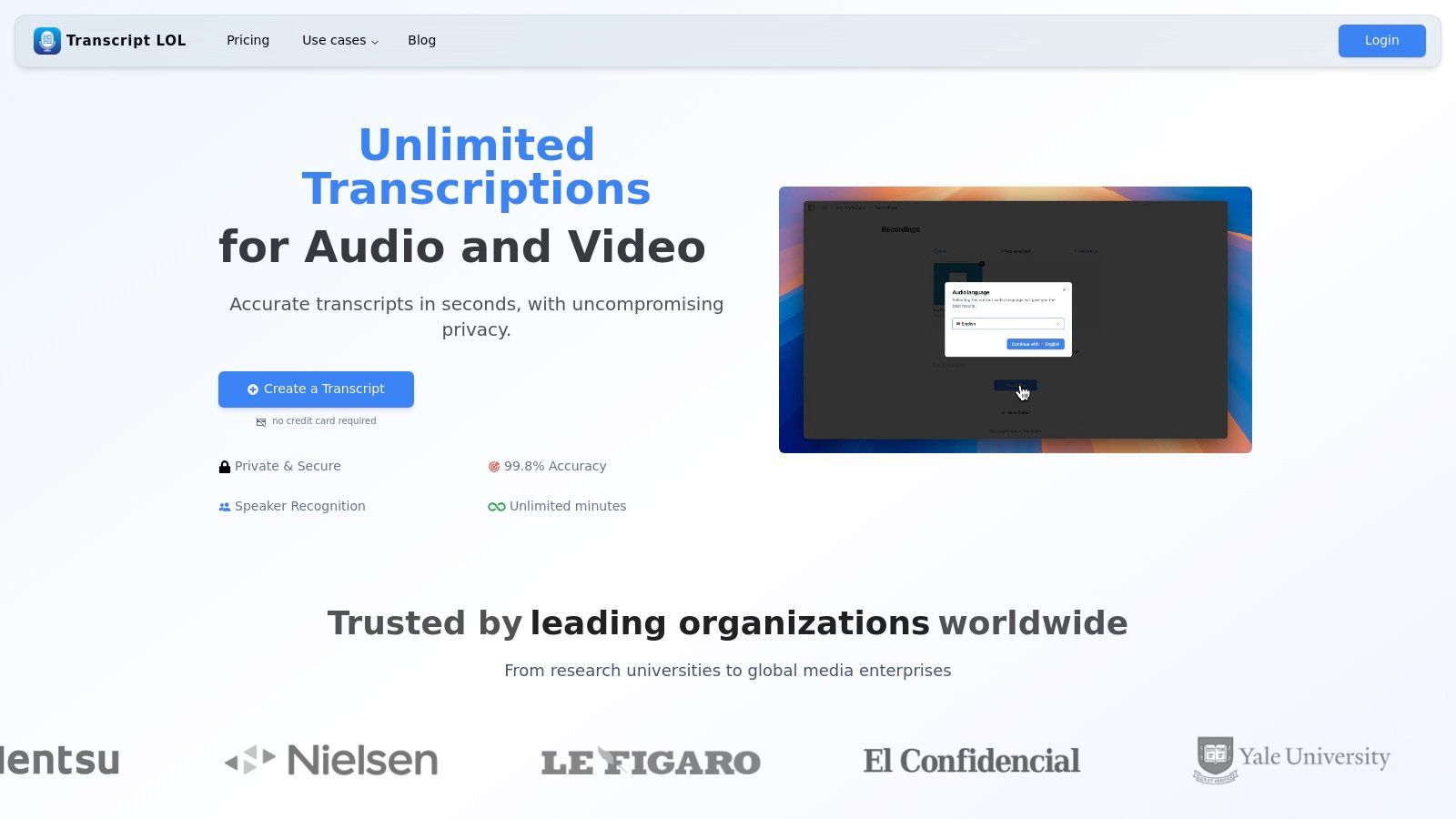
Funzionalità chiave per la trascrizione di interviste
- Elevata accuratezza e vocabolario personalizzato: Ottiene una trascrizione quasi perfetta e apprende la tua terminologia specifica, cruciale per interviste tecniche o accademiche.
- Opzioni di importazione versatili: Estrai senza problemi le registrazioni delle interviste da Google Drive, Dropbox, Zoom o anche direttamente da un URL, semplificando il processo di caricamento iniziale.
- Suite di editing avanzata: L'editor interattivo fornisce strumenti come trova e sostituisci, riassegnazione dell'oratore e formattazione del testo ricco, consentendoti di perfezionare il documento finale.
- Generazione di contenuti: Oltre alla trascrizione, genera automaticamente riassunti, elementi d'azione, mappe mentali e persino suggerimenti per i social media direttamente dal contenuto dell'intervista, massimizzandone il valore.
- Collaborazione sicura: Spazi di lavoro condivisi e controlli di accesso granulari facilitano la revisione sicura da parte del team di dati sensibili delle interviste, il tutto sotto una politica rigorosa in cui i dati degli utenti non vengono mai utilizzati per l'addestramento dell'IA. Ulteriori informazioni sulla trascrizione di interviste e focus group su Transcript.LOL.
Prezzi e accesso
- Piano gratuito: Adatto per test, offre 2 trascrizioni al giorno, ciascuna fino a 20 minuti.
- Piano illimitato: Prezzato a $120/anno, questo piano individuale offre caricamenti illimitati ed elaborazione prioritaria, rendendolo una soluzione conveniente per gli utenti frequenti.
- Piano Team: A $240/anno, aggiunge funzionalità collaborative come spazi di lavoro condivisi e accesso multi-utente.
Transcript.LOL è una scelta eccellente per i professionisti che cercano un software di trascrizione veloce, accurato e sicuro per le interviste che migliora anche i flussi di lavoro post-intervista.
Sito web: https://transcript.lol
Transcript.LOL garantit que vos données ne sont jamais utilisées pour l'entraînement de l'IA, ce qui en fait un choix sûr pour les interviews académiques ou journalistiques sensibles.
2. Rev
Rev si è affermata come una piattaforma di riferimento per progetti ad alto rischio, offrendo un potente modello ibrido che combina la trascrizione umana leader del settore con un motore automatizzato veloce ed economico. Questo doppio approccio la rende una scelta eccellente per gli utenti che necessitano di accuratezza garantita per alcune interviste e di una rapida elaborazione per altre. È particolarmente adatta a ricercatori accademici, professionisti legali e giornalisti che non possono permettersi interpretazioni errate nel loro materiale di origine.
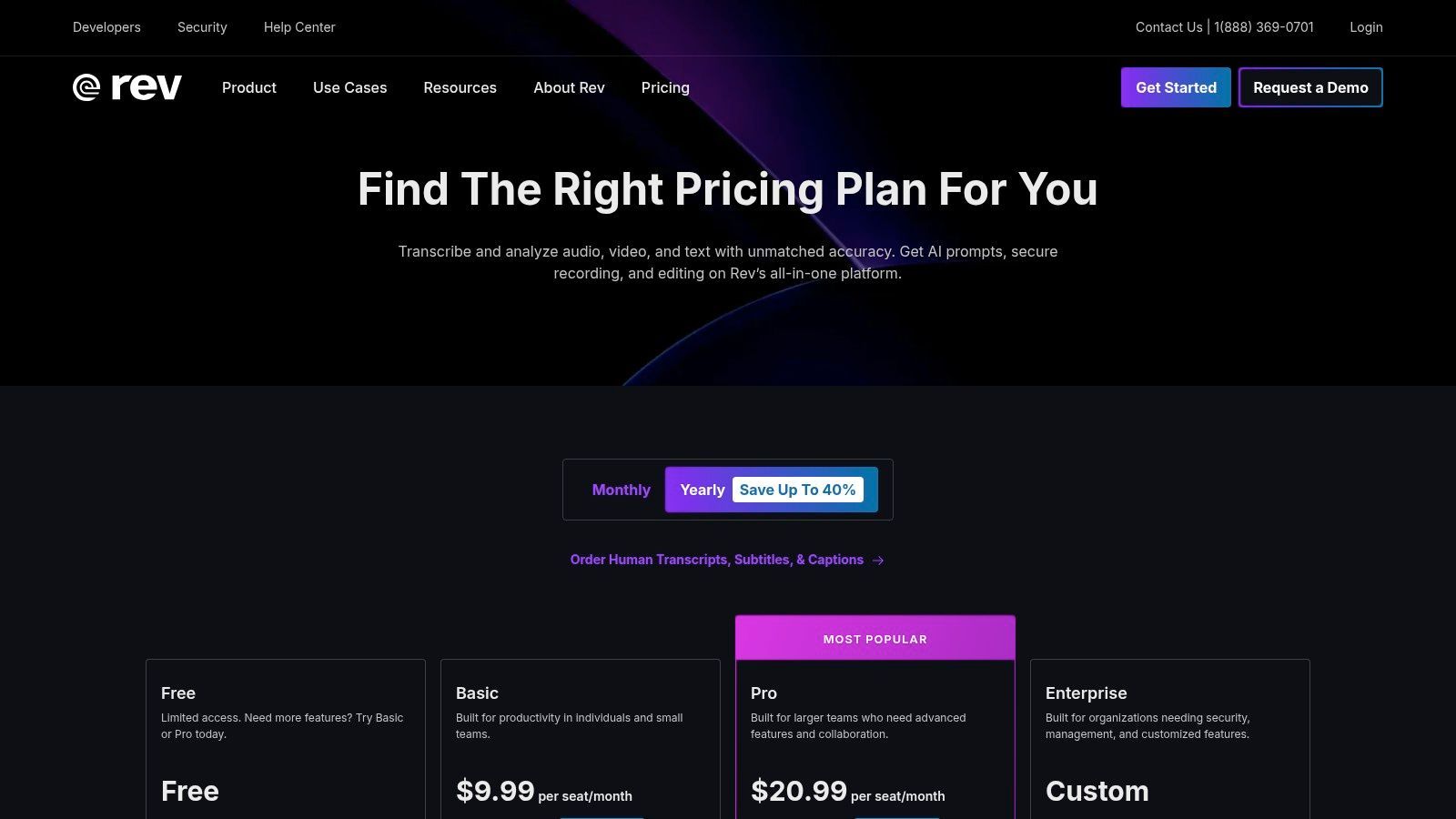
Il principale elemento distintivo della piattaforma è il suo servizio di trascrizione umana, che promette un'accuratezza del 99% con un tempo di consegna di 12 ore, fornito da una vasta rete di trascrittori professionisti. Questa affidabilità è fondamentale quando si trascrivono interviste con più interlocutori, accenti marcati o audio di scarsa qualità. L'editor interattivo è un'altra caratteristica eccezionale, che consente di rivedere facilmente le trascrizioni, identificare gli interlocutori ed esportare il testo finale in più formati.
Caratteristiche principali e prezzi
| Caratteristica | Dettagli | Prezzo |
|---|---|---|
| Trascrizione umana | Garanzia di accuratezza del 99%, eseguita da trascrittori professionisti. | A partire da 1,50 $ al minuto audio |
| Trascrizione automatizzata | Trascrizione basata sull'IA con un'accuratezza fino al 90%, consegnata in pochi minuti. | 0,25 $ al minuto audio |
| Editor interattivo | Riproduci l'audio in sincronia con il testo, evidenzia le citazioni chiave e apporta facilmente modifiche. | Incluso con tutti gli ordini di trascrizione |
| Piani per team | Fatturazione centralizzata, gestione degli utenti e minuti di trascrizione IA in pool. | Prezzi personalizzati disponibili |
Caso d'uso pratico
Un giornalista che conduce una serie di interviste sensibili e approfondite per un articolo investigativo troverebbe inestimabile il servizio di trascrizione umana di Rev. La precisione garantita del 99% assicura che le citazioni dirette siano catturate con precisione, il che è essenziale per mantenere l'integrità giornalistica ed evitare problemi legali. L'editor consente loro di trovare e estrarre rapidamente citazioni chiave per il loro articolo.
Sito web: https://www.rev.com/pricing
3. Otter.ai
Otter.ai è diventato un preferito tra giornalisti, studenti e ricercatori per la sua capacità di produrre trascrizioni in tempo reale durante riunioni e interviste. La piattaforma eccelle nel trasformare conversazioni parlate in note intelligenti e ricercabili in tempo reale. La sua forza risiede nell'integrazione perfetta con le piattaforme di riunione e in un'interfaccia user-friendly che combina registrazione, trascrizione e presa di appunti in un unico flusso di lavoro efficiente, rendendola un eccellente software di trascrizione per interviste condotte da remoto.
Le caratteristiche distintive della piattaforma sono l'identificazione dell'interlocutore in tempo reale e i riassunti automatici, che aiutano gli utenti a cogliere rapidamente i punti chiave di una lunga conversazione. Dopo una registrazione, Otter elabora l'audio per creare una trascrizione in cui è possibile fare clic su qualsiasi parola per riprodurre l'audio corrispondente. Ciò rende la revisione e l'estrazione di citazioni incredibilmente efficienti. Sebbene l'accuratezza dell'IA sia elevata con audio chiaro, può avere difficoltà con accenti marcati o rumori di fondo, una limitazione comune per i servizi automatizzati. Per una guida sul lavoro con testi generati dall'IA, esplora come analizzare i dati delle interviste per la ricerca qualitativa.

Rilevamento dei parlanti
Identifica automaticamente diversi parlanti nelle tue registrazioni e etichettali con i loro nomi.

Strumenti di modifica
Modifica le trascrizioni con strumenti potenti tra cui trova e sostituisci, assegnazione dei parlanti, formati di testo arricchito ed evidenziazione.
Riassunti e Chatbot
Genera riassunti e altri approfondimenti dalla tua trascrizione, prompt personalizzati riutilizzabili e chatbot per i tuoi contenuti.
Key Features & Pricing
| Feature | Details | Price |
|---|---|---|
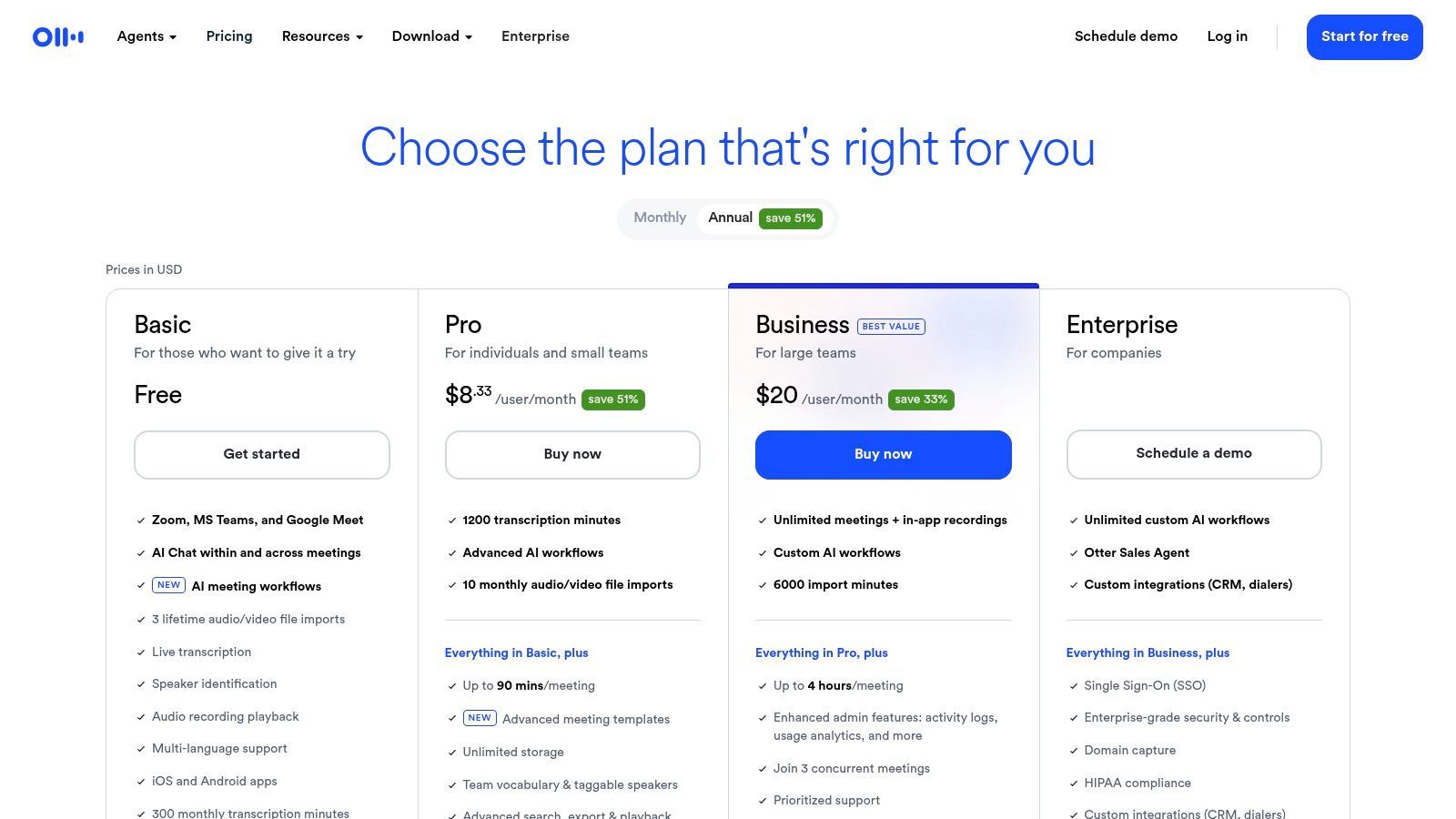
| Live Transcription | Real-time transcription with speaker identification for meetings and interviews. | Free plan available; Pro starts at $16.99/month |
| AI-Generated Summary | Automatically creates a summary, outline, and action items from your transcript. | Included in paid plans |
| Meeting Integrations | Connects with Zoom, Google Meet, and Microsoft Teams to transcribe automatically. | Available on Pro and Business plans |
| Generous Minutes | The Business plan offers a high volume of transcription minutes per user. | Business plan starts at $35/user/month |
Practical Use Case
A market researcher conducting a series of virtual focus groups would benefit immensely from Otter.ai's live transcription and meeting integrations. By connecting Otter to their Zoom sessions, they can focus entirely on moderating the discussion while the software captures every word. Afterward, they can use the searchable transcript and AI summaries to quickly identify key themes and consumer sentiments, significantly speeding up their analysis and reporting process.
Website: https://otter.ai/pricing
4. Temi (by Rev)
Temi offers a straightforward, no-frills approach to automated transcription, making it a strong contender for users who need fast, affordable results without a subscription commitment. Powered by Rev's advanced speech recognition technology, it provides a pay-as-you-go service perfect for one-off projects or users with fluctuating transcription needs. It is an ideal choice for students, podcasters, and marketers who require a quick and budget-friendly way to turn interview audio into text.
The platform’s major appeal is its simplicity and speed; you can upload a file and receive a transcript within minutes. While the AI’s accuracy is highly dependent on audio quality, Temi provides a user-friendly web-based editor that syncs text with audio playback, making corrections easy. It automatically identifies different speakers and adds timestamps, which is crucial for analyzing interview dynamics. The first file up to 45 minutes is free, offering a risk-free trial.
Key Features & Pricing
| Feature | Details | Price |
|---|---|---|
| Pay-As-You-Go AI | No-subscription, per-minute pricing for automated transcription. | $0.25 per audio minute |
| Interactive Editor | Review and edit transcripts with synced audio, speaker labels, and timestamps. | Included with all orders |
| Multiple Export Options | Download finished transcripts as DOCX, PDF, TXT, SRT, and VTT files. | Included with all orders |
| Free Trial | Your first transcription of a file up to 45 minutes is free of charge. | Free |
Practical Use Case
A graduate student conducting multiple interviews for their dissertation can use Temi to quickly process hours of audio on a tight budget. The pay-per-minute model means they only pay for what they use, avoiding a monthly subscription. They can then use the interactive editor to clean up the AI-generated text and pull key quotes and themes for their research analysis, making it an efficient tool for academic work.
Website: https://www.temi.com/
5. Trint
Founded by a journalist, Trint is purpose-built for storytelling and content creation workflows. It excels at helping users move from raw audio or video interviews to a finished narrative. The platform is designed for teams who need to collaborate on transcripts, pull key quotes, and craft stories from multiple sources efficiently, making it a top choice for newsrooms, marketing teams, and documentary producers.
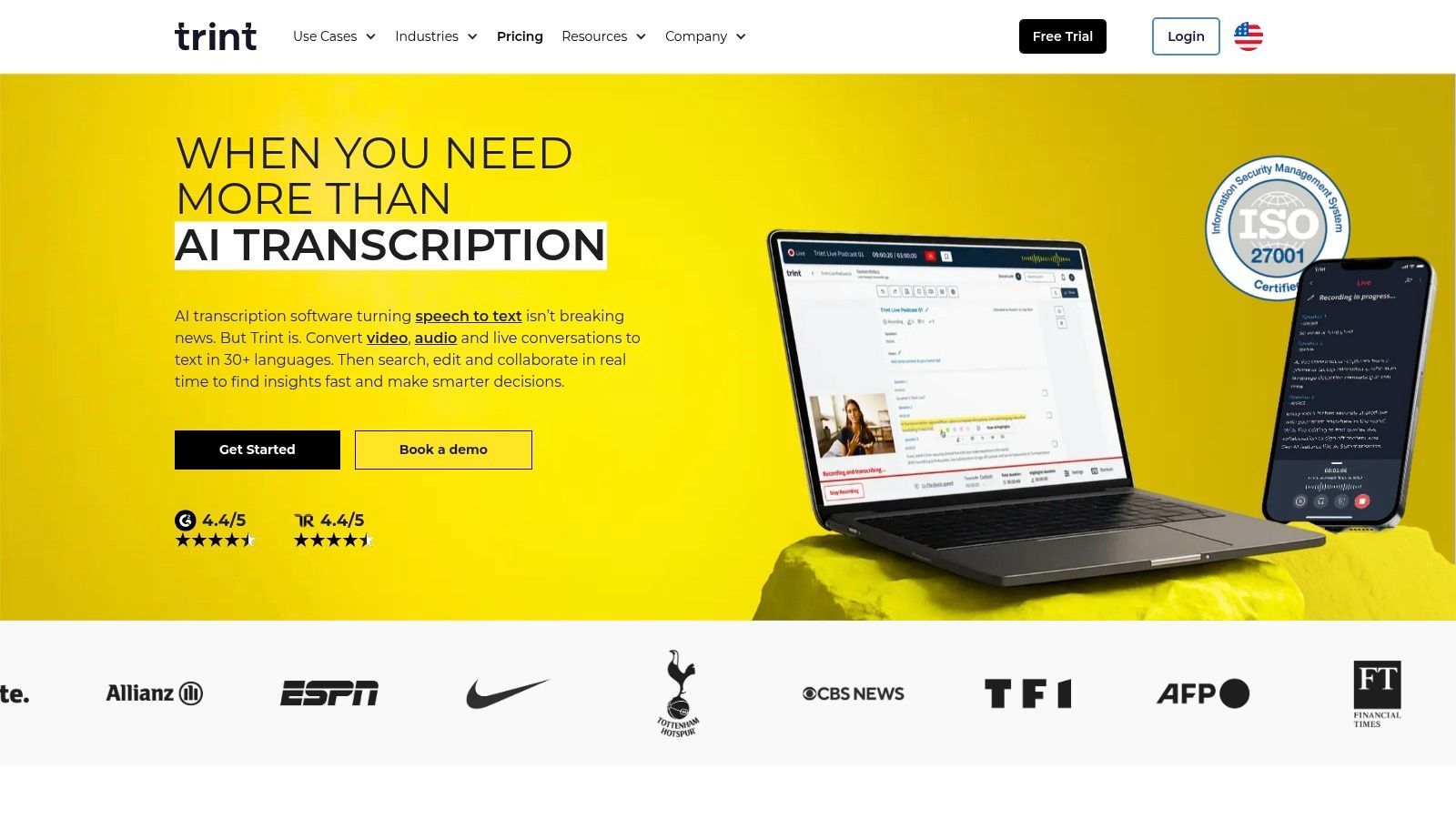
Trint's core strength lies in its collaborative, in-browser editor, which allows users to search, highlight, and comment directly on transcripts. This transforms the static text into a dynamic workspace. Its robust security features, including ISO 27001 certification and data residency options, provide the enterprise-grade compliance that larger organizations require. While it relies solely on AI transcription, the platform's workflow tools are specifically optimized to make reviewing and verifying that text as seamless as possible.
Key Features & Pricing
| Feature | Details | Price |
|---|---|---|
| Storytelling Workflow | Tools to search across multiple transcripts, assemble quotes, and craft narratives. | Starts at $80 per user/month |
| Collaboration | Shared team workspaces, real-time editing, commenting, and permissions. | Included in all plans |
| Global Language Support | Transcribe in 40+ languages and translate into over 50 languages. | Included in all plans |
| Enterprise Security | ISO 27001 certified with options for US or EU data residency. | Available on Enterprise plan (custom pricing) |
Practical Use Case
A content marketing team producing a case study video with multiple customer interviews would use Trint to manage the project. They can upload all interviews, get quick AI transcripts, and assign team members to review different files. Using the editor, they can highlight the most powerful customer quotes from each interview and assemble them into a single "story" document to build the video script, streamlining the entire post-production process.
Website: https://www.trint.com/
6. Descript
Descript revolutionizes the transcription process by treating it as the foundation for an all-in-one audio and video editor. Instead of just delivering a text file, it links the transcript directly to the media, allowing you to edit your interview recording simply by editing the text. This "edit-by-transcript" model makes it the ultimate tool for podcasters, video creators, and researchers who need to turn raw interview footage into polished, publishable content.
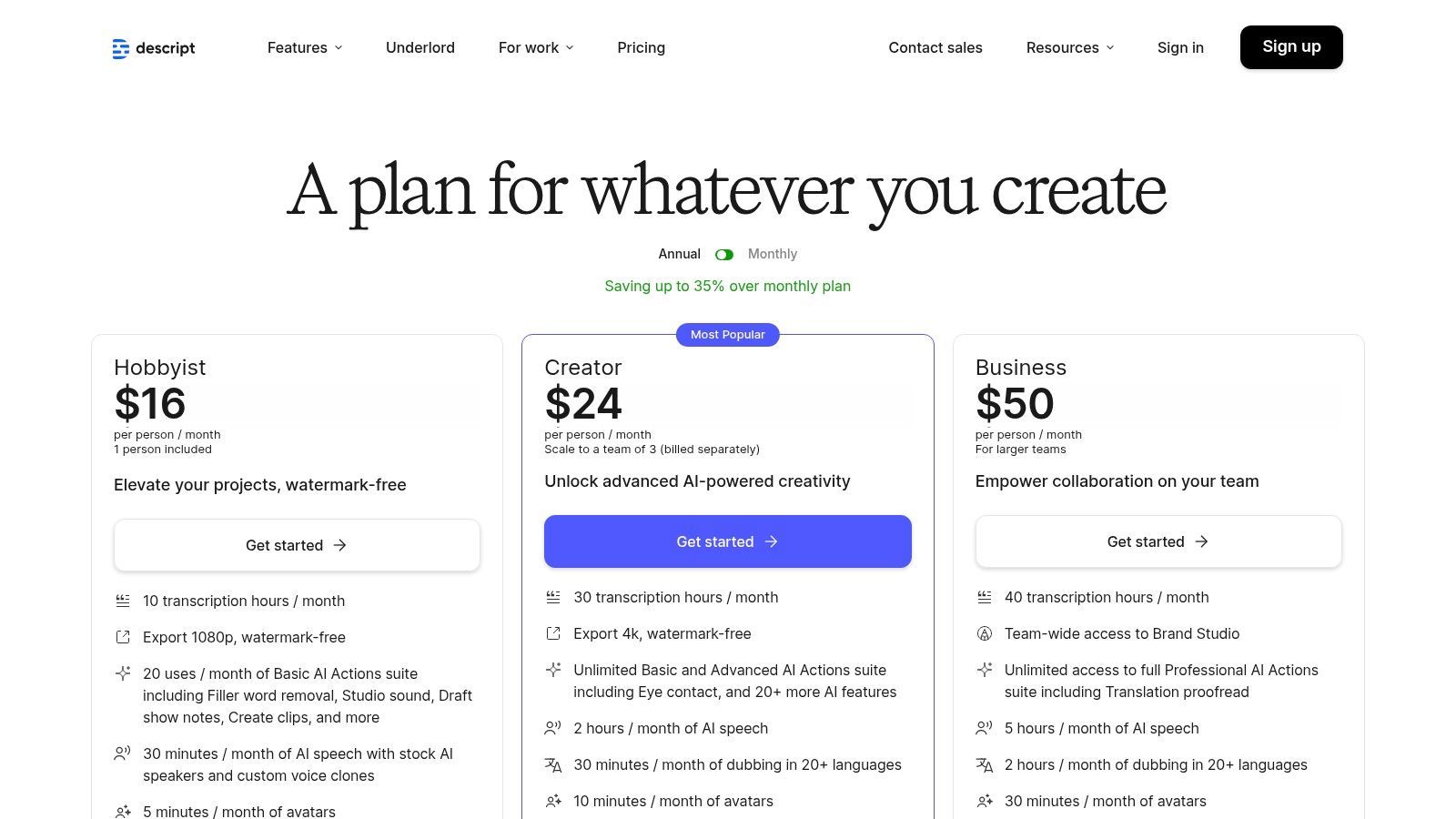
The platform's standout feature is its powerful suite of AI-driven editing tools. Users can automatically remove filler words like "um" and "uh" with a single click, enhance poor audio with its Studio Sound feature, and easily create shareable clips. While it presents a steeper learning curve than simple transcription-only services, its value is unmatched for anyone whose workflow extends beyond just transcribing interviews to actually producing media from them. The generous monthly transcription hours included in paid plans make it a cost-effective choice for regular content creators.
Key Features & Pricing
| Feature | Details | Price |
|---|---|---|
| Text-Based Editing | Edit audio and video by simply editing the corresponding text in the transcript. | Included in all plans, starting with Free |
| AI Transcription | Generous monthly transcription hours included with paid plans for automated accuracy. | 10-30 hours per month on paid plans |
| Studio Sound | One-click AI tool to remove background noise and enhance speaker voice quality. | Included in all plans |
| Filler Word Removal | Automatically detect and delete filler words ("um," "uh," etc.) from audio and video. | Available on Creator & Pro plans, starting at $12/user/month |
Practical Use Case
A podcast host who conducts remote interviews can use Descript to manage their entire post-production workflow. After recording, they can upload the file to get a fast, automated transcript. They can then correct any errors, remove filler words, and use the text-based editor to cut out irrelevant sections. Finally, they can apply Studio Sound to improve audio quality and export the final, broadcast-ready episode without ever leaving the platform.
Website: https://www.descript.com/pricing
7. Sonix
Sonix is a powerful AI-driven transcription service designed for professionals and teams who frequently work with interview audio and video. Its main appeal lies in its flexible pricing models and robust collaborative features, making it an excellent choice for recurring projects. The platform excels at processing large volumes of media, offering both pay-as-you-go and subscription options to cater to fluctuating transcription needs.
The platform supports over 40 languages and provides an in-browser editor that automatically identifies different speakers (diarization) and allows users to build a custom dictionary for specialized terminology. This makes it a highly effective piece of transcription software for interviews with niche subject matter. The ability to translate transcripts into different languages is another key feature, broadening its utility for global teams and market researchers.
Key Features & Pricing
| Feature | Details | Price |
|---|---|---|
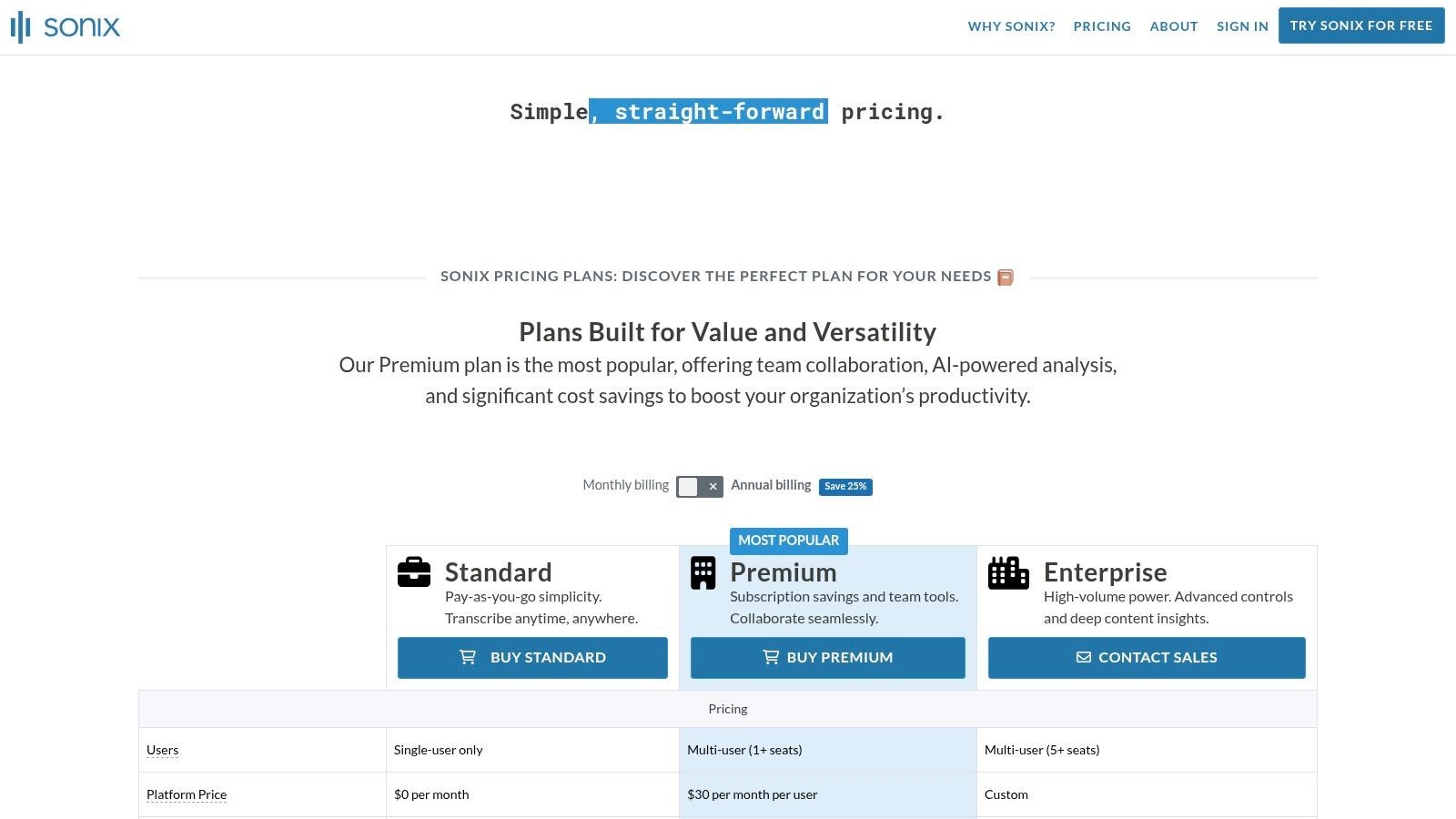
| Pay-as-you-go Plan | Standard automated transcription without a recurring commitment. | Starts at $10 per hour |
| Premium Subscription | Includes a set number of transcription hours and lower per-hour rates. | $5 per hour + $22/user/month |
| In-Browser Editor | Edit transcripts alongside audio playback, with speaker labeling and a custom dictionary. | Included with all plans |
| Team Collaboration | Features like multi-user access, shared folders, and permission management. | Available with Premium & Enterprise plans |
Practical Use Case
A market research firm conducting focus group interviews across different countries would benefit greatly from Sonix. They can use the subscription model for cost-effective bulk transcription and leverage the team collaboration tools to allow multiple researchers to access and analyze the transcripts. The platform's translation feature would be essential for quickly converting interviews conducted in various languages into a single, unified language for the final report.
Website: https://sonix.ai/pricing
8. Happy Scribe
Happy Scribe excels in the globalized landscape of interviews, offering robust multilingual transcription and translation services. It provides a flexible model with both fast AI-powered transcription and a human-made service, making it ideal for international researchers, journalists, and global businesses. Its standout feature is the extensive language support, which is not just an add-on but a core part of its offering.
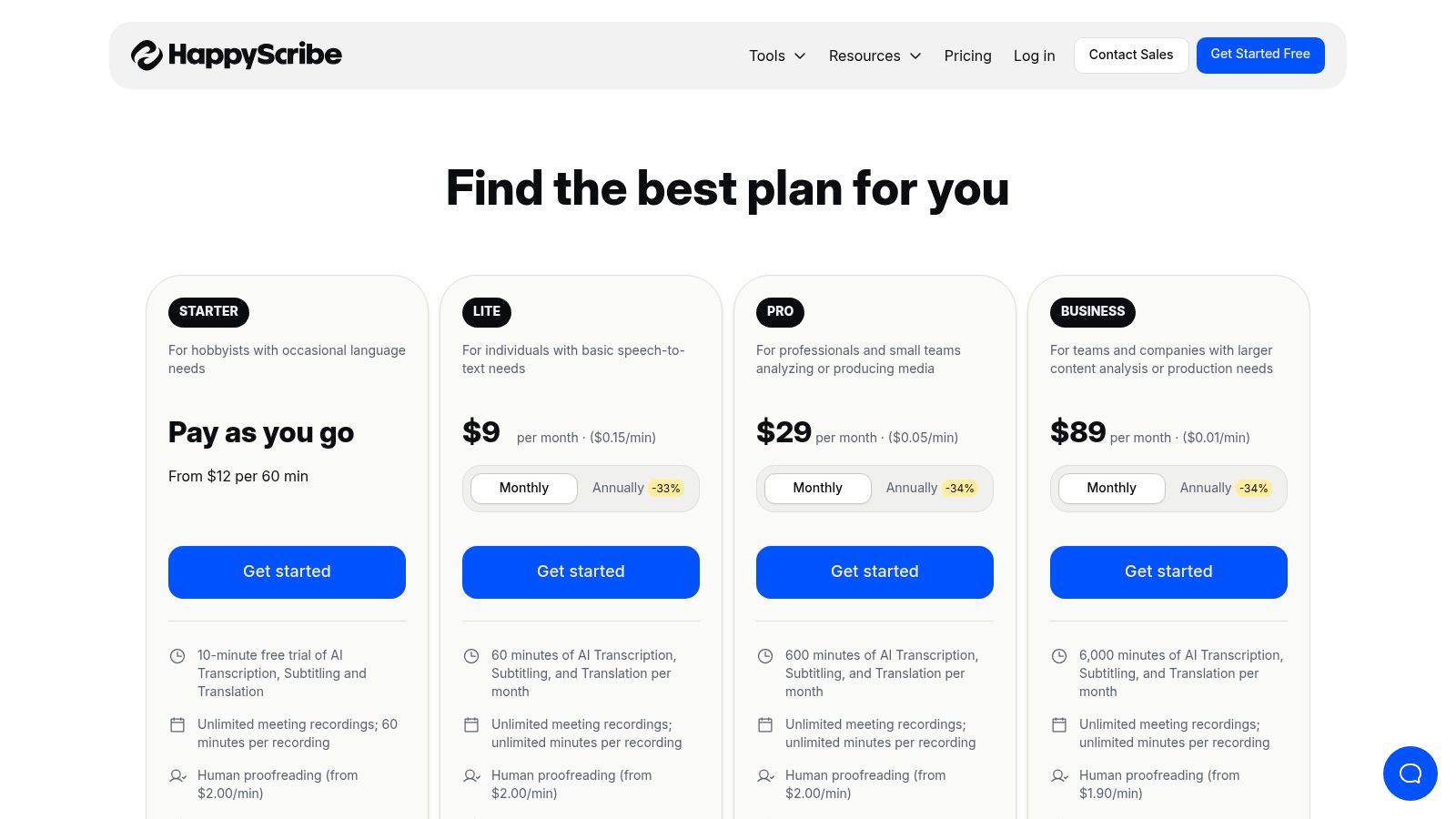
The platform is designed for users who regularly handle interviews in various languages and need reliable transcripts without switching tools. Happy Scribe’s transparent, per-language pricing for human proofreading allows for clear budget planning on international projects. The collaborative editor further enhances its utility, enabling teams spread across different regions to work together on refining interview transcripts.
Key Features & Pricing
| Feature | Details | Price |
|---|---|---|
| Multilingual AI Transcription | Supports automated transcription in over 120 languages and accents. | Starts at $10/month (billed annually) for 120 minutes |
| Human-Made Transcription | 99% accuracy service by native-speaking transcribers. | Starts from $2.00 per audio minute (varies by language) |
| Collaborative Editor | Interactive workspace for teams to edit, highlight, and comment on transcripts. | Included with all plans |
| Multiple Export Formats | Export transcripts in formats like DOCX, PDF, TXT, and SRT. | Included with all plans |
Practical Use Case
An academic researcher conducting a qualitative study with participants from France, Spain, and Germany would find Happy Scribe's transcription software for interviews indispensable. They can upload all interview audio to one platform and receive accurate AI-generated transcripts in their native languages. For critical quotes, they can easily upgrade specific files to the human-made service to ensure 99% accuracy for their analysis and publications.
Website: https://www.happyscribe.com/pricing
9. Fireflies.ai
Fireflies.ai carves out its niche as an AI meeting assistant that excels at transcribing interviews conducted over video conferencing platforms. While its core focus is on live meetings, its powerful automation and integration features make it a strong contender for anyone whose interview workflow is heavily reliant on tools like Zoom, Google Meet, or Microsoft Teams. It goes beyond simple transcription by providing AI-powered summaries, action items, and searchable notes.
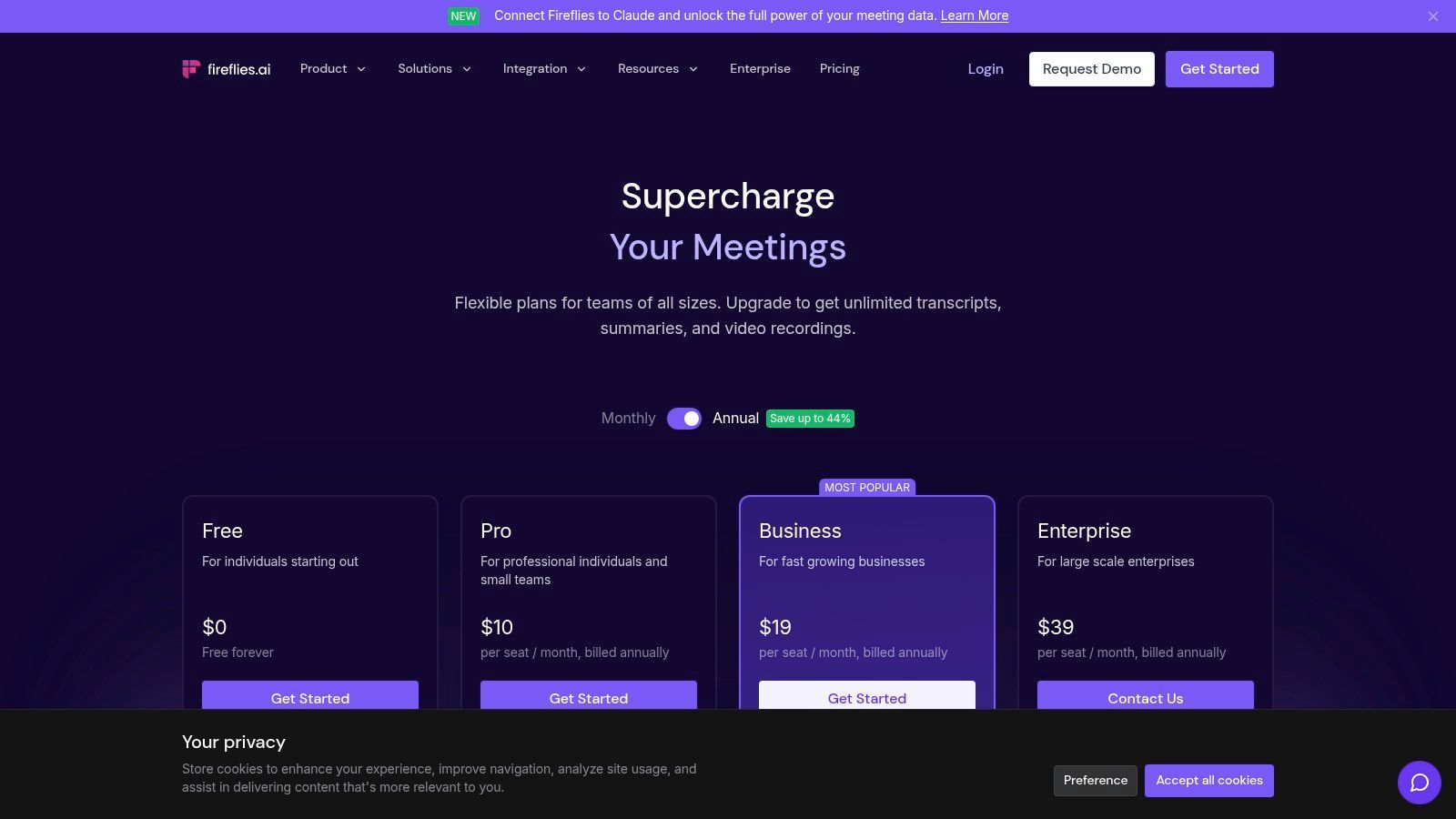
The platform’s standout feature is its ability to automatically join, record, and transcribe calendar events, creating a seamless, hands-off process for capturing interview content. Fireflies.ai also supports over 69 languages and allows users to upload existing audio or video files for transcription. Its AI assistant, 'AskFred', can answer questions about the interview content, making it an efficient tool for qualitative data analysis or quickly finding key information without re-reading the entire text.
Key Features & Pricing
| Feature | Details | Price |
|---|---|---|
| AI Super Summaries | Get chaptered notes, action items, and an outline of your interview. | Included in all paid plans |
| Conversation Intelligence | Analyze speaker talk time, sentiment, and other key metrics. | Available on Business and Enterprise plans |
| Integrations | Connects with CRMs, project management tools, and storage platforms. | Included in all plans |
| Unlimited Transcription | No per-minute fees for live meetings or uploaded files on paid plans. | Starts at $10/seat/month (billed annually) |
Practical Use Case
A market research firm conducting a series of virtual focus groups and one-on-one interviews would benefit greatly from Fireflies.ai. The AI assistant can automatically join and document each session, and the transcripts are instantly centralized and searchable. The team can use Conversation Intelligence to analyze participant sentiment and talk time, providing quantitative data to support their qualitative findings without manual effort.
Website: https://fireflies.ai/pricing
10. Microsoft Word (Transcribe in Word – Microsoft 365)
For professionals already embedded in the Microsoft ecosystem, the built-in Transcribe feature in Word offers a surprisingly powerful and convenient solution. Instead of relying on a third-party tool, Microsoft 365 subscribers can upload or record interview audio directly within Word for the web, which then generates a full, interactive transcript in a side panel. This integration eliminates the need to switch between applications, streamlining the workflow for those who draft reports, articles, or notes directly in Word.
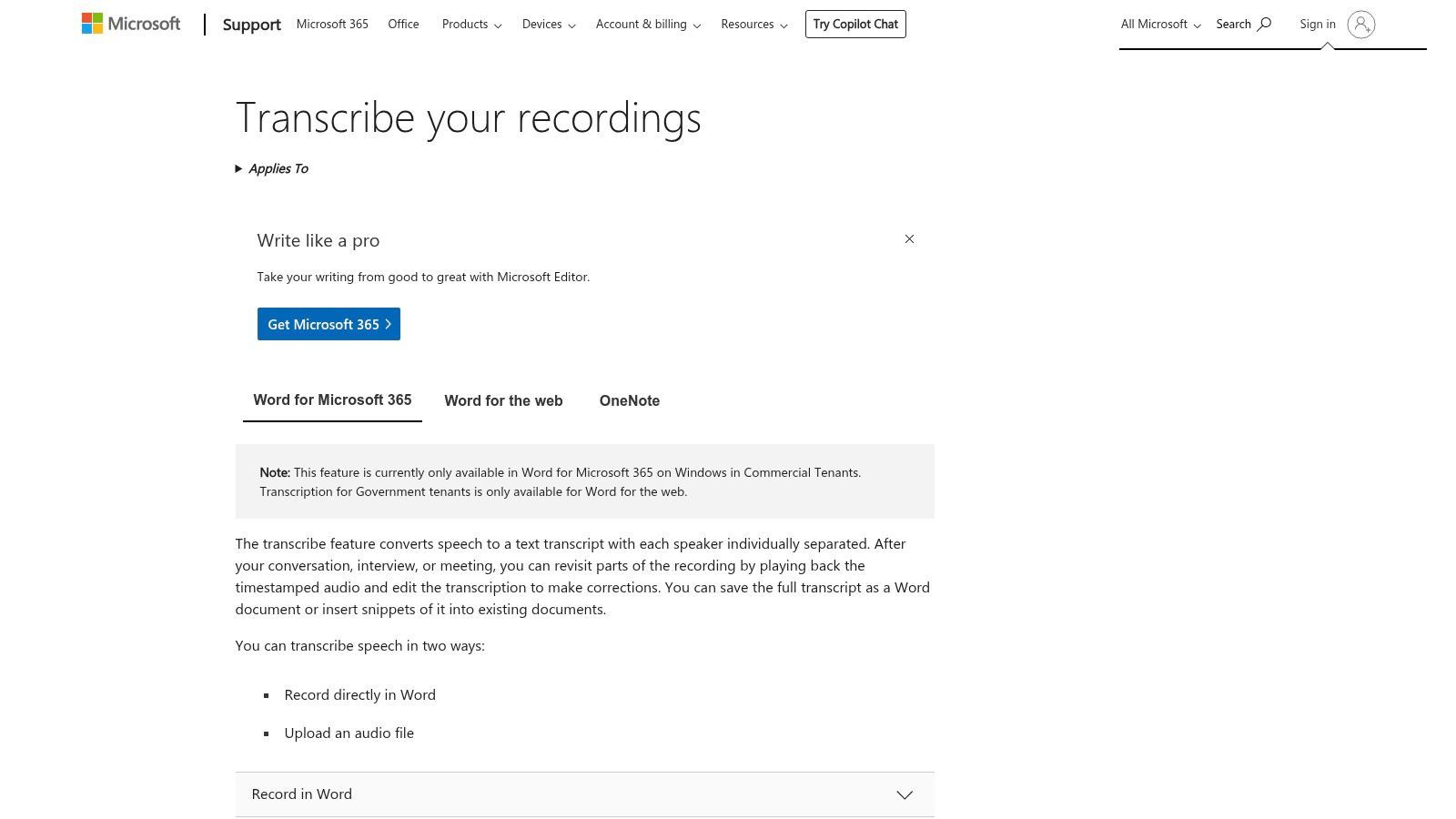
The key advantage is its seamless integration. The transcript is timestamped and separates speakers, allowing you to click a specific text block to hear the corresponding audio. Users can easily pull quotes or entire sections directly into their document with a single click, making it one of the most efficient transcription software for interviews when your final output is a Word document. It’s particularly useful for tasks like recruiter phone screen transcription, where notes must be quickly captured and formatted.
Key Features & Pricing
| Feature | Details | Price |
|---|---|---|
| Direct Integration | Record or upload audio and transcribe directly within Word for the web. | Included with most Microsoft 365 subscriptions |
| Interactive Transcript | The transcript panel syncs audio playback with timestamped, speaker-separated text. | Included with subscription |
| One-Click Snippets | Easily insert quotes or transcript sections into your Word document. | Included with subscription |
| Monthly Limits | Subscription plans have monthly limits on upload minutes (e.g., 300 minutes). | Varies by Microsoft 365 plan |
Practical Use Case
A corporate manager conducting internal employee interviews for a performance review cycle can use Transcribe in Word to maintain a clean, organized record. They can record the conversations directly or upload audio files later. The transcript appears alongside their notes, allowing them to easily pull key feedback and action items into the official review document without ever leaving the Word interface, ensuring a secure and efficient process.
Website: https://support.microsoft.com/office/transcribe-your-recordings-7fc2efec-245e-45f0-b053-2a97531ecf57
11. Adobe Premiere Pro (Speech to Text)
For professionals whose interviews are primarily video-based, Adobe Premiere Pro offers a powerful, integrated solution with its Speech to Text feature. Rather than exporting audio to a separate tool, users can generate transcripts and captions directly within their video editing timeline. This all-in-one workflow is a significant time-saver for video producers, documentarians, and content creators who need to transcribe interviews for editing, subtitling, or pulling quotes.
The key advantage of using Premiere Pro is the seamless connection between the transcribed text and the video footage. The transcript is time-coded, and clicking on a word instantly moves the playhead to that exact moment in the video. This makes finding specific soundbites incredibly efficient. However, its primary focus is video editing, making the subscription cost excessive for users who only need transcription services without the advanced video production tools.
Key Features & Pricing
| Feature | Details | Price |
|---|---|---|
| Integrated Transcription | AI-powered transcription generated and editable directly on the video timeline. | Included with Premiere Pro subscription |
| Text-Based Video Editing | Edit video by simply cutting and pasting text in the transcript panel. | Included with subscription |
| Automated Captions | Convert the transcript into customizable, timed captions with one click. | Included with subscription |
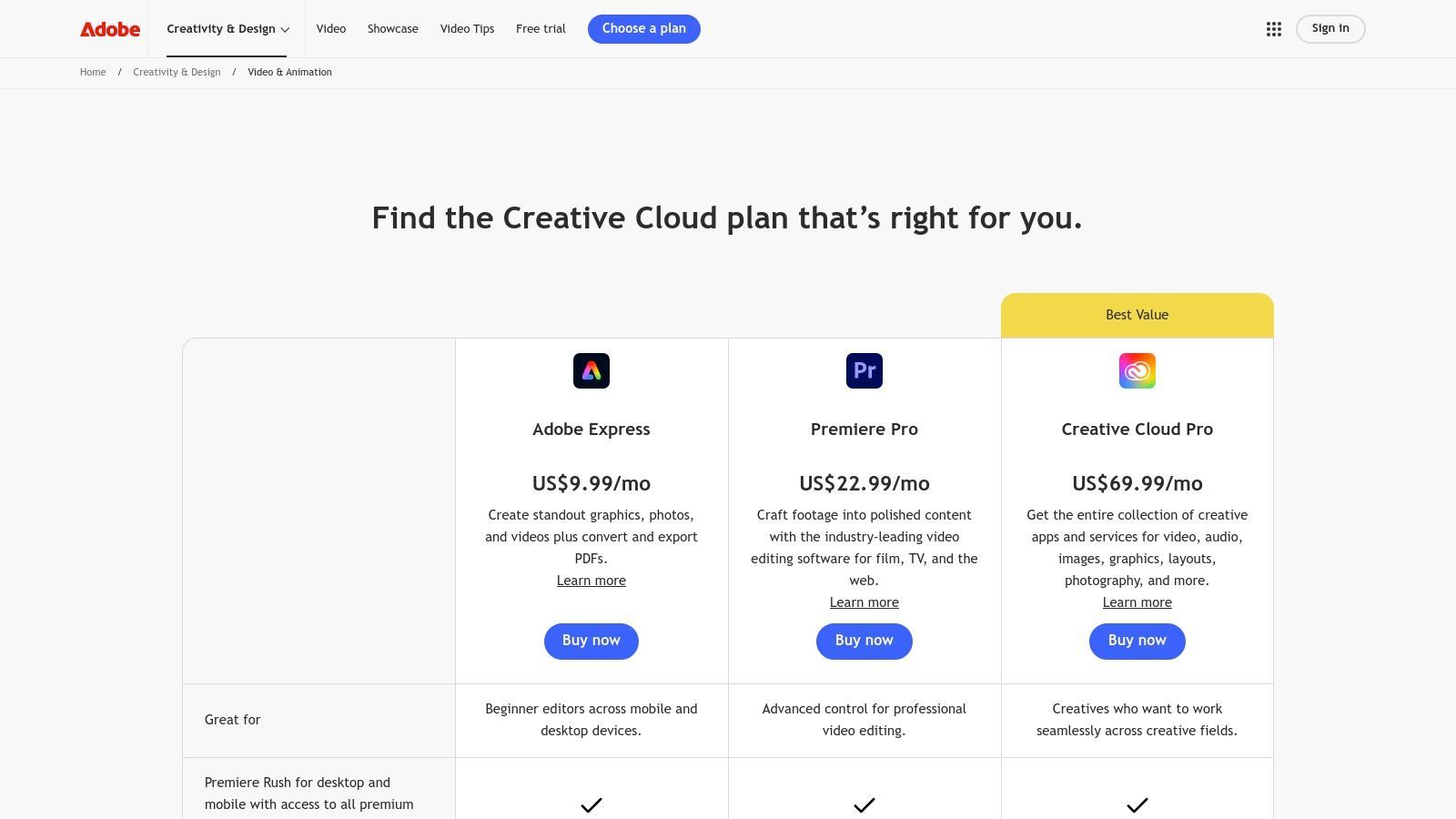
| Adobe Creative Cloud | Part of a larger ecosystem of creative tools for video and audio production. | Starts at $22.99/month (for Premiere Pro only) |
Practical Use Case
A documentary filmmaker conducting a series of video interviews can use Premiere Pro's Speech to Text to create a searchable transcript of all their footage. They can quickly scan the text to identify the most compelling quotes, then use the text-based editing feature to create a rough cut of the interview segments simply by highlighting and arranging the desired text, which automatically edits the video clips on the timeline.
Website: https://www.adobe.com/creativecloud/video/compare-plans.html
12. Amazon (Express Scribe and related transcription gear/software)
While not a direct software provider, Amazon serves as a crucial marketplace for those building a manual transcription setup. It's the go-to destination for purchasing professional-grade transcription player software like Express Scribe, alongside the essential hardware that streamlines the process, such as foot pedals and high-quality headsets. This makes it an ideal starting point for transcriptionists, researchers, or assistants who prefer a hands-on approach and require physical tools to efficiently transcribe interviews.
The platform's primary advantage is its role as a one-stop shop, bundling software downloads with compatible hardware. Instead of sourcing items from different vendors, users can purchase a complete kit with the confidence of user reviews and Amazon's reliable shipping and return policies. However, it's important to note this ecosystem supports a manual workflow; it provides the playback tools but relies on the user to perform the actual typing, distinguishing it from automated AI services.
Key Features & Pricing
| Feature | Details | Price |
|---|---|---|
| Express Scribe Software | Downloadable professional transcription player with variable speed and foot pedal support. | Varies by seller; typically $50-$70 |
| Hardware Bundles | Kits including USB foot pedals and professional transcription headsets. | Bundles often range from $80-$150 |
| Wide Product Selection | A vast marketplace of new and used transcription gear from various manufacturers. | Varies widely by product and seller |
| Fast Shipping | Many items are eligible for Prime shipping for quick delivery. | Included with Amazon Prime membership |
Practical Use Case
A freelance paralegal or medical assistant tasked with transcribing sensitive audio interviews would use Amazon to build an efficient, ergonomic workstation. They could purchase an Express Scribe Pro license, a USB foot pedal to control audio playback without taking their hands off the keyboard, and a noise-canceling headset to ensure every word is heard clearly. This setup maximizes typing speed and accuracy for high-volume manual transcription tasks.
Website: https://www.amazon.com/
Top 12 Interview Transcription Software Features Comparison
| Platform | Core Features / Accuracy | User Experience & Quality ★★★★☆ | Value & Pricing 💰 | Target Audience 👥 | Unique Selling Points ✨ |
|---|---|---|---|---|---|
| 🏆 Transcript.LOL | 99.8%+ accuracy, 10h uploads, multi-format | 4.8/5 rating, advanced editing & speaker detection | Free tier; $120/yr individual; $240/yr team | Podcasters, marketers, educators, enterprises | Summaries, quizzes, mind maps, social media content, strict privacy 🔒 |
| Rev | Human 99%, AI option; interview-focused | Clear pricing, trusted, scalable | Pay-as-you-go for human & AI transcription | Interviewers, enterprises | Human+AI combo, meeting integrations |
| Otter.ai | Live transcription, speaker ID | Easy workflow, strong search & summaries | Free cap on minutes; Business plan for heavy users | Journalists, researchers | Live transcription + AI summaries |
| Temi (by Rev) | Pay-per-minute, web editor, timestamps | Fast delivery, simple editor | No subscription; pay as you go | Budget users, quick transcriptions | First 45 min free, straightforward pricing |
| Trint | Multi-language, search & collaboration | Secure with ISO 27001; newsroom focused | Pricing by sales consultation | Journalists, enterprises | Multi-language, compliance, collaboration |
| Descript | Transcript-driven audio/video editing | Team friendly; advanced AI tools | Subscription with monthly AI hours | Podcasters, video editors | Audio/video editing & filler word removal |
| Sonix | Pay-as-you-go or subscription; 40+ languages | Flexible plans; bulk pricing benefits | Trial + premium plans | Teams, enterprises | Translational support, prorated billing |
| Happy Scribe | AI + human transcription; 80+ languages | Collaborative editor, human proofreading | Pricing varies by language | Multilingual interviewers | Human-reviewed accuracy option |
| Fireflies.ai | Unlimited transcription on paid plans | Strong automation & integrations | Competitive per-seat pricing | Meeting-heavy teams | AI assistant, CRM integrations |
| Microsoft Word (Transcribe in Word) | Upload/record within Word, timestamps | Built into Microsoft 365; easy editing | Included w/ Microsoft 365 subscription | Microsoft 365 users | Native integration inside Word |
| Adobe Premiere Pro (Speech to Text) | Caption + transcript with video timeline | Pro video+caption workflow | Expensive subscription | Video editors, media professionals | All-in-one video & transcription editing |
| Amazon (Express Scribe & gear) | Manual transcription tools & hardware | Downloadable player, foot pedals | Varies widely; hardware + software bundles | Manual transcriptionists | Hardware + software bundle marketplace |
Choosing the Right Tool to Amplify Your Interview Insights
Navigating the landscape of transcription software for interviews can feel overwhelming, but as we've explored, the perfect tool is not a one-size-fits-all solution. It's the one that seamlessly integrates into your unique workflow, respects your budget, and ultimately, helps you extract the maximum value from your conversations. The journey from spoken words to actionable insights is complex, and the right software acts as a powerful catalyst in that process.
We've covered a wide spectrum of options, from the AI-powered speed of Otter.ai and Fireflies.ai for live meeting notes to the unparalleled 99% accuracy guarantee of Rev's human-powered service. For content creators, the game-changing, text-based video editing capabilities of Descript and Adobe Premiere Pro redefine what's possible in post-production. Even familiar tools like Microsoft Word now offer surprisingly robust transcription features, demonstrating how central this technology has become to modern productivity.
👥 Qui bénéficie le plus de ces outils ?
📚 Chercheurs
Transcriptions précises avec des formats exportables qui s'intègrent aux logiciels d'analyse.
📰 Journalistes
Citations rapides et précises et suivi facile des intervenants pour respecter les délais serrés.
🏢 Équipes & Entreprises
Fonctionnalités de collaboration, espaces de travail partagés et intégrations pour un travail d'équipe productif.
🎙️ Créateurs de contenu
Transformez facilement des enregistrements d'interviews bruts en podcasts, blogs et publications sur les réseaux sociaux.
Sintetizzare la Tua Decisione: Un Approccio Basato sulle Esigenze
Fare la scelta finale richiede una valutazione chiara delle tue esigenze primarie. Non lasciarti influenzare da un lungo elenco di funzionalità che non utilizzerai mai. Concentrati invece sulla funzione principale che avrà il maggiore impatto sul tuo lavoro. Per aiutarti a individuare il miglior software di trascrizione per interviste per la tua situazione, considera questi profili utente:
-
Per il Ricercatore Qualitativo e Accademico: Le tue esigenze primarie sono accuratezza, privacy dei dati e facilità di analisi. Uno strumento come Transcript.LOL è un forte contendente, sfruttando l'avanzato Whisper AI per un'elevata accuratezza senza addestrare sui tuoi dati, garantendo la riservatezza. La capacità di esportare in vari formati per software di analisi è anch'essa fondamentale.
-
Per il Giornalista e Podcaster con Scadenze: Velocità e integrazione del flusso di lavoro sono fondamentali. Servizi come Trint e Sonix offrono rapidi tempi di consegna e editor collaborativi. Per coloro che modificano il proprio audio e video, Descript è uno strumento trasformativo che unisce la trascrizione direttamente nel processo di editing creativo, risparmiando innumerevoli ore.
-
Per il Team Aziendale e il Professionista d'Affari: Collaborazione, integrazione e intelligenza delle riunioni sono fondamentali. Fireflies.ai e Otter.ai eccellono in questo, non solo trascrivendo ma anche riassumendo riunioni, identificando punti d'azione e integrandosi direttamente con il CRM del tuo team e le piattaforme di comunicazione come Slack e Zoom.
-
Per l'Utente Attento al Budget e il Trascritore Occasionale: Se le tue esigenze sono infrequenti, impegnarsi in un abbonamento mensile potrebbe non essere pratico. La trascrizione integrata in Microsoft 365 offre una soluzione preziosa, senza costi aggiuntivi, per gli abbonati esistenti. I modelli pay-as-you-go di servizi come Temi forniscono anche un punto di ingresso conveniente per progetti unici.
Considerazioni finali sull'implementazione
Prima di impegnarti, segui questi ultimi passaggi. Innanzitutto, utilizza sempre la prova gratuita. Testa ciascuno dei tuoi principali contendenti con un campione audio reale: uno con più relatori, rumore di fondo o terminologia di nicchia specifica del tuo settore. Questo è l'unico modo per valutare veramente l'accuratezza e l'usabilità di una piattaforma per i tuoi casi d'uso specifici. In secondo luogo, valuta l'interfaccia di editing. Quanto è facile correggere errori, assegnare etichette ai relatori e regolare i timestamp? Un editor macchinoso può annullare il tempo risparmiato dall'automazione.
In definitiva, il miglior software di trascrizione per interviste fa più che convertire l'audio in testo. Sblocca i ricchi dati intrappolati nelle tue registrazioni, rendendoli ricercabili, analizzabili e condivisibili. Abbinando attentamente i tuoi requisiti specifici ai punti di forza specializzati di questi strumenti, puoi trasformare un noioso compito amministrativo in un vantaggio strategico, assicurandoti che nessuna intuizione critica vada mai persa.
Pronto a provare un servizio di trascrizione che dà priorità all'accuratezza e alla privacy sopra ogni altra cosa? Transcript.LOL sfrutta l'intelligenza artificiale all'avanguardia per fornire trascrizioni eccezionalmente precise per le tue interviste più importanti, garantendo al contempo che i tuoi dati non vengano mai utilizzati per l'addestramento. Provalo oggi stesso e scopri quanto può essere semplice e sicuro ottenere trascrizioni di alta qualità su Transcript.LOL.
⚡ Pronto a Risparmiare Ore sulla Trascrizione delle Interviste? Smetti di perdere tempo con la digitazione manuale. Prova la trascrizione sicura basata sull'intelligenza artificiale che offre un'accuratezza del 99,8%.
👉 Provalo oggi stesso su Transcript.LOL.