
12 Strumenti Essenziali di Tecnologia Educativa per Insegnanti in...
Scopri 12 potenti strumenti di tecnologia educativa per insegnanti. Questa guida copre funzionalità, prezzi e consigli per la classe per migliorare il tuo insegnamento.
Kate, Praveen
February 3, 2026
Il panorama dell'istruzione è in continua evoluzione e la tecnologia è al centro di questa trasformazione. Per gli educatori, navigare nel vasto mare di risorse digitali può sembrare opprimente. Gli strumenti giusti possono far risparmiare tempo prezioso, aumentare notevolmente il coinvolgimento degli studenti e creare ambienti di apprendimento più inclusivi e accessibili. Quelli sbagliati, tuttavia, possono aggiungere complessità non necessaria senza fornire benefici chiari. Questa guida è progettata per tagliare il rumore, fornendo un elenco curato e profondamente analizzato di strumenti essenziali di tecnologia educativa per insegnanti.
Perché la Selezione Intelligente degli Strumenti è Importante?
La piattaforma giusta può far risparmiare ore ogni settimana, ridurre le attività manuali e migliorare i risultati di apprendimento. Invece di aggiungere più app, concentrati su strumenti che rimuovono l'attrito e semplificano il tuo flusso di lavoro. L'efficienza dovrebbe sempre venire prima della complessità.
Ci sposteremo oltre le liste generiche di funzionalità per esplorare come puoi implementare realisticamente ciascuna piattaforma per risolvere le sfide comuni in classe. Dalla creazione semplificata di lezioni e valutazioni formative dinamiche al miglioramento dell'accessibilità e della comunicazione con i genitori, il nostro obiettivo è aiutarti a trovare le migliori piattaforme per le tue esigenze specifiche. Mentre esplori modi per potenziare la tua classe moderna, considera di sfruttare soluzioni basate sull'intelligenza artificiale; puoi trovare una recensione completa delle 12 migliori opzioni di strumenti di studio AI per supportare ulteriormente l'apprendimento degli studenti.
Ogni voce nel nostro elenco include screenshot, collegamenti diretti e un'analisi pratica delle funzionalità principali, casi d'uso ideali, prezzi e pro e contro onesti. Preparati a scoprire soluzioni potenti e pratiche che cambieranno il tuo flusso di lavoro di insegnamento in meglio.
1. Transcript.LOL
Transcript.LOL è un servizio di trascrizione basato sull'intelligenza artificiale eccezionalmente potente che si distingue come uno strumento di tecnologia educativa di primo piano per gli insegnanti. Fornisce una soluzione robusta per convertire contenuti vocali da lezioni, presentazioni degli studenti e interviste di ricerca in testo accurato e utilizzabile. La sua base sul motore Whisper di OpenAI offre un'accuratezza leader del settore (un citato 99,8%) e una velocità notevole, trasformando file audio di diverse ore in trascrizioni in pochi minuti.
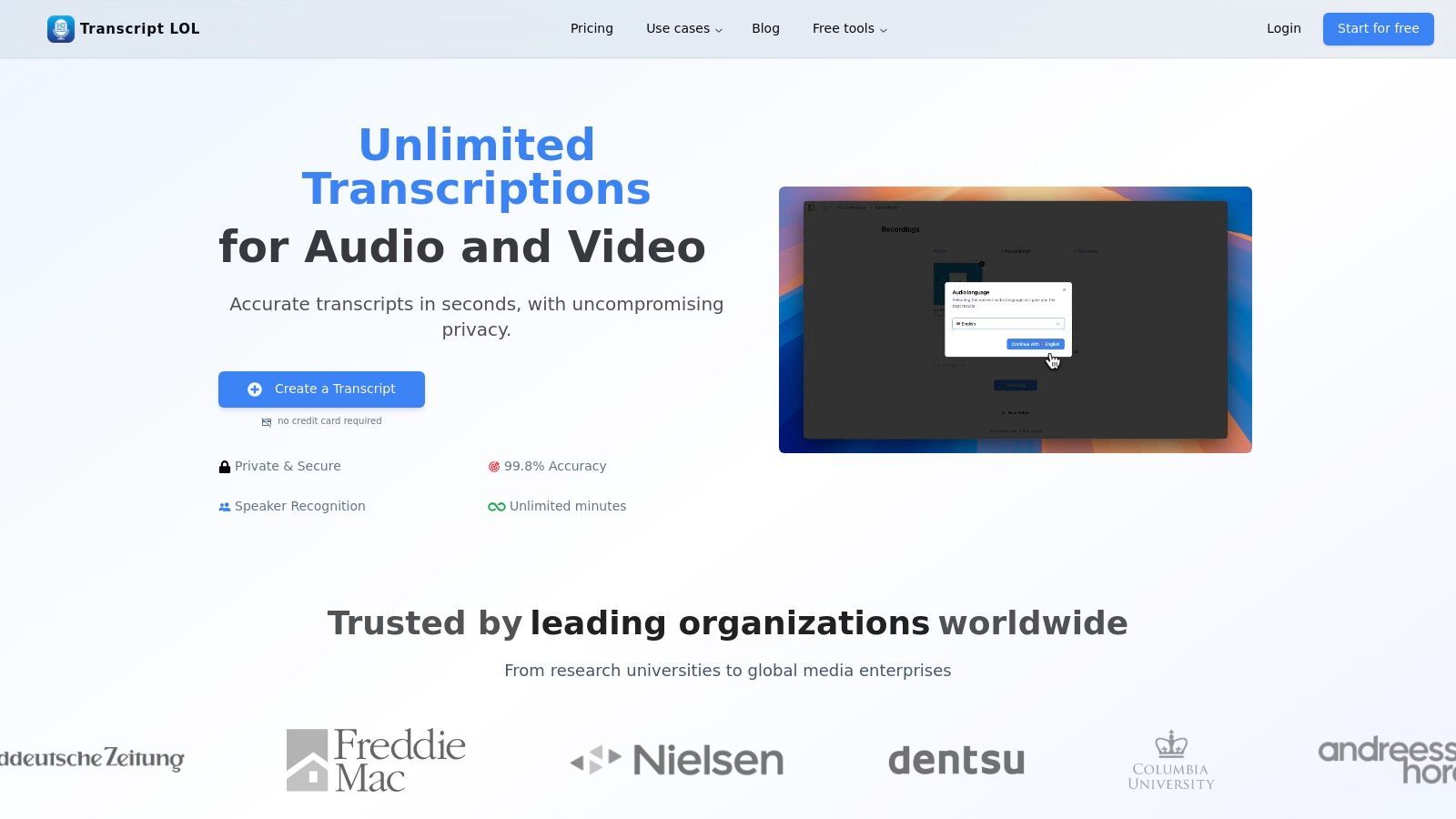
Questa piattaforma va oltre la trascrizione di base offrendo una suite di funzionalità basate sull'intelligenza artificiale progettate per creare automaticamente risorse educative. Da una singola registrazione, gli educatori possono generare riassunti, schemi di capitoli, quiz e mappe mentali, riducendo significativamente la pianificazione delle lezioni e il tempo di creazione dei contenuti. Ciò la rende uno strumento inestimabile per la creazione di materiali didattici accessibili e il riutilizzo delle discussioni in classe.
⚡ Funzionalità Principali di Transcript.LOL per l'Insegnamento Quotidiano
IA all'avanguardia
Alimentato da Whisper di OpenAI per una precisione leader nel settore. Supporto per vocabolari personalizzati, file fino a 10 ore e risultati ultra rapidi.

Importa da più fonti
Importa file audio e video da varie fonti tra cui caricamento diretto, Google Drive, Dropbox, URL, Zoom e altro.

Esporta in più formati
Esporta le tue trascrizioni in più formati tra cui TXT, DOCX, PDF, SRT e VTT con opzioni di formattazione personalizzabili.
Key Features & Benefits
- High-Accuracy, High-Speed Transcription: Reliably transcribes lectures, discussions, and media with near-perfect accuracy, saving hours of manual work.
- AI-Powered Content Generation: Automatically creates summaries, quizzes, and topical outlines from any transcript, streamlining the creation of study guides and class materials.
- Enhanced Accessibility & Collaboration: Generates captions (SRT/VTT) for video content to support all learners. Team features allow departments to share and manage a central repository of transcribed materials.
- Strong Privacy Commitment: A strict no-training policy ensures that all uploaded educational content remains private and is not used to train external AI models.
Ideal Use Cases for Educators
Transcript.LOL excels in diverse educational settings. Use it to create searchable text versions of guest speaker lectures, provide full transcripts for students with hearing impairments, or analyze group project discussions. The platform also functions as an effective AI meeting assistant for departmental or parent-teacher conferences, capturing every detail and generating actionable summaries.
Pricing & Implementation
- Free Tier: Offers 2 transcripts per day (20-minute limit), ideal for testing or short-form content.
- Unlimited Plan: $120/year for unlimited transcriptions, 10-hour file uploads, and priority processing.
- Team Plan: $240/year for 2 users, adding collaborative workspaces and user management.
Implementation Tip: Start by using the Free tier to transcribe short classroom recordings or instructional videos. Use the AI-generated quiz feature to create a quick knowledge-check activity for your students, demonstrating the tool’s immediate value.
2. Google for Education (Google Workspace for Education and Classroom)
Google for Education provides an integrated suite of tools designed for district-wide adoption, centered around the familiar Google Workspace apps and the Google Classroom LMS. It excels at creating a cohesive digital environment where teachers can manage assignments, communicate with students, and collaborate on documents, all within a single ecosystem. This makes it one of the most widely adopted educational technology tools for teachers today.
Its strength lies in its no-cost entry point and seamless integration with student information systems (SIS), which simplifies rostering and administration at scale. While it provides a robust foundation, many educators explore how it stacks up against other platforms; a detailed comparison of Canvas vs Google Classroom can help institutions decide which system best fits their pedagogical needs.
Key Features & Use Cases
- Core Suite: The free Education Fundamentals tier includes Classroom, Docs, Sheets, Slides, Forms, Drive, and Meet, covering most core teaching workflows.
- District-Level Management: Paid tiers offer advanced security, analytics, and administrative controls for IT departments.
- AI Integration: Optional add-ons like Gemini in Workspace bring AI-powered assistance for lesson planning and content creation.
Implementation & Pricing
- Pricing: Education Fundamentals is free for qualifying institutions. Paid tiers (Standard, Plus) require a district-level purchase and unlock more advanced features and storage.
- Setup: Implementation is an admin-level task, often involving syncing with the district's SIS for automated class and student rostering.
Transcript.LOL Integration: Enhance accessibility by recording Google Meet sessions and using Transcript.LOL to generate accurate transcripts. This creates searchable study guides and supports students who benefit from reading lecture content. Discover how to provide lecture transcriptions for student accessibility.
Website: edu.google.com
3. Microsoft Education (Office / Microsoft 365 Education, Teams, OneNote Class Notebook)
Microsoft Education offers a comprehensive suite of productivity tools centered around Microsoft Teams, providing a unified hub for assignments, communication, and resource management. Similar to Google's ecosystem, it leverages familiar applications like Word, PowerPoint, and Excel, making it one of the most powerful educational technology tools for teachers in districts already invested in the Microsoft environment. Its key differentiator is the deep integration of OneNote Class Notebook for dynamic, collaborative note-taking and content delivery.
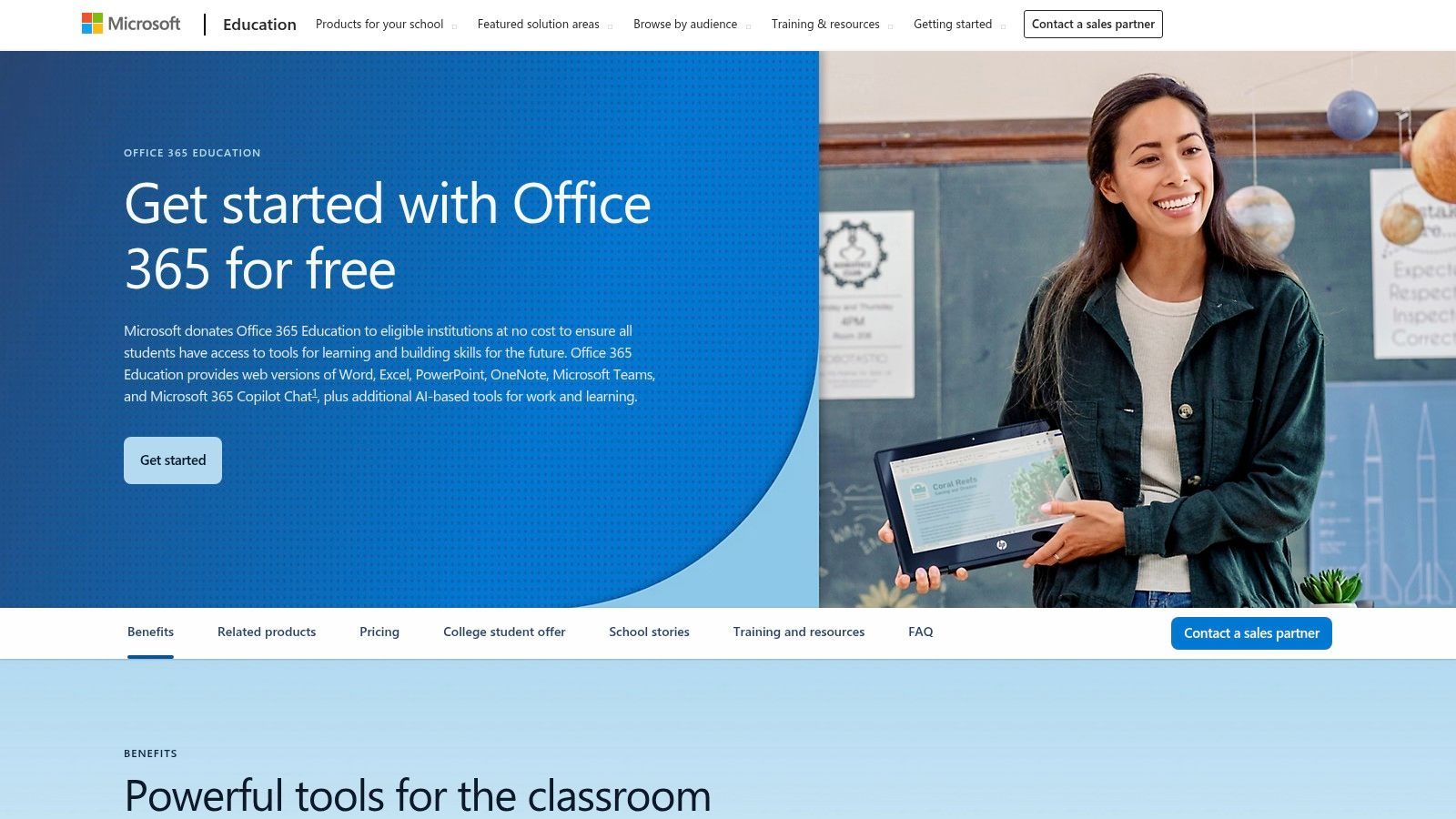
This platform excels in environments requiring enterprise-grade security and robust desktop application support. The free A1 license provides access to web-based apps, making it highly accessible, while paid tiers unlock the full power of the desktop suite and advanced administrative controls. The recent shift to a pooled storage model requires more active management from IT departments but provides flexibility for institutional data.
Key Features & Use Cases
- Core Suite: The free A1 license includes web versions of Word, Excel, PowerPoint, OneNote, and Teams, covering essential classroom workflows.
- OneNote Class Notebook: Provides a personal workspace for every student, a content library for handouts, and a collaboration space for lessons.
- District-Level Management: Paid A3 and A5 licenses offer desktop apps, advanced security features, analytics, and device management tools.
Implementation & Pricing
- Pricing: The basic Microsoft 365 A1 license is free for eligible institutions. A3 and A5 tiers are purchased at the district level and offer expanded features.
- Setup: Deployment is typically managed by a school's IT administrator who provisions accounts and manages licenses and storage policies.
Transcript.LOL Integration: Record virtual classes held in Microsoft Teams and upload the recordings to Transcript.LOL. This generates accurate transcripts that can be shared in OneNote or Teams channels, helping students review material and explore effective note-taking methods by annotating the text.
Website: microsoft.com/en-us/education/products/office
4. Canva for Education
Canva for Education provides a powerful visual creation suite, offering access to its premium tools completely free for verified K-12 teachers and their students. It streamlines the creation of engaging presentations, worksheets, videos, and collaborative whiteboards, transforming how educators and learners produce and interact with visual content. This focus on accessible, high-quality design makes it an indispensable educational technology tool for teachers aiming to enhance classroom materials.
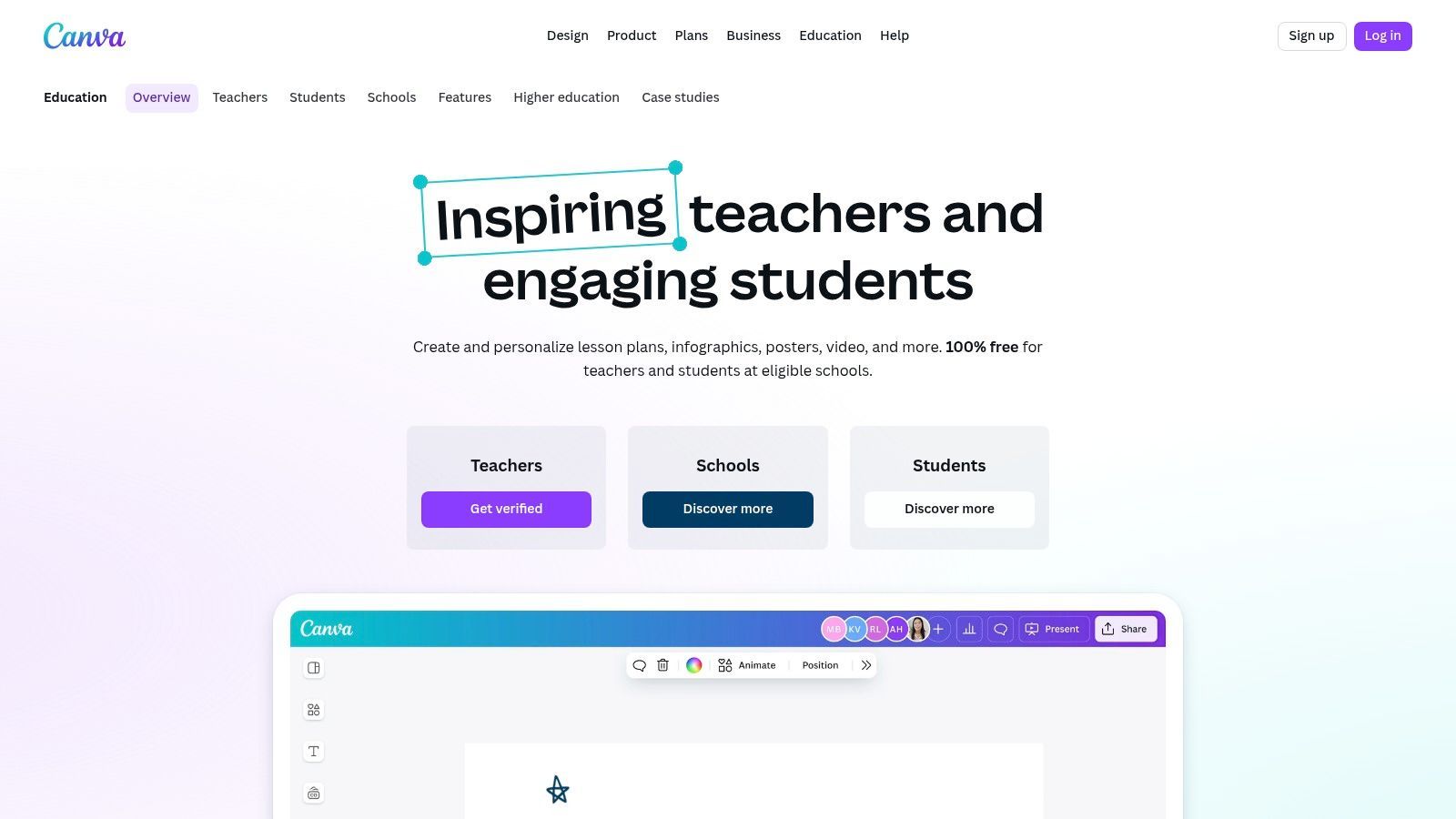
Its key advantage is the shallow learning curve, which allows users to produce professional-looking graphics with minimal effort. Canva also integrates directly with major Learning Management Systems (LMS), enabling teachers to create, share, and receive assignments without leaving their primary platform. This seamless workflow supports both individual creativity and collaborative class projects.
Key Features & Use Cases
- Content Creation Tools: Access to millions of premium templates, images, and fonts for creating presentations, worksheets, posters, videos, and more.
- LMS Integration: Works with Google Classroom, Canvas, Schoology, and Microsoft Teams for easy assignment distribution and collection.
- Classroom Collaboration: Features include shared classes, real-time feedback on student work, and collaborative whiteboards for group activities.
- District-Wide Management: The "Canva for Districts" offering provides centralized administration, brand controls, and Single Sign-On (SSO).
Implementation & Pricing
- Pricing: Canva for Education is 100% free for eligible K-12 educators and students after a simple verification process.
- Setup: Teachers can sign up individually. For district-wide implementation, an IT administrator must coordinate with Canva to enable SSO and manage licenses.
Transcript.LOL Integration: After creating an instructional video in Canva, upload it to Transcript.LOL to generate a transcript. Embed the text alongside the video in your LMS to support student accessibility, or use the transcript to quickly create a corresponding study guide or quiz.
Website: www.canva.com/education/
5. Nearpod
Nearpod transforms passive presentations into active learning experiences by embedding interactive activities, formative assessments, and multimedia directly into lessons. Teachers can guide students through content in real-time or assign student-paced sessions for independent work. This approach makes it a standout among educational technology tools for teachers seeking to boost classroom participation and gather immediate feedback on student understanding.
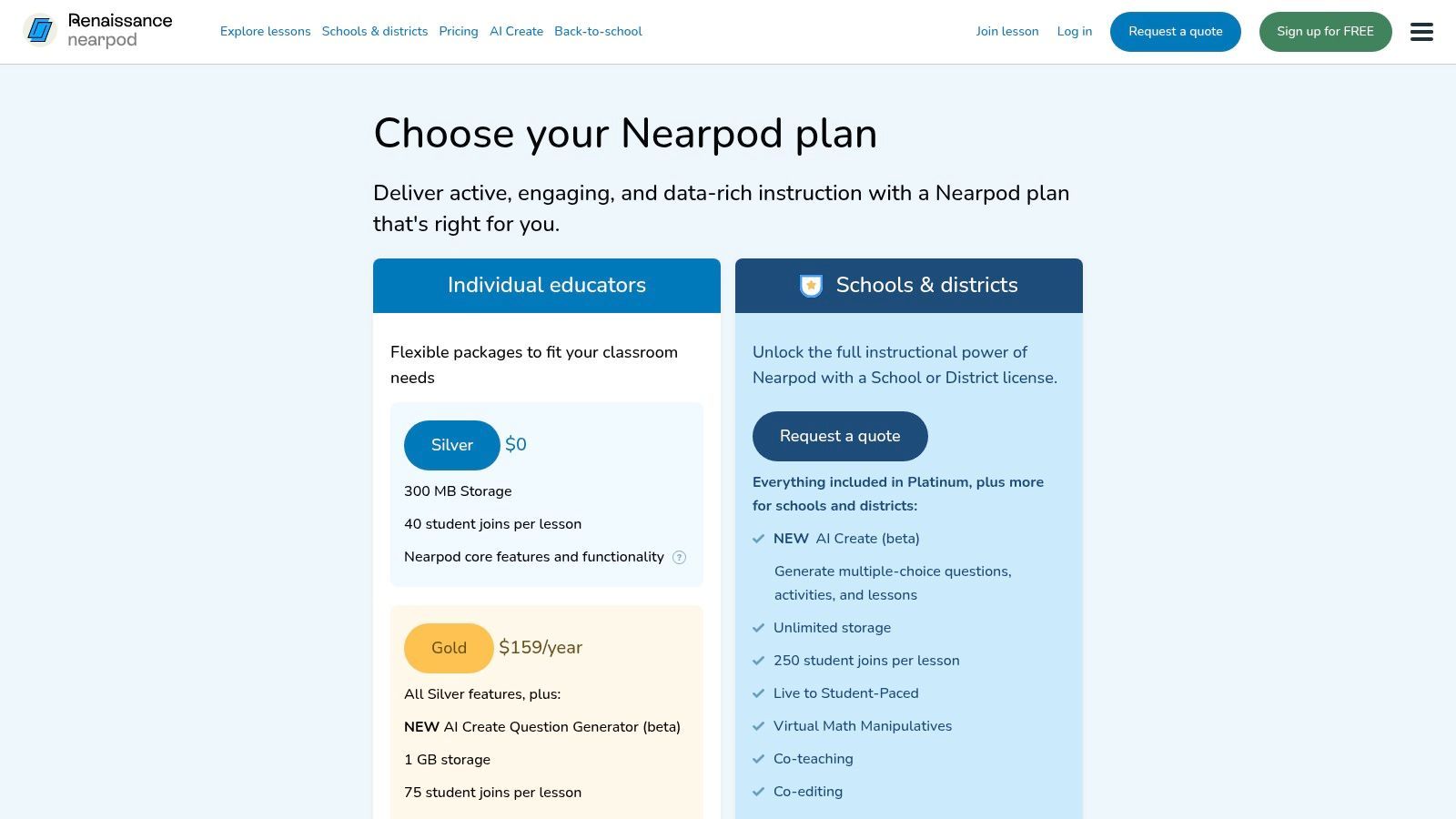
Its strength lies in its vast pre-made lesson library and the variety of its engagement tools, which range from polls and quizzes to collaborative boards and virtual reality field trips. While the free tier is excellent for trying the platform, the session size and storage limitations often lead frequent users to upgrade. This makes it ideal for individual teachers or schools willing to invest in a premium engagement tool.
Key Features & Use Cases
- Interactive Content: Embed polls, open-ended questions, quizzes, matching pairs, and drawing activities directly into slides.
- Lesson Modes: Supports both live, teacher-led instruction for in-class engagement and student-paced mode for homework or asynchronous learning.
- Content Library: Access over 22,000 pre-made, standards-aligned lessons and videos across K-12 subjects (availability varies by plan).
- Gamification: Use Time to Climb, a game-based quiz feature, to increase excitement and friendly competition during reviews.
Implementation & Pricing
- Pricing: A free Silver plan is available with limits on storage and class size. Paid Gold and Platinum tiers for individual teachers offer expanded features. School and district-wide licenses provide administrative tools and integrations.
- Setup: Individual teachers can sign up and start creating or using library lessons immediately. School-wide setup involves rostering and LMS integration.
Transcript.LOL Integration: After a Nearpod lesson that includes a teacher-led video explanation or discussion, use Transcript.LOL to transcribe the audio. This transcript can be shared as a supplementary study resource, ensuring students who missed the live session or need to review the material can access the core concepts in a readable format.
Website: nearpod.com/pricing
6. Kahoot! for Schools
Kahoot! is a game-based learning platform that transforms formative assessment into a competitive, engaging experience. It excels at creating lively, interactive quizzes and reviews that can be played live in the classroom or assigned as self-paced challenges. Its vibrant interface and simple setup make it one of the most popular educational technology tools for teachers looking to inject energy into their lessons.
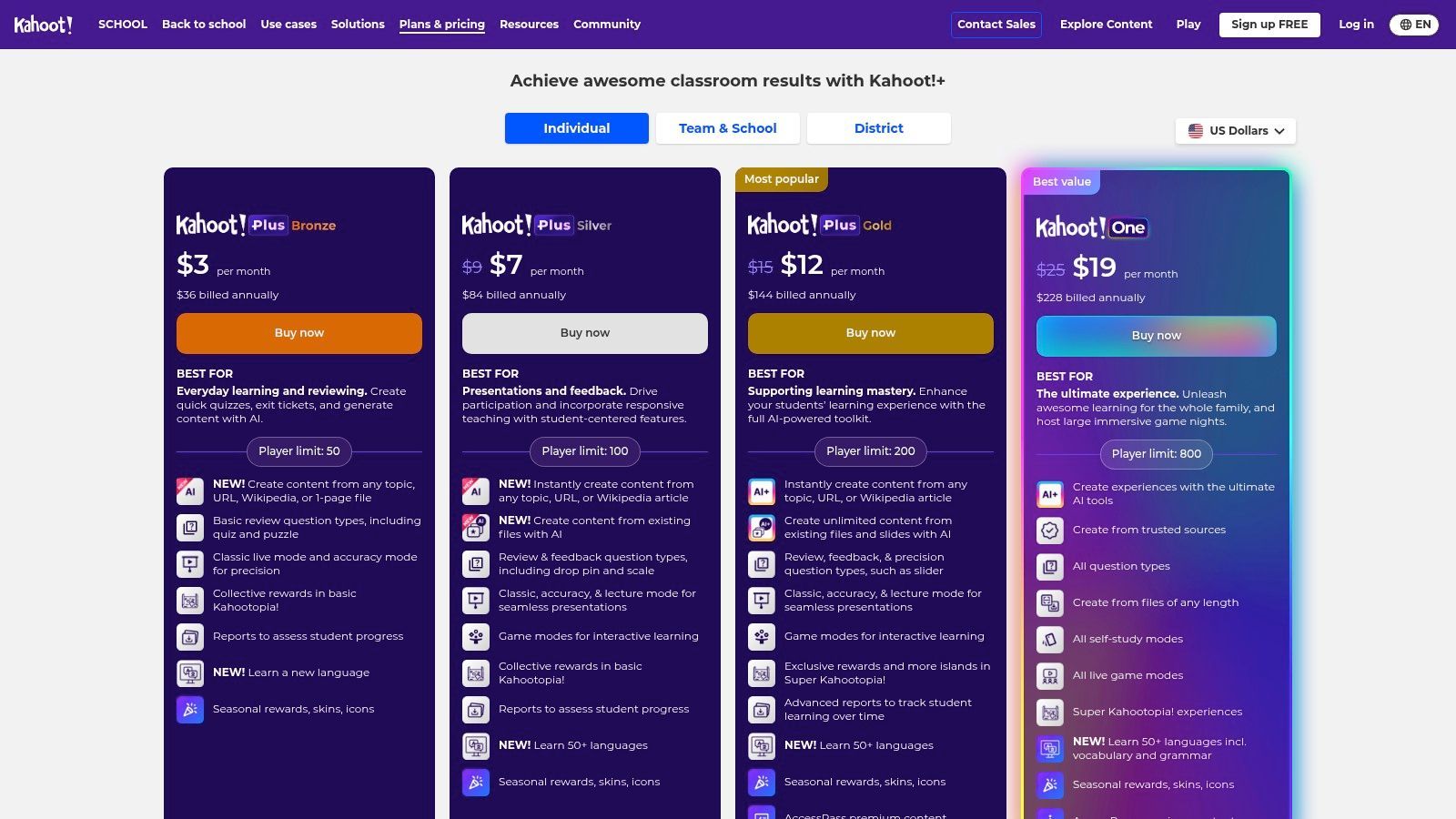
The platform's strength is its massive library of user-generated content, allowing educators to find and adapt existing quizzes on nearly any topic in seconds. While the free tier is very functional, paid plans unlock more question types and higher player limits, making it a scalable tool for individual classrooms or entire school districts.
Key Features & Use Cases
- Gamified Learning: Use live "kahoots" for energetic in-class reviews, pre-assessment checks, or post-lesson exit tickets.
- Student-Paced Assignments: Assign kahoots as homework to reinforce concepts and allow students to practice at their own speed.
- Content Library: Access a vast, searchable library of ready-made quizzes created by other educators, saving significant prep time.
Implementation & Pricing
- Pricing: A free Basic plan is available for individual teachers. Paid tiers (like Pro and Premium+) add more question types and increase player limits. School-wide EDU plans offer administrative tools and site licenses.
- Setup: Teachers can sign up instantly and start creating or hosting games immediately. The low barrier to entry for students (no accounts required to play) makes it easy to launch a game on any device.
Transcript.LOL Integration: After a lively Kahoot! review session, use the opportunity to dive deeper into the lesson's core concepts. If the review was based on a video lecture or discussion, use Transcript.LOL to provide a full transcript. This helps students connect the game's questions back to the original source material.
Website: kahoot.com/schools/plans/
7. Edpuzzle
Edpuzzle transforms passive video watching into active learning by allowing teachers to embed questions and notes directly into video content. This tool is exceptional for creating formative assessments, flipping the classroom, or reinforcing concepts using engaging videos from YouTube, Khan Academy, or a teacher's own recordings. It's a standout among educational technology tools for teachers because it provides clear, actionable data on student comprehension.
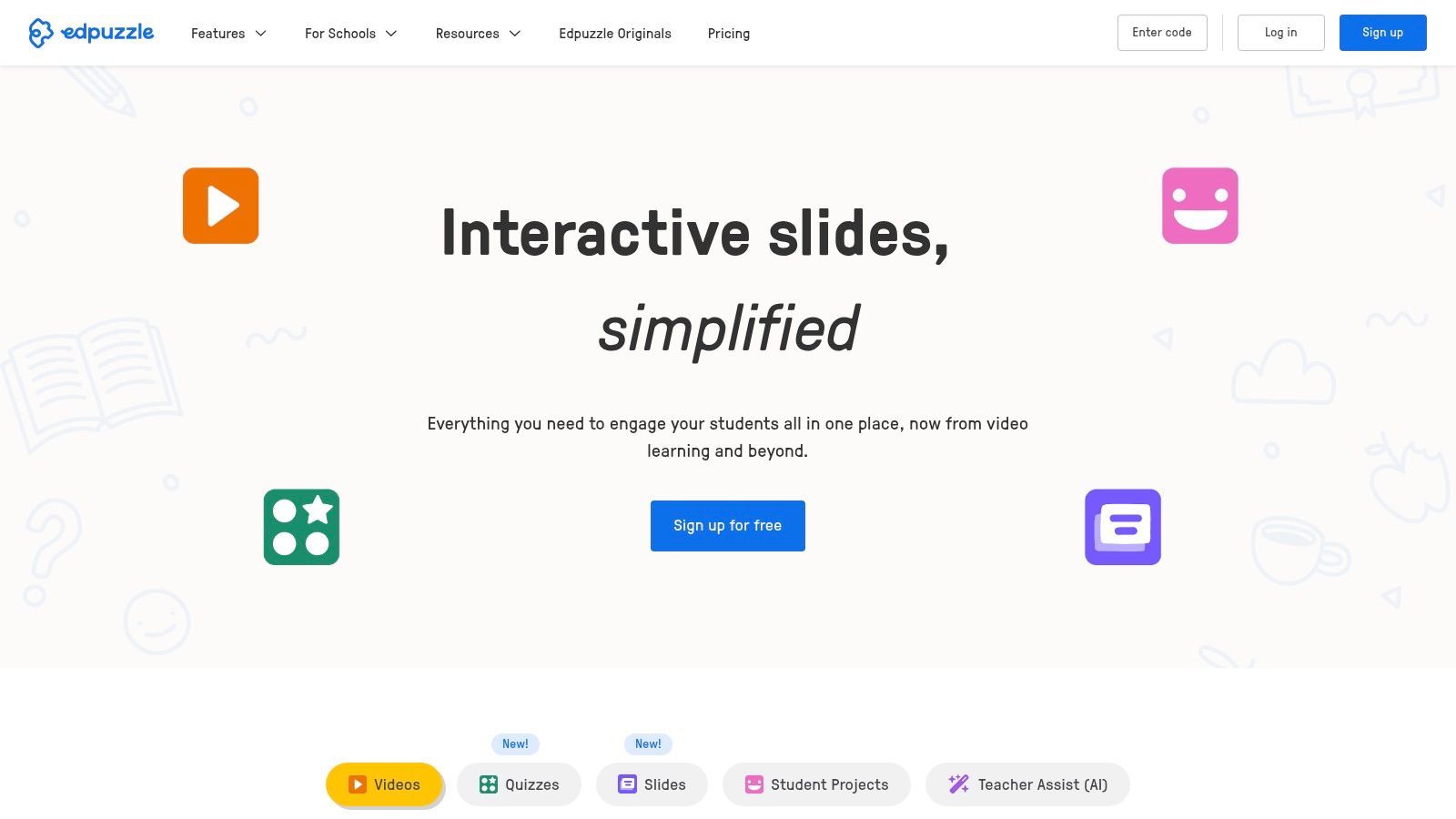
Its strength is the simple, intuitive editor that makes adding interactive elements straightforward, even for those new to video editing. The platform's ability to prevent skipping ensures students engage with the entire video lesson as intended. While the free plan is robust, the limit on video storage can be a constraint for teachers who use video heavily.
Key Features & Use Cases
- Interactive Video Lessons: Embed multiple-choice questions, open-ended questions, and audio notes at specific timestamps in any video.
- Auto-Grading and Analytics: Automatically grades objective questions and shows detailed reports on student engagement and understanding.
- LMS Integration: Syncs seamlessly with Google Classroom, Canvas, Schoology, and other major learning management systems to streamline assignments and grading.
Implementation & Pricing
- Pricing: The Basic plan is free with a 20-video storage limit. The Pro Teacher plan removes this limit for an individual subscription, while school and district-wide plans offer centralized content libraries and administrative features.
- Setup: Teachers can sign up individually for free. School-wide implementation involves a simple onboarding process and LMS integration configured by an administrator.
Transcript.LOL Integration: Create your own instructional videos and use Transcript.LOL to generate a full transcript. You can then use this text to help draft quiz questions for your Edpuzzle lesson or provide it as a study aid. Learn more about creating captions and transcripts for teacher lessons to boost accessibility.
Website: edpuzzle.com
8. Seesaw
Seesaw is an elementary-focused instructional platform designed to capture student learning in a digital portfolio format, making it one of the most effective educational technology tools for teachers in K-5 environments. It excels at bridging the communication gap between the classroom and home by providing families a direct window into their child’s daily activities and progress. The platform is purpose-built for young learners, with intuitive tools for drawing, recording, and photo capture.
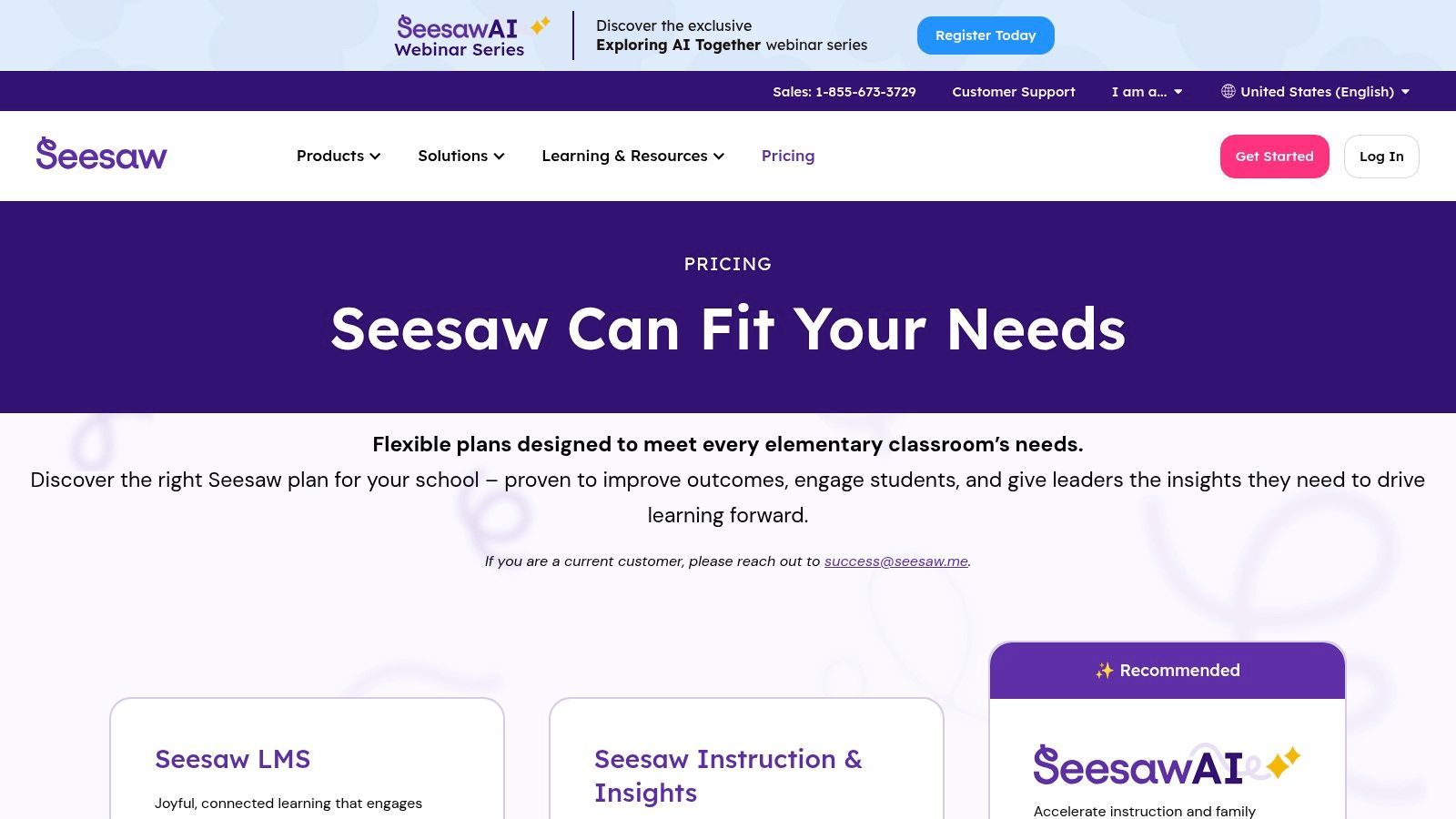
Its strength lies in making learning visible and empowering students to demonstrate their understanding in multiple ways. Unlike general-purpose LMS platforms, Seesaw’s entire workflow is optimized for artifact collection, formative assessment, and fostering a strong school-to-home connection, which is crucial in the early grades.
Key Features & Use Cases
- Digital Portfolios: Students can add photos, videos, drawings, and voice recordings to showcase their work and reflect on their learning.
- Family Communication: Teachers can securely share student work and send messages directly to family members, keeping them engaged.
- Curriculum & Assessments: Includes a library of standards-aligned lessons, progress monitoring tools, and district-level dashboards.
- AI Reading Tools: Offers AI-powered assistance for assessing reading fluency and providing targeted support.
Implementation & Pricing
- Pricing: Seesaw is sold exclusively at the school or district level with per-student pricing that requires a custom quote. There are no paid teacher-only licenses.
- Setup: Implementation involves a school- or district-wide rollout, often integrated with Clever or other rostering systems for simplified class setup.
Transcript.LOL Integration: When students use Seesaw's video or audio recording features to explain their thinking or practice reading, use Transcript.LOL to generate transcripts. This helps teachers quickly assess comprehension and provides written documentation of student progress. It also supports young readers by connecting spoken words to text.
Website: seesaw.com
9. Chrome Web Store – Education Extensions Category
The Chrome Web Store’s curated Education category is a massive library of browser extensions that can instantly add new capabilities to a teacher's workflow. It serves as a go-to resource for finding specialized educational technology tools that enhance literacy, simplify citation management, and integrate with existing systems like Google Classroom. This makes it an essential stop for educators looking to customize their digital toolset without committing to a large platform.
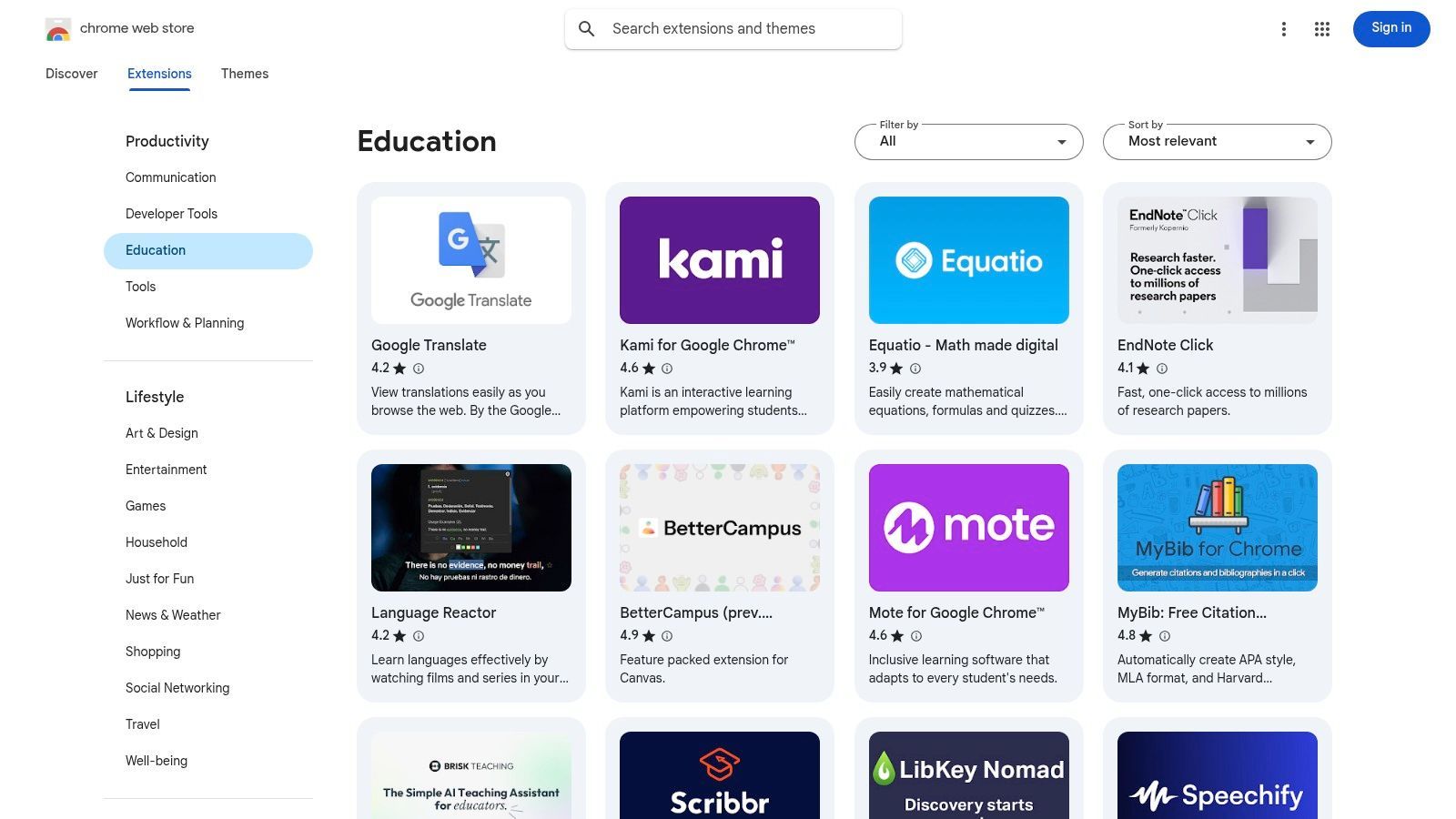
Its strength lies in the sheer volume and accessibility of free and freemium tools that can be deployed instantly to Chrome browsers or an entire fleet of Chromebooks. However, the open nature of the store means quality and privacy standards vary significantly, so educators must vet extensions carefully. A great extension can feel like a superpower, while a poor one can be a distraction.
Key Features & Use Cases
- Curated Education Category: Filters allow teachers to find extensions by purpose, such as literacy aids, citation generators, and language tools.
- LMS Utilities: Find extensions that add functionality to popular learning management systems, like grade passback helpers or notification managers.
- Accessibility Tools: Includes screen readers, text-to-speech tools, and reading aids to support diverse student needs.
Implementation & Pricing
- Pricing: The vast majority of educational extensions are free or offer a functional freemium tier.
- Setup: Installation is a one-click process from the Web Store. IT administrators can also deploy recommended extensions to all student or staff devices at the district level.
Transcript.LOL Integration: Install the Transcript.LOL Chrome extension to quickly transcribe any audio playing in your browser. This allows teachers to capture audio from educational videos or online resources and instantly convert it into text for lesson plans, study guides, or accessibility purposes.
Website: chromewebstore.google.com/category/extensions/productivity/education
10. Apple School Purchasing (Apple School Manager + App Store for Education)
For schools committed to the Apple ecosystem, Apple School Purchasing provides the essential infrastructure for deploying and managing apps and books at scale. It centralizes institutional procurement through Apple School Manager, allowing administrators to purchase apps in volume, often with educational discounts, and distribute them to school-owned devices. This is a critical management tool for any district using iPads or Macs.
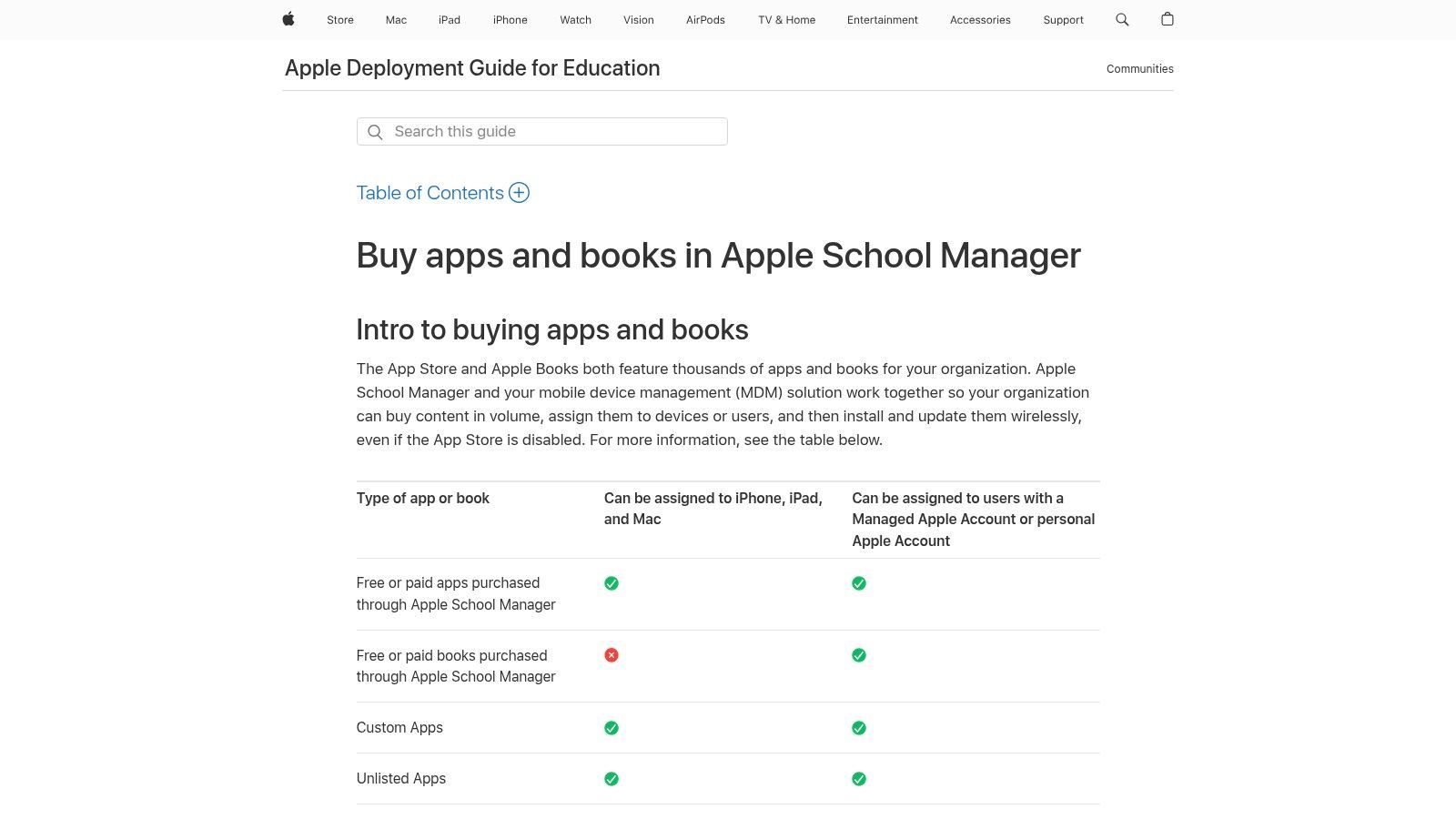
The system’s strength lies in its tight integration with Mobile Device Management (MDM) solutions, which automates the assignment and revocation of licenses without requiring user interaction. This ensures that the right educational technology tools are on the right devices at the right time, while maintaining student privacy with Managed Apple IDs. It is designed for institutional buyers rather than individual teachers.
Key Features & Use Cases
- Volume Purchasing: Buy apps and books in bulk for students and teachers, with volume discounts available for eligible institutions.
- Managed Distribution: Assign apps directly to devices or through Managed Apple IDs, and revoke or reassign licenses as students or staff change.
- Centralized Management: Use Apple School Manager to manage device enrollment, user accounts, and content purchases from a single web-based portal.
Implementation & Pricing
- Pricing: Apple School Manager is a free service provided by Apple. The cost is associated with the apps and books purchased, though many educational apps are free.
- Setup: Requires administrative setup by an IT department to integrate with an MDM service and configure device enrollment and user accounts.
Transcript.LOL Integration: When using iPads for recording student presentations or teacher lectures, use Transcript.LOL to transcribe the audio. The resulting text can be distributed as a PDF or text file through Apple School Manager, giving students an accessible, searchable script to review alongside the original recording. This supports differentiated learning and study preparation.
Website: support.apple.com/guide/deployment-education/app-and-book-purchases-edub2bcccc1f/web
11. CDW K–12 Education Technology
CDW serves as a comprehensive technology procurement partner for schools and districts rather than a single software tool. It provides a one-stop-shop for purchasing, deploying, and managing a wide array of educational technology, from devices and audiovisual equipment to software licensing. For administrators and IT leaders, CDW simplifies the complex process of equipping an entire institution with the right tools.
Its value lies in its scale and expertise, offering access to thousands of products with educational pricing and professional services. CDW’s ability to handle everything from initial procurement to lifecycle management makes it a critical logistical partner for districts implementing large-scale technology initiatives. This makes it an essential resource among the broader landscape of educational technology tools for teachers and administrators.
Key Features & Use Cases
- One-Stop Procurement: Access over 100,000 products from more than 1,000 brands with special education pricing.
- Deployment & Managed Services: CDW provides professional development, device deployment, and ongoing IT management to support school staff.
- Google for Education Partnership: Offers specialized services for deploying and managing Google Workspace and Chromebooks at a district level.
- Contract Purchasing: Supports quote-based and group-purchasing agreements, streamlining large orders for districts.
Implementation & Pricing
- Pricing: Pricing is quote-based and customized for institutional purchases. Small, individual orders may not be as cost-effective.
- Setup: Implementation is a high-level administrative task, involving consultation with CDW representatives to plan and execute district-wide technology rollouts.
Transcript.LOL Integration: When districts purchase classroom audio/video equipment or video conferencing solutions through CDW, integrating Transcript.LOL provides an immediate accessibility win. All recorded lessons, assemblies, or PD sessions can be transcribed, creating searchable and accessible learning materials. Explore how to provide lecture transcriptions for student accessibility.
Website: www.cdw.com/k-12-education
12. Common Sense Education (EdTech Reviews and Ratings)
Common Sense Education serves as a crucial gatekeeper and guide for educators navigating the crowded edtech market. Rather than being a tool itself, it's a non-profit review platform that evaluates digital learning tools using a research-backed rubric. It empowers teachers and administrators to vet new educational technology tools for teachers, checking for pedagogical value, engagement, and most importantly, privacy standards before classroom implementation.
Its strength lies in its unbiased, educator-focused perspective, offering detailed reviews and "how-to" classroom integration ideas that are completely free. This makes it an indispensable resource for making informed decisions on which tools to adopt, ensuring they align with learning objectives and district policies. While reviews are paused from February 2026, the existing library remains a valuable archive.
Key Features & Use Cases
- Research-Backed Reviews: Tools are evaluated with a comprehensive rubric focusing on engagement, pedagogy, and support.
- Privacy Evaluations: Separate, detailed reports on data privacy practices help schools maintain compliance and protect student information.
- Curated Collections: Discover tools organized by subject, grade level, and specific skills, complete with practical classroom integration tips.
Implementation & Pricing
- Pricing: Completely free for all educators and administrators.
- Setup: No setup is required. Users can browse and search the website immediately without an account, though creating one allows for saving favorite reviews.
Transcript.LOL Integration: After using Common Sense Education to identify a promising video-based learning tool, use Transcript.LOL to process its content. By creating transcripts, you can repurpose video lessons into study guides, check for content accuracy, and ensure all material is fully accessible. Learn more about transcription services for educational institutions.
Website: https://www.commonsense.org/education
12 EdTech Tools Comparison for Teachers
| Product | Core features | UX / Quality (★) | Price & Value (💰) | Target Audience (👥) | Standout / USP (✨) |
|---|---|---|---|---|---|
| Transcript.LOL 🏆 | AI transcription (OpenAI Whisper), speaker detection, 10‑hr uploads, multi‑format exports, AI summaries/quizzes | ★★★★★ 4.8/5 — ultra‑fast, high accuracy | 💰 Free tier; Unlimited $120/yr; Team $240/yr — high value for speed & privacy | 👥 Podcasters, creators, marketers, researchers, legal, enterprise | ✨ Privacy‑first no‑training policy; rich AI outputs & workflow tools |
| Google for Education | Classroom, Drive, Meet, Docs/Slides, rostering, AI add‑ons | ★★★★ widely adopted; admin controls | 💰 Free (Fundamentals); paid institutional tiers for security/analytics | 👥 K–12 districts, IT admins, teachers | ✨ Turnkey classroom workflows + SIS integrations |
| Microsoft Education | Teams, OneNote, Word/Excel/PowerPoint (web & desktop), pooled storage | ★★★★ enterprise‑grade; strong desktop support | 💰 Free A1 web apps; A3/A5 via institution (license costs vary) | 👥 Districts needing enterprise productivity & Teams | ✨ Deep Office/Teams integration and enterprise features |
| Canva for Education | Templates, whiteboards, slides, video, LMS integrations, brand kits | ★★★★★ very easy to use; rapid content creation | 💰 Free for verified K–12 teachers & students | 👥 K–12 teachers, students, curriculum teams | ✨ Visual creation at scale + shared classes & brand controls |
| Nearpod | Interactive lessons, live/student‑paced modes, 20+ assessment types | ★★★★ strong student engagement | 💰 Free Silver; Gold/Platinum & district pricing | 👥 Classroom teachers seeking interactive assessments | ✨ Rich activity types + large lesson library |
| Kahoot! for Schools | Game‑based quizzes, student‑paced assignments, ready kahoot library | ★★★★ highly engaging & easy adoption | 💰 Free Basic; paid teacher/EDU tiers | 👥 Teachers looking for gamified checks & remote engagement | ✨ Massive ready‑made quiz ecosystem |
| Edpuzzle | Video lessons with time‑stamped questions, auto‑grading, LMS sync | ★★★★ effective for flipped/video lessons | 💰 Free plan; Pro Teacher & Pro School plans | 👥 Teachers using video assessments & flipped classrooms | ✨ Embed quizzes inside videos + auto‑grading |
| Seesaw | Student portfolios, family communication, district dashboards | ★★★★ child‑friendly K–5 UX | 💰 School/district pricing (quote) | 👥 K–5 teachers, families, elementary admins | ✨ Portfolio + family engagement focus |
| Chrome Web Store – Education | Curated education extensions (citation, literacy, LMS helpers) | ★★★★ quality varies by extension | 💰 Mostly free or freemium extensions | 👥 Teachers & IT deploying Chrome/Chromebooks | ✨ Fast deploy + huge ecosystem of free tools |
| Apple School Purchasing | Volume app/book purchases, managed Apple IDs, license management | ★★★★ robust device & license management | 💰 Institutional/volume pricing; discounts for education | 👥 Schools/districts managing iPads/Macs | ✨ Centralized app distribution & MDM workflows |
| CDW K–12 Education Technology | Procurement, deployment, managed services, access to 1,000+ brands | ★★★★ reseller expertise & integration support | 💰 Quote‑based; education pricing & services | 👥 Districts needing procurement, deployment & PD | ✨ One‑stop procurement + professional services |
| Common Sense Education | Research‑backed edtech reviews, privacy evaluations, classroom tips | ★★★★★ trusted, educator‑focused reviews | 💰 Free resource | 👥 Administrators & teachers vetting tools | ✨ Independent reviews + privacy ratings |
Choosing the Right Tools for Your Teaching Philosophy
Navigating the expansive landscape of educational technology can feel overwhelming, but the goal is not to adopt every available platform. Instead, the most effective approach is to make deliberate, strategic choices that genuinely enhance your teaching and support your students' learning journeys. This comprehensive list of educational technology tools for teachers was designed to move beyond simple feature rundowns, offering practical insights into how platforms like Google Workspace, Nearpod, and Canva for Education can solve specific classroom challenges.
Cosa Offre lo Stack EdTech Giusto?
Più Tempo per Insegnare
Flussi di lavoro automatizzati riducono il lavoro amministrativo come la valutazione, la formattazione e la documentazione. Gli insegnanti dedicano meno tempo alla gestione degli strumenti e più tempo al supporto degli studenti.
Migliore Accessibilità
Trascrizioni, sottotitoli e formati di contenuto multipli assicurano che ogni studente possa seguire, inclusi studenti ESL e ipoudenti.
Maggiore Coinvolgimento
Strumenti interattivi e multimediali mantengono le lezioni dinamiche e incoraggiano la partecipazione attiva piuttosto che l'ascolto passivo.
Conoscenza Organizzata
Risorse ricercabili e trascrizioni archiviate trasformano le lezioni passate in risorse riutilizzabili, non registrazioni dimenticate.
Il vero potere di questi strumenti viene sbloccato quando vengono integrati in modo ponderato. Si tratta di selezionare uno strumento che si allinei alla tua filosofia pedagogica, sia che ciò significhi promuovere l'apprendimento basato su progetti, abilitare l'istruzione personalizzata o creare un ambiente più inclusivo e accessibile. Le integrazioni tecnologiche di maggior successo non riguardano le funzionalità più appariscenti, ma come uno strumento può estendere senza soluzione di continuità la tua portata didattica e semplificare compiti amministrativi complessi, liberandoti per concentrarti su ciò che conta di più: i tuoi studenti.
L'IA Sta Diventando il Predefinito nelle Aule
Trascrizioni automatizzate, riassunti e assistenti intelligenti stanno rapidamente sostituendo gli appunti manuali. Le scuole che adottano strumenti di IA segnalano tempi di preparazione più rapidi e una migliore accessibilità. Questo cambiamento non è più opzionale: sta diventando una pratica standard.
Dall'Informazione all'Implementazione: I Tuoi Prossimi Passi
Il percorso verso un'aula ricca di tecnologia è una maratona, non uno sprint. Per evitare di sentirsi sopraffatti, concentrati su un approccio graduale all'implementazione.
- Identifica un Singolo Punto Dolente: Inizia scegliendo una sfida specifica che vuoi affrontare. Si tratta del coinvolgimento degli studenti? Differenziare l'istruzione? Gestire i compiti?
- Seleziona Uno Strumento da Pilotare: Basandoti su quel punto dolente, scegli solo uno o due strumenti da questo elenco da esplorare. Se hai bisogno di rendere le lezioni video più coinvolgenti, prova Edpuzzle. Se vuoi semplificare la comunicazione e i compiti, approfondisci Google Classroom o Microsoft Teams.
- Inizia in Piccolo e Raccogli Feedback: Introduci lo strumento con una singola classe o per un progetto specifico a basso rischio. Richiedi attivamente feedback ai tuoi studenti sulla loro esperienza. Le loro intuizioni sono inestimabili per capire cosa funziona e cosa no.
- Itera ed Espandi: Sulla base dei risultati del tuo pilot, puoi affinare il tuo approccio, cercare ulteriore sviluppo professionale ed espandere gradualmente l'uso dello strumento in più lezioni o classi.
Ricorda, i migliori strumenti tecnologici educativi per insegnanti sono quelli che diventano una parte invisibile, ma indispensabile, del processo di apprendimento. Dovrebbero potenziare la creatività degli studenti, facilitare la collaborazione e rendere più accessibili concetti complessi. Concentrandoti su un'implementazione mirata piuttosto che inseguire le ultime tendenze, puoi costruire un ambiente di apprendimento dinamico, di supporto e veramente moderno che prepari gli studenti per il futuro. La tua attenta selezione e applicazione di questi strumenti trasformerà in definitiva l'esperienza educativa.
Pronto a rendere i tuoi contenuti educativi più accessibili e versatili? Con Transcript.LOL, puoi trascrivere istantaneamente le tue lezioni video, le discussioni in classe e gli appunti audio, creando testi ricercabili per guide di studio, riassunti di lezioni e sottotitoli. Migliora la comprensione e supporta tutti gli studenti trasformando la tua parola parlata in potenti risorse scritte su Transcript.LOL.