
10 migliori pratiche per la creazione di contenuti per scalare la tua produzione i...
Sblocca flussi di lavoro scalabili con le nostre 10 migliori pratiche per la creazione di contenuti. Impara a sfruttare l'IA, la trascrizione e il riutilizzo per massimizzare il tuo impatto.
Kate
February 2, 2026
In un mondo saturo di contenuti, creare semplicemente di più non è sufficiente. I creatori e i team che prosperano sono quelli che lavorano in modo più intelligente, non più duramente. Ciò richiede un cambiamento strategico da una mentalità di produzione manuale e una tantum a un flusso di lavoro scalabile e sistematico. La chiave sta nello sfruttare strumenti potenti e nell'adottare un nuovo set di migliori pratiche per la creazione di contenuti che moltiplicano il valore di ogni singolo pezzo che produci. Il successo non riguarda più solo la registrazione iniziale; riguarda ciò che fai con quella registrazione in seguito.
Perché i creatori moderni iniziano con i sistemi?
Registrare una volta e riutilizzare molte volte è il modo in cui i team migliori scalano senza burnout. Un flusso di lavoro strutturato moltiplica la produzione senza moltiplicare lo sforzo. I sistemi intelligenti battono sempre lo sforzo grezzo.
Questa guida fornisce 10 strategie attuabili progettate per il creatore moderno. Andremo oltre i consigli generici e ci concentreremo su come la trascrizione basata sull'IA possa rivoluzionare l'intero processo, dalla registrazione iniziale alla distribuzione multipiattaforma. Invece di trattare audio e video come prodotti finali, imparerai a vederli come risorse fondamentali per un vasto ecosistema di contenuti. Per una comprensione più ampia della distribuzione strategica dei contenuti e di come generare traffico e coinvolgimento, consulta queste 10 Best Practice di Content Marketing per vedere come queste tattiche di creazione si inseriscono in un piano più ampio.
Che tu sia un podcaster che cerca di espandere la tua portata, un creatore di video che mira a una migliore ricercabilità, un marketer incaricato di generare più lead o parte di un team aziendale che necessita di documentare le conoscenze, queste pratiche ti aiuteranno a costruire un motore di contenuti più efficiente, accessibile e d'impatto. Esploreremo come trasformare una singola registrazione in decine di risorse, rendere i tuoi contenuti scopribili dai motori di ricerca, migliorare l'accessibilità per tutti i pubblici e costruire una base di conoscenze ricercabile dal tuo lavoro. Immergiamoci nei flussi di lavoro specifici che trasformano i creatori in potenze di contenuti.
1. Trascrivi Prima, Modifica Dopo: Sfrutta la Trascrizione IA per una Base di Contenuti Accurata
Una delle best practice più efficaci per la creazione di contenuti è spostare il tuo flusso di lavoro per iniziare con una trascrizione automatizzata. Invece di prendere appunti manualmente o creare una trascrizione a posteriori, il metodo "trascrivi prima, modifica dopo" utilizza servizi basati sull'IA per generare una versione testuale completa e con marcatura temporale del tuo contenuto audio o video prima ancora di iniziare la modifica. Questo documento di testo diventa il tuo progetto fondamentale.
Questo approccio trasforma il contenuto parlato in una risorsa ricercabile e modificabile fin dall'inizio. Per podcaster e creatori di video, significa che puoi identificare rapidamente i passaggi chiave, strutturare la tua narrazione e persino creare una "paper edit" semplicemente evidenziando e organizzando il testo. Ciò accelera drasticamente la post-produzione trasformando un processo basato sull'ascolto in uno più veloce, basato sulla lettura.
⚡ Funzionalità di trascrizione che fanno risparmiare ore
IA all'avanguardia
Alimentato da Whisper di OpenAI per una precisione leader nel settore. Supporto per vocabolari personalizzati, file fino a 10 ore e risultati ultra rapidi.

Importa da più fonti
Importa file audio e video da varie fonti tra cui caricamento diretto, Google Drive, Dropbox, URL, Zoom e altro.

Esporta in più formati
Esporta le tue trascrizioni in più formati tra cui TXT, DOCX, PDF, SRT e VTT con opzioni di formattazione personalizzabili.
Come Funziona in Pratica
- Reti Podcast: Una rete può utilizzare uno strumento come Transcript.LOL per elaborare nuovi episodi, generando una trascrizione completa in pochi minuti. I produttori possono quindi scansionare questo documento per individuare momenti per clip sui social media, scrivere note accurate dello show e creare post di blog senza riascoltare l'intera registrazione.
- Formazione Aziendale: Un'azienda può registrare una sessione di formazione virtuale di diverse ore e trascriverla istantaneamente. Questo crea una libreria video ricercabile in cui i dipendenti possono trovare informazioni specifiche semplicemente cercando una parola chiave nella trascrizione, che poi rimanda al momento esatto nel video.
Intuizione Chiave: Trattare la tua trascrizione come documento sorgente primario, piuttosto che come un ripensamento, sblocca efficienze e opportunità di riutilizzo che altrimenti andrebbero perse. Rende il tuo contenuto più accessibile e scopribile.
Suggerimenti Azionabili per l'Implementazione
Per ottenere il massimo da questo flusso di lavoro, segui questi passaggi:
- Usa Vocabolario Personalizzato: Prima dell'elaborazione, aggiungi termini specifici del settore, nomi di marchi e ortografie uniche al dizionario dell'IA. Ciò migliora significativamente l'accuratezza e riduce il tempo di correzione manuale.
- Verifica le Etichette degli Speaker: Per contenuti con più speaker, verifica che le impostazioni di rilevamento degli speaker stiano identificando ed etichettando correttamente ogni individuo. Questo è cruciale per creare script puliti e leggibili.
- Esporta in Modo Strategico: Scegli il formato di file giusto per le tue esigenze. Usa SRT o VTT per i sottotitoli dei video, DOCX per le bozze dei post del blog e TXT per semplici analisi.
- Inizia in Piccolo: Prova il tuo flusso di lavoro con un file breve di 5-10 minuti per iniziare. Questo ti aiuta a comprendere il processo e a perfezionare le tue impostazioni prima di impegnarti in contenuti più lunghi e complessi.
2. Riutilizzo di Contenuti Multi-Formato: Trasforma una Registrazione in Molteplici Pezzi di Contenuto
Una delle migliori pratiche di creazione di contenuti più efficienti è smettere di creare asset "one-off" e adottare invece una mentalità di riutilizzo. Questo implica prendere un singolo pezzo di contenuto primario, come un webinar o un episodio di podcast, e decostruirlo sistematicamente in numerosi asset più piccoli per diverse piattaforme. Con una trascrizione come guida, puoi massimizzare il ritorno sul tuo sforzo di registrazione iniziale trasformandolo in post di blog, aggiornamenti sui social media e altro ancora.
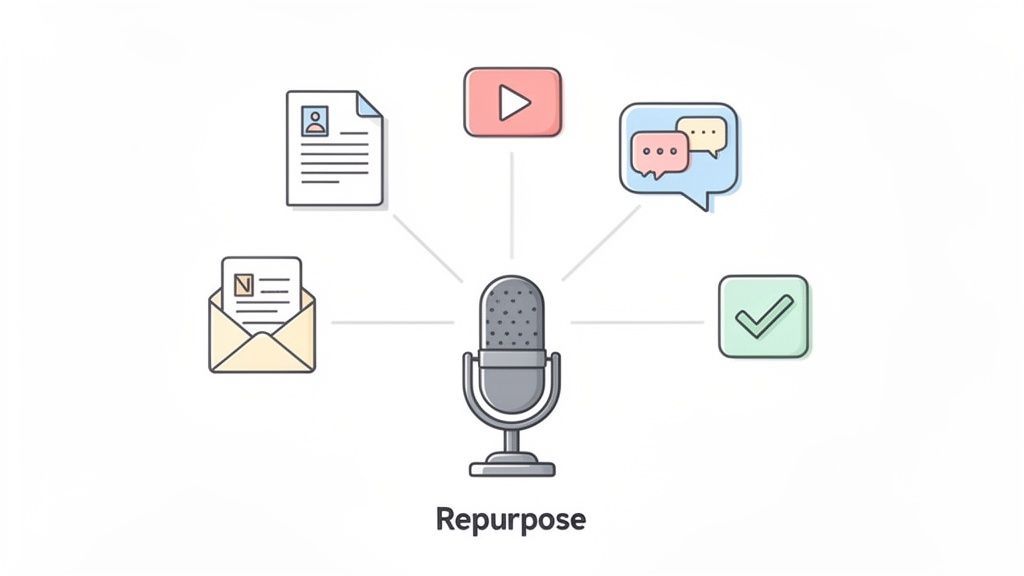
Questo approccio garantisce che il tuo messaggio principale raggiunga un pubblico più ampio nei formati che preferisce. Invece di un singolo punto di contatto, una registrazione può alimentare il tuo calendario di contenuti per settimane. Utilizzare una trascrizione come materiale di base rende questo processo incredibilmente efficiente, permettendoti di estrarre rapidamente citazioni, riassumere idee chiave e strutturare contenuti derivati senza dover rivedere o riascoltare la registrazione originale.
Non lasciare che le registrazioni vadano sprecate
La maggior parte dei creatori pubblica una volta e dimentica. Senza riutilizzo, il 90% del valore dei tuoi contenuti scompare. Estrai sempre più risorse prima di passare alla registrazione successiva.
Come Funziona in Pratica
- Team di Marketing: Un team può prendere un video demo di prodotto di 45 minuti, trascriverlo e quindi utilizzare quel testo per creare un post del blog passo dopo passo, estrarre cinque punti chiave delle funzionalità per Twitter, progettare un'infografica per Pinterest e modificare diversi brevi clip video per Instagram Reels.
- Podcaster: Un creatore può utilizzare uno strumento come Transcript.LOL per generare automaticamente un riassunto del proprio ultimo episodio. Può quindi utilizzare questo riassunto come base per la propria newsletter via email, espandere i punti chiave per un articolo su LinkedIn ed estrarre citazioni dirette per audiogrammi da condividere sui social media.
Concetto Chiave: Vedere ogni contenuto di lunga durata come un contenitore di risorse più piccole e riutilizzabili cambia fondamentalmente la tua strategia di contenuti. Sposta l'attenzione dalla creazione costante alla distribuzione e amplificazione strategica.
Suggerimenti Azionabili per l'Implementazione
Per costruire un motore di riutilizzo di successo, integra questi passaggi nel tuo flusso di lavoro:
- Pianifica in Anticipo: Prima ancora di premere il tasto di registrazione, pensa a potenziali contenuti derivati. Questo ti aiuta a strutturare il tuo contenuto principale per includere sezioni distinte, citazioni potenti e punti dati facili da estrarre in seguito.
- Estrai Momenti Chiave: Utilizza la tua trascrizione per scorrere rapidamente le statistiche, le citazioni e gli aneddoti più convincenti. Questi sono perfetti per creare grafiche accattivanti per i social media o brevi post di testo.
- Sfrutta le Etichette degli Oratori: Per interviste o discussioni di gruppo, una trascrizione con etichette accurate degli oratori ti consente di attribuire istantaneamente le citazioni. Ciò aggiunge credibilità quando si creano contenuti come post di raccolta di esperti o schede di citazioni.
- Mappa su un Calendario dei Contenuti: Crea un programma di distribuzione per i tuoi contenuti riutilizzati. Ciò garantisce che stai rilasciando strategicamente contenuti nel tempo per massimizzare il coinvolgimento e mantenere il tuo pubblico interessato senza essere ripetitivo.
3. Implementa il Rilevamento e l'Etichettatura degli Oratori per Chiarezza e Accessibilità
Per qualsiasi contenuto che coinvolga più persone, l'identificazione corretta degli oratori non è un dettaglio minore; è una best practice fondamentale per la creazione di contenuti. Implementare il rilevamento automatico degli oratori e un'etichettatura diligente trasforma un blocco di testo confuso in una conversazione chiara e seguibile. Questo processo garantisce che il tuo pubblico, comprese le persone con esigenze di accessibilità, possa distinguere facilmente tra le diverse voci in interviste, discussioni di gruppo o riunioni.
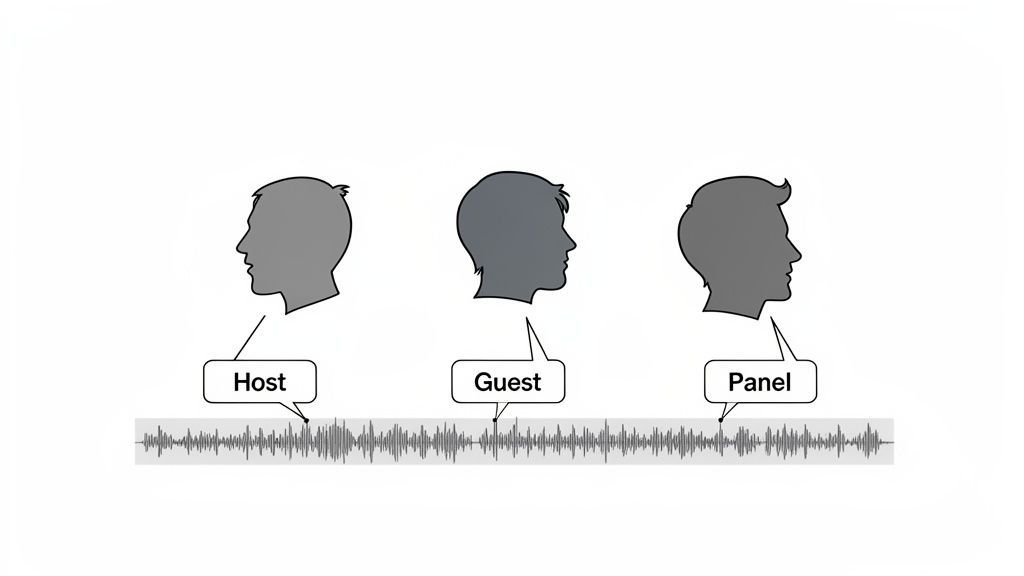
Questa pratica eleva la professionalità e l'usabilità dei tuoi contenuti. Assegnando accuratamente nomi o ruoli a ciascuna parte del dialogo, crei una trascrizione che non è solo più facile da leggere, ma anche più preziosa per il riutilizzo. Etichette chiare degli oratori rendono semplice estrarre citazioni accurate, analizzare i contributi dei diversi partecipanti e creare materiali accessibili che rispettano standard come WCAG.
Come Funziona in Pratica
- Reti Podcast: Un produttore di podcast utilizza un servizio come Transcript.LOL per rilevare automaticamente diversi oratori in un'intervista. Quindi corregge e nomina manualmente le etichette (ad esempio, "Jane Doe - Host", "John Smith - Ospite"), assicurando che la trascrizione finale sia perfetta per creare post di blog e grafiche per i social media con citazioni attribuite.
- Legale e Aziendale: Un paralegale trascrive una deposizione con più avvocati e un testimone. L'etichettatura corretta degli oratori è cruciale per creare un verbale legale accurato in cui ogni dichiarazione è correttamente attribuita, prevenendo confusione e mantenendo l'integrità del documento. I team aziendali fanno lo stesso per i verbali delle riunioni per tenere traccia dei punti d'azione.
Concetto Chiave: Le etichette degli oratori trasformano un monologo di testo in un dialogo strutturato. Questa chiarezza è essenziale per la comprensione del pubblico, la conformità all'accessibilità e la creazione di contenuti di livello professionale che costruiscono fiducia e autorità.
Suggerimenti Azionabili per l'Implementazione
Per implementare correttamente l'etichettatura degli oratori nel tuo flusso di lavoro, segui questi passaggi:
- Revisiona e Correggi il Rilevamento AI: Rivedi sempre manualmente le etichette degli oratori generate dall'IA. Sebbene altamente accurate, la tecnologia può a volte attribuire erroneamente brevi frasi o sovrapposizioni di conversazione. Una rapida revisione garantisce un'accuratezza del 100%.
- Utilizza Convenzioni di Nomenclatura Coerenti: Stabilisci un formato chiaro per le etichette, come "Nome Cognome - Ruolo" (ad esempio, "Sarah Chen - Intervistatore"). Questa coerenza aiuta i lettori ed è un segno distintivo dei contenuti professionali.
- Anonimizza Quando Necessario: Per contenuti sensibili come interviste di ricerca o sessioni di feedback degli utenti, anonimizza gli oratori con etichette chiare e coerenti (ad esempio, "Partecipante 1", "Ricercatore") per proteggere la privacy mantenendo la leggibilità.
- Sfrutta le Etichette per la Ricerca: Utilizza i nomi degli oratori come tag o metadati quando pubblichi contenuti. Ciò consente agli utenti di cercare i contributi di un ospite specifico attraverso più episodi o articoli.
4. Sfrutta le Trascrizioni per SEO e Ricercabilità: Rendi i Contenuti Audio/Video Scopribili
Una best practice fondamentale per la creazione di contenuti spesso trascurata è rendere i tuoi asset audio e video scopribili dai motori di ricerca. I bot di ricerca non possono "ascoltare" un podcast o "guardare" un video per comprenderne il contenuto, ma eccellono nell'indicizzare il testo. Pubblicando una trascrizione completa insieme ai tuoi media, fornisci ai motori di ricerca un documento ricco di parole chiave che possono scansionare, indicizzare e classificare.
Questa singola azione trasforma i tuoi contenuti multimediali da un file isolato e non scopribile in un potente asset SEO. Sblocca il potenziale affinché i tuoi episodi e video appaiano nei risultati di ricerca organici per parole chiave molto specifiche e a coda lunga pronunciate durante la registrazione. Questa strategia migliora sia la leggibilità automatica per la SEO che l'accessibilità umana per il tuo pubblico.
Cosa ottieni da un flusso di lavoro basato sulla trascrizione?
Produzione più veloce
Modificare il testo è significativamente più veloce che scorrere l'audio. Individui i momenti chiave istantaneamente e risparmi ore di post-produzione ogni settimana.
Maggiore portata
Le trascrizioni rendono i tuoi contenuti ricercabili su Google e utilizzabili su blog, social media e newsletter, ampliando il tuo pubblico in modo organico.
Migliore accessibilità
Sottotitoli e testo leggibile assicurano che tutti possano consumare i tuoi contenuti, inclusi parlanti non nativi e utenti con problemi di udito.
Valore a lungo termine
Ogni registrazione diventa una risorsa permanente che puoi riutilizzare, consultare e monetizzare più e più volte.
Come Funziona in Pratica
- Podcaster Aziendali: Un podcast che discute le tendenze di marketing può utilizzare una trascrizione per iniziare a posizionarsi per frasi di nicchia come "sfide di integrazione delle piattaforme di dati dei clienti". Gli ascoltatori che cercano questo termine trovano l'episodio del podcast, generando traffico organico altamente qualificato.
- Istituzioni Educative: Un'università può pubblicare online le trascrizioni delle lezioni. Questo non solo aiuta la revisione degli studenti, ma consente al contenuto dell'istituzione di essere scoperto da potenziali studenti e ricercatori che cercano argomenti accademici specifici discussi nella lezione.
Punto Chiave: Senza una trascrizione testuale, i tuoi contenuti audio e video sono praticamente invisibili a Google. La pubblicazione di una trascrizione è il modo più efficace per sbloccare il valore SEO intrinseco delle tue parole parlate.
Suggerimenti Pratici per l'Implementazione
Per massimizzare l'impatto SEO delle tue trascrizioni, segui questi passaggi:
- Pubblica le Trascrizioni On-Page: Incorpora la trascrizione completa e leggibile direttamente sulla stessa pagina del tuo lettore audio o video. Ciò garantisce che tutto il valore delle parole chiave sia associato all'asset di contenuto principale.
- Ottimizza con le Intestazioni: Struttura la trascrizione con intestazioni H2 e H3, proprio come un post del blog, per suddividere gli argomenti e segnalare la struttura del contenuto ai motori di ricerca.
- Incorpora il Markup Schema: Utilizza lo schema VideoObject o Article per fornire ai motori di ricerca un contesto esplicito sui tuoi contenuti, il che può migliorare il modo in cui vengono visualizzati nei risultati di ricerca.
- Concentrati sulla Link Building: Una volta che i tuoi contenuti sono individuabili, concentrati sulla costruzione dell'autorità. Per una SEO completa, comprendere le 10 migliori strategie di backlink building può aumentare significativamente la visibilità online dei tuoi contenuti.
5. Utilizza le Trascrizioni per Contenuti Accessibili e Inclusivi: Raggiungi Pubblici Più Ampi
Oltre all'efficienza del flusso di lavoro, un principio fondamentale delle moderne best practice di creazione di contenuti è la prioritizzazione dell'accessibilità. Fornire trascrizioni e sottotitoli accurati per tutti i contenuti audio e video non è più una funzionalità "nice-to-have"; è un passo essenziale per garantire che il tuo messaggio sia inclusivo. Questa pratica rende i tuoi contenuti accessibili a pubblici sordi e con problemi di udito, a parlanti non madrelingua e a individui con diverse preferenze di elaborazione cognitiva.

Un approccio inclusivo espande la tua portata di pubblico e migliora significativamente l'esperienza utente per tutti. Le persone in ambienti rumorosi che non possono riprodurre l'audio o coloro che semplicemente preferiscono leggere possono interagire con il tuo materiale. Inoltre, questo impegno soddisfa gli standard legali di accessibilità come le WCAG, rendendolo sia un imperativo etico che una decisione aziendale intelligente che migliora la reputazione del marchio.
Come Funziona in Pratica
- Istituzioni Educative: Le università trascrivono le lezioni per supportare gli studenti con problemi di udito e fornire aiuti allo studio per tutti gli studenti. Ciò crea un ambiente di apprendimento più equo e migliora la comprensione e la ritenzione.
- Organizzazioni Mediatiche: Le testate giornalistiche e le piattaforme di streaming come Netflix forniscono sottotitoli e trascrizioni dettagliate per tutti i contenuti video. Ciò non solo è conforme alle normative, ma consente anche agli spettatori di guardare in ambienti sensibili al suono, aumentando l'engagement.
- Comunicazioni Aziendali: Un'azienda può utilizzare uno strumento come Transcript.LOL per generare automaticamente sottotitoli per tutti i video di formazione interni. Ciò garantisce che ogni dipendente, indipendentemente dalle capacità o dalla lingua principale, abbia pari accesso alle informazioni critiche.
Punto Chiave: L'accessibilità non è un requisito di nicchia, ma un principio di design universale. Integrarla nel tuo flusso di lavoro di contenuti fin dall'inizio con le trascrizioni amplia il tuo pubblico, rafforza l'integrità del marchio e crea un'esperienza migliore per tutti gli utenti.
Suggerimenti Pratici per l'Implementazione
Per rendere i tuoi contenuti veramente accessibili, segui questi passaggi:
- Pubblica le Trascrizioni con i Media: Fornisci sempre una trascrizione completa e facilmente accessibile accanto ai tuoi embed audio e video. Non farli cercare agli utenti.
- Utilizza SRT/VTT per i Sottotitoli: Per i contenuti video, esporta la tua trascrizione come file SRT o VTT utilizzando un servizio come Transcript.LOL. Questi formati sono specificamente progettati per sottotitoli accurati e con codifica temporale.
- Aggiungi Descrizioni Non Verbali: Modifica manualmente la tua trascrizione generata dall'IA per includere descrizioni audio pertinenti, come
[applausi],[inizia la musica]o[porta che sbatte], per fornire un contesto completo. - Verifica l'Accuratezza: Sebbene l'IA sia potente, rivedi e modifica sempre le trascrizioni per l'accuratezza della grammatica, dell'ortografia e dell'identificazione dell'oratore prima della pubblicazione per garantire un'esperienza professionale e chiara.
6. Estrai e Riusa Azioni e Decisioni Chiave dalle Registrazioni delle Riunioni
Per i team aziendali, una delle best practice di creazione di contenuti più pratiche è trasformare le riunioni interne in asset attuabili. Invece di fare affidamento sulla presa di appunti manuale, questo approccio utilizza la trascrizione AI per catturare automaticamente ogni parola e quindi estrarre decisioni chiave, azioni e follow-up dalla registrazione. Ciò preserva le informazioni critiche che vengono spesso perse e crea un registro ufficiale e ricercabile.
Questo metodo trasforma conversazioni transitorie in risultati strutturati e documentati. Elimina il problema "chi doveva fare cosa?" creando un registro chiaro e con timestamp degli impegni. Per project manager, dirigenti e team remoti, ciò garantisce responsabilità e allineamento, trasformando una riunione standard in una fonte di dati verificabili che possono essere utilizzati per popolare elenchi di attività e monitorare i progressi.
Come Funziona in Pratica
- Team di Project Management: Un team può registrare il proprio sync settimanale su Zoom, quindi utilizzare uno strumento come Transcript.LOL per elaborare la registrazione. L'IA può identificare e elencare automaticamente tutte le azioni discusse, che possono quindi essere copiate direttamente in uno strumento di project management come Asana o Trello, complete di contesto.
- Leadership Esecutiva: Una società Fortune 500 può trascrivere le riunioni trimestrali del consiglio di amministrazione. Il documento risultante funge da registro ufficiale delle decisioni strategiche, proteggendo l'organizzazione e fornendo un archivio ricercabile per riferimenti futuri e audit di conformità.
Punto Chiave: Trattare le registrazioni delle riunioni come una fonte primaria di documentazione, piuttosto che solo un backup, automatizza la responsabilità e crea una singola fonte di verità affidabile per le decisioni e i prossimi passi organizzativi.
Suggerimenti Pratici per l'Implementazione
Per integrare efficacemente questo nel tuo flusso di lavoro, considera questi passaggi:
- Stabilisci un Protocollo Chiaro: Durante le riunioni, incoraggia gli oratori a utilizzare frasi trigger coerenti come "L'azione da intraprendere è..." o "Sarah farà il follow-up su..." per rendere più accurata la rilevazione dell'IA.
- Assegna i Responsabili Immediatamente: Quando viene dichiarata un'azione, assegna verbalmente una persona e, se possibile, una scadenza. Ciò garantisce che le informazioni estratte siano immediatamente attuabili.
- Integra con gli Strumenti PM: Utilizza piattaforme come Zapier per creare flussi di lavoro automatizzati che inviano le azioni estratte dalla tua trascrizione direttamente a strumenti come Monday.com o Jira, creando automaticamente attività.
- Rivedi e Distribuisci: Prima di archiviare, rivedi rapidamente il riepilogo generato dall'IA delle decisioni e delle azioni per verificarne l'accuratezza. Distribuisci questo riepilogo insieme alla trascrizione completa a tutti i partecipanti per una trasparenza completa.
7. Crea Riassunti Ottimizzati per Parole Chiave per Livelli di Pubblico Multipli
Una trascrizione completa è un bene inestimabile, ma non tutti i membri del pubblico hanno il tempo o la necessità di consumarla nella sua interezza. Una best practice essenziale per la creazione di contenuti è la creazione di riassunti multipli e a livelli dal materiale sorgente. Questo approccio si rivolge a diversi livelli di coinvolgimento del pubblico, dall'esecutivo che necessita di una panoramica di 30 secondi al ricercatore che desidera un abstract dettagliato.
Generando riassunti ottimizzati per parole chiave, rendi i tuoi contenuti più accessibili e individuabili. Un riassunto esecutivo può fungere da potente aggancio sui social media o in una newsletter via email, mentre un riassunto più dettagliato può funzionare come post del blog o sezione di note dello show. Questa strategia garantisce di catturare l'attenzione di diversi segmenti di pubblico, fornendo valore alla loro profondità di consumo preferita.
Come Funziona in Pratica
- Reti di Podcast Aziendali: Una rete può utilizzare uno strumento AI come Transcript.LOL per generare un riassunto esecutivo di un paragrafo da un'intervista di un'ora. Questo è perfetto per un post su LinkedIn o una newsletter via email, generando traffico verso l'episodio completo e la trascrizione per coloro che cercano maggiori dettagli.
- Comunicazioni Aziendali: Dopo un town hall aziendale, il team di comunicazione può creare tre riassunti dalla trascrizione completa: un elenco di "Decisioni Chiave" di tre punti per un canale Slack all-hands, un riassunto di una pagina per i capi dipartimento e un riassunto dettagliato per la knowledge base interna.
Punto Chiave: Fornire contenuti a vari livelli di dettaglio rispetta il tempo e le preferenze del tuo pubblico. I riassunti fungono da punti di ingresso strategici, guidando gli utenti verso un maggiore coinvolgimento con i tuoi contenuti completi.
Suggerimenti Pratici per l'Implementazione
Per creare e utilizzare efficacemente riassunti a livelli, segui questi passaggi:
- Genera, Poi Affina: Utilizza un generatore di riassunti AI come punto di partenza. Quindi, affina manualmente l'output per garantire che catturi il messaggio principale e sia in linea con il tono di voce del tuo marchio.
- Crea 2-3 Livelli di Riassunto: Standardizza i tuoi livelli. Ad esempio, crea un riassunto "Esecutivo" (meno di 100 parole), un riassunto "Standard" (250 parole) e un riassunto "Dettagliato" (500+ parole) per ogni pezzo di contenuto.
- Ottimizza per la Ricerca: Inserisci le tue parole chiave target in modo naturale nei riassunti. Ciò migliora la loro individuabilità sui motori di ricerca e sui portali di ricerca interni senza sacrificare la leggibilità o il valore.
- Evidenzia le Metriche Chiave: Assicurati che i tuoi riassunti presentino in modo prominente dati importanti, statistiche, citazioni o decisioni. Ciò segnala immediatamente il valore del contenuto al lettore.
8. Stabilisci Flussi di Lavoro di Controllo Qualità: Rivedi, Modifica e Verifica le Trascrizioni Prima della Pubblicazione
Sebbene la tecnologia di trascrizione AI sia notevolmente veloce e accurata, una delle best practice più critiche per la creazione di contenuti è l'implementazione di un flusso di lavoro dedicato di controllo qualità (QC). Questo processo prevede una revisione e modifica umana sistematica della trascrizione generata dall'IA prima che venga pubblicata o utilizzata come documento sorgente. Questo passaggio è essenziale per cogliere errori sfumati, correggere terminologia specializzata e garantire la coerenza della voce del marchio.
Questo approccio "human-in-the-loop" garantisce che l'output finale soddisfi i più elevati standard di accuratezza e professionalità. Per i contenuti che trattano informazioni tecniche, legali o mediche, questa verifica è non negoziabile. Trasforma una bozza altamente accurata in un asset raffinato, autorevole e affidabile, prevenendo la diffusione di disinformazione e proteggendo la credibilità professionale.
Come Funziona in Pratica
- Studi Legali: Un paralegale può rivedere una trascrizione di deposizione generata dall'IA, utilizzando uno strumento di editing per verificare nomi propri, terminologia legale ed etichette degli oratori. Ciò garantisce che il documento sia pronto per il tribunale e sia un resoconto accurato dei procedimenti.
- Istituzioni Mediche: Un esperto di materia rivede una lezione medica trascritta. Possono utilizzare l'interfaccia di editing in uno strumento come Transcript.LOL per correggere termini anatomici complessi e nomi di farmaci, garantendo che il materiale didattico sia accurato al 100% per studenti e professionisti.
- Giornalisti: Prima di pubblicare un articolo, un giornalista verifica ogni citazione in una trascrizione di intervista rispetto all'audio originale. Questo passaggio cruciale sostiene l'integrità giornalistica e garantisce che il contesto e l'intento dell'oratore siano rappresentati accuratamente.
Punto Chiave: Il controllo qualità non riguarda la sfiducia nell'IA; riguarda il perfezionamento del suo output. Un solido flusso di lavoro di QC eleva i tuoi contenuti da "abbastanza buoni" a professionalmente rifiniti, il che è particolarmente vitale quando l'accuratezza è fondamentale.
Suggerimenti Pratici per l'Implementazione
Per costruire un flusso di lavoro QC efficace per le tue trascrizioni, segui questi passaggi:
- Stabilisci Linee Guida Editoriali: Crea una chiara guida di stile che definisca gli standard di qualità per grammatica, formattazione e tono. Ciò garantisce la coerenza in tutti i contenuti revisionati.
- Assegna Esperti di Materia: Per contenuti tecnici o specializzati, assegna i compiti di revisione a membri del team con competenze pertinenti. Possono individuare errori che un editor generico potrebbe trascurare.
- Utilizza Trova e Sostituisci Sistematicamente: Sfrutta gli strumenti di editing per correggere errori ricorrenti o abbreviazioni non standard nell'intero documento contemporaneamente.
- Implementa una Revisione a Due Persone: Per contenuti ad alto rischio come documenti legali o ricerche pubblicate, fai rivedere la trascrizione da una seconda persona dopo la modifica iniziale per individuare eventuali problemi rimanenti.
9. Costruisci una Knowledge Base Privata e Ricercabile da Tutti i Contenuti Utilizzando i Team Workspace
Una delle best practice più preziose per la creazione di contenuti per le organizzazioni è la trasformazione dei tuoi media grezzi in una knowledge base privata e ricercabile. Invece di lasciare che videochiamate, sessioni di formazione e podcast rimangano in cartelle sparse, questo approccio utilizza uno spazio di lavoro di team centrale per ospitare tutti i contenuti trascritti, trasformando un archivio disorganizzato in un potente motore di ricerca interno. Ciò rende la conoscenza istituzionale accessibile e attuabile.
Centralizzando e trascrivendo tutti gli audio e video, abbatti i silos informativi e crei un'unica fonte di verità. Qualsiasi membro del team può trovare istantaneamente momenti specifici, citazioni o punti dati da mesi o addirittura anni di contenuti semplicemente cercando parole chiave. Questa strategia converte la tua libreria multimediale passiva in un asset attivo e strategico che promuove l'efficienza e il processo decisionale informato.
🚀 Funzionalità per team e scalabilità

Rilevamento dei parlanti
Identifica automaticamente diversi parlanti nelle tue registrazioni e etichettali con i loro nomi.

Strumenti di modifica
Modifica le trascrizioni con strumenti potenti tra cui trova e sostituisci, assegnazione dei parlanti, formati di testo arricchito ed evidenziazione.
Riassunti e Chatbot
Genera riassunti e altri approfondimenti dalla tua trascrizione, prompt personalizzati riutilizzabili e chatbot per i tuoi contenuti.
Come Funziona nella Pratica
- Studi Legali: Uno studio può caricare e trascrivere tutte le deposizioni, le riunioni e le chiamate relative ai casi dei clienti. Questo crea una libreria sicura e ricercabile dove paralegali e avvocati possono trovare istantaneamente menzioni di dettagli specifici del caso o precedenti senza dover rivedere ore di registrazioni.
- Agenzie di Marketing: Un'agenzia può costruire una base di conoscenza da tutte le chiamate di avvio dei clienti, le sessioni strategiche e i debriefing delle campagne. Quando si avvia un nuovo progetto, i membri del team possono cercare nell'archivio approfondimenti da clienti passati simili, accelerando la ricerca e migliorando la strategia.
Approfondimento Chiave: La tua raccolta di contenuti parlati è una miniera d'oro di intelligenza organizzativa. Rendendola centralmente ricercabile, ne sblocchi il valore e permetti al tuo team di trovare risposte e approfondimenti su richiesta, riducendo il lavoro ridondante.
Suggerimenti Azionabili per l'Implementazione
Per costruire una base di conoscenza efficace, segui questi passaggi:
- Stabilisci una Struttura di Cartelle Chiara: Organizza il tuo spazio di lavoro con una gerarchia logica che rispecchi i dipartimenti, i progetti o i clienti della tua azienda. Una struttura pulita è il fondamento di un sistema utilizzabile.
- Usa Convenzioni di Nomenclatura Coerenti: Implementa un formato di denominazione standardizzato (ad esempio, "AAAA-MM-GG_NomeProgetto_TipoRiunione") per tutti i file. Questo rende il contenuto facilmente identificabile e ordinabile a colpo d'occhio.
- Sfrutta Metadati e Tag: Aggiungi tag pertinenti a ogni trascrizione per argomenti, relatori o iniziative specifiche. Questo fornisce un ulteriore livello di ricercabilità oltre al testo trascritto stesso.
- Imposta Permessi di Accesso: Utilizza uno strumento come Transcript.LOL per configurare permessi basati sui ruoli, garantendo che le informazioni riservate siano accessibili solo ai membri autorizzati del team.
10. Integra le Trascrizioni con Chatbot AI e Strumenti di Contenuto per la Distribuzione di Contenuti su Larga Scala
Una delle migliori pratiche più avanzate per la creazione di contenuti prevede la trasformazione della tua trascrizione in una fonte di dati dinamica che alimenta altri sistemi AI. Invece di utilizzare semplicemente le trascrizioni per il repurposing, questo metodo inserisce il testo in chatbot AI, flussi di lavoro automatizzati e altri strumenti di contenuto. Questo crea un ecosistema di contenuti interconnesso in cui la tua registrazione originale può alimentare il supporto clienti, generare materiale didattico e distribuirsi su larga scala.
Questa strategia amplifica il valore di ogni singolo contenuto rendendolo un asset attivo e operativo. Integrando i dati delle trascrizioni con strumenti come Zapier o addestrando modelli AI personalizzati, puoi automatizzare attività che un tempo richiedevano un notevole sforzo manuale. Si tratta di costruire un sistema in cui la distribuzione e l'utilità dei contenuti si espandono esponenzialmente con ogni nuova registrazione che crei.
Come Funziona nella Pratica
- Piattaforme Educative: Un creatore di corsi online può trascrivere lezioni video e inserire il testo in uno strumento AI per generare automaticamente guide di studio, flashcard e quiz. Questo aggiunge un valore immenso per gli studenti senza richiedere lavoro aggiuntivo all'istruttore.
- Team di Supporto Clienti: Un'azienda può utilizzare le trascrizioni delle chiamate di supporto per addestrare un chatbot di assistenza clienti. Questo bot può quindi rispondere accuratamente alle domande comuni, facendo riferimento alla base di conoscenza costruita dalle interazioni effettive dei clienti, liberando gli agenti umani per questioni più complesse.
- Automazione del Marketing: Un host di podcast può utilizzare uno strumento come Transcript.LOL per generare prompt per chatbot e quindi, tramite un'integrazione Zapier, inviare automaticamente riassunti degli episodi alla propria lista email, pubblicare citazioni chiave su Twitter e creare bozze di post sul blog nel proprio CMS.
Approfondimento Chiave: Il ciclo di vita del tuo contenuto non finisce con la pubblicazione. Integrando le trascrizioni con strumenti AI, trasformi contenuti passivi in un motore attivo di coinvolgimento, educazione e distribuzione automatizzata su tutta la tua presenza digitale.
Suggerimenti Azionabili per l'Implementazione
Per costruire il tuo ecosistema di contenuti automatizzato, segui questi passaggi:
- Inizia con Integrazioni Semplici: Utilizza piattaforme no-code come Zapier per connettere prima il tuo servizio di trascrizione ad altri strumenti. Ad esempio, crea uno "Zap" che invii riassunti di nuove trascrizioni a un canale Slack o li aggiunga a un Foglio Google.
- Stabilisci Standard di Qualità dei Dati: Prima di addestrare un chatbot, assicurati che le tue trascrizioni siano pulite e accurate. Utilizza un "set d'oro" di dati di trascrizione di alta qualità e verificati per stabilire una baseline di prestazioni per la tua AI.
- Crea Prompt Specifici per Casi d'Uso: Genera prompt per chatbot diversi per obiettivi diversi. Un prompt per un bot focalizzato sulle vendite dovrebbe essere diverso da uno progettato per il supporto tecnico o la scoperta di contenuti.
- Monitora e Affina: Rivedi regolarmente le risposte del tuo chatbot e le automazioni del flusso di lavoro. Utilizza i dati di performance per identificare i punti deboli e affinare i tuoi dati di addestramento o le regole di Zapier per migliorare l'accuratezza e l'efficacia.
Confronto delle 10 Migliori Pratiche di Creazione di Contenuti
| Pratica | 🔄 Complessità di Implementazione | ⚡ Requisiti di Risorse | 📊 Risultati Previsti (⭐) | 💡 Casi d'Uso Ideali | ⭐ Vantaggi Chiave |
|---|---|---|---|---|---|
| Trascrivi Prima, Modifica Dopo: Sfrutta la Trascrizione AI per una Base di Contenuti Accurata | Bassa–Media — trascrizione automatizzata, necessita revisione | Moderata — qualità audio, tempo dell'editor, vocabolario personalizzato occasionale | Base di alta accuratezza per il repurposing; ⭐⭐⭐⭐ | Podcaster, creatori video, professionisti che necessitano di trascrizioni veloci | Tempi di consegna rapidi, alta accuratezza di base, supporto batch, controlli sulla privacy |
| Repurposing di Contenuti Multi-Formato: Trasforma una Registrazione in Più Contenuti | Media — richiede pianificazione del flusso di lavoro e modelli | Moderata — tempo di editing, modelli/strumenti per formati | Aumento della produzione e della portata dei contenuti; Aumento del ROI; ⭐⭐⭐⭐ | Marketer di contenuti, host di webinar, educatori | Scala la produzione, migliora la SEO, repurposing efficiente |
| Implementa il Rilevamento e l'Etichettatura dei Relatori per Chiarezza e Accessibilità | Media — autodetezione + correzione manuale | Bassa–Moderata — revisione per garantire etichette accurate | Migliore leggibilità e accessibilità; ⭐⭐⭐⭐ | Podcast con più relatori, trascrizioni legali, interviste di ricerca | Conformità all'accessibilità, attribuzione accurata delle citazioni, trascrizioni più chiare |
| Sfrutta le Trascrizioni per SEO e Ricercabilità: Rendi i Contenuti Audio/Video Rintracciabili | Media — pubblica e ottimizza le trascrizioni sul sito | Moderata — editing, integrazione CMS, lavoro SEO | Significativa visibilità organica e rintracciabilità; ⭐⭐⭐⭐⭐ | Podcaster, YouTuber, editori educativi | Migliora i ranking di ricerca, collegamento con timestamp, cattura di parole chiave long-tail |
| Usa le Trascrizioni per Contenuti Accessibili e Inclusivi: Raggiungi Pubblici Più Ampi | Media — produci trascrizioni/sottotitoli accurati e formattati | Moderata — editing, formati di esportazione multipli, test con tecnologie assistive | Maggiore portata del pubblico e conformità legale; ⭐⭐⭐⭐ | Piattaforme di streaming, istituzioni educative, formazione aziendale | Conformità ADA/WCAG, inclusività, riduzione del rischio legale |
| Estrai e Riusa Azioni e Decisioni Chiave dalle Registrazioni delle Riunioni | Media — dipende dalla chiarezza della riunione e dalla configurazione dell'integrazione | Moderata — integrazione (Zapier/strumenti PM), revisione degli elementi estratti | Migliore responsabilità e ROI delle riunioni; ⭐⭐⭐⭐ | Team aziendali, project manager, team legali | Cattura automatica di attività/responsabili, registri delle decisioni ricercabili, pronto per l'integrazione |
| Crea Riassunti Ottimizzati per Parole Chiave per Livelli di Pubblico Multipli | Bassa–Media — genera e poi affina per tono/parole chiave | Bassa — editing e leggera ottimizzazione SEO | Maggiore coinvolgimento; Livelli di consumo su misura; ⭐⭐⭐⭐ | Riassunti esecutivi, abstract di ricerca, highlight social | Formati per più pubblici, targeting per parole chiave, flusso anteprima-a-completo |
| Stabilisci Flussi di Lavoro di Controllo Qualità: Rivedi, Modifica e Verifica le Trascrizioni Prima della Pubblicazione | Media–Alta — processi di revisione formali e ruoli | Alta — revisori formati, tempo, strumenti di collaborazione | Garantisce accuratezza e riduce il rischio legale/reputazionale; ⭐⭐⭐⭐ | Legale, sanitario, giornalismo, settori regolamentati | Mantiene la credibilità, individua errori tecnici, controllo versione |
| Costruisci una Base di Conoscenza Privata e Ricercabile da Tutti i Contenuti Utilizzando Spazi di Lavoro di Team | Alta — progetta tassonomia, permessi e onboarding | Alta — organizzazione iniziale, manutenzione continua, controlli di accesso | Conoscenza centralizzata e recupero più rapido; ⭐⭐⭐⭐ | Grandi organizzazioni, studi legali, istituti di ricerca | Riduce i silos, migliora l'onboarding, preserva la memoria istituzionale |
| Integra le Trascrizioni con Chatbot AI e Strumenti di Contenuto per la Distribuzione di Contenuti su Larga Scala | Alta — integrazioni tecniche e prompt engineering | Alta — sviluppo, monitoraggio, manutenzione delle integrazioni | Distribuzione scalabile e coinvolgimento 24/7; ⭐⭐⭐⭐ | Piattaforme eLearning, supporto clienti, automazione del marketing | Automatizza la distribuzione, abilita i chatbot, scalabilità multi-canale |
Costruisci il Tuo Motore di Contenuti per il Domani
Il percorso da una singola grande idea a una libreria fiorente di contenuti di grande impatto può sembrare scoraggiante. Come abbiamo esplorato, il percorso è lastricato non da tattiche isolate, ma da un sistema integrato e intelligente. Adottare queste migliori pratiche di creazione di contenuti è più di un aggiornamento operativo; è un cambiamento fondamentale nel modo in cui percepisci, produci e propaghi il tuo messaggio. Si tratta di costruire un motore di contenuti resiliente e scalabile che non si limita a produrre di più, ma produce in modo più intelligente.
Al centro di questo motore moderno c'è un principio semplice ma trasformativo: la trascrizione non è un ripensamento, ma il fondamento. Partendo da una trascrizione accurata generata dall'AI, sblocchi un universo di possibilità che in precedenza erano dispendiose in termini di tempo o del tutto irraggiungibili. Passi da un ciclo di produzione lineare, "fatto e finito", a un ecosistema dinamico e interconnesso in cui ogni pezzo di audio o video diventa una ricca fonte di asset derivati.
Riepilogo del Tuo Percorso verso l'Eccellenza dei Contenuti
Distilliamo le strategie fondamentali che abbiamo trattato in una visione coesa per il tuo flusso di lavoro. Questa non è solo una checklist; è un progetto per una crescita e un'influenza sostenibili.
- Fondamento Prima: Il metodo "Trascrivi Prima, Modifica Dopo" (Pratica #1) stabilisce la tua registrazione grezza come un asset strutturato basato su testo. Questo semplice passaggio è il catalizzatore per tutto ciò che segue, dalle precise modifiche video ai post di blog accurati.
- Valore Esponenziale: La vera efficienza deriva dal repurposing multi-formato (Pratica #2). Un episodio di podcast non è solo un episodio; è un post di blog, una serie di clip per i social media, una newsletter via email e una serie di citazioni illuminanti. Questo moltiplica la tua portata senza moltiplicare il tuo tempo di registrazione.
- Miglioramenti Centrati sul Pubblico: Implementare il rilevamento dei relatori (Pratica #3) e creare contenuti accessibili (Pratica #5) non sono solo funzionalità tecniche. Sono atti di empatia, che rendono i tuoi contenuti più chiari, più inclusivi e più preziosi per un pubblico più ampio, comprese le persone con disabilità uditive.
- Scoperta e Conoscenza Interna: Sfruttare le trascrizioni per la SEO (Pratica #4) rende i tuoi contenuti audio e video rintracciabili dai motori di ricerca, collegandoti con nuovi pubblici che cercano attivamente la tua competenza. Internamente, la creazione di una base di conoscenza ricercabile (Pratica #9) trasforma il tuo archivio di contenuti da un'unità di archiviazione passiva a una libreria attiva e intelligente per il tuo team.
Tessendo insieme questi fili, crei un potente volano. Un'intervista diventa un documento ricercabile. Una riunione di team si trasforma in attività attuabili e in un registro permanente (Pratica #6). Un webinar complesso viene distillato in riassunti ottimizzati per parole chiave per diversi livelli di pubblico (Pratica #7). Questa è l'essenza di una strategia di contenuti moderna: una che è interconnessa, efficiente e infinitamente preziosa.
I Tuoi Prossimi Passi Azionabili: Dalla Teoria alla Pratica
Padroneggiare queste migliori pratiche di creazione di contenuti non richiede una revisione completa dall'oggi al domani. La chiave è iniziare in piccolo e costruire slancio. Scegli una o due pratiche che avranno il maggiore impatto immediato sul tuo flusso di lavoro.
Ad esempio, inizia trascrivendo il tuo prossimo video o episodio di podcast. Usa quella trascrizione per scrivere un post di blog dettagliato e estrai tre citazioni chiave per i social media. Una volta sperimentato il risparmio di tempo e la maggiore portata di questo singolo sforzo, integrare la pratica successiva, come stabilire un flusso di lavoro di controllo qualità (Pratica #8), sembrerà un'evoluzione naturale e necessaria.
L'obiettivo finale è costruire un sistema in cui la creazione di contenuti multi-formato di alta qualità sia la norma, non l'eccezione. Si tratta di creare un flusso di lavoro che anticipi le tue esigenze, automatizzi le attività noiose e ti permetta di concentrarti su ciò che sai fare meglio: condividere la tua voce e la tua visione uniche con il mondo.
Abbracciando questi strumenti basati sull'AI e questi framework strategici, non ti limiti a stare al passo con le tendenze; stai costruendo il motore di contenuti che alimenterà la tua crescita per gli anni a venire.
Le operazioni sui contenuti guidate dall'IA sono ora lo standard
I team di tutto il mondo stanno sostituendo le note manuali con trascrizioni e riassunti automatici. Quello che prima richiedeva ore, ora richiede minuti. I primi ad adottare ottengono un enorme vantaggio di velocità.
Pronto a gettare le basi per il tuo nuovo motore di contenuti? Transcript.LOL fornisce la trascrizione AI veloce, accurata e sicura di cui hai bisogno per implementare oggi queste migliori pratiche di creazione di contenuti. Trasforma il tuo audio e video in testo attuabile e sblocca il pieno potenziale di ogni registrazione su Transcript.LOL.