
The 12 Best Software for Qualitative Data Analysis in 2026
Discover the best software for qualitative data analysis. We compare NVivo, ATLAS.ti, MAXQDA, and more to find the right tool for your research.
Kate, Praveen
February 8, 2026
Qualitative data, from interviews, focus groups, and open-ended surveys, is rich with human context that spreadsheets simply can't capture. To uncover themes, patterns, and meaningful stories from your research, you need specialized tools designed for the job. But with so many options available, choosing the right one can feel overwhelming. This guide cuts through the noise to provide a practical review of the best software for qualitative data analysis, moving beyond marketing claims to offer a realistic look at what works for different needs.
Why Specialized QDA Tools Matter?
Qualitative insights don’t live neatly inside spreadsheets. Dedicated tools help you code themes, track patterns, and surface hidden stories faster. Without them, analysis becomes manual, slow, and inconsistent.
Whether you're conducting academic research, analyzing customer feedback, or building a legal case, the right QDA software can transform your workflow. We will explore the unique strengths of each platform, from industry giants like NVivo and ATLAS.ti to modern, web-based alternatives like Delve. We will also examine how to build a powerful and efficient research process from start to finish, including how to integrate fast, accurate transcripts from services like Transcript.LOL into your analysis.
This comprehensive listicle is designed to help you find the perfect match for your project, budget, and technical comfort level. For each tool, you'll find a clear breakdown of its core features, ideal use cases, pros and cons, platform availability, and direct links to learn more. We'll help you identify the best software to turn your raw data into compelling, actionable insights.
What To Look For In Any QDA Software?
Ease of Coding
Quick tagging, highlighting, and grouping should feel effortless. If coding takes too many clicks, analysis slows down dramatically.
Collaboration Support
Teams need shared workspaces, version control, and role permissions. Without these, research becomes messy and inconsistent.
Clean Data Inputs
Strong analysis starts with clean, structured transcripts. Well-prepared text makes coding faster, themes clearer, and insights more reliable. Messy or manual notes slow everything down.
Export & Reporting
Your insights should be easy to extract and present. Strong exports save hours when creating reports or publications.
1. Transcript.LOL
Sebbene non sia una piattaforma CAQDAS (Computer-Assisted Qualitative Data Analysis Software) tradizionale, Transcript.LOL è il primo passo fondamentale in qualsiasi flusso di lavoro moderno di analisi qualitativa. Stabilisce la sua posizione come il miglior software per l'analisi dei dati qualitativi automatizzando il precursore più dispendioso in termini di tempo e critico per l'analisi: la trascrizione. Il suo motore basato sull'intelligenza artificiale, costruito su Whisper di OpenAI, offre trascrizioni eccezionalmente veloci e accurate da file audio o video, vantando un impressionante tasso di accuratezza di circa il 99,8%. Questa precisione è vitale, poiché l'integrità di qualsiasi studio qualitativo dipende dalla fedeltà dei suoi dati sorgente.
La piattaforma semplifica l'intero processo di preparazione dei dati. I ricercatori possono caricare diversi formati multimediali, comprese interviste lunghe fino a 10 ore, da varie fonti come file diretti, unità cloud o persino un'integrazione Zoom. L'output è una trascrizione pulita, con timestamp e etichettatura degli altoparlanti, pronta per l'importazione in qualsiasi strumento QDA dedicato. Questa conversione senza interruzioni consente ai ricercatori di risparmiare decine, se non centinaia, di ore, permettendo loro di concentrarsi sull'analisi piuttosto che sulla trascrizione manuale.
Core Transcript Preparation Features
These foundational features make Transcript.LOL the fastest way to move from raw recordings to analysis-ready text. No manual cleanup or formatting required.
IA all'avanguardia
Alimentato da Whisper di OpenAI per una precisione leader nel settore. Supporto per vocabolari personalizzati, file fino a 10 ore e risultati ultra rapidi.

Importa da più fonti
Importa file audio e video da varie fonti tra cui caricamento diretto, Google Drive, Dropbox, URL, Zoom e altro.

Esporta in più formati
Esporta le tue trascrizioni in più formati tra cui TXT, DOCX, PDF, SRT e VTT con opzioni di formattazione personalizzabili.
Why It Stands Out
Transcript.LOL excels with its "no-training" privacy policy, a crucial feature for researchers handling sensitive or confidential interview data. This policy ensures user data is never used to train AI models, providing a level of security that is essential for academic and corporate research.
Protect Sensitive Research Data
Many AI tools silently train on your uploads. For academic, legal, or confidential interviews, this creates serious compliance risks. Always choose platforms with strict no-training policies.
Oltre alla trascrizione principale, i suoi strumenti AI integrati offrono un livello preliminare di analisi. Funzionalità che generano riassunti, identificano elementi d'azione e creano mappe mentali possono aiutare i ricercatori a cogliere rapidamente i temi chiave prima di immergersi nella codifica formale. Per i ricercatori qualitativi che cercano maggiori approfondimenti sull'ottimizzazione del loro flusso di lavoro, la piattaforma offre un utile blog con consigli pratici. ### Caratteristiche Chiave e Considerazioni - **Precisione e Velocità**: Precisione leader del settore e rapido tempo di consegna, anche per file di grandi dimensioni. - **Forte Privacy**: Una rigorosa politica sui dati "no-training" protegge le informazioni sensibili. - **Integrazione del Flusso di Lavoro**: Esporta in più formati (TXT, DOCX, SRT) per una facile importazione in NVivo, ATLAS.ti, Dedoose e altri. - **Approfondimenti basati sull'IA**: Riassunti automatizzati, creazione di capitoli e mappe mentali forniscono panoramiche di alto livello. - **Collaborazione di Team**: Spazi di lavoro condivisi e ricerca inter-file supportano progetti di ricerca collaborativi. | Caratteristica | Dettagli .
Industry Shift Toward AI Assistance
Modern QDA platforms now embed AI for coding, summarizing, and clustering themes automatically. Manual tagging alone is quickly becoming outdated.
Offerte Chiave ed Esperienza Utente
- Flusso di Lavoro All-in-One: Combina CAQDAS classici con statistiche integrate e analisi testuale, ideale per progetti a metodi misti.
- Strumenti AI Integrati: Offre AI Assist e Tailwind basato su abbonamento per accelerare l'analisi e la scoperta.
- Collaborazione Gestita: L'add-on TeamCloud fornisce un ambiente strutturato per progetti di gruppo, garantendo controllo delle versioni e coerenza.
- Sfumature di Prezzo: I prezzi finali vengono visualizzati solo dopo aver selezionato una regione e configurato il carrello, e funzionalità chiave come insight AI e collaborazione di team richiedono abbonamenti separati.
Consiglio Pratico: Sfrutta le prove gratuite di 7 giorni per add-on come MAXQDA Tailwind per valutarne l'utilità per il tuo progetto prima di impegnarti. Per lavori con molte trascrizioni, l'importazione diretta di file .docx e .txt di MAXQDA è molto efficiente. Preparare le registrazioni delle interviste con un servizio come Transcript.LOL garantisce di iniziare l'analisi con trascrizioni pulite e accurate, massimizzando la potenza analitica del software.
Sito Web: https://www.maxqda.com/pricing
5. Dedoose (sito ufficiale)
Dedoose è una piattaforma QDA unica, basata al 100% sul web, progettata fin dall'inizio per la collaborazione. Il suo sito ufficiale è il portale diretto per accedere al suo ambiente altamente flessibile e orientato al team, rendendolo una delle migliori opzioni software per l'analisi di dati qualitativi per gruppi di ricerca distribuiti, istituzioni accademiche e progetti a metodi misti. La piattaforma eccelle nello snellire il lavoro di squadra attraverso aggiornamenti in tempo reale e permessi basati sui ruoli, il tutto accessibile da qualsiasi browser.
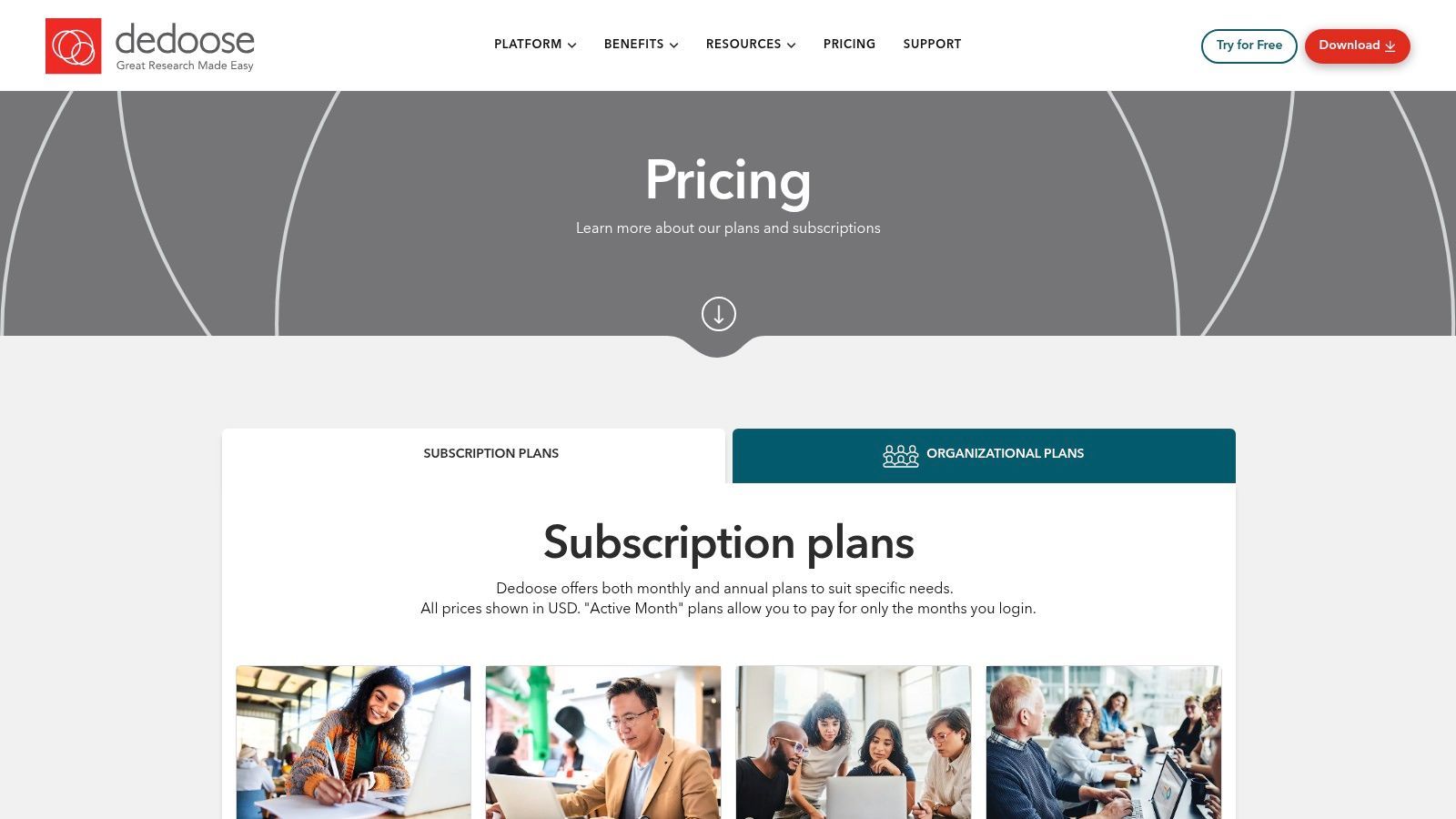
Ciò che distingue veramente Dedoose è il suo innovativo modello di fatturazione "active-month", in cui gli utenti pagano solo per i mesi in cui accedono. Questo lo rende eccezionalmente conveniente per lavori accademici basati su semestri o progetti finanziati da sovvenzioni con attività intermittente. Il sito web fornisce percorsi chiari per ricercatori individuali o organizzazioni per impostare la fatturazione centralizzata, gestire l'accesso degli utenti e sfruttare la crittografia specifica del progetto per la sicurezza dei dati. Il suo Learning Center integrato e il supporto dedicato rendono anche l'inserimento di interi team semplice.
Offerte Chiave ed Esperienza Utente
- Fatturazione Active-Month: Il modello pay-as-you-go è ideale per calendari accademici e esigenze di progetto fluttuanti, offrendo significativi risparmi sui costi.
- Collaborazione in Tempo Reale: Più utenti possono codificare e analizzare dati contemporaneamente, con modifiche visibili al team istantaneamente.
- Robusta Sicurezza e Strumenti di Amministrazione: Presenta crittografia specifica del progetto, permessi basati sui ruoli e fatturazione di gruppo centralizzata per uso istituzionale.
- Dipendente da Internet: Essendo uno strumento completamente basato su cloud, non dispone di un'applicazione desktop offline e richiede una connessione internet stabile per un funzionamento fluido.
Consiglio Pratico: Dedoose è eccellente per analizzare trascrizioni di interviste. Per ottimizzare il tuo flusso di lavoro, ottieni trascrizioni di alta qualità in formato .docx da un servizio come Transcript.LOL. Puoi importare facilmente questi documenti nel tuo progetto Dedoose, permettendo al tuo team di iniziare immediatamente a codificare in modo collaborativo senza perdere tempo nell'inserimento manuale dei dati.
Sito Web: https://www.dedoose.com/pricing/pricing-subscriptions
6. Quirkos (sito ufficiale)
Quirkos si posiziona come uno strumento unico, accessibile e visivo, rendendolo un forte contendente per il miglior software per l'analisi di dati qualitativi, specialmente per i nuovi arrivati. Il suo sito ufficiale è il gateway diretto alle sue offerte distinte, che includono versioni sia basate su cloud che desktop offline. La piattaforma enfatizza un'interfaccia intuitiva drag-and-drop con "quirks" simili a bolle che rappresentano i codici, progettata per abbassare la barriera d'ingresso per studenti, non specialisti e coloro che sono sopraffatti da software più complessi.
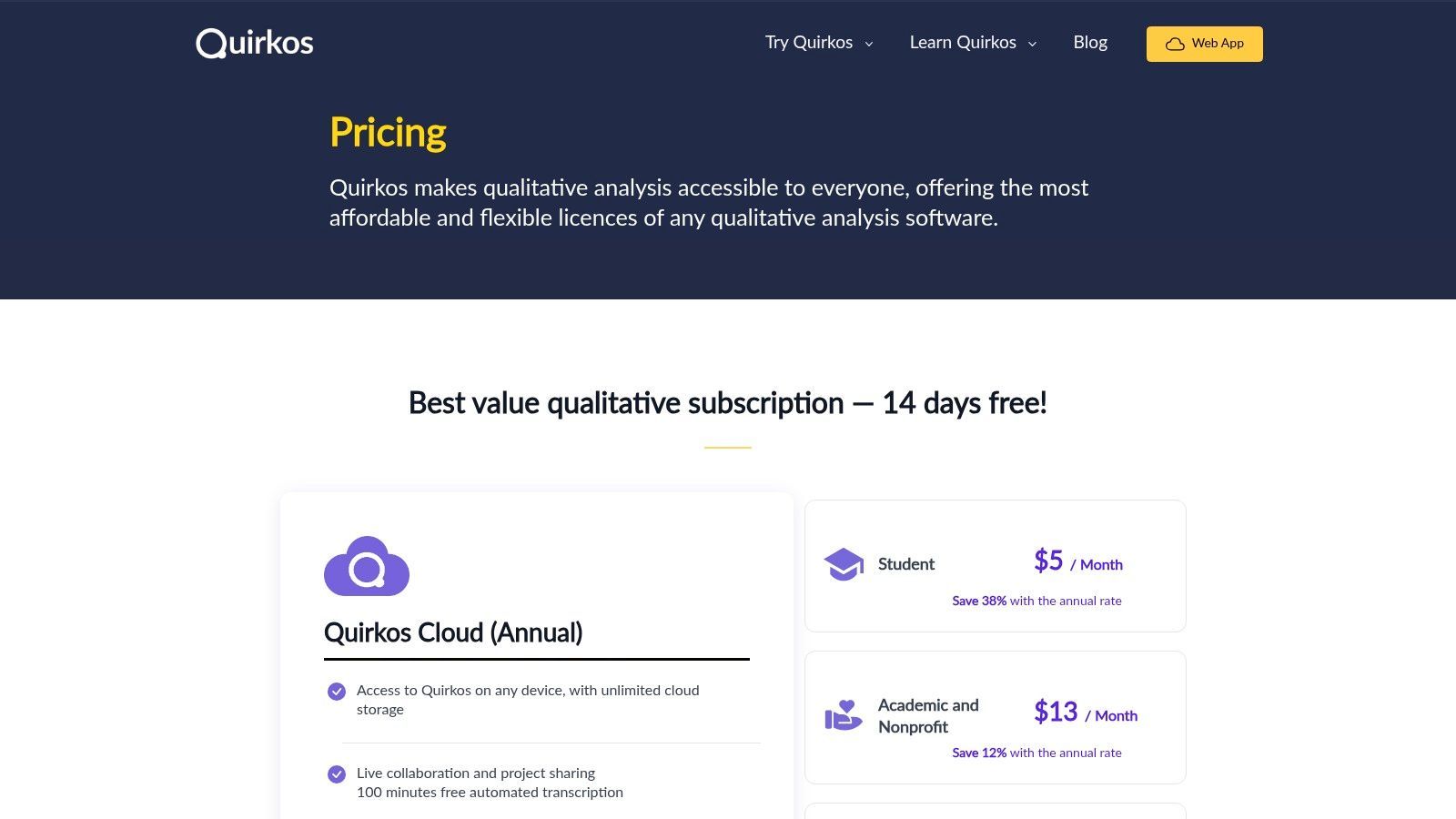
Il sito web illustra chiaramente le sue opzioni di licenza, dagli abbonamenti mensili convenienti per Quirkos Cloud alle licenze perpetue una tantum per l'app desktop. Un importante vantaggio per la versione cloud sono le sue funzionalità di collaborazione integrate, che consentono ai team di lavorare sui progetti in tempo reale. I piani cloud includono anche minuti di trascrizione automatica gratuiti, snellendo la fase iniziale di preparazione dei dati. Questo rende Quirkos una soluzione all-in-one per piccoli team o classi che necessitano di uno strumento QDA semplice ma efficace, senza una ripida curva di apprendimento o costi proibitivi.
Offerte Chiave ed Esperienza Utente
- Interfaccia Visiva: La sua interfaccia colorata e tattile a bolle rende la codifica e l'esplorazione delle connessioni intuitive e coinvolgenti, ideale per l'insegnamento.
- Licenze Flessibili: Quirkos offre sia abbonamenti cloud con collaborazione dal vivo che licenze desktop offline perpetue per soddisfare diverse esigenze e budget.
- Curva di Apprendimento Dolce: Il software è progettato per un rapido inserimento, consentendo agli utenti di iniziare ad analizzare i dati velocemente senza una formazione estensiva.
- Funzionalità Avanzate Limitate: Mancano alcuni degli strumenti di interrogazione e statistici complessi presenti in software più affermati come NVivo o ATLAS.ti, rendendolo meno adatto per ricerche altamente intricate.
Consiglio Pratico: Quirkos Cloud include crediti di trascrizione gratuiti, il che è ottimo per iniziare. Per progetti più grandi con molte interviste o per ottenere la massima accuratezza, pre-elaborare l'audio tramite un servizio dedicato come Transcript.LOL e importare i file .docx risultanti può garantire che la tua analisi sia costruita su una base di dati impeccabile fin dall'inizio.
Sito Web: https://www.quirkos.com/licences.html
7. Delve (Delvetool.com)
Delve è una piattaforma moderna basata su browser progettata per rendere l'analisi qualitativa più accessibile e collaborativa. Essendo uno strumento nativo del web, non richiede alcuna installazione software, posizionandosi come una scelta agile e intuitiva per ricercatori, studenti e team che necessitano di iniziare rapidamente. Il suo focus sulla semplicità lo rende un forte contendente per il miglior software per l'analisi di dati qualitativi per coloro che trovano gli strumenti CAQDAS tradizionali eccessivamente complessi.
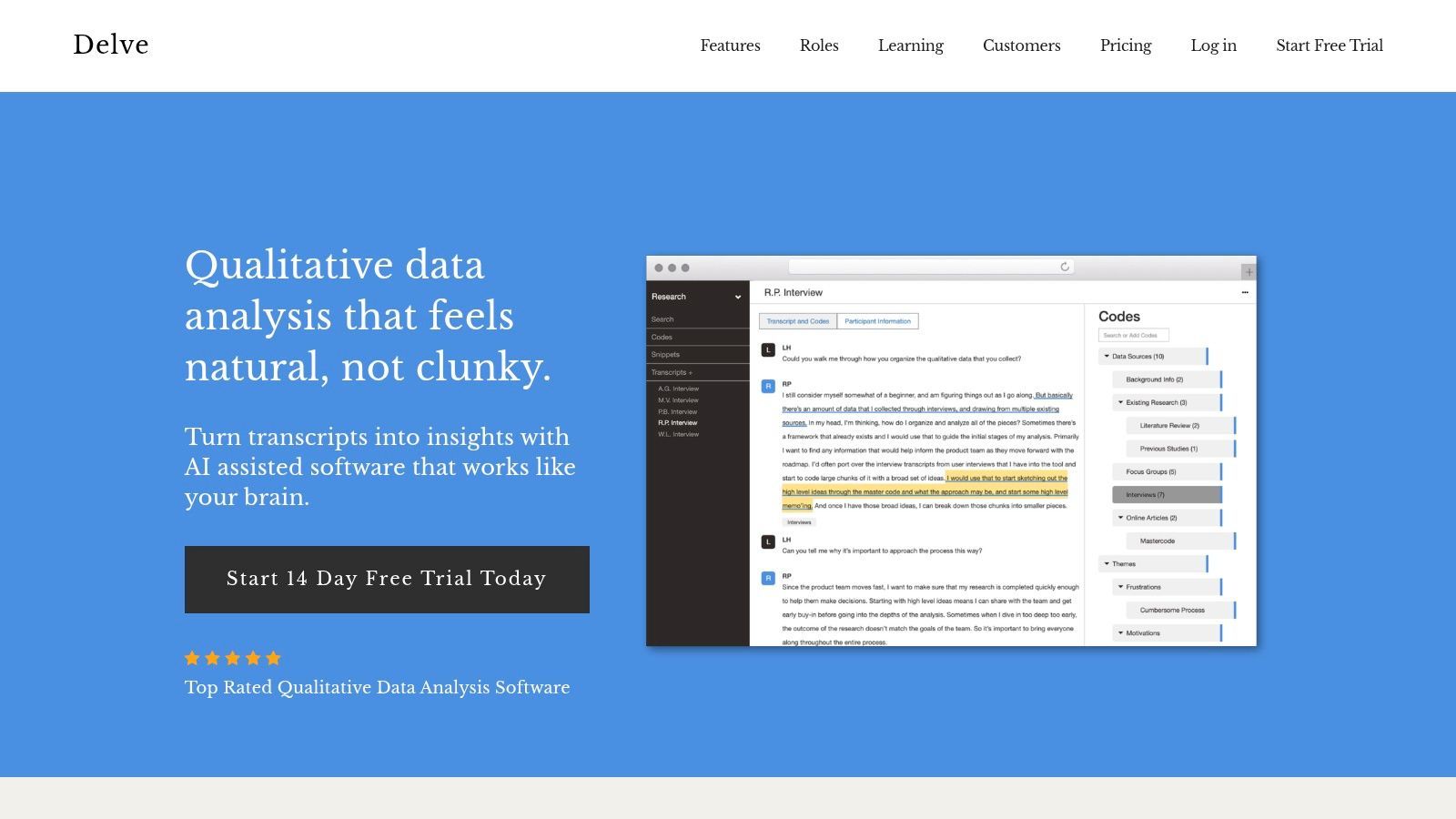
La piattaforma eccelle negli ambienti di team, in particolare per stabilire la coerenza della codifica. La caratteristica distintiva di Delve è il suo strumento integrato di affidabilità inter-codificatore (ICR), che automatizza il calcolo dell'accordo tra i codificatori, un compito spesso manuale e dispendioso in termini di tempo in altri software. Offre anche funzionalità assistite dall'IA per suggerire codici e temi, supportate da ampie risorse educative come tutorial e webinar. La sua fatturazione semplice, mese per mese, e la prova gratuita abbassano la barriera d'ingresso per gli utenti con un budget limitato o con esigenze di progetto a breve termine.
Workflow Boosters

Rilevamento dei parlanti
Identifica automaticamente diversi parlanti nelle tue registrazioni e etichettali con i loro nomi.

Strumenti di modifica
Modifica le trascrizioni con strumenti potenti tra cui trova e sostituisci, assegnazione dei parlanti, formati di testo arricchito ed evidenziazione.
Riassunti e Chatbot
Genera riassunti e altri approfondimenti dalla tua trascrizione, prompt personalizzati riutilizzabili e chatbot per i tuoi contenuti.
Offerte Chiave ed Esperienza Utente
- Basso Curva di Apprendimento: Delve è eccezionalmente facile da usare, permettendo ai nuovi utenti di iniziare a codificare trascrizioni in pochi minuti.
- Affidabilità Automatizzata Inter-Codificatore: I suoi strumenti integrati semplificano il processo di confronto della codifica tra i membri del team, rendendolo ideale per la ricerca collaborativa e la formazione accademica.
- Accessibilità Basata sul Web: Essendo completamente basato su browser, consente agli utenti di accedere ai propri progetti da qualsiasi computer con una connessione Internet.
- Funzionalità Avanzate Limitate: Mancano le capacità di interrogazione profonde e complesse e quelle per metodi misti delle applicazioni desktop più robuste come NVivo o ATLAS.ti.
Suggerimento Pratico: Delve è perfetto per l'analisi tematica di trascrizioni di interviste. Per massimizzare l'efficienza, utilizzare Transcript.LOL per produrre trascrizioni pulite in formato .docx o .txt. È quindi possibile copiare e incollare il testo direttamente in un progetto Delve, consentendo di saltare la preparazione dei dati e passare direttamente alla codifica e all'analisi.
Sito Web: https://delvetool.com/
8. Provalis Research (tramite rivenditore MSMiami)
Per ricercatori e istituzioni che cercano potenti strumenti QDA basati su statistiche, MSMiami funge da rivenditore semplificato negli Stati Uniti per la suite software Provalis Research. Questa piattaforma fornisce un percorso di acquisto chiaro e diretto per l'acquisizione di strumenti essenziali come QDA Miner, WordStat e ProSuite, rendendola una risorsa eccellente per coloro che necessitano di alcuni dei migliori software per l'analisi qualitativa dei dati con un vantaggio quantitativo. Il sito semplifica l'approvvigionamento istituzionale con prezzi trasparenti in USD, livelli di licenza distinti e opzioni di termini flessibili.
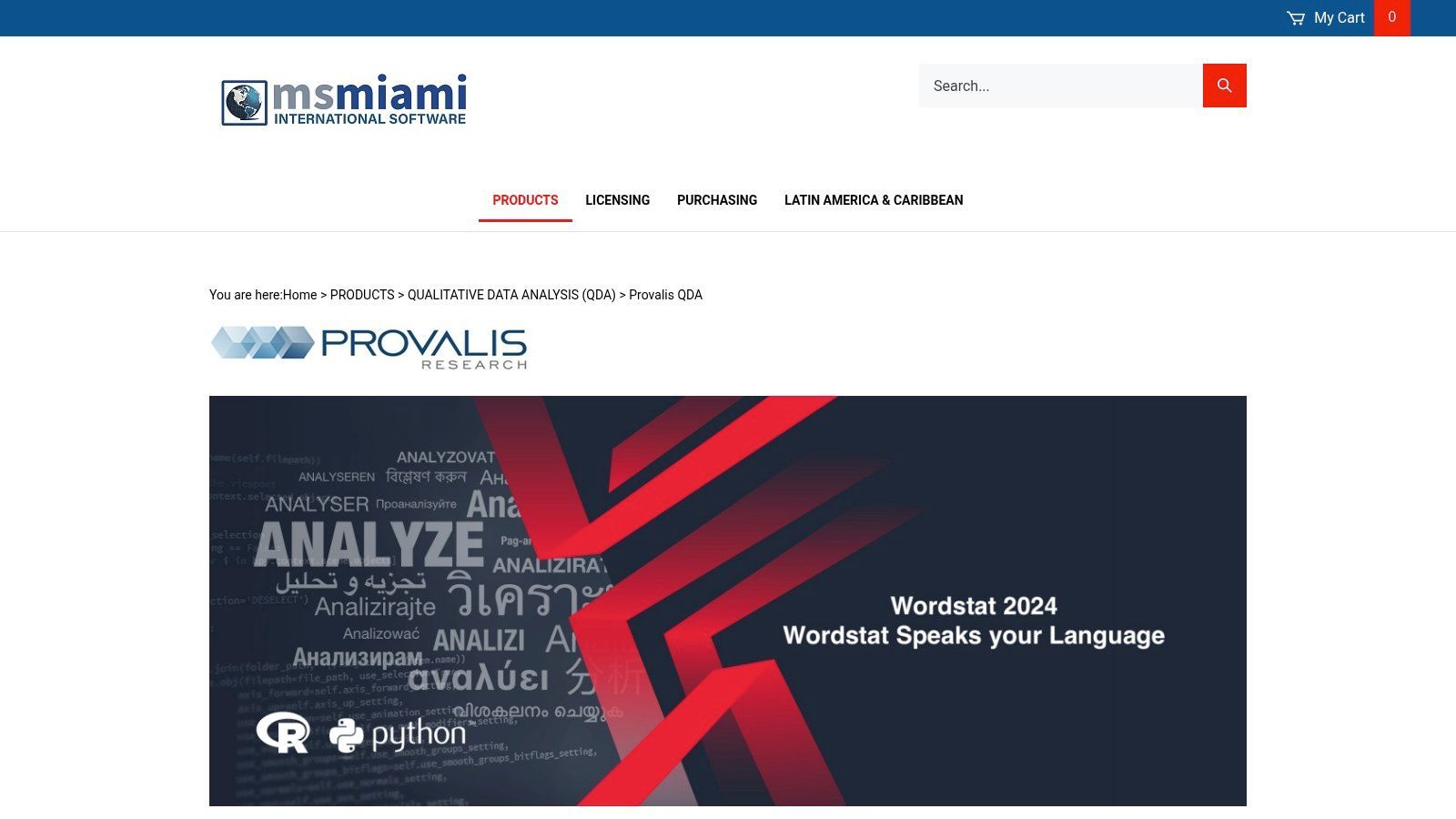
La suite Provalis è nota per le sue capacità per metodi misti. QDA Miner gestisce la codifica qualitativa tradizionale, mentre WordStat eccelle nell'analisi avanzata del testo e nell'analisi statistica, consentendo un'analisi del contenuto sofisticata su larga scala. Il negozio MSMiami rende facile l'acquisto di questi strumenti singolarmente o in bundle (ProSuite) con codici prodotto chiari adatti per acquirenti accademici, governativi o commerciali. La sua attenzione alla consegna elettronica immediata garantisce che i ricercatori possano iniziare senza indugio.
Offerte Chiave ed Esperienza Utente
- Potenza per Metodi Misti: Combina una profonda codifica qualitativa (QDA Miner) con un'avanzata analisi quantitativa del testo (WordStat).
- Acquisto Istituzionale Trasparente: Il sito MSMiami offre prezzi chiari e anticipati in USD per licenze accademiche, governative e commerciali.
- Licenze Flessibili: Fornisce opzioni per licenze annuali e pluriennali, rivolgendosi sia a progetti a breve termine che a esigenze istituzionali a lungo termine.
- Limitazioni della Piattaforma: Il software principale è principalmente basato su Windows e le sue funzionalità di collaborazione sono meno integrate rispetto alle moderne piattaforme cloud-native.
Suggerimento Pratico: Gli strumenti Provalis sono ideali per analizzare grandi volumi di dati testuali, come risposte a sondaggi o trascrizioni di interviste. Per massimizzare l'efficienza, preparare le trascrizioni in un formato .docx o .txt pulito utilizzando un servizio come Transcript.LOL prima di importarle in QDA Miner. Ciò garantisce che i dati siano pronti per le potenti funzioni di text mining e statistiche in WordStat.
Sito Web: https://www.msmiami.com/Provalis_QDA_s/82.htm
9. Transana (sito ufficiale)
Transana è uno strumento di analisi qualitativa altamente specializzato ottimizzato per dati video e audio, che lo rende una scelta eccezionale per la ricerca incentrata sui media. Il sito ufficiale è la fonte diretta per le sue edizioni Professional e Multiuser, particolarmente adatte per campi come l'istruzione, gli studi di usabilità e l'etnografia. Si ritaglia la sua nicchia concentrandosi su flussi di lavoro di trascrizione e analisi profondi e sincronizzati, posizionandosi come alcuni dei migliori software per l'analisi qualitativa dei dati quando i dati primari sono multimediali.
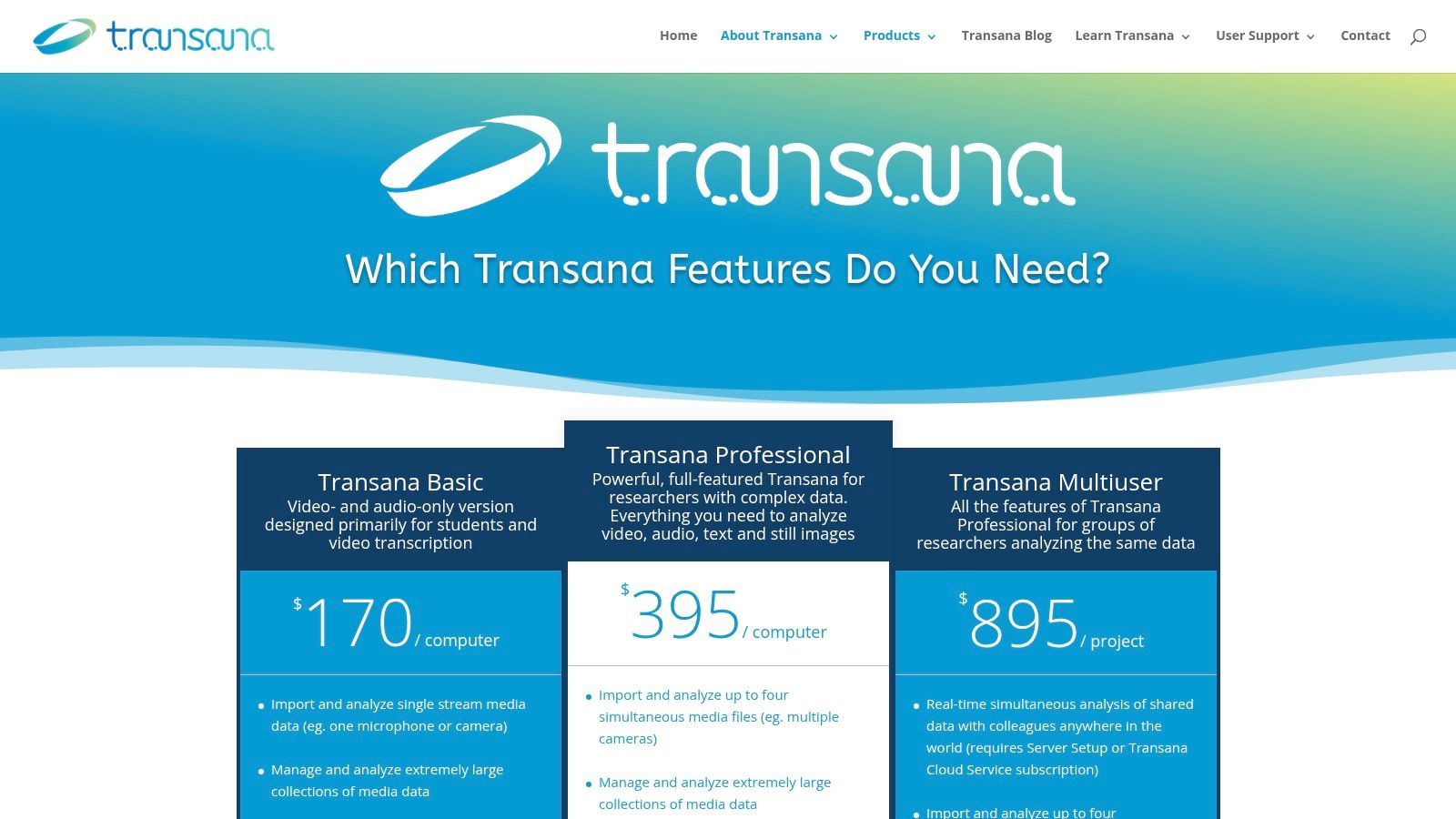
A differenza di molti modelli basati su abbonamento, Transana offre licenze perpetue chiare, fornendo valore a lungo termine per laboratori accademici e ricercatori individuali. Il software consente l'analisi di più file video o audio sincronizzati, il che è inestimabile per lo studio di interazioni di gruppo o eventi complessi. La sua edizione Multiuser supporta l'analisi collaborativa in tempo reale e un servizio cloud opzionale facilita il lavoro di squadra a distanza. Sebbene importi anche dati di testo, PDF e sondaggi per progetti con metodi misti, il suo punto di forza principale risiede nelle sue sofisticate capacità di gestione dei media.
Offerte Chiave ed Esperienza Utente
- Specializzazione Multimediale: Offre flussi di lavoro approfonditi per video e audio, inclusa la trascrizione e la codifica sincronizzate direttamente sulle timeline multimediali.
- Licenza Perpetua: Fornisce un modello di acquisto chiaro e una tantum che è conveniente per laboratori, aule e progetti a lungo termine.
- Analisi Collaborativa: L'edizione Multiuser, abbinata al suo servizio cloud opzionale, consente la collaborazione in tempo reale tra i team di ricerca.
- Focus di Nicchia: La sua interfaccia e i suoi strumenti sono altamente specializzati per l'analisi dei media, il che potrebbe risultare meno intuitivo per i ricercatori che lavorano principalmente con il testo.
Suggerimento Pratico: Il punto di forza di Transana è l'analisi dei media insieme alla sua trascrizione. Per la massima efficienza, genera trascrizioni altamente accurate con un servizio come Transcript.LOL prima. È quindi possibile importare i file .txt e collegarli al video o all'audio, consentendo di concentrarsi immediatamente sulla codifica e sull'interpretazione dei dati sincronizzati piuttosto che sulla trascrizione manuale.
Sito Web: https://www.transana.com/products/
10. HyperRESEARCH (sito ufficiale ResearchWare)
HyperRESEARCH, disponibile direttamente dal sito ufficiale ResearchWare, è uno strumento multipiattaforma veterano che promuove semplicità e convenienza nell'analisi qualitativa. Il sito web funge da portale diretto al consumatore, offrendo prezzi semplici basati sugli Stati Uniti e un modello di licenza perpetua sorprendentemente semplice. Ciò lo rende un'ottima scelta per accademici, studenti e piccoli laboratori che cercano i migliori software per l'analisi qualitativa dei dati senza l'impegno di un abbonamento ricorrente.
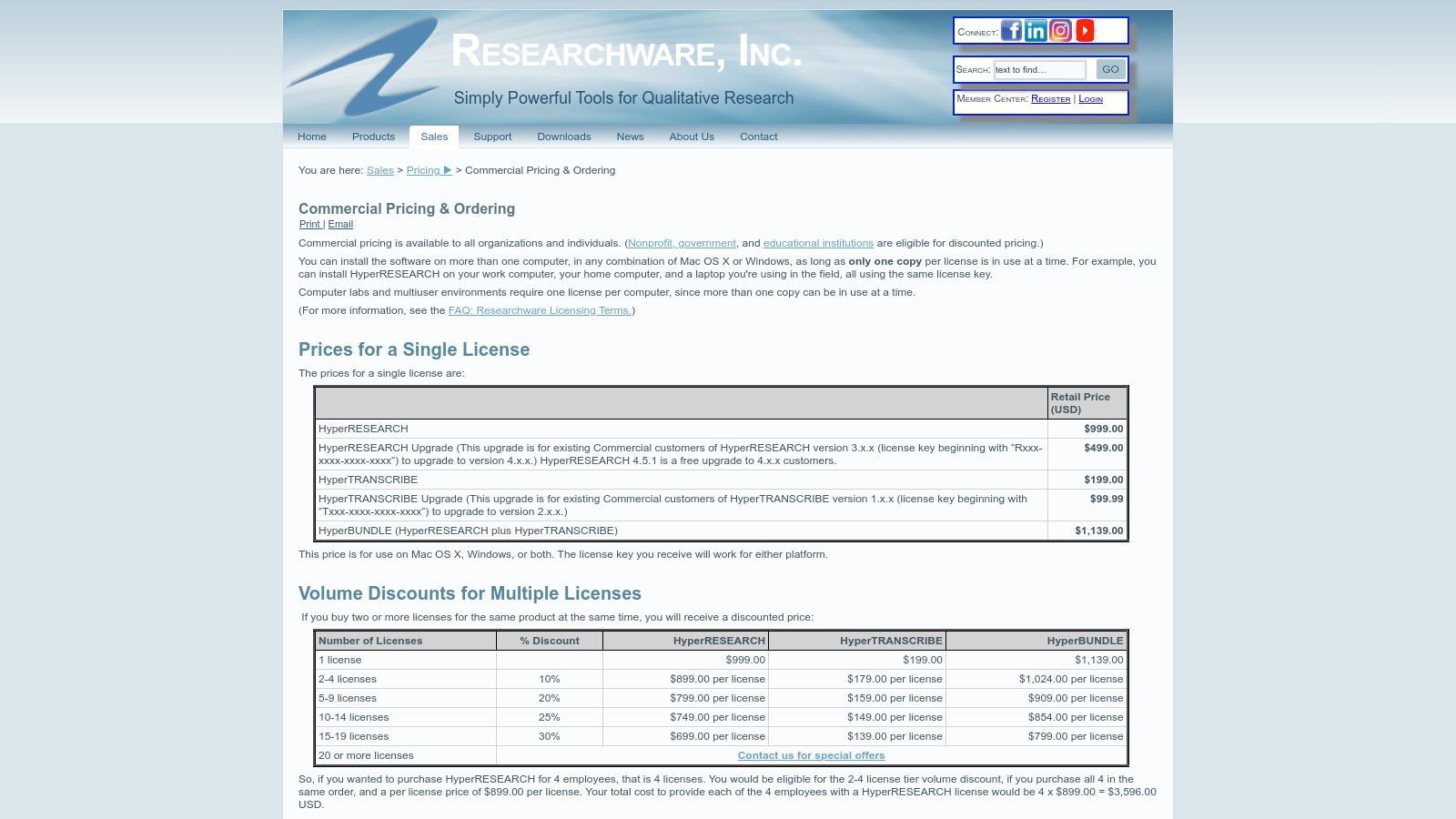
Il software fornisce una solida base per la codifica di testo, audio, immagini e video, e il sito ResearchWare rende facile abbinarlo al suo prodotto gemello, HyperTRANSCRIBE, per flussi di lavoro di trascrizione integrati. Ciò che distingue questa piattaforma è la sua struttura di prezzi trasparente e a livelli per utenti commerciali, governativi, educativi e studenti, con sconti significativi per questi ultimi. Anche la licenza è generosa, consentendo a un singolo utente di installare il software su più macchine personali (con un uso attivo alla volta), il che è ideale per i ricercatori che lavorano su dispositivi diversi.
Offerte Chiave ed Esperienza Utente
- Modello di Licenza Perpetua: Una differenziazione chiave è il suo modello di acquisto una tantum, che attrae gli utenti che preferiscono possedere il software in modo definitivo.
- Prezzi a Livelli Trasparenti: Il sito web espone chiaramente i costi per diversi settori, con sconti sostanziali per studenti ed educatori.
- Funzionalità Multipiattaforma: HyperRESEARCH funziona perfettamente sia su Windows che su macOS, un vantaggio significativo per i team con piattaforme miste.
- Meno Funzionalità Moderne: Mancano alcune delle funzionalità avanzate di IA e collaborazione cloud presenti nei concorrenti più recenti basati su abbonamento.
Suggerimento Pratico: Il sito ResearchWare offre pacchetti bundle per HyperRESEARCH e HyperTRANSCRIBE. Se il tuo progetto prevede la trascrizione di interviste, l'acquisto del pacchetto può creare un flusso di lavoro più integrato. Prepara i tuoi file audio e usa HyperTRANSCRIBE per creare trascrizioni pulite prima di importarle in HyperRESEARCH per la codifica e l'analisi.
Sito Web: https://www.researchware.com/sales/pricing/commercial-pricing.html
11. Taguette (sito ufficiale open-source)
Taguette è uno strumento gratuito e open-source che si ritaglia una nicchia unica nel panorama QDA. Disponibile sia come web app ospitata che come installazione locale scaricabile, offre un approccio semplice e incentrato sul testo, rendendolo una delle opzioni di migliori software per l'analisi qualitativa dei dati per studenti, piccoli laboratori e ricercatori con un budget limitato. Il sito ufficiale è il luogo di riferimento per download, documentazione e accesso alla versione ospitata, enfatizzando la sua etica guidata dalla comunità e focalizzata sulla privacy.
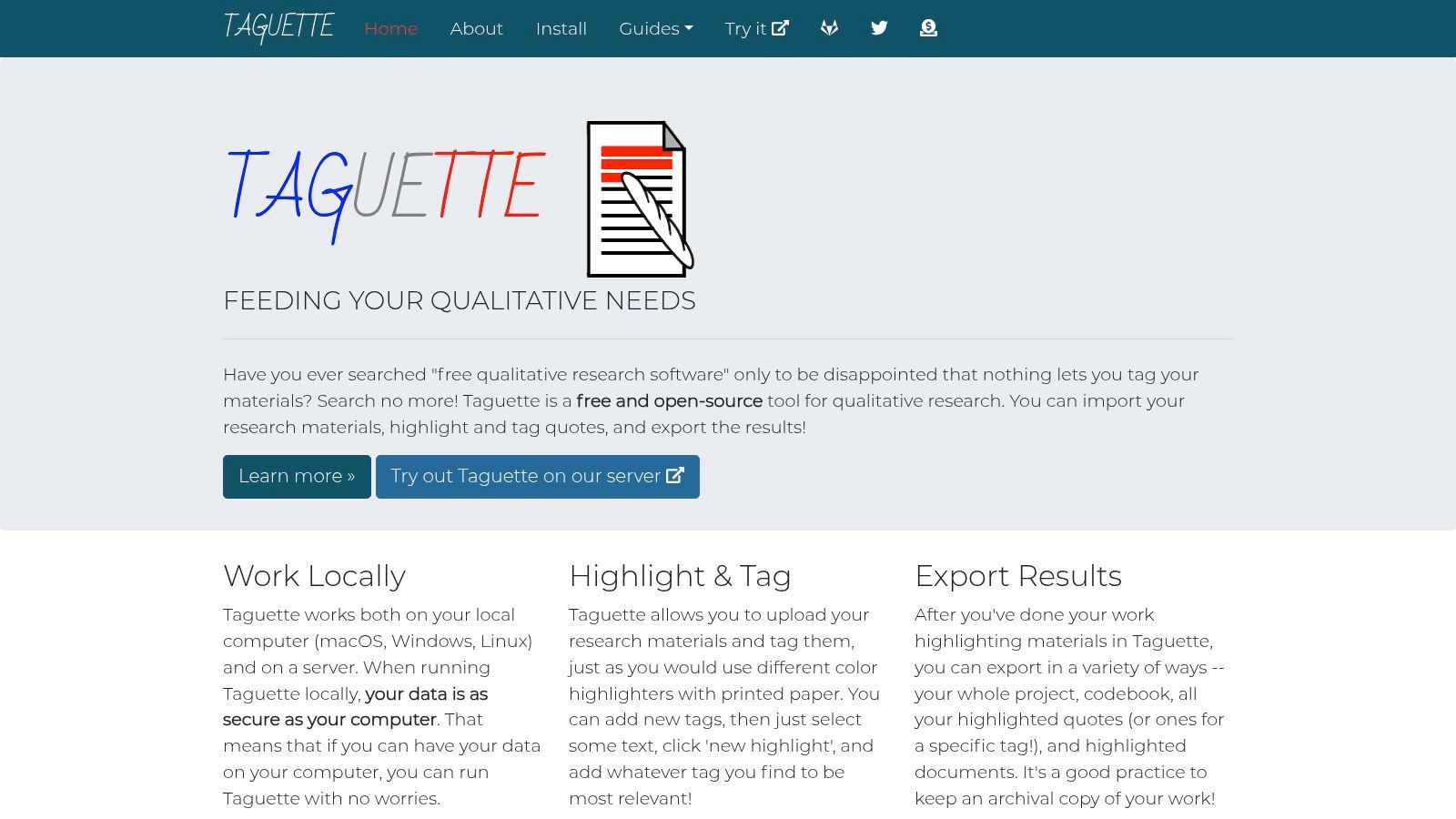
La piattaforma è progettata per la semplicità, consentendo agli utenti di evidenziare rapidamente il testo, applicare codici da un libro di codici gestibile ed esportare i propri risultati. Il suo punto di forza principale risiede nella sua accessibilità e convenienza. L'opzione di installazione locale è particolarmente preziosa per progetti che coinvolgono dati sensibili, poiché consente un lavoro completamente offline. Sebbene manchino le funzionalità avanzate di gestione multimediale o le complesse interrogazioni delle suite commerciali, il suo focus sui compiti QDA essenziali lo rende uno strumento incredibilmente efficace per l'analisi testuale diretta.
Offerte Chiave ed Esperienza Utente
- Gratuito e Open-Source: Completamente gratuito sotto licenza BSD, con sviluppo supportato da donazioni opzionali.
- Distribuzione Flessibile: Utilizza la web app ospitata per un accesso rapido o installa localmente su Windows, Mac o Linux per l'uso offline e una maggiore privacy.
- Flusso di Lavoro Semplificato: Si concentra sulle funzionalità essenziali di evidenziazione e codifica, rendendolo facile da imparare per principianti e workshop.
- Incentrato sul Testo: Ideale per l'analisi basata su documenti e manca di funzionalità robuste per dati audio, video o immagini.
Suggerimento Pratico: Taguette è ideale per insegnare metodi qualitativi o per progetti con un budget limitato. Per la ricerca basata su interviste, ottieni prima le tue trascrizioni audio in file .docx puliti utilizzando un servizio come Transcript.LOL. È quindi possibile importare questi documenti in Taguette per un flusso di lavoro di codifica veloce, gratuito ed efficiente senza alcun investimento software.
Sito Web: https://www.taguette.org/
12. Capterra – Categoria Software di Analisi Qualitativa dei Dati
Capterra funge da marketplace completo di software e la sua categoria dedicata al software di analisi qualitativa dei dati è un punto di partenza essenziale per i ricercatori. Invece di essere un singolo strumento, è un potente motore di confronto che aggrega recensioni degli utenti, elenchi di funzionalità e modelli di prezzo da decine di fornitori. Ciò lo rende una risorsa inestimabile per chiunque cerchi i migliori software per l'analisi qualitativa dei dati che si adattino al proprio budget specifico, alle dimensioni del team e alla complessità del progetto.
La piattaforma consente agli utenti di applicare filtri per funzionalità come la trascrizione automatica, l'analisi del sentiment e la visualizzazione dei dati, creando una lista ristretta personalizzata in pochi minuti. Consolidando il feedback reale degli utenti, Capterra fornisce una prospettiva fondata sui pro e contro di ogni strumento, andando oltre le dichiarazioni di marketing. Offre una visione d'insieme del mercato, aiutando i ricercatori a identificare rapidamente le opzioni più votate o il software di nicchia che altrimenti avrebbero potuto perdere. È il primo passo ideale prima di impegnarsi in prove gratuite o demo.
Offerte Chiave ed Esperienza Utente
- Recensioni Aggregata degli Utenti: Raccoglie valutazioni autentiche degli utenti e feedback dettagliati, evidenziando i punti di forza e di debolezza reali di vari strumenti QDA.
- Confronto Affiancato: Dispone di un robusto sistema di filtraggio per confrontare direttamente il software in base a funzionalità, modelli di prezzo e base utenti prevista.
- Ampia Copertura dei Fornitori: Include una vasta gamma di opzioni dai leader del settore come NVivo e ATLAS.ti alle piattaforme emergenti e specializzate.
- Informazioni Potenzialmente Obsolete: I dettagli sui prezzi e gli set di funzionalità possono talvolta rimanere indietro rispetto ai siti web ufficiali dei fornitori, richiedendo una verifica secondaria.
Suggerimento Pratico: Utilizza Capterra per creare un elenco iniziale di 3-4 strumenti potenziali. Presta molta attenzione alle recensioni che menzionano la gestione delle trascrizioni. Una volta identificati le piattaforme che funzionano bene con file .docx o .txt, puoi utilizzare con sicurezza un servizio come Transcript.LOL per preparare i tuoi dati per un'importazione e un flusso di lavoro di analisi fluidi.
Sito Web: https://www.capterra.com/qualitative-data-analysis-software/
I 12 Migliori Strumenti per l'Analisi Qualitativa dei Dati — Confronto
| Prodotto | ✨ Funzionalità principali | ★ Qualità / UX | 💰 Prezzo / Valore | 👥 Pubblico di destinazione | 🏆 Eccezionale / USP |
|---|---|---|---|---|---|
| Transcript.LOL 🏆 | Trascrizione veloce basata su Whisper; vocabolario personalizzato; rilevamento parlante; esportazioni multi-formato; strumenti di riutilizzo | Accuratezza ≈99,8%; ultra-veloce; 4,8★ (1.246 recensioni) | 💰 Livello gratuito; Individuale $120/anno; Team $240/anno | 👥 Podcaster, marketer, educatori, giornalisti, team | 🏆 Privacy-first (nessuna politica di addestramento); ampie integrazioni; riepiloghi automatizzati e riutilizzo dei contenuti |
| NVivo (Lumivero) | Codifica robusta, interrogazioni, visualizzazioni; add-on di trascrizione e IA | Maturo, potente; curva di apprendimento più ripida ★★★★ | 💰 Licenza + add-on (varia per livello) | 👥 Accademici, grandi team di ricerca, aziende | Funzionalità CAQDAS approfondite + formazione/risorse estese ✨ |
| ATLAS.ti | Desktop + Web; supporto multimediale; visualizzazioni di rete | Approvvigionamento pronto per l'impresa; ricco di funzionalità ★★★★ | 💰 Prezzi basati su preventivo / portale | 👥 Ricercatori aziendali, team | Forti strumenti di visualizzazione e flusso di acquisto aziendale ✨ |
| MAXQDA | CAQDAS + statistiche integrate; add-on IA Tailwind e trascrizione | Potenti strumenti per metodi misti; curva moderata ★★★★ | 💰 Prezzi basati sulla regione; add-on extra | 👥 Ricercatori e analisti per metodi misti | Analisi integrate + moderne funzionalità IA ✨ |
| Dedoose | Collaborazione nativa web; permessi di ruolo; crittografia del progetto | Facile onboarding; collaborazione in tempo reale ★★★ | 💰 Fatturazione per mese attivo (paga quando usi) | 👥 Università, team di ricerca distribuiti | Fatturazione flessibile per semestre e supporto team ✨ |
| Quirkos | Cloud leggero + desktop; collaborazione dal vivo; interfaccia amichevole | Molto accessibile; onboarding veloce ★★★★ | 💰 Conveniente; abbonamenti cloud o desktop a vita | 👥 Studenti, istruttori, piccoli team | Amichevole per l'insegnamento, bassa curva di apprendimento; configurazione rapida ✨ |
| Delve | Solo Web; codifica assistita da IA; affidabilità automatizzata inter-codificatore | Bassa curva di apprendimento; focalizzato sull'istruzione ★★★★ | 💰 Mese per mese; prova gratuita | 👥 Istruttori, coorti di studenti, piccoli team | Affidabilità inter-codificatore integrata e risorse per aule ✨ |
| Provalis (via MSMiami) | QDA Miner, WordStat, SimStat; bundle ProSuite | Forte text-mining; orientato a Windows ★★★★ | 💰 Prezzi chiari in USD; livelli accademici/commerciali | 👥 Istituzioni che necessitano di text mining avanzato | Prezzi trasparenti del rivenditore + bundle completi di prodotti ✨ |
| Transana | Analisi multimediale; trascrizioni sincronizzate; edizione multiuser | Eccellente per progetti ricchi di media ★★★★ | 💰 Prezzi perpetui; servizi cloud opzionali | 👥 Etnografi, educatori, ricercatori di usabilità | Flussi di lavoro multimediali specializzati e prezzi vantaggiosi ✨ |
| HyperRESEARCH | QDA multipiattaforma; add-on HyperTRANSCRIBE; licenze perpetue | Interfaccia utente semplice; adatta alle aule ★★★ | 💰 Licenza perpetua con sconti educativi | 👥 Aule, piccoli laboratori, singoli ricercatori | Licenza perpetua semplice; sconti per studenti ✨ |
| Taguette | Open-source; installazione ospitata o locale; codifica incentrata sul testo | Leggero, rispettoso della privacy; avvio facile ★★★ | 💰 Gratuito (donazioni benvenute) | 👥 Studenti, team attenti alla privacy, laboratori | Installazione gratuita, locale/offline per uso sensibile alla privacy ✨ |
| Capterra (categoria) | Recensioni aggregate, confronti affiancati, filtri | Utile strumento di lista ristretta; qualità delle recensioni variabile ★★★★ | 💰 Gratuito | 👥 Acquirenti che ricercano fornitori QDA/trascrizione | Ampia copertura dei fornitori e aggregazione delle recensioni degli utenti ✨ |
Scegliere il Tuo Percorso: Come Selezionare il Software QDA Giusto per il Tuo Progetto
Navigare nel panorama del software di analisi qualitativa dei dati può sembrare opprimente, ma l'elenco esteso che abbiamo esplorato rivela una verità fondamentale: i migliori software per l'analisi qualitativa dei dati non sono una soluzione universale. Invece, è lo strumento che rispecchia più da vicino i contorni unici del tuo progetto, del tuo team e dei tuoi obiettivi analitici. Dal rigore accademico di NVivo e ATLAS.ti alla natura semplificata e collaborativa di Delve e Dedoose, la tua scelta ideale dipende da una valutazione ponderata delle tue esigenze specifiche.
Il viaggio per scoprire intuizioni profonde e significative è un processo, non un acquisto. Questa guida ha presentato i principali attori, dalle potenze del settore ai nuovi arrivati agili e accessibili. Abbiamo visto come strumenti specializzati come Transana eccellano nell'analisi video, mentre opzioni open-source come Taguette offrono un punto di ingresso gratuito per progetti diretti. Il punto cruciale è andare oltre gli elenchi di funzionalità e considerare le realtà pratiche del tuo flusso di lavoro.
Start With Clean Data First
Even the most powerful analysis software fails with messy transcripts. Accurate, structured text dramatically improves coding speed, reliability, and final insights.
Fattori chiave nella tua matrice decisionale
Prima di impegnarti in una piattaforma, rifletti su queste domande essenziali. Le risposte ti guideranno verso il software giusto nel nostro elenco e garantiranno che il tuo investimento di tempo e denaro produca i migliori risultati possibili.
- Scala e complessità del progetto: stai analizzando una manciata di interviste per un rapporto rapido o stai gestendo uno studio longitudinale pluriennale con migliaia di punti dati? Strumenti come MAXQDA e Provalis Research sono costruiti per la complessità, mentre Quirkos e Delve eccellono con progetti più mirati.
- Collaborazione di squadra: la tua ricerca è un'impresa solitaria o più codificatori lavorano contemporaneamente? Piattaforme basate su cloud come Dedoose e Delve sono progettate per la collaborazione in tempo reale, mentre applicazioni incentrate sul desktop come NVivo e ATLAS.ti hanno versioni specifiche per team (e spesso più costose).
- Tipi di dati: con che tipo di dati stai lavorando? Se il tuo progetto si basa pesantemente su file video e audio, uno strumento come Transana con le sue funzionalità integrate di trascrizione e sincronizzazione multimediale è inestimabile. Se stai analizzando principalmente testo, le tue opzioni sono molto più ampie.
- Budget e licenza: qual è il tuo budget? Gli abbonamenti per Dedoose possono essere messi in pausa, offrendo flessibilità per progetti finanziati da sovvenzioni o sporadici. Le licenze perpetue per NVivo o MAXQDA rappresentano un investimento iniziale significativo, ma potrebbero essere più convenienti a lungo termine. Nel frattempo, strumenti gratuiti come Taguette eliminano completamente questa barriera.
- Curva di apprendimento e abilità tecniche: quanto tempo puoi dedicare all'apprendimento di un nuovo sistema? Strumenti come Delve e Quirkos sono noti per le loro interfacce intuitive e le curve di apprendimento dolci, rendendoli scelte eccellenti per principianti o team che necessitano di iniziare rapidamente. Piattaforme più complete come ATLAS.ti e NVivo offrono un'immensa potenza, ma richiedono un maggiore impegno di tempo per essere padroneggiate.
Il passo fondamentale: trascrizione di alta qualità
Indipendentemente dal software che alla fine sceglierai, un principio rimane costante: la qualità della tua analisi dipende direttamente dalla qualità dei tuoi dati. Per qualsiasi ricerca che coinvolga interviste, focus group, registrazioni video o note audio, il processo inizia con la trascrizione. Una trascrizione pulita, accurata e correttamente formattata è il fondamento su cui si basano tutte le successive codifiche e analisi.
Tentare di analizzare direttamente dall'audio o utilizzare trascrizioni automatiche imprecise introduce attrito, errori e significativi sprechi di tempo nel tuo flusso di lavoro. Ogni singolo strumento QDA in questo elenco, da NVivo a Taguette, funziona in modo più efficace se alimentato da una fonte di testo affidabile. È qui che l'integrazione di un servizio specializzato diventa un vantaggio strategico, trasformando un prerequisito noioso in una parte integrante della tua infrastruttura di ricerca. Iniziando con una trascrizione perfetta, permetti al software scelto di fare ciò che sa fare meglio: aiutarti a trovare la storia nei dati.
Pronto a costruire un flusso di lavoro di analisi qualitativa potente ed efficiente? Inizia con il componente più critico: una trascrizione impeccabile. Transcript.LOL fornisce trascrizioni veloci, accurate al 99%+, perfezionate da esseri umani, che si integrano perfettamente con ogni strumento QDA menzionato in questa guida. Visita Transcript.LOL per caricare il tuo audio o video e ricevere un documento impeccabile, pronto per l'analisi, che accelererà il tuo percorso verso la scoperta.