
App per registrare lezioni: Guida 2026 ai migliori strumenti
App per registrare lezioni: scopri i migliori strumenti per dispositivi mobili, desktop e trascrizione AI per catturare le lezioni nel 2026.
Kate, Praveen
March 4, 2026
Il passaggio all'apprendimento ibrido e la necessità di sessioni di studio mirate hanno reso la cattura delle lezioni più critica che mai. Non si tratta solo di premere 'registra'; si tratta di scegliere uno strumento che si adatti al tuo flusso di lavoro, sia che tu sia in una vasta aula magna o che frequenti una lezione da remoto. L'app giusta può trasformare un'esperienza di ascolto passiva in una base di conoscenza attiva, ricercabile e rivedibile.
Registrare da soli non basta
Salvare l'audio non equivale a imparare da esso. Senza funzionalità di ricerca, trascrizione e presa di appunti, le lezioni audio diventano file lunghi e ingombranti che raramente si rivedono. La chiave è rendere le lezioni disponibili come testo, riassunti e informazioni facilmente rivedibili.
Tuttavia, con centinaia di opzioni, dai semplici memo vocali alle suite di trascrizione potenziate dall'IA, trovare la soluzione perfetta è una sfida. Studenti, professionisti e studenti permanenti necessitano di app affidabili per registrare lezioni che garantiscano un audio chiaro durante lunghe sessioni e aiutino a trasformare quelle registrazioni in appunti attuabili.
Rendi le tue registrazioni istantaneamente utili
IA all'avanguardia
Alimentato da Whisper di OpenAI per una precisione leader nel settore. Supporto per vocabolari personalizzati, file fino a 10 ore e risultati ultra rapidi.

Importa da più fonti
Importa file audio e video da varie fonti tra cui caricamento diretto, Google Drive, Dropbox, URL, Zoom e altro.

Esporta in più formati
Esporta le tue trascrizioni in più formati tra cui TXT, DOCX, PDF, SRT e VTT con opzioni di formattazione personalizzabili.
Questa guida va dritta al sodo. Forniremo un'analisi approfondita delle 12 migliori app per registrare lezioni, categorizzate in base alla loro funzione principale:
- Appunti Integrati (es. Notability, OneNote)
- Cattura Audio di Alta Qualità (es. Dolby On, Audio Hijack)
- Trascrizione e Riassunto Avanzati (es. Otter.ai, Rev)
Valuteremo ogni strumento in base a scenari reali, evidenziando funzionalità pratiche, limitazioni nascoste e i migliori flussi di lavoro per uno studio efficiente. Abbinare un registratore di lezioni affidabile con una suite di altri migliori strumenti di produttività per studenti universitari può aumentare significativamente la tua efficienza accademica e l'esperienza di studio complessiva. All'interno di questa guida, scoprirai quali app sincronizzano l'audio con i tuoi appunti scritti a mano, quali utilizzano l'IA per eliminare il rumore di fondo e quali sono le migliori per creare un archivio completo e ricercabile del tuo materiale didattico. Ogni raccomandazione include link diretti e screenshot per aiutarti a fare una scelta consapevole.
Abitudini intelligenti di registrazione delle lezioni che ti fanno risparmiare ore
🎯 Inizia a registrare presto
Pochi minuti prima della lezione, dovresti iniziare a registrare per catturare le informazioni importanti fornite prima che la lezione inizi ufficialmente.
🔋 Proteggi la durata della batteria
Le lezioni lunghe possono scaricare le batterie dei tuoi dispositivi, quindi devi essere strategico per assicurarti che la tua app non si spenga a metà lezione.
🗂 Nomina i file immediatamente
È importante nominare le tue registrazioni immediatamente dopo la lezione per evitare confusione in seguito, specialmente durante gli esami.
✂ Rivedi entro 24 ore
Rivedere la tua lezione entro 24 ore ti aiuterà notevolmente a ricordare le informazioni, evitando così di dover studiare all'ultimo minuto.
1. Otter.ai
Otter.ai è più di una semplice app per registrare lezioni; è un assistente basato sull'intelligenza artificiale progettato per trasformare le parole pronunciate in appunti ricercabili e condivisibili. Il suo punto di forza principale risiede nella trascrizione in tempo reale, che consente agli studenti di seguire una trascrizione dal vivo mentre la lezione è in corso. Questa funzionalità cambia le regole del gioco per l'accessibilità e per il rafforzamento di argomenti complessi man mano che vengono discussi. La piattaforma identifica automaticamente i diversi oratori, il che è particolarmente utile per discussioni di gruppo o sessioni di studio di gruppo.
La possibilità di registrare direttamente su dispositivi mobili o web, o di inviare un bot "OtterPilot" per unirsi a riunioni Zoom, Google Meet o Microsoft Teams, offre un'incredibile flessibilità. Dopo la lezione, la trascrizione è completamente ricercabile, consentendo di trovare istantaneamente parole chiave o concetti specifici senza dover scorrere ore di audio. Sebbene la trascrizione sia veloce e generalmente accurata per audio chiari, non è perfetta. Per progetti che richiedono un'accuratezza quasi impeccabile, potresti esplorare alcune delle migliori opzioni di software di trascrizione AI o utilizzare un servizio dedicato come Transcript.LOL.
Funzionalità Chiave e Considerazioni
- Trascrizione in Tempo Reale: Genera una versione testuale della lezione in tempo reale con etichette degli oratori.
- Integrazione Riunioni: Invia un bot per registrare e trascrivere automaticamente le lezioni online.
- Ricerca e Collaborazione: Le trascrizioni sono ricercabili, evidenziabili e possono essere condivise con i compagni di classe.
- Prezzi: Esiste un piano gratuito ma è limitato in minuti di trascrizione mensili e opzioni di importazione file. I piani Pro e Business sbloccano funzionalità più avanzate e limiti di utilizzo più elevati.
- Caso d'uso migliore: Ideale per gli studenti che desiderano un registro automatizzato e ricercabile di lezioni sia in presenza che online per la revisione e lo studio.
2. Notability
Notability è da tempo un favorito nel mondo accademico, creando un potente collegamento tra appunti scritti a mano e audio registrato. La sua funzione principale consente di registrare l'audio di una lezione mentre si digita o si scrivono appunti a mano sul proprio iPad o Mac contemporaneamente. La magia avviene durante la riproduzione; toccando una parola o uno schizzo che hai fatto, l'audio salterà al momento esatto in cui l'hai scritto. Questa riproduzione sincronizzata nel tempo è eccezionale per chiarire uno scarabocchio veloce o comprendere il contesto dietro un diagramma complesso.
Mentre il punto di forza dell'app è la presa di appunti attiva, gli aggiornamenti recenti hanno ampliato le sue capacità, rendendola una delle migliori app per registrare lezioni con intelligenza aggiunta. I piani di livello superiore includono ora la trascrizione audio, riassunti basati sull'intelligenza artificiale e persino la generazione di quiz dai tuoi appunti. Questo trasforma Notability da un semplice registratore a uno strumento di studio completo. Lo svantaggio principale è il suo ecosistema incentrato su Apple, con funzionalità limitate al di fuori di iOS e macOS. Per coloro che sono impegnati nell'apprendimento attivo, combinare questo strumento con metodi efficaci di presa di appunti può migliorare significativamente la ritenzione.
Funzionalità Chiave e Considerazioni
- Audio Sincronizzato nel Tempo: La riproduzione è collegata direttamente ai tuoi appunti scritti a mano o digitati, fornendo un contesto cruciale durante la revisione.
- Annotazione a Mano Libera e PDF: Un robusto set di strumenti per disegnare, evidenziare e annotare diapositive di lezioni o documenti.
- Miglioramenti AI: I piani a pagamento offrono trascrizione, riassunti di appunti AI e altre funzionalità "Smart Notes".
- Prezzi: È disponibile una versione gratuita con funzionalità di base. I piani Plus e Classic sbloccano la modifica illimitata, funzionalità avanzate come la trascrizione e la sincronizzazione cloud.
- Caso d'uso migliore: Perfetto per gli studenti visivi e per chi prende appunti dedicati all'interno dell'ecosistema Apple che desiderano collegare ciò che hanno sentito con ciò che hanno scritto.
3. GoodNotes 6
GoodNotes 6 trasforma l'esperienza di presa di appunti digitali integrando la registrazione audio direttamente con i tuoi appunti scritti a mano. Questa app per la registrazione di lezioni eccelle permettendoti di toccare qualsiasi parte dei tuoi appunti scritti per saltare al momento esatto nell'audio in cui li hai scritti. Questa riproduzione sincronizzata è incredibilmente efficace per rivedere argomenti complessi, poiché puoi riascoltare la spiegazione del professore vedendo il contesto dei tuoi appunti. Progettato principalmente per l'ecosistema Apple, la sua esperienza di scrittura a mano di prim'ordine con l'Apple Pencil lo fa sentire come scrivere su carta reale.
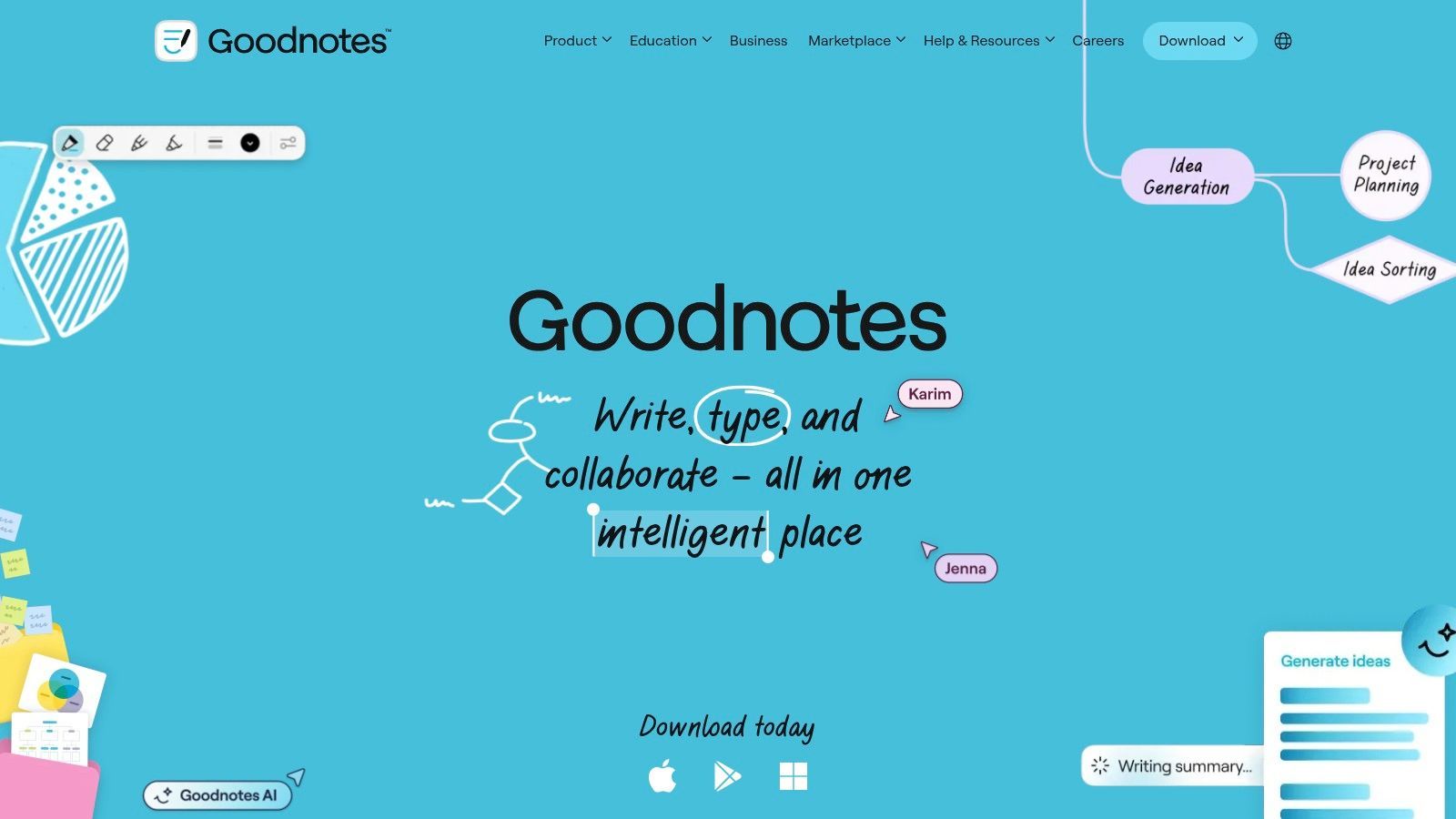
La piattaforma offre una registrazione audio illimitata, che è un vantaggio significativo per gli studenti che seguono più lezioni lunghe. Sebbene la funzionalità principale sia solida, GoodNotes ha spostato alcune funzionalità avanzate, come la trascrizione audio basata sull'intelligenza artificiale, in un livello separato a pagamento. Ciò significa che ottenere una versione testuale delle tue registrazioni di lezioni comporterà un costo aggiuntivo. La sua profonda integrazione all'interno di iOS, iPadOS e macOS offre un'esperienza fluida per gli utenti Apple, ma la funzionalità su altre piattaforme come Windows e Android è più limitata.
Funzionalità Chiave e Considerazioni
- Audio Sincronizzato con Appunti: Riproduci registrazioni audio toccando gli appunti scritti a mano o digitati corrispondenti sulla pagina.
- Scrittura a Mano e Annotazione PDF: Eccellente sensazione di scrittura con l'Apple Pencil, oltre a robusti strumenti per annotare diapositive di lezioni e documenti.
- Trascrizione AI Opzionale: L'add-on AI a pagamento può convertire le lezioni parlate in testo direttamente all'interno dei tuoi appunti.
- Prezzi: L'app principale è un acquisto una tantum o un abbonamento annuale. Le funzionalità AI richiedono un abbonamento aggiuntivo, che può aumentare il costo complessivo.
- Caso d'uso migliore: Perfetto per gli studenti che utilizzano iPad che preferiscono prendere appunti a mano e desiderano collegarli direttamente all'audio della lezione per la revisione contestuale.
4. Microsoft OneNote
Per gli studenti profondamente integrati nell'ecosistema Microsoft, OneNote offre un modo unico e potente per registrare lezioni incorporando l'audio direttamente nei loro appunti. Funziona come un taccuino digitale a forma libera in cui puoi digitare, disegnare e, soprattutto, inserire registrazioni audio in qualsiasi punto di una pagina. Questa registrazione contestuale è la caratteristica distintiva di OneNote; puoi avviare una registrazione audio e mentre digiti gli appunti, OneNote li marca temporalmente alla parte corrispondente dell'audio. Durante la riproduzione, puoi fare clic su una riga di testo e l'audio salterà al momento esatto in cui è stato registrato.
Questo metodo di sincronizzazione degli appunti digitati con l'audio registrato è eccezionale per rivedere materiale complesso. Invece di scorrere un lungo file audio, puoi semplicemente trovare il tuo appunto scritto su un concetto specifico e ascoltare istantaneamente ciò che il professore stava dicendo in quel momento. Poiché si sincronizza su tutti i dispositivi tramite un account Microsoft, i tuoi appunti e le loro registrazioni incorporate sono disponibili sul tuo laptop, tablet e telefono. Sebbene manchi delle funzionalità di trascrizione avanzate dei servizi dedicati, il suo punto di forza risiede nell'organizzazione delle registrazioni audio insieme ad altre forme di appunti, rendendola una delle migliori app integrate per la registrazione di lezioni.
Non fare affidamento solo sull'audio grezzo
Le registrazioni audio si accumulano velocemente e sono difficili da accedere in seguito. Ascoltare ore di lezioni registrate è uno spreco di tempo di studio. Usa sempre le app di registrazione in combinazione con app di trascrizione o riassunto per rendere i tuoi contenuti utili.
Key Features & Considerations
- Synced Audio and Notes: Automatically timestamps typed notes to the audio recording for easy playback and review.
- Cross‑Platform Sync: Notebooks and recordings are available across Windows, macOS, iOS, Android, and the web via a Microsoft account.
- Freeform Canvas: Insert audio recordings anywhere on the page alongside text, images, and drawings for rich, contextual notes.
- Pricing: Free for personal use with a Microsoft account. It is often included in Microsoft 365 subscriptions provided by educational institutions.
- Best Use Case: Excellent for students who prefer to type their notes during a lecture and want to link them directly to the corresponding audio for focused studying.
5. Apple Voice Memos
For students deeply integrated into the Apple ecosystem, the most effective app for recording lectures might already be on your device. Apple's Voice Memos is a free, built-in tool on every iPhone, iPad, and Mac that provides a surprisingly robust and reliable recording experience. Its strength lies in its simplicity and seamless integration; you can start recording with a single tap, making it perfect for capturing a lecture at a moment's notice without fumbling through complex settings.
The app offers basic but essential editing tools, like trimming dead air from the start or end of a recording. A standout function is the "Enhance Recording" feature, which uses computational audio to reduce background noise and room echo, significantly improving the clarity of a professor's voice in a large lecture hall. Because all recordings sync automatically via iCloud, you can record a lecture on your iPhone and have it instantly available for review on your Mac or iPad when you get back to your dorm. While it lacks native transcription, its high-quality audio files are perfect for exporting to a dedicated service like Transcript.LOL for an accurate text version.
Key Features & Considerations
- One-Tap Recording: Simple interface for quick and easy audio capture without any setup.
- Enhance Recording: An impressive feature for a free tool that cleans up audio by minimizing noise and reverberation.
- iCloud Sync: Recordings are automatically available across all your linked Apple devices for convenient access.
- Pricing: Completely free and pre-installed on Apple hardware with no feature limitations or hidden costs.
- Best Use Case: Excellent for Apple users who need a simple, dependable, and free recording solution and plan to use a separate service for transcription.
6. Google Recorder
For students with a Google Pixel phone, Google Recorder is one of the most powerful and convenient apps for recording lectures. Its standout feature is its on-device live transcription, which works offline on supported models. This means you can get an instant, searchable transcript of a lecture without needing a Wi-Fi or data connection, making it exceptionally reliable in classrooms with spotty internet. The app automatically suggests tags like "Lecture" or "Meeting" and can even generate a quick summary on newer Pixel devices.
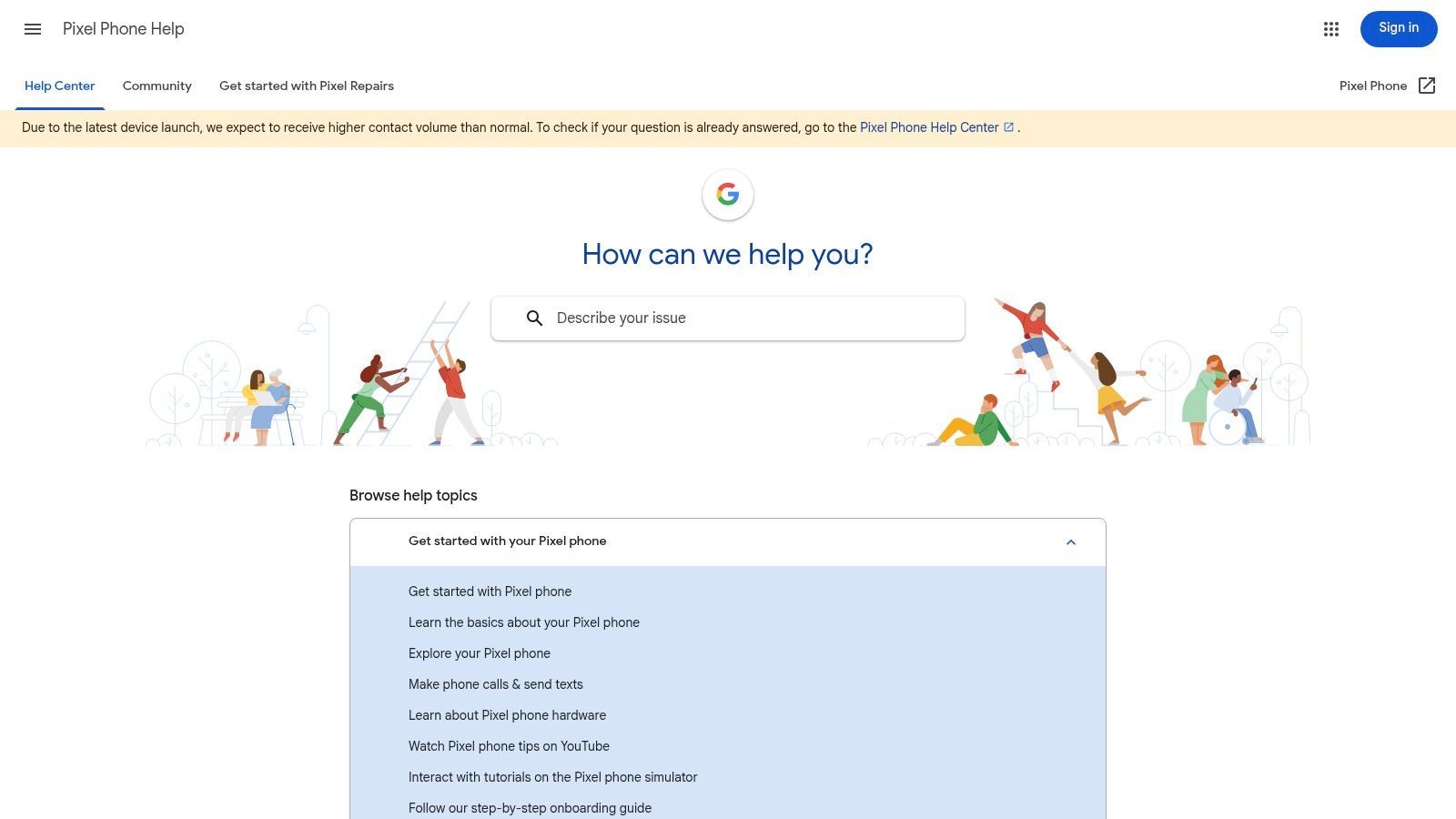
The accuracy of the transcription is impressive for a built-in tool, and the ability to search within recordings for specific terms is a huge time-saver for studying. While its tight integration with Pixel hardware provides a smooth experience, its exclusivity is its biggest drawback. If you need to share transcripts or work across different devices, you can export the audio and text files. For more polished documents or complex academic projects, consider pairing it with a dedicated service; you can find more strategies in our guide on lecture transcription for students.
Key Features & Considerations
- On-Device Live Transcription: Generates accurate, real-time transcripts that work entirely offline on supported Pixel models.
- Search & Auto-Labels: All recordings are fully searchable by keyword, and the app automatically suggests relevant tags for organization.
- Platform Availability: This is a major limitation as the app is available exclusively on Google Pixel phones, with feature sets varying by device model.
- Pricing: The app is free and pre-installed on Pixel phones.
- Best Use Case: Perfect for Pixel-owning students who need a simple, reliable, and free tool for capturing and searching in-person lectures without relying on an internet connection.
7. Easy Voice Recorder
For students who prioritize simplicity and dependability, Easy Voice Recorder is a standout option among apps for recording lectures. Its core function is to capture clear audio reliably, making it a workhorse for students who need to record multi-hour classes without worrying about crashes or complex settings. It’s particularly favored for its background recording capability, allowing you to take notes on your device or turn off the screen to save battery during a long lecture.
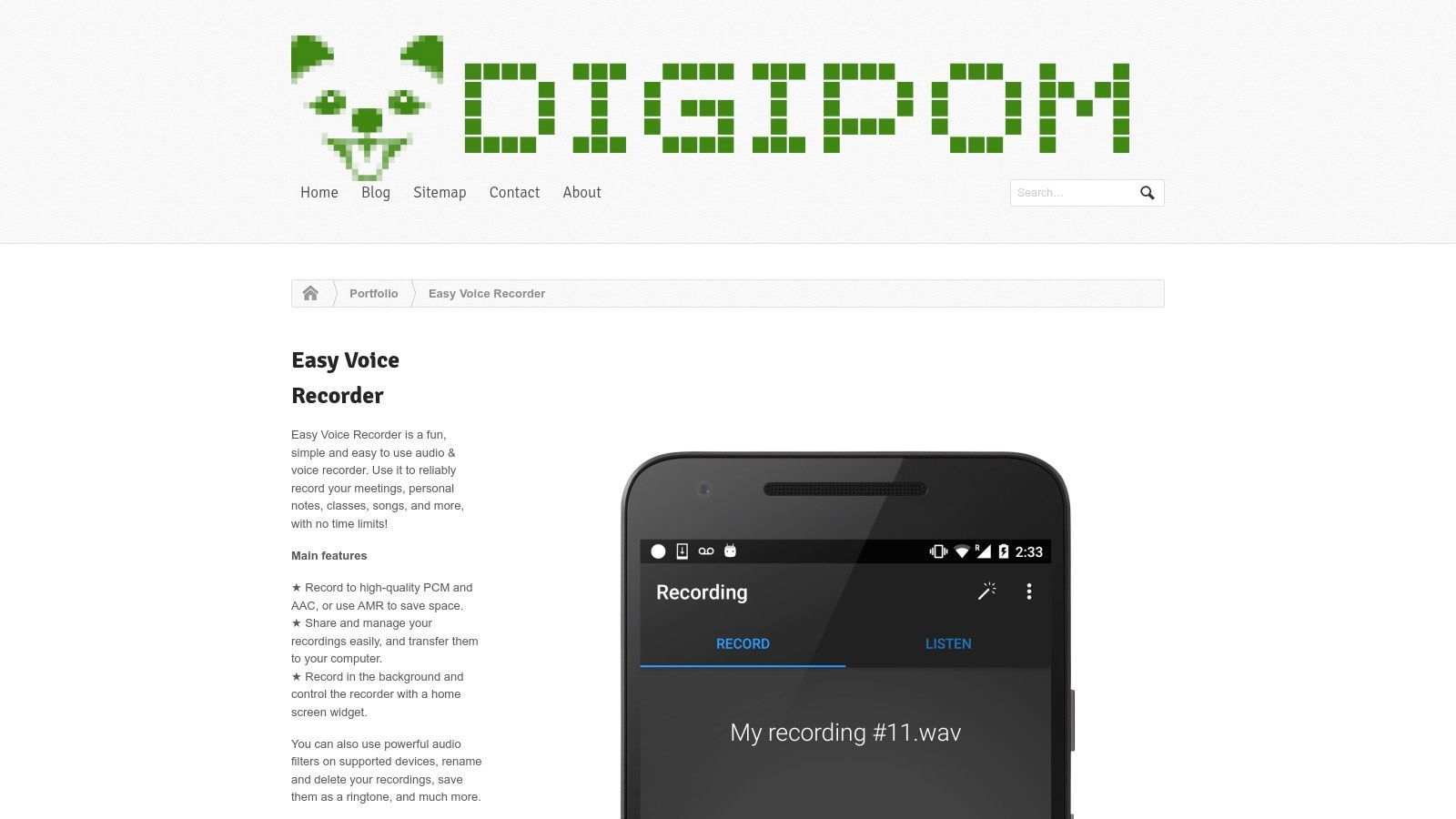
While the free version is robust, the Pro upgrade unlocks features that give you greater control over your recordings. You can connect a Bluetooth microphone for better audio capture, record in stereo, and adjust input gain. A key feature for lengthy lectures is the ability to automatically skip silence, which significantly reduces file size and saves time during playback. However, its utilitarian interface lacks advanced organizational tools like tags or nested folders, and it has no built-in transcription. For accurate transcripts of your recordings, you'll need to export the audio file and use a dedicated service like Transcript.LOL.
Key Features & Considerations
- Recording Formats: Save recordings as high-quality PCM, space-saving AAC, or battery-efficient AMR.
- Background Operation: Record discreetly with your screen off or while using other apps, supported by home-screen widgets for quick access.
- Pro Version Features: Adds stereo recording, Bluetooth microphone support, silence skipping, and folder organization.
- Pricing: The core app is free with ads. A one-time purchase for the Pro version unlocks all advanced features and removes ads.
- Best Use Case: Excellent for students needing a simple, stable audio recorder for long, in-person lectures where file size and battery life are concerns.
8. Dolby On
When audio quality is your top priority, Dolby On stands out among apps for recording lectures. Developed by the audio experts at Dolby, this free mobile app is designed to capture sound with exceptional clarity, even in less-than-ideal environments like a bustling lecture hall or a room with poor acoustics. It uses sophisticated post-processing technology, including noise reduction, dynamic EQ, and spatial audio, to automatically clean up and enhance your recordings, making the speaker’s voice crisp and clear. This focus on pure audio fidelity is its main differentiator.
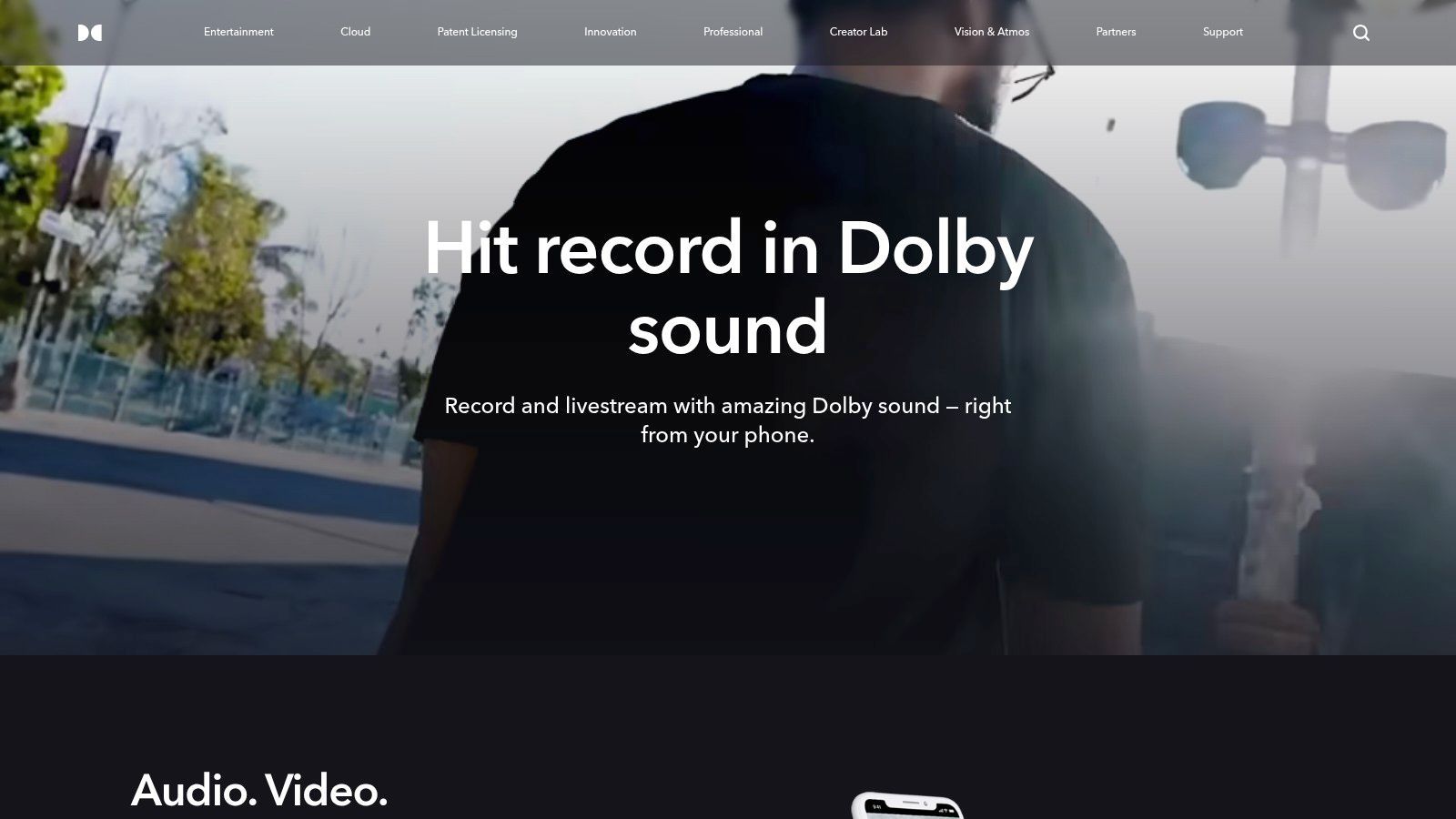
While Dolby On excels at capturing high-quality sound and even includes basic video recording and livestreaming options, it is not a dedicated note-taking or transcription platform. Its toolset is centered on audio enhancement, not organization. For students who need a searchable text record, the best workflow is to record with Dolby On to get the cleanest audio possible and then export the file. You can then upload this superior audio file to a specialized service like Transcript.LOL to generate a highly accurate transcription, combining the best of both worlds.
Key Features & Considerations
- Advanced Audio Processing: Automatically applies noise reduction, dynamic EQ, and stereo widening to make recordings sound professional.
- Audio & Video: Can record audio-only or capture video with the same high-quality sound processing.
- Editing & Sharing: Offers basic trimming tools and easy sharing to other apps or cloud storage.
- Pricing: The app and all its core audio enhancement features are completely free to use.
- Best Use Case: Perfect for students in noisy lecture halls who need the clearest possible audio recording for later review or transcription.
9. Rev: Record & Transcribe
Rev’s mobile app, "Record & Transcribe," approaches lecture recording from a service-oriented perspective. While many apps focus solely on the recording and AI transcription process, Rev integrates its core business-human-powered transcription-directly into the workflow. This makes it an excellent choice for students who anticipate needing near-perfect transcripts for critical projects, theses, or when studying complex subjects where accuracy is non-negotiable. You can record a lecture directly in the app and, with a few taps, order a transcript created by a professional human transcriber.
The app also offers an automated AI transcription option, which is faster and cheaper, providing flexibility based on your needs and budget. The interface is clean and straightforward, focusing on capturing high-quality audio and then connecting you to Rev’s transcription services. This centralized workflow is its main advantage, saving you the step of recording with one app and uploading the file to a separate service. While this dual-service model is powerful, students should be mindful that the cost of human transcription can accumulate quickly for multiple long lectures.
Key Features & Considerations
- Dual Transcription Options: Choose between fast, affordable AI transcription or order a 99%+ accurate human-powered transcript directly from the recording.
- High-Quality Recording: The app is designed to capture clear audio on your mobile device, which improves the accuracy of any resulting transcript.
- Integrated Workflow: Go from recording to a finished, professional-grade transcript all within a single application, without file transfers.
- Pricing: The app itself is free to use for recording. AI transcription is billed per minute at a competitive rate, while human transcription costs a higher per-minute fee.
- Best Use Case: Perfect for students in law, medicine, or research fields who need verbatim, highly accurate transcripts for citations, dissertations, or detailed study guides.
10. Zoom
While known primarily as a video conferencing tool, Zoom has become a default platform for recording lectures in higher education, especially for remote and hybrid learning. Its ubiquity means most students and instructors are already familiar with its interface, removing any significant learning curve. The core strength for lecture capture lies in its ability to record video, audio, and screen sharing directly to a local file or the cloud, creating a complete record of the class session.
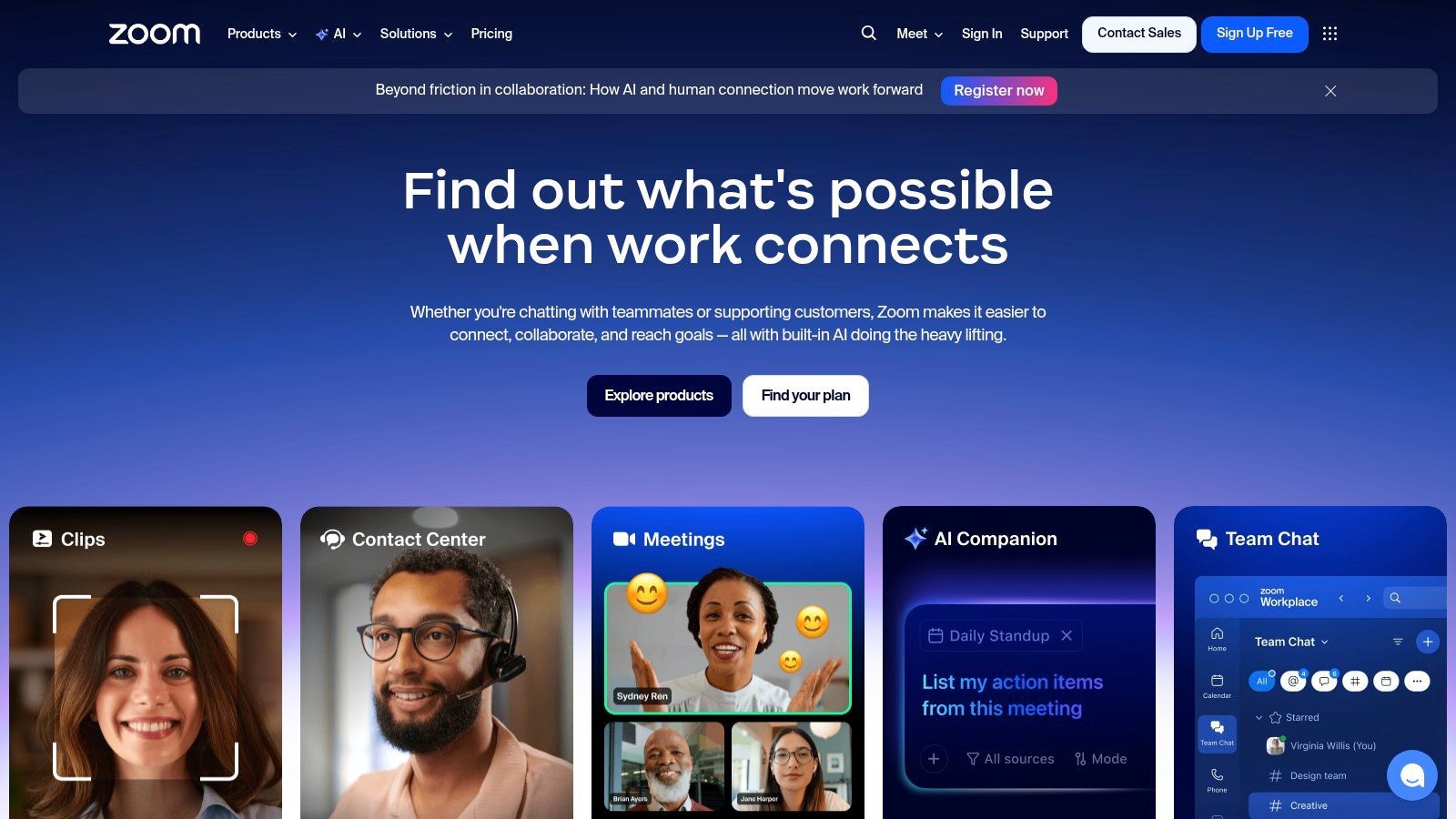
Many universities provide institutional plans that give students and faculty access to premium features. Cloud recording is particularly valuable, as it automatically saves the lecture online and can generate a transcript, making the content accessible and searchable. These recordings are often centralized in a course portal for easy access. For those looking to get more out of their recordings, understanding how to effectively manage and transcribe them is key; you can explore a detailed guide on Zoom meeting transcription to improve your workflow. If your institution's plan lacks transcription, you can easily use a service like Transcript.LOL to process your downloaded recordings.
Key Features & Considerations
- Local & Cloud Recording: Offers the flexibility to save recordings directly to your computer or to the cloud for easy sharing and access.
- Widespread Adoption: Most educational institutions have integrated Zoom, so there’s often no setup required for students.
- Automated Transcription: Many paid plans include automated audio transcription, which adds captions and makes content searchable.
- Pricing: A free plan is available but has limitations on meeting length and recording options. Paid Pro, Business, and Enterprise plans, often provided by universities, unlock cloud recording, longer meetings, and transcription.
- Best Use Case: Perfect for students in online or hybrid classes where the instructor is already using Zoom to deliver and record lectures.
11. OBS Studio
For students who need professional-grade control over their recordings, OBS Studio (Open Broadcaster Software) is the gold standard. This free, open-source software is widely used by streamers and content creators, but its powerful features make it an exceptional tool for recording lectures. OBS allows you to create scenes from multiple sources, meaning you can capture your professor's projected slides, your own webcam for picture-in-picture notes, and high-quality microphone audio all at the same time.
Unlike simple mobile apps for recording lectures, OBS gives you granular control. You can set up different audio tracks to separate your microphone from the system audio, making post-lecture editing much cleaner. The ability to apply audio filters like noise suppression in real-time is a significant advantage in a noisy lecture hall. While its extensive configuration options present a steeper learning curve than one-click recorders, the investment in learning pays off with watermark-free, unlimited-length recordings of the highest quality.
Key Features & Considerations
- Multi-Source Capture: Combine screen capture, window capture, webcams, and multiple audio inputs into a single recording.
- Advanced Audio Control: Use multi-track audio and apply filters like noise gates and suppression for crystal-clear sound.
- Highly Configurable: Customize everything from output resolution and frame rate to encoding settings and hotkeys for seamless operation.
- Pricing: Completely free and open-source with no limitations, watermarks, or hidden costs.
- Best Use Case: Perfect for technically inclined students who want to create high-fidelity, multi-source video recordings of in-person or online lectures from a desktop or laptop.
12. Audio Hijack
For macOS users who require absolute control over their audio sources, Audio Hijack is a professional-grade recording tool. It’s less of a simple recorder and more of a complete audio routing studio, making it one of the most powerful apps for recording lectures, especially complex online ones. Its core strength is the ability to "hijack" audio from any application on your Mac, including web browsers like Chrome or Safari, communication apps like Zoom, or even system sounds. This means you can create a high-fidelity recording of a streamed lecture and your own microphone commentary simultaneously.
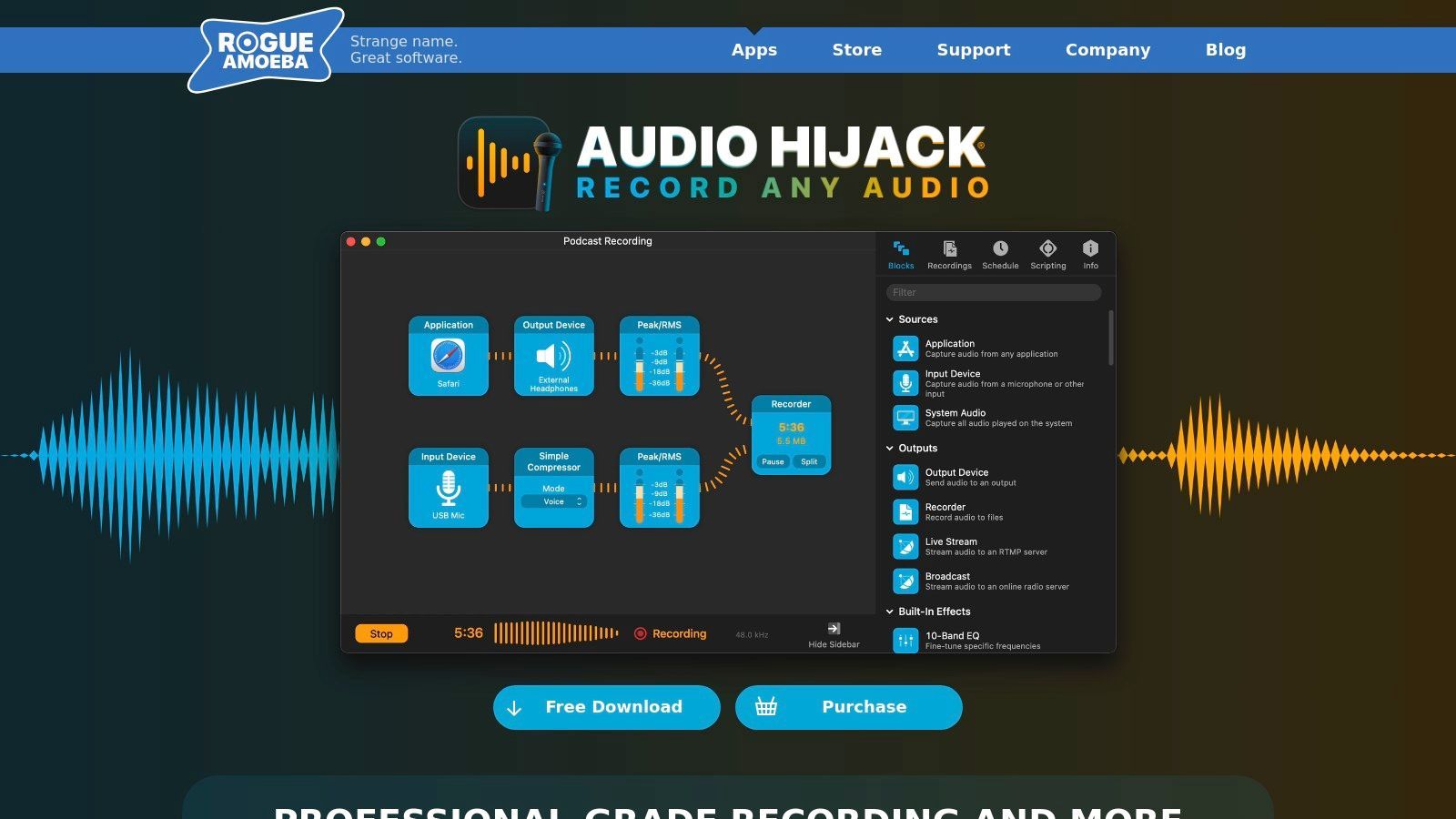
The platform operates on a block-based pipeline system where you drag and drop sources, effects, and outputs to build a custom recording session. You can add audio effects to clean up noise, use a scheduler to automatically start and stop recordings for your class schedule, and even add a "Transcribe" block for local speech-to-text processing. While its power brings a steeper learning curve than a simple mobile app, its reliability for long-form recordings is exceptional. For those needing a clean audio source to send to a service like Transcript.LOL, Audio Hijack provides the pristine input required for the best possible accuracy.
Key Features & Considerations
- Application & System Audio Capture: Record audio directly from any Mac application or your entire system's output.
- Block-Based Pipeline: Build custom recording workflows with inputs, effects (like noise reduction), meters, and timers.
- Long-Form Reliability: Engineered for stability, making it dependable for multi-hour lectures without crashing or data loss.
- Pricing: Audio Hijack is a one-time purchase, currently priced at $64. A free trial with noise-overlaid recordings is available to test functionality. It is macOS only.
- Best Use Case: Perfect for advanced users on macOS who need to capture high-quality audio from multiple digital sources for detailed study or content creation.
Lecture Recording Apps: 12-Tool Comparison
| Product | Core features | UX & quality ★ | Unique value ✨🏆 | Target audience 👥 | Price 💰 |
|---|---|---|---|---|---|
| Otter.ai | Live transcription, speaker ID, integrations | ★★★★☆ Fast, readable, collaborative | ✨ Meeting bots & searchable highlights | 👥 Students • Teams • Professionals | 💰 Freemium (limits); subscription for full features |
| Notability | Time‑synced audio + handwriting, PDF markup | ★★★★☆ Stable; great review workflow | ✨ Smart Notes, quizzes (paid tiers) | 👥 Students • Note‑takers | 💰 Paid app; AI features in higher tiers |
| GoodNotes 6 | Handwriting, page‑linked audio, templates | ★★★★☆ Best Apple Pencil experience | ✨ Page‑linked audio + optional AI 🏆 | 👥 iPad/iPhone users • Creatives • Students | 💰 App + AI add‑on (paid) |
| Microsoft OneNote | Insert audio into pages, cross‑platform sync | ★★★★ Integrated; familiar UI | ✨ Freeform notebooks in MS ecosystem | 👥 Schools • Microsoft 365 users | 💰 Free / included with Microsoft 365 |
| Apple Voice Memos | One‑tap record, trim, Enhance Recording | ★★★★ Reliable, simple edits | ✨ Noise/echo reduction + iCloud sync | 👥 Apple device users • Quick capture | 💰 Free (Apple devices) |
| Google Recorder | On‑device live transcription, search, summaries | ★★★★★ Accurate offline on supported Pixels | ✨ Offline transcription & instant summaries 🏆 | 👥 Pixel users • Offline-first users | 💰 Free (Pixel only) |
| Easy Voice Recorder | Multiple formats, background recording, skip‑silence | ★★★★ Stable for multi‑hour sessions | ✨ Skip‑silence, stereo/Bluetooth (Pro) | 👥 Students • Long‑form recorders | 💰 Freemium; Pro unlocks advanced features |
| Dolby On | Noise reduction, EQ, automatic level control | ★★★★ Cleaner audio in noisy rooms | ✨ Pro audio processing for mobile (free) | 👥 Mobile recorders • Musicians • Lecturers | 💰 Free |
| Rev: Record & Transcribe | In‑app recording; AI preview + human transcripts | ★★★★★ Human‑grade accuracy option | ✨ Human transcripts (99%+) & centralized workflow 🏆 | 👥 Journalists • Researchers • Pros needing accuracy | 💰 AI low‑cost; Human per‑minute fees |
| Zoom | Local/cloud recording; auto transcription (paid) | ★★★★ Ubiquitous; easy for hosts | ✨ Cloud captions & centralized storage | 👥 Universities • Remote/hybrid classes | 💰 Freemium; paid plans for cloud/transcripts |
| OBS Studio | Multi‑source capture; multi‑track audio/video | ★★★★★ Pro control; steeper learning curve | ✨ Free professional‑level capture & routing 🏆 | 👥 Creators • Tech‑savvy lecturers | 💰 Free, open‑source |
| Audio Hijack | Capture any macOS app/system audio; effects & routing | ★★★★★ Extremely reliable; advanced control | ✨ Block‑based pipeline + Loopback integration 🏆 | 👥 macOS pros • Podcasters • AV techs | 💰 Paid macOS app |
From Recording to Review: Turning Your Lectures into Actionable Knowledge
Selecting one of the excellent apps for recording lectures we've detailed is a crucial first move, but it's only the beginning. The true power lies in transforming those captured audio and video files from a passive backup into an active, dynamic study resource. You've navigated a wide array of options, from the integrated note-taking powerhouses like Notability and GoodNotes to dedicated audio workhorses like Dolby On and Audio Hijack. Each tool serves a distinct purpose, and choosing the right one is your first victory.
The decision-making process hinges on understanding your specific environment and goals.
- Are you in a large, noisy lecture hall? An app with superior noise reduction like Dolby On or a setup with OBS Studio and an external microphone might be your best bet.
- Do you need to sync handwritten notes with audio? Notability and GoodNotes 6 are built precisely for this workflow, creating a rich, contextual review experience.
- Is simplicity your top priority? Apple Voice Memos and Google Recorder offer a frictionless, one-tap recording experience that's hard to beat for pure audio capture.
- Are you recording remote lectures or meetings? Zoom's built-in recording is the standard, while a tool like Audio Hijack can give you more control over routing audio from multiple sources on a Mac.
Bridging the Gap from Recording to Understanding
Once the recording is secure, the next phase is converting that raw information into digestible knowledge. While apps like Otter.ai offer convenient built-in transcription, they may not always provide the accuracy or the advanced analysis features needed for dense academic material. This is where a dedicated, post-recording workflow becomes essential.
For recordings captured with apps that prioritize audio quality over transcription, such as Easy Voice Recorder or OBS Studio, pairing them with a specialized service unlocks their full potential. This "record first, transcribe second" strategy gives you the best of both worlds: you capture pristine audio with the ideal tool for the situation, and then you process it with a powerful AI engine designed for accuracy and analysis.
Trasforma le lezioni in materiale di studio automaticamente
Esporta le trascrizioni come DOCX o SRT, genera riassunti istantanei e pulisci parole di riempimento o errori all'interno di un editor integrato. La tua lezione diventa appunti organizzati, flashcard e documenti condivisibili in pochi minuti.

Strumenti di modifica
Modifica le trascrizioni con strumenti potenti tra cui trova e sostituisci, assegnazione dei parlanti, formati di testo arricchito ed evidenziazione.
Esporta in più formati
Esporta le tue trascrizioni in più formati tra cui TXT, DOCX, PDF, SRT e VTT con opzioni di formattazione personalizzabili.
Riassunti e Chatbot
Genera riassunti e altri approfondimenti dalla tua trascrizione, prompt personalizzati riutilizzabili e chatbot per i tuoi contenuti.
Trasformare le Trascrizioni in Strumenti di Studio
Una trascrizione di alta qualità è più di un semplice muro di testo. È la base per una serie di aiuti allo studio. Caricando l'audio delle tue lezioni su una piattaforma dedicata, puoi ricevere una trascrizione altamente accurata e con etichette dei relatori che puoi poi modificare ed esportare in vari formati (TXT, DOCX, SRT). Il vero vantaggio, tuttavia, è la capacità di generare contenuti derivati da quella trascrizione.
Immagina di trasformare una lezione di economia di due ore in:
- Un riassunto conciso, di una pagina, degli argomenti principali.
- Un elenco di concetti e definizioni chiave.
- Un set di domande per un quiz per testare la tua comprensione.
- Una mappa mentale per collegare visivamente diverse teorie ed esempi.
Questo processo eleva la tua registrazione da una semplice rete di sicurezza all'hub centrale del tuo intero processo di studio. Assicura che tu non solo catturi ogni parola pronunciata, ma che abbia anche gli strumenti per scomporre, comprendere e trattenere in modo efficiente tali informazioni. Per consigli più approfonditi sull'elaborazione e il riutilizzo delle tue registrazioni di lezioni, potresti voler esplorare ulteriori strategie per la gestione dei contenuti registrati. In definitiva, la migliore app per registrare lezioni è quella che si integra perfettamente in un flusso di lavoro che termina con una reale comprensione, non solo con una cartella piena di file audio.
Pronto a trasformare le tue registrazioni di lezioni in potenti materiali di studio? Transcript.LOL rende facile ottenere trascrizioni veloci e accurate da qualsiasi file audio o video. Carica semplicemente le tue registrazioni da app come Voice Memos, OBS o Zoom e lascia che la nostra IA generi riassunti, punti chiave e altro ancora per potenziare il tuo apprendimento su Transcript.LOL.