
12 unverzichtbare Bildungstechnologie-Tools für Lehrer in...
Entdecken Sie 12 leistungsstarke Bildungstechnologie-Tools für Lehrer. Dieser Leitfaden behandelt Funktionen, Preise und Tipps für das Klassenzimmer zur Verbesserung Ihres Unterrichts.
Kate, Praveen
February 3, 2026
Die Bildungslandschaft entwickelt sich ständig weiter, und Technologie steht im Mittelpunkt dieser Transformation. Für Pädagogen kann die Navigation durch das riesige Meer digitaler Ressourcen überwältigend sein. Die richtigen Werkzeuge können wertvolle Zeit sparen, das Schülerengagement dramatisch steigern und inklusivere, zugänglichere Lernumgebungen schaffen. Die falschen Werkzeuge hingegen können unnötige Komplexität hinzufügen, ohne klare Vorteile zu bringen. Dieser Leitfaden soll den Lärm durchdringen und eine kuratierte und tief analysierte Liste unverzichtbarer Bildungstechnologie-Tools für Lehrer bereitstellen.
Warum die richtige Tool-Auswahl wichtig ist?
Die richtige Plattform kann jede Woche Stunden sparen, manuelle Aufgaben reduzieren und die Lernergebnisse verbessern. Anstatt weitere Apps hinzuzufügen, konzentrieren Sie sich auf Tools, die Reibungsverluste beseitigen und Ihren Arbeitsablauf vereinfachen. Effizienz sollte immer vor Komplexität stehen.
Wir werden über allgemeine Funktionslisten hinausgehen, um zu untersuchen, wie Sie jede Plattform realistisch implementieren können, um gängige Herausforderungen im Klassenzimmer zu lösen. Von der optimierten Unterrichtserstellung und dynamischen formativen Bewertungen bis hin zur verbesserten Barrierefreiheit und Elternkommunikation ist es unser Ziel, Ihnen zu helfen, die besten Plattformen für Ihre spezifischen Bedürfnisse zu finden. Wenn Sie nach Wegen suchen, Ihr modernes Klassenzimmer zu stärken, sollten Sie KI-gestützte Lösungen in Betracht ziehen. Sie finden eine umfassende Übersicht über die 12 besten KI-Lernwerkzeuge, um das Lernen der Schüler weiter zu unterstützen.
Jeder Eintrag in unserer Liste enthält Screenshots, direkte Links und eine praktische Aufschlüsselung der Kernfunktionen, idealen Anwendungsfälle, Preise sowie ehrliche Vor- und Nachteile. Machen Sie sich bereit, leistungsstarke und praktische Lösungen zu entdecken, die Ihren Unterrichtsablauf zum Besseren verändern werden.
1. Transcript.LOL
Transcript.LOL ist ein außergewöhnlich leistungsstarker KI-gestützter Transkriptionsdienst, der sich als erstklassiges EdTech-Tool für Lehrer auszeichnet. Es bietet eine robuste Lösung zur Umwandlung von gesprochenen Inhalten aus Vorlesungen, Schülerpräsentationen und Forschungsinterviews in präzisen, nutzbaren Text. Seine Grundlage auf der Whisper-Engine von OpenAI liefert branchenführende Genauigkeit (eine auf der Website zitierte 99,8 %) und bemerkenswerte Geschwindigkeit, wodurch mehrstündige Audiodateien innerhalb von Minuten in Transkripte umgewandelt werden.
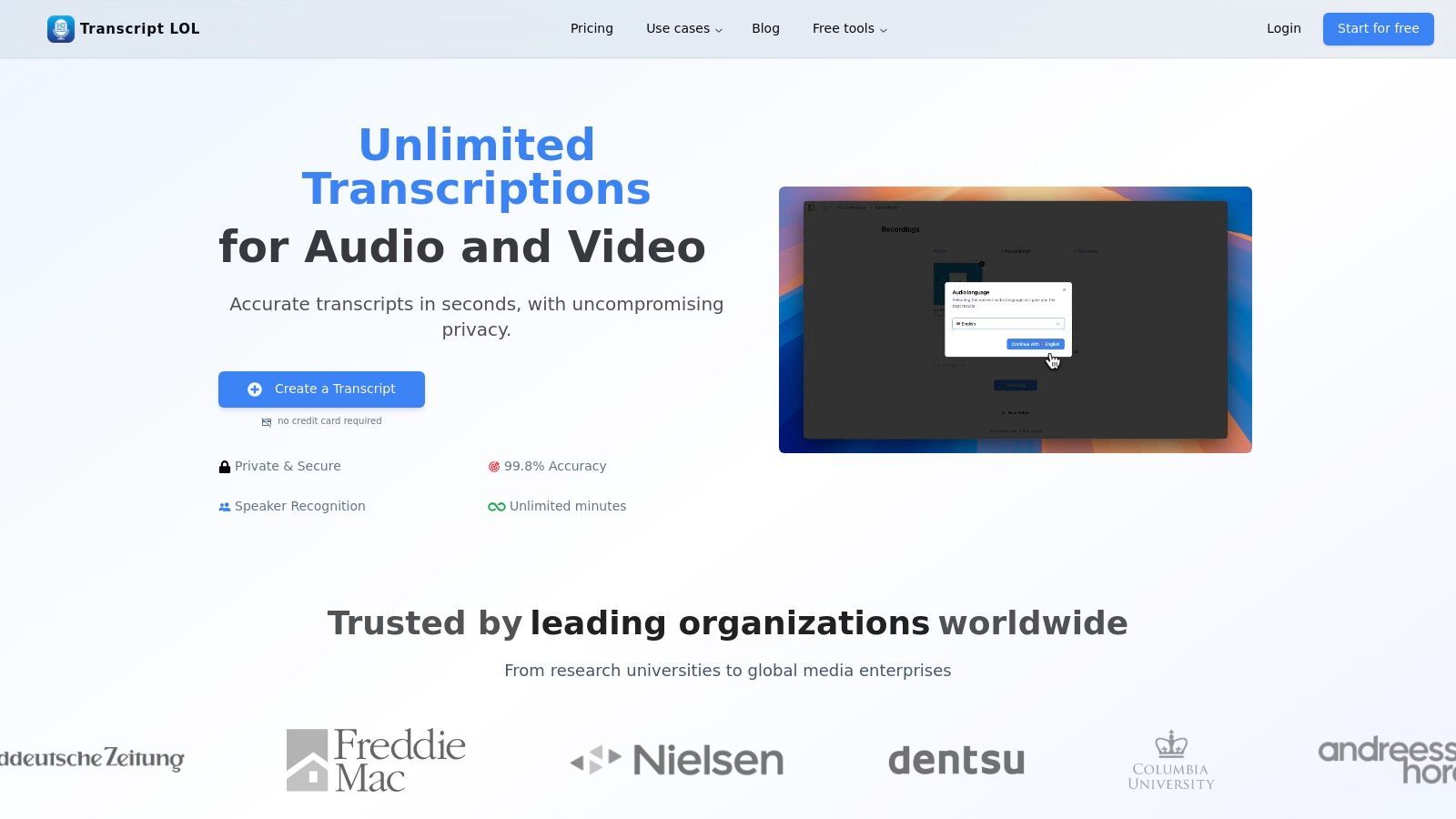
Diese Plattform geht über die einfache Transkription hinaus und bietet eine Reihe von KI-gestützten Funktionen zur automatischen Erstellung von Lernressourcen. Aus einer einzigen Aufnahme können Pädagogen Zusammenfassungen, Gliederungen, Quiz und Mindmaps erstellen, was den Zeitaufwand für die Unterrichtsplanung und Inhaltserstellung erheblich reduziert. Dies macht es zu einem unschätzbaren Werkzeug für die Erstellung barrierefreier Lernmaterialien und die Wiederverwendung von Unterrichtsdiskussionen.
⚡ Kernfunktionen von Transcript.LOL für den täglichen Unterricht
Modernste KI
Angetrieben von OpenAIs Whisper für branchenführende Genauigkeit. Unterstützung für benutzerdefinierte Vokabulare, bis zu 10 Stunden lange Dateien und ultraschnelle Ergebnisse.

Aus mehreren Quellen importieren
Importiere Audio- und Videodateien aus verschiedenen Quellen, einschließlich direktem Upload, Google Drive, Dropbox, URLs, Zoom und mehr.

In mehreren Formaten exportieren
Exportiere deine Transkripte in mehreren Formaten, einschließlich TXT, DOCX, PDF, SRT und VTT mit anpassbaren Formatierungsoptionen.
Hauptmerkmale & Vorteile
- Hochpräzise, schnelle Transkription: Transkribiert zuverlässig Vorlesungen, Diskussionen und Medien mit nahezu perfekter Genauigkeit und spart Stunden manueller Arbeit.
- KI-gestützte Inhaltserstellung: Erstellt automatisch Zusammenfassungen, Quizze und thematische Gliederungen aus jeder Transkription und optimiert so die Erstellung von Lernmaterialien und Unterrichtsmaterialien.
- Verbesserte Barrierefreiheit & Zusammenarbeit: Erstellt Untertitel (SRT/VTT) für Videoinhalte zur Unterstützung aller Lernenden. Teamfunktionen ermöglichen es Abteilungen, ein zentrales Repository transkribierter Materialien zu teilen und zu verwalten.
- Starkes Datenschutzengagement: Eine strikte "No-Training"-Richtlinie stellt sicher, dass alle hochgeladenen Bildungsinhalte privat bleiben und nicht zum Trainieren externer KI-Modelle verwendet werden.
Ideale Anwendungsfälle für Lehrende
Transcript.LOL eignet sich hervorragend für verschiedene Bildungsumgebungen. Nutzen Sie es, um durchsuchbare Textversionen von Gastvorträgen zu erstellen, vollständige Transkripte für hörgeschädigte Schüler bereitzustellen oder Gruppendiskussionen zu analysieren. Die Plattform fungiert auch als effektiver KI-Meeting-Assistent für Abteilungs- oder Eltern-Lehrer-Konferenzen, erfasst jedes Detail und generiert umsetzbare Zusammenfassungen.
Preise & Implementierung
- Kostenlose Stufe: Bietet 2 Transkripte pro Tag (Limit von 20 Minuten), ideal zum Testen oder für Kurzform-Inhalte.
- Unbegrenzter Plan: 120 $/Jahr für unbegrenzte Transkriptionen, 10-Stunden-Datei-Uploads und Prioritätsverarbeitung.
- Teamplan: 240 $/Jahr für 2 Benutzer, mit zusätzlichen kollaborativen Arbeitsbereichen und Benutzerverwaltung.
Implementierungstipp: Beginnen Sie mit der kostenlosen Stufe, um kurze Unterrichtsaufzeichnungen oder Lehrvideos zu transkribieren. Nutzen Sie die KI-generierte Quizfunktion, um eine schnelle Wissensüberprüfung für Ihre Schüler zu erstellen und den unmittelbaren Wert des Tools zu demonstrieren.
2. Google for Education (Google Workspace for Education und Classroom)
Google for Education bietet eine integrierte Suite von Tools, die für die unternehmensweite Einführung konzipiert sind und sich auf die bekannten Google Workspace-Apps und das Google Classroom LMS konzentrieren. Es zeichnet sich durch die Schaffung einer kohäsiven digitalen Umgebung aus, in der Lehrer Aufgaben verwalten, mit Schülern kommunizieren und an Dokumenten zusammenarbeiten können, alles innerhalb eines einzigen Ökosystems. Dies macht es zu einem der am weitesten verbreiteten Bildungstechnologie-Tools für Lehrer heute.
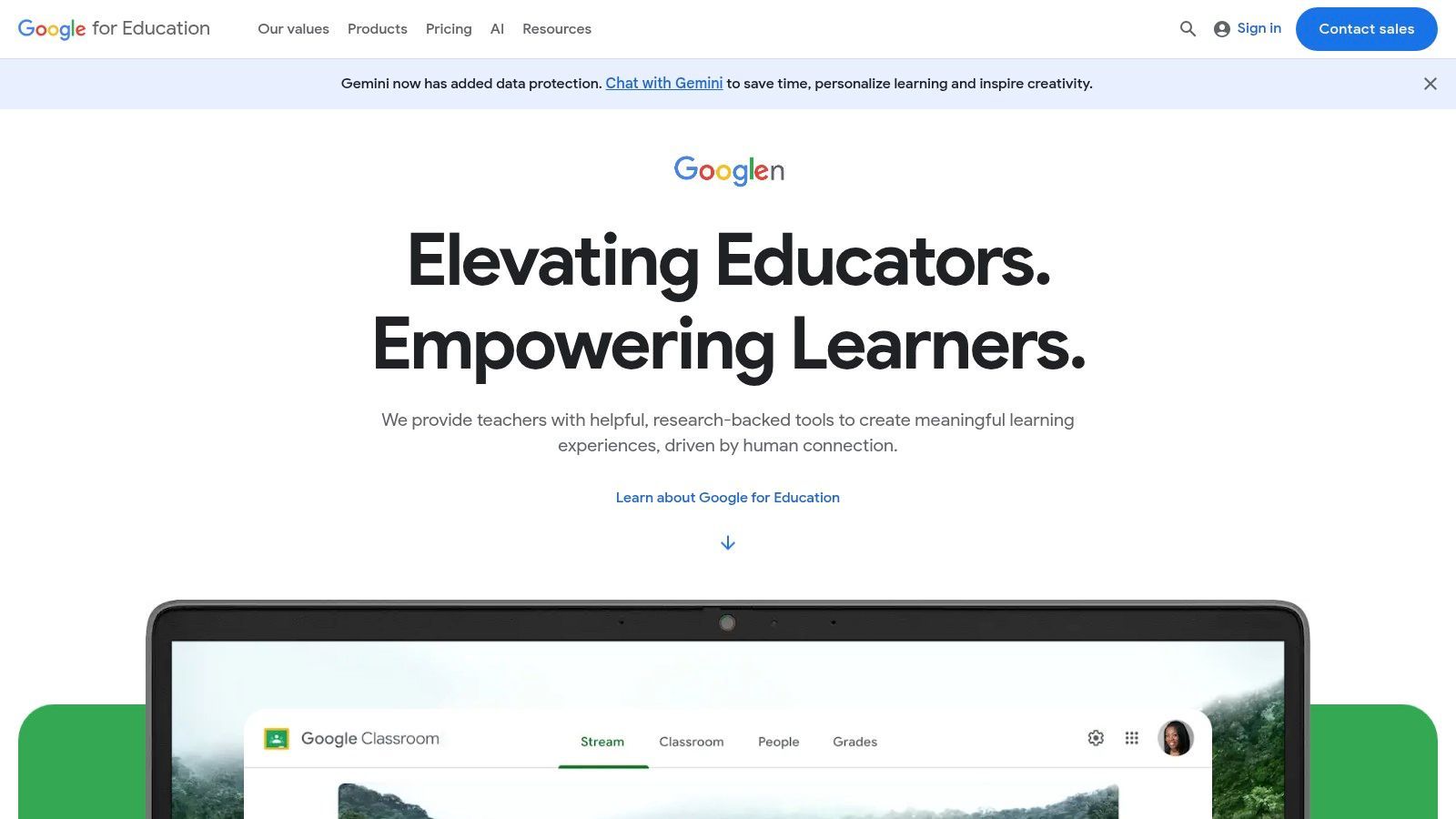
Seine Stärke liegt im kostenlosen Einstieg und der nahtlosen Integration mit Student Information Systems (SIS), was die Klassenlistenverwaltung und Administration in großem Maßstab vereinfacht. Obwohl es eine robuste Grundlage bietet, untersuchen viele Pädagogen, wie es sich im Vergleich zu anderen Plattformen schlägt; ein detaillierter Vergleich von Canvas vs. Google Classroom kann Institutionen bei der Entscheidung helfen, welches System ihren pädagogischen Bedürfnissen am besten entspricht.
Hauptmerkmale & Anwendungsfälle
- Kernsuite: Die kostenlose Stufe "Education Fundamentals" umfasst Classroom, Docs, Sheets, Slides, Forms, Drive und Meet und deckt die meisten Kernlehrpläne ab.
- Verwaltung auf Bezirksebene: Bezahlte Stufen bieten erweiterte Sicherheits-, Analyse- und Verwaltungskontrollen für IT-Abteilungen.
- KI-Integration: Optionale Add-ons wie Gemini in Workspace bringen KI-gestützte Unterstützung für die Unterrichtsplanung und Inhaltserstellung.
Implementierung & Preise
- Preise: Education Fundamentals ist für qualifizierte Institutionen kostenlos. Bezahlte Stufen (Standard, Plus) erfordern einen Kauf auf Bezirksebene und schalten erweiterte Funktionen und Speicherplatz frei.
- Einrichtung: Die Implementierung ist eine Aufgabe auf Administratorenebene, die oft die Synchronisierung mit dem SIS des Bezirks zur automatisierten Klassen- und Schülerrangliste beinhaltet.
Transcript.LOL-Integration: Verbessern Sie die Barrierefreiheit, indem Sie Google Meet-Sitzungen aufzeichnen und Transcript.LOL verwenden, um genaue Transkripte zu erstellen. Dies schafft durchsuchbare Lernhilfen und unterstützt Schüler, die vom Lesen von Vorlesungsinhalten profitieren. Entdecken Sie, wie Sie Vorlesungstranskripte für die Schülerzugänglichkeit bereitstellen können.
Website: edu.google.com
3. Microsoft Education (Office / Microsoft 365 Education, Teams, OneNote Class Notebook)
Microsoft Education bietet eine umfassende Suite von Produktivitätstools, die sich auf Microsoft Teams konzentrieren und einen einheitlichen Hub für Aufgaben, Kommunikation und Ressourcenverwaltung darstellen. Ähnlich wie bei Googles Ökosystem nutzt es bekannte Anwendungen wie Word, PowerPoint und Excel und ist damit eines der leistungsfähigsten Bildungstechnologie-Tools für Lehrer in Bezirken, die bereits in die Microsoft-Umgebung investiert sind. Sein Hauptunterscheidungsmerkmal ist die tiefe Integration von OneNote Class Notebook für dynamisches, kollaboratives Notieren und Inhaltsbereitstellung.
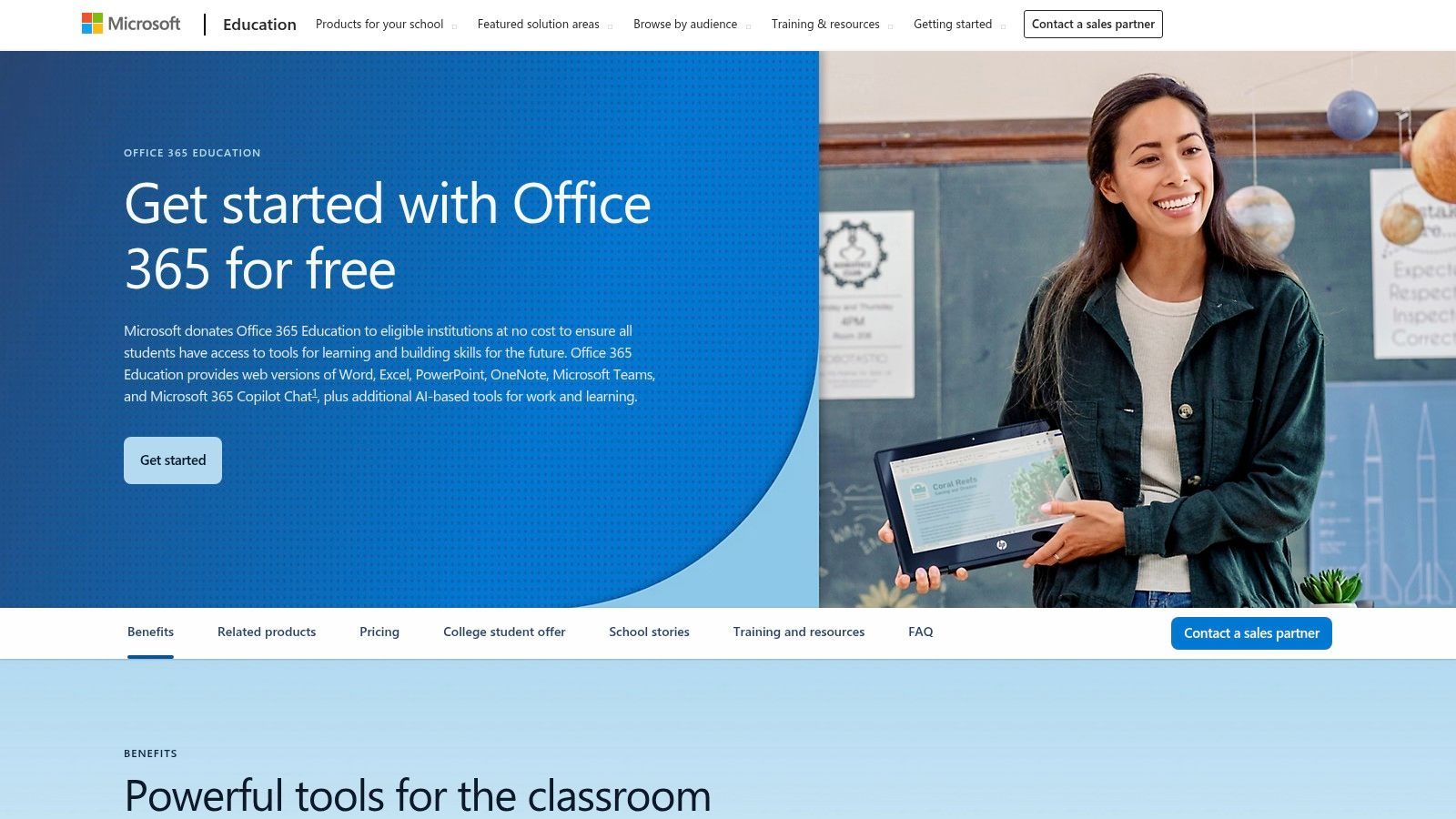
Diese Plattform eignet sich hervorragend für Umgebungen, die Enterprise-Grade-Sicherheit und robuste Desktop-Anwendungsunterstützung erfordern. Die kostenlose A1-Lizenz bietet Zugriff auf webbasierte Apps, was sie sehr zugänglich macht, während bezahlte Stufen die volle Leistung der Desktop-Suite und erweiterte Verwaltungskontrollen freischalten. Die jüngste Umstellung auf ein gemeinsames Speicherungsmodell erfordert eine aktivere Verwaltung durch IT-Abteilungen, bietet aber Flexibilität für institutionelle Daten.
Hauptmerkmale & Anwendungsfälle
- Kernsuite: Die kostenlose A1-Lizenz umfasst Webversionen von Word, Excel, PowerPoint, OneNote und Teams und deckt wesentliche Unterrichtsabläufe ab.
- OneNote Class Notebook: Bietet einen persönlichen Arbeitsbereich für jeden Schüler, eine Inhaltsbibliothek für Handouts und einen Kollaborationsbereich für Lektionen.
- Verwaltung auf Bezirksebene: Bezahlte A3- und A5-Lizenzen bieten Desktop-Apps, erweiterte Sicherheitsfunktionen, Analysen und Geräteverwaltungstools.
Implementierung & Preise
- Preise: Die grundlegende Microsoft 365 A1-Lizenz ist für berechtigte Institutionen kostenlos. A3- und A5-Stufen werden auf Bezirksebene erworben und bieten erweiterte Funktionen.
- Einrichtung: Die Bereitstellung wird in der Regel von einem IT-Administrator der Schule verwaltet, der Konten bereitstellt und Lizenz- und Speicherrichtlinien verwaltet.
Transcript.LOL-Integration: Zeichnen Sie virtuelle Kurse in Microsoft Teams auf und laden Sie die Aufnahmen in Transcript.LOL hoch. Dies erstellt genaue Transkripte, die in OneNote oder Teams-Kanälen geteilt werden können, um Schülern bei der Wiederholung von Material zu helfen und effektive Notizmethoden durch Textanmerkungen zu erkunden.
Website: microsoft.com/en-us/education/products/office
4. Canva for Education
Canva for Education bietet eine leistungsstarke Suite für visuelle Kreationen und ermöglicht den kostenlosen Zugang zu seinen Premium-Tools für verifizierte K-12-Lehrer und ihre Schüler. Es optimiert die Erstellung ansprechender Präsentationen, Arbeitsblätter, Videos und kollaborativer Whiteboards und verändert die Art und Weise, wie Lehrende und Lernende visuelle Inhalte erstellen und damit interagieren. Dieser Fokus auf zugängliches, hochwertiges Design macht es zu einem unverzichtbaren Bildungstechnologie-Tool für Lehrer, die ihre Unterrichtsmaterialien verbessern möchten.
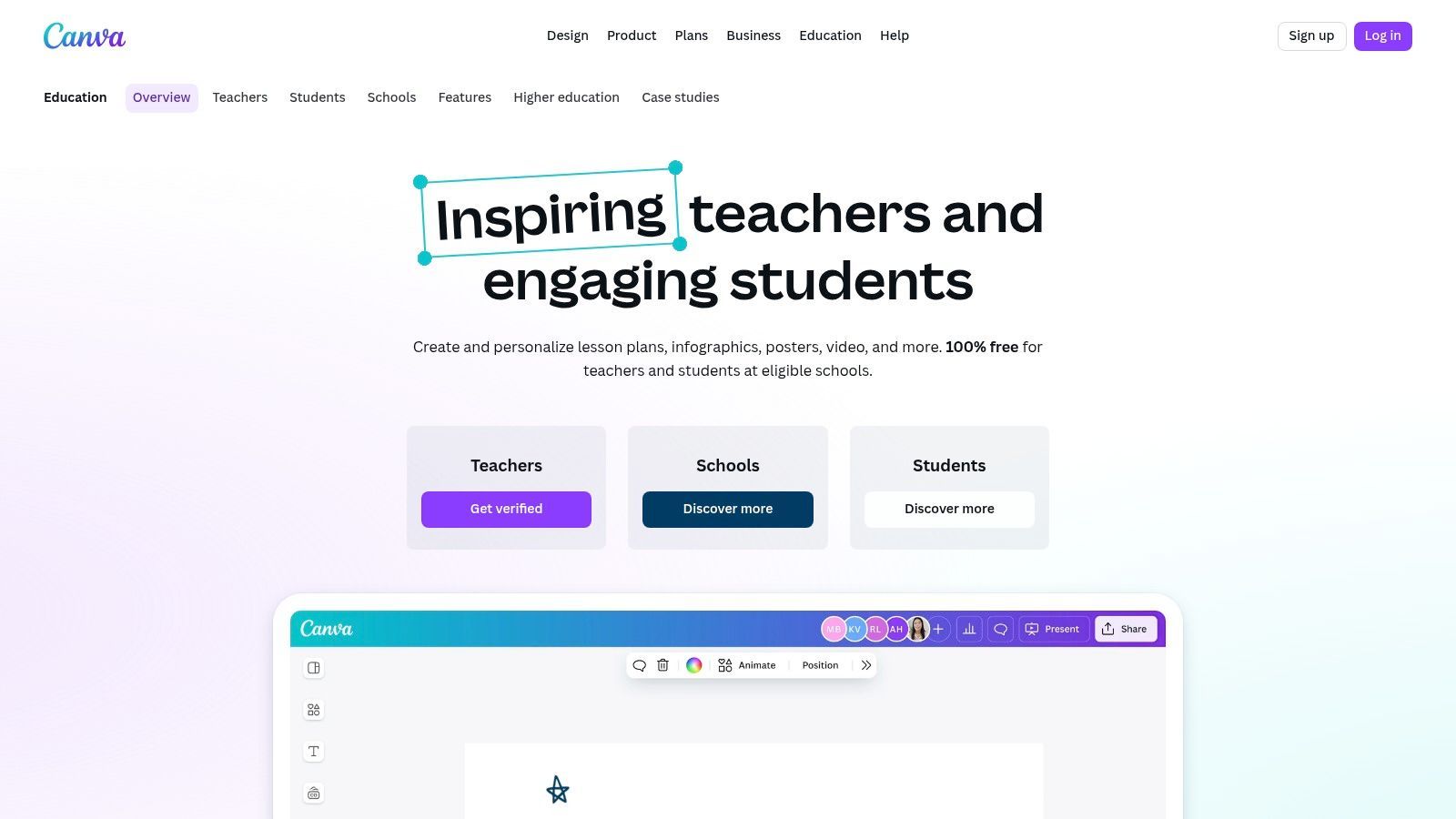
Sein Hauptvorteil ist die geringe Lernkurve, die es Benutzern ermöglicht, mit minimalem Aufwand professionell aussehende Grafiken zu erstellen. Canva integriert sich auch direkt in wichtige Learning Management Systems (LMS), sodass Lehrer Aufgaben erstellen, teilen und empfangen können, ohne ihre primäre Plattform verlassen zu müssen. Dieser nahtlose Workflow unterstützt sowohl individuelle Kreativität als auch kollaborative Klassenprojekte.
Hauptmerkmale & Anwendungsfälle
- Inhaltserstellungstools: Zugriff auf Millionen von Premium-Vorlagen, Bildern und Schriftarten zur Erstellung von Präsentationen, Arbeitsblättern, Postern, Videos und mehr.
- LMS-Integration: Funktioniert mit Google Classroom, Canvas, Schoology und Microsoft Teams für einfache Aufgabenverteilung und -sammlung.
- Klassenübergreifende Zusammenarbeit: Zu den Funktionen gehören geteilte Klassen, Echtzeit-Feedback zu Schülerarbeiten und kollaborative Whiteboards für Gruppenaktivitäten.
- Verwaltung auf Bezirksebene: Das Angebot "Canva for Districts" bietet zentrale Verwaltung, Markenrichtlinien und Single Sign-On (SSO).
Implementierung & Preise
- Preise: Canva for Education ist nach einem einfachen Verifizierungsprozess für berechtigte K-12-Lehrer und Schüler zu 100 % kostenlos.
- Einrichtung: Lehrer können sich einzeln anmelden. Für die unternehmensweite Implementierung muss ein IT-Administrator die Koordination mit Canva übernehmen, um SSO zu aktivieren und Lizenzen zu verwalten.
Transcript.LOL-Integration: Laden Sie nach der Erstellung eines Lehrvideos in Canva dieses in Transcript.LOL hoch, um eine Transkription zu erstellen. Betten Sie den Text neben dem Video in Ihr LMS ein, um die Schülerzugänglichkeit zu unterstützen, oder verwenden Sie die Transkription, um schnell eine entsprechende Lernhilfe oder ein Quiz zu erstellen.
Website: www.canva.com/education/
5. Nearpod
Nearpod verwandelt passive Präsentationen in aktive Lernerlebnisse, indem es interaktive Aktivitäten, formative Bewertungen und Multimedia direkt in Lektionen einbettet. Lehrer können Schüler in Echtzeit durch Inhalte führen oder schülergesteuerte Sitzungen für eigenständiges Arbeiten zuweisen. Dieser Ansatz macht es zu einem herausragenden Bildungstechnologie-Tool für Lehrer, die die Beteiligung im Unterricht steigern und sofortiges Feedback zum Verständnis der Schüler erhalten möchten.
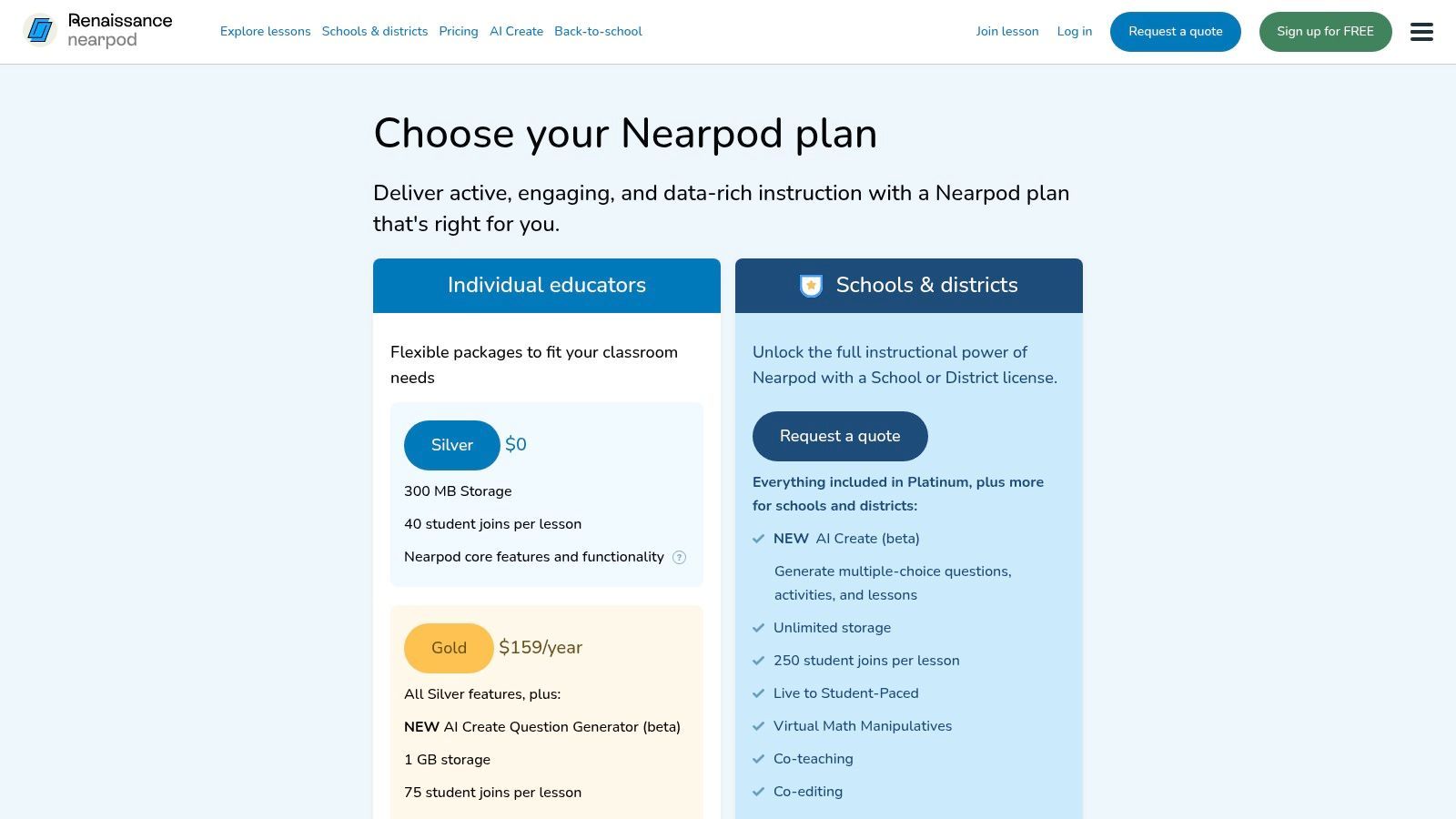
Seine Stärke liegt in seiner riesigen Bibliothek vorgefertigter Lektionen und der Vielfalt seiner Engagement-Tools, die von Umfragen und Quizzen bis hin zu kollaborativen Boards und virtuellen Exkursionen reichen. Während die kostenlose Stufe hervorragend zum Ausprobieren der Plattform geeignet ist, führen die Einschränkungen bei der Sitzungsgröße und beim Speicherplatz häufige Benutzer oft zum Upgrade. Dies macht es ideal für einzelne Lehrer oder Schulen, die bereit sind, in ein Premium-Engagement-Tool zu investieren.
Hauptmerkmale & Anwendungsfälle
- Interaktive Inhalte: Betten Sie Umfragen, offene Fragen, Quizze, Zuordnungsaufgaben und Zeichenaktivitäten direkt in Folien ein.
- Lektionsmodi: Unterstützt sowohl Live-Unterricht unter Anleitung des Lehrers für die Interaktion im Klassenzimmer als auch den schülergesteuerten Modus für Hausaufgaben oder asynchrones Lernen.
- Inhaltsbibliothek: Greifen Sie auf über 22.000 vorgefertigte, standardkonforme Lektionen und Videos zu verschiedenen K-12-Fächern zu (Verfügbarkeit variiert je nach Plan).
- Gamification: Nutzen Sie "Time to Climb", eine spielbasierte Quizfunktion, um die Begeisterung und den freundschaftlichen Wettbewerb während der Wiederholungen zu steigern.
Implementierung & Preise
- Preise: Ein kostenloser Silberplan ist mit Einschränkungen bei Speicherplatz und Klassengröße verfügbar. Bezahlte Gold- und Platin-Stufen für einzelne Lehrer bieten erweiterte Funktionen. Schul- und bezirksweite Lizenzen bieten Verwaltungstools und Integrationen.
- Einrichtung: Einzelne Lehrer können sich sofort anmelden und mit der Erstellung oder Nutzung von Bibliothekslektionen beginnen. Die schulweite Einrichtung umfasst die Klassenlistenverwaltung und die LMS-Integration.
Transcript.LOL-Integration: Verwenden Sie nach einer Nearpod-Lektion, die eine vom Lehrer geleitete Videoerklärung oder Diskussion enthält, Transcript.LOL, um den Ton zu transkribieren. Diese Transkription kann als ergänzende Lernressource geteilt werden, um sicherzustellen, dass Schüler, die die Live-Sitzung verpasst haben oder das Material wiederholen müssen, auf die Kernkonzepte in einem lesbaren Format zugreifen können.
Website: nearpod.com/pricing
6. Kahoot! for Schools
Kahoot! ist eine spielbasierte Lernplattform, die formative Bewertungen in ein wettbewerbsorientiertes, ansprechendes Erlebnis verwandelt. Es zeichnet sich durch die Erstellung lebendiger, interaktiver Quizze und Wiederholungen aus, die live im Klassenzimmer gespielt oder als selbstgesteuerte Herausforderungen zugewiesen werden können. Seine lebendige Benutzeroberfläche und die einfache Einrichtung machen es zu einem der beliebtesten Bildungstechnologie-Tools für Lehrer, die ihren Unterricht beleben möchten.
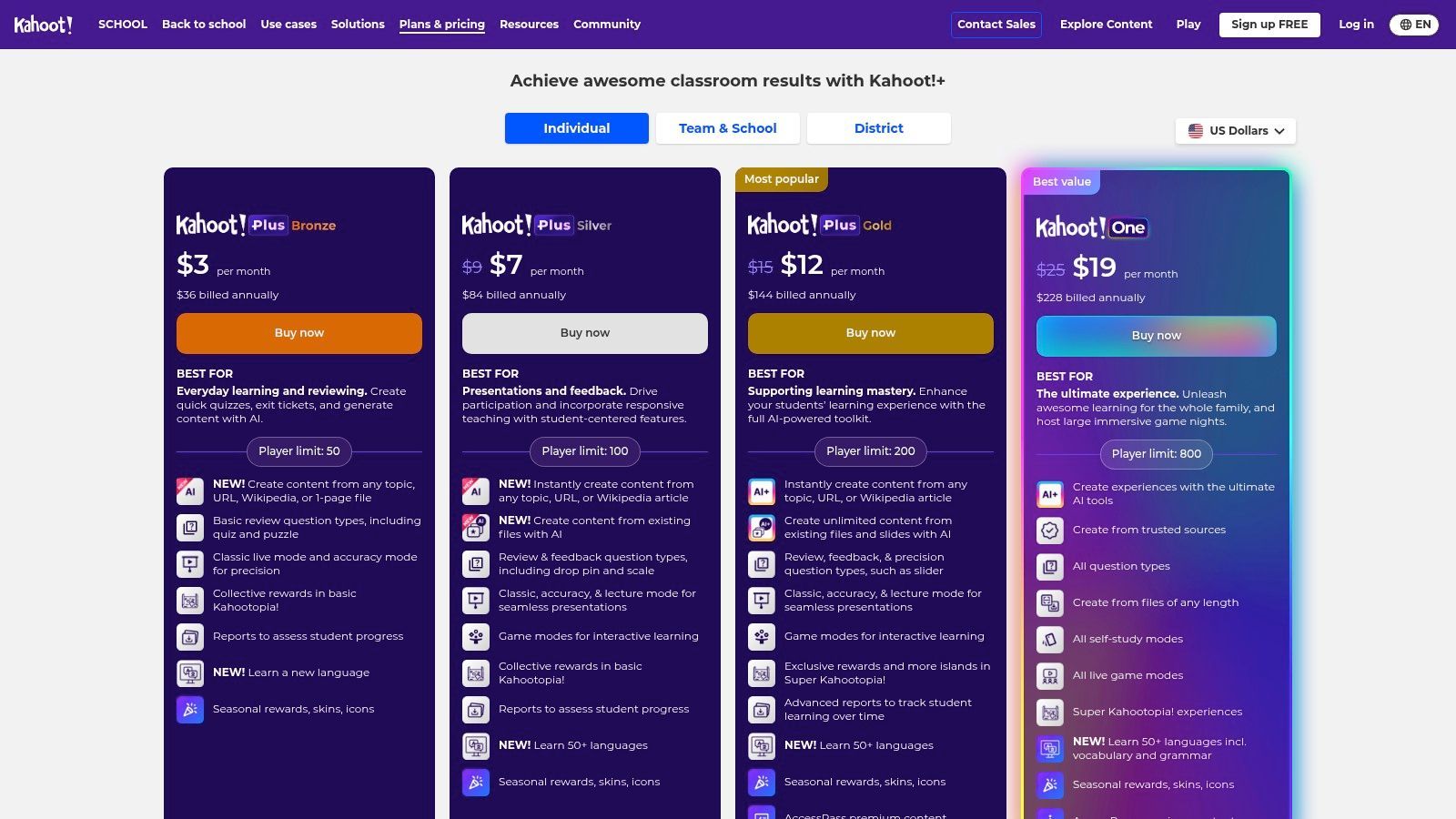
Die Stärke der Plattform liegt in ihrer riesigen Bibliothek benutzergenerierter Inhalte, die es Pädagogen ermöglicht, bestehende Quizze zu fast jedem Thema in Sekundenschnelle zu finden und anzupassen. Während die kostenlose Stufe sehr funktional ist, schalten bezahlte Pläne mehr Fragetypen und höhere Spielerlimits frei, was sie zu einem skalierbaren Tool für einzelne Klassen oder ganze Schulbezirke macht.
Hauptmerkmale & Anwendungsfälle
- Gamified Learning: Nutzen Sie Live-"Kahoots" für lebhafte Wiederholungen im Klassenzimmer, Vorab-Bewertungen oder Exit-Tickets nach dem Unterricht.
- Schülergesteuerte Aufgaben: Weisen Sie Kahoots als Hausaufgaben zu, um Konzepte zu festigen und Schülern zu ermöglichen, in ihrem eigenen Tempo zu üben.
- Inhaltsbibliothek: Greifen Sie auf eine riesige, durchsuchbare Bibliothek fertiger Quizze zu, die von anderen Pädagogen erstellt wurden, und sparen Sie so erheblich Vorbereitungszeit.
Implementierung & Preise
- Preise: Ein kostenloser Basisplan ist für einzelne Lehrer verfügbar. Bezahlte Stufen (wie Pro und Premium+) fügen mehr Fragetypen hinzu und erhöhen die Spielerlimits. EDU-Pläne für Schulen bieten Verwaltungstools und Site-Lizenzen.
- Einrichtung: Lehrer können sich sofort anmelden und sofort mit der Erstellung oder dem Hosting von Spielen beginnen. Die geringe Einstiegshürde für Schüler (keine Konten erforderlich zum Spielen) erleichtert den Start eines Spiels auf jedem Gerät.
Transcript.LOL-Integration: Nutzen Sie nach einer lebhaften Kahoot!-Wiederholungssitzung die Gelegenheit, tiefer in die Kernkonzepte der Lektion einzutauchen. Wenn die Wiederholung auf einer Video-Vorlesung oder -Diskussion basierte, verwenden Sie Transcript.LOL, um eine vollständige Transkription bereitzustellen. Dies hilft den Schülern, die Fragen des Spiels mit dem ursprünglichen Quellmaterial zu verbinden.
Website: kahoot.com/schools/plans/
7. Edpuzzle
Edpuzzle verwandelt passives Videoschauen in aktives Lernen, indem es Lehrern ermöglicht, Fragen und Notizen direkt in Videoinhalte einzubetten. Dieses Tool ist hervorragend geeignet, um formative Bewertungen zu erstellen, den Unterricht umzukehren oder Konzepte mithilfe ansprechender Videos von YouTube, Khan Academy oder eigenen Aufnahmen des Lehrers zu festigen. Es ist ein herausragendes Bildungstechnologie-Tool für Lehrer, da es klare, umsetzbare Daten zum Verständnis der Schüler liefert.
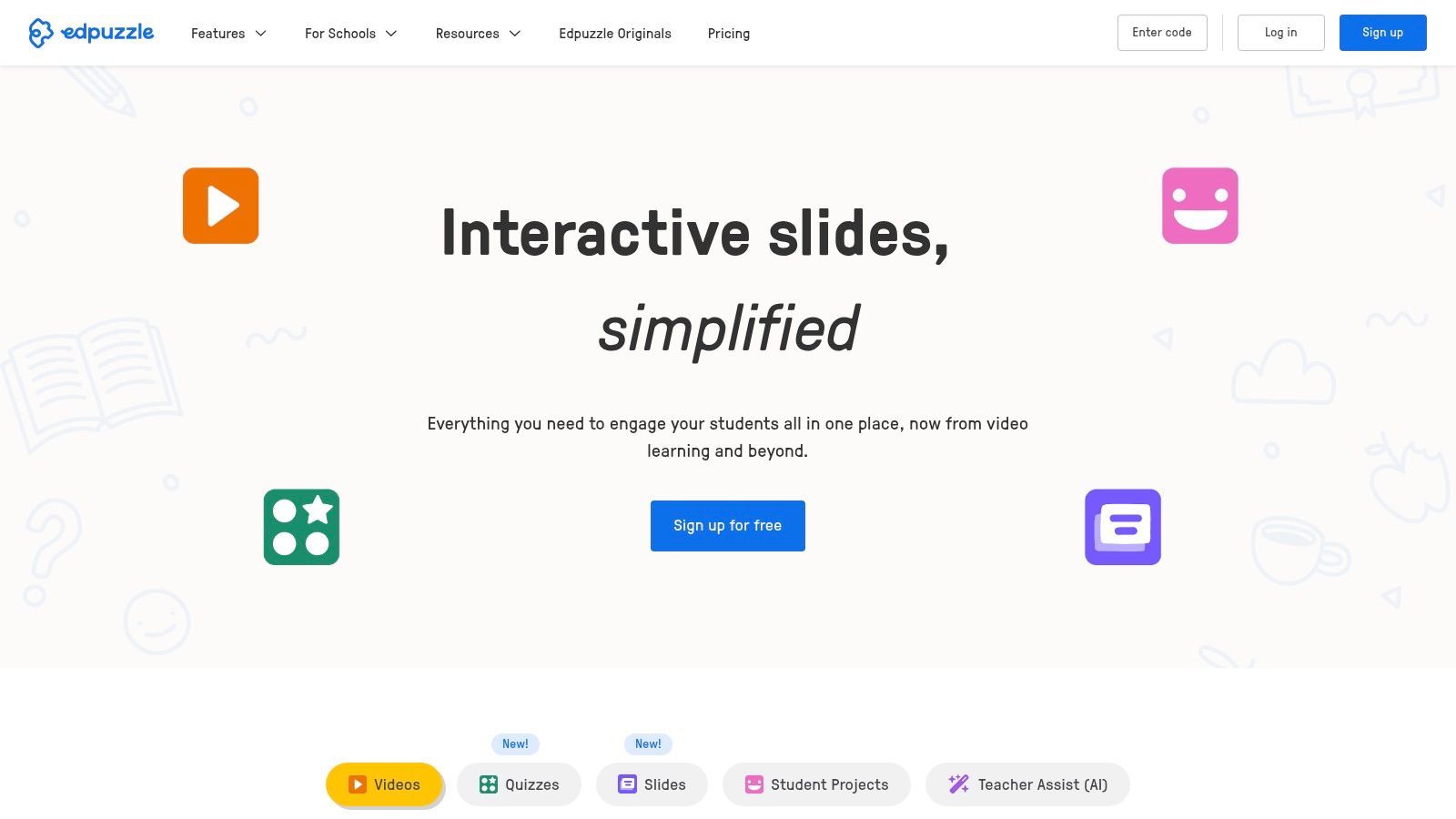
Seine Stärke liegt im einfachen, intuitiven Editor, der das Hinzufügen interaktiver Elemente auch für Video-Neulinge einfach macht. Die Fähigkeit der Plattform, das Überspringen zu verhindern, stellt sicher, dass die Schüler die gesamte Lektion wie vorgesehen verfolgen. Obwohl der kostenlose Plan robust ist, kann das Limit für Videospeicher ein Hindernis für Lehrer sein, die stark auf Videos setzen.
Hauptmerkmale & Anwendungsfälle
- Interaktive Videolektionen: Betten Sie Multiple-Choice-Fragen, offene Fragen und Audio-Notizen zu bestimmten Zeitstempeln in jedes Video ein.
- Automatische Benotung und Analysen: Benotet automatisch objektive Fragen und liefert detaillierte Berichte über Schülerengagement und Verständnis.
- LMS-Integration: Synchronisiert nahtlos mit Google Classroom, Canvas, Schoology und anderen wichtigen Lernmanagementsystemen, um Aufgaben und Benotungen zu optimieren.
Implementierung & Preise
- Preise: Der Basisplan ist kostenlos mit einem Videospeicherlimit von 20 Videos. Der Pro Teacher-Plan hebt dieses Limit für ein Einzelabonnement auf, während schul- und bezirksweite Pläne zentrale Inhaltsbibliotheken und Verwaltungsfunktionen bieten.
- Einrichtung: Lehrer können sich kostenlos einzeln anmelden. Die schulweite Implementierung umfasst einen einfachen Onboarding-Prozess und eine vom Administrator konfigurierte LMS-Integration.
Transcript.LOL-Integration: Erstellen Sie Ihre eigenen Lehrvideos und verwenden Sie Transcript.LOL, um eine vollständige Transkription zu erstellen. Sie können diesen Text dann verwenden, um Quizfragen für Ihre Edpuzzle-Lektion zu entwerfen oder ihn als Lernhilfe bereitzustellen. Erfahren Sie mehr über die Erstellung von Untertiteln und Transkripten für Lehrerlektionen, um die Barrierefreiheit zu verbessern.
Website: edpuzzle.com
8. Seesaw
Seesaw ist eine auf die Grundschule ausgerichtete Unterrichtsplattform, die darauf ausgelegt ist, das Lernen der Schüler in einem digitalen Portfolio-Format zu erfassen, was sie zu einem der effektivsten Bildungstechnologie-Tools für Lehrer in K-5-Umgebungen macht. Sie zeichnet sich durch die Überbrückung der Kommunikationslücke zwischen Klassenzimmer und Zuhause aus, indem sie Familien einen direkten Einblick in die täglichen Aktivitäten und Fortschritte ihres Kindes ermöglicht. Die Plattform ist speziell für junge Lernende konzipiert und verfügt über intuitive Werkzeuge zum Zeichnen, Aufnehmen und Fotografieren.
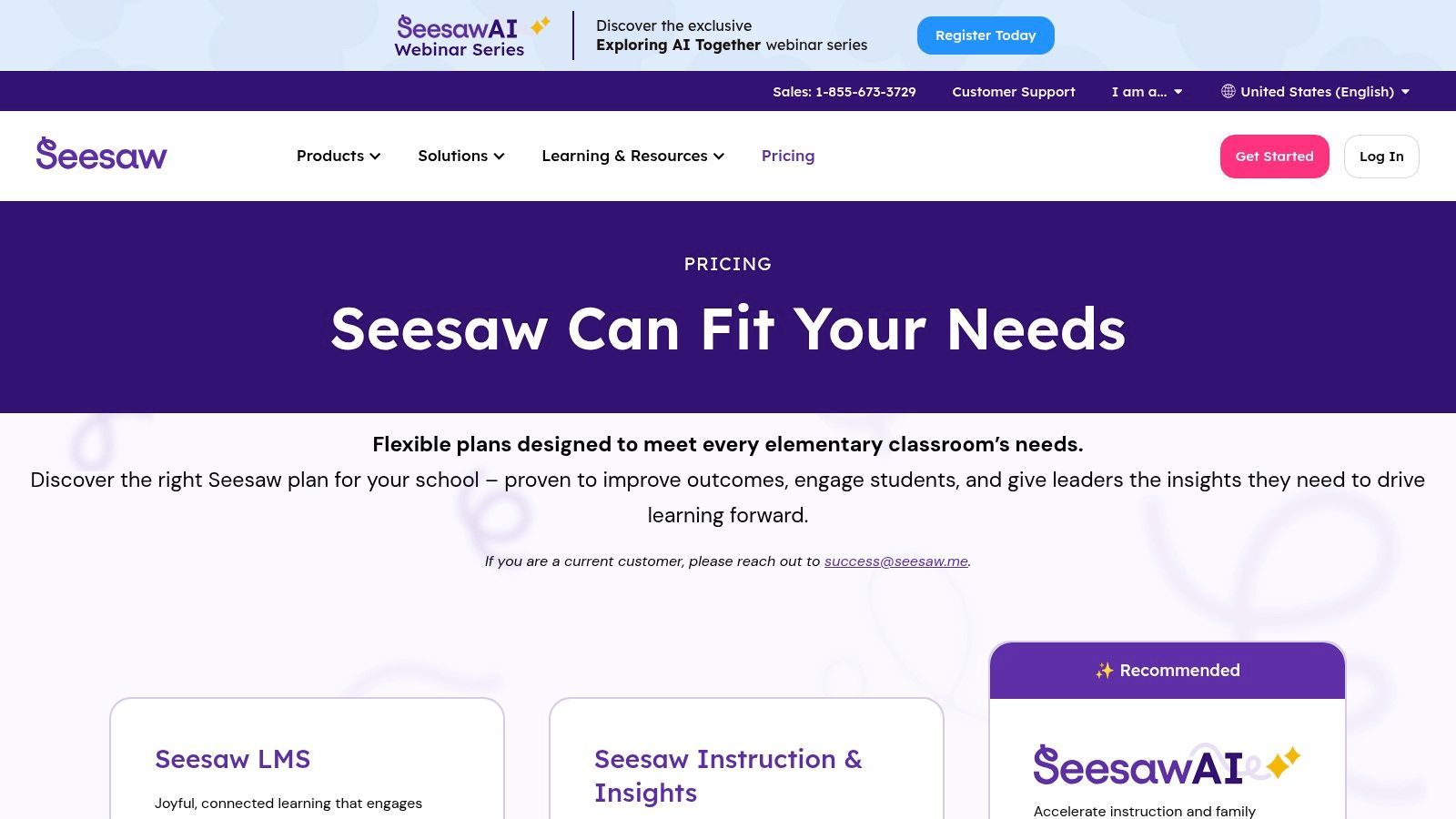
Seine Stärke liegt darin, das Lernen sichtbar zu machen und Schüler zu befähigen, ihr Verständnis auf vielfältige Weise zu demonstrieren. Im Gegensatz zu Allzweck-LMS-Plattformen ist der gesamte Workflow von Seesaw für die Erfassung von Artefakten, die formative Bewertung und die Förderung einer starken Schul-zu-Haus-Verbindung optimiert, was in den frühen Klassen entscheidend ist.
Hauptmerkmale & Anwendungsfälle
- Digitale Portfolios: Schüler können Fotos, Videos, Zeichnungen und Sprachaufnahmen hinzufügen, um ihre Arbeit zu präsentieren und über ihr Lernen nachzudenken.
- Familienkommunikation: Lehrer können Schülerarbeiten sicher teilen und Nachrichten direkt an Familienmitglieder senden, um sie einzubinden.
- Lehrplan & Bewertungen: Enthält eine Bibliothek von standardkonformen Lektionen, Fortschrittsüberwachungstools und Dashboards auf Bezirksebene.
- KI-Lesewerkzeuge: Bietet KI-gestützte Unterstützung zur Bewertung der Leseflüssigkeit und zur gezielten Unterstützung.
Implementierung & Preise
- Preise: Seesaw wird ausschließlich auf Schul- oder Bezirksebene mit schülerbezogenen Preisen verkauft, die ein individuelles Angebot erfordern. Es gibt keine bezahlten Lehrer-Lizenzen.
- Einrichtung: Die Implementierung beinhaltet eine schul- oder bezirksweite Einführung, oft integriert mit Clever oder anderen Klassenlisten-Systemen zur vereinfachten Klasseneinrichtung.
Transcript.LOL-Integration: Wenn Schüler die Video- oder Audioaufzeichnungsfunktionen von Seesaw nutzen, um ihr Denken zu erklären oder das Lesen zu üben, verwenden Sie Transcript.LOL, um Transkripte zu erstellen. Dies hilft Lehrern, das Verständnis schnell zu bewerten und liefert schriftliche Dokumentationen des Schülerfortschritts. Es unterstützt auch junge Leser, indem es gesprochene Wörter mit Text verbindet.
Website: seesaw.com
9. Chrome Web Store – Kategorie Bildungs-Erweiterungen
Die kuratierte Bildungskategorie des Chrome Web Stores ist eine riesige Bibliothek von Browser-Erweiterungen, die den Workflow eines Lehrers sofort um neue Funktionen erweitern können. Sie dient als Anlaufstelle für spezialisierte Bildungstechnologie-Tools, die die Alphabetisierung verbessern, die Zitationsverwaltung vereinfachen und sich in bestehende Systeme wie Google Classroom integrieren. Dies macht sie zu einem unverzichtbaren Anlaufpunkt für Pädagogen, die ihre digitalen Werkzeuge anpassen möchten, ohne sich auf eine große Plattform festlegen zu müssen.
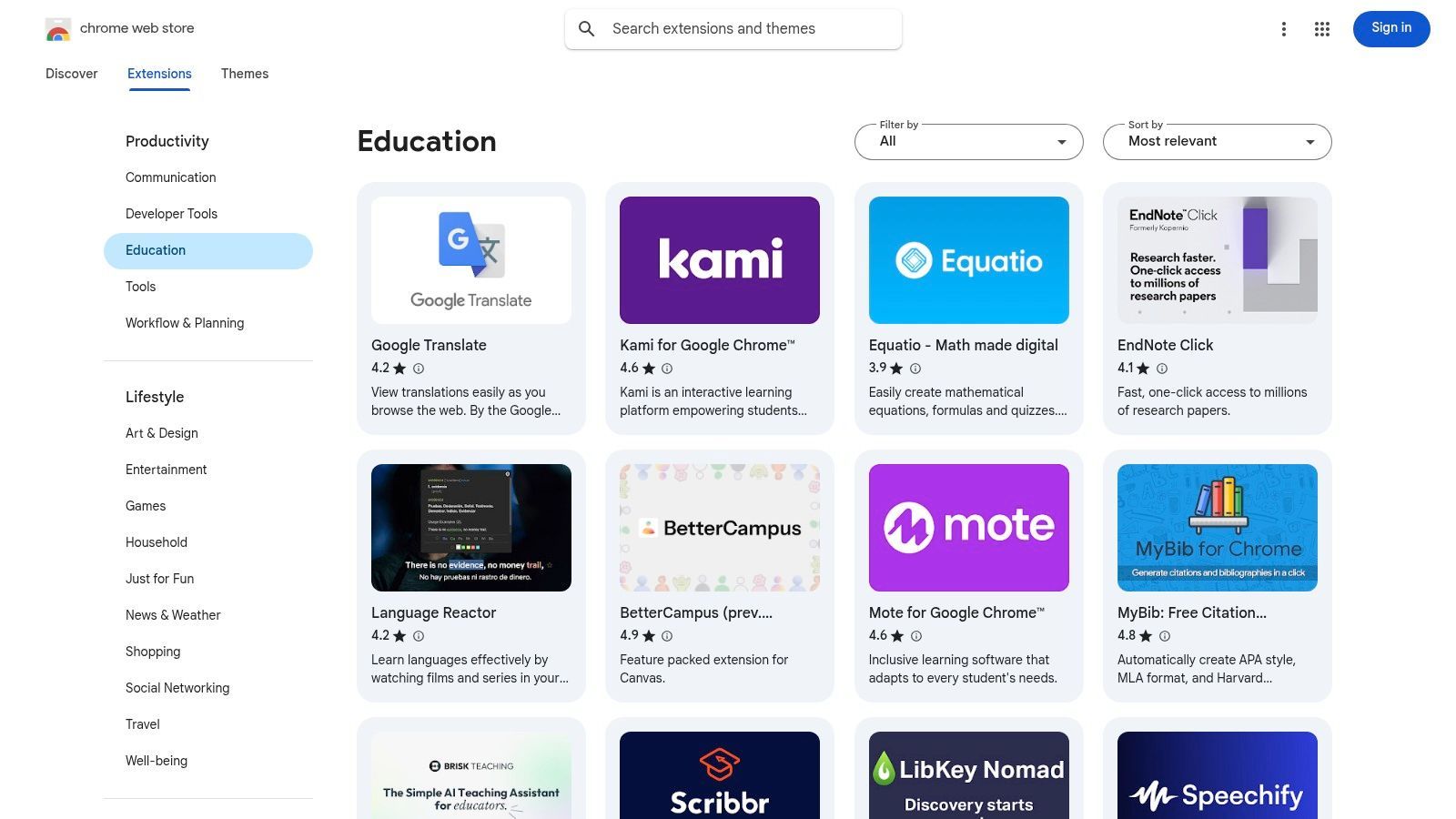
Seine Stärke liegt in der schieren Menge und Zugänglichkeit kostenloser und Freemium-Tools, die sofort auf Chrome-Browser oder eine ganze Flotte von Chromebooks bereitgestellt werden können. Die offene Natur des Stores bedeutet jedoch, dass die Qualitäts- und Datenschutzstandards stark variieren, sodass Pädagogen Erweiterungen sorgfältig prüfen müssen. Eine großartige Erweiterung kann sich wie eine Superkraft anfühlen, während eine schlechte eine Ablenkung sein kann.
Hauptmerkmale & Anwendungsfälle
- Kuratierte Bildungskategorie: Filter ermöglichen es Lehrern, Erweiterungen nach Zweck zu finden, wie z. B. Alphabetisierungshilfen, Zitationsgeneratoren und Sprachwerkzeuge.
- LMS-Dienstprogramme: Finden Sie Erweiterungen, die Funktionalität zu beliebten Lernmanagementsystemen hinzufügen, wie z. B. Hilfsprogramme für die Notenübermittlung oder Benachrichtigungsmanager.
- Barrierefreiheitswerkzeuge: Enthält Screenreader, Text-to-Speech-Tools und Leseförderer zur Unterstützung vielfältiger Schülerbedürfnisse.
Implementierung & Preise
- Preise: Die überwiegende Mehrheit der Bildungs-Erweiterungen ist kostenlos oder bietet eine funktionale Freemium-Stufe.
- Einrichtung: Die Installation ist ein Ein-Klick-Prozess aus dem Web Store. IT-Administratoren können auch empfohlene Erweiterungen auf allen Schüler- oder Mitarbeitergeräten auf Bezirksebene bereitstellen.
Transcript.LOL-Integration: Installieren Sie die Transcript.LOL Chrome-Erweiterung, um jeden Ton, der in Ihrem Browser abgespielt wird, schnell zu transkribieren. Dies ermöglicht es Lehrern, Audio von Bildungs-Videos oder Online-Ressourcen zu erfassen und es sofort in Text für Unterrichtspläne, Lernhilfen oder Barrierefreiheitszwecke umzuwandeln.
Website: chromewebstore.google.com/category/extensions/productivity/education
10. Apple School Purchasing (Apple School Manager + App Store for Education)
Für Schulen, die sich dem Apple-Ökosystem verschrieben haben, bietet Apple School Purchasing die wesentliche Infrastruktur für die Bereitstellung und Verwaltung von Apps und Büchern in großem Maßstab. Es zentralisiert die institutionelle Beschaffung über Apple School Manager, sodass Administratoren Apps in großen Mengen, oft mit Bildungsrabatten, kaufen und auf schulische Geräte verteilen können. Dies ist ein wichtiges Verwaltungstool für jeden Bezirk, der iPads oder Macs verwendet.
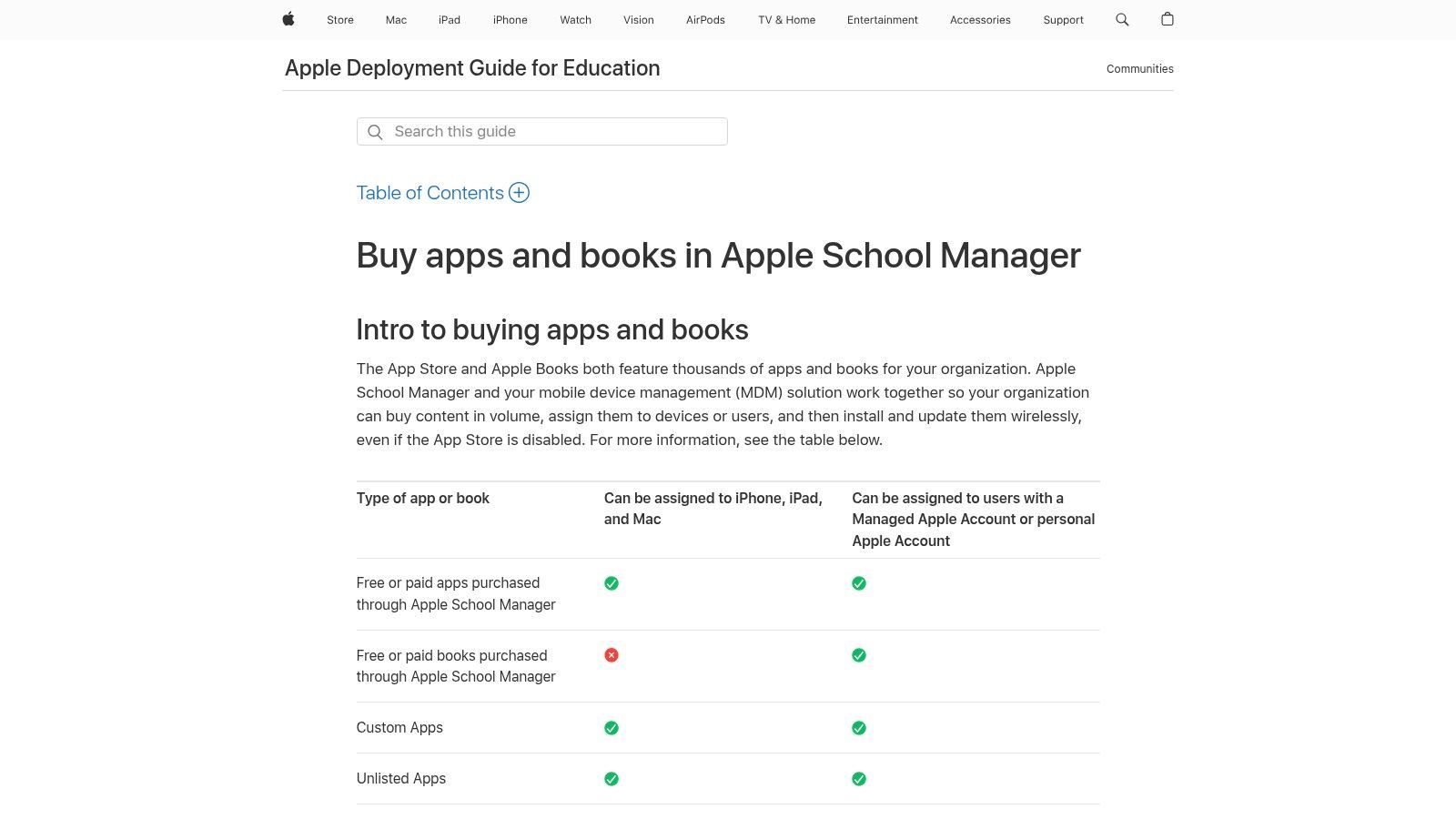
Die Stärke des Systems liegt in seiner engen Integration mit Mobile Device Management (MDM)-Lösungen, die die Zuweisung und den Widerruf von Lizenzen automatisiert, ohne dass eine Benutzerinteraktion erforderlich ist. Dies stellt sicher, dass die richtigen Bildungstechnologie-Tools auf den richtigen Geräten zur richtigen Zeit vorhanden sind, während die Privatsphäre der Schüler mit Managed Apple IDs gewahrt bleibt. Es ist für institutionelle Käufer und nicht für einzelne Lehrer konzipiert.
Hauptmerkmale & Anwendungsfälle
- Volumenkauf: Kaufen Sie Apps und Bücher in großen Mengen für Schüler und Lehrer, mit Volumenrabatten für berechtigte Institutionen.
- Verwaltete Verteilung: Weisen Sie Apps direkt Geräten oder über Managed Apple IDs zu und widerrufen oder weisen Sie Lizenzen neu zu, wenn sich Schüler oder Mitarbeiter ändern.
- Zentrale Verwaltung: Verwenden Sie Apple School Manager, um die Geräteregistrierung, Benutzerkonten und Inhaltskäufe über ein einziges webbasiertes Portal zu verwalten.
Implementierung & Preise
- Preise: Apple School Manager ist ein kostenloser Dienst von Apple. Die Kosten fallen für die gekauften Apps und Bücher an, obwohl viele Bildungs-Apps kostenlos sind.
- Einrichtung: Erfordert eine administrative Einrichtung durch eine IT-Abteilung zur Integration mit einem MDM-Dienst und zur Konfiguration der Geräteregistrierung und Benutzerkonten.
Transcript.LOL-Integration: Bei der Verwendung von iPads zur Aufnahme von Schülerpräsentationen oder Lehrer-Vorlesungen verwenden Sie Transcript.LOL, um den Ton zu transkribieren. Der resultierende Text kann als PDF oder Textdatei über Apple School Manager verteilt werden, wodurch Schüler ein zugängliches, durchsuchbares Skript erhalten, das sie neben der Originalaufnahme überprüfen können. Dies unterstützt differenziertes Lernen und die Vorbereitung auf Prüfungen.
Website: support.apple.com/guide/deployment-education/app-and-book-purchases-edub2bcccc1f/web
11. CDW K–12 Education Technology
CDW fungiert als umfassender Technologiebeschaffungspartner für Schulen und Bezirke und nicht als einzelnes Software-Tool. Es bietet einen One-Stop-Shop für den Kauf, die Bereitstellung und die Verwaltung einer breiten Palette von Bildungstechnologien, von Geräten und audiovisuellen Geräten bis hin zu Softwarelizenzen. Für Administratoren und IT-Leiter vereinfacht CDW den komplexen Prozess der Ausstattung einer gesamten Institution mit den richtigen Werkzeugen.
Sein Wert liegt in seinem Umfang und seiner Expertise, die Zugang zu Tausenden von Produkten mit Bildungspreisen und professionellen Dienstleistungen bietet. Die Fähigkeit von CDW, alles von der Erstbeschaffung bis zum Lebenszyklusmanagement zu übernehmen, macht es zu einem kritischen logistischen Partner für Bezirke, die groß angelegte Technologieinitiativen umsetzen. Dies macht es zu einer wesentlichen Ressource in der breiteren Landschaft der Bildungstechnologie-Tools für Lehrer und Administratoren.
Hauptmerkmale & Anwendungsfälle
- One-Stop-Beschaffung: Zugang zu über 100.000 Produkten von mehr als 1.000 Marken mit speziellen Bildungspreisen.
- Bereitstellung & Managed Services: CDW bietet professionelle Entwicklung, Gerätebereitstellung und laufendes IT-Management zur Unterstützung des Schulpersonals.
- Partnerschaft mit Google for Education: Bietet spezialisierte Dienstleistungen für die Bereitstellung und Verwaltung von Google Workspace und Chromebooks auf Bezirksebene.
- Vertragsbeschaffung: Unterstützt angebotbasierte und Gruppenbeschaffungsvereinbarungen, die große Bestellungen für Bezirke optimieren.
Implementierung & Preise
- Preise: Die Preise basieren auf Angeboten und sind für institutionelle Einkäufe individuell angepasst. Kleine, einzelne Bestellungen sind möglicherweise nicht kostengünstiger.
- Einrichtung: Die Implementierung ist eine Aufgabe auf hoher administrativer Ebene, die eine Beratung mit CDW-Vertretern zur Planung und Durchführung von Technologie-Rollouts auf Bezirksebene beinhaltet.
Transcript.LOL-Integration: Wenn Bezirke über CDW Klassenraum-Audio-/Videoausrüstung oder Videokonferenzlösungen kaufen, bietet die Integration von Transcript.LOL einen sofortigen Vorteil in Bezug auf die Barrierefreiheit. Alle aufgezeichneten Lektionen, Versammlungen oder PD-Sitzungen können transkribiert werden, wodurch durchsuchbare und zugängliche Lernmaterialien entstehen. Erfahren Sie, wie Sie Vorlesungstranskripte für die Schülerzugänglichkeit bereitstellen können.
Website: www.cdw.com/k-12-education
12. Common Sense Education (EdTech-Bewertungen und -Rankings)
Common Sense Education dient als entscheidender Torwächter und Leitfaden für Pädagogen, die sich auf dem überfüllten EdTech-Markt zurechtfinden. Anstatt selbst ein Werkzeug zu sein, ist es eine gemeinnützige Bewertungsplattform, die digitale Lernwerkzeuge anhand einer forschungsbasierten Rubrik bewertet. Sie befähigt Lehrer und Administratoren, neue Bildungstechnologie-Tools für Lehrer zu prüfen, die pädagogischen Wert, Engagement und vor allem Datenschutzstandards vor der Implementierung im Klassenzimmer zu überprüfen.
Seine Stärke liegt in seiner unvoreingenommenen, auf Pädagogen ausgerichteten Perspektive, die detaillierte Bewertungen und "How-to"-Ideen zur Integration im Klassenzimmer bietet, die völlig kostenlos sind. Dies macht es zu einer unverzichtbaren Ressource für fundierte Entscheidungen über die zu übernehmenden Tools, um sicherzustellen, dass sie mit den Lernzielen und den Richtlinien des Bezirks übereinstimmen. Obwohl die Bewertungen ab Februar 2026 pausiert sind, bleibt die bestehende Bibliothek ein wertvolles Archiv.
Hauptmerkmale & Anwendungsfälle
- Forschungsbasierte Bewertungen: Tools werden mit einer umfassenden Rubrik bewertet, die sich auf Engagement, Pädagogik und Unterstützung konzentriert.
- Datenschutzbewertungen: Separate, detaillierte Berichte über Datenschutzpraktiken helfen Schulen, die Einhaltung von Vorschriften aufrechtzuerhalten und Schülerdaten zu schützen.
- Kuratierte Sammlungen: Entdecken Sie Tools, die nach Fach, Klassenstufe und spezifischen Fähigkeiten organisiert sind, komplett mit praktischen Tipps zur Integration im Klassenzimmer.
Implementierung & Preise
- Preise: Völlig kostenlos für alle Pädagogen und Administratoren.
- Einrichtung: Keine Einrichtung erforderlich. Benutzer können die Website sofort durchsuchen und durchsuchen, ohne ein Konto zu benötigen. Die Erstellung eines Kontos ermöglicht das Speichern von Favoritenbewertungen.
Transcript.LOL-Integration: Verwenden Sie nach der Identifizierung eines vielversprechenden videobasierten Lernwerkzeugs mit Common Sense Education Transcript.LOL, um dessen Inhalte zu verarbeiten. Durch die Erstellung von Transkripten können Sie Videolektionen in Lernhilfen umwandeln, die Inhaltsgenauigkeit überprüfen und sicherstellen, dass alle Materialien vollständig zugänglich sind. Erfahren Sie mehr über Transkriptionsdienste für Bildungseinrichtungen.
Website: https://www.commonsense.org/education
12 Vergleich von EdTech-Tools für Lehrer
| Produkt | Kernfunktionen | UX / Qualität (★) | Preis & Wert (💰) | Zielgruppe (👥) | Herausragend / USP (✨) |
|---|---|---|---|---|---|
| Transcript.LOL 🏆 | KI-Transkription (OpenAI Whisper), Sprechererkennung, 10‑Stunden-Uploads, Multi‑Format-Exporte, KI-Zusammenfassungen/Quizze | ★★★★★ 4,8/5 — ultraschnell, hohe Genauigkeit | 💰 Kostenlose Stufe; Unbegrenzt 120 $/Jahr; Team 240 $/Jahr — hoher Wert für Geschwindigkeit & Datenschutz | 👥 Podcaster, Kreative, Vermarkter, Forscher, Juristen, Unternehmen | ✨ Datenschutzfreundliche No-Training-Richtlinie; reichhaltige KI-Ausgaben & Workflow-Tools |
| Google for Education | Classroom, Drive, Meet, Docs/Slides, Klassenlistenverwaltung, KI-Add‑ons | ★★★★ weit verbreitet; Admin-Steuerung | 💰 Kostenlos (Fundamentals); kostenpflichtige institutionelle Stufen für Sicherheit/Analyse | 👥 K–12-Bezirke, IT-Administratoren, Lehrer | ✨ Komplettlösungen für Unterrichtsabläufe + SIS-Integrationen |
| Microsoft Education | Teams, OneNote, Word/Excel/PowerPoint (Web & Desktop), gemeinsamer Speicher | ★★★★ Enterprise-Grade; starke Desktop-Unterstützung | 💰 Kostenlose A1-Web-Apps; A3/A5 über Institution (Lizenzkosten variieren) | 👥 Bezirke, die Enterprise-Produktivität & Teams benötigen | ✨ Tiefe Office/Teams-Integration und Enterprise-Funktionen |
| Canva for Education | Vorlagen, Whiteboards, Folien, Video, LMS-Integrationen, Marken-Kits | ★★★★★ sehr einfach zu bedienen; schnelle Inhaltserstellung | 💰 Kostenlos für verifizierte K–12-Lehrer & Schüler | 👥 K–12-Lehrer, Schüler, Lehrplan-Teams | ✨ Visuelle Erstellung in großem Maßstab + geteilte Klassen & Markensteuerung |
| Nearpod | Interaktive Lektionen, Live-/Schülergesteuerte Modi, über 20 Bewertungstypen | ★★★★ starke Schülerbeteiligung | 💰 Kostenlose Silberstufe; Gold/Platin & Bezirkspreise | 👥 Klassenlehrer, die interaktive Bewertungen suchen | ✨ Vielfältige Aktivitätstypen + große Lektionsbibliothek |
| Kahoot! for Schools | Spielebasierte Quizze, schülergesteuerte Aufgaben, fertige Kahoot-Bibliothek | ★★★★ hochgradig ansprechend & einfache Einführung | 💰 Kostenlose Basisstufe; kostenpflichtige Lehrer-/EDU-Stufen | 👥 Lehrer, die gamifizierte Checks & Remote-Engagement suchen | ✨ Riesiges Ökosystem fertiger Quizze |
| Edpuzzle | Videolektionen mit zeitgestempelten Fragen, automatische Benotung, LMS-Synchronisation | ★★★★ effektiv für Flipped-/Video-Lektionen | 💰 Kostenloser Plan; Pro Teacher & Pro School Pläne | 👥 Lehrer, die Video-Bewertungen & Flipped Classrooms nutzen | ✨ Quizze in Videos einbetten + automatische Benotung |
| Seesaw | Schüler-Portfolios, Familienkommunikation, Bezirks-Dashboards | ★★★★ kinderfreundliche K–5-UX | 💰 Schul-/Bezirkspreise (Angebot) | 👥 K–5-Lehrer, Familien, Grundschul-Administratoren | ✨ Portfolio + Familienengagement-Fokus |
| Chrome Web Store – Education | Kuratierte Bildungs-Erweiterungen (Zitation, Alphabetisierung, LMS-Helfer) | ★★★★ Qualität variiert je nach Erweiterung | 💰 Überwiegend kostenlose oder Freemium-Erweiterungen | 👥 Lehrer & IT, die Chrome/Chromebooks bereitstellen | ✨ Schnelle Bereitstellung + riesiges Ökosystem kostenloser Tools |
| Apple School Purchasing | Volumenkäufe von Apps/Büchern, verwaltete Apple IDs, Lizenzverwaltung | ★★★★ robuste Geräte- & Lizenzverwaltung | 💰 Institutionelle/Volumenpreise; Rabatte für Bildung | 👥 Schulen/Bezirke, die iPads/Macs verwalten | ✨ Zentrale App-Verteilung & MDM-Workflows |
| CDW K–12 Education Technology | Beschaffung, Bereitstellung, Managed Services, Zugang zu über 1.000 Marken | ★★★★ Reseller-Expertise & Integrationsunterstützung | 💰 Angebotbasiert; Bildungspreise & Dienstleistungen | 👥 Bezirke, die Beschaffung, Bereitstellung & PD benötigen | ✨ One-Stop-Beschaffung + professionelle Dienstleistungen |
| Common Sense Education | Forschungsbasierte EdTech-Bewertungen, Datenschutzbewertungen, Tipps für das Klassenzimmer | ★★★★★ vertrauenswürdige, auf Pädagogen ausgerichtete Bewertungen | 💰 Kostenlose Ressource | 👥 Administratoren & Lehrer, die Tools prüfen | ✨ Unabhängige Bewertungen + Datenschutz-Rankings |
Auswahl der richtigen Tools für Ihre Lehrphilosophie
Die Navigation durch die riesige Landschaft der Bildungstechnologie kann überwältigend sein, aber das Ziel ist nicht, jede verfügbare Plattform zu übernehmen. Stattdessen ist der effektivste Ansatz, bewusste, strategische Entscheidungen zu treffen, die Ihren Unterricht wirklich verbessern und die Lernreisen Ihrer Schüler unterstützen. Diese umfassende Liste von Bildungstechnologie-Tools für Lehrer wurde entwickelt, um über einfache Funktionsbeschreibungen hinauszugehen und praktische Einblicke zu geben, wie Plattformen wie Google Workspace, Nearpod und Canva for Education spezifische Herausforderungen im Klassenzimmer lösen können.
Was der richtige EdTech-Stack liefert?
Mehr Zeit zum Unterrichten
Automatisierte Arbeitsabläufe reduzieren Verwaltungsaufgaben wie Benotung, Formatierung und Dokumentation. Lehrer verbringen weniger Zeit mit der Verwaltung von Tools und mehr Zeit mit der Unterstützung von Schülern.
Bessere Zugänglichkeit
Transkripte, Untertitel und mehrere Inhaltsformate stellen sicher, dass jeder Lernende folgen kann, einschließlich ESL- und hörgeschädigter Schüler.
Höheres Engagement
Interaktive und multimediale Tools halten den Unterricht dynamisch und fördern aktive Teilnahme statt passivem Zuhören.
Organisiertes Wissen
Durchsuchbare Ressourcen und gespeicherte Transkripte verwandeln vergangene Lektionen in wiederverwendbare Assets, nicht in vergessene Aufzeichnungen.
Die wahre Kraft dieser Tools wird durch ihre durchdachte Integration freigesetzt. Es geht darum, ein Tool auszuwählen, das mit Ihrer pädagogischen Philosophie übereinstimmt, sei es die Förderung von projektbasiertem Lernen, die Ermöglichung personalisierter Anweisungen oder die Schaffung einer inklusiveren und zugänglicheren Umgebung. Die erfolgreichsten Technologieintegrationen drehen sich nicht um die glänzendsten Funktionen, sondern darum, wie nahtlos ein Tool Ihre Unterrichtsreichweite erweitern und komplexe Verwaltungsaufgaben vereinfachen kann, sodass Sie sich auf das konzentrieren können, was am wichtigsten ist: Ihre Schüler.
KI wird zum Standard in Klassenzimmern
Automatisierte Transkription, Zusammenfassungen und intelligente Assistenten ersetzen schnell manuelle Notizen. Schulen, die KI-Tools einsetzen, berichten von schnellerer Vorbereitungszeit und besserer Zugänglichkeit. Dieser Wandel ist keine Option mehr – er wird zur Standardpraxis.
Von der Information zur Umsetzung: Ihre nächsten Schritte
Der Weg zu einem technologiegestützten Klassenzimmer ist ein Marathon, kein Sprint. Um sich nicht überfordert zu fühlen, konzentrieren Sie sich auf einen schrittweisen Ansatz zur Umsetzung.
- Identifizieren Sie einen einzelnen Schwachpunkt: Beginnen Sie damit, eine spezifische Herausforderung auszuwählen, die Sie angehen möchten. Geht es um das Engagement der Schüler? Differenzierte Unterrichtsgestaltung? Verwaltung von Aufgaben?
- Wählen Sie ein Werkzeug zum Testen aus: Basierend auf diesem Schwachpunkt wählen Sie nur ein oder zwei Werkzeuge aus dieser Liste aus, um sie zu erkunden. Wenn Sie Videolektionen ansprechender gestalten möchten, probieren Sie Edpuzzle aus. Wenn Sie die Kommunikation und Aufgabenverwaltung optimieren möchten, tauchen Sie tiefer in Google Classroom oder Microsoft Teams ein.
- Fangen Sie klein an und sammeln Sie Feedback: Führen Sie das Werkzeug mit einer einzelnen Klasse oder für ein bestimmtes, risikoarmes Projekt ein. Holen Sie aktiv Feedback von Ihren Schülern zu ihren Erfahrungen ein. Ihre Erkenntnisse sind von unschätzbarem Wert, um zu verstehen, was funktioniert und was nicht.
- Iterieren und erweitern: Basierend auf den Ergebnissen Ihres Pilotprojekts können Sie Ihren Ansatz verfeinern, weitere Weiterbildungen suchen und die Nutzung des Werkzeugs schrittweise auf mehr Ihrer Lektionen oder Klassen ausdehnen.
Denken Sie daran, dass die besten Bildungstechnologie-Werkzeuge für Lehrer diejenigen sind, die zu einem unsichtbaren, aber unverzichtbaren Bestandteil des Lernprozesses werden. Sie sollten die Kreativität der Schüler fördern, die Zusammenarbeit erleichtern und komplexe Konzepte zugänglicher machen. Indem Sie sich auf eine zielgerichtete Umsetzung konzentrieren, anstatt den neuesten Trends hinterherzujagen, können Sie eine dynamische, unterstützende und wirklich moderne Lernumgebung aufbauen, die Schüler auf die Zukunft vorbereitet. Ihre durchdachte Auswahl und Anwendung dieser Werkzeuge wird letztendlich das Bildungserlebnis verändern.
Sind Sie bereit, Ihre Bildungsinhalte zugänglicher und vielseitiger zu gestalten? Mit Transcript.LOL können Sie Ihre Videovorträge, Unterrichtsgespräche und Audio-Notizen sofort transkribieren und durchsuchbare Texte für Lernhilfen, Unterrichtszusammenfassungen und Untertitel erstellen. Verbessern Sie das Verständnis und unterstützen Sie alle Lernenden, indem Sie Ihr gesprochenes Wort in leistungsstarke schriftliche Ressourcen unter Transcript.LOL verwandeln.