
Die 12 besten Podcast-Schnittprogramme für 2026
Entdecken Sie die besten Podcast-Schnittprogramme für Ihren Workflow. Wir bewerten 12 Top-Tools für Anfänger und Profis und vergleichen Funktionen, Preise und Anwendungsfälle.
Kate, Praveen
January 9, 2026
Die Wahl der besten Podcast-Schnittsoftware ist eine entscheidende Entscheidung, die sich direkt auf Ihre Workflow-Effizienz und die endgültige Qualität Ihres Audios auswirkt. Das richtige Werkzeug kann Stunden an Arbeit rationalisieren und einen komplexen Postproduktionsprozess in eine überschaubare, ja sogar angenehme Aufgabe verwandeln. Umgekehrt kann die falsche Software zu Frustration, technischen Hürden und einem unprofessionellen Endergebnis führen.
Dieser Leitfaden soll Klarheit schaffen. Wir haben eine umfassende Liste der besten verfügbaren Plattformen zusammengestellt, von branchenüblichen Digital Audio Workstations (DAWs) bis hin zu innovativen textbasierten Editoren. Unser Ziel ist es, eine klare, praktische Ressource bereitzustellen, die Ihnen hilft, die ideale Software für Ihre spezifischen Bedürfnisse, Ihr Budget und Ihr technisches Können auszuwählen. Egal, ob Sie ein erfahrener Audioingenieur sind oder ein Anfänger, der Ihre erste Show startet, diese Aufschlüsselung wird Ihnen helfen, die perfekte Lösung zu finden. Um in der wettbewerbsintensiven Landschaft die Nase vorn zu haben, erkunden Sie Fortschritte, die künstliche Intelligenz in Ihre Produktion integrieren, wie z. B. die besten KI-Tools für Podcaster.
In dieser Liste finden Sie:
- Detaillierte Aufschlüsselungen: Jeder Software-Eintrag enthält eine eingehende Analyse der wichtigsten Funktionen, Preise und ehrliche Vor- und Nachteile, die auf realen Erfahrungen basieren.
- Spezifische Anwendungsfälle: Wir identifizieren, für wen jede Plattform am besten geeignet ist, von Solo-Erstellern bis hin zu professionellen Produktionsteams.
- Visuelle Anleitung: Screenshots sind jeder Rezension beigefügt, um Ihnen einen klaren Einblick in die Benutzeroberfläche zu geben.
Wir haben die Recherche durchgeführt, damit Sie weniger Zeit mit Vergleichen und mehr Zeit mit dem Erstellen verbringen können. Lassen Sie uns die Software finden, die Ihren Podcast aufwertet.
Warum die Wahl des richtigen Podcast-Editors wichtig ist
Podcast-Schnittsoftware beeinflusst direkt Ihre Produktionsgeschwindigkeit, Audioqualität und kreative Energie. Das richtige Werkzeug vereinfacht Ihren Workflow und hält Sie auf den Inhalt konzentriert. Die falsche Wahl führt zu Reibungsverlusten, verlangsamt Veröffentlichungen und begrenzt das langfristige Wachstum.
1. Descript
Descript revolutioniert die Podcast-Produktion, indem es die Audio- und Videobearbeitung so einfach macht wie die Bearbeitung eines Textdokuments. Anstatt komplexe Wellenformen zu manipulieren, bearbeiten Sie die automatisch generierte Transkription. Das Löschen eines Wortes oder Satzes im Text schneidet automatisch das entsprechende Audio oder Video, was es zu einer unglaublich intuitiven Wahl für Kreative macht, die keine traditionellen Audioingenieure sind. Dieser textbasierte Workflow macht es zu einer der besten Podcast-Bearbeitungssoftware-Optionen für diejenigen, die Geschwindigkeit und Einfachheit priorisieren.
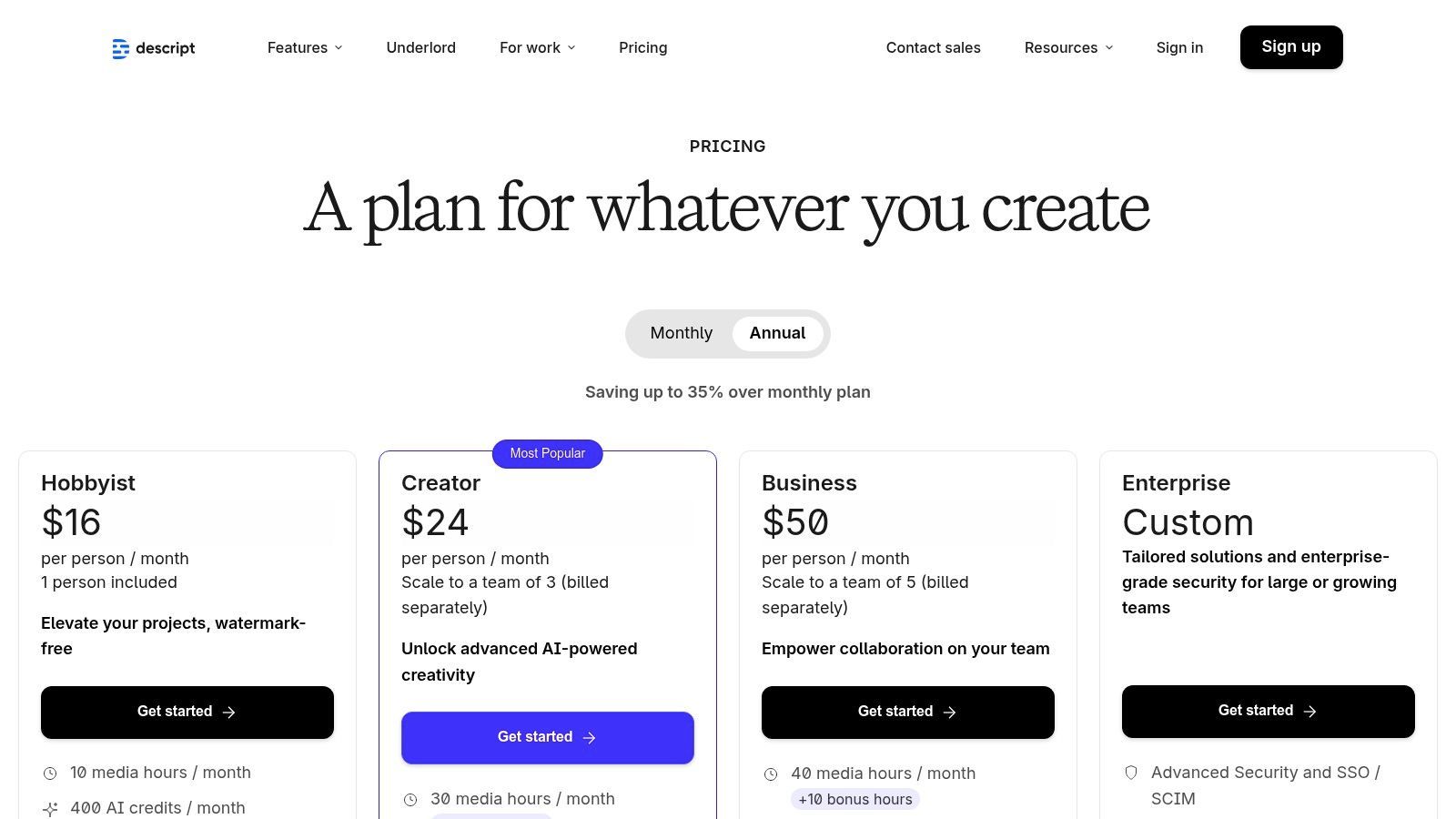
Seine leistungsstarken KI-Funktionen sind ein erheblicher Anziehungspunkt. Studio Sound kann Hintergrundgeräusche entfernen und die Sprachqualität mit einem einzigen Klick verbessern, während das Tool zur Entfernung von Füllwörtern ("ähm", "äh", "wissen Sie") eine Aufnahme in Sekundenschnelle bereinigen kann. Für diejenigen, die eine polierte Transkription benötigen, bietet Descript eine solide Grundlage, und Sie können mehr über die Perfektionierung des Prozesses erfahren, indem Sie untersuchen, wie man einen Podcast für maximale Genauigkeit und Lesbarkeit transkribiert.
Hauptmerkmale & Preise
- Transkriptionsbasierte Bearbeitung: Der Kern von Descripts Anziehungskraft. Bearbeiten Sie Audio, indem Sie einfach Text bearbeiten.
- KI-gestützte Bereinigung: "Studio Sound" zur Rauschunterdrückung und Entfernung von Füllwörtern mit einem Klick.
- Overdub: Erstellen Sie einen realistischen Klon Ihrer eigenen Stimme, um Wörter zu korrigieren oder neue Zeilen hinzuzufügen.
- Zusammenarbeit: Echtzeit-Kollaborationsfunktionen im Stil von Google Docs für Teams.
| Plan | Preis (monatlich) | Hauptsächlich für |
|---|---|---|
| Kostenlos | $0 | Anfänger, Testen der Plattform |
| Creator | $15/Benutzer | Solo-Kreative, regelmäßige Podcaster |
| Pro | $30/Benutzer | Power-User, professionelle Content-Teams |
Vor- und Nachteile
Vorteile:
- Unübertroffene Benutzerfreundlichkeit: Die Lernkurve ist für jeden, der mit einem Textverarbeitungsprogramm vertraut ist, außergewöhnlich gering.
- All-in-One-Workflow: Aufnehmen, bearbeiten, mischen, transkribieren und veröffentlichen aus einer einzigen Anwendung.
- Leistungsstarke KI-Tools: Funktionen wie Studio Sound und Overdub sparen immens viel Zeit.
Nachteile:
- Internetabhängig: Die starke Abhängigkeit von Cloud-Verarbeitung erfordert eine stabile Internetverbindung.
- Kreditbasierte Limits: Transkriptionsstunden und KI-Funktionen werden je nach Plan abgerechnet.
2. Adobe Audition (Adobe)
Adobe Audition ist eine professionelle digitale Audio-Workstation (DAW), die eine vollständige Suite leistungsstarker Misch-, Bearbeitungs- und Audio-Restaurationswerkzeuge bietet. Als Teil der Adobe Creative Cloud bietet es eine unglaublich robuste Umgebung für Podcaster, die Präzision und Kontrolle verlangen. Im Gegensatz zu einfacheren Plattformen bietet Audition erweiterte Funktionen wie Multitrack-Bearbeitung, spektrale Frequenzanzeige zur Identifizierung von Rauschen und leistungsstarke Stapelverarbeitung, was es zu einer der besten Podcast-Bearbeitungssoftware-Optionen für Profis und diejenigen macht, die Videoinhalte produzieren.
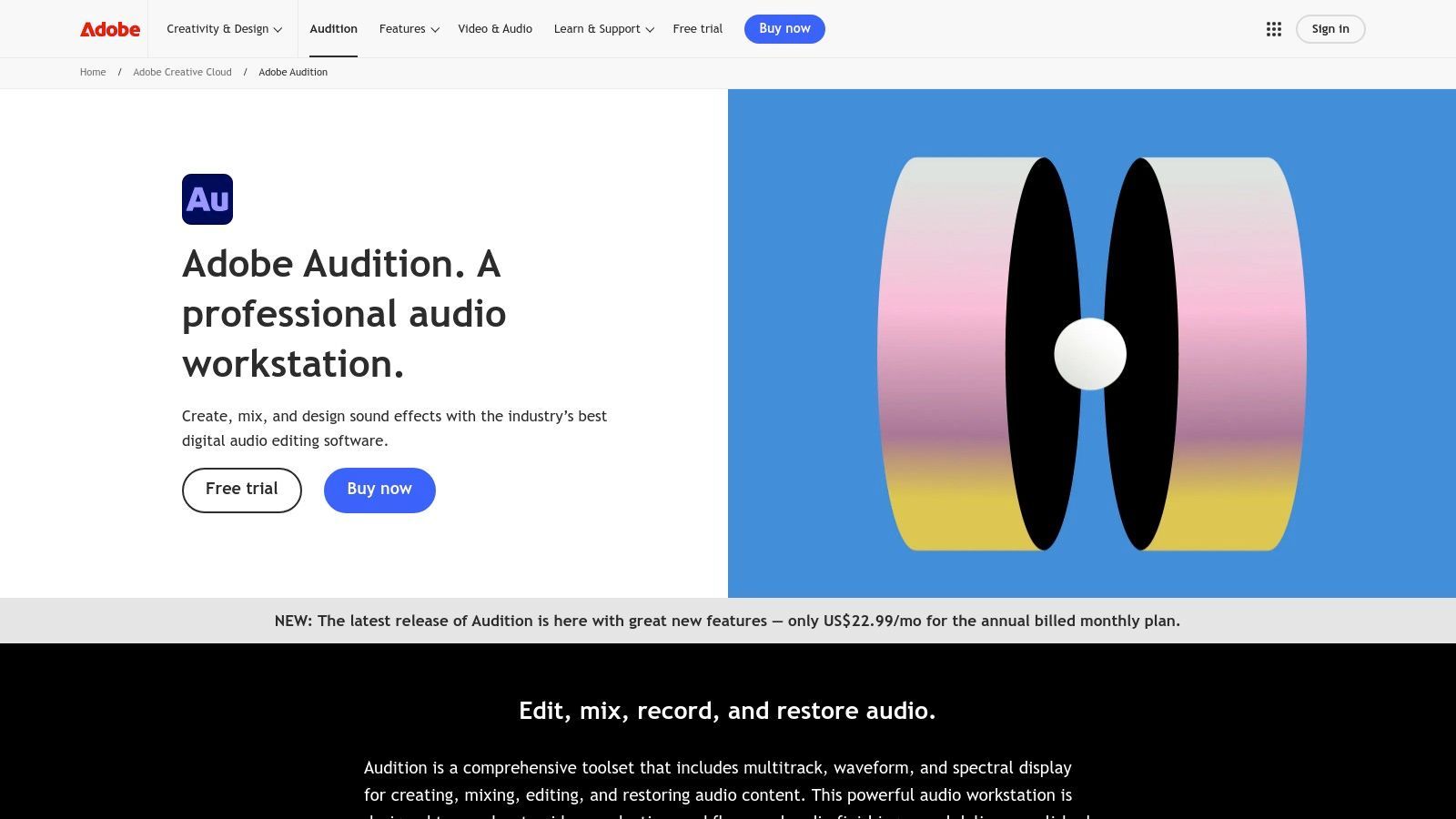
Sein größter Vorteil liegt in der nahtlosen Integration in das Adobe-Ökosystem, insbesondere mit Premiere Pro. Diese dynamische Verknüpfung ermöglicht es Videopodcastern, Audio einfach hin und her zu senden, um professionelles Mischen und Mastern zu ermöglichen, ohne Qualitäts- oder Zeitverlust. Die umfangreichen Rauschunterdrückungs- und Restaurationswerkzeuge der Software sind branchenführend und können schwierige Aufnahmen bereinigen, mit denen andere Anwendungen möglicherweise zu kämpfen haben. Während die Lernkurve steiler ist, ist die gebotene Kontrolle unübertroffen, um einen professionellen Klang zu erzielen.
Hauptmerkmale & Preise
- Erweiterte Multitrack-Bearbeitung: Arbeiten Sie gleichzeitig mit mehreren Audiospuren mit professionellen Mischsteuerungen.
- Spektrale Frequenzanzeige: Visuelle Identifizierung und chirurgische Entfernung unerwünschter Geräusche wie Husten oder Hintergrundbrummen.
- Essential Sound Panel: Vereinfacht komplexe Audioprozesse mit Voreinstellungen für Dialoge, Musik und Soundeffekte.
- Nahtlose Premiere Pro-Integration: Der Goldstandard für Audio-für-Video-Workflows.
| Plan | Preis (monatlich) | Hauptsächlich für |
|---|---|---|
| Audition Single App | $22,99 | Audio-Profis, engagierte Podcaster |
| Creative Cloud All Apps | $59,99 | Kreative, die mehrere Adobe-Tools nutzen (Video, Grafik) |
Vor- und Nachteile
Vorteile:
- Branchenübliche Leistung: Ein umfassendes Toolset für professionelles Mischen und Audio-Reparatur.
- Außergewöhnliche Restaurationswerkzeuge: Erstklassige Funktionen zur Bereinigung unvollkommener Audioaufnahmen.
- Tiefe Creative Cloud-Integration: Unübertroffene Workflow-Effizienz für Videopodcaster, die Premiere Pro nutzen.
Nachteile:
- Steilere Lernkurve: Kann für absolute Anfänger im Vergleich zu einfacheren Editoren einschüchternd sein.
- Nur Abonnement: Keine unbefristete Lizenzoption; erfordert eine laufende monatliche oder jährliche Gebühr.
3. Hindenburg Pro 2
Hindenburg Pro 2 ist eine digitale Audio-Workstation (DAW), die speziell für gesprochene Audioinhalte entwickelt wurde und sie zu einem Favoriten unter Journalisten, Erzählpodcastern und Hörbuchproduzenten macht. Im Gegensatz zu traditionellen DAWs, die für Musik entwickelt wurden, automatisiert Hindenburg viele komplexe Audioprozesse wie Pegelangleichung und Lautheitsnormalisierung. Dies ermöglicht es Kreativen, sich auf das Geschichtenerzählen zu konzentrieren, anstatt sich in technischen Einstellungen zu verlieren, und festigt seinen Platz als eine der besten Podcast-Bearbeitungssoftware-Optionen für erzählerische Inhalte.
Der Workflow konzentriert sich auf Effizienz bei der Sprachproduktion. Funktionen wie die Zwischenablage zur Organisation von Clips und der Manuskriptmodus zur textbasierten Bearbeitung optimieren die Zusammenstellung komplexer Geschichten. Die automatische Pegelangleichung stellt sicher, dass verschiedene Sprecher, Soundeffekte und Musik perfekt im Mix sitzen, ohne mühsame manuelle Anpassungen, und entspricht sofort den branchenüblichen Rundfunkstandards.
Hauptmerkmale & Preise
- Automatisierte Audioverarbeitung: Automatische Lautheitsnormalisierung und Sprachprofilierung für konsistentes, klares Audio.
- Story-fokussierte Werkzeuge: Zwischenablage zur Organisation von Audioclips und ein Manuskriptmodus zur Bearbeitung.
- Integrierte Transkription: Optionales Add-on zur Transkription von Audio direkt im Editor.
- Musikberichte: Generiert automatisch Berichte zur Verfolgung der Musiknutzung für Rechte und Lizenzgebühren.
| Plan | Preis (monatlich) | Hauptsächlich für |
|---|---|---|
| Hindenburg Lite | $12/Benutzer | Anfänger, grundlegende Sprachbearbeitung |
| Hindenburg Pro | $15/Benutzer | Professionelle Podcaster, Geschichtenerzähler |
| Hindenburg Pro + Transcribe | $30/Benutzer | Benutzer, die integrierte Transkription benötigen |
Vor- und Nachteile
Vorteile:
- Speziell für gesprochene Sprache entwickelt: Der gesamte Workflow ist für Sprache optimiert, nicht für Musik.
- Zeitersparende Automatisierung: Auto-Pegelangleichung und Lautheitsfunktionen beschleunigen den Bearbeitungsprozess erheblich.
- Außergewöhnliche Audioqualität: Der Sprachprofiler und die EQ-Tools erzeugen einen sauberen, professionellen Klang.
Nachteile:
- Nischenfokus: Weniger ideal für Podcasts, die stark auf komplexe Musikproduktion angewiesen sind.
- Zusatzkosten: Wichtige Funktionen wie Transkription sind nicht im Standard-Pro-Plan enthalten.
4. Audacity
Audacity ist ein legendärer Name in der Welt des digitalen Audios und dient Millionen als erste Wahl für kostenlose, Open-Source- und plattformübergreifende Editoren. Es bietet eine robuste, traditionelle Multitrack-Bearbeitungsumgebung, die Podcastern ohne Kosten die volle Kontrolle über ihr Audio gibt. Obwohl es die KI-gesteuerten, textbasierten Workflows neuerer Tools vermissen lässt, machen seine Zuverlässigkeit und sein umfassender Funktionsumfang es zu einem beständigen Anwärter auf die beste Podcast-Bearbeitungssoftware für preisbewusste Nutzer.
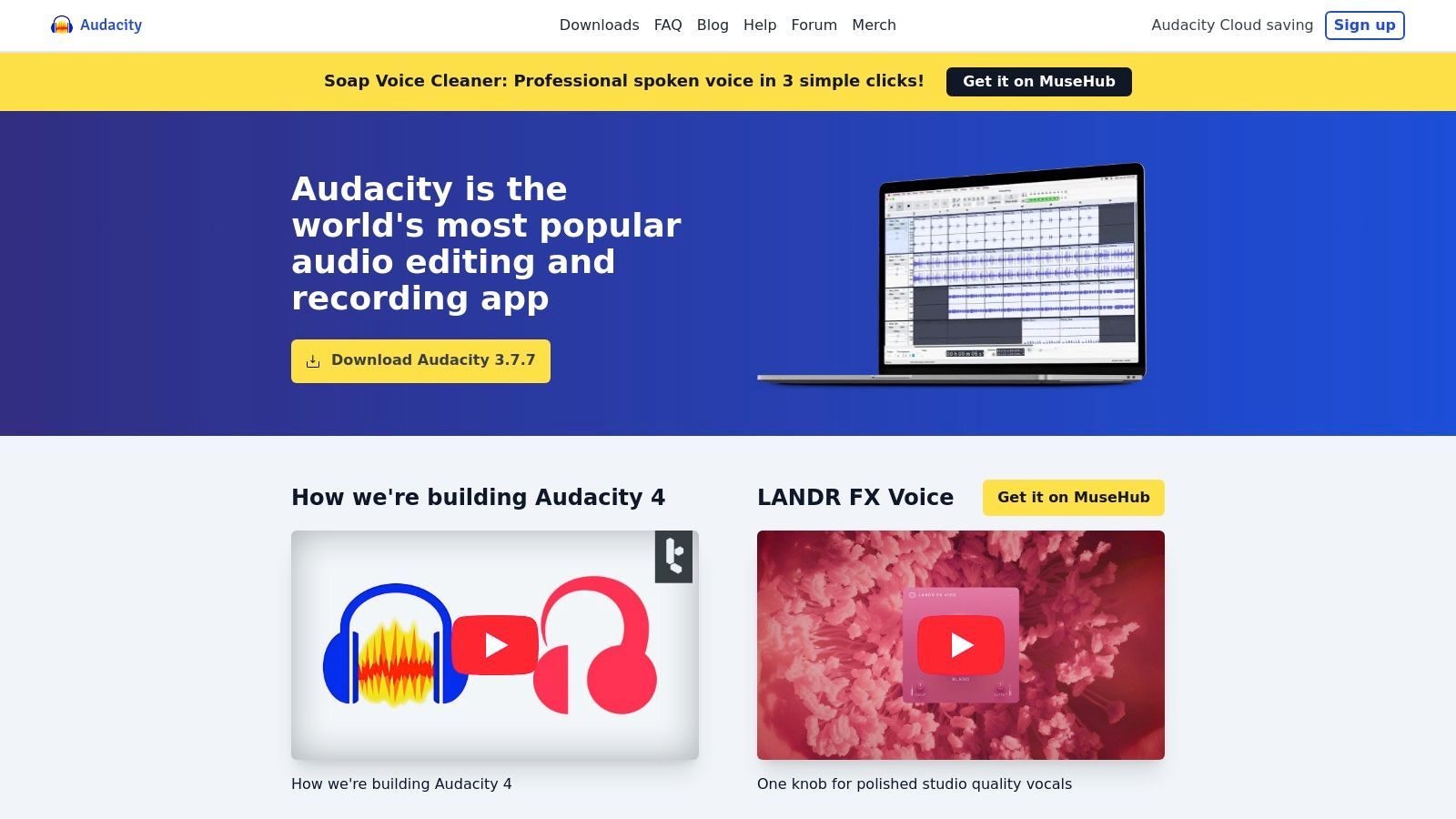
Die Plattform glänzt mit ihren leistungsstarken, schnörkellosen Werkzeugen zum Aufnehmen, Bearbeiten und Mischen. Sie können problemlos mehrere Spuren für Hosts, Gäste und Musik verwalten und Effekte wie Rauschunterdrückung, Equalizer und Kompression anwenden, um Ihren Klang zu verfeinern. Für Aufgaben wie das Kombinieren von Intro-Musik mit Ihrer Hauptaufnahme können Sie mehr darüber erfahren, wie Sie Audiodateien zusammenführen, um Ihren Workflow zu optimieren. Seine umfassende Unterstützung für Plugins (einschließlich VST3 und Nyquist) ermöglicht es Benutzern, seine Fähigkeiten weit über die Standardinstallation hinaus zu erweitern.
Hauptmerkmale & Preise
- Multitrack-Bearbeitung & Effekte: Ein traditioneller Timeline-Editor mit einer vollständigen Suite integrierter Audioeffekte.
- Plugin-Unterstützung: Erweitertbar mit einer riesigen Bibliothek von Drittanbieter-VST3- und Nyquist-Plugins.
- Analysewerkzeuge: Enthält Spektrogramm- und andere Analysefunktionen für detaillierte Audioinspektion.
- Plattformübergreifend: Funktioniert nativ unter Windows, macOS und GNU/Linux.
| Plan | Preis (monatlich) | Hauptsächlich für |
|---|---|---|
| Kostenlos | $0 | Alle, von Anfängern bis zu Profis mit kleinem Budget |
Vor- und Nachteile
Vorteile:
- Völlig kostenlos: Keine Gebühren, Abonnements oder funktionsbeschränkte Testversionen, um die man sich Sorgen machen muss.
- Große Community: Umfangreiche Dokumentation, Tutorials und Community-Support sind leicht verfügbar.
- Leistungsstark & erweiterbar: Bietet tiefe Kontrolle über Audio und kann mit unzähligen Plugins erweitert werden.
Nachteile:
- Steilere Lernkurve: Die traditionelle Benutzeroberfläche kann weniger intuitiv sein als moderne, KI-gestützte Editoren.
- Weniger Podcast-spezifische Tools: Fehlen Ein-Klick-Funktionen für die Entfernung von Füllwörtern oder automatisches Mischen, die in kostenpflichtigen Apps zu finden sind.
5. REAPER
REAPER bietet eine vollständige digitale Audio-Workstation (DAW) zu einem unglaublich zugänglichen Preis und ist damit eine leistungsstarke Wahl für Podcaster, die die volle Kontrolle über ihre Produktionsumgebung wünschen. Im Gegensatz zu vereinfachten, podcast-spezifischen Tools bietet REAPER tiefe Multitrack-Bearbeitungs-, Routing- und Automatisierungsfunktionen, die typischerweise in teurer Musikproduktionssoftware zu finden sind. Dies macht es zu einer der besten Podcast-Bearbeitungssoftware-Optionen für technisch versierte Kreative, die gerne benutzerdefinierte Workflows von Grund auf aufbauen.
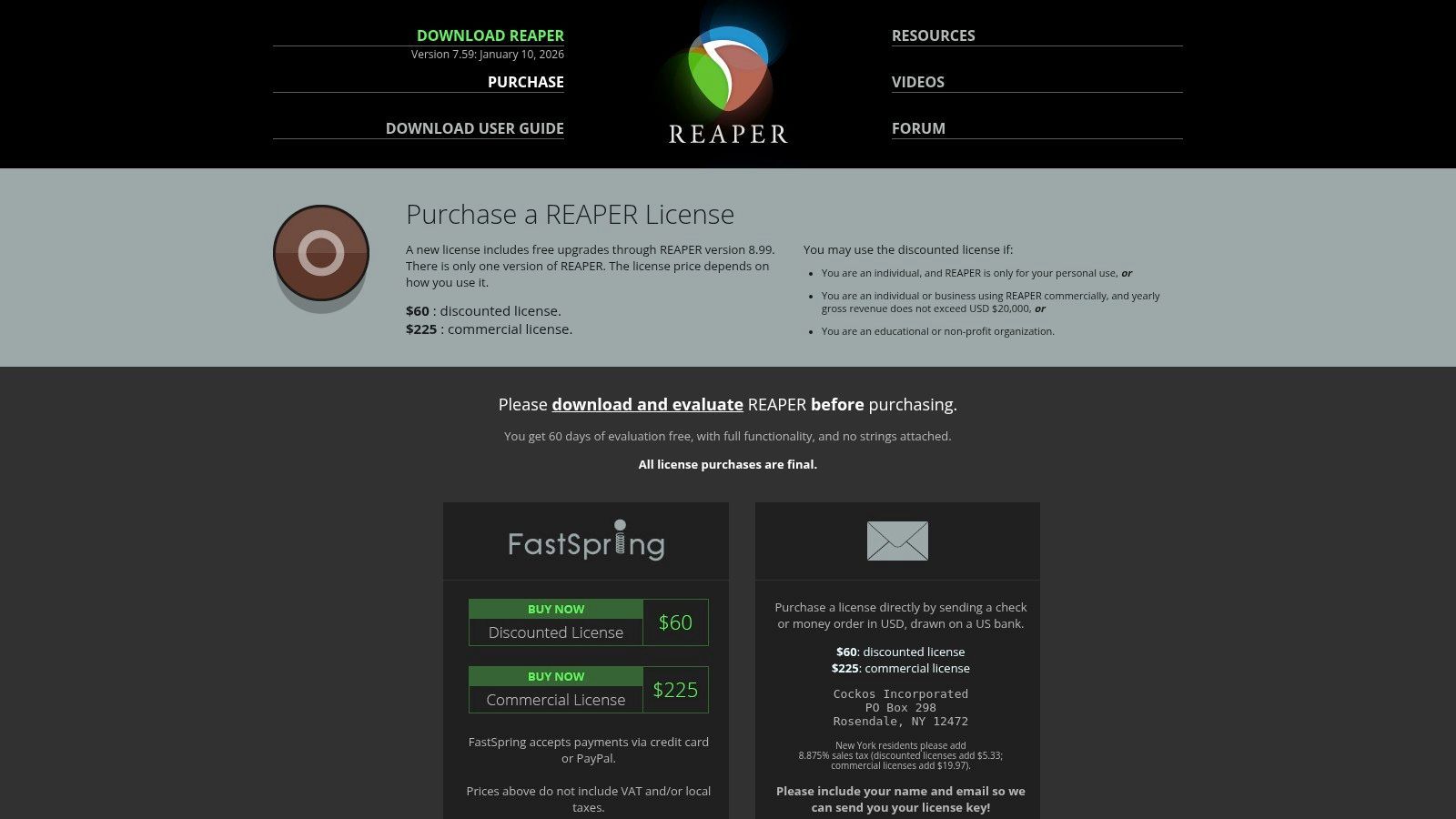
Die wahre Stärke der Plattform liegt in ihrer tiefgreifenden Anpassbarkeit und Effizienz. Benutzer können fast jeden Aspekt der Benutzeroberfläche anpassen und benutzerdefinierte Aktionen oder komplexe Makros über die Skriptunterstützung (ReaScripts) erstellen. Darüber hinaus ist REAPER bekanntermaßen leichtgewichtig und stabil und läuft auch auf bescheidener Hardware reibungslos, was ein erheblicher Vorteil für Kreative ist, die keine High-End-Computer haben.
Hauptmerkmale & Preise
- Tiefe Multitrack-Bearbeitung: Unbegrenzte Spuren mit professionellen Automatisierungs-, Gruppierungs- und Bussing-Funktionen.
- Extreme Anpassbarkeit: Modifizieren Sie Themen, Menüs, Symbolleisten und erstellen Sie benutzerdefinierte Aktionen mit Skripten.
- Flexibles Routing: Erweiterte Signalrouting-Fähigkeiten für komplexe Setups mit mehreren Hosts oder Schallquellen.
- Effiziente Leistung: Leichtgewichtige Anwendung, die minimale Systemressourcen verbraucht und Stabilität gewährleistet.
| Lizenz | Preis (einmalig) | Hauptsächlich für |
|---|---|---|
| Ermäßigt | $60 | Einzelpersonen, gemeinnützige Organisationen oder kleine Unternehmen |
| Kommerziell | $225 | Kommerzielle Nutzung mit Bruttoumsatz über 20.000 $/Jahr |
Vor- und Nachteile
Vorteile:
- Sehr erschwinglich: Eine einmalige Gebühr bietet eine voll ausgestattete DAW mit zukünftigen Updates.
- Extrem konfigurierbar: Kann perfekt an jeden Podcasting-Workflow angepasst werden.
- Leichtgewichtig und stabil: Läuft effizient auf älteren oder weniger leistungsfähigen Computern, ohne Abstürze.
Nachteile:
- Steile Lernkurve: Die Benutzeroberfläche und die Ersteinrichtung können für Anfänger einschüchternd wirken.
- Fehlen Podcast-spezifischer Vorlagen: Erfordert mehr manuelle Einrichtung als Tools, die ausschließlich für das Podcasting entwickelt wurden.
6. Logic Pro (Apple)
Logic Pro ist Apples professionelle digitale Audio-Workstation (DAW), exklusiv für Mac-Benutzer. Obwohl es für die Musikproduktion bekannt ist, machen seine leistungsstarken und präzisen Bearbeitungswerkzeuge es zu einer formidable Wahl für Podcaster, die die vollständige Kontrolle über ihr Audio suchen. Seine traditionelle Multitrack-Timeline bietet granulare Kontrolle über jeden Clip, was es zu einer der besten Podcast-Bearbeitungssoftware-Optionen für Kreative macht, die fortgeschrittene Misch-, Sounddesign- und Mastering-Fähigkeiten benötigen.
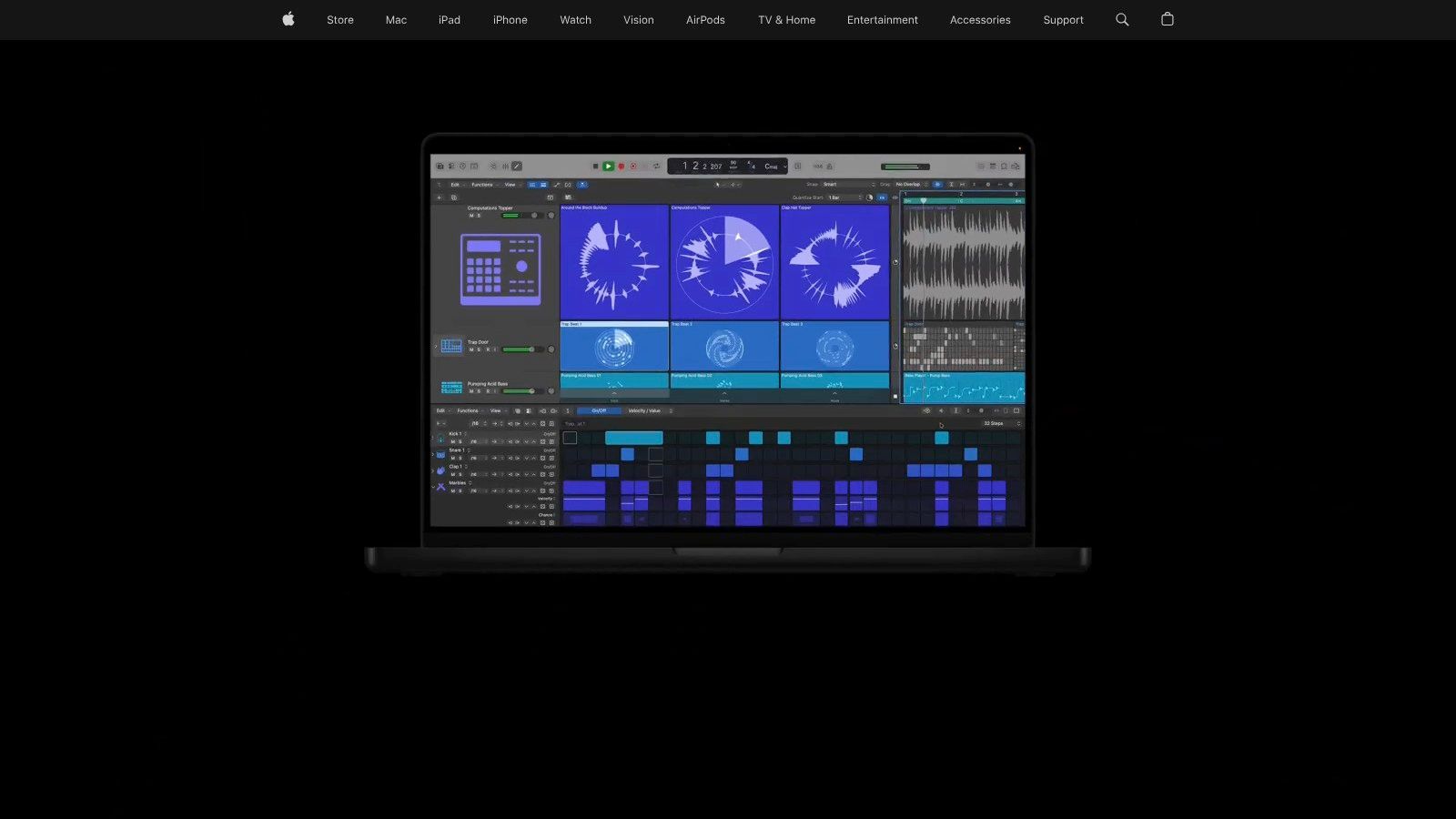
Im Gegensatz zu Abonnementmodellen ist Logic Pro eine einmalige Anschaffung und bietet eine kostengünstige Langzeitlösung. Es bietet eine umfassende Suite von Tools, von Take-Comping für nahtlose Interviews bis hin zu Flex Time zur Korrektur von Timing-Fehlern. Mit integrierten Mastering-Assistenten, umfangreicher Plugin-Unterstützung und tiefer Integration in das Apple-Ökosystem ist es ein Kraftpaket für Podcaster, die auch Musiker oder Audioingenieure sind und eine professionelle Show komplett auf ihrem Mac produzieren möchten.
Hauptmerkmale & Preise
- Erweiterte Multitrack-Bearbeitung: Präzise Werkzeuge zum Schneiden, Anordnen und Mischen von Audioclips.
- Comping und Flex Time: Kombinieren Sie einfach die besten Teile mehrerer Takes und korrigieren Sie Timing-Probleme.
- Integrierter Mastering-Assistent: KI-gesteuerte Tools zur Finalisierung Ihrer Episode für die Verteilung.
- Breite Plugin-Unterstützung: Kompatibel mit einer riesigen Auswahl an Drittanbieter-Audio Units (AU) Plugins.
| Plan | Preis (einmalig) | Hauptsächlich für |
|---|---|---|
| Vollständige Lizenz | $199,99 | Mac-Benutzer, die eine professionelle Einmal-DAW suchen |
Vor- und Nachteile
Vorteile:
- Langfristig kostengünstig: Eine einzige Anschaffung bietet lebenslangen Zugriff und alle zukünftigen Updates.
- Professionelles Toolset: Bietet branchenübliche Funktionen für Bearbeitung, Mischen und Mastering.
- Stabil und optimiert: Tief in macOS integriert für zuverlässige, hochleistungsfähige Operationen.
Nachteile:
- Nur Mac: Nicht für Windows- oder Linux-Benutzer verfügbar, was die Zugänglichkeit einschränkt.
- Steilere Lernkurve: Kann für Anfänger ohne vorherige Musikproduktionserfahrung einschüchternd sein.
7. iZotope RX 11
iZotope RX 11 ist weniger ein primärer Editor als vielmehr ein spezialisierter Audio-Chirurg. Es ist eine branchenführende Audio-Reparatur-Suite, die entwickelt wurde, um unvollkommene Aufnahmen zu reparieren, und somit ein unverzichtbarer Begleiter für eine traditionelle DAW ist. Anstatt nur Clips zu schneiden und anzuordnen, zielt RX 11 auf spezifische Probleme wie Hintergrundbrummen, Mikrofonklicks, störende Hallgeräusche und unerwünschte Mundgeräusche ab und entfernt sie. Dies macht es zu einem der besten Podcast-Bearbeitungssoftware-Tools, um Audio zu retten, das sonst unbrauchbar wäre.
Seine Stärke liegt in seiner Suite von dedizierten Modulen und seinem visuellen Spektral-Editor, der es Ihnen ermöglicht, Geräusche wie Plosivlaute oder Stuhlquietschen zu sehen und sie buchstäblich aus der Aufnahme zu löschen. Der KI-gestützte Repair Assistant kann Ihr Audio analysieren und mit einem einzigen Klick eine Kette von Korrekturen vorschlagen, was einen schnellen Weg zu klaren Dialogen bietet. Es funktioniert sowohl als eigenständige Anwendung als auch als eine Reihe von Plugins innerhalb Ihrer bevorzugten DAW und bietet unglaubliche Flexibilität für jeden Postproduktions-Workflow.
Hauptmerkmale & Preise
- Spektral-Editor: Visuelle Identifizierung und Entfernung unerwünschter Geräusche mit chirurgischer Präzision.
- Dedizierte Reparaturmodule: Speziell entwickelte Werkzeuge für De-Hum, De-Click, De-Reverb und Voice De-Noise.
- Repair Assistant: Ein KI-Tool, das automatisch Probleme erkennt und eine benutzerdefinierte Reparaturkette vorschlägt.
- DAW & Standalone-Betrieb: Verwenden Sie es allein oder als Plugin (AU/AAX/VST3) in DAWs wie Audition oder Pro Tools.
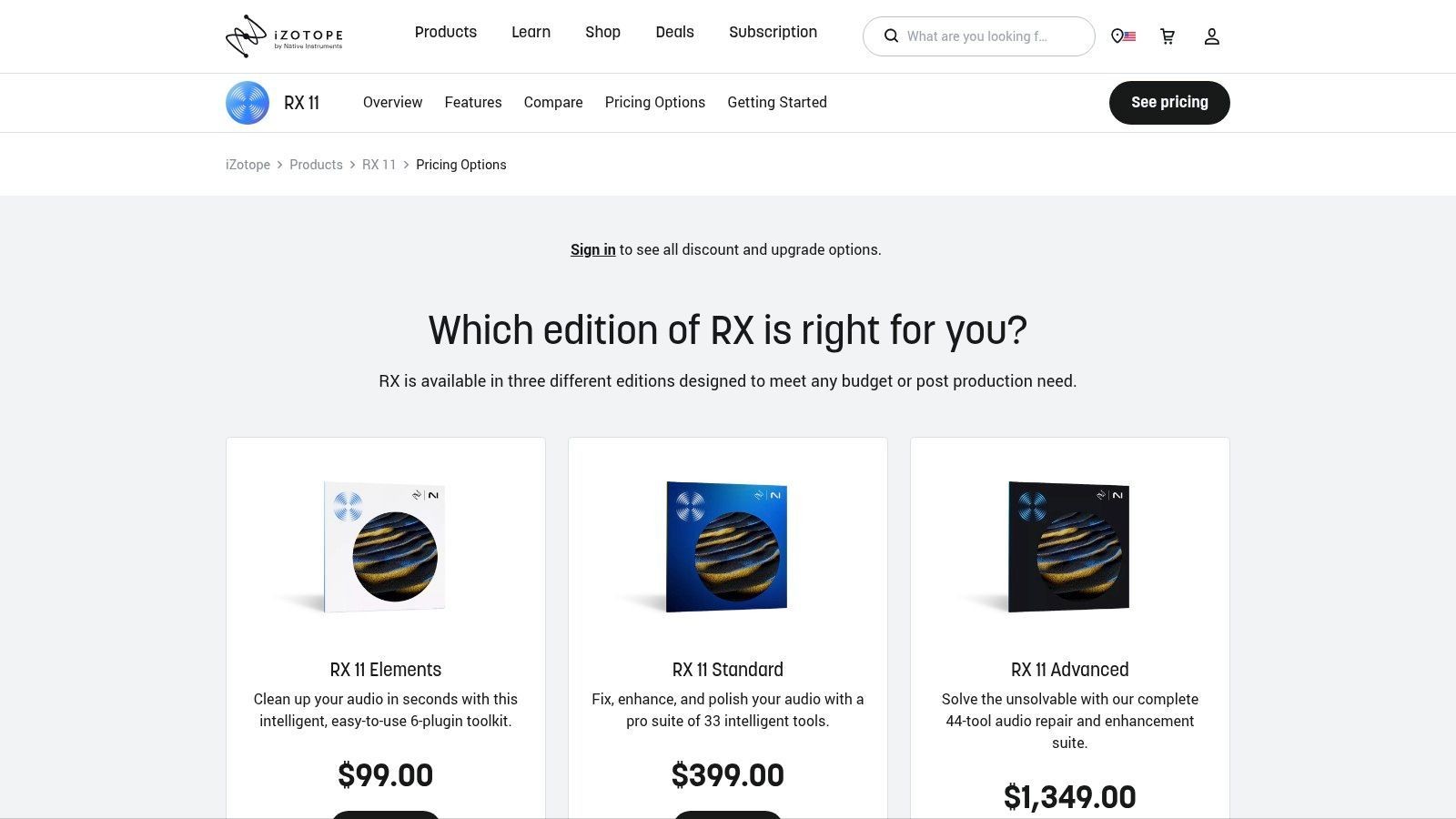
| Plan | Preis (einmalig) | Hauptsächlich für |
|---|---|---|
| RX Elements | $129 | Anfänger, grundlegende Rauschunterdrückung |
| RX 11 Standard | $399 | Ernsthafte Podcaster, Musikproduzenten |
| RX 11 Advanced | $1.199 | Postproduktionsprofis |
Vor- und Nachteile
Vorteile:
- Erstklassige Audio-Reparatur: Unübertroffene Fähigkeit, verrauschte oder problematische Aufnahmen zu retten.
- Rettet problematische Aufnahmen: Kann Audio-Probleme beheben, mit denen andere Software einfach nicht umgehen kann.
- Breite Kompatibilität: Integriert sich nahtlos als Plugin in alle wichtigen DAWs.
Nachteile:
- Ergänzt Ihren Software-Stack: Es ist ein zusätzlicher Kauf zu Ihrem Haupteditor.
- Kann teuer sein: Die erweiterten Versionen stellen eine erhebliche finanzielle Investition dar.
8. Auphonic
Auphonic ist kein traditioneller Editor, sondern ein intelligenter, automatisierter Webdienst für Audio-Postproduktion. Er dient als letzte Politur für Ihre Episode, nachdem die Hauptbearbeitung abgeschlossen ist, gleicht automatisch Pegel aus, reduziert Hintergrundgeräusche und stellt sicher, dass Ihr finales Audio den Branchen-Lautheitsstandards entspricht. Für Kreative, die ihren Inhalt fertig geschnitten haben, aber einen professionellen Klang in Rundfunkqualität benötigen, ist Auphonic ein unverzichtbarer letzter Schritt.
Die Stärke der Plattform liegt in ihren ausgeklügelten Algorithmen, die komplexe Aufgaben wie dynamische Bereichskomprimierung, Brummunterdrückung und Mehrspur-Pegelangleichung mit nur wenigen Klicks bewältigen. Anstatt Stunden mit dem Tweaking von Plugins in einer DAW zu verbringen, können Sie einfach Ihre Datei hochladen, Ihre Ziele festlegen und Auphonic's KI ein konsistentes, sauberes Masterfile liefern lassen. Dies macht es zu einem unschätzbaren Werkzeug für Podcaster, die Effizienz suchen, ohne die Audioqualität zu beeinträchtigen.
Hauptmerkmale & Preise
- Intelligenter Leveler: Gleicht Pegel zwischen verschiedenen Sprechern, Musik und Segmenten automatisch aus.
- Lautheitsnormalisierung: Passt Audio an Standards wie LUFS für Plattformen wie Spotify und Apple Podcasts an.
- Rausch- & Hallreduzierung: Bereinigt gängige Audio-Probleme wie Hintergrundrauschen, Brummen und übermäßiges Echo.
- Mehrspurverarbeitung: Mischt und verarbeitet mehrere Audiospuren zu einer finalen, ausgewogenen Stereo- oder Mono-Datei.
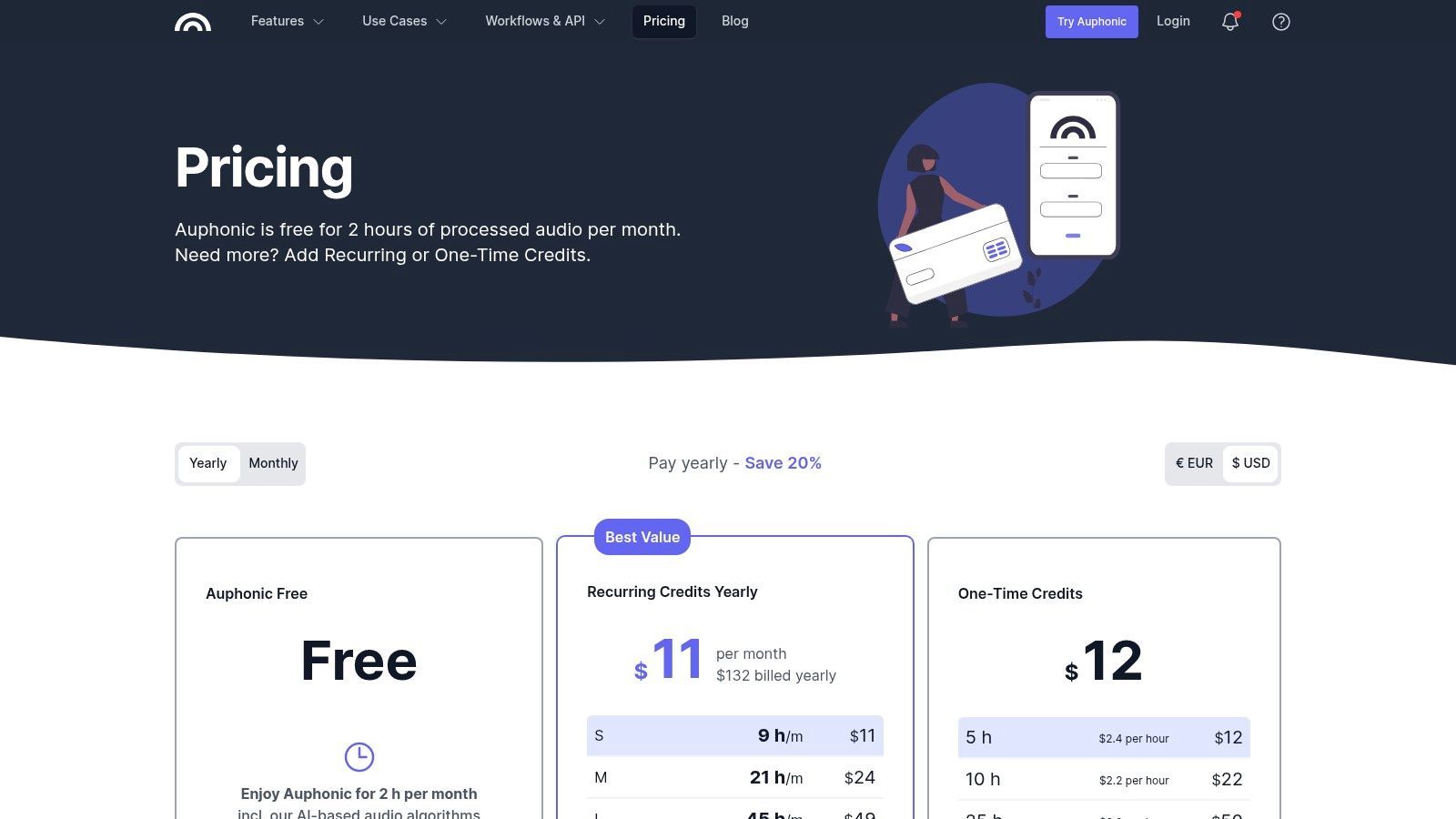
| Plan | Preis (monatlich) | Hauptsächlich für |
|---|---|---|
| Kostenlos | $0 | Bis zu 2 Stunden Audioverarbeitung pro Monat |
| Wiederkehrende Credits | Ab $13 | Regelmäßige Podcaster, die mehr als 2 Stunden benötigen |
| Einmalige Credits | Ab $12 | Einzelprojekte oder seltene Nutzung |
Vor- und Nachteile
Vorteile:
- Automatisierte Politur: Spart immens viel Zeit bei technischen Postproduktionsaufgaben.
- Konsistente Qualität: Liefert einen zuverlässigen, professionellen Klang über alle Episoden hinweg.
- Großzügige kostenlose Stufe: Die kostenlosen 2 Stunden Verarbeitung pro Monat sind perfekt für viele wöchentliche Podcaster.
Nachteile:
- Kein vollständiger Editor: Es ist ein Finishing-Tool, kein Ersatz für eine DAW oder einen Content-Editor.
- Kann überbearbeitet klingen: Die automatisierte Bereinigung kann manchmal zu klinisch für kreative oder erzählerische Podcasts klingen.
9. Alitu: The Podcast Maker
Alitu wurde entwickelt, um die mühsamsten Teile des Podcastings zu automatisieren, und ist eine All-in-One-Browserlösung für Kreative, die so schnell wie möglich von der Aufnahme bis zur Veröffentlichung gelangen möchten. Es vereinfacht die gesamte Produktionskette, indem es Audio automatisch mit Rauschunterdrückung, Brummunterdrückung und Pegelangleichung verarbeitet. Dieser Fokus auf Automatisierung und Einfachheit macht es zu einer der besten Podcast-Bearbeitungssoftware-Optionen für Anfänger oder Solo-Podcaster, die von technischen Details überwältigt sind.
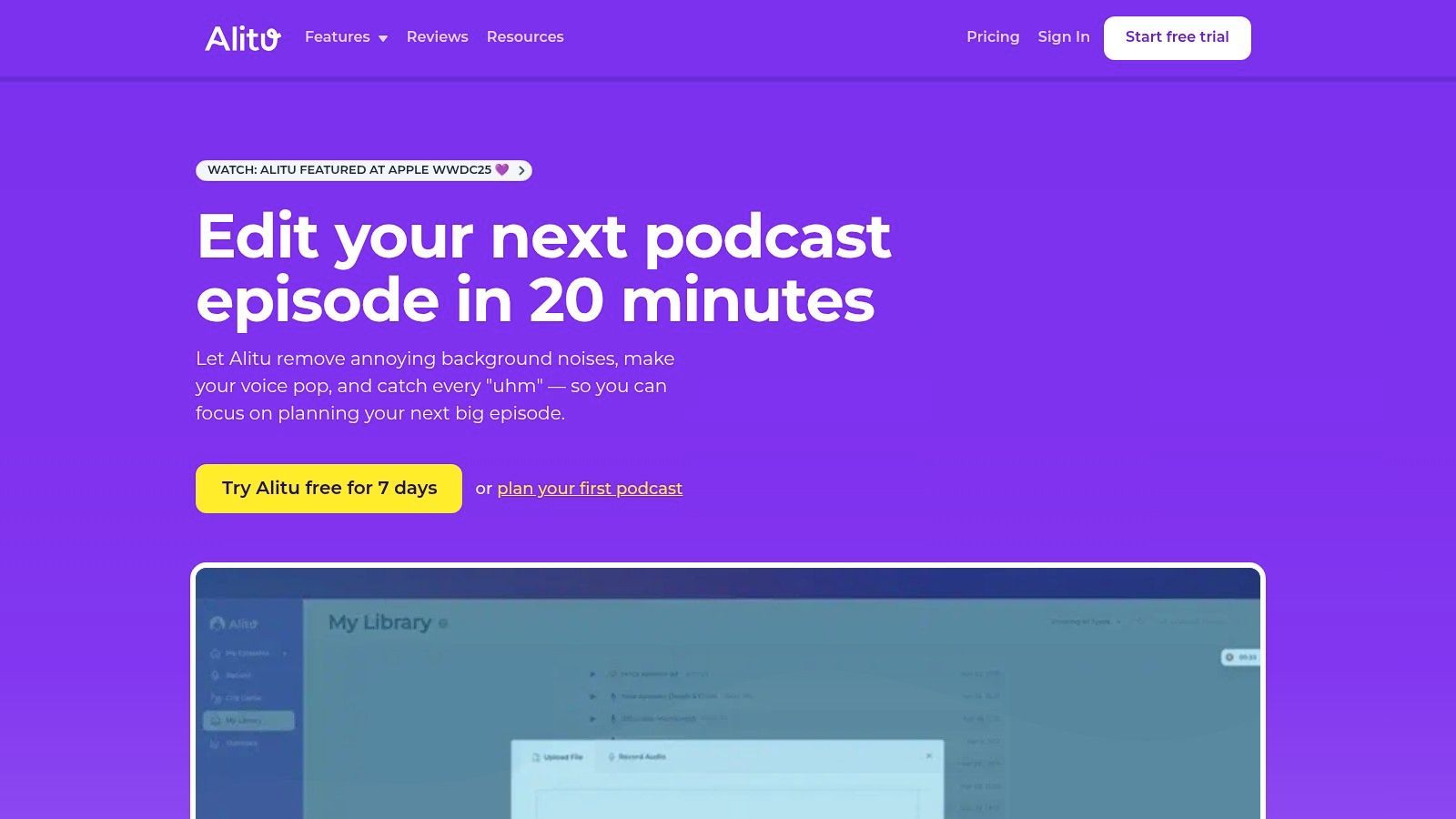
Die Plattform führt Sie durch jeden Schritt, von der Aufnahme von Remote-Interviews über das Hinzufügen von Intro-Musik aus seiner integrierten Bibliothek bis hin zur Zusammenstellung Ihrer Episode mit einem einfachen Drag-and-Drop-Editor. Es generiert sogar Transkriptionen und kann direkt bei großen Podcast-Hosts veröffentlichen. Dieser optimierte Prozess gibt Ihnen mehr Zeit, sich auf Inhalte und Promotion zu konzentrieren, was Sie durch die Erkundung effektiver Podcast-Marketingstrategien verbessern können.
Hauptmerkmale & Preise
- Automatisierte Audiobereinigung: "Magische Filter" gleichen Lautstärken automatisch aus, reduzieren Hintergrundgeräusche und bereinigen Aufnahmen.
- Episoden-Builder: Drag-and-Drop-Oberfläche zum Zusammenstellen von Aufnahmen, Musik und Jingles zu einer fertigen Episode.
- Remote-Aufnahme: Integriertes Tool zur Aufnahme von hochwertigem Audio mit bis zu 10 Remote-Gästen.
- Integrierte Bibliothek: Enthält kostenlos nutzbare Titelmusik und Jingles für einen professionellen Touch.
| Plan | Preis (monatlich) | Hauptsächlich für |
|---|---|---|
| Alitu | $38 | Solo-Kreative und Anfänger |
| Alitu Pro | $100 | Teams und Unternehmen, die erweiterte Funktionen benötigen |
Vor- und Nachteile
Vorteile:
- Extrem anfängerfreundlich: Der Workflow ist intuitiv gestaltet und beseitigt technische Hürden.
- All-in-One-Plattform: Behandelt Aufnahme, Bearbeitung und Veröffentlichung innerhalb eines einzigen Tools.
- Zeitersparende Automatisierung: Automatische Audioverarbeitung spart erhebliche Bearbeitungszeit.
Nachteile:
- Begrenzte kreative Kontrolle: Nicht geeignet für komplexe Audiobearbeitung oder detailliertes Sounddesign.
- Zusatzkosten: Hosting und einige erweiterte Dienste werden als separate Add-ons verkauft.
10. Podcastle
Podcastle ist eine umfassende, browserbasierte Plattform, die hochwertige Remote-Aufnahmen mit leistungsstarken KI-gesteuerten Bearbeitungswerkzeugen kombiniert. Es fungiert als All-in-One-Studio, mit dem Sie mit Gästen aufnehmen, das Multitrack-Audio und -Video bearbeiten und Marketingmaterialien erstellen können, ohne Ihren Webbrowser verlassen zu müssen. Dieser integrierte Workflow macht es zu einem starken Anwärter auf die beste Podcast-Bearbeitungssoftware, insbesondere für Teams und Kreative, die Wert auf Einfachheit und Zusammenarbeit legen.
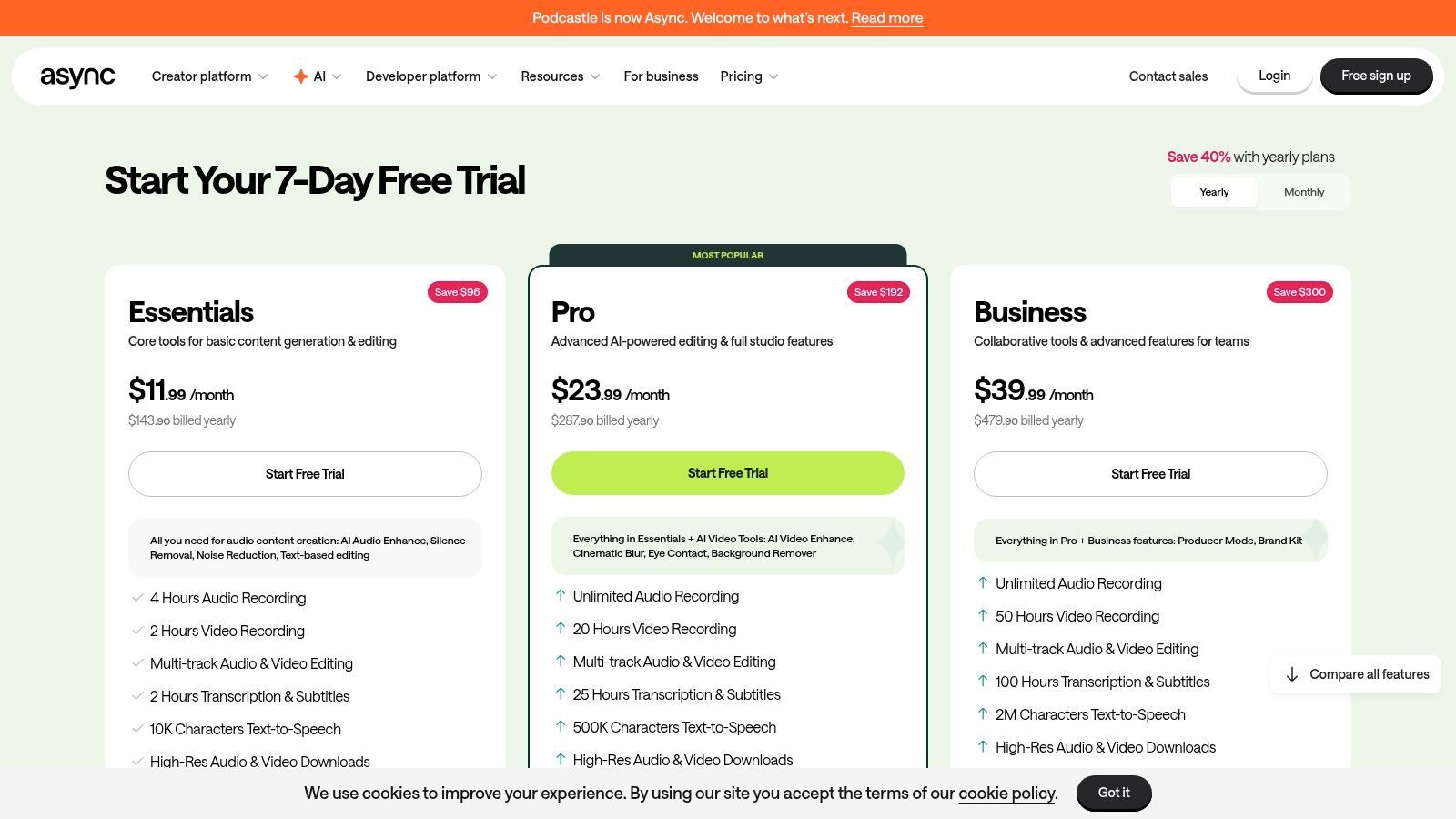
Die Plattform bietet sowohl einen traditionellen Timeline-Editor als auch einen textbasierten Editor, was den Benutzern Flexibilität bei der Herangehensweise an ihre Postproduktion gibt. Seine herausragenden KI-Funktionen wie "Magic Dust" zur Audioverbesserung und die Ein-Klick-Stille-Entfernung optimieren den Bereinigungsprozess erheblich. Podcastle bietet auch Tools zur Erstellung von Social-Media-Clips mit dynamischen Untertiteln und Vorlagen, was die Wiederverwendung von Inhalten unglaublich effizient macht.
Hauptmerkmale & Preise
- Remote Studio: Nehmen Sie Studio-Qualität, lokal unkomprimiertes Audio und Video mit bis zu 10 Teilnehmern auf.
- KI-gestützte Bearbeitung: "Magic Dust" zur Geräuschunterdrückung und Audioverbesserung, plus textbasierte Bearbeitung.
- Content-Erstellungstools: KI-generierte Show Notes, Text-to-Speech-Stimmen und eine Bibliothek lizenzfreier Musik.
- Video & Social Clips: Integrierter Videoeditor mit Werkzeugen zum Ändern der Größe, Hinzufügen von Untertiteln und Erstellen von Vorlagen.
| Plan | Preis (monatlich) | Hauptsächlich für |
|---|---|---|
| Kostenlos | $0 | Einzelpersonen, die anfangen, grundlegende Aufnahmen |
| Storyteller | $14,99/Editor | Podcaster, die KI-Tools und mehr Stunden benötigen |
| Pro | $29,99/Editor | Power-User, Videopodcaster, Teams |
Vor- und Nachteile
Vorteile:
- All-in-One-Browser-Workflow: Wechseln Sie nahtlos von der Remote-Aufnahme zu den finalen Bearbeitungen an einem Ort.
- Einfache Gast-Onboarding: Gäste können mit einem einfachen Link an einer Aufnahmesitzung teilnehmen, keine Downloads erforderlich.
- Wettbewerbsfähige KI-Funktionen: Der Magic Dust-Enhancer und die Erkennung von Füllwörtern sind sehr effektiv.
Nachteile:
- Browserabhängig: Die Leistung ist für Chrome-basierte Browser optimiert, was einige Benutzer einschränken kann.
- Bezahlter Plan für Schlüsselfunktionen: Erweiterte Exporte, höhere Qualität und die besten KI-Tools sind hinter Abonnements gesperrt.
11. Riverside
Riverside zeichnet sich durch die Kombination von High-Fidelity-Remote-Aufnahmen mit einer leistungsstarken, integrierten Bearbeitungs-Suite aus. Es zeichnet das Audio und Video jedes Teilnehmers lokal auf und gewährleistet so makellose 4K-Video- und 48-kHz-WAV-Audioqualität, unabhängig von der Stabilität der Internetverbindung. Dieser Fokus auf Aufnahmequalität macht es zu einer erstklassigen Wahl für Kreative, die keine Kompromisse bei der Produktionsqualität eingehen wollen, selbst mit Remote-Gästen.
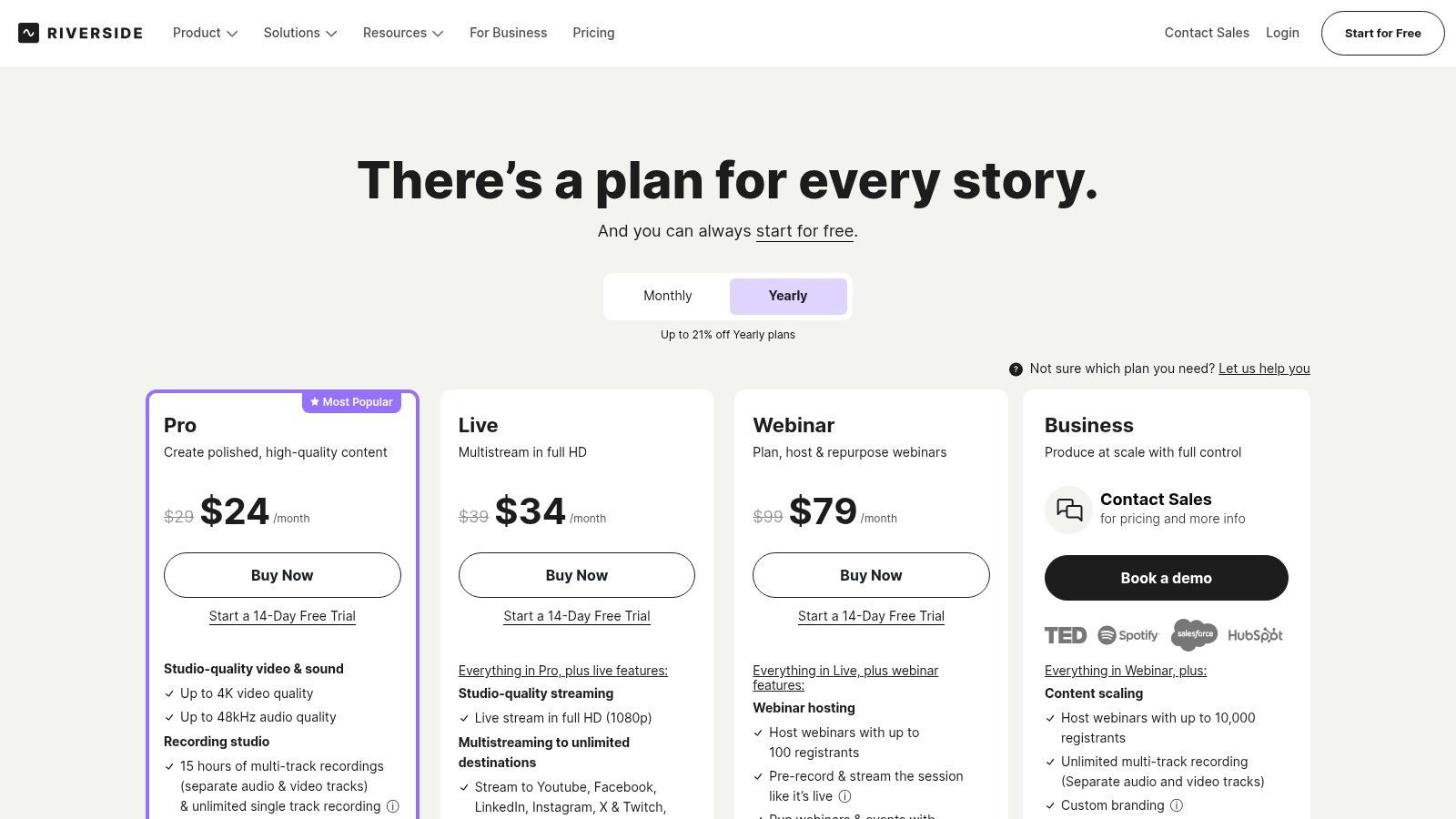
Die Plattform hat sich zu einem umfassenden Hub für die Content-Erstellung entwickelt. Sein integrierter Editor verwendet einen textbasierten Workflow, mit dem Sie Ihre Aufnahme bearbeiten können, indem Sie einfach die Transkription bearbeiten. KI-Tools wie Magic Audio verbessern die Sprachklarheit und gleichen Pegel mit einem einzigen Klick aus, während die Magic Clips-Funktion automatisch wichtige Momente für soziale Medien findet. Für diejenigen, die barrierefreie Inhalte erstellen möchten, erleichtert Riverside die Generierung von Untertiteln. Sie können untersuchen, wie man Untertitel für Videos erstellt, um Ihre Reichweite zu maximieren.
Hauptmerkmale & Preise
- Lokale Multitrack-Aufnahme: Nimmt separate, hochwertige Audio- und Videospuren für jeden Teilnehmer lokal auf.
- Textbasierter Editor: Bearbeiten Sie Video und Audio durch Bearbeiten der automatisch generierten Transkription.
- KI-gestützte Tools: Enthält Magic Audio zur Klangverbesserung und Magic Clips für Social-Media-Inhalte.
- All-in-One-Plattform: Aufnehmen, bearbeiten, livestreamen und Inhalte von einem einzigen Dashboard hosten.
| Plan | Preis (monatlich) | Hauptsächlich für |
|---|---|---|
| Kostenlos | $0 | Testen der Plattform, kurze Aufnahmen |
| Standard | $19 | Regelmäßige Podcaster und Kreative |
| Pro | $29 | Kreative, die höhere Qualität und Live-Streaming benötigen |
Vor- und Nachteile
Vorteile:
- Überragende Aufnahmequalität: Lokale Aufnahme verhindert, dass Internetfehler Ihre Audio- oder Videoaufnahmen ruinieren.
- Integrierter Workflow: Der nahtlose Übergang von der Aufnahme zur Bearbeitung spart erheblich Zeit und Mühe.
- Hervorragend für Interviews: Vereinfacht den Prozess der Aufnahme von hochwertigen Remote-Gesprächen.
Nachteile:
- Aufnahmestunden-Limits: Pläne haben monatliche Obergrenzen für die Aufnahme separater Spuren.
- Editor ist weniger robust als eine vollständige DAW: Obwohl großartig für grundlegende Bearbeitungen, fehlen ihm die erweiterten Werkzeuge dedizierter Audio-Software.
12. Ferrite Recording Studio (iPhone/iPad)
Ferrite Recording Studio bringt die Leistung eines professionellen Multitrack-Editors auf die Bequemlichkeit Ihres iPhones oder iPads. Speziell für mobile Journalisten, Radioproduzenten und Podcaster entwickelt, die unterwegs arbeiten, macht Ferrite es einfach, Audio aufzunehmen, zu bearbeiten und zu mischen, ohne an einen Desktop gebunden zu sein. Sein optimierter Workflow ermöglicht schnelle Punch-in-Aufnahmen und einfache Navigation, was es zu einer der besten Podcast-Bearbeitungssoftware-Optionen für Kreative im Feld macht.
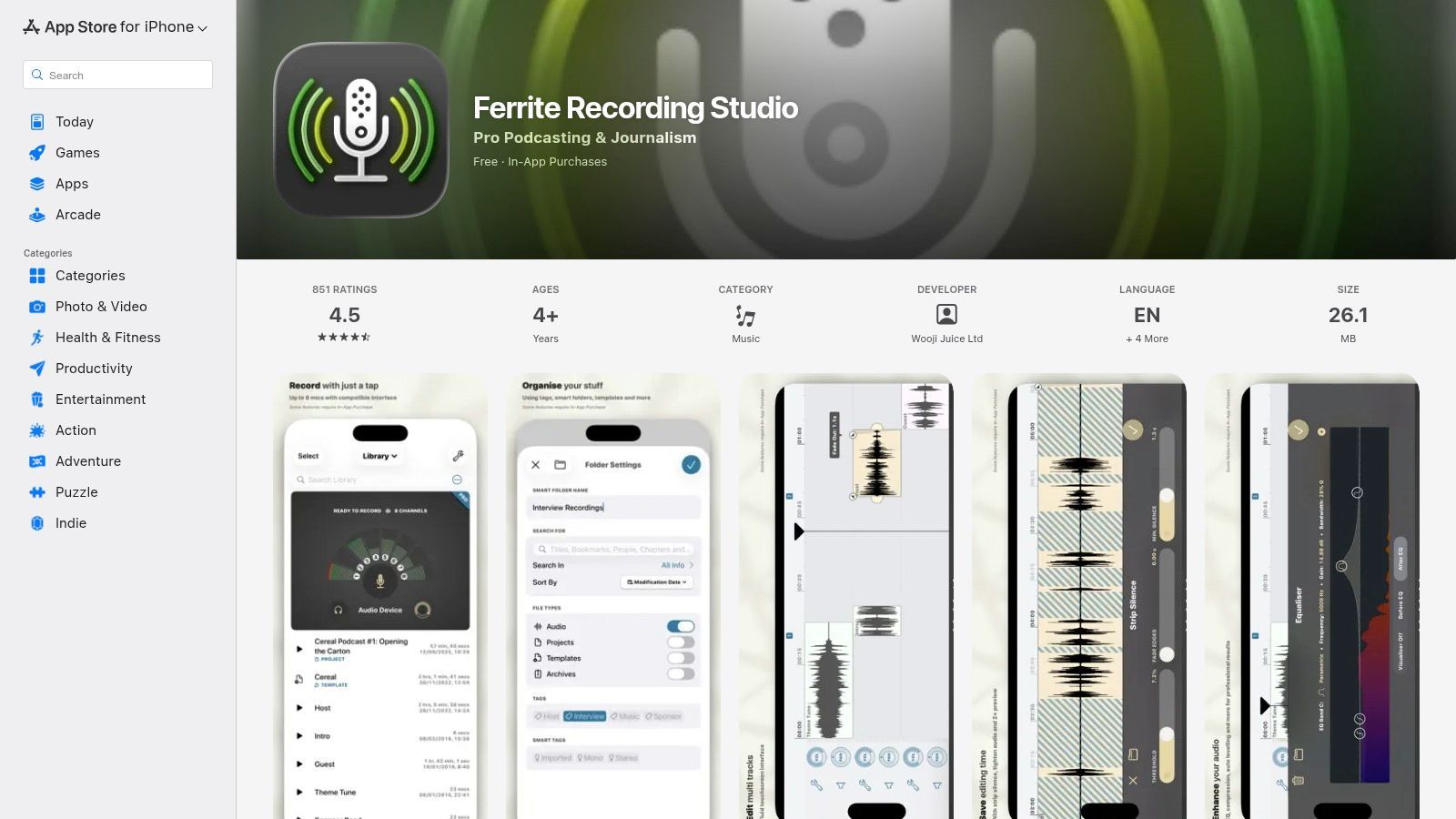
Die Benutzeroberfläche der App ist perfekt auf Touch abgestimmt, mit exzellenter Unterstützung für Apple Pencil und Trackpads auf dem iPad, was ein taktiles und effizientes Bearbeitungserlebnis bietet. Während die Basis-App kostenlos und für grundlegende Aufnahmen und Trimmen sehr funktionsfähig ist, schaltet der optionale Ferrite Pro In-App-Kauf eine Suite von leistungsstarken Werkzeugen frei. Dazu gehören Automatisierung, Rauschunterdrückung und die Funktion "Tighten Audio", die Stille intelligent entfernt, um das Tempo zu verbessern.
Hauptmerkmale & Preise
- Mobile Multitrack-Bearbeitung: Voll ausgestatteter Editor zum Aufnehmen, Mischen und Anordnen von Audio auf iOS-Geräten.
- Erweiterte Pro-Tools: Optionale Upgrades schalten Automatisierung, Effekte, AU-Plugin-Unterstützung und Stille-Entfernung frei.
- Optimierte Benutzeroberfläche: Entwickelt für Touch, Apple Pencil und Trackpad für präzise Kontrolle auf dem iPad.
- Workflow-Vorlagen: Richten Sie Projektvorlagen ein, um die Produktion von wiederkehrenden Show-Formaten zu optimieren.
| Plan | Preis (einmalig) | Hauptsächlich für |
|---|---|---|
| Kostenlos | $0 | Grundlegende mobile Aufnahme & Bearbeitung |
| Ferrite Pro | $29,99 | Mobile Power-User, Journalisten |
Vor- und Nachteile
Vorteile:
- Hervorragender mobiler Workflow: Unübertroffen für die Aufnahme und Bearbeitung von Podcasts direkt auf einem iPhone oder iPad.
- Intuitive iOS-Oberfläche: Sauber, reaktionsschnell und einfach zu navigieren für Benutzer, die mit dem Apple-Ökosystem vertraut sind.
- Einmaliger Kauf: Pro-Funktionen werden mit einer einzigen, erschwinglichen Zahlung freigeschaltet, nicht mit einem Abonnement.
Nachteile:
- Plattformgebunden: Nur auf iOS und iPadOS verfügbar, keine Desktop- oder Android-Version.
- Paywalled erweiterte Funktionen: Kern-Profifunktionen wie Automatisierung und Rauschunterdrückung erfordern das Pro-Upgrade.
Ferrite Recording Studio besuchen
Top 12 Podcast-Bearbeitungssoftware — Funktionsvergleich
| Tool | Kernfunktionen | Qualität ★ | Einzigartig / USP ✨🏆 | Zielgruppe 👥 | Preis 💰 |
|---|---|---|---|---|---|
| Descript | Transkriptionsbasierte Bearbeitung, Studio Sound, Overdub, Multitrack | ★★★★☆ | ✨Bearbeiten per Text & Overdub, schnelle Clip-Veröffentlichung 🏆 | 👥 Podcaster, Kreative | 💰 Kostenlos → Team; KI/Medien-Credits |
| Adobe Audition | Multitrack, spektrale Reparatur, Rauschunterdrückung, Premiere-Integration | ★★★★★ | ✨Erweiterte spektrale Werkzeuge & nahtlose Video-Übergabe 🏆 | 👥 Profis, Post-Ingenieure | 💰 Abonnement (Creative Cloud) |
| Hindenburg Pro 2 | Manuskript-/Story-Tools, automatische Pegelangleichung, Rundfunk-Lautheit | ★★★★☆ | ✨Story-zentrierter Workflow & Musikberichte 🏆 | 👥 Journalisten, Erzählpodcaster | 💰 Gestaffelt; Transkriptions-Add-ons |
| Audacity | Multitrack-Bearbeitung, Effekte, VST/Nyquist-Plugins, plattformübergreifend | ★★★★☆ | ✨Open-Source mit großer Plugin-Community | 👥 Anfänger, Pädagogen, DIY-Kreative | 💰 Kostenlos |
| REAPER | Tiefe Routing-, Skripting-, Automatisierungs-, effiziente Leistung | ★★★★☆ | ✨Hochgradig konfigurierbar + Skripting-Unterstützung 🏆 | 👥 Power-User, technische Podcaster | 💰 Sehr erschwingliche Lizenz (ermäßigt) |
| Logic Pro | Multitrack, Comping, Flex Time, Mastering-Tools (Mac) | ★★★★★ | ✨Einmaliger Kauf; Optimierungen für Apple Silicon 🏆 | 👥 Mac-Benutzer, Produzenten | 💰 Einmaliger Kauf (nur Mac) |
| iZotope RX 11 | Spektral-Editor, Sprachreparaturmodule, Repair Assistant | ★★★★★ | ✨Erstklassige Audiobereinigung für Dialoge 🏆 | 👥 Ingenieure, Reparatur-Workflows | 💰 Kostenpflichtig; Erweiterte Stufen können teuer sein |
| Auphonic | Intelligenter Leveler, Rausch-/Hallreduzierung, Lautheitsnormalisierung | ★★★★☆ | ✨Automatisierte Fertigstellung & API für Stapel-Politur 🏆 | 👥 Podcaster, die eine schnelle Politur benötigen | 💰 Credits-Modell; kostenlos 2 Std./Monat |
| Alitu | Browser-Aufnahme, magische Filter, Auto-Zusammenstellung, Musikbibliothek | ★★★★☆ | ✨Anfängerfreundlicher End-to-End-Podcast-Maker 🏆 | 👥 Solo-Kreative, neue Podcaster | 💰 Abonnement; Hosting/Add-ons |
| Podcastle | Remote-Studio, Text-/Timeline-Editor, TTS & Untertitel | ★★★★☆ | ✨Browser-TTS/KI-Stimmen + einfache Gast-Onboarding 🏆 | 👥 Remote-Podcaster, Social-Clip-Ersteller | 💰 Freemium → Pro-Pläne |
| Riverside | Lokale Multitrack 4K/48k, Textbearbeitung, Livestream & Hosting | ★★★★☆ | ✨Lokale Qualitäts-Remote-Aufnahme + Publishing-Analysen 🏆 | 👥 Professionelle Remote-Shows, Webinare | 💰 Gestaffelt; Stundenlimits pro Plan |
| Ferrite Recording Studio | Mobile Punch-ins, Multitrack-Bearbeitung, AU-Unterstützung, iPad-Optimierungen | ★★★★☆ | ✨Mobile-First-Bearbeitungs-Workflow, Apple Pencil-Unterstützung 🏆 | 👥 Mobile Podcaster, Feldaufzeichner | 💰 Kostenlos + Ferrite Pro In-App-Upgrades |
Der letzte Schliff: Ihre Entscheidung treffen
Wir haben eine breite Palette von Audiobearbeitungswerkzeugen erkundet, von der textbasierten Innovation von Descript über die branchenübliche Leistung von Adobe Audition bis hin zum zugänglichen Einstiegspunkt von Audacity. Die Reise durch diese kuratierte Liste enthüllt eine entscheidende Wahrheit: Es gibt keine einzige "beste Podcast-Bearbeitungssoftware" für jedermann. Die richtige Wahl ist zutiefst persönlich und hängt vollständig von Ihrem spezifischen Kontext, Budget und Ihren kreativen Ambitionen ab.
Was das richtige Podcast-Schnittprogramm ermöglicht?
Schnellere Produktionszyklen
Der richtige Editor reduziert technische Reibungsverluste. Weniger Zeit für die Audiobearbeitung bedeutet mehr Zeit für konsistente Veröffentlichungen. Geschwindigkeit potenziert Wachstum.
Besser klingende Episoden
Klareres Audio schafft sofort Vertrauen bei den Zuhörern. Professioneller Klang hält das Publikum länger bei der Stange. Qualität wirkt sich direkt auf die Bindung aus.
Kreative Freiheit
Wenn Werkzeuge nicht im Weg sind, fließt die Kreativität. Sie experimentieren mehr und machen sich weniger Sorgen über Fehler. Diese Freiheit zeigt sich in Ihren Inhalten.
Skalierbare Workflows
Wenn Ihr Podcast wächst, müssen Ihre Werkzeuge mithalten. Gute Software unterstützt Teams, Gäste und Volumen. Skalierbarkeit verhindert zukünftige Nacharbeiten.
Die wichtigste Erkenntnis ist, das Werkzeug an Ihren Workflow anzupassen, nicht umgekehrt. Ein Podcaster-Anfänger, der eine Solo-Show aufnimmt, hat ganz andere Bedürfnisse als ein professioneller Audioingenieur, der eine narrative Serie mit mehreren Sprechern und reichhaltigem Sound produziert. Ihre ideale Software ist diejenige, die Reibungsverluste in Ihrem kreativen Prozess beseitigt und es Ihnen ermöglicht, sich auf die Erstellung überzeugender Inhalte zu konzentrieren, anstatt mit einer komplexen Benutzeroberfläche zu kämpfen.
Podcast-Produktion entwickelt sich rasant weiter
KI-gestützte Bearbeitung, Transkription und Automatisierung werden zum Standard – nicht zur Option. Moderne Podcaster erwarten Geschwindigkeit, ohne Kompromisse bei der Qualität einzugehen. Werkzeuge, die sich an diesen Wandel anpassen, verschaffen sich einen Wettbewerbsvorteil.
So wählen Sie Ihren perfekten Podcast-Editor aus
Um all diese Informationen zu einer klaren Entscheidung zu destillieren, betrachten Sie Ihre Bedürfnisse durch diese drei kritischen Blickwinkel. Dieser Rahmen wird Ihnen helfen, die Optionen zu navigieren und die Software auszuwählen, die Ihren Podcasting-Zielen am besten entspricht.
1. Bewerten Sie Ihr Fähigkeitsniveau und Ihren Zeitaufwand:
- Anfänger oder zeitlich eingeschränkte Kreative: Greifen Sie zu Plattformen wie Alitu, Podcastle oder Descript. Diese Tools sind auf Geschwindigkeit und Einfachheit ausgelegt, automatisieren viele technische Schritte und bieten eine intuitive, oft textbasierte Bearbeitung, die die Lernkurve erheblich reduziert.
- Fortgeschrittene Benutzer: Wenn Sie bereits Erfahrung mit Audio haben oder bereit sind, Zeit in das Erlernen zu investieren, bietet eine traditionelle Digital Audio Workstation (DAW) wie Adobe Audition, Hindenburg Pro 2 oder REAPER unübertroffene Kontrolle und Präzision. Diese sind für Kreative gedacht, die jeden Aspekt ihres Klangs feinabstimmen möchten.
2. Bewerten Sie Ihr Budget und Ihre Skalierbarkeit:
- Null Budget: Audacity bleibt der unangefochtene König der kostenlosen Podcast-Bearbeitungssoftware. Obwohl es nicht den Glanz von kostenpflichtigen Alternativen hat, reichen seine leistungsstarken Kernfunktionen mehr als aus, um eine hochwertige Show zu produzieren.
- Abonnementmodelle: Tools wie Descript, Riverside und Adobe Audition arbeiten mit monatlichen oder jährlichen Abonnements. Dieses Modell eignet sich hervorragend für den Zugang zu kontinuierlichen Updates und integrierten Cloud-Funktionen, stellt jedoch laufende Betriebskosten dar.
- Einmaliger Kauf: Software wie REAPER, Hindenburg Pro 2 und Logic Pro (für Mac-Benutzer) bieten eine unbefristete Lizenz. Dies ist mit höheren Anschaffungskosten verbunden, kann sich aber auf lange Sicht als wirtschaftlicher erweisen und Sie von wiederkehrenden Gebühren befreien.
3. Definieren Sie Ihre Kern-Workflow-Anforderungen:
- All-in-One-Aufnahme und -Bearbeitung: Wenn Sie eine einzige Plattform für Remote-Aufnahmen, Bearbeitung und sogar Distribution wünschen, sind Riverside und Podcastle speziell für diesen integrierten Workflow konzipiert.
- Erweiterte Audio-Reparatur und Postproduktion: Für diejenigen, die auf makellose Audioqualität Wert legen, ist ein spezialisiertes Tool wie iZotope RX 11 oder eine leistungsstarke DAW wie REAPER unerlässlich, um Rauschen, Hall und andere Audio-Unvollkommenheiten zu beheben.
- Mobile First Bearbeitung: Wenn Sie hauptsächlich auf einem iPad oder iPhone arbeiten, ist Ferrite Recording Studio eine bemerkenswert leistungsfähige mobile DAW, die professionelle Funktionen in einem tragbaren Paket bietet.
Letztendlich ist die Suche nach der besten Podcast-Bearbeitungssoftware ein aktiver Prozess. Scheuen Sie sich nicht, kostenlose Testversionen zu nutzen. Verbringen Sie eine Woche mit zwei oder drei Ihrer Top-Anwärter. Importieren Sie einen kurzen Audioclip, nehmen Sie einige grundlegende Bearbeitungen vor, wenden Sie einen Effekt an und exportieren Sie die Datei. Diese praktische Erfahrung wird Ihnen mehr sagen als jede Rezension. Ihre endgültige Wahl sollte sich ermächtigend anfühlen und die technische Seite des Podcastings weniger wie eine lästige Pflicht und mehr wie eine natürliche Erweiterung Ihrer kreativen Vision erscheinen lassen.
Überkomplizierte Werkzeuge töten die Konsistenz
Komplexe Workflows führen zu Burnout und verpassten Veröffentlichungsterminen. Viele Podcasts scheitern aufgrund von Reibungsverlusten, nicht mangels Ideen. Wählen Sie Software, die den Schwung unterstützt, nicht die Perfektion.
Sobald Ihre Episode perfekt bearbeitet ist, ist die Arbeit noch nicht getan. Lassen Sie Transcript.LOL den Rest erledigen, indem Sie Ihr finales Audio in Minuten in genaue Transkripte, detaillierte Show Notes und ansprechende Social-Media-Clips umwandeln. Verbessern Sie Ihren Post-Produktions-Workflow und maximieren Sie die Reichweite Ihrer Inhalte, indem Sie Transcript.LOL besuchen, um zu sehen, wie es zu einem unverzichtbaren Bestandteil Ihres Podcasting-Werkzeugkastens werden kann.