
Top 12 Transcription Software for Interviews in 2025
Find the best transcription software for interviews. Our 2025 review covers top AI and human services for accuracy, speed, and workflow integration.
Praveen
August 25, 2025
In fields like journalism, academic research, and qualitative analysis, interviews are the bedrock of insight. But the process of converting hours of audio into usable text is a significant bottleneck. Manually transcribing a one-hour interview can take four to six hours, consuming valuable time that could be spent analyzing data, writing reports, or conducting more interviews. This tedious process is not just inefficient; it's prone to human error, which can compromise the integrity of your research and content workflows.
The good news is that this manual effort is no longer necessary. Modern transcription software for interviews automates this entire workflow, delivering highly accurate text in a fraction of the time. These tools do more than just convert speech to text; they offer features like speaker identification, timestamping, and collaborative editing that streamline post-interview analysis. Beyond interviews, various sectors benefit immensely from automated transcription. For instance, ministries use professional sermon transcription services to repurpose spoken messages into diverse content formats like blog posts and study guides.
This guide breaks down the 12 best transcription tools available today. We’ve organized them by specific use cases, from live meeting assistants for corporate teams to powerful, secure platforms for academic researchers. Each review includes screenshots, direct links, and an honest assessment of features and limitations. Our goal is to help you find the right platform for your needs so you can reclaim your time and focus on what truly matters: the insights hidden within your conversations.
1. Transcript.LOL
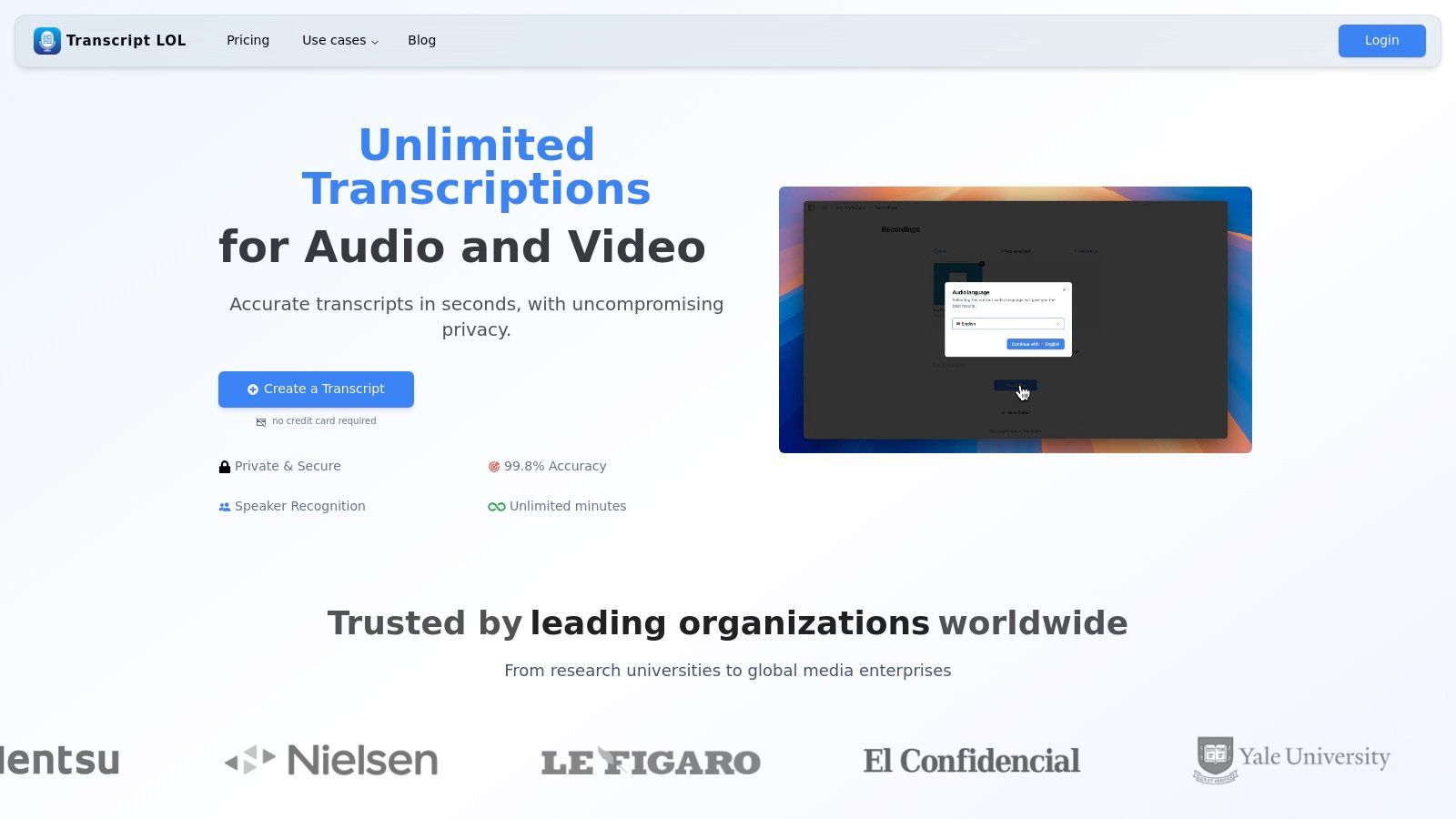
Transcript.LOL positions itself as a powerhouse in the transcription space, leveraging OpenAI's Whisper engine to deliver exceptional accuracy for interview recordings. This platform is engineered for professionals who require more than just a simple text conversion; it serves as a comprehensive workflow hub for transforming interview content into actionable assets. Its ability to handle lengthy uploads-up to 10 hours-makes it an ideal choice for transcribing in-depth interviews, full-day focus groups, or extensive research sessions without file splitting.
The platform distinguishes itself with a robust feature set tailored for clarity and efficiency in interview transcription.
State-of-the-art AI
Powered by OpenAI's Whisper for industry-leading accuracy. Support for custom vocabularies, up to 10 hours long files, and ultra fast results.

Import from multiple sources
Import audio and video files from various sources including direct upload, Google Drive, Dropbox, URLs, Zoom, and more.

Export in multiple formats
Export your transcripts in multiple formats including TXT, DOCX, PDF, SRT, and VTT with customizable formatting options.
The automatic speaker detection is a critical asset, accurately labeling who is speaking in a multi-participant conversation, which saves countless hours of manual review. Furthermore, the inclusion of a custom vocabulary feature allows users to "teach" the AI specific names, industry jargon, or acronyms, pushing its already high accuracy of 99.8%+ even higher for specialized topics.
Key Features for Interview Transcription
- High Accuracy & Custom Vocabulary: Achieves near-perfect transcription and learns your specific terminology, crucial for technical or academic interviews.
- Versatile Import Options: Seamlessly pull interview recordings from Google Drive, Dropbox, Zoom, or even directly from a URL, streamlining the initial upload process.
- Advanced Editing Suite: The interactive editor provides tools like find & replace, speaker reassignment, and rich-text formatting, allowing you to perfect the final document.
- Content Generation: Beyond transcription, it automatically generates summaries, action items, mind maps, and even social media prompts directly from the interview content, maximizing its value.
- Secure Collaboration: Shared workspaces and granular access controls facilitate secure team review of sensitive interview data, all under a strict policy where user data is never used for AI training. Learn more about transcribing interviews and focus groups on Transcript.LOL.
Pricing and Access
- Free Tier: Suitable for testing, offering 2 transcriptions per day, each up to 20 minutes long.
- Unlimited Plan: Priced at $120/year, this individual plan offers unlimited uploads and priority processing, making it a cost-effective solution for frequent users.
- Team Plan: At $240/year, it adds collaborative features like shared workspaces and multi-user access.
Transcript.LOL is a premier choice for professionals seeking a fast, accurate, and secure transcription software for interviews that also enhances post-interview workflows.
Website: https://transcript.lol
Transcript.LOL guarantees your data is never used for AI training — making it a safe choice for sensitive academic or journalistic interviews.
2. Rev
Rev has established itself as a go-to platform for high-stakes projects, offering a powerful hybrid model that combines industry-leading human transcription with a fast, cost-effective automated engine. This dual approach makes it an excellent choice for users who need guaranteed accuracy for some interviews and rapid turnaround for others. It is particularly well-suited for academic researchers, legal professionals, and journalists who cannot afford misinterpretations in their source material.
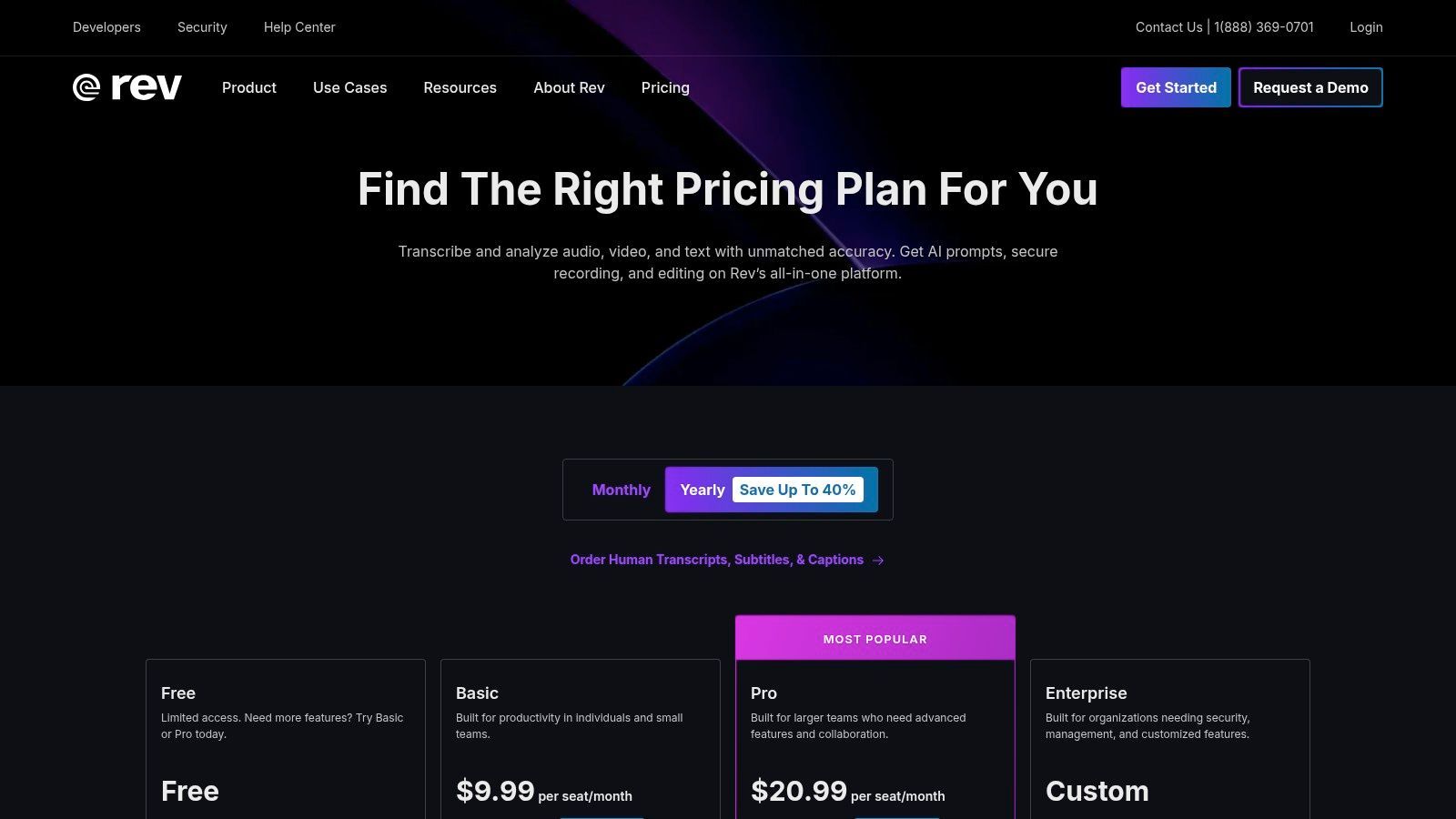
The platform's key differentiator is its human transcription service, which promises 99% accuracy with a 12-hour turnaround time, delivered by a vast network of professional transcriptionists. This reliability is critical when transcribing interviews with multiple speakers, heavy accents, or poor audio quality. The interactive editor is another standout feature, allowing you to easily review transcripts, identify speakers, and export the final text in multiple formats.
Key Features & Pricing
| Feature | Details | Price |
|---|---|---|
| Human Transcription | 99% accuracy guarantee, completed by professional transcriptionists. | Starts at $1.50 per audio minute |
| Automated Transcription | AI-powered transcription with up to 90% accuracy, delivered in minutes. | $0.25 per audio minute |
| Interactive Editor | Play audio in sync with text, highlight key quotes, and easily make edits. | Included with all transcription orders |
| Team Plans | Centralized billing, user management, and pooled AI transcription minutes. | Custom pricing available |
Practical Use Case
A journalist conducting a series of sensitive, in-depth interviews for an investigative piece would find Rev's human transcription service invaluable. The guaranteed 99% accuracy ensures that direct quotes are captured precisely, which is essential for maintaining journalistic integrity and avoiding legal issues. The editor allows them to quickly find and pull key quotes for their article.
Website: https://www.rev.com/pricing
3. Otter.ai
Otter.ai has become a favorite among journalists, students, and researchers for its ability to produce live transcriptions during meetings and interviews. The platform excels at transforming spoken conversations into smart, searchable notes in real-time. Its strength lies in its seamless integration with meeting platforms and a user-friendly interface that combines recording, transcribing, and note-taking into a single, efficient workflow, making it an excellent piece of transcription software for interviews conducted remotely.
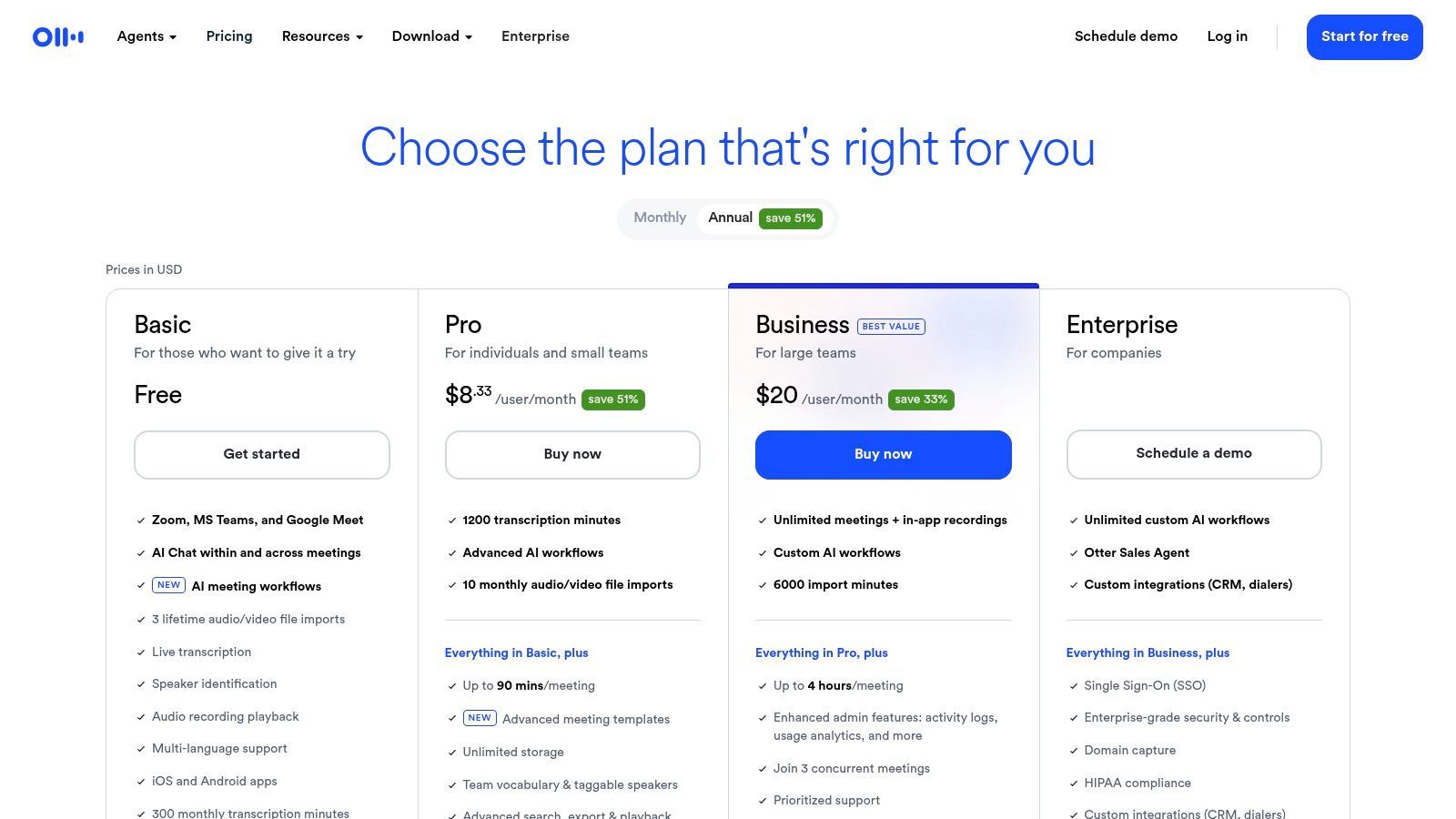
The platform’s standout features are its real-time speaker identification and automated summaries, which help users quickly grasp the key takeaways from a long conversation. After a recording, Otter processes the audio to create a transcript where you can click on any word to play the corresponding audio. This makes reviewing and pulling quotes incredibly efficient. While the AI’s accuracy is strong with clear audio, it can struggle with heavy accents or background noise, a common limitation for automated services. For guidance on working with AI-generated text, explore how to analyze interview data for qualitative research.

Speaker detection
Automatically identify different speakers in your recordings and label them with their names.

Editing tools
Edit transcripts with powerful tools including find & replace, speaker assignment, rich text formats, and highlighting.
Summaries and Chatbot
Generate summaries & other insights from your transcript, reusable custom prompts and chatbot for your content.
Key Features & Pricing
| Feature | Details | Price |
|---|---|---|
| Live Transcription | Real-time transcription with speaker identification for meetings and interviews. | Free plan available; Pro starts at $16.99/month |
| AI-Generated Summary | Automatically creates a summary, outline, and action items from your transcript. | Included in paid plans |
| Meeting Integrations | Connects with Zoom, Google Meet, and Microsoft Teams to transcribe automatically. | Available on Pro and Business plans |
| Generous Minutes | The Business plan offers a high volume of transcription minutes per user. | Business plan starts at $35/user/month |
Practical Use Case
A market researcher conducting a series of virtual focus groups would benefit immensely from Otter.ai's live transcription and meeting integrations. By connecting Otter to their Zoom sessions, they can focus entirely on moderating the discussion while the software captures every word. Afterward, they can use the searchable transcript and AI summaries to quickly identify key themes and consumer sentiments, significantly speeding up their analysis and reporting process.
Website: https://otter.ai/pricing
4. Temi (by Rev)
Temi offers a straightforward, no-frills approach to automated transcription, making it a strong contender for users who need fast, affordable results without a subscription commitment. Powered by Rev's advanced speech recognition technology, it provides a pay-as-you-go service perfect for one-off projects or users with fluctuating transcription needs. It is an ideal choice for students, podcasters, and marketers who require a quick and budget-friendly way to turn interview audio into text.
The platform’s major appeal is its simplicity and speed; you can upload a file and receive a transcript within minutes. While the AI’s accuracy is highly dependent on audio quality, Temi provides a user-friendly web-based editor that syncs text with audio playback, making corrections easy. It automatically identifies different speakers and adds timestamps, which is crucial for analyzing interview dynamics. The first file up to 45 minutes is free, offering a risk-free trial.
Key Features & Pricing
| Feature | Details | Price |
|---|---|---|
| Pay-As-You-Go AI | No-subscription, per-minute pricing for automated transcription. | $0.25 per audio minute |
| Interactive Editor | Review and edit transcripts with synced audio, speaker labels, and timestamps. | Included with all orders |
| Multiple Export Options | Download finished transcripts as DOCX, PDF, TXT, SRT, and VTT files. | Included with all orders |
| Free Trial | Your first transcription of a file up to 45 minutes is free of charge. | Free |
Practical Use Case
A graduate student conducting multiple interviews for their dissertation can use Temi to quickly process hours of audio on a tight budget. The pay-per-minute model means they only pay for what they use, avoiding a monthly subscription. They can then use the interactive editor to clean up the AI-generated text and pull key quotes and themes for their research analysis, making it an efficient tool for academic work.
Website: https://www.temi.com/
5. Trint
Founded by a journalist, Trint is purpose-built for storytelling and content creation workflows. It excels at helping users move from raw audio or video interviews to a finished narrative. The platform is designed for teams who need to collaborate on transcripts, pull key quotes, and craft stories from multiple sources efficiently, making it a top choice for newsrooms, marketing teams, and documentary producers.
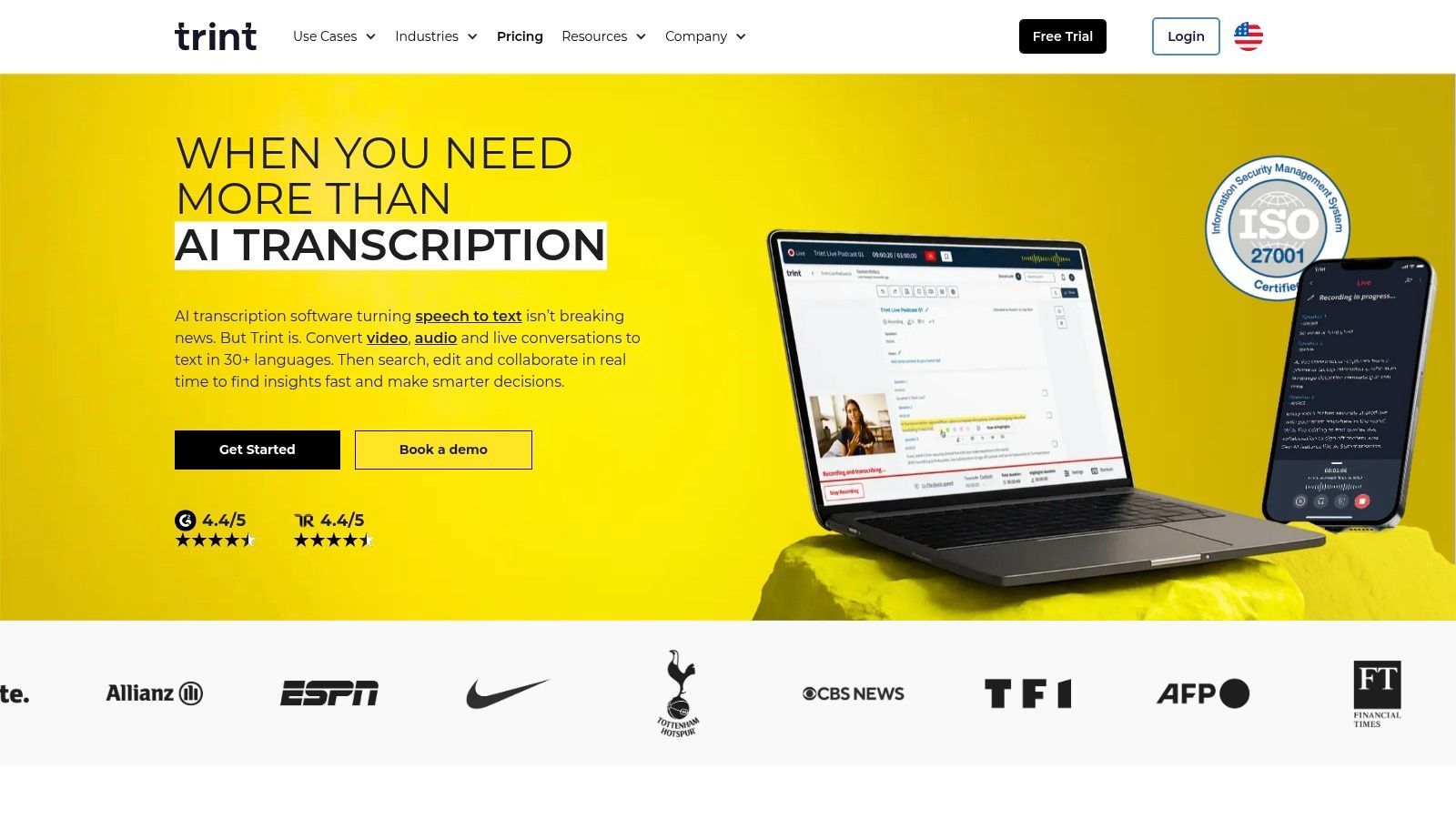
Trint's core strength lies in its collaborative, in-browser editor, which allows users to search, highlight, and comment directly on transcripts. This transforms the static text into a dynamic workspace. Its robust security features, including ISO 27001 certification and data residency options, provide the enterprise-grade compliance that larger organizations require. While it relies solely on AI transcription, the platform's workflow tools are specifically optimized to make reviewing and verifying that text as seamless as possible.
Key Features & Pricing
| Feature | Details | Price |
|---|---|---|
| Storytelling Workflow | Tools to search across multiple transcripts, assemble quotes, and craft narratives. | Starts at $80 per user/month |
| Collaboration | Shared team workspaces, real-time editing, commenting, and permissions. | Included in all plans |
| Global Language Support | Transcribe in 40+ languages and translate into over 50 languages. | Included in all plans |
| Enterprise Security | ISO 27001 certified with options for US or EU data residency. | Available on Enterprise plan (custom pricing) |
Practical Use Case
A content marketing team producing a case study video with multiple customer interviews would use Trint to manage the project. They can upload all interviews, get quick AI transcripts, and assign team members to review different files. Using the editor, they can highlight the most powerful customer quotes from each interview and assemble them into a single "story" document to build the video script, streamlining the entire post-production process.
Website: https://www.trint.com/
6. Descript
Descript revolutionizes the transcription process by treating it as the foundation for an all-in-one audio and video editor. Instead of just delivering a text file, it links the transcript directly to the media, allowing you to edit your interview recording simply by editing the text. This "edit-by-transcript" model makes it the ultimate tool for podcasters, video creators, and researchers who need to turn raw interview footage into polished, publishable content.
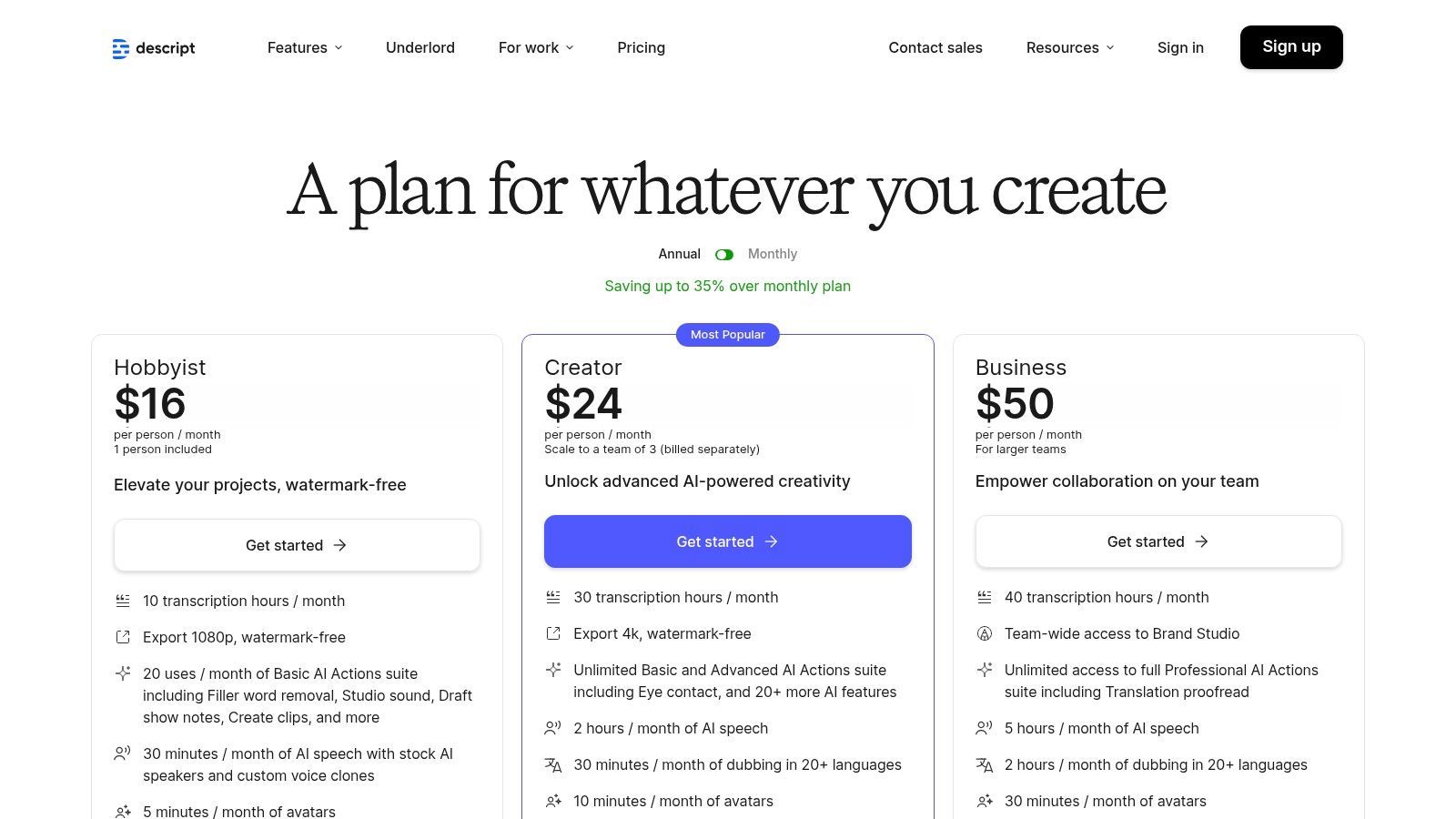
The platform's standout feature is its powerful suite of AI-driven editing tools. Users can automatically remove filler words like "um" and "uh" with a single click, enhance poor audio with its Studio Sound feature, and easily create shareable clips. While it presents a steeper learning curve than simple transcription-only services, its value is unmatched for anyone whose workflow extends beyond just transcribing interviews to actually producing media from them. The generous monthly transcription hours included in paid plans make it a cost-effective choice for regular content creators.
Key Features & Pricing
| Feature | Details | Price |
|---|---|---|
| Text-Based Editing | Edit audio and video by simply editing the corresponding text in the transcript. | Included in all plans, starting with Free |
| AI Transcription | Generous monthly transcription hours included with paid plans for automated accuracy. | 10-30 hours per month on paid plans |
| Studio Sound | One-click AI tool to remove background noise and enhance speaker voice quality. | Included in all plans |
| Filler Word Removal | Automatically detect and delete filler words ("um," "uh," etc.) from audio and video. | Available on Creator & Pro plans, starting at $12/user/month |
Practical Use Case
A podcast host who conducts remote interviews can use Descript to manage their entire post-production workflow. After recording, they can upload the file to get a fast, automated transcript. They can then correct any errors, remove filler words, and use the text-based editor to cut out irrelevant sections. Finally, they can apply Studio Sound to improve audio quality and export the final, broadcast-ready episode without ever leaving the platform.
Website: https://www.descript.com/pricing
7. Sonix
Sonix is a powerful AI-driven transcription service designed for professionals and teams who frequently work with interview audio and video. Its main appeal lies in its flexible pricing models and robust collaborative features, making it an excellent choice for recurring projects. The platform excels at processing large volumes of media, offering both pay-as-you-go and subscription options to cater to fluctuating transcription needs.
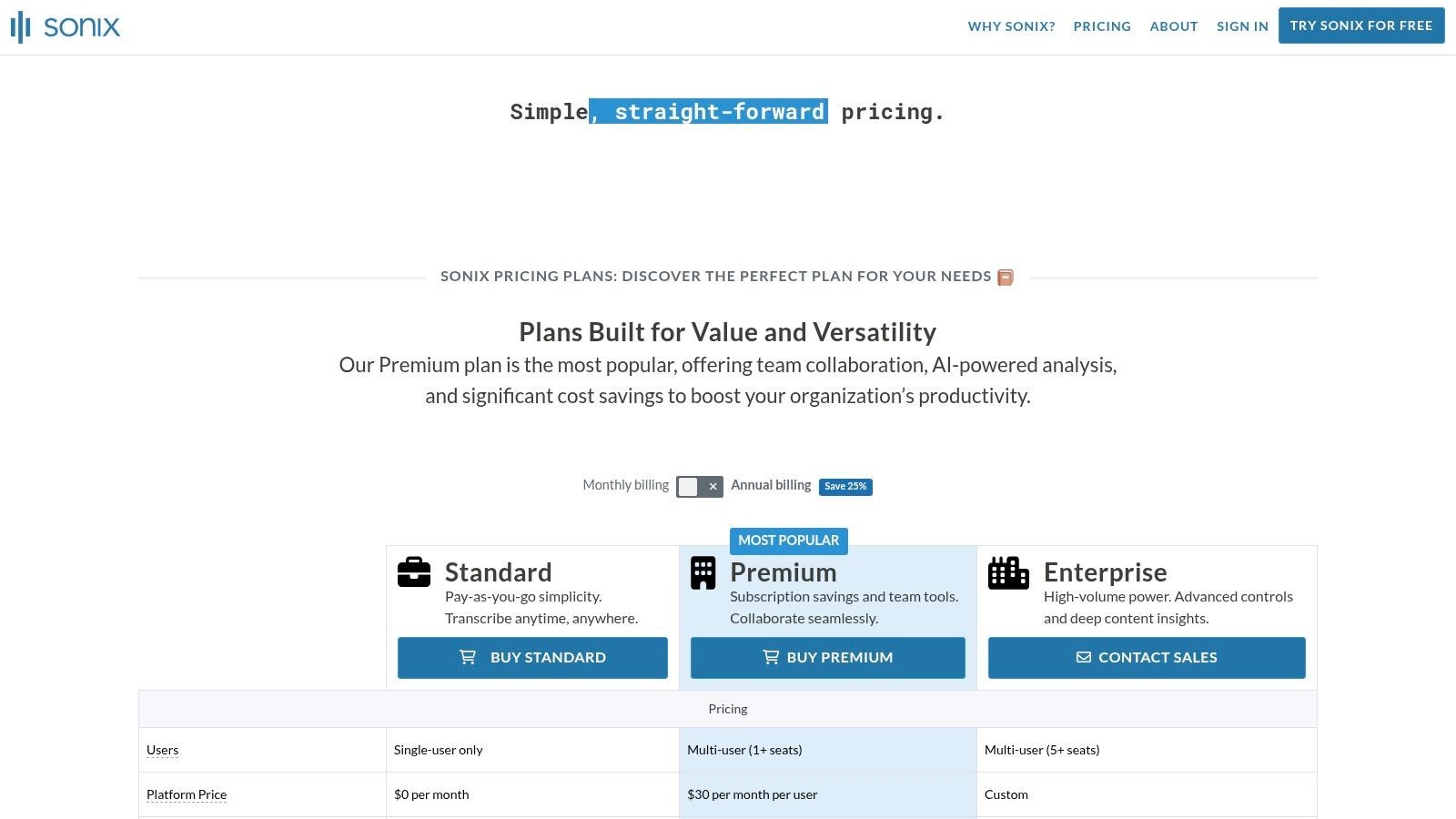
The platform supports over 40 languages and provides an in-browser editor that automatically identifies different speakers (diarization) and allows users to build a custom dictionary for specialized terminology. This makes it a highly effective piece of transcription software for interviews with niche subject matter. The ability to translate transcripts into different languages is another key feature, broadening its utility for global teams and market researchers.
Key Features & Pricing
| Feature | Details | Price |
|---|---|---|
| Pay-as-you-go Plan | Standard automated transcription without a recurring commitment. | Starts at $10 per hour |
| Premium Subscription | Includes a set number of transcription hours and lower per-hour rates. | $5 per hour + $22/user/month |
| In-Browser Editor | Edit transcripts alongside audio playback, with speaker labeling and a custom dictionary. | Included with all plans |
| Team Collaboration | Features like multi-user access, shared folders, and permission management. | Available with Premium & Enterprise plans |
Practical Use Case
A market research firm conducting focus group interviews across different countries would benefit greatly from Sonix. They can use the subscription model for cost-effective bulk transcription and leverage the team collaboration tools to allow multiple researchers to access and analyze the transcripts. The platform's translation feature would be essential for quickly converting interviews conducted in various languages into a single, unified language for the final report.
Website: https://sonix.ai/pricing
8. Happy Scribe
Happy Scribe excels in the globalized landscape of interviews, offering robust multilingual transcription and translation services. It provides a flexible model with both fast AI-powered transcription and a human-made service, making it ideal for international researchers, journalists, and global businesses. Its standout feature is the extensive language support, which is not just an add-on but a core part of its offering.
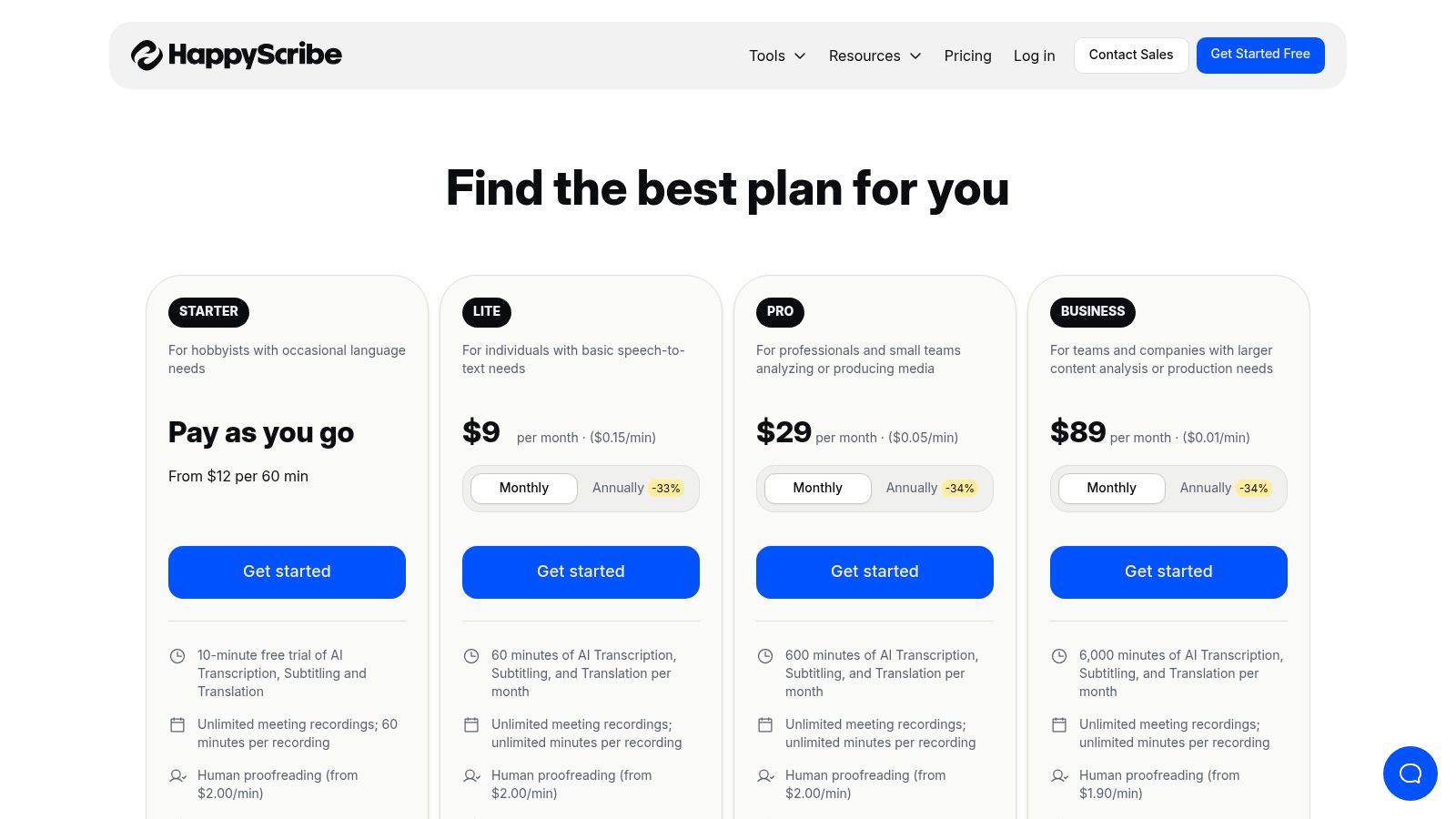
The platform is designed for users who regularly handle interviews in various languages and need reliable transcripts without switching tools. Happy Scribe’s transparent, per-language pricing for human proofreading allows for clear budget planning on international projects. The collaborative editor further enhances its utility, enabling teams spread across different regions to work together on refining interview transcripts.
Key Features & Pricing
| Feature | Details | Price |
|---|---|---|
| Multilingual AI Transcription | Supports automated transcription in over 120 languages and accents. | Starts at $10/month (billed annually) for 120 minutes |
| Human-Made Transcription | 99% accuracy service by native-speaking transcribers. | Starts from $2.00 per audio minute (varies by language) |
| Collaborative Editor | Interactive workspace for teams to edit, highlight, and comment on transcripts. | Included with all plans |
| Multiple Export Formats | Export transcripts in formats like DOCX, PDF, TXT, and SRT. | Included with all plans |
Practical Use Case
An academic researcher conducting a qualitative study with participants from France, Spain, and Germany would find Happy Scribe's transcription software for interviews indispensable. They can upload all interview audio to one platform and receive accurate AI-generated transcripts in their native languages. For critical quotes, they can easily upgrade specific files to the human-made service to ensure 99% accuracy for their analysis and publications.
Website: https://www.happyscribe.com/pricing
9. Fireflies.ai
Fireflies.ai carves out its niche as an AI meeting assistant that excels at transcribing interviews conducted over video conferencing platforms. While its core focus is on live meetings, its powerful automation and integration features make it a strong contender for anyone whose interview workflow is heavily reliant on tools like Zoom, Google Meet, or Microsoft Teams. It goes beyond simple transcription by providing AI-powered summaries, action items, and searchable notes.
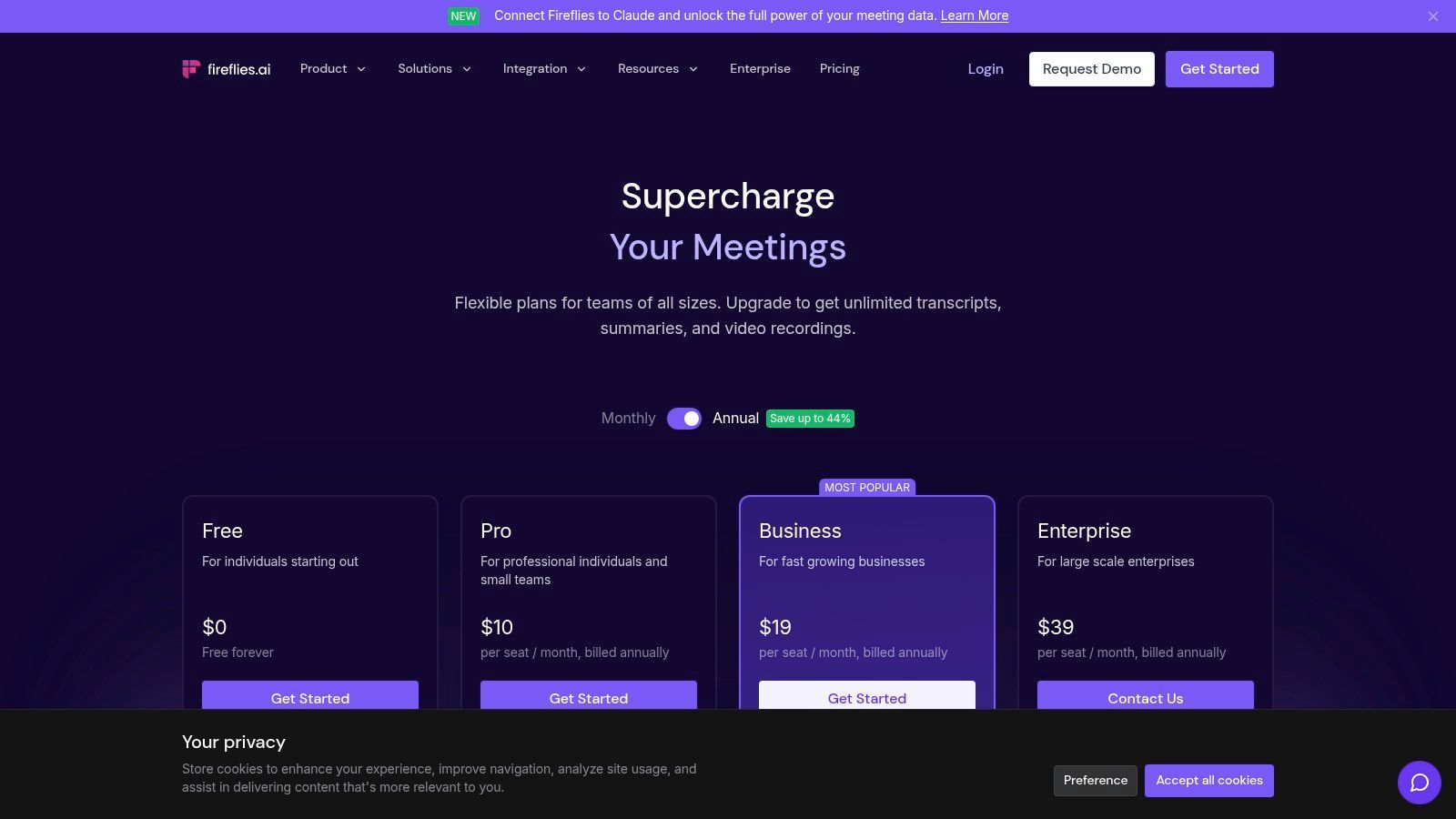
The platform’s standout feature is its ability to automatically join, record, and transcribe calendar events, creating a seamless, hands-off process for capturing interview content. Fireflies.ai also supports over 69 languages and allows users to upload existing audio or video files for transcription. Its AI assistant, 'AskFred', can answer questions about the interview content, making it an efficient tool for qualitative data analysis or quickly finding key information without re-reading the entire text.
Key Features & Pricing
| Feature | Details | Price |
|---|---|---|
| AI Super Summaries | Get chaptered notes, action items, and an outline of your interview. | Included in all paid plans |
| Conversation Intelligence | Analyze speaker talk time, sentiment, and other key metrics. | Available on Business and Enterprise plans |
| Integrations | Connects with CRMs, project management tools, and storage platforms. | Included in all plans |
| Unlimited Transcription | No per-minute fees for live meetings or uploaded files on paid plans. | Starts at $10/seat/month (billed annually) |
Practical Use Case
A market research firm conducting a series of virtual focus groups and one-on-one interviews would benefit greatly from Fireflies.ai. The AI assistant can automatically join and document each session, and the transcripts are instantly centralized and searchable. The team can use Conversation Intelligence to analyze participant sentiment and talk time, providing quantitative data to support their qualitative findings without manual effort.
Website: https://fireflies.ai/pricing
10. Microsoft Word (Transcribe in Word – Microsoft 365)
For professionals already embedded in the Microsoft ecosystem, the built-in Transcribe feature in Word offers a surprisingly powerful and convenient solution. Instead of relying on a third-party tool, Microsoft 365 subscribers can upload or record interview audio directly within Word for the web, which then generates a full, interactive transcript in a side panel. This integration eliminates the need to switch between applications, streamlining the workflow for those who draft reports, articles, or notes directly in Word.
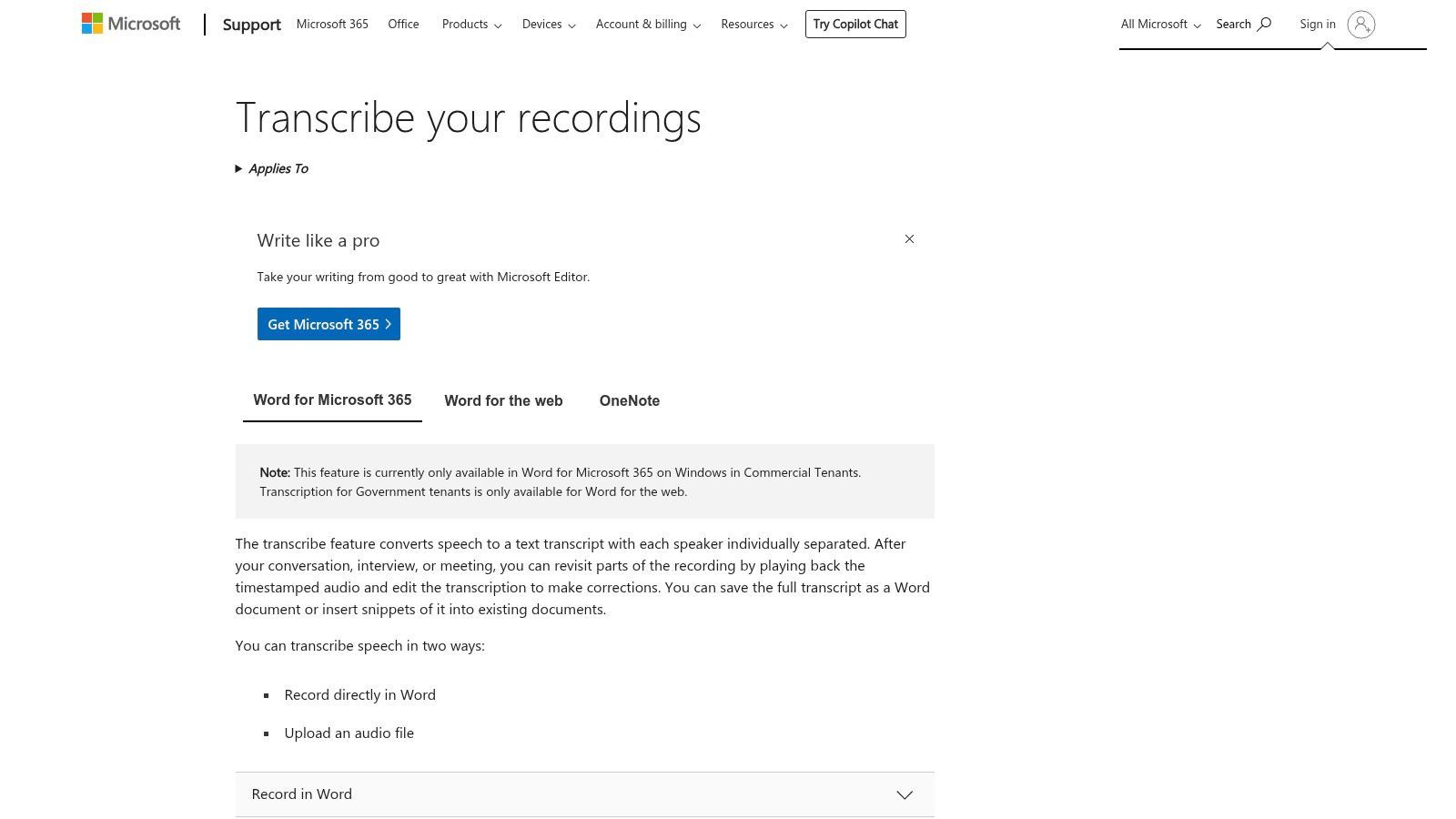
The key advantage is its seamless integration. The transcript is timestamped and separates speakers, allowing you to click a specific text block to hear the corresponding audio. Users can easily pull quotes or entire sections directly into their document with a single click, making it one of the most efficient transcription software for interviews when your final output is a Word document. It’s particularly useful for tasks like recruiter phone screen transcription, where notes must be quickly captured and formatted.
Key Features & Pricing
| Feature | Details | Price |
|---|---|---|
| Direct Integration | Record or upload audio and transcribe directly within Word for the web. | Included with most Microsoft 365 subscriptions |
| Interactive Transcript | The transcript panel syncs audio playback with timestamped, speaker-separated text. | Included with subscription |
| One-Click Snippets | Easily insert quotes or transcript sections into your Word document. | Included with subscription |
| Monthly Limits | Subscription plans have monthly limits on upload minutes (e.g., 300 minutes). | Varies by Microsoft 365 plan |
Practical Use Case
A corporate manager conducting internal employee interviews for a performance review cycle can use Transcribe in Word to maintain a clean, organized record. They can record the conversations directly or upload audio files later. The transcript appears alongside their notes, allowing them to easily pull key feedback and action items into the official review document without ever leaving the Word interface, ensuring a secure and efficient process.
Website: https://support.microsoft.com/office/transcribe-your-recordings-7fc2efec-245e-45f0-b053-2a97531ecf57
11. Adobe Premiere Pro (Speech to Text)
For professionals whose interviews are primarily video-based, Adobe Premiere Pro offers a powerful, integrated solution with its Speech to Text feature. Rather than exporting audio to a separate tool, users can generate transcripts and captions directly within their video editing timeline. This all-in-one workflow is a significant time-saver for video producers, documentarians, and content creators who need to transcribe interviews for editing, subtitling, or pulling quotes.
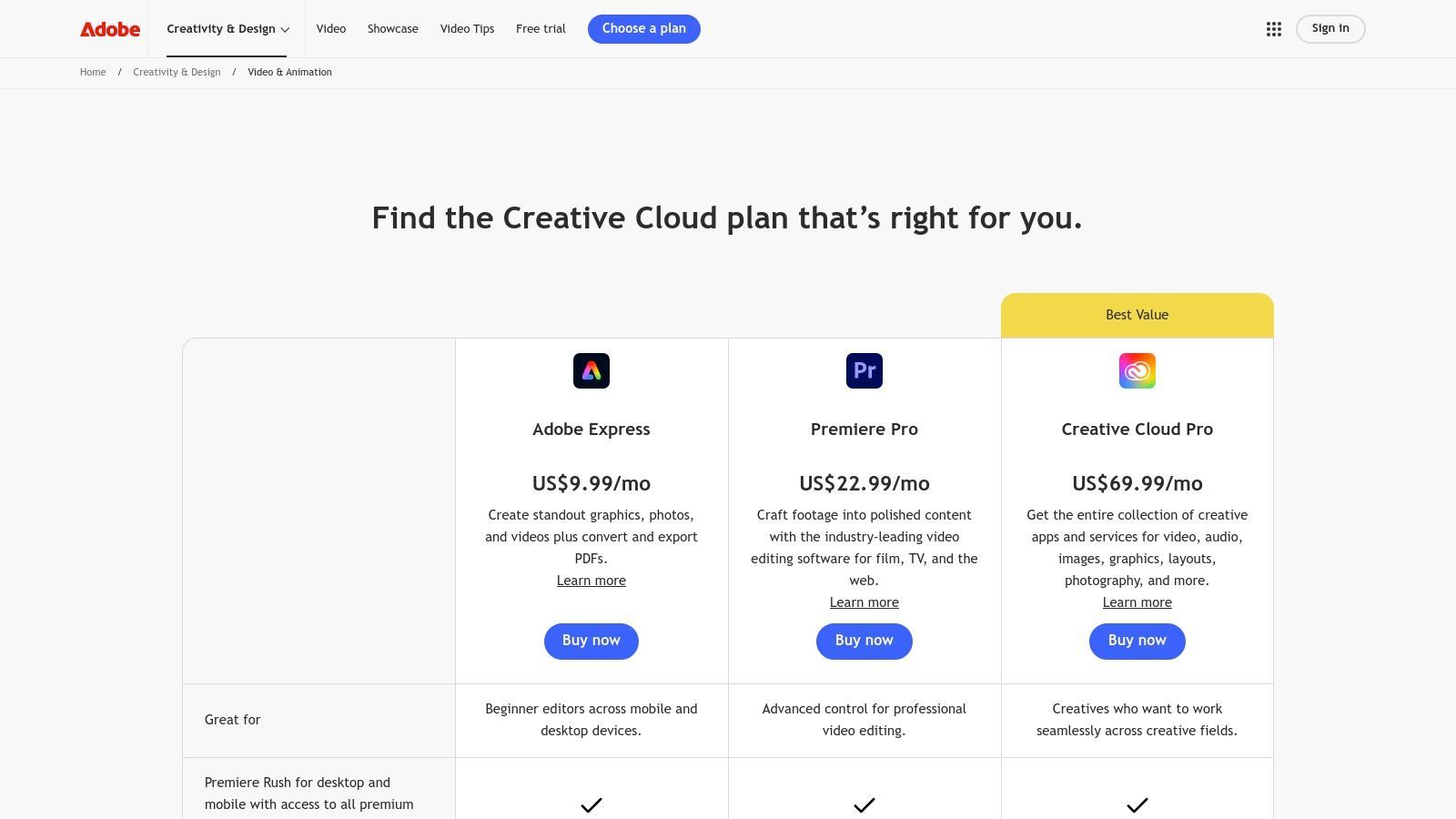
The key advantage of using Premiere Pro is the seamless connection between the transcribed text and the video footage. The transcript is time-coded, and clicking on a word instantly moves the playhead to that exact moment in the video. This makes finding specific soundbites incredibly efficient. However, its primary focus is video editing, making the subscription cost excessive for users who only need transcription services without the advanced video production tools.
Key Features & Pricing
| Feature | Details | Price |
|---|---|---|
| Integrated Transcription | AI-powered transcription generated and editable directly on the video timeline. | Included with Premiere Pro subscription |
| Text-Based Video Editing | Edit video by simply cutting and pasting text in the transcript panel. | Included with subscription |
| Automated Captions | Convert the transcript into customizable, timed captions with one click. | Included with subscription |
| Adobe Creative Cloud | Part of a larger ecosystem of creative tools for video and audio production. | Starts at $22.99/month (for Premiere Pro only) |
Practical Use Case
A documentary filmmaker conducting a series of video interviews can use Premiere Pro's Speech to Text to create a searchable transcript of all their footage. They can quickly scan the text to identify the most compelling quotes, then use the text-based editing feature to create a rough cut of the interview segments simply by highlighting and arranging the desired text, which automatically edits the video clips on the timeline.
Website: https://www.adobe.com/creativecloud/video/compare-plans.html
12. Amazon (Express Scribe and related transcription gear/software)
While not a direct software provider, Amazon serves as a crucial marketplace for those building a manual transcription setup. It's the go-to destination for purchasing professional-grade transcription player software like Express Scribe, alongside the essential hardware that streamlines the process, such as foot pedals and high-quality headsets. This makes it an ideal starting point for transcriptionists, researchers, or assistants who prefer a hands-on approach and require physical tools to efficiently transcribe interviews.
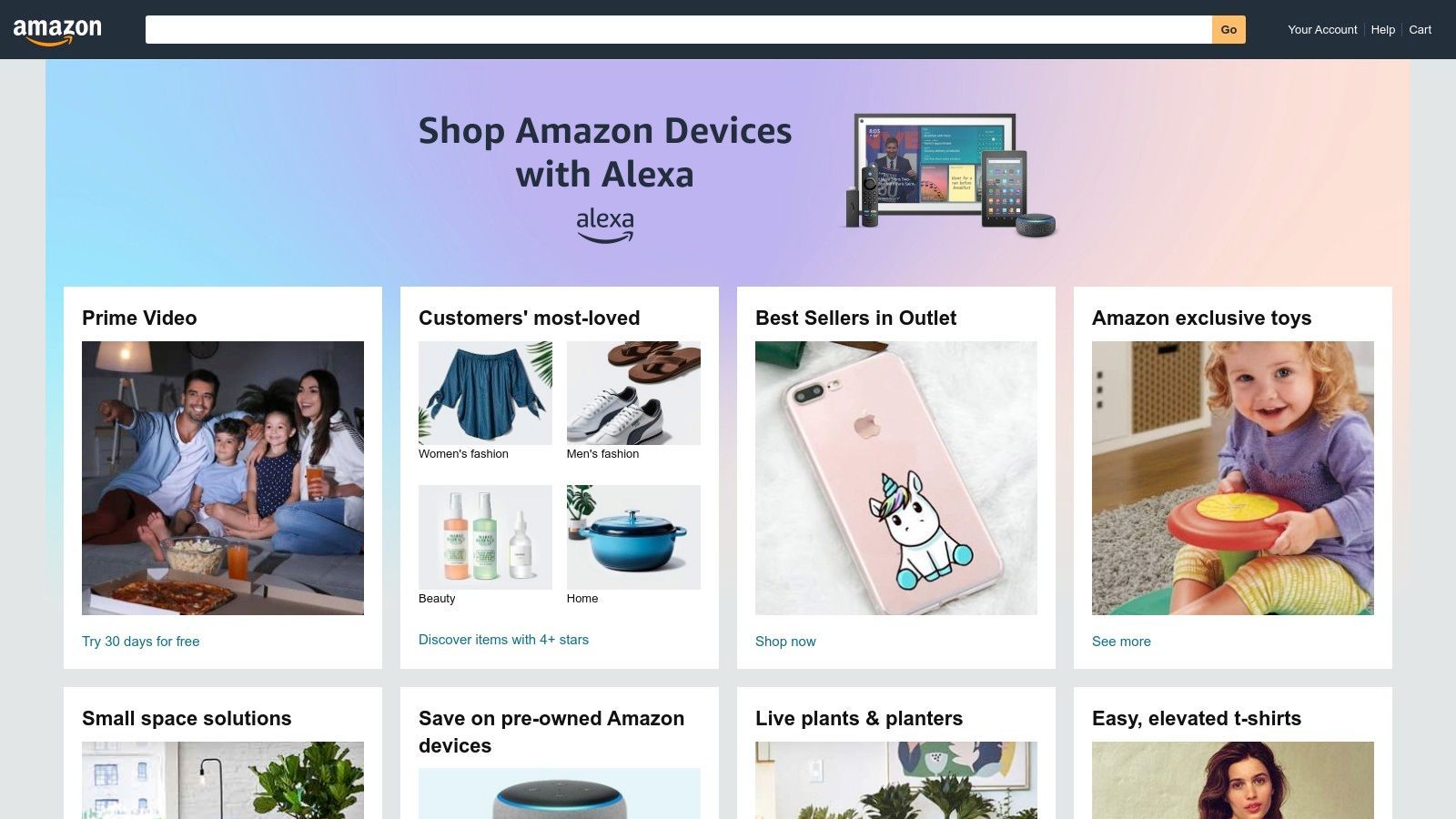
The platform's primary advantage is its role as a one-stop shop, bundling software downloads with compatible hardware. Instead of sourcing items from different vendors, users can purchase a complete kit with the confidence of user reviews and Amazon's reliable shipping and return policies. However, it's important to note this ecosystem supports a manual workflow; it provides the playback tools but relies on the user to perform the actual typing, distinguishing it from automated AI services.
Key Features & Pricing
| Feature | Details | Price |
|---|---|---|
| Express Scribe Software | Downloadable professional transcription player with variable speed and foot pedal support. | Varies by seller; typically $50-$70 |
| Hardware Bundles | Kits including USB foot pedals and professional transcription headsets. | Bundles often range from $80-$150 |
| Wide Product Selection | A vast marketplace of new and used transcription gear from various manufacturers. | Varies widely by product and seller |
| Fast Shipping | Many items are eligible for Prime shipping for quick delivery. | Included with Amazon Prime membership |
Practical Use Case
A freelance paralegal or medical assistant tasked with transcribing sensitive audio interviews would use Amazon to build an efficient, ergonomic workstation. They could purchase an Express Scribe Pro license, a USB foot pedal to control audio playback without taking their hands off the keyboard, and a noise-canceling headset to ensure every word is heard clearly. This setup maximizes typing speed and accuracy for high-volume manual transcription tasks.
Website: https://www.amazon.com/
Top 12 Interview Transcription Software Features Comparison
| Platform | Core Features / Accuracy | User Experience & Quality ★★★★☆ | Value & Pricing 💰 | Target Audience 👥 | Unique Selling Points ✨ |
|---|---|---|---|---|---|
| 🏆 Transcript.LOL | 99.8%+ accuracy, 10h uploads, multi-format | 4.8/5 rating, advanced editing & speaker detection | Free tier; $120/yr individual; $240/yr team | Podcasters, marketers, educators, enterprises | Summaries, quizzes, mind maps, social media content, strict privacy 🔒 |
| Rev | Human 99%, AI option; interview-focused | Clear pricing, trusted, scalable | Pay-as-you-go for human & AI transcription | Interviewers, enterprises | Human+AI combo, meeting integrations |
| Otter.ai | Live transcription, speaker ID | Easy workflow, strong search & summaries | Free cap on minutes; Business plan for heavy users | Journalists, researchers | Live transcription + AI summaries |
| Temi (by Rev) | Pay-per-minute, web editor, timestamps | Fast delivery, simple editor | No subscription; pay as you go | Budget users, quick transcriptions | First 45 min free, straightforward pricing |
| Trint | Multi-language, search & collaboration | Secure with ISO 27001; newsroom focused | Pricing by sales consultation | Journalists, enterprises | Multi-language, compliance, collaboration |
| Descript | Transcript-driven audio/video editing | Team friendly; advanced AI tools | Subscription with monthly AI hours | Podcasters, video editors | Audio/video editing & filler word removal |
| Sonix | Pay-as-you-go or subscription; 40+ languages | Flexible plans; bulk pricing benefits | Trial + premium plans | Teams, enterprises | Translational support, prorated billing |
| Happy Scribe | AI + human transcription; 80+ languages | Collaborative editor, human proofreading | Pricing varies by language | Multilingual interviewers | Human-reviewed accuracy option |
| Fireflies.ai | Unlimited transcription on paid plans | Strong automation & integrations | Competitive per-seat pricing | Meeting-heavy teams | AI assistant, CRM integrations |
| Microsoft Word (Transcribe in Word) | Upload/record within Word, timestamps | Built into Microsoft 365; easy editing | Included w/ Microsoft 365 subscription | Microsoft 365 users | Native integration inside Word |
| Adobe Premiere Pro (Speech to Text) | Caption + transcript with video timeline | Pro video+caption workflow | Expensive subscription | Video editors, media professionals | All-in-one video & transcription editing |
| Amazon (Express Scribe & gear) | Manual transcription tools & hardware | Downloadable player, foot pedals | Varies widely; hardware + software bundles | Manual transcriptionists | Hardware + software bundle marketplace |
Choosing the Right Tool to Amplify Your Interview Insights
Navigating the landscape of transcription software for interviews can feel overwhelming, but as we've explored, the perfect tool is not a one-size-fits-all solution. It's the one that seamlessly integrates into your unique workflow, respects your budget, and ultimately, helps you extract the maximum value from your conversations. The journey from spoken words to actionable insights is complex, and the right software acts as a powerful catalyst in that process.
We've covered a wide spectrum of options, from the AI-powered speed of Otter.ai and Fireflies.ai for live meeting notes to the unparalleled 99% accuracy guarantee of Rev's human-powered service. For content creators, the game-changing, text-based video editing capabilities of Descript and Adobe Premiere Pro redefine what's possible in post-production. Even familiar tools like Microsoft Word now offer surprisingly robust transcription features, demonstrating how central this technology has become to modern productivity.
👥 Who Benefits Most From These Tools?
📚 Researchers
Accurate transcripts with exportable formats that integrate with analysis software.
📰 Journalists
Fast, precise quotes and easy speaker tracking to meet tight deadlines.
🏢 Teams & Businesses
Collaboration features, shared workspaces, and integrations for productive teamwork.
🎙️ Content Creators
Turn raw interview footage into podcasts, blogs, and social posts effortlessly.
Synthesizing Your Decision: A Needs-Based Approach
Making the final choice requires a clear-eyed assessment of your primary needs. Don't be swayed by a long list of features you'll never use. Instead, focus on the core function that will have the biggest impact on your work. To help you zero in on the best transcription software for interviews for your situation, consider these user profiles:
-
For the Qualitative Researcher & Academic: Your primary needs are accuracy, data privacy, and ease of analysis. A tool like Transcript.LOL is a strong contender, leveraging the advanced Whisper AI for high accuracy without training on your data, ensuring confidentiality. The ability to export in various formats for analysis software is also critical.
-
For the Journalist & Podcaster on a Deadline: Speed and workflow integration are paramount. Services like Trint and Sonix offer rapid turnarounds and collaborative editors. For those who edit their own audio and video, Descript is a transformative tool that merges transcription directly into the creative editing process, saving countless hours.
-
For the Corporate Team & Business Professional: Collaboration, integration, and meeting intelligence are key. Fireflies.ai and Otter.ai excel here, not just transcribing but also summarizing meetings, identifying action items, and plugging directly into your team's CRM and communication platforms like Slack and Zoom.
-
For the Budget-Conscious User & Occasional Transcriber: If your needs are infrequent, committing to a monthly subscription might not be practical. The built-in transcription in Microsoft 365 offers a valuable, no-extra-cost solution for existing subscribers. Pay-as-you-go models from services like Temi also provide an affordable entry point for one-off projects.
Final Implementation Considerations
Before you commit, take these final steps. First, always use the free trial. Test each of your top contenders with a real-world audio sample-one with multiple speakers, background noise, or niche terminology specific to your field. This is the only way to truly gauge a platform's accuracy and usability for your specific use cases. Second, evaluate the editing interface. How easy is it to correct errors, assign speaker labels, and adjust timestamps? A clunky editor can negate the time saved by automation.
Ultimately, the best transcription software for interviews does more than just convert audio to text. It unlocks the rich data trapped within your recordings, making it searchable, analyzable, and shareable. By carefully matching your specific requirements to the specialized strengths of these tools, you can transform a tedious administrative task into a strategic advantage, ensuring no critical insight is ever lost.
Ready to experience a transcription service that prioritizes accuracy and privacy above all else? Transcript.LOL leverages cutting-edge AI to deliver exceptionally precise transcripts for your most important interviews, all while guaranteeing your data is never used for training. Try it today and see how effortless and secure high-quality transcription can be at Transcript.LOL.
⚡ Ready to Save Hours on Interview Transcription? Stop wasting time on manual typing. Experience secure, AI-powered transcription that delivers 99.8% accuracy.
👉 Try it today at Transcript.LOL.